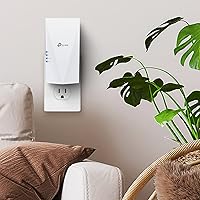
Overview

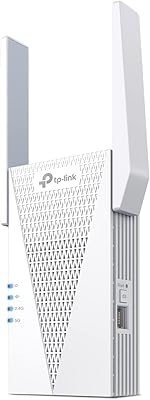
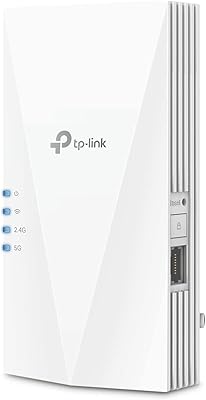
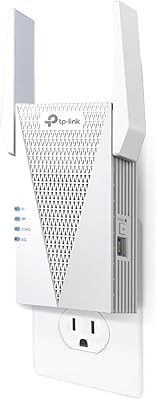
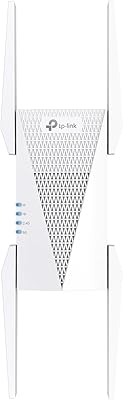
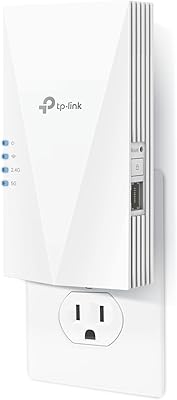
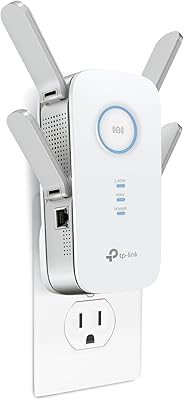
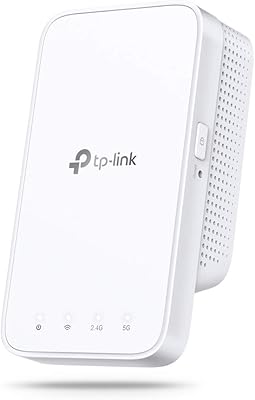
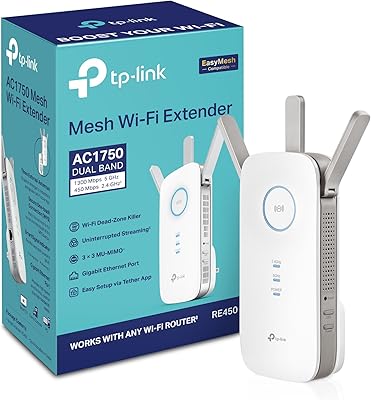
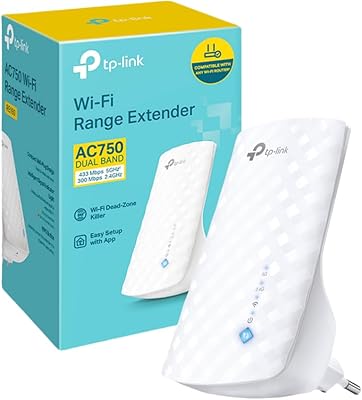
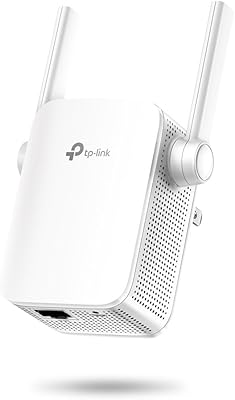
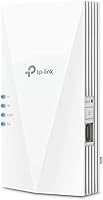
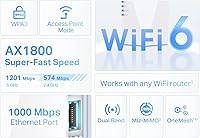
The TP-Link RE600X WiFi 6 Extender is a high-performance range booster designed to enhance your home's WiFi network. This WiFi 6 extender provides dual-band speeds of up to 1.8 Gbps, ensuring fast and stable connections for various online activities. It's an ideal solution for eliminating dead zones in larger homes or offices, extending WiFi coverage to areas where the main router’s signal struggles to reach. With its OneMesh compatibility, this device creates a seamless WiFi experience, letting you move freely throughout your home without switching networks.

Features & Benefits

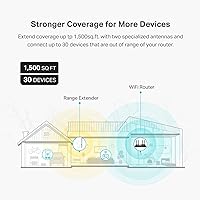
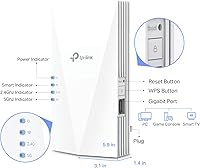
The TP-Link RE600X offers coverage up to 1500 sq. ft., making it suitable for most medium to large homes. With the ability to support up to 30 devices, it can easily handle the demands of modern households. The included Gigabit Ethernet port provides a reliable wired connection for devices like gaming consoles and PCs. Its dual-band support ensures that both 2.4 GHz and 5 GHz frequencies are available, offering flexibility for different types of devices. Setup is straightforward using the TP-Link Tether app, which simplifies the installation process and helps you find the best placement for optimal coverage.

Best For

This WiFi extender is particularly well-suited for users looking to extend their WiFi network across larger spaces. It's perfect for households with multiple devices, such as smart TVs, gaming consoles, and PCs. The TP-Link RE600X is also a great choice for those seeking to improve their home network with OneMesh compatibility, providing smooth roaming across different rooms. Additionally, it caters to homes that require both wireless and wired connection options, offering flexibility in how you connect devices.

User Feedback

The TP-Link RE600X has received mostly positive reviews, with many users praising its easy setup process and reliable performance. People have noted significant improvements in WiFi speed and coverage, especially in areas that previously had weak signals. However, some users have mentioned that the 5 GHz band has limited range at higher speeds, particularly in larger homes. Despite this, the extender is highly rated for its ability to manage multiple devices simultaneously, making it a solid choice for busy households with high internet demands.

Pros

  • The easy setup process with the TP-Link Tether app makes it beginner-friendly.
  • Dual-band speeds of up to 1.8 Gbps are perfect for high-bandwidth tasks like gaming and streaming.
  • Coverage extends up to 1500 sq. ft., making it a great option for larger homes.
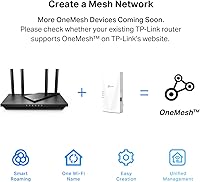
  • OneMesh compatibility ensures seamless roaming between devices without losing connection.
  • Supports up to 30 devices, making it ideal for homes with multiple users and devices.
  • The Gigabit Ethernet port provides a reliable wired connection for devices like PCs or smart TVs.

Cons

  • Some users report limited range on the 5 GHz band, especially at higher speeds.
  • It may not be suitable for very large or multi-story homes where signal strength is crucial.
  • Older routers without OneMesh support may not integrate seamlessly with this device.
  • The device can struggle to maintain consistent speeds in areas far from the router.
  • Setup can be difficult for users who are not familiar with app-based configurations.
  • Not the best option for users with minimal WiFi needs or small living spaces.

Ratings

After analyzing verified user reviews from multiple platforms and languages, the TP-Link RE600X WiFi 6 Extender has generally received positive feedback for its performance and ease of setup. All reviews were carefully filtered to exclude spam, bots, and exaggerated claims, ensuring the scores reflect authentic experiences. Both strengths and pain points have been considered in these ratings, with real user feedback providing valuable insights across a range of important features.

Performance
87%
Users generally find that this device delivers reliable and consistent performance, especially for high-speed streaming and gaming. The dual-band speeds of up to 1.8 Gbps ensure smooth internet connections across larger homes, even in areas that previously had weak signal strength.
Some users report that the range of the 5 GHz band can be limited at higher speeds, especially when using devices far from the extender. While it performs well in most situations, a few customers have mentioned that the performance drops in more challenging layouts or very large homes.
Ease of Setup
93%
The setup process is widely praised for being user-friendly. Many buyers mention how simple it is to get the device up and running using the TP-Link Tether app, with clear instructions and minimal steps required. This makes it an excellent choice for users who are not particularly tech-savvy.
While most users find the setup easy, a small group has encountered issues with the initial configuration, citing occasional connection difficulties or confusion with the app's interface. These issues tend to be more common for those who are new to using WiFi extenders.
WiFi Coverage
85%
This WiFi extender is ideal for homes with multiple rooms or floors. Reviewers highlight that it effectively covers up to 1500 sq. ft., eliminating dead zones and ensuring strong WiFi performance in larger homes. It performs especially well in multi-device environments.
Some users have found that while coverage is solid within 1500 sq. ft., performance starts to degrade at the edges of the range, particularly in areas with thick walls or obstructions. A few customers mentioned that the coverage isn’t as extensive as expected in very large or multi-story homes.
Dual-Band Speed
89%
The dual-band capability is one of the standout features, providing a balance between speed and range. Users report excellent results for both 2.4 GHz and 5 GHz frequencies, with the latter especially beneficial for high-bandwidth activities like gaming or 4K streaming.
Despite the advertised 1.8 Gbps speed, some users find that the 5 GHz band can be less reliable at longer distances or when multiple devices are connected. This may affect the overall speed when using more demanding applications over WiFi.
Reliability
84%
Overall, the device is praised for its consistent performance in terms of signal stability and network connectivity. It maintains a strong connection even when multiple devices are connected, making it a reliable solution for homes with many users or devices.
Some buyers experienced occasional drops in connectivity, especially when switching between networks or in areas with heavy interference. While these incidents were infrequent, they did affect the overall reliability for certain users in densely populated areas.
OneMesh Compatibility
90%
The OneMesh feature is highly valued by users who appreciate seamless roaming throughout their homes. Many have mentioned how convenient it is to have their devices automatically connect to the nearest available network, ensuring smooth internet access without interruptions.
A few users have reported compatibility issues with non-TP-Link devices when trying to integrate into a OneMesh network, which sometimes leads to inconsistent connections. However, these issues appear to be isolated and more common with older models or certain router brands.
Ethernet Port Performance
80%
20%
The inclusion of a Gigabit Ethernet port is a valuable feature, allowing users to connect wired devices with fast, stable connections. This is especially beneficial for streaming devices, gaming consoles, or workstations that need reliable, high-speed internet.
While the Ethernet port is useful, a few buyers noted that it doesn't offer the same level of performance as a direct router connection. Some experienced slower speeds when using the port for high-demand tasks like 4K streaming or gaming.
App Experience
88%
Many users have found the TP-Link Tether app intuitive and easy to navigate. The app allows for quick installation, as well as helpful features like intelligent signal indicators and the ability to manage the network from anywhere in the home.
A small portion of users experienced occasional bugs or crashes when using the app, especially when trying to configure settings after installation. Some also expressed that the app could benefit from additional customization options for advanced users.
Compatibility with Devices
91%
This device performs well across a wide range of modern devices, including smartphones, laptops, gaming consoles, and smart TVs. Users report that it effectively handles up to 30 devices without noticeable slowdowns, even during heavy use.
While the extender is compatible with most devices, a few users found that older devices or certain budget models did not work as well with the extender, leading to occasional connection drops or slower speeds.
Range on 5 GHz Band
78%
22%
Many users find the 5 GHz band ideal for high-speed activities like gaming or streaming, especially when the extender is placed within range. When it works well, it delivers excellent performance for high-demand tasks.
However, several users pointed out that the 5 GHz range is limited when the extender is placed farther from the router. At longer distances, the performance of the 5 GHz band tends to degrade, with some devices struggling to maintain stable connections.
Value for Money
92%
Buyers appreciate the overall value of this device, given its performance, ease of setup, and robust feature set. Many users feel that it provides excellent performance for the price, especially considering its ability to extend WiFi coverage and support multiple devices.
A few users believe that the price could be lower for the features offered, especially when comparing it to other WiFi extenders in the market. While most are satisfied, some feel that alternatives may offer similar performance at a more competitive price.
Customer Support
82%
18%
TP-Link's customer support is generally rated positively, with many users highlighting the responsiveness and helpfulness of the support team. Whether through live chat or email, most customers felt that their issues were resolved efficiently.
Some users reported delays in receiving support or challenges with troubleshooting more complex issues. While these cases were rare, they did leave a negative impression for a few customers who required more advanced assistance.

Suitable for:

The TP-Link RE600X WiFi 6 Extender is ideal for users who need to boost WiFi coverage in medium to large homes. It is especially beneficial for households with multiple devices such as smart TVs, gaming consoles, and PCs, as it supports up to 30 devices simultaneously without compromising performance. This device excels in providing strong, reliable coverage for high-bandwidth activities like gaming and streaming, thanks to its dual-band speeds of up to 1.8 Gbps. Users looking to create a seamless mesh network will appreciate its OneMesh compatibility, allowing for uninterrupted roaming throughout the home. The easy setup process via the TP-Link Tether app makes it a great choice for tech-savvy users and those new to extenders alike.

Not suitable for:

While the TP-Link RE600X WiFi 6 Extender performs well in most environments, it may not be the best option for users with very large or multi-story homes where signal range is especially challenging. Some users report that the 5 GHz band’s range diminishes at greater distances, which can lead to slower speeds in remote corners of the house. Additionally, users with older devices or those relying on non-TP-Link routers for OneMesh compatibility may encounter connectivity issues or a lack of seamless integration. Those who primarily need to connect fewer devices or live in smaller spaces may not fully benefit from its features, and may find less expensive alternatives more suitable.

Specifications

  • WiFi Standard: Supports WiFi 6 (802.11ax) for improved performance and efficiency in high-density environments.
  • Max Speed: Offers dual-band speeds of up to 1.8 Gbps, with 600 Mbps on the 2.4 GHz band and 1200 Mbps on the 5 GHz band.
  • Frequency Bands: Operates on both 2.4 GHz and 5 GHz bands for optimal performance and flexibility.
  • Coverage Area: Boosts WiFi coverage up to 1500 sq. ft., ideal for medium to large homes.
  • Device Support: Supports up to 30 devices simultaneously, making it suitable for households with multiple connected devices.
  • Ethernet Ports: Equipped with 1 Gigabit Ethernet port for reliable wired connections to devices like PCs or game consoles.
  • OneMesh Compatibility: Compatible with TP-Link OneMesh for seamless WiFi roaming across your home network.
  • App Support: Managed through the TP-Link Tether app for easy setup, configuration, and management.
  • Signal Indicator: Features an intelligent signal indicator to help find the best placement for optimal performance.
  • Dimensions: Measures 1.4 x 3.1 x 5.9 inches, making it compact and easy to place in any room.
  • Weight: Weighs just 8.2 ounces, making it lightweight and easy to mount or place.
  • Security: Supports WPA3 encryption for secure connections, ensuring your network is safe from unauthorized access.
  • Power Supply: Powered by an AC adapter, providing easy plug-and-play installation with no additional power requirements.
  • Compatibility: Works with any standard WiFi router, but best performance is achieved with TP-Link routers that support OneMesh.
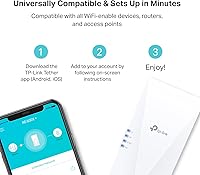
  • Setup Process: The setup process is quick and straightforward via the TP-Link Tether app, with no complex configurations needed.
  • Signal Range: While the 5 GHz band offers faster speeds, its range is shorter compared to the 2.4 GHz band.
  • Networking Standard: Supports the latest 802.11ax technology for faster speeds and improved network efficiency in crowded environments.
  • Ideal Use Case: Perfect for extending WiFi coverage in larger homes, especially in areas with existing weak signal zones.
  • User Feedback: Users have praised its ability to handle multiple devices at once, especially in households with heavy internet usage.

FAQ

Setting up the TP-Link RE600X WiFi 6 Extender is simple with the TP-Link Tether app. Just plug in the device, connect it to your network, and follow the on-screen instructions in the app to complete the setup. The app helps optimize the placement for best signal coverage, and you’ll be up and running in minutes.

The TP-Link RE600X WiFi 6 Extender can boost your WiFi coverage up to 1500 sq. ft., making it ideal for medium to large homes. It’s perfect for eliminating dead zones in areas like basements, upstairs rooms, or garages.

Yes, the TP-Link RE600X is OneMesh compatible. This allows it to seamlessly integrate with your existing TP-Link router to create a unified mesh network, which means you won’t experience dropped connections when moving between rooms.

The TP-Link RE600X offers dual-band speeds of up to 1.8 Gbps, with 600 Mbps on the 2.4 GHz band and 1200 Mbps on the 5 GHz band. This makes it ideal for high-speed activities like gaming, HD streaming, or video conferencing.

While the TP-Link RE600X is designed to work with any router, it performs best when used with TP-Link routers that support OneMesh. If you have a non-TP-Link router, it will still work, but you won’t get the seamless mesh experience.

The TP-Link RE600X can support up to 30 devices simultaneously. This makes it great for households with multiple smart devices, including smart TVs, gaming consoles, laptops, and smartphones.

Yes, the TP-Link RE600X features a Gigabit Ethernet port, allowing you to connect devices like a desktop PC or game console for a reliable wired connection. This can help ensure stable speeds, especially for bandwidth-heavy tasks.

Some users have reported that the 5 GHz band experiences limited range at higher speeds. While the speeds are great for activities like gaming or streaming close to the extender, the signal strength may decrease at longer distances.

To get the best performance from your extender, place it halfway between your router and the area with weak signal. The TP-Link Tether app has a signal indicator that helps you find the optimal location for maximum coverage.

Yes, the TP-Link RE600X is designed with ease of use in mind. The setup process through the TP-Link Tether app is intuitive, making it easy for non-technical users to get it up and running without needing advanced networking knowledge.