
Overview
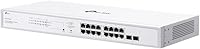
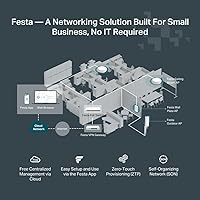
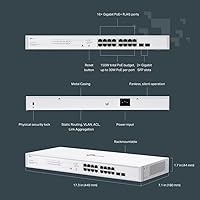
The TP-Link Festa FS318GP 18-Port PoE Switch sits in a practical sweet spot for small business owners and prosumers who need real managed switching without paying enterprise prices. Before anything else: this Festa switch is entirely separate from TP-Link's Omada ecosystem — they are not compatible, and confusing the two is the most common source of buyer regret. The FS318GP runs through the Festa cloud app only; there is no standalone mode. That said, cloud access is free, which is a genuine differentiator at this price tier. The fanless metal chassis is compact enough for a shelf but also rack-mountable, making it adaptable for most small office environments.
Features & Benefits
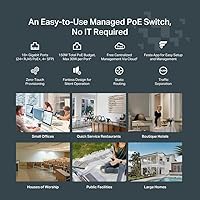
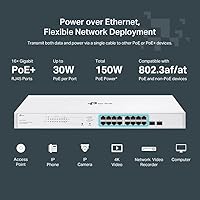
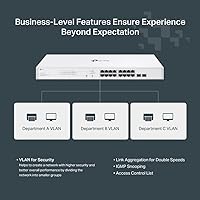
Sixteen of the 18 ports deliver PoE+ power, each capable of up to 30W — enough for cameras, access points, or VoIP phones. The four Gigabit SFP slots add flexibility for fiber uplinks or connecting to a core switch. On the software side, this managed PoE switch supports static routing, VLANs, IGMP Snooping, Storm Control, and Port Isolation, covering the essentials for most small business network setups. Getting everything running is straightforward: plug in your devices, open the Festa app, and the switch largely organizes itself. The fanless design keeps things quiet and handles ambient temperatures up to 40°C, so it holds up well in wiring closets or retail back-of-house spaces.
Best For
This Festa switch is a natural fit for small business owners building networks with IP cameras, wireless access points, or VoIP systems — provided the total PoE draw stays comfortably under 150W. Network installers will appreciate cloud management they can hand off to a client without training manuals or recurring licensing costs. Home lab users who want VLAN segmentation and basic routing without a full enterprise stack will find the FS318GP genuinely capable. It also suits quieter commercial spaces like cafes, retail shops, or small hotels where fan noise would be disruptive. Just confirm you are building a Festa network — the two do not mix with Omada.
User Feedback
Across more than 780 reviews, this managed PoE switch holds a 4.7-star rating — and reading through the comments, that score feels earned rather than inflated. Most buyers highlight how quickly the switch comes online and how reliably it delivers power to connected devices. Fanless operation gets consistent praise from anyone who placed it in a quiet environment. That said, a notable share of reviewers ran into frustration specifically because they expected Omada compatibility or hoped to manage the switch locally without internet access. The 150W power budget also surfaces in critical reviews — users running several high-draw devices simultaneously can hit that ceiling faster than expected.
Pros
- Sixteen PoE+ ports provide up to 30W each, covering most cameras, APs, and VoIP phones with ease.
- Four Gigabit SFP slots add real uplink flexibility for fiber connections or backbone switching.
- Cloud management via the Festa app is free with no subscription required, ever.
- Setup is genuinely fast — plug in devices and the app walks through the rest without technical expertise.
- VLAN support, static routing, and Storm Control cover the essentials for most small business network segmentation needs.
- Fanless metal chassis runs completely silently, making it ideal for customer-facing or noise-sensitive spaces.
- Rack-mountable form factor fits neatly into standard enclosures alongside other gear.
- A 4.7-star rating across 780-plus real-world reviews reflects consistent satisfaction among buyers who matched it to the right use case.
- Three-year warranty with free technical support provides solid long-term coverage for a business-critical device.
- Compact footprint and durable build quality make this Festa switch easy to deploy in tight or unconventional spaces.
Cons
- No standalone or local management mode exists — an active internet connection is required for any configuration changes.
- The 150W total PoE budget is shared across all 16 ports, which limits dense deployments with high-draw devices.
- Incompatibility with Omada controllers means switching ecosystems mid-network is not an option without replacing hardware.
- The Festa platform is newer and less mature than Omada, with a smaller community and fewer third-party integration resources.
- Cloud dependency introduces a potential single point of failure if TP-Link's Festa servers experience downtime.
- No console port or local web interface fallback means troubleshooting without internet access is significantly harder.
- Advanced routing features are limited to static routing — dynamic routing protocols like OSPF or BGP are not supported.
- Buyers unfamiliar with the Festa versus Omada distinction frequently purchase this switch by mistake, a recurring complaint in reviews.
Ratings
The TP-Link Festa FS318GP 18-Port PoE Switch scores below were generated by AI after analyzing verified buyer reviews worldwide, with spam, incentivized submissions, and suspected bot activity actively filtered out before scoring. Every category reflects what real buyers reported after deploying this Festa switch in small offices, retail locations, home labs, and client installations — strengths and friction points alike. Nothing has been smoothed over: where genuine limitations surfaced repeatedly across reviews, the scores reflect that honestly.
PoE Performance
Cloud Management
Setup Experience
Build Quality
Value for Money
Ecosystem Compatibility
Network Reliability
Thermal & Noise Management
Software Features
Scalability
Security Features
Documentation & Support
Physical Design
Suitable for:
The TP-Link Festa FS318GP 18-Port PoE Switch is a strong choice for small business owners who need to power and manage a mix of IP cameras, wireless access points, and VoIP phones without hiring a dedicated IT person. Network installers will find it particularly practical for client deployments — the app-based cloud setup is quick enough to hand off, and there are no ongoing licensing fees to explain to a budget-conscious client. Home lab enthusiasts who want real managed features like VLANs and static routing, but have no interest in wrestling with a full enterprise platform, will find the feature set punches above its price. It also fits naturally into hospitality or retail environments where quiet operation matters and the hardware needs to sit cleanly in a rack or wiring closet. If you are already building around the Festa ecosystem, this switch slots in without friction.
Not suitable for:
Anyone already running or planning a TP-Link Omada network should stop here — the TP-Link Festa FS318GP 18-Port PoE Switch is completely incompatible with Omada controllers, and that is a hard architectural wall, not a configuration workaround. Buyers who need local management access — whether for security policy reasons, unreliable internet connectivity, or simply a preference to keep control on-premises — will find this switch frustrating, since every configuration task runs through the Festa cloud with no offline fallback. If your deployment involves more than five or six high-draw PoE devices, the shared 150W budget will become a real constraint quickly; a single access point or PTZ camera drawing 25–30W chips away at that pool fast. IT professionals managing larger, more complex networks will likely find the feature set too limited for multi-site or enterprise-grade requirements. This is also not the right pick for buyers who simply grabbed a TP-Link switch without verifying the ecosystem — double-check the Festa branding before ordering.
Specifications
- Total Ports: The switch provides 18 total ports: 16 PoE+ RJ45 ports and 4 Gigabit SFP slots.
- PoE Standard: All 16 RJ45 ports support IEEE 802.3at (PoE+) and 802.3af, delivering up to 30W per port.
- PoE Budget: The total shared PoE power budget across all 16 active PoE ports is 150W.
- SFP Slots: Four Gigabit SFP slots are included for fiber uplinks or high-speed backbone connections.
- Data Rate: All ports operate at 10/100/1000 Mbps, providing full Gigabit throughput across the switch.
- Management: The switch is managed exclusively via the Festa cloud app or web portal; no standalone or local management mode is available.
- Routing: Static routing is supported for directing internal traffic between network segments more efficiently.
- Security Features: Supported security features include 802.1Q VLAN, IGMP Snooping, Storm Control, Port Isolation, Loopback Detection, Rate Limiting, and Flow Control.
- Chassis: The switch uses a fanless, all-metal construction and supports standard rack mounting.
- Dimensions: Physical dimensions measure 6.2″ long by 6.2″ wide by 1″ high.
- Weight: The unit weighs approximately 5.29 lbs, making it light enough for easy rack or shelf installation.
- Max Temperature: The switch is rated for operating environments with ambient temperatures up to 40°C.
- Ecosystem: This switch belongs to the TP-Link Festa platform and is not compatible with TP-Link Omada controllers or SDN software.
- Warranty: A three-year limited warranty is included, backed by free technical support available Monday through Friday, 6am to 6pm PST.
- In the Box: The package includes the switch unit, a power cord, a rack-mount kit, silicon feet for desktop use, and an installation guide.
- Max Port Power: Each individual PoE+ port can supply a maximum of 30W to a connected powered device.
Related Reviews
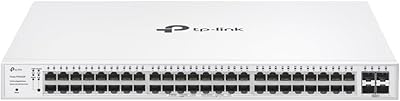
TP-Link Festa FS352GP 52-Port PoE Switch
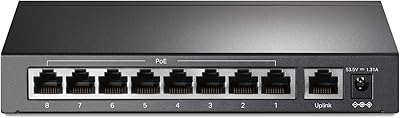
TP-Link TL-SF1009P 9-Port PoE+ Switch
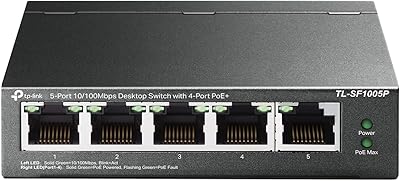
TP-Link TL-SF1005P
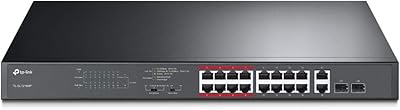
TP-Link TL-SL1218MP 16-Port PoE Network Switch
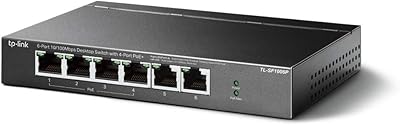
TP-Link TL-SF1006P 6-Port PoE Switch
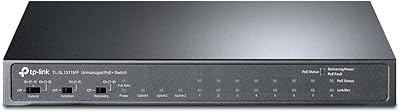
TP-Link TL-SL1311MP 8-Port PoE+ Network Switch
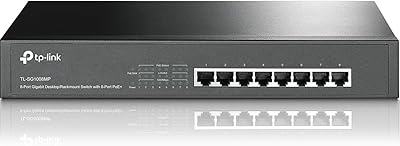
TP-Link TL-SG1008MP 8-Port PoE+ Gigabit Switch
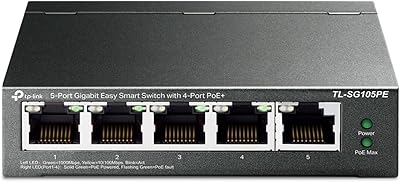
TP-Link TL-SG105PE 5-Port Gigabit PoE Switch
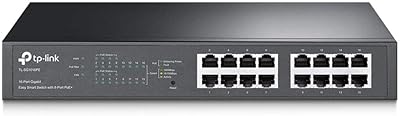
TP-Link TL-SG1016PE 16-Port Gigabit PoE Switch
