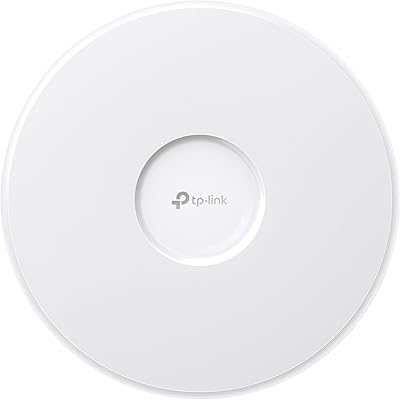
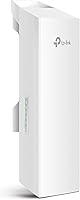
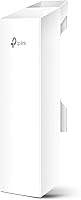
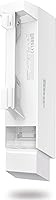
TP-Link CPE210 Outdoor Wireless Access Point

Overview
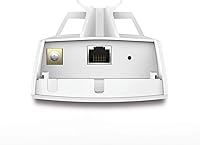
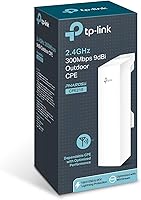
The TP-Link CPE210 Outdoor Wireless Access Point has quietly earned its place as one of the most practical affordable options for anyone needing to push a wireless signal across a long distance without running cable. At its core, it does one thing: connect two or more locations wirelessly — what networking folks call a point-to-point link or point-to-multipoint setup. Think barn to farmhouse, warehouse to office, building to building across a parking lot. This long-range access point runs on 2.4GHz, which travels farther than 5GHz but tops out at N300 speeds, so manage expectations accordingly. It has been on the market for over a decade, and that longevity counts — extensive community support, mature firmware, and a real-world proven track record.
Features & Benefits
The CPE210's standout hardware is its 9dBi dual-polarized MIMO antenna — essentially two antennas working in parallel to send and receive, focused in a tight directional beam rather than broadcasting in all directions. That focus is what makes kilometer-scale links achievable. Transmit power is adjustable from 0 to 27dBm, which matters if you need to stay within local regulations or dial back output to reduce interference with neighbors. TP-Link's Pharos TDMA technology — Time Division Multiple Access — takes turns sending data in coordinated slots rather than letting devices fight for airtime, noticeably improving stability on longer links. The unit runs on passive PoE, so a single Ethernet cable carries both data and power to the outdoor unit, with the included injector handling the indoor side.
Best For
This outdoor wireless bridge is a strong fit for rural property owners, farmers, or anyone trying to get internet to a garage, barn, or guest cabin without digging trenches or paying for a second ISP line. Small businesses bridging two nearby buildings on a tight budget will also find it capable. That said, this is not a device for the networking novice — you will need a basic understanding of IP addressing, subnets, and how wireless links work to configure it properly. IT professionals and network hobbyists will feel right at home. If you need plug-and-play simplicity, or your environment is heavily obstructed with no clear line-of-sight, this long-range access point may not be the right tool.
User Feedback
Buyers consistently praise the CPE210 for delivering reliable links at distances that pricier alternatives struggle to match at this price tier. Build quality gets regular compliments — it handles rain, heat, and UV exposure without obvious degradation for most users. On the flip side, the web-based management interface is functional but dated, and users new to outdoor CPE gear often find initial setup more involved than expected. Real-world range reports vary: 1 to 3 kilometers with solid line-of-sight is the most common experience, with 5km achievable under ideal conditions but not guaranteed. The pole mounting kit is generally considered straightforward. A handful of users report firmware oddities after updates, though TP-Link's community documentation usually helps resolve them.
Pros
- Delivers reliable wireless links across 1 to 3 kilometers under real-world conditions, not just lab settings.
- The included PoE injector means you get everything needed for a basic deployment right out of the box.
- Adjustable transmit power gives experienced users meaningful control over output and local compliance.
- Weather-resistant housing holds up well through rain, heat, and extended outdoor exposure according to long-term owners.
- Pharos TDMA technology keeps the connection stable and low-latency even on stretched, longer-distance links.
- Pole mounting straps and hardware are included and reported to be straightforward to install.
- Multiple operation modes — AP, Client, WISP, and more — make it adaptable to a wide range of network topologies.
- A decade-plus track record means abundant community guides, forum threads, and firmware support are easy to find.
- At its price point, very few outdoor wireless bridges can match this long-range access point for raw value.
- Passive PoE support allows the outdoor unit to be placed up to 60 meters from the nearest power source.
Cons
- Initial setup has a real learning curve — expect to spend time in the configuration interface before anything works.
- The web-based management UI looks and feels dated compared to modern networking equipment.
- Firmware updates have occasionally introduced bugs that require manual rollback or extra troubleshooting steps.
- The 5km maximum range is a best-case, ideal line-of-sight figure — obstructions cut that distance significantly.
- Single-band 2.4GHz limits throughput to N300 speeds, which is inadequate for bandwidth-heavy applications between sites.
- No 5GHz option means it can struggle in dense urban areas where 2.4GHz interference is heavy.
- TP-Link's direct customer support experiences are mixed, making community forums a more reliable resource for help.
- The Pharos Control centralized management system adds useful oversight but requires additional setup effort to use properly.
- Not ideal for completely non-technical users — misconfigurations can be difficult to diagnose and correct without networking knowledge.
Ratings
Our AI rating system analyzed thousands of verified global purchases of the TP-Link CPE210 Outdoor Wireless Access Point, actively filtering out incentivized, bot-generated, and duplicate submissions to surface what real buyers genuinely experienced. The scores below reflect a balanced synthesis of both enthusiastic praise and recurring frustrations — nothing is smoothed over. Whether you are a seasoned network engineer or a farmer trying to get internet to a distant barn, these ratings are designed to give you an honest picture before you commit.
Long-Range Performance
Value for Money
Build Quality
Ease of Setup
Antenna & Signal Focus
Web Interface & Management
Throughput & Speed
Firmware Stability
Mounting & Installation
Passive PoE Implementation
Interference Resistance
Community & Documentation
Durability Over Time
Power Efficiency
Suitable for:
The TP-Link CPE210 Outdoor Wireless Access Point is purpose-built for anyone who needs to push a reliable wireless signal across a meaningful distance outdoors, without running buried cable or paying for a second internet connection. It is an especially practical choice for farmers and rural property owners who want to connect a barn, workshop, or outbuilding to the main house's internet — a job where consumer routers simply fall short. Small business owners bridging two nearby buildings across a parking lot or alleyway will find the CPE210 handles that workload comfortably and affordably. Network hobbyists and IT professionals who enjoy configuring equipment and want a proven, community-supported platform will appreciate the depth of control on offer. Anyone comfortable with basic networking concepts — understanding IP addresses, subnets, and how wireless links work — will get the most out of this long-range access point without hitting unnecessary frustration.
Not suitable for:
If you are expecting something you can pull out of the box and have working in ten minutes with no technical knowledge, the CPE210 will disappoint you — this is not that kind of device. Home users who just want to extend their Wi-Fi coverage inside or around a small property should look at mesh systems or standard range extenders instead, as the TP-Link CPE210 Outdoor Wireless Access Point is designed for directional, point-to-point bridging rather than general Wi-Fi coverage. The single-band 2.4GHz radio, while excellent for range, means throughput is capped at N300 speeds, so this is a poor fit for anyone who needs to stream 4K video or transfer large files regularly between sites. Users who need a 5GHz link — for lower interference in dense urban environments or higher bandwidth — will need to look at the CPE510 or similar alternatives. And if there is no clear line-of-sight between your two locations, realistic range drops significantly, which can turn a straightforward project into a frustrating troubleshooting exercise.
Specifications
- Frequency Band: Operates exclusively on the 2.4GHz band, providing longer range and better obstacle penetration compared to 5GHz devices.
- Wireless Standard: Compliant with IEEE 802.11n (N300), delivering a maximum theoretical throughput of 300Mbps under ideal conditions.
- Antenna: Features a built-in 9dBi 2x2 dual-polarized directional MIMO antenna that focuses the signal in a tight beam for long-distance links.
- Transmit Power: Adjustable from 0 to 27dBm (up to 500mW) to allow compliance with local regulations and fine-tuned interference management.
- Max Range: Rated for 5km or more in point-to-point or point-to-multipoint deployments under clear line-of-sight conditions.
- Power Input: Powered via passive PoE at 24VDC, supporting cable runs of up to 60 meters (approximately 200 feet) from the injector to the unit.
- Power Draw: Maximum power consumption is 10.5W, though actual draw from the power source increases slightly with longer cable runs due to line loss.
- Operation Modes: Supports four modes: Access Point, Client, AP Router, and AP Client Router (WISP), covering a broad range of deployment scenarios.
- Management: Configurable through the Pharos Control centralized management system, which allows administrators to oversee multiple units from a single interface.
- Wireless Protocol: Uses TP-Link Pharos TDMA (Time Division Multiple Access) technology to coordinate airtime and improve throughput, capacity, and latency on long-distance links.
- Enclosure: Housed in a weather-resistant outdoor-rated shell designed to withstand rain, UV exposure, and temperature variation across extended deployments.
- Dimensions: Measures 8.82 x 3.11 x 2.36 inches, making it a compact and lightweight unit suited for pole or mast mounting.
- Weight: Weighs 7.2 ounces without mounting hardware, keeping installation manageable even at height without specialized equipment.
- Mounting: Ships with pole mounting straps that accommodate standard mast and pole diameters, enabling straightforward outdoor installation.
- In the Box: Package includes the outdoor wireless CPE unit, a 24VDC passive PoE adapter, pole mounting straps, an AC power cord, and a printed installation guide.
- Connectivity: Connects via Wi-Fi only; the single Ethernet port on the unit is reserved for the passive PoE connection and does not provide LAN passthrough beyond that.
Related Reviews
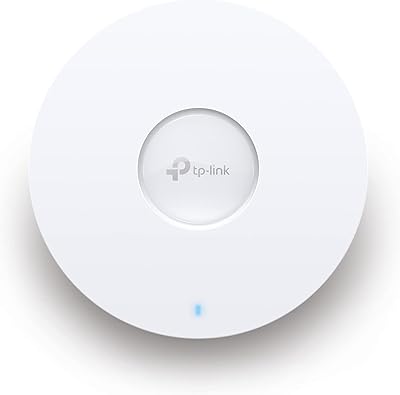
TP-Link EAP653 Wi-Fi 6 Access Point

TP-Link Omada EAP225-Outdoor

TP-Link TL-WA1201 AC1200 Wireless Access Point
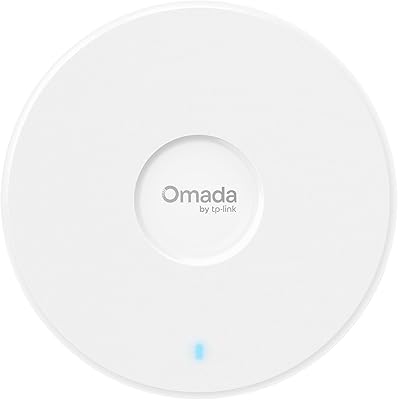
TP-Link Omada EAP720 WiFi 7 Access Point
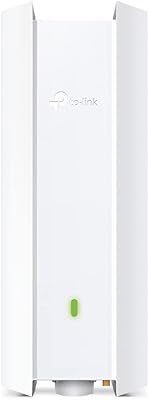
TP-Link EAP650-Outdoor WiFi 6 Outdoor Access Point
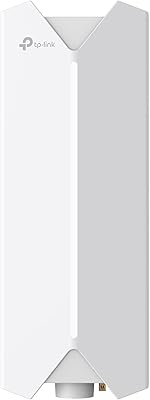
TP-Link Festa F65-Outdoor AX3000 Wi-Fi 6 Access Point
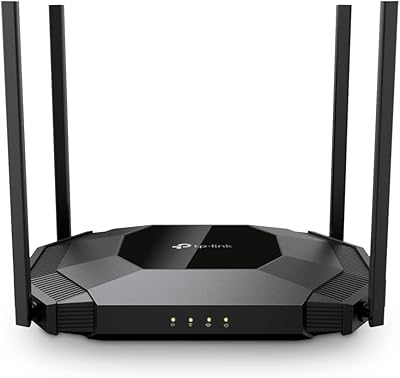
TP-Link TL-WA3001 AX3000 WiFi 6 Access Point
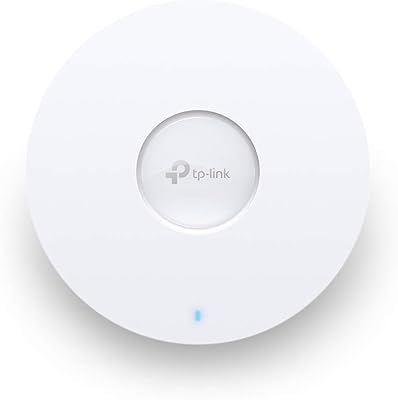
TP-Link EAP660 HD WiFi 6 Access Point
TP-Link EAP615-Wall AX1800 In-Wall Access Point