

Overview

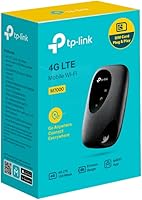
The TP-Link M7000 4G LTE Mobile Hotspot is a compact pocket router aimed at travelers and remote workers who need dependable internet without hunting for public Wi-Fi. It sits in the mid-range hotspot space, competing with similar pocket devices from Huawei and Netgear. The single-band 802.11n standard is worth flagging upfront — it is reliable for everyday browsing and video calls, but do not expect the raw throughput of newer dual-band devices at similar price points. Out of the box, you get the device, a Micro USB cable, a 2000 mAh battery, and a quick installation guide. Straightforward, and everything you need to get started.

Features & Benefits

The M7000 runs on LTE Category 4, which theoretically tops out at 150 Mbps downloads — though real-world speeds depend heavily on your carrier and local signal strength. In practice, most users see speeds well below that ceiling, which is still adequate for video calls, streaming, and file transfers. It handles up to 10 connected devices simultaneously, so sharing with a travel companion is entirely manageable. The 2000 mAh battery typically lasts four to six hours under moderate use — expect less with multiple active connections draining it at once. At under 2 ounces, this pocket hotspot fits into any bag without a second thought, and WPS pairing makes adding new devices quick.

Best For

This mobile Wi-Fi device makes the most sense for people who are frequently on the move. International travelers who would rather insert a local SIM card than pay hotel Wi-Fi rates will find it genuinely practical. Remote workers and students in areas where home broadband is unreliable — or during outages — get a solid fallback without carrying bulky hardware. It is also a good fit for budget-conscious buyers who do not need cutting-edge Wi-Fi 6 speeds and just want something that connects a handful of devices without fuss. Single users or small groups sharing a connection on short trips are the ideal audience for this one.

User Feedback

Buyers consistently praise how quick and painless the initial setup is — insert a SIM, power on, and you are connected within minutes. The compact size earns regular compliments too. On the flip side, battery life is the most common complaint: four to six hours sounds acceptable on paper, but heavy users with several active devices often see it drain much faster. Real-world speeds rarely match the advertised maximum, which catches some buyers off guard. The web management interface gets mixed reviews — functional and clear enough, but not particularly modern. A handful of long-term users have noted intermittent signal drops after months of daily use, suggesting the M7000 is better suited as a travel companion than a permanent everyday solution.

Pros

  • Setup is genuinely fast — insert a SIM, power on, and you are online within a few minutes.
  • Weighing under 2 ounces, this pocket hotspot is one of the lightest options in its class.
  • Supports up to 10 devices simultaneously, making it practical for small groups or multi-device travelers.
  • WPS pairing lets you connect new devices quickly without manually entering a password each time.
  • The web management portal gives a clear view of connected devices and data usage without any app required.
  • TP-Link is a well-established networking brand, which adds some confidence around build quality and support.
  • Single-band 802.11n is sufficient for everyday browsing, email, and standard-definition video calls.
  • The included accessories cover everything you need out of the box — no extra purchases required to get started.

Cons

  • Battery life drops significantly when multiple devices are connected and actively using data.
  • Real-world download speeds rarely approach the theoretical 150 Mbps maximum, especially in crowded or low-signal areas.
  • Single-band 802.11n is noticeably behind dual-band and Wi-Fi 5 competitors available at a similar price point.
  • Some long-term users have reported intermittent signal drops after extended daily use, raising durability questions.
  • The web management interface feels dated and lacks the polish found in more modern hotspot management tools.
  • No dedicated mobile app means monitoring usage on a smartphone requires opening a browser, which feels clunky.
  • The 2000 mAh battery capacity is below average compared to newer portable hotspots offering 3000 mAh or more.
  • Coverage quality is entirely dependent on your carrier and location — the device itself cannot compensate for a weak 4G signal.

Ratings

The TP-Link M7000 4G LTE Mobile Hotspot scores here reflect AI-synthesized analysis of verified global buyer reviews, with spam, bot-generated, and incentivized submissions actively filtered out to ensure the ratings represent genuine ownership experiences. This pocket hotspot earns solid marks for portability and ease of use, but the data also surfaces recurring frustrations around battery endurance and wireless technology limitations that any honest assessment must reflect.

Portability
92%
Travelers consistently highlight how effortlessly this mobile Wi-Fi device disappears into a pocket, bag, or carry-on. At under 2 ounces and with a profile smaller than most smartphones, it genuinely does not add meaningful bulk to your daily carry, which frequent flyers and commuters appreciate in practice.
While the form factor is excellent, the Micro USB charging port feels dated compared to USB-C alternatives, which means travelers carrying newer devices need an extra cable. A few users noted the matte plastic exterior picks up minor scuffs quickly with daily pocket use.
Ease of Setup
89%
Getting online with the M7000 is genuinely fast — insert a compatible SIM, power the device on, and you have a working Wi-Fi network within a couple of minutes. The WPS button further simplifies pairing for supported devices, and most buyers report zero confusion during first-time setup even without reading the guide.
Users who want advanced configuration options occasionally find the setup process too simplified, with limited control over network settings out of the box. A small number of buyers using less common carrier SIM formats reported needing to adjust APN settings manually, which required some technical patience.
Battery Life
54%
46%
For light, single-user sessions — checking emails, occasional browsing on a train or in a cafe — the 2000 mAh battery holds up reasonably well and gets most people through a shorter work session or city excursion without needing a top-up.
This is the most consistent complaint across verified buyer reviews. With three or more active devices streaming or downloading simultaneously, battery life drops to two to three hours in real conditions. Buyers who purchased the M7000 for full-day travel or work use frequently mention needing to carry a power bank as a non-negotiable companion.
Real-World Speed
63%
37%
In areas with strong 4G LTE signal, the M7000 delivers speeds comfortably suitable for video calls, web browsing, and standard-definition streaming. Users in urban areas with good carrier coverage often report a smooth, lag-free experience for everyday remote work tasks.
The advertised 150 Mbps maximum is rarely approached in practice, and buyers in rural or signal-weak areas notice the gap significantly. The single-band 802.11n limitation also means that when multiple devices share the connection, overall throughput degrades faster than it would on a dual-band competitor at a similar price.
Wi-Fi Standard
58%
42%
For basic connectivity needs — email, messaging, standard video calls, and light browsing — the 802.11n single-band standard is technically adequate and gets the job done without complications for most casual users traveling with a laptop and a phone.
Compared to dual-band or Wi-Fi 5 hotspots now available at similar price points, the single-band 802.11n standard is a genuine limitation that tech-aware buyers notice. Interference from other networks in hotels or co-working spaces affects performance more on single-band devices, and heavier users feel the ceiling clearly.
Build Quality
74%
26%
The M7000 feels solid and well-assembled for its size and price tier, with no creaking or flex in the housing during regular handling. Most buyers report no physical durability issues through months of regular travel use, suggesting the construction is dependable for typical pocket-carry conditions.
The plastic shell, while sturdy, does not inspire confidence for buyers who need a device to withstand rougher conditions like construction sites or outdoor adventure travel. Long-term daily users have occasionally reported the SIM tray becoming slightly loose after extended use.
Connection Stability
67%
33%
Under good signal conditions, the M7000 maintains a stable connection well enough for uninterrupted video meetings and extended browsing sessions. Most buyers in urban or suburban environments report consistent performance during normal day-to-day travel use.
In areas with weaker 4G signal or during network handoffs between towers — common on trains or long drives — some users experience periodic drops that require a manual reconnect. A subset of long-term owners has flagged increasing instability after several months of daily heavy use.
Management Interface
61%
39%
The web-based portal covers the essentials clearly — connected device count, signal strength indicator, and basic data usage stats are all accessible without any technical knowledge. For users who simply want to monitor connections, it gets the job done.
The interface looks noticeably dated and lacks the polish or responsiveness of app-driven competitors. There is no dedicated mobile app, which means managing the device from a smartphone requires opening a browser and typing an IP address — a friction point that several buyers found unnecessarily clunky in 2024.
Multi-Device Performance
66%
34%
Sharing the connection among three to four devices works reliably well for light mixed usage, making it a practical option for a couple traveling together or a student with a laptop and a phone running simultaneously. The 10-device ceiling gives useful flexibility for small group scenarios.
Pushing past five or six actively connected devices results in noticeably slower speeds for everyone on the network. Users who attempted to run a small team meeting with multiple participants streaming from the same M7000 reported sluggish performance that disrupted their workflow.
Value for Money
72%
28%
For travelers who need occasional mobile internet access without committing to a more expensive device, this pocket hotspot represents a reasonable investment. The straightforward feature set, reliable brand backing, and solid core connectivity make it a justifiable purchase for its intended use case.
Buyers comparing options carefully will find newer dual-band or LTE Category 6 hotspots available at similar or only slightly higher price points that offer meaningfully better performance. The M7000 starts to look less compelling on pure value grounds when stacked directly against those alternatives.
Compatibility
83%
The M7000 works with virtually any Wi-Fi-enabled device — laptops, tablets, smartphones, e-readers — without any special drivers or software installation required. International buyers appreciate the standard SIM slot that accommodates local prepaid cards from most global carriers.
LTE band compatibility is the key variable to verify before purchasing for international use, as not all regional frequency bands are universally supported. A handful of buyers discovered post-purchase that their specific local carrier frequencies were not fully covered by the device.
Out-of-Box Experience
81%
19%
The included accessory set covers everything a new user needs: the device, a charged battery, a Micro USB cable, and a concise quick-start guide. Most buyers report being able to get the device running confidently within ten minutes of opening the box.
The quick installation guide, while sufficient for basic setup, offers limited help for users who encounter SIM or APN configuration issues with less common carriers. A more detailed digital manual or QR-code link to setup support would improve the experience for less tech-confident buyers.
Thermal Management
69%
31%
During typical light-to-moderate usage sessions, the device stays at a comfortable temperature that causes no concern during pocket or bag storage. Most users do not report heat as a noticeable issue during standard daily use.
Under sustained heavy load — long streaming sessions or running close to the maximum device connection limit for extended periods — the housing becomes noticeably warm to the touch. While not dangerous, it is a reminder of the hardware constraints packed into the compact chassis.

Suitable for:

The TP-Link M7000 4G LTE Mobile Hotspot is a solid pick for anyone who spends meaningful time away from a fixed internet connection. International travelers who want to skip unpredictable hotel Wi-Fi by popping in a local SIM card will find it genuinely practical — setup takes minutes, and the compact build slips into a jacket pocket without any bulk. Remote workers and students in areas where home broadband is spotty or unreliable get a dependable fallback that handles everyday tasks like video calls, emails, and document work without issue. It also appeals to budget-conscious buyers who prioritize getting connected quickly over having the latest wireless technology. For light users or small groups sharing a connection on short trips, this pocket hotspot strikes a reasonable balance between price, portability, and functionality.

Not suitable for:

The TP-Link M7000 4G LTE Mobile Hotspot is not the right tool for power users or anyone expecting all-day battery endurance. The 2000 mAh battery is modest — if you are running several devices simultaneously or streaming for hours, you will be reaching for a charger well before the day is done. The single-band 802.11n Wi-Fi standard also means this mobile Wi-Fi device lags behind competing devices that support dual-band or Wi-Fi 5, so anyone doing bandwidth-heavy work like large file transfers or 4K streaming will notice the ceiling. It is not designed for permanent home internet use, and users in areas with weak 4G coverage may find the connection frustratingly inconsistent. If you need a hotspot that runs all day, supports the latest Wi-Fi standards, or serves as a primary internet source, the M7000 will likely leave you wanting more.

Specifications

  • Brand: Manufactured by TP-Link, a globally recognized networking hardware company known for consumer and business connectivity products.
  • Model: The M7000 is the specific model designation for this compact mobile Wi-Fi device in TP-Link's portable router lineup.
  • Connectivity: Uses 4G LTE Category 4 technology to connect to mobile networks and share that connection over Wi-Fi.
  • Max Download Speed: Supports theoretical download speeds of up to 150 Mbps over LTE, though actual speeds vary by carrier and signal conditions.
  • Wi-Fi Standard: Operates on the 802.11n single-band standard, which is adequate for everyday browsing, streaming, and video calls.
  • Max Connections: Can support up to 10 devices connected simultaneously over Wi-Fi, suitable for small groups or multi-device users.
  • Battery Capacity: Equipped with a built-in 2000 mAh rechargeable battery, typically providing four to six hours of moderate usage.
  • Charging: Charges via a Micro USB cable, which is included in the box, making it easy to top up from most standard chargers.
  • Dimensions: Measures 3.7 x 2.23 x 0.78 inches, making it small enough to fit comfortably in a jacket pocket or small bag.
  • Weight: Weighs just 1.76 ounces, placing it among the lightest portable hotspot options available in its category.
  • Antenna Type: Features an internal antenna, keeping the exterior clean and pocket-friendly with no protruding external parts.
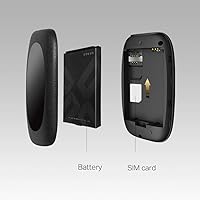
  • SIM Compatibility: Accepts a standard SIM card, allowing users to insert a local or travel SIM from a compatible carrier.
  • Special Feature: Includes WPS (Wi-Fi Protected Setup) support, enabling quick and password-free device pairing with a single button press.
  • Management Interface: Provides a web-based management portal accessible via browser, allowing users to monitor connected devices and data usage.
  • Included Items: Box contains the M7000 device, a 2000 mAh battery, a Micro USB charging cable, and a quick installation guide.
  • Color: Available in black with a compact, understated design suited to professional and travel environments.
  • Compatible Devices: Works with any Wi-Fi-enabled device including laptops, smartphones, tablets, and other personal computers.
  • Manufacturer Status: The M7000 has not been discontinued by the manufacturer and remains an active product in TP-Link's lineup.

Related Reviews
TP-Link M7350 4G LTE Mobile Hotspot
85%
86%
Performance
92%
Portability
88%
Battery Life
90%
Ease of Use
80%
Connectivity
More
TP-Link M7200 4G LTE Mobile Wi-Fi Hotspot
67%
93%
Portability
91%
Setup & Ease of Use
78%
Signal Stability
67%
Download Speed
62%
Battery Life
More
Firstnum M4 4G LTE Mobile Hotspot
84%
91%
Value for Money
94%
Ease of Use
92%
Portability
88%
Network Performance
83%
Battery Life
More
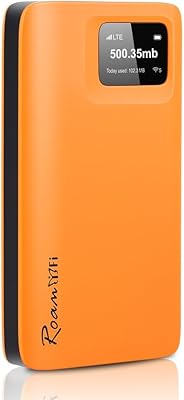
RoamFi RoamWiFi R10 Portable Mobile Hotspot
71%
92%
Ease of Setup
78%
International Coverage
61%
Data Value & Plan Inclusivity
69%
Connection Speed
71%
Battery Life
More
Karbor MF833-4G Portable 4G LTE WiFi Hotspot
71%
82%
Ease of Setup
71%
Network Coverage
63%
Connection Speed
58%
Data Plan Value
66%
Battery Life
More
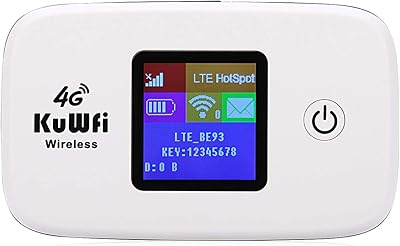
KuWFi L100EU 4G LTE Mobile Hotspot
69%
83%
Band Compatibility
58%
Ease of Setup
61%
Wi-Fi Performance
63%
Battery Life
88%
Portability
More
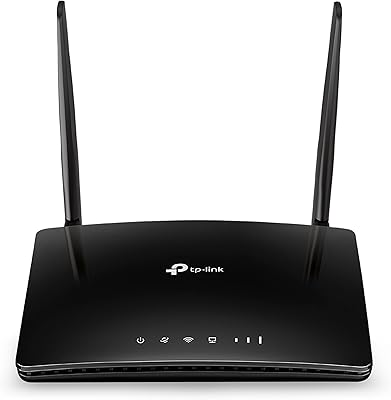
TP-Link TL-MR6400 4G LTE Router
82%
88%
Setup & Installation
91%
4G LTE Performance
83%
Wi-Fi Speed & Reliability
85%
Portability
82%
Bandwidth Management (QoS)
More
Netgear Nighthawk MR1100 4G LTE Mobile Hotspot Router
85%
87%
Performance
92%
Battery Life
90%
Portability
85%
Connectivity
88%
Ease of Use
More
Netgear Nighthawk MR1100 4G LTE Mobile Hotspot Router
82%
87%
Performance
78%
Battery Life
91%
Portability
84%
Setup & Installation
65%
Carrier Compatibility
More
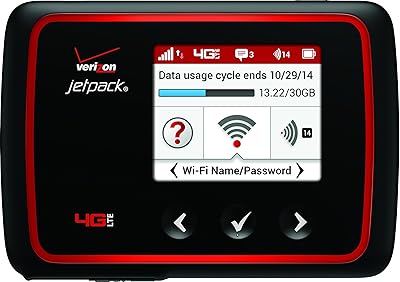
Verizon MiFi 6620L Jetpack 4G LTE Mobile Hotspot
84%
91%
Battery Life
87%
Connectivity Reliability
85%
Portability & Size
78%
Ease of Setup
88%
Performance for Multiple Devices
More

FAQ

The M7000 uses a standard SIM card slot, so you will need a data SIM from a compatible 4G LTE carrier in your country or region. It is not locked to a specific carrier out of the box in most markets, but it is worth confirming unlocked status with the seller before purchasing if you plan to use it internationally.

Under moderate use with two or three devices connected, expect around four to five hours before you need to recharge. If you have closer to ten devices actively pulling data, that window shrinks noticeably. Carrying a small power bank alongside this pocket hotspot is a practical move for full-day trips.

Yes, that is one of the most practical use cases for this device. Travelers frequently pick up a local prepaid data SIM at their destination and insert it into the M7000 to avoid expensive roaming charges. Just make sure the device is network-unlocked and that your destination country uses compatible 4G LTE frequency bands.

While it technically supports up to 10 simultaneous connections, performance is more reliable with three to five active devices. Connecting close to the maximum limit will divide available bandwidth and may result in slower speeds for everyone on the network.

Yes, setup is straightforward. Insert your SIM, charge the device, power it on, and it broadcasts a Wi-Fi network you can join just like any router. The included quick installation guide walks through the basics, and the WPS button makes connecting supported devices even simpler.

There is no dedicated mobile app required — you access the management portal by typing the device's IP address into any browser while connected to it. The interface lets you see connected devices, check signal strength, and monitor data usage. It is functional but fairly basic compared to more modern hotspot dashboards.

For standard video calls, emails, and document-based work, this mobile Wi-Fi device handles things well provided you have a decent 4G signal in your area. It is not ideal for tasks that demand consistently high bandwidth, like large file uploads or high-resolution video conferencing, since real-world speeds can fall well below the theoretical maximum.

Yes, you can use the M7000 while it is plugged in via the Micro USB cable, which is useful if you are working at a desk and want to avoid draining the battery. This effectively removes the battery life concern entirely when you have access to a power source.

It depends on what you need. For casual browsing, streaming standard-definition video, and general connectivity, 802.11n is perfectly adequate. If you are comparing it to newer dual-band or Wi-Fi 5 devices at a similar price, those will handle more simultaneous connections and higher-demand tasks with less congestion. For everyday travel use, most people will not notice the difference.

The build quality is solid for its size and price tier, and the compact plastic shell holds up well to regular handling. That said, some long-term daily users have reported occasional signal instability after extended periods of heavy use. For occasional and moderate travel use it should serve well, but if you need a hotspot as a permanent daily driver, a more robust option might be worth considering.

Where to Buy