TP-Link TL-WA860RE N300 Wi-Fi Range Extender
Overview
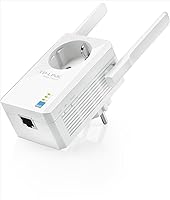
The TP-Link TL-WA860RE N300 Wi-Fi Range Extender is one of those devices you forget about the moment it starts working, which is honestly the best compliment a gadget like this can get. It plugs directly into a wall outlet, no bulky power brick or extra cord cluttering your floor, and it's been on the market since 2014, which says something about how well the design has held up. Rated for N300 speeds, up to 300 Mbps, it's built for ordinary household use rather than heavy-duty traffic. The external antennas are angled to push signal into rooms that usually struggle, and the AC pass-through socket means you're not sacrificing an outlet just to gain better Wi-Fi coverage somewhere else in the house.
Features & Benefits
Beyond the basic boost in signal, this Wi-Fi extender has a few extras worth knowing about. Access Point mode is a nice touch if you ever want to convert it into a wired-to-wireless bridge instead of running it purely as a repeater. The external antennas sit outside the housing rather than tucked inside, which generally gives a more directional, stronger push toward problem areas compared to extenders with internal antennas only. Because it includes an AC pass-through socket, you're not stuck choosing between extending your network and keeping that outlet free for a lamp or phone charger. Its footprint is small, just 2.6 by 4.3 by 3 inches, so it tucks against the wall without blocking nearby plugs, and at 5.3 ounces it's light enough to move around easily while you test for the best signal spot.
Best For
This TP-Link extender makes the most sense for fairly specific situations rather than as a whole-home fix. If you're renting an apartment or living in a house with one or two stubborn dead zones, say a back bedroom or a hallway just out of router range, it's a sensible, low-effort solution. It suits buyers who'd rather skip the bulk of a desktop unit and just plug something into the wall and forget about it. Budget-conscious shoppers comparing entry-level extenders will find it holds its own in that category. It's best matched to everyday tasks like browsing, checking email, streaming music, or hopping on video calls, rather than competitive gaming or heavy 4K streaming, where a mesh system or wired connection would serve you better.
User Feedback
Real-world reactions to this range extender tend to be pretty consistent. With more than 11,500 ratings and a steady 4.1 out of 5 average, it's clearly held up over years of actual use rather than just initial hype. Most buyers mention quick, painless setup and a noticeable bump in signal strength in the specific room they were struggling with. The criticism, when it shows up, tends to be about expectations rather than defects: some reviewers note that performance is strongest at moderate distances and starts to taper off if you're trying to cover an entire large house from one unit. A handful also mention that speed can shift depending on wall thickness and exactly where you plug it in. Overall, it's regularly described as a no-frills choice in the budget repeater space.
Pros
- Plugs directly into a wall outlet, so there's no extra cord or bulky power brick to manage.
- External antennas push signal more directionally into specific rooms that usually struggle.
- AC pass-through socket means you don't sacrifice the outlet just to gain better coverage.
- Access Point mode adds flexibility if you ever want a wired-to-wireless bridge instead.
- Compact footprint keeps it from blocking neighboring outlets or eating up desk space.
- Backed by a long track record, with a steady 4.1 out of 5 average from over 11,500 ratings.
- Lightweight at just 5.3 ounces, making it easy to reposition while testing for the best signal spot.
- Setup is consistently described as quick and painless by buyers.
- Holds its own as a dependable, no-frills option in the budget repeater category.
Cons
- Coverage tapers off at longer distances, so it won't fix problems across an entire large house.
- Speed can shift depending on wall thickness and exactly where it's plugged in.
- N300 speeds aren't ideal for heavy 4K streaming or competitive online gaming.
- Single-band performance means it may bottleneck households with many connected devices.
- No app-based setup or modern mesh-style management for users who want more control.
- Best suited to one or two dead zones, not a full multi-room mesh replacement.
- Older design dating back to 2014 means it lacks newer Wi-Fi 6 features.
- Some buyers find results inconsistent room to room depending on furniture and obstructions.
Ratings
Our scores for the TP-Link TL-WA860RE N300 Wi-Fi Range Extender are generated by AI after analyzing thousands of verified buyer reviews from around the world, with spam, bot activity, and incentivized feedback filtered out before any number is calculated. The result is a transparent breakdown that reflects both where this extender genuinely shines and where real owners have run into limitations, rather than a single inflated star rating.
Setup & Ease of Use
Signal Range & Coverage
Speed Performance
Build Quality & Design
Value for Money
AC Pass-Through Utility
Compactness & Placement Flexibility
Reliability & Connection Stability
Wireless Compatibility
Access Point Mode Flexibility
Long-Term Durability
Overall Customer Satisfaction
Suitable for:
The TP-Link TL-WA860RE N300 Wi-Fi Range Extender fits best with renters and homeowners who have one or two stubborn dead zones rather than a whole house full of weak signal. It's a strong match for apartment dwellers who need a little extra reach in a back bedroom or a hallway just past where the router's signal gives out. Anyone who'd rather avoid a bulky desktop unit cluttering a shelf will appreciate that this just plugs straight into the wall and gets out of the way. It also suits budget-conscious shoppers comparing entry-level extenders, since it covers the basics without asking for a premium price. Day-to-day users browsing, checking email, or hopping on video calls will get plenty out of the N300 speed class, and the AC pass-through socket is a nice bonus for anyone tight on outlets.
Not suitable for:
Buyers chasing whole-house coverage or fast speeds for 4K streaming and competitive gaming should look elsewhere, since the TP-Link TL-WA860RE N300 Wi-Fi Range Extender is built for moderate distances rather than sprawling floor plans. Large homes with multiple dead zones will likely need more than one unit, or a mesh system designed to blanket several rooms at once. People who plan to stream in several rooms simultaneously, or who run smart home setups with heavy bandwidth demands, may find the N300 speed class limiting. Households where Wi-Fi performance varies noticeably by wall thickness or outlet placement should also temper expectations, since some reviewers report inconsistent results depending on where it's plugged in. If you want a single extender to solve coverage across an entire multi-story house, this isn't the right tool for that job.
Specifications
- Brand: This extender is manufactured by TP-Link, a well-established networking hardware brand.
- Model Number: The specific model designation is TL-WA860RE.
- Wireless Standard: It supports the 802.11a/b/g/n wireless standard for broad compatibility with existing routers.
- Speed Class: It is rated in the N300 class, delivering wireless speeds of up to 300 Mbps.
- Antennas: It uses external antennas positioned outside the housing to help direct signal toward weak-coverage areas.
- AC Pass-Through: A built-in AC pass-through socket keeps the wall outlet usable for another plug while the extender is connected.
- Mounting Style: It is a wall-plug, wall-mountable design that requires no separate stand or desk space.
- Special Feature: It includes an Access Point mode for setting up a wired-to-wireless connection in addition to standard range extension.
- Color: The unit is finished in white to blend in with most wall outlets and trim.
- Weight: It weighs 5.3 ounces, making it light enough to reposition easily while testing signal placement.
- Dimensions: Its physical footprint measures 2.6 by 4.3 by 3 inches.
- Customer Rating: It holds a 4.1 out of 5 star average based on more than 11,523 customer ratings.
- Category Rank: It ranks at number 2,064 in the Repeaters category on Amazon.
- Release Date: It was first made available on May 6, 2014, and remains in active production.
Related Reviews
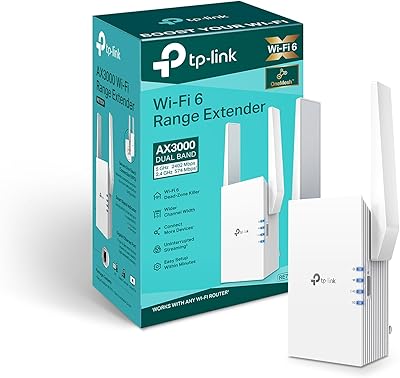
TP-Link RE705X AX3000 Wi-Fi 6 Range Extender
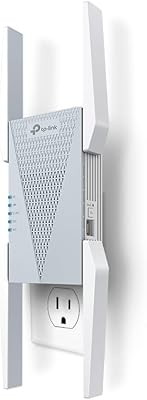
TP-Link RE813XE Wi-Fi 6E Range Extender
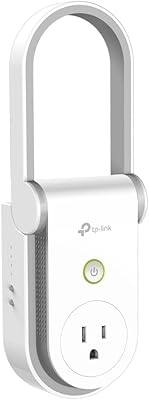
TP-Link RE370K Smart Plug & Wi-Fi Range Extender
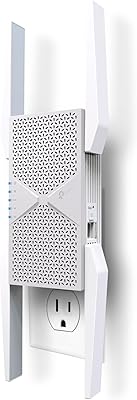
TP-Link RE653BE Wi-Fi 7 Range Extender
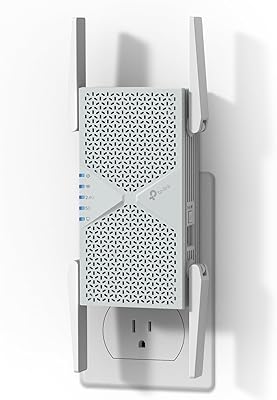
TP-Link RE403BE BE6300 Wi-Fi 7 Range Extender
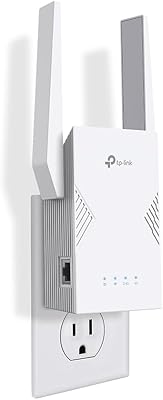
TP-Link RE223BE Wi-Fi 7 Range Extender
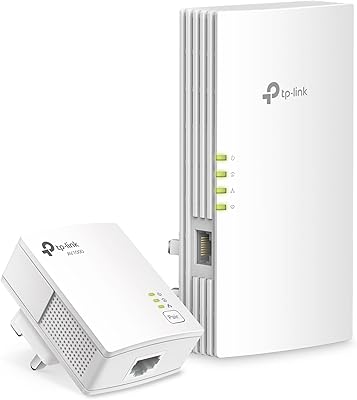
TP-Link TL-WPA7817 KIT Powerline Wi-Fi 6 Extender
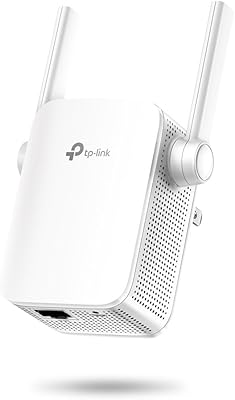
TP-Link N300 WiFi Extender TL-WA855RE
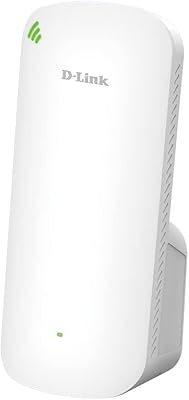
D-Link AX1800 Mesh Wi-Fi 6 Range Extender