Overview

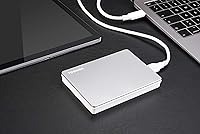
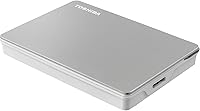
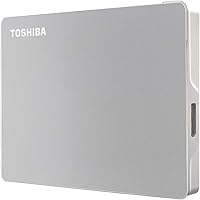
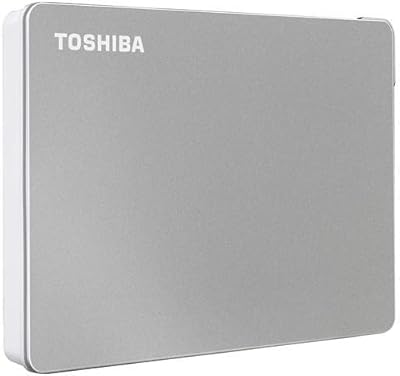
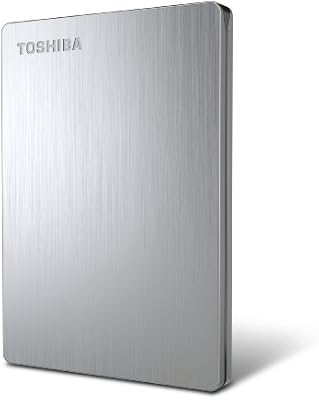
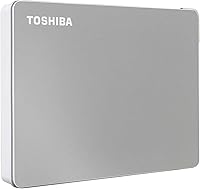
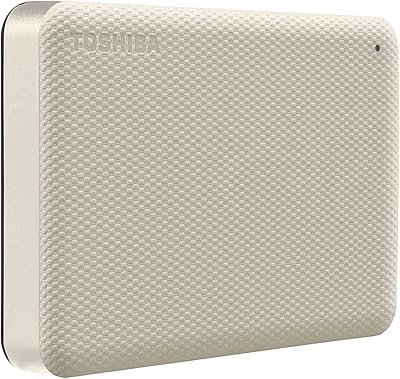
The Toshiba Canvio Flex 1TB External Hard Drive is built for people who live across multiple platforms — switching between a Windows laptop, a MacBook, and maybe a tablet without wanting to think twice about compatibility. What sets it apart right out of the box is a dual-cable bundle: both a USB-C and a USB-A cable are included, which is a small but genuinely thoughtful decision. The drive itself is slim and light, with a satin silver finish that looks at home beside modern hardware. Sitting at #15 in External Hard Drives on Amazon with over 8,000 ratings, this portable drive has clearly earned its standing in a competitive category.
Features & Benefits

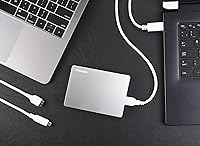
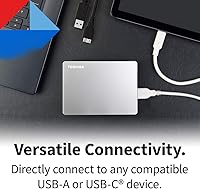
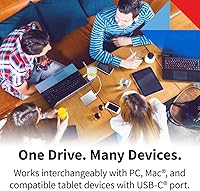
The most practical thing about the Canvio Flex is that you can plug it into a Mac, a Windows PC, or a compatible tablet and it just works — no reformatting required. That comes down to its exFAT formatting, which both major operating systems recognize natively. The USB-C cable handles modern ports, while the USB-A cable keeps older machines covered. Since the drive is bus-powered, there is no adapter to forget or lose in a bag. At just over five ounces and barely half an inch thick, it genuinely disappears into a carry-on. One honest caveat worth stating plainly: the 5400 RPM mechanical internals are not fast by current standards, and transfer speeds will lag noticeably behind any SSD alternative.

Best For

This portable drive makes the most sense for people who routinely move between Mac and Windows environments — designers, students, and collaborators who work across different systems. Tablet users with a USB-C port, like those running an iPad Pro or a Surface, will appreciate it for offline storage without needing cloud access. It is a particularly good fit for frequent travelers who want a lightweight, reliable backup that does not depend on Wi-Fi or a wall outlet. That said, if maximum transfer speed or ruggedness is the priority — for large video workflows, say — a portable SSD is worth the extra investment. This external hard drive occupies a practical middle ground: dependable, broadly compatible, and straightforwardly portable.

User Feedback

With more than 8,000 ratings averaging 4.5 stars, the Canvio Flex has a strong and consistent track record. Buyers frequently highlight easy setup and immediate recognition on both Mac and Windows as standout experiences. The dual-cable bundle draws regular praise too — it is the kind of inclusion people notice when they are not scrambling for an adapter. On the critical side, a number of reviewers admit they did not realize they were purchasing a mechanical drive and were caught off guard by slower transfer speeds, which is a fair and recurring complaint. There are also scattered mentions of drop sensitivity, a real concern with any spinning-disk design. A small subset of tablet users note that certain devices may need a powered hub for consistent, reliable operation.

Pros

  • Works instantly on both Mac and Windows with no reformatting required.
  • Ships with both a USB-C and USB-A cable, so you are covered regardless of which port your device has.
  • Bus-powered design means zero extra accessories — just plug in and go.
  • At around 5.3 oz, this portable drive barely registers in a bag or coat pocket.
  • 1TB of storage comfortably holds photo collections, documents, and media libraries.
  • A 4.5-star average across more than 8,000 ratings reflects consistent, broad buyer satisfaction.
  • The satin silver finish looks polished and holds up well against everyday wear.
  • Plug-and-play recognition on macOS is a frequently praised experience among Apple users.
  • Toshiba is a well-established name in storage hardware, which adds a layer of purchase confidence.
  • No software installation required — the drive is ready to use the moment it is connected.

Cons

  • Transfer speeds lag significantly behind solid-state drives, which matters for large file moves.
  • Mechanical internals make this drive more susceptible to damage from drops than an SSD.
  • Some buyers are surprised by the speed limitations after purchasing, suggesting expectations need to be set clearly.
  • Tablet compatibility is not guaranteed — certain devices may need a powered hub to recognize the drive reliably.
  • The drive can be audible during heavy read or write operations, which some users find distracting.
  • No hardware encryption or bundled security software is included for sensitive data protection.
  • Long-term durability of spinning-disk drives is inherently lower than flash-based storage alternatives.
  • The USB 3.0 interface, while adequate, does not take full advantage of faster USB 3.2 or Thunderbolt connections available on newer machines.

Ratings

The scores below reflect an AI-driven analysis of verified global buyer reviews for the Toshiba Canvio Flex 1TB External Hard Drive, with spam, bot-generated, and incentivized feedback actively filtered out before any scoring was applied. The result is a transparent picture of where this portable drive genuinely excels and where real-world buyers have run into frustration. Both the wins and the trade-offs are reflected honestly in each category.

Cross-Platform Compatibility
93%
This is the category where the Canvio Flex earns its strongest praise across thousands of reviews. Mac and Windows users alike report that the drive is recognized instantly on both systems without any reformatting or driver installation, which is exactly what multi-platform users need when switching machines mid-workflow.
A small but consistent group of tablet users — particularly those on Android or older iPadOS — report recognition issues without a powered hub, which introduces an unexpected extra step. Toshiba officially lists compatibility but does not always make the tablet caveat easy to find before purchase.
Ease of Setup
91%
Plug it in and it works — that is genuinely how most buyers describe the experience. The exFAT format means there is nothing to install, no activation steps, and no welcome screen to dismiss, which is a meaningful advantage for less tech-savvy users who just want their storage to function immediately.
A handful of users on very recent macOS versions or niche Linux distributions have flagged occasional non-recognition on first connection, requiring a replug or port swap to resolve. These cases are infrequent but worth noting for users with less common system configurations.
Included Accessories
88%
Including both a USB-C and a USB-A cable in the box is a decision that repeatedly earns genuine appreciation in buyer reviews. Most competitors ship only one cable type, which means users often need to buy adapters separately — an annoyance this drive avoids entirely out of the box.
The cables included are functional rather than premium — some buyers note they feel slightly thin and would not inspire confidence if regularly plugged and unplugged multiple times a day. There is no carrying pouch or protective sleeve in the package, which some buyers in this category expect.
Portability & Form Factor
89%
At just over five ounces and barely half an inch thick, this external hard drive genuinely earns the word portable. Frequent travelers and students who carry it in a coat pocket or laptop sleeve consistently note that it adds almost no perceptible weight to their daily load.
While the dimensions are excellent for a mechanical drive, comparable-capacity portable SSDs have pushed the size benchmark even further down — making the Canvio Flex feel slightly bulky to buyers who have used ultra-compact flash storage. The mechanical internals also mean it should not be tossed loosely into a full bag.
Transfer Speed
54%
46%
For everyday tasks — copying a folder of documents, backing up a photo library, or moving a few video files — the drive performs adequately. Users who set realistic expectations for a 5400 RPM HDD report no real frustration with moderate file transfers during normal work routines.
This is the most consistent pain point across negative reviews. Buyers who expected SSD-comparable speeds were caught off guard, and even experienced users note that large transfers — anything above 20–30GB — feel slow enough to be genuinely disruptive. The 5400 RPM mechanical internals create a real ceiling that no cable or port upgrade can overcome.
Build Quality & Durability
67%
33%
The satin silver finish holds up well against surface scratches and everyday handling, and the overall construction feels solid enough for a daily commute or office-to-home routine. Users who treat it as a desk or bag companion rather than a rugged field tool tend to report no issues after extended use.
Drop sensitivity is the honest weakness here — mechanical drives with spinning platters are vulnerable to impact in ways that SSDs simply are not, and a small but notable number of reviewers report failure after accidental drops. The lack of any rubber bumper or shock-resistant casing means the drive relies entirely on careful handling.
Storage Capacity
82%
18%
One terabyte covers a wide range of real-world use cases: several years of document backups, a full personal photo archive, or a curated media library for travel. For the average non-professional user, 1TB rarely feels restrictive in day-to-day operation.
Power users managing raw video projects, large design asset libraries, or multi-year system backups may find 1TB fills faster than expected. While 2TB and 4TB variants exist in the same product line, buyers who underestimate their storage needs will face either paying for an upgrade or managing space carefully.
Value for Money
76%
24%
Positioned in the mid-range of the portable storage market, the Canvio Flex delivers genuine utility — particularly for cross-platform users — at a price that does not require stretching a budget. The dual-cable bundle adds tangible value that offsets some of what you might otherwise spend on accessories.
The gap between portable HDD pricing and entry-level portable SSD pricing has narrowed considerably in recent years, which makes the value calculation less obvious than it once was. Buyers who prioritize longevity and speed over upfront cost increasingly find that a comparable SSD investment pays off faster than expected.
Noise & Vibration
71%
29%
Under light use — opening files, browsing stored photos, accessing documents — the drive operates quietly enough that most users in a standard office or home environment will not find it distracting. The mechanical operation is subtle in casual workloads.
During sustained read or write operations, the drive produces a faint but audible spinning and clicking sound that becomes noticeable in quiet environments like libraries or shared workspaces. A small number of reviewers flagged the vibration transferred through a desk surface during heavy transfers as mildly irritating.
Software & Features
41%
59%
The absence of bundled software keeps the out-of-box experience clean and clutter-free, which is exactly what buyers who have been burned by trial-ware or nagging backup apps appreciate. The drive works transparently with the operating system's native tools.
There is no included backup software, no password protection utility, and no hardware encryption — features that competing drives at similar price points sometimes include. Users who need any layer of data security will need to source and configure their own solution, which is a gap that feels notable for a drive aimed at professionals.
Mac Compatibility
92%
Mac users are among the most enthusiastic reviewers of this portable drive, specifically because the no-reformat experience is so reliable. Plugging into a MacBook and having the drive appear immediately in Finder — without a single pop-up or permission dialog — is something macOS users genuinely appreciate after years of reformatting frustration.
A narrow subset of macOS users on the latest system versions have reported that the drive occasionally asks for format permission on first mount — a dialog that appears even on an already-formatted exFAT drive. It resolves quickly but causes unnecessary alarm for users unfamiliar with macOS storage prompts.
Long-Term Reliability
63%
37%
For users who keep the drive in a stable, stationary environment — on a desk, in a drawer, or safely packed in a padded sleeve — the Canvio Flex has a solid track record of reliable operation across months and years of use. Toshiba's reputation in storage hardware adds a layer of brand-level confidence.
Mechanical drives have a fundamentally finite lifespan tied to motor and platter wear, and some long-term owners in the review pool report failures after two to three years of daily use. Unlike SSDs, which tend to give gradual warning signs, HDD failures can be abrupt — making a secondary backup of the backup worth considering.
Tablet Compatibility
58%
42%
When it connects successfully — typically on USB-C iPads running a recent iPadOS or on Microsoft Surface devices — the experience is straightforward and does not require any additional configuration. Tablet users who have verified compatibility ahead of purchase tend to leave satisfied reviews.
The compatibility requirement to check Toshiba's website before purchasing is genuinely inconvenient and not prominently highlighted on the product page. Several tablet users report needing a powered USB hub to get reliable recognition, adding cost and complexity that undercuts the simplicity this drive is supposed to offer.

Suitable for:

The Toshiba Canvio Flex 1TB External Hard Drive is a strong fit for anyone whose daily workflow spans more than one operating system — students shuttling files between a school Mac and a home Windows PC, designers collaborating across mixed-platform teams, or remote workers who just need reliable offline access to their files without any setup friction. The included USB-C and USB-A cables mean it connects immediately to both modern and older hardware, which removes a common practical headache. Travelers who want a dependable backup solution without carrying extra adapters or power bricks will find this portable drive easy to justify. It also makes sense for tablet users with USB-C ports — iPad Pro or Surface owners who want local storage expansion without leaning on cloud subscriptions. Anyone prioritizing broad compatibility and a trusted brand name over raw transfer speed will find this external hard drive hits that mark comfortably.
Not suitable for:

The Toshiba Canvio Flex 1TB External Hard Drive is not the right tool for buyers who need speed. Video editors working with 4K footage, photographers doing bulk raw file imports, or anyone routinely moving tens of gigabytes at a time will run into the real-world ceiling of a 5400 RPM mechanical drive — and the frustration adds up quickly. Because it uses spinning-disk internals, it is also more vulnerable to damage from drops or rough handling than any solid-state alternative, which is a genuine concern for users who travel frequently and are not careful with their gear. The 1TB capacity, while practical for most, may feel limiting to power users managing large media libraries. Tablet users should also verify compatibility carefully before purchasing, as some devices require a powered USB hub for this drive to function reliably — something that is not always obvious until after unboxing.
Specifications

  • Storage Capacity: This portable drive offers 1TB of usable storage, enough for large photo libraries, document archives, and extensive media collections.
  • Drive Type: It uses a traditional mechanical hard disk drive (HDD) with spinning platters rather than flash-based solid-state storage.
  • Rotational Speed: The internal disk spins at 5400 RPM, which is standard for portable HDDs but noticeably slower than any SSD alternative.
  • Interface: The drive connects via USB 3.0 and is fully compatible with USB-C and USB-A ports through the included cables.
  • Included Cables: The package includes both a USB-C to USB-C cable and a USB-C to USB-A cable, covering modern and legacy host ports.
  • File System Format: The drive ships pre-formatted in exFAT, which allows native read and write access on both Windows and macOS without any reformatting.
  • Form Factor: It uses a compact 2.5-inch form factor, which is the standard size for bus-powered portable hard drives.
  • Dimensions: The drive measures 4.37 x 3.15 x 0.53 inches, making it thin enough to slip into a jacket pocket or small bag compartment.
  • Weight: At 5.3 oz, the Canvio Flex is light enough to carry daily without adding noticeable bulk to a bag.
  • Power Source: The drive is entirely bus-powered, drawing all necessary power from the connected host device with no external adapter required.
  • Compatible Devices: It is designed to work with Windows PCs, Mac computers, and compatible tablets — though tablet users should verify USB-C compatibility before purchasing.
  • Color & Finish: The drive is available in silver with a satin finish that resists minor surface scratches and suits modern laptop aesthetics.
  • Brand & Series: Manufactured by Toshiba, this drive belongs to the Canvio Flex product line, which is positioned for cross-platform portable use.
  • Model Number: The official model identifier for this 1TB silver variant is HDTX110XSCAA.
  • Available Capacities: The Canvio Flex line is also available in 2TB and 4TB versions for users who need more headroom.
  • Buyer Rating: This portable drive holds a 4.5-out-of-5-star rating based on over 8,125 customer reviews on Amazon.
  • Sales Rank: It ranks #15 in the External Hard Drives category on Amazon, reflecting strong and sustained buyer demand.
  • First Available: This model was first listed for sale in October 2020 and remains an active, non-discontinued product.

Related Reviews
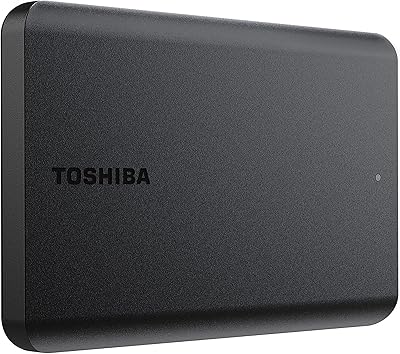
Toshiba Canvio Basics 1TB Portable External Hard Drive
74%
94%
Ease of Setup
91%
Portability
61%
Transfer Speed
67%
Build Quality
83%
Value for Money
More
Toshiba Canvio Partner 1TB Portable Hard Drive
81%
96%
Ease of Setup
93%
Compatibility
61%
Transfer Speed
91%
Portability & Form Factor
74%
Build Quality & Durability
More
Toshiba Canvio Flex 2TB
79%
93%
Cross-Platform Compatibility
91%
Included Accessories
89%
Portability & Form Factor
71%
Transfer Speed
68%
Build Quality & Durability
More
Toshiba Canvio Advance 1TB
76%
88%
Value for Money
93%
Portability
91%
Ease of Setup
67%
Transfer Speed
74%
Build Quality
More
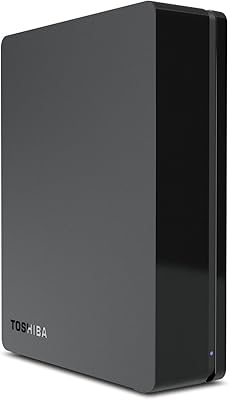
Toshiba 3TB Canvio Desktop External Hard Drive
83%
86%
Performance
92%
Storage Capacity
89%
Ease of Setup
85%
Compatibility
80%
Build Quality
More
Toshiba Canvio 500GB Slim Portable External Hard Drive
87%
92%
Portability & Size
88%
USB 3.0 Performance
91%
Value for Money
95%
Ease of Setup
84%
Build Quality
More
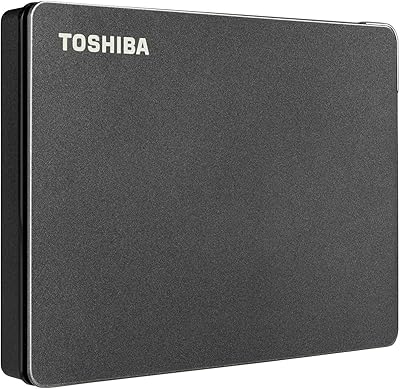
Toshiba Canvio Gaming 2TB Portable Hard Drive
77%
88%
Value for Money
93%
Ease of Setup
84%
Storage Capacity
61%
Load & Transfer Speed
74%
Build Quality
More
Toshiba Canvio Advance 4TB Portable External Hard Drive
86%
89%
Value for Money
93%
Portability & Design
78%
Transfer Speed
96%
Storage Capacity
80%
Compatibility with PC & Mac
More
Toshiba Canvio Basics 4TB External Hard Drive
81%
96%
Ease of Setup
91%
Storage Capacity & Value
93%
Portability & Form Factor
61%
Transfer Speed
74%
Build Quality & Durability
More
Toshiba Canvio Gaming 4TB Portable External Hard Drive
88%
91%
Ease of Use
94%
Data Transfer Speed
88%
Portability
90%
Compatibility with Consoles
75%
Build Quality
More

FAQ

Yes, it does. The Canvio Flex ships in exFAT format, which both macOS and Windows recognize right away. You just plug it in and the drive appears on your desktop or in File Explorer — no formatting, no drivers, no software needed.

No. The box includes both a USB-C to USB-C cable and a USB-C to USB-A cable, so you are covered whether your computer has a modern USB-C port or an older USB-A port. It is one of the more thoughtful things about this drive out of the box.

It may, but with a caveat. The iPad Pro has a USB-C port and supports external storage, but some tablet setups — particularly with older iPadOS versions or certain power delivery situations — may require a powered USB hub for the drive to be recognized reliably. It is worth checking your specific tablet model and OS version before assuming it will just work.

Honest answer: it is not fast by today's standards. As a 5400 RPM mechanical drive, you can expect roughly 100–130 MB/s under ideal conditions, which is adequate for moving documents or photos but will feel slow when transferring large video files. If speed is a priority, a portable SSD is a better fit.

For general daily use it is fine, but mechanical drives do have a vulnerability to physical shock that solid-state drives do not. If you are careful with your gear and not dropping your bag regularly, it holds up well. Just avoid tossing it around while it is actively reading or writing data.

No bundled backup or password protection software is included in the box. You can use the built-in tools on your operating system — Time Machine on Mac or File History on Windows — to set up automated backups if that is something you need.

In most cases, yes. Chromebooks and many Linux distributions support exFAT natively or via an easy package install, so the drive should be recognized without issue. That said, Toshiba officially supports PC, Mac, and tablet use, so you would be operating slightly outside the guaranteed compatibility zone.

No. This external hard drive draws all its power directly from whichever device it is plugged into, so there is no adapter, no power brick, and no outlet required. That is one of the main reasons it works well for travel.

For the majority of everyday users, yes. One terabyte holds roughly 250,000 average-sized photos, hundreds of hours of standard video, or years worth of documents and project files. If you are archiving raw 4K footage or massive design assets regularly, you might hit the ceiling sooner — in which case the 2TB or 4TB versions of this drive are worth considering.

Mechanical drives are more fragile under impact than SSDs because they have moving parts inside. A drop from a desk onto a hard floor — especially while the drive is active — can cause data loss or physical damage. If you are accident-prone or frequently work in rough environments, a ruggedized or solid-state portable drive would be a safer long-term investment.

Where to Buy