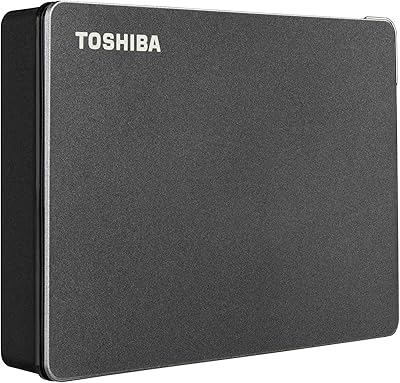
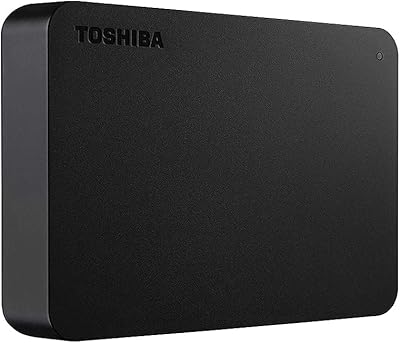
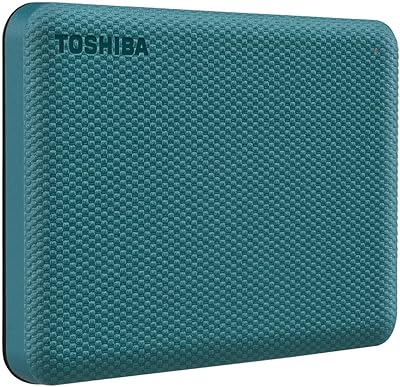
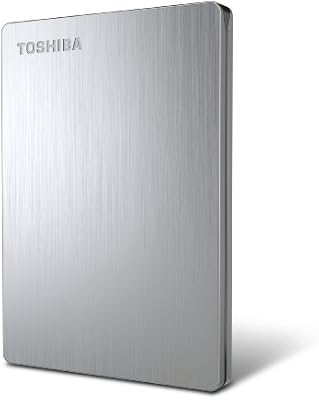
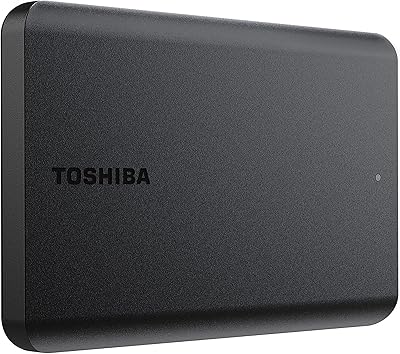
Toshiba Canvio Advance 4TB Portable External Hard Drive
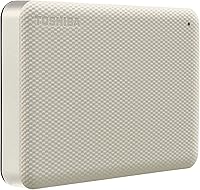
Toshiba Canvio Advance 4TB Portable External Hard Drive — image 1

Toshiba Canvio Advance 4TB Portable External Hard Drive — image 2
Toshiba Canvio Advance 4TB Portable External Hard Drive — image 3
Toshiba Canvio Advance 4TB Portable External Hard Drive — image 4
Toshiba Canvio Advance 4TB Portable External Hard Drive — image 5
Toshiba Canvio Advance 4TB Portable External Hard Drive — image 6
Toshiba Canvio Advance 4TB Portable External Hard Drive — image 7
86%

Overview

The Toshiba Canvio Advance 4TB Portable External Hard Drive is a reliable and compact solution for expanding your storage needs. With a generous 4TB of space, it offers plenty of room for large files, backups, and multimedia storage. This portable drive features USB 3.0 compatibility, ensuring fast data transfer speeds and making it a convenient option for users on the go. Whether you're adding extra storage to your PC or laptop, this external hard drive offers a quick and efficient way to manage your files, especially when you're dealing with large amounts of data.

Features & Benefits

The Canvio Advance 4TB offers a range of useful features designed to enhance both convenience and security. With its 4TB capacity, you have ample space for storing large files and important backups. The drive’s USB 3.0 support ensures fast transfer speeds, making it perfect for those who frequently move large files. Additionally, the included password protection software adds a layer of security to safeguard your data. The sleek, compact design allows for easy transport, making it an excellent choice for users who need to store data on the move.

Best For

This portable hard drive is ideal for users who require substantial storage space, especially those needing to back up large amounts of data regularly. It's a great fit for tech enthusiasts who need a reliable backup solution, as well as professionals managing extensive file collections. The Canvio Advance is also well-suited for both PC and Mac users looking for an affordable and easy-to-use external storage option. Its large capacity and portable design make it a valuable tool for anyone needing on-the-go storage expansion.

User Feedback

The Canvio Advance 4TB has received generally positive reviews, with many users praising its reliability and ease of use. While most find it to be a solid performer, some users have noted slower transfer speeds when working with large files. Despite this, many consider it a great value for the price, especially when compared to similar external drives. The portability and secure data management features are also frequently mentioned as key benefits, making it a popular choice for those seeking affordable, dependable storage.

Pros

  • The 4TB storage capacity is ideal for users needing substantial space for files and backups.
  • USB 3.0 compatibility ensures fast data transfer, making it efficient for large file management.
  • This device is lightweight and portable, perfect for on-the-go storage needs.
  • It works with both PC and Mac systems, offering flexibility with cross-platform compatibility.
  • Password protection software enhances data security for peace of mind.
  • Its sleek, compact design makes it easy to carry and store in a bag or backpack.

Cons

  • Some users report slower transfer speeds when moving large files, which can be frustrating for heavy tasks.
  • The device's plastic build may not be durable enough for users who need a more rugged, heavy-duty option.
  • Reformatting is required for Mac users, which may be inconvenient for those who want out-of-the-box use.
  • Backup software is only available for Windows, leaving Mac users without an integrated backup solution.
  • The device may not be suitable for high-performance tasks like video editing, as some find transfer speeds inadequate.
  • It lacks advanced security features beyond basic password protection, which may not meet all users' needs.

Ratings

After analyzing verified user reviews worldwide across multiple platforms and languages, the scores for the Toshiba Canvio Advance 4TB Portable External Hard Drive reflect a balanced mix of strengths and weaknesses. Spam, bot-generated, and incentivized reviews were excluded to ensure the results are based on authentic, high-quality feedback. While users generally appreciate its performance, reliability, and value for money, there are some recurring concerns about transfer speeds and compatibility for certain users.

Value for Money
89%
Users appreciate the Toshiba external drive's affordable price point compared to other similar products in the market. Many find the 4TB storage capacity especially valuable, making it an excellent investment for those who need substantial storage on a budget. Its balance of performance and cost makes it a strong contender for people looking for high-quality external storage without breaking the bank.
Some users feel that while the price is reasonable, the performance can be inconsistent, especially when dealing with large files. A few have mentioned that they expected faster transfer speeds considering the drive's relatively high storage capacity, which can affect the overall value for users needing quick backups or large file transfers.
Portability & Design
93%
This portable drive is lightweight and compact, making it an excellent choice for users who need to take their data on the go. The sleek design and textured finish add to its appeal, offering a modern look while being easy to slip into a bag or backpack. Many users find it convenient for daily use or travel, where portability is a key concern.
While the design is praised for being stylish and compact, some users note that the plastic build feels a bit less durable than expected. Although it's lightweight, there are occasional concerns about the drive's long-term robustness, especially for users who plan to carry it frequently in more demanding environments like backpacks or bags with other heavy items.
Transfer Speed
78%
22%
The USB 3.0 compatibility provides a noticeable improvement in transfer speeds for users who frequently move large files. Many buyers report a smooth experience when backing up or transferring typical-sized files, with decent speeds overall. It's an ideal solution for basic data storage and retrieval tasks.
However, users with large files or who need faster transfer rates often find the speeds lagging behind expectations. A few complaints center around slower than expected performance during bulk transfers, especially for video editing or large database backups, which impacts efficiency for more demanding tasks.
Storage Capacity
96%
The 4TB storage capacity is a standout feature, providing ample space for users who need to store large amounts of data. Many users report that the Toshiba external drive is perfect for those who require substantial space for media files, software backups, or large data sets. This generous capacity offers flexibility for both home and professional use.
A small number of users have pointed out that the drive's large size can sometimes feel overwhelming for those who only need a few hundred gigabytes of storage. For users with minimal storage needs, the 4TB might be overkill and could be seen as unnecessary for simpler tasks.
Compatibility with PC & Mac
80%
20%
The drive is compatible with both Windows PCs and Macs, making it versatile for users with mixed systems. For many, this broad compatibility provides convenience and flexibility, allowing them to easily switch between devices. The process to reformat for Mac is straightforward and doesn't require specialized knowledge, which adds to its usability.
However, users on Mac systems may find the reformatting requirement a bit inconvenient, especially if they need to quickly plug and play. Additionally, there have been reports of occasional compatibility glitches when switching between operating systems, which can be frustrating for users who regularly need to use the drive across both platforms.
Security Features
85%
The inclusion of password protection software is a key benefit for users concerned about security. This feature ensures that sensitive data remains safe from unauthorized access, adding a layer of privacy that many find essential when storing personal or work-related files. It's a practical tool for anyone prioritizing security on a portable device.
While the security feature is generally appreciated, some users have reported that the password protection software can occasionally be difficult to set up or doesn’t integrate well with all systems. There are also mentions of the software being overly simplistic for more advanced users who require more robust encryption or additional security options.
Ease of Use
88%
The drive is incredibly easy to use, with no complicated installation process. Users appreciate the plug-and-play setup, which makes it accessible even to those who aren't particularly tech-savvy. It's an ideal choice for anyone who wants a hassle-free external storage solution, especially for casual backup and data transfer tasks.
Some users feel that the lack of additional features or customization options makes the device too basic for advanced users. While it's simple and easy to use, a few reviewers noted the absence of more sophisticated software or configuration settings for those who need more control over their backups and data management.
Reliability
90%
The reliability of this external drive is one of its standout features. Users report that it performs consistently without many issues, even after long periods of use. Many rely on it for everyday data backup and find it a trustworthy option for storing critical files and media.
However, a handful of users have mentioned that they encountered occasional connectivity issues or occasional drive failure after prolonged use. While these cases are not widespread, they can be concerning for users who rely on external drives for long-term storage or professional applications.
Setup & Installation
92%
Setup and installation are praised for being fast and straightforward. Most users can start using the drive immediately after connecting it to their PC or Mac. The included software for backups is easy to use, and no complicated configuration is required to get started.
Some users have noted that while setup is simple, the backup software included with the drive (available only for Windows) may be limiting for those on macOS. Additionally, there have been occasional reports of the drive needing to be reconnected or rebooted after initial setup, which can be a minor inconvenience.
Customer Support
70%
30%
When contacted, Toshiba's customer support team generally responds promptly and offers helpful solutions for common issues. Some users appreciate the availability of online resources, FAQs, and manuals for troubleshooting and setup.
However, several users have expressed dissatisfaction with Toshiba's customer support, particularly in cases involving more complex technical issues. There are reports of long wait times and unhelpful responses, which can be frustrating when dealing with device malfunctions or advanced inquiries.
Design Quality
87%
The design of the drive is sleek and modern, with a compact, textured finish that adds to its appeal. Many users appreciate the understated aesthetic, which makes the drive easy to carry and store without drawing attention. Its solid design feels well-suited for both professional and personal use.
On the downside, some users have expressed concerns about the plastic construction, noting that it might not be as durable as metal alternatives. For those who need a more rugged external drive, this model might not meet expectations for long-term heavy-duty use.
Long-Term Durability
82%
18%
While the drive performs well for regular use, many users find it to be a dependable option for medium-term storage needs. For users who primarily use it for backing up personal files or as a secondary storage device, it holds up well over time without many issues.
However, for those who need to use the drive under more demanding conditions, such as frequent travel or heavy-duty tasks, some users have reported that the drive's durability could be a concern. Several reviews mention that it may not be as resilient to drops or physical stress compared to higher-end, more rugged models.

Suitable for:

The Toshiba Canvio Advance 4TB Portable External Hard Drive is ideal for users who require a large, reliable storage solution on the go. It's particularly well-suited for individuals such as students, professionals, or tech enthusiasts who need to back up large files or expand their storage capacity without breaking the bank. Those who work with media files like photos, videos, or music, and need portable storage for regular backups, will benefit from the 4TB capacity and fast USB 3.0 transfer speeds. Its sleek design makes it a convenient choice for anyone who needs to transport their data frequently, whether for business travel, meetings, or personal use. Additionally, this drive is a great fit for people with both PC and Mac systems, thanks to its easy reformatting feature for cross-platform compatibility.

Not suitable for:

However, the Toshiba Canvio Advance 4TB Portable External Hard Drive may not be the best option for users with very specific performance or durability needs. If you’re working with extremely large files on a regular basis, you might find that the transfer speeds fall short for more demanding tasks like video editing or running complex backups. Additionally, those looking for a rugged, durable external drive for heavy-duty use might find this model's plastic build and relatively delicate design lacking. Mac users who don’t want to go through the reformatting process might also find the setup a bit inconvenient. Lastly, for anyone seeking advanced security features beyond basic password protection or looking for more software options, this drive may feel too simplistic.

Specifications

  • Storage Capacity: Provides 4TB of external storage for large file storage and backups.
  • Interface: Uses USB 3.0 for high-speed data transfer.
  • Compatibility: Works with both PC and Mac, with reformatting required for Mac.
  • Security: Includes password protection software for enhanced data security.
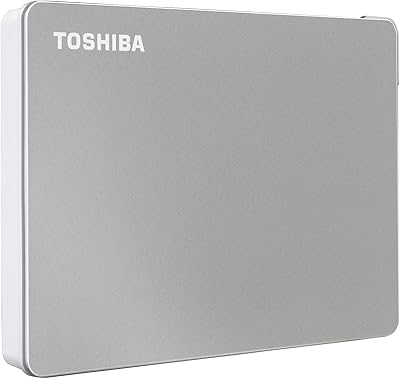
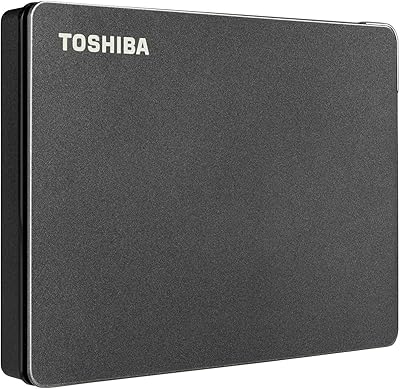
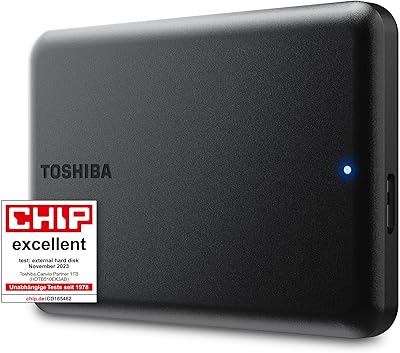
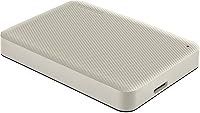
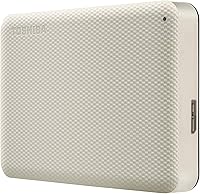
  • Design: Compact and portable design with a sleek, textured finish.
  • Backup Software: Comes with backup software for Windows users only.
  • Transfer Speed: Supports high-speed data transfer through USB 3.0.
  • Form Factor: Portable design for easy transportation and mobility.
  • Weight: Lightweight construction for easy handling and portability.
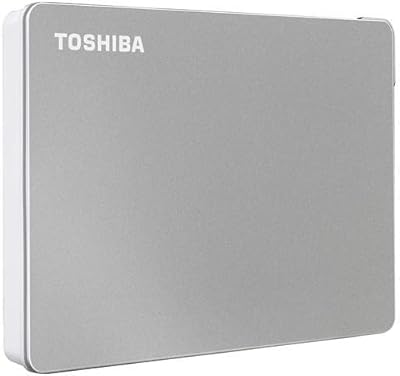
  • Color: Available in a white color with a compact, modern look.
  • Dimensions: Measures approximately 4.3 x 3.1 x 0.6 inches.
  • Mac Compatibility: Requires reformatting before use with macOS.
  • Windows Compatibility: Plug-and-play functionality for Windows operating systems.
  • Warranty: Includes a limited warranty, providing peace of mind for buyers.
  • Power: Powered via the USB connection, no external power adapter required.
  • Encryption: Supports AES 256-bit hardware encryption for data protection.
  • System Requirements: Requires a USB 3.0 port for optimal performance.
  • Software: Supports Toshiba Storage Backup Software on Windows.
  • Durability: Suitable for everyday use, but not designed for extreme conditions.

FAQ

Setting up the Toshiba Canvio Advance is easy. Simply plug it into a USB 3.0 port on your PC or Mac. For Mac users, reformat the drive before use, as it's pre-formatted for Windows. No additional software installation is needed to start transferring files.

Yes, this portable hard drive is compatible with both Windows and Mac. However, Mac users will need to reformat the drive before using it, as it's initially formatted for Windows. Once reformatting is done, it works seamlessly with macOS.

The Toshiba Canvio Advance features USB 3.0, which allows for fast transfer speeds. While actual speeds may vary based on the system and file sizes, you can generally expect faster data transfer compared to older USB 2.0 drives.

Yes, with its 4TB storage capacity, this device is excellent for backing up large files, including videos, photos, and software. It's especially useful for users with a lot of data to store or backup regularly.

Yes, the drive includes password protection software to help secure your files. This feature adds a layer of security, making it harder for unauthorized users to access your data, especially if you're storing sensitive information.

While the Toshiba Canvio Advance is compact and portable, it's made from plastic and may not be as rugged as other external drives specifically designed for heavy-duty use. It's great for everyday travel and light use, but consider a more durable option if you're traveling in harsh environments.

Yes, it comes with backup software for Windows users, which can help automate file backups. However, this software is not available for Mac, so Mac users will need to rely on built-in backup tools like Time Machine.

Absolutely. The Toshiba Canvio Advance is a great option for storing media files like movies, music, and TV shows, and it works well with a variety of media players that support external drives via USB. It’s ideal for anyone looking to expand their media storage.

Many users find this hard drive to offer good value for the price, especially considering its 4TB storage capacity and USB 3.0 compatibility. While there are other options on the market, this one provides a solid balance of performance and affordability for most users.

If you're experiencing slower-than-expected transfer speeds, make sure you're using a USB 3.0 port on your device. Also, check that no other intensive processes are running in the background that might slow down the transfer. Lastly, large files can sometimes take longer to transfer, so it's worth testing with smaller files for comparison.