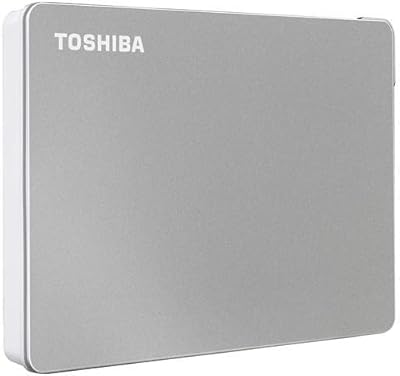
Overview

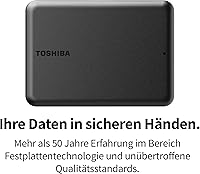
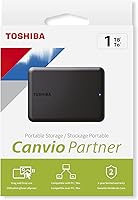
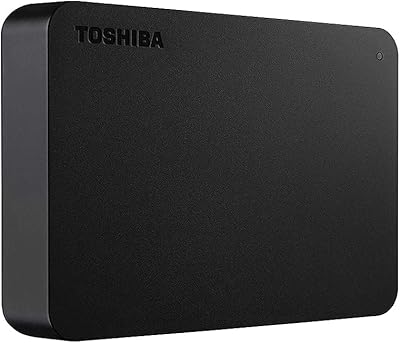
The Toshiba Canvio Partner 1TB Portable Hard Drive is Toshiba's no-nonsense answer to a very common storage headache. Plug it into any USB port and it simply works — no driver downloads, no software setup, no reboot needed. The drive is compatible with Mac, Windows, and even gaming consoles, which makes it unusually versatile for a single device. It slips into a jacket pocket and weighs just 7 ounces, so daily carry is genuinely painless. That said, it is worth being clear: this is a mechanical hard drive, not an SSD. Speed and shock tolerance are different conversations, but for bulk storage on a budget, it covers a lot of ground.
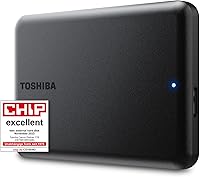
Features & Benefits

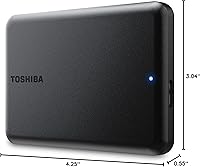
The Canvio Partner runs on USB 3.2, which gives it respectable transfer speeds for a spinning-disk drive — fast enough for backing up documents, offloading photos, or storing a game library without watching the clock too anxiously. One full terabyte goes further than most people expect: several thousand RAW photos, a season of uncompressed video, or a mix of games and work files all fit comfortably. The drive pulls its power directly from the USB cable, so there is no wall adapter to deal with. A built-in shock sensor offers some protection against the minor bumps and drops that happen when working on the move. At 4.29 x 3.07 x 0.55 inches, it barely registers in a bag.

Best For

This external HDD makes the most sense for people who need volume, portability, and broad compatibility without paying a steep premium. Students hauling projects between home and campus, remote workers keeping local backups, or anyone whose laptop storage filled up faster than expected will all find it practical. Console gamers are a natural fit too — the drive works with PS4, PS5, and Xbox without any reformatting fuss, making it a solid choice for downloaded game storage. Households mixing Mac and Windows machines will appreciate that it crosses over without headaches. If you are stepping up from a flash drive and craving real capacity, this is a meaningful upgrade. It is less ideal for those who prioritize raw transfer speed above all else.

User Feedback

Across thousands of reviews, the setup experience draws consistent praise — buyers appreciate that connecting the drive and getting to work takes under a minute. Quiet operation comes up frequently too, with many noting it runs more discreetly than older spinning drives they have owned. On the constructive side, a fair number of users point out that transfer speeds, while perfectly usable for everyday tasks, slow down noticeably on large file batches compared to a portable SSD. A smaller group mentions the drive running warm during extended continuous use — not alarming, but worth knowing. Long-term reliability reports are encouraging overall, with relatively few failure complaints given the high volume of owners. The consensus is that it delivers honestly on what it promises.

Pros

  • Completely plug-and-play — no drivers, no software, no account setup required on any supported platform.
  • Works across Mac, Windows, PS4, PS5, and Xbox straight out of the box without reformatting.
  • One terabyte of capacity handles photo archives, project folders, and game libraries with room to spare.
  • Bus-powered via USB means one cable does everything — no wall adapter to pack or forget.
  • At 7 ounces and 2.5 inches, this external HDD fits in a pocket and barely registers in a bag.
  • Built-in shock sensor adds a practical layer of protection for users moving the drive between locations daily.
  • Quiet operation makes the Canvio Partner easy to run in libraries, shared offices, or late-night study sessions.
  • Broad compatibility makes it a reliable shared drive in households running both Mac and Windows machines.
  • Toshiba's long track record in storage gives buyers reasonable confidence in long-term reliability.
  • A practical and accessible price-per-TB ratio for buyers who need bulk capacity without premium SSD pricing.

Cons

  • Transfer speeds lag noticeably behind portable SSDs when moving large files or full folder backups.
  • The included cable is USB-A, leaving USB-C-only laptop users without a usable connection out of the box.
  • The glossy plastic shell picks up fingerprints and surface scratches quickly with everyday handling.
  • No protective pouch or sleeve is included, so the drive ships bare with no bundled case.
  • Drive runs perceptibly warm during extended continuous transfers, which can be unsettling for cautious users.
  • Cannot be used as extended storage for native PS5 titles — limited to PS4-compatible game storage only.
  • No bundled backup or encryption software for users who want an automated or secured storage workflow.
  • On some older Windows machines, manual drive-letter assignment is needed before the device is recognized.
  • The 1TB ceiling may feel limiting sooner than expected for 4K video creators or heavy console gamers.
  • Mechanical components make this drive more vulnerable to data loss from severe drops than an SSD alternative.

Ratings

The scores below for the Toshiba Canvio Partner 1TB Portable Hard Drive were generated by our AI system after analyzing thousands of verified global buyer reviews, with spam, bot submissions, and incentivized feedback actively filtered out. Each category reflects what real owners experienced across a range of use cases — from student backups to console gaming to cross-platform file sharing. Both the strengths and the friction points are represented honestly, so you can make a genuinely informed call.
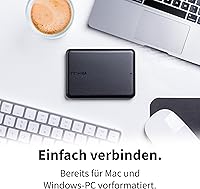
Ease of Setup
96%
Owners repeatedly describe the setup as the fastest they have experienced with any storage peripheral — plug in the cable and the drive mounts within seconds on both Mac and Windows. Students and travelers especially appreciate not having to hunt for drivers or sit through an installer before their first use.
A small number of users on older Windows machines reported needing to manually assign a drive letter before the device appeared in File Explorer, which added an unexpected extra step. This is rare, but first-time PC users found it briefly confusing.
Compatibility
93%
The cross-platform range here is genuinely broad. Buyers use it across MacBooks, Windows laptops, PS4, PS5, and Xbox without reformatting, which is uncommon for a drive at this price tier. Households mixing operating systems consistently call this out as a deciding factor.
A handful of Linux users noted the drive requires manual mounting in some distributions, and a few Chromebook owners found compatibility inconsistent depending on their Chrome OS version. These are niche scenarios, but worth knowing if your setup falls outside the mainstream.
Transfer Speed
61%
39%
For everyday tasks — offloading a camera card, copying a semester of college files, or moving a few game installs — the USB 3.2 connection on this mechanical drive delivers acceptable throughput. Most users moving files under a few gigabytes at a time rarely felt held back.
When transferring large video libraries or bulk game folders, the 5400 RPM spinning disk becomes a real bottleneck compared to portable SSDs at similar or only slightly higher prices. Several users report frustration during long backup sessions where speeds drop and the process drags considerably.
Portability & Form Factor
91%
At 7 ounces and roughly the size of a small notebook, this Toshiba portable drive disappears into a bag without any noticeable bulk. Bus-powered operation means there is no wall adapter or secondary cable to manage, which frequent travelers and commuters consistently flag as a genuine convenience.
The glossy plastic shell attracts fingerprints and light scratches fairly easily, which bothers buyers who like their gear looking clean over time. A few users also wished for a small pouch or protective sleeve in the box, since the drive ships bare with no case included.
Build Quality & Durability
74%
26%
Long-term reliability feedback is notably encouraging — the majority of owners report trouble-free operation well beyond a year of regular use. The shock sensor protection gives mobile users a reasonable degree of confidence when the drive is in a bag alongside other gear.
The external chassis is plastic and feels less premium than some competitors. While the internal shock protection helps, the housing itself offers no rubber bumpers or reinforced corners, so a hard drop onto a solid surface could still result in damage that the sensor alone cannot prevent.
Noise & Vibration
82%
18%
Many reviewers note this drive runs quieter than the older spinning drives they replaced, producing only a faint hum during active reads and writes. For desk use in quiet office or study environments, it is largely unobtrusive.
Under heavy sustained load — such as a full system backup running in the background — the drive produces an audible mechanical whir that some users found distracting in very quiet rooms. It is not loud, but it is not silent either, which distinguishes it clearly from SSD alternatives.
Heat Management
67%
33%
Under typical workloads such as occasional file transfers or light backup jobs, the Canvio Partner stays at a perfectly comfortable temperature and most users never notice any warmth at all.
During extended continuous transfers lasting 30 minutes or more, a noticeable portion of owners report the drive becoming moderately warm to the touch. It stays within safe operating limits, but the heat is perceptible and a few users expressed concern during long overnight backup sessions.
Storage Capacity Value
88%
One terabyte covers a wide range of practical needs — large RAW photo archives, a full semester of project files, or an expanded game library on a console — without requiring buyers to pay for capacity they may not need. The value per gigabyte at this tier is competitive.
For users whose storage needs are growing rapidly, 1TB can fill up faster than expected, particularly for 4K video editors or those managing multiple console game libraries simultaneously. Buyers in those categories may find themselves wishing they had considered a higher-capacity option from the start.
Cable & Connectivity
71%
29%
The included USB cable is a practical length for desk use and works reliably with the ports found on most modern laptops and desktops. Bus-powered operation keeps the cable situation simple — one cable does everything.
The drive ships with a Micro-USB to USB-A cable, which means users with newer USB-C-only machines will need an adapter or hub. In an era where USB-C is increasingly standard on laptops, this feels like a dated choice that adds a small but real inconvenience.
Software & Out-of-Box Experience
89%
The complete absence of mandatory software is a genuine plus for users who are tired of bloatware bundled with storage devices. No account creation, no background processes, no nag screens — just immediate access to the storage.
Some buyers who wanted optional backup software or encryption tools were disappointed to find nothing bundled at all. Users looking for an automated backup solution will need to source and configure third-party software independently, which is an extra step for less technical owners.
Console Gaming Performance
79%
21%
The Canvio Partner works reliably for expanding game storage on PS4, PS5, and Xbox without needing reformatting on most consoles. Gamers appreciate the straightforward plug-in experience and the ability to store and launch older titles from the external drive with no setup friction.
On PS5, extended storage for next-gen titles is limited to the internal SSD, so this drive functions only for transferring or storing PS4-compatible games. Buyers expecting full PS5 game expansion via USB will be disappointed, and this distinction is not always clear at the point of purchase.
Brand Reliability & Reputation
84%
Toshiba has decades of credibility in the storage category, and buyers express a clear sense of trust in the brand when choosing this drive over lesser-known alternatives. That established reputation provides meaningful reassurance for users storing important personal or professional data.
Toshiba's consumer storage division has passed through corporate changes over the years, and a small segment of buyers expressed uncertainty about long-term brand support and warranty service. This is more of a perception issue than a documented quality problem, but it surfaces in reviews periodically.
Price-to-Performance Ratio
77%
23%
For buyers who need a large, portable, plug-and-play backup drive and are not chasing SSD speeds, the Canvio Partner sits in a practical and accessible price range. The combination of 1TB capacity, broad compatibility, and a trusted brand makes the value case straightforward for its target audience.
The mechanical drive technology inside means buyers are paying for capacity and convenience rather than performance. As portable SSD prices continue to drop, the gap between this drive and faster alternatives is narrowing in a way that makes the decision less obvious than it was a year or two ago.

Suitable for:

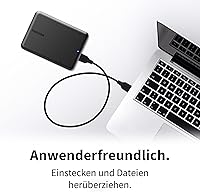
The Toshiba Canvio Partner 1TB Portable Hard Drive is a strong fit for anyone who needs a large, dependable storage companion without the complexity of software installs or the hassle of carrying a power adapter. Students shuttling project files and media between home, campus, and the library will find the plug-and-play setup genuinely frictionless across both Mac and Windows machines. Remote workers who want a local backup of their laptop without spending heavily on cloud storage subscriptions will get real mileage from the 1TB capacity. Console gamers looking to offload older titles from a PS4, PS5, or Xbox to free up internal storage will appreciate that the drive works without reformatting out of the box. It also makes a practical choice for mixed-platform households where one drive needs to move between a MacBook and a Windows desktop without drama. Travelers who want reliable data access on the road without packing adapters or cables will find the slim, bus-powered design easy to slot into any carry-on setup.
Not suitable for:

The Toshiba Canvio Partner 1TB Portable Hard Drive is not the right call for buyers where raw transfer speed is the priority. Video editors moving large 4K project files, photographers culling thousands of RAW images under deadline, or anyone running frequent bulk backups will find the 5400 RPM mechanical drive noticeably slower than portable SSDs, which have become increasingly accessible in terms of price. The plastic chassis, while functional, lacks the ruggedized build of purpose-made adventure or field drives, so users working in demanding physical environments should consider a drive with reinforced housing or an IP-rated enclosure. Buyers with newer USB-C-only laptops will need to source their own adapter since the included cable is USB-A, which is a small but real friction point. PS5 owners hoping to use this as extended storage for native PS5 titles will be disappointed — Sony restricts that function to internal M.2 SSDs, so the drive handles only PS4-compatible game storage via USB. Anyone needing more than 1TB for a growing media library or expanding game collection should weigh whether this capacity will remain sufficient before committing.
Specifications

  • Brand: Manufactured by Toshiba under the Canvio Partner series.
  • Capacity: Provides 1TB (1,000GB) of formatted storage space for files, media, and game data.
  • Drive Type: Mechanical hard disk drive (HDD) with a spinning platter design, not a solid-state drive.
  • Rotational Speed: Operates at 5400 RPM, which is standard for portable mechanical drives in this class.
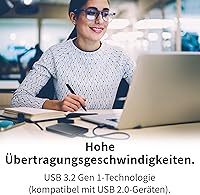
  • Interface: Connects via USB 3.2 Gen 1, offering backward compatibility with USB 3.0 and USB 2.0 ports.
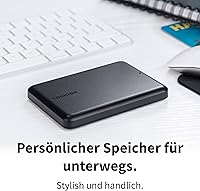
  • Form Factor: 2.5-inch chassis, the standard compact size used in portable laptop-class hard drives.
  • Dimensions: Measures 4.29 x 3.07 x 0.55 inches (109 x 78 x 14 mm), slim enough to pocket easily.
  • Weight: Weighs approximately 7 ounces (198g), making it one of the lighter drives in its category.
  • Power Source: Bus-powered entirely through the USB connection — no external power adapter or separate cable required.
  • OS Compatibility: Compatible with macOS and Windows operating systems without requiring driver installation.
  • Console Support: Works with PlayStation 4, PlayStation 5 (for PS4-compatible titles), and Xbox consoles via USB.
  • Shock Protection: Equipped with an internal shock sensor designed to reduce the risk of data loss from accidental bumps or drops.
  • Plug-and-Play: Requires no software installation or driver downloads; the drive is recognized automatically upon connection.
  • Cable Included: Ships with a Micro-USB to USB-A cable; no USB-C cable or adapter is included in the box.
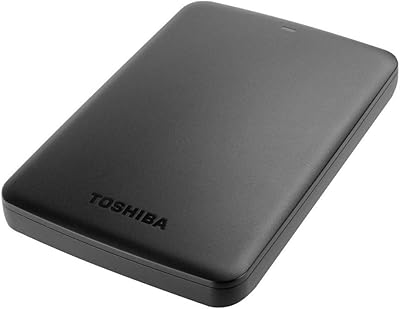
  • Color: Available in Black with a glossy plastic finish on the outer casing.
  • Warranty: Backed by Toshiba's standard limited warranty; buyers should verify regional warranty terms at the point of purchase.
  • File System: Ships pre-formatted as NTFS for Windows compatibility; Mac users may need to reformat or use third-party software for full read-write access.
  • Operating Temp: Rated for use within a standard indoor temperature range typical for consumer portable storage devices.

Related Reviews

Toshiba Canvio Flex 1TB External Hard Drive
74%
93%
Cross-Platform Compatibility
91%
Ease of Setup
88%
Included Accessories
89%
Portability & Form Factor
54%
Transfer Speed
More
Toshiba Canvio Advance 1TB
76%
88%
Value for Money
93%
Portability
91%
Ease of Setup
67%
Transfer Speed
74%
Build Quality
More
Toshiba Canvio Basics 1TB Portable External Hard Drive
74%
94%
Ease of Setup
91%
Portability
61%
Transfer Speed
67%
Build Quality
83%
Value for Money
More
Toshiba Canvio Basics 500GB Portable Hard Drive
85%
91%
Value for Money
95%
Portability
94%
Ease of Use
86%
Build Quality
73%
Performance (Speed)
More
Toshiba Canvio Basics 4TB External Hard Drive
81%
96%
Ease of Setup
91%
Storage Capacity & Value
93%
Portability & Form Factor
61%
Transfer Speed
74%
Build Quality & Durability
More
Toshiba Canvio Gaming 2TB Portable Hard Drive
77%
88%
Value for Money
93%
Ease of Setup
84%
Storage Capacity
61%
Load & Transfer Speed
74%
Build Quality
More
Toshiba Canvio Flex 2TB
79%
93%
Cross-Platform Compatibility
91%
Included Accessories
89%
Portability & Form Factor
71%
Transfer Speed
68%
Build Quality & Durability
More
Toshiba Canvio Advance 4TB Portable External Hard Drive
86%
89%
Value for Money
93%
Portability & Design
78%
Transfer Speed
96%
Storage Capacity
80%
Compatibility with PC & Mac
More
Toshiba Canvio 500GB Slim Portable External Hard Drive
87%
92%
Portability & Size
88%
USB 3.0 Performance
91%
Value for Money
95%
Ease of Setup
84%
Build Quality
More
Toshiba Canvio Gaming 4TB Portable External Hard Drive
88%
91%
Ease of Use
94%
Data Transfer Speed
88%
Portability
90%
Compatibility with Consoles
75%
Build Quality
More

FAQ

No, nothing to install. The Toshiba Canvio Partner 1TB Portable Hard Drive is genuinely plug-and-play — connect the USB cable and your computer recognizes it within seconds. On most Windows and Mac machines, it shows up immediately without any driver prompts or setup wizards.
It will connect and be readable on a Mac right away, but there is a catch worth knowing: the drive ships pre-formatted as NTFS, which Macs can read but cannot write to natively. If you want full read-write access on macOS, you will need to reformat it to exFAT or use a third-party NTFS driver. Reformatting takes only a few minutes in Disk Utility.

Yes and no. The Canvio Partner connects to a PS5 via USB and works well for storing and launching PS4-compatible games. However, Sony does not allow native PS5 titles to run from USB drives — those require an internal M.2 SSD expansion. So it is useful for PS5 owners, but only for the PS4 portion of their library.

No separate power source needed at all. The drive draws everything it needs directly from the USB connection to your computer or console. One cable handles both data and power, which keeps your setup clean and portable.

For everyday tasks — copying documents, backing up a photo collection, or moving a handful of game files — the speed is perfectly workable. That said, this is a mechanical spinning drive running at 5400 RPM, so moving very large files or full folder backups will be noticeably slower than a portable SSD. If you regularly transfer multi-gigabyte files under time pressure, a portable SSD would serve you better.

For typical daily carry use, yes — it holds up well. The built-in shock sensor provides some protection against the bumps and jostles of commuting. That said, the outer shell is glossy plastic with no rubber bumpers, so it is worth keeping it in a padded sleeve if your bag gets knocked around regularly. It is not a rugged or waterproof drive by design.

Under normal, shorter transfer sessions it stays cool. During extended continuous operations — think a full system backup running for 30 minutes or more — the drive can become mildly warm to the touch. It stays within safe operating temperatures, but if you notice warmth during a long job, that is expected behavior rather than a sign of a problem.

Yes, but the default NTFS format limits you to read-only on Mac. The simplest fix is to reformat the drive to exFAT, which both Mac and Windows can read and write to natively without extra software. It takes about two minutes and makes the drive genuinely cross-platform for everyday sharing.

The Canvio Partner uses a Micro-USB to USB-A cable, so you will need a USB-C adapter or hub to connect it to a modern laptop with only USB-C ports. The adapter is not included in the box, which is a genuine inconvenience if your machine has moved entirely to USB-C. A standard USB-A to USB-C adapter works fine and costs very little.

Most owners report solid reliability well into the second and third year of regular use, and overall failure rates reported in user reviews are low. Like any mechanical hard drive, it is not indestructible — avoid dropping it onto hard surfaces and try not to disconnect it mid-transfer. Keeping periodic backups of anything critical is always a smart habit regardless of which drive you own.