

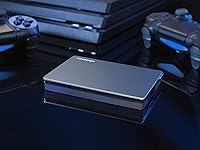
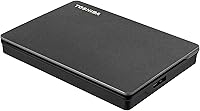
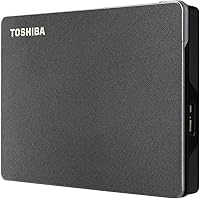
Overview

The Toshiba Canvio Gaming 2TB Portable Hard Drive arrived in late 2020 as a straightforward answer to a problem most console gamers know well: running out of internal storage. It sits in the mid-range mechanical drive market, competing on brand reliability and sheer ease of use rather than bleeding-edge speed. Plug it into a USB port and your console or PC recognizes it — no power adapter, no driver installation required. That said, it is worth being clear upfront: this is an HDD, not a solid-state drive. You are trading raw speed for affordability and capacity, and knowing that going in sets the right expectations from the start.

Features & Benefits

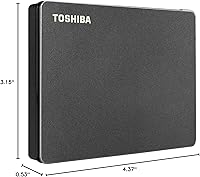
Toshiba built the Canvio Gaming with an Always-On firmware mode that keeps the drive responsive during console standby, so you are not waiting for the disk to spin up when you resume a session. The USB 3.0 connection is fast enough for offloading and loading games, though it will not match an SSD on raw throughput — that is not really the point here. At 4.37 x 3.15 x 0.53 inches and just 5.3 ounces, this portable drive slips into a jacket pocket without issue. Two terabytes translates to roughly 50 average-sized titles, though a handful of modern open-world games will chew through that faster. A two-year warranty rounds things out reasonably well.

Best For

This gaming hard drive makes the most sense for a specific type of buyer: someone sitting on a backlog of PS4 or Xbox One titles who just upgraded to a new-gen console and does not want to repurchase or re-download everything. It is equally well-suited for multi-platform households where one drive rotates between a PlayStation, an Xbox, and a family PC. Travelers who game on the go will appreciate that no separate charger is needed. If you are building a bulk storage library and are not chasing SSD-level load times, the value here is hard to argue with. Buyers who need native PS5 or Xbox Series game performance, however, should look at faster options.

User Feedback

With over 40,000 ratings averaging 4.6 stars, the Canvio Gaming has built a strong track record, and the feedback makes clear why. Most buyers call out tool-free setup and quiet operation during long sessions as consistent highlights. Durability impressions from long-term users are largely positive, though a noticeable subset of reviews mention unit failures after one to two years — worth factoring in for heavy daily use. The main recurring criticism is predictable: load times lag behind solid-state alternatives. A handful of PS5 users also encountered formatting quirks following console firmware updates, so it is worth checking current compatibility threads before purchasing. On balance, most buyers consider the capacity-to-price ratio fair for what this drive delivers.

Pros

  • Plug-and-play setup works out of the box on PS5, Xbox Series X|S, PC, and Mac with no software needed.
  • Two terabytes of storage comfortably holds a large mixed-generation game library without constant management.
  • The Always-On firmware keeps the Canvio Gaming responsive when waking a console from standby.
  • Bus-powered over a single USB cable — no separate charger or power brick to carry.
  • At 5.3 ounces and under half an inch thick, this portable drive is genuinely pocketable.
  • A two-year manufacturer warranty is a reasonable safety net for a mechanical drive in regular use.
  • USB 3.0 speeds are sufficient for transferring and loading games without painful wait times.
  • Over 40,000 buyer ratings averaging 4.6 stars points to a broad, consistent ownership experience.
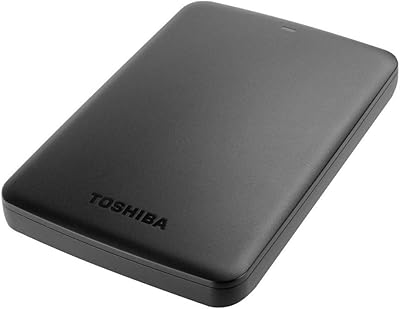
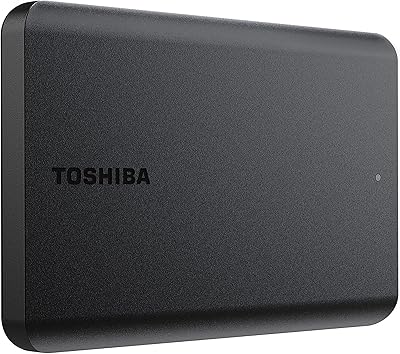
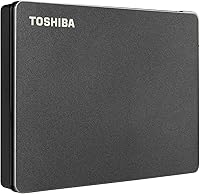
  • Satin black finish looks understated next to a console setup without drawing attention to itself.
  • Competitive pricing makes expanding storage significantly cheaper than upgrading internal console drives.

Cons

  • Load times lag behind portable SSDs, which is noticeable on large modern titles with long streaming sequences.
  • Cannot be used to play native PS5 or Xbox Series X|S games directly — only last-gen titles run from it.
  • Some long-term users report drive failures after one to two years of heavy daily use.
  • Audible vibration hum during intensive read sessions can be distracting in a quiet room.
  • Occasional PS5 firmware updates have caused formatting or detection issues for some users.
  • No bundled backup or encryption software is included, unlike some competing drives at this price range.
  • 2TB fills up faster than expected with modern AAA titles regularly exceeding 80 to 100 GB each.
  • USB 3.0 top-end throughput is a bottleneck compared to newer USB-C or NVMe-based portable storage options.

Ratings

Our AI rating engine analyzed thousands of verified global purchases of the Toshiba Canvio Gaming 2TB Portable Hard Drive, actively filtering out incentivized, duplicate, and bot-generated submissions to surface what real buyers actually experienced. The scores below reflect a balanced picture — genuine strengths are recognized, but recurring frustrations and trade-offs are given equal weight so you can make an informed decision.

Value for Money
88%
Buyers consistently cite the cost-per-gigabyte ratio as one of the strongest arguments for this drive at its price tier. For gamers who need bulk storage without a premium outlay, the math is straightforward — 2TB of reliable, branded storage costs considerably less than any comparable SSD option.
A minority of users who experienced early failure felt the value proposition collapsed quickly, especially without data recovery options covered under warranty. As portable SSD prices continue to drop, the gap that justifies choosing a mechanical drive is narrowing for some buyers.
Ease of Setup
93%
Across PlayStation, Xbox, and PC, users repeatedly praised how fast the initial setup was — plug it in, follow the on-screen format prompt, and you are storing games within minutes. No drivers, no companion apps, no configuration headaches, which matters when you just want to get back to playing.
A small but consistent group of PS5 users encountered detection failures following specific console firmware updates, requiring a reformat or reconnection sequence to restore functionality. These incidents were not universal but were frequent enough to show up as a pattern in long-term ownership feedback.
Storage Capacity
84%
Two terabytes sits comfortably in the sweet spot for most casual-to-moderate game libraries — enough to hold a large PS4 or Xbox One back catalog plus several newer titles simultaneously. Users upgrading from the console's internal storage alone found the breathing room significant and immediate.
Buyers with large modern game libraries found 2TB filled faster than expected, particularly with titles like Call of Duty or Red Dead Redemption 2 each consuming 100 GB or more. Several reviewers noted they were actively managing and cycling games off the drive within a few months of purchase.
Load & Transfer Speed
61%
39%
For storing and archiving games — moving titles on and off the drive in the background — USB 3.0 throughput is workable, and most users found the process acceptably fast when transferring from a console's internal SSD. The Always-On firmware also reduces spin-up lag when resuming a session from standby.
Loading games directly from the drive during active play is where the 5400 RPM mechanical speed becomes a real limitation, especially on sprawling open-world titles where long load screens are the norm. Users who switched from this drive to a portable SSD consistently reported the difference as immediately noticeable.
Build Quality
74%
26%
The satin black casing feels sturdy enough for everyday transport, and most users reported no cosmetic damage or structural issues after months of regular use in bags and backpacks. The slim profile and tight seam construction give it a cleaner look than some competing drives at this price point.
The plastic shell does not inspire confidence for users who want something drop-resistant or ruggedized — this is not a drive designed to take knocks. A recurring thread in long-term reviews points to a subset of units that developed read errors or click sounds after a year or more of intensive daily use.
Portability
91%
At 5.3 oz and under 0.6 inches thin, this portable drive genuinely disappears into a jacket pocket or small gaming bag without adding meaningful bulk. The bus-powered design is the real practical advantage here — there is no wall adapter to forget, which matters a lot when gaming at a friend's place or on the road.
The included Micro-B USB cable is on the shorter side, which can feel limiting depending on where your console's USB ports are positioned relative to your TV stand setup. A few users also noted that the cable connection point feels slightly less secure after repeated plug-and-unplug cycles over time.
Platform Compatibility
79%
21%
Working across PS5, Xbox Series X|S, Windows, and Mac from a single drive is genuinely convenient for multi-platform households, and the vast majority of users found cross-platform switching straightforward once the drive was formatted correctly. PC users in particular appreciated the no-fuss recognition on both Windows 10 and 11.
The PS5 limitation — where only PS4 games can be played from the drive, not native PS5 titles — caught a notable number of buyers off guard who expected broader functionality. Mac users also occasionally needed to reformat the drive to achieve full read-write access, which erases existing content in the process.
Noise & Vibration
67%
33%
Under light use — loading a saved game, navigating menus, or transferring a single title — the drive operates quietly enough that most users gaming with a headset or TV audio never notice it. Casual users and those with the drive placed a foot or more from their seating position reported no meaningful disruption.
During heavy sustained read operations, such as loading large open-world areas or running multiple background transfers, a perceptible vibration hum becomes audible in a quiet room. Buyers who place the drive directly on a hard desk surface noted the resonance amplifies noticeably compared to sitting it on a soft mat.
Long-term Reliability
72%
28%
The majority of buyers who left reviews after 12 or more months reported the drive still functioning normally, with consistent detection and no data loss — a reasonable track record for a mechanical drive used regularly in gaming contexts. Toshiba's reputation for HDD manufacturing lends some baseline confidence to the brand.
A meaningful minority of long-term reviews — concentrated in the one-to-two-year ownership window — described sudden failures, clicking noises, or the drive becoming undetectable without warning. For a device used in a gaming context where data backup habits are often inconsistent, these failure accounts carry real weight.
Warranty & Support
69%
31%
A two-year manufacturer warranty is a fair commitment for a portable mechanical drive, and users who filed valid defect claims within the window generally reported a functional replacement process. The warranty window covers the most statistically failure-prone period for HDDs under regular use.
Toshiba's warranty covers hardware defects but not data recovery, which is a significant gap given that a drive failure in this use case often means losing a large game library or saved data. Several users also reported slow or difficult warranty claim experiences, particularly when purchased through third-party sellers.
Console Wake Responsiveness
77%
23%
The Always-On firmware feature earned specific praise from users who frequently put their console into rest mode between shorter gaming sessions, as the drive responds quickly when the system wakes rather than making you wait for a cold spin-up. This is a small but genuinely appreciated quality-of-life detail.
The benefit is mainly noticeable on consoles with rest or standby modes — PC users and those who fully power down between sessions see little practical difference from the feature. It also does not address the underlying load speed limitation once the drive is active and reading game data.
Packaging & Unboxing
71%
29%
The drive arrives well-protected with a cable included in the box, meaning most buyers can connect and start using it immediately without a separate accessory purchase. The unboxing experience is clean and functional, which aligns with buyer expectations at this price tier.
Nothing about the packaging stands out as premium, and a few buyers noted minor cosmetic scuffs on the casing suggesting handling inconsistencies before delivery. The included cable length, as noted by several users, is short enough to feel like a minor afterthought rather than a considered accessory.
Multi-device Sharing
76%
24%
Households running both a PlayStation and an Xbox, or a console and a PC, found the Canvio Gaming practical as a shared library drive — particularly for game archives and large file transfers between machines. The single-cable, no-software-required design makes the handoff between devices friction-free.
Switching between platforms sometimes requires reformatting, which wipes all existing content and frustrates users who assumed the drive could be shared across all systems simultaneously without data loss. Formatting for one console ecosystem locks out full write access on others unless exFAT is used, which not all users know to configure upfront.

Suitable for:

The Toshiba Canvio Gaming 2TB Portable Hard Drive is a practical pick for gamers who have built up a large PS4 or Xbox One library and recently switched to a current-gen console — it lets you carry that back catalog forward without re-downloading dozens of titles. Travelers and couch-to-couch gamers will appreciate that it runs entirely off a single USB cable, no wall adapter required, making it genuinely easy to throw in a bag. PC users who need affordable bulk storage for their Steam or Epic library, without committing to the higher cost of a solid-state drive, will find the capacity-to-price ratio hard to beat at this tier. Multi-platform households where one drive needs to rotate between a PlayStation, an Xbox, and a Windows PC are also well-served here, since the compatibility breadth is genuinely wide. If your priority is storing a lot of games reliably and cheaply rather than shaving seconds off load screens, this gaming hard drive delivers exactly that.

Not suitable for:

The Toshiba Canvio Gaming 2TB Portable Hard Drive is not the right tool for anyone expecting SSD-level performance — at 5400 RPM, load times will be noticeably slower than what a solid-state drive offers, and that gap becomes hard to ignore on open-world titles with large streaming assets. PS5 owners who want to play native PS5 games directly from external storage should look elsewhere entirely; the console does not support that use case with any USB drive, and this one is no exception. Competitive gamers or anyone who values fast level load times over raw storage capacity will likely find the mechanical drive speed frustrating over time. Users planning to use this as a primary boot or system drive for a PC should avoid it — the rotational speed and interface make it unsuitable for that workload. Finally, buyers who tend to keep drives running hard for years daily should weigh the minority of long-term failure reports in user reviews before committing.

Specifications

  • Storage Capacity: The drive offers 2TB of formatted storage, enough to hold roughly 40 to 50 modern titles at average file sizes, though large open-world games can reduce that count quickly.
  • Drive Type: This is a traditional mechanical hard disk drive (HDD), not a solid-state drive, meaning it uses spinning platters to read and write data.
  • Rotational Speed: The internal disk spins at 5400 RPM, which is standard for portable HDDs at this capacity tier but slower than 7200 RPM desktop drives or any SSD.
  • Interface: Connectivity is handled via USB 3.0, with full backward compatibility with USB 2.0 ports, though transfer speeds will be reduced on older connections.
  • Form Factor: The drive uses a 2.5-inch form factor, the same physical size as a laptop hard drive, making it compact enough to carry in a pocket or small bag.
  • Dimensions: Physical dimensions measure 4.37 x 3.15 x 0.53 inches, keeping the footprint small enough to sit unobtrusively beside a console or monitor.
  • Weight: The unit weighs 5.3 oz, making it one of the lighter portable drives available at this capacity and easy to transport daily.
  • Power Source: The drive is entirely bus-powered through the USB connection, so no external power adapter or wall outlet is needed during use.
  • Compatible Platforms: It works with PlayStation 5 (for PS4 game storage and playback), Xbox Series X|S (for Xbox One game storage and playback), Windows PC, and Mac.
  • PS5 Game Support: On PlayStation 5, the drive supports storing and playing PS4 titles only; native PS5 games cannot be played directly from a USB HDD due to Sony platform restrictions.
  • Firmware Feature: Toshiba includes a firmware-level Always-On mode designed to keep the drive active during console standby, reducing spin-up delays when resuming a session.
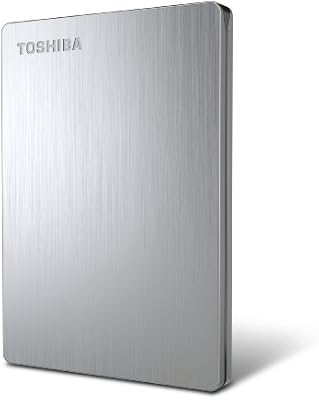
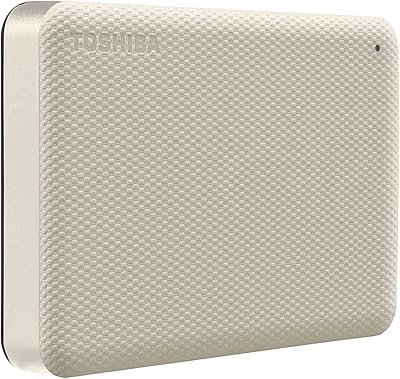
  • Casing Finish: The outer shell features a satin black finish that resists minor fingerprints and pairs cleanly with most current-generation console aesthetics.
  • Warranty: Toshiba backs the drive with a 2-year manufacturer limited warranty covering defects in materials and workmanship from the date of purchase.
  • Model Number: The official model identifier is HDTX120XK3AA, which can be used to verify compatibility documentation on Toshiba's consumer HDD support pages.
  • Cable Included: The drive ships with a USB 3.0 Micro-B cable in the box, so no separate purchase is required to connect it immediately after unboxing.
  • File System: The drive ships pre-formatted for use with gaming consoles and Windows PCs; Mac users may need to reformat it depending on their preferred file system.
  • BSR Ranking: At the time of review, this portable drive holds a top-15 position in the External Hard Drives category on Amazon, reflecting sustained buyer volume and satisfaction.

Related Reviews
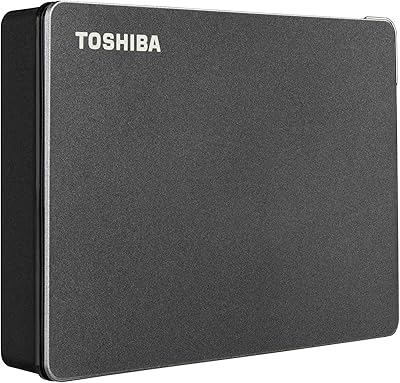
Toshiba Canvio Gaming 4TB Portable External Hard Drive
88%
91%
Ease of Use
94%
Data Transfer Speed
88%
Portability
90%
Compatibility with Consoles
75%
Build Quality
More
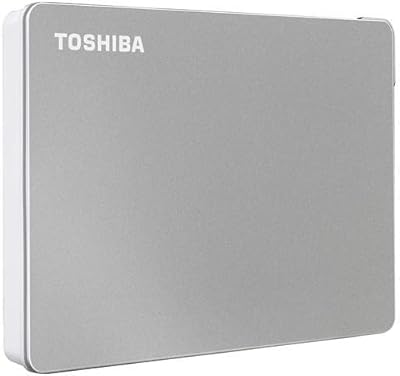
Toshiba Canvio Flex 2TB
79%
93%
Cross-Platform Compatibility
91%
Included Accessories
89%
Portability & Form Factor
71%
Transfer Speed
68%
Build Quality & Durability
More
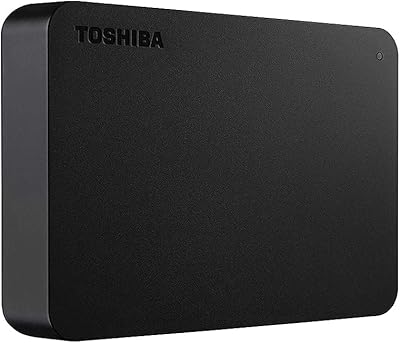
Toshiba Canvio Basics 500GB Portable Hard Drive
85%
91%
Value for Money
95%
Portability
94%
Ease of Use
86%
Build Quality
73%
Performance (Speed)
More
Toshiba Canvio Advance 4TB Portable External Hard Drive
86%
89%
Value for Money
93%
Portability & Design
78%
Transfer Speed
96%
Storage Capacity
80%
Compatibility with PC & Mac
More
Toshiba Canvio Basics 4TB External Hard Drive
81%
96%
Ease of Setup
91%
Storage Capacity & Value
93%
Portability & Form Factor
61%
Transfer Speed
74%
Build Quality & Durability
More
Toshiba Canvio Advance 1TB
76%
88%
Value for Money
93%
Portability
91%
Ease of Setup
67%
Transfer Speed
74%
Build Quality
More
Toshiba Canvio 500GB Slim Portable External Hard Drive
87%
92%
Portability & Size
88%
USB 3.0 Performance
91%
Value for Money
95%
Ease of Setup
84%
Build Quality
More
Toshiba Canvio Partner 1TB Portable Hard Drive
81%
96%
Ease of Setup
93%
Compatibility
61%
Transfer Speed
91%
Portability & Form Factor
74%
Build Quality & Durability
More
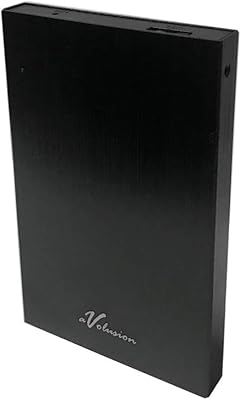
Avolusion HD250U3 2TB Portable External Gaming Hard Drive
87%
94%
Ease of Use
91%
Installation Process
79%
Performance (Speed)
88%
Build Quality
85%
Durability
More
Toshiba Canvio Basics 1TB Portable External Hard Drive
74%
94%
Ease of Setup
91%
Portability
61%
Transfer Speed
67%
Build Quality
83%
Value for Money
More

FAQ

No, and this is probably the most common point of confusion buyers run into. Sony does not allow native PS5 games to run from any external USB drive — that applies to every HDD and most SSDs unless they are installed in the console's internal M.2 slot. What the Canvio Gaming does support is storing and playing your PS4 library on a PS5, which is still genuinely useful if you are sitting on a large last-gen collection.

Yes, your console will prompt you to format the drive the first time you plug it in, and the process only takes a minute or two. Just keep in mind that formatting for one console will erase any existing data, so if you plan to use it across multiple platforms, you will need to manage that carefully or keep separate drives per system.

It depends heavily on what you are installing. Older PS4 or Xbox One titles often run 20 to 40 GB each, so you could realistically store 50 or more of those. Modern open-world games and some recent titles, though, can push 80 to 150 GB individually, which will eat through that 2TB noticeably faster. A mixed library of older and newer games typically lands somewhere in the 30 to 45 title range in practice.

Most users find it quiet enough during normal sessions, but if you are gaming in a silent room you may catch a faint vibration hum when the drive is under heavy read load. It is not disruptive through a TV or headset, but it is worth knowing if you are particularly sensitive to peripheral noise.

It will be recognized by a Mac immediately, but if you want full read-write compatibility with macOS you may want to reformat it as exFAT or HFS+, depending on whether you also need it to work with Windows or a console. exFAT is usually the most practical choice for cross-platform use.

Always-On is a firmware setting that keeps the drive spinning rather than parking itself during low-activity periods, like when your console is in rest mode. In practice, it reduces the brief delay you might otherwise notice when waking the console and jumping back into a game. It is a small quality-of-life improvement rather than a dramatic performance feature, but users who game in short sessions tend to notice it.

Yes, the drive is fully backward compatible with USB 2.0, so it will connect and function normally. Transfer speeds will be considerably slower than on a USB 3.0 port, but for typical gaming use — loading and saving game files — it will still get the job done, just with longer initial transfer times when moving large files.

The main differences come down to speed and price. A portable SSD will load games noticeably faster and is more durable since it has no moving parts, but you will pay significantly more for equivalent capacity. This gaming hard drive closes that gap with a much lower per-gigabyte cost, making it the more practical choice if budget matters more than shaving a few seconds off loading screens.

No, this drive ships without any bundled software. There is no automatic backup utility or password protection software included, which is a trade-off compared to some competing drives in this category. If those features matter to you, you would need to source third-party software separately.

This has happened to a small number of PS5 users following specific system updates, and the most common fix is to safely eject the drive, restart the console, and reconnect it. In some cases a reformat is needed, so it is worth keeping a backup of anything important on a secondary storage device before updating your console firmware. Checking Toshiba's support site and current PlayStation or Xbox community forums for any known issues with your firmware version is also a good first step.

Where to Buy