Overview

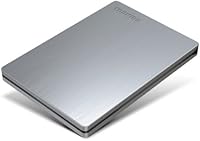
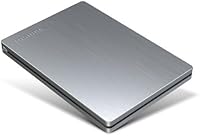
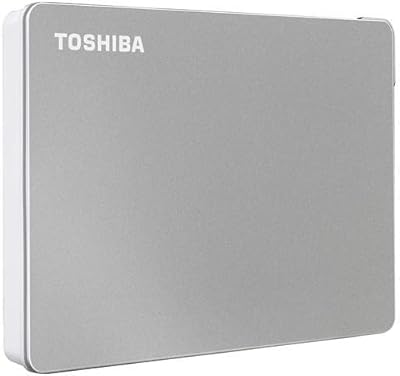
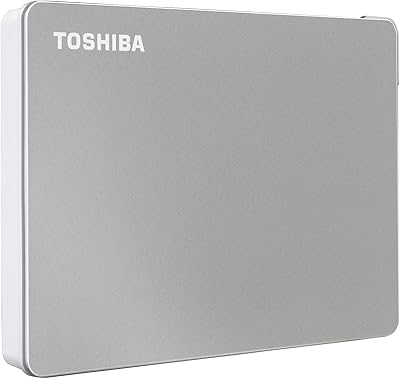
The Toshiba Canvio 500GB Portable Hard Drive is the kind of drive you forget about until you need it, and that is a compliment. It is built around a 2.5-inch form factor, so it slips into a laptop bag without adding bulk, and the brushed aluminum finish in silver gives it a cleaner look than the usual glossy plastic shells. With 500GB on tap, there is enough room for documents, photos, and a good chunk of media without filling up in a week. It connects over USB 3.0, with USB 2.0 fallback for older machines, and it ships with backup software already loaded, so you are not hunting for downloads before your first backup.
Features & Benefits

Once it is set up, this Toshiba drive handles the boring parts of backups so you do not have to think about them. Scheduled, automatic backups run quietly in the background, which matters if you are the type who forgets to manually back things up. You get options for file-level, folder-level, or full system recovery, which covers most disaster scenarios without needing separate tools. The body itself feels more substantial than a typical budget drive thanks to that metal finish, yet it stays light enough to carry daily. A 3-year limited warranty adds a bit of reassurance, and the fact that it works across Mac and PC means you are not locked into one ecosystem.

Best For

This portable hard drive makes the most sense for students and working professionals who need extra space beyond a laptop's internal storage, especially when that storage fills up faster than expected. People who want a backup routine that just runs on its own, without remembering to plug in and click start, will appreciate the automated scheduling. It also suits frequent travelers, since the compact size and light weight barely register in a bag. If you are watching your budget but still want something dependable for bulk storage, it lands in a solid middle ground. And because it plays nicely with both Mac and PC, it is a reasonable pick for households or offices juggling mixed systems.

User Feedback

Feedback on this external drive tends to land on the positive side, with plenty of buyers mentioning how easy the plug-and-play setup is right out of the box. The slim, pocketable shape gets singled out often too, since it does not feel like carrying a brick compared to older external drives. That said, the experience is not flawless. Several reviewers describe the bundled software as functional but basic, more of a starting point than a full-featured backup suite. A smaller number raise concerns about long-term durability, the kind of wear-and-tear worry that comes with any mechanical drive over years of use. Taken together, the overall sentiment settles into solidly average-to-good territory rather than universal praise.

Pros

  • Slim, lightweight design that barely adds bulk to a bag
  • Automatic scheduled backups remove the guesswork from staying protected
  • Brushed aluminum finish feels noticeably sturdier than typical plastic drives
  • Supports file, folder, and full system recovery in one tool
  • Works smoothly across both Mac and PC without extra setup
  • Plug-and-play installation that most buyers describe as genuinely simple
  • 3-year limited warranty adds reasonable peace of mind for the price
  • 500GB offers solid everyday storage for documents, photos, and backups

Cons

  • Bundled backup software feels basic compared to dedicated backup tools
  • 500GB capacity may feel limiting for media-heavy or professional users
  • Some buyers report concerns about long-term mechanical drive durability
  • Transfer speeds lag behind SSD options for demanding editing workflows
  • No included carrying case or pouch for extra physical protection
  • Listed USB 1.1 interface spec on Amazon can confuse cautious shoppers
  • Lacks hardware encryption features found on some higher-end competitors

Ratings

The Toshiba Canvio 500GB Portable Hard Drive has been evaluated using AI-driven analysis of verified user reviews collected from buyers worldwide, with spam, bot activity, and incentivized feedback filtered out before scoring. The categories below reflect a balanced mix of genuine praise and recurring complaints, so you can see exactly where this drive shines and where it falls short. Scores are designed to mirror real ownership experience rather than marketing claims.
Build Quality
81%
19%
The brushed aluminum shell feels noticeably more solid than the plastic housings found on many budget drives in this price range, which gives buyers confidence when tossing it into a bag. The compact 2.5-inch body also holds up well to daily handling.
It is still a mechanical drive at its core, so it lacks the shock resistance of solid-state alternatives. A handful of long-term owners report concerns about internal wear after extended daily use.
Portability & Design
89%
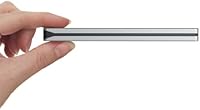
At 5.3 ounces and just 0.35 inches thick, this external drive disappears into a backpack or laptop sleeve without adding noticeable weight, which travelers and commuters consistently call out. The silver finish also looks cleaner than typical plastic drives on a desk.
The slim profile means there is no padded edge or shock protection built in, so it needs a case if it is going to be tossed around loosely. Some buyers wish it came with a basic sleeve included.
Storage Capacity
72%
28%
500GB comfortably covers documents, photos, and routine backups for most everyday users, making it a practical fit for students and professionals managing standard workloads. It rarely feels cramped for typical office or school use.
Anyone working with large video files, extensive photo libraries, or professional media projects will likely outgrow this capacity within a year or two. Heavier users may find themselves managing space more than they would like.
Transfer Speed
68%
32%
USB 3.0 connectivity delivers noticeably faster transfers than older USB 2.0 drives, especially when moving larger batches of files during backup sessions. Most users find it perfectly adequate for routine document and photo transfers.
As a mechanical drive, it cannot match the read and write speeds of SSD-based externals, which becomes apparent when moving very large files. Heavy multitasking workflows may feel the bottleneck.
Backup Software
61%
39%
The preloaded software makes scheduling automatic backups simple for users who just want a set-and-forget routine, with support for file, folder, and full system recovery covering most common needs. It removes the guesswork for casual users.
Multiple reviewers describe the interface and feature set as fairly basic compared to dedicated backup applications. Power users often end up switching to third-party software for more granular control.
Setup & Ease of Use
88%
Plug-and-play setup is one of the most consistently praised aspects, with buyers reporting they were transferring files within minutes of unboxing. No drivers or complicated configuration steps are typically needed.
A small number of users on older systems report needing to manually update drivers for full USB 3.0 speeds. Mac users may also need to reformat the drive depending on their workflow.
Mac & PC Compatibility
84%
Cross-platform support means this portable hard drive works for households or offices juggling both operating systems without needing separate drives. Switching between a Mac and a PC rarely causes issues.
Out of the box file system formatting may favor one platform over the other, requiring a reformat step for full compatibility. This extra step occasionally confuses less technical buyers.
Durability & Reliability
64%
36%
Many owners report years of reliable daily use without issues, particularly for those treating it gently during transport. The sturdier metal casing seems to contribute to a sense of confidence in everyday handling.
A noticeable minority of reviewers report drive failures or read errors after extended use, a known risk with mechanical drives in general. This inconsistency keeps the score from climbing higher despite generally positive sentiment.
Noise & Heat
76%
24%
Most users describe operation as quiet enough to ignore during normal file transfers and backups, even in quiet home office settings. It does not run noticeably hot during typical light to moderate use.
Extended, heavy transfer sessions can cause some warmth to build up, which a few users find slightly more noticeable than with solid-state alternatives. It is not a dealbreaker, but worth knowing.
Warranty & Support
79%
21%
The 3-year limited warranty gives buyers a reasonable safety net compared to some budget competitors offering shorter coverage. It signals a decent level of manufacturer confidence in the hardware.
Some users note that navigating warranty claims can take time, and coverage does not extend to accidental damage. It is reassurance rather than a guarantee against all failure scenarios.
Value for Money
85%
Given its price point, this Toshiba drive delivers solid everyday performance, a sturdier-than-average build, and a respectable warranty, which buyers frequently cite as good value for budget-conscious shoppers. It checks most boxes without overpromising.
Buyers expecting premium speeds or advanced software features may feel the value proposition softens slightly compared to pricier SSD options. It is a strong budget pick rather than a top-tier performer.

Suitable for:

The Toshiba Canvio 500GB Portable Hard Drive is a strong fit for students and working professionals who keep running out of room on a laptop's internal drive and need somewhere reliable to dump documents, project files, or photos. It also works well for anyone who wants backups to happen automatically rather than relying on willpower to remember a manual routine, since the scheduling feature takes that decision off your plate. Frequent travelers will appreciate how little space it takes up in a bag, and the light weight means you barely notice it is there. Households or small offices that mix Mac and PC machines benefit too, since the drive does not force you into one ecosystem. If your main goal is dependable, no-fuss storage at a reasonable price point rather than blazing speed or massive capacity, this is a sensible pick.

Not suitable for:

Anyone needing serious capacity for large video libraries, professional media archives, or extensive game installations will likely find 500GB tight within a year or two. Power users chasing top-tier transfer speeds for editing 4K footage or running applications directly off an external drive should look at SSD options instead, since this is a traditional mechanical drive. If you want robust, full-featured backup software with granular controls, the bundled tool here is fairly basic and may leave more demanding users wanting something more capable. Buyers who have had bad experiences with mechanical drives failing over time should also factor in the durability concerns some reviewers have raised before committing. The Toshiba Canvio 500GB Portable Hard Drive is not the right choice if long-term archival confidence is your top priority over price.
Specifications

  • Storage Capacity: This drive offers 500GB of storage, enough for everyday documents, photos, and backup files.
  • Form Factor: It uses a 2.5-inch hard disk form factor designed for portability.
  • Dimensions: The drive measures 4.21 x 2.95 x 0.35 inches.
  • Weight: It weighs 5.3 ounces, making it easy to carry in a bag or pocket.
  • Connectivity: It connects via USB 3.0 with backward compatibility for USB 2.0 ports.
  • Finish: The exterior features a brushed aluminum finish in silver.
  • Compatibility: It works with both Mac and PC laptop systems.
  • Backup Software: It ships preloaded with backup software for scheduling and managing backups.
  • Backup Scheduling: The software supports automatic, scheduled backups that run without manual input.
  • Recovery Options: It supports file-level, folder-level, and full system recovery.
  • Warranty: Toshiba includes a 3-year limited warranty with this drive.
  • Installation Type: It is designed as an external drive requiring no internal installation.
  • Color: The drive is available in a silver finish.
  • Drive Type: It uses a traditional mechanical hard disk rather than solid-state storage.
  • Power Source: It draws power directly through the USB connection without a separate adapter.

Related Reviews
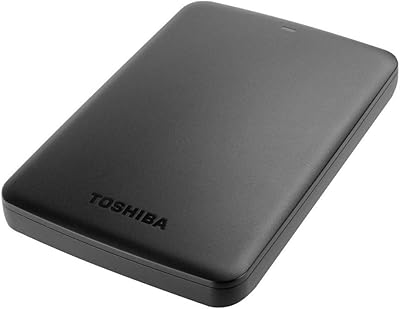
Toshiba Canvio Basics 500GB Portable Hard Drive
85%
91%
Value for Money
95%
Portability
94%
Ease of Use
86%
Build Quality
73%
Performance (Speed)
More
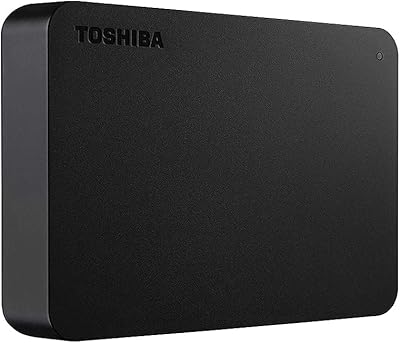
Toshiba Canvio Flex 2TB
79%
93%
Cross-Platform Compatibility
91%
Included Accessories
89%
Portability & Form Factor
71%
Transfer Speed
68%
Build Quality & Durability
More
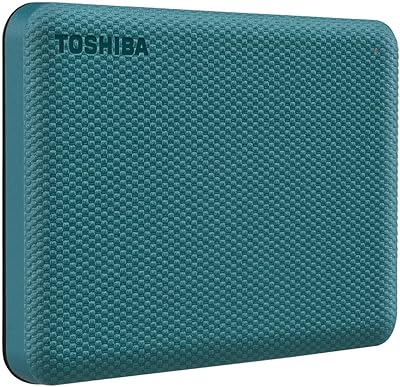
Toshiba Canvio Advance 4TB Portable External Hard Drive
86%
89%
Value for Money
93%
Portability & Design
78%
Transfer Speed
96%
Storage Capacity
80%
Compatibility with PC & Mac
More
Toshiba Canvio Basics 4TB External Hard Drive
81%
96%
Ease of Setup
91%
Storage Capacity & Value
93%
Portability & Form Factor
61%
Transfer Speed
74%
Build Quality & Durability
More
Toshiba Canvio Flex 1TB External Hard Drive
74%
93%
Cross-Platform Compatibility
91%
Ease of Setup
88%
Included Accessories
89%
Portability & Form Factor
54%
Transfer Speed
More
Toshiba Canvio Gaming 4TB Portable External Hard Drive
88%
91%
Ease of Use
94%
Data Transfer Speed
88%
Portability
90%
Compatibility with Consoles
75%
Build Quality
More
Toshiba Canvio Gaming 2TB Portable Hard Drive
77%
88%
Value for Money
93%
Ease of Setup
84%
Storage Capacity
61%
Load & Transfer Speed
74%
Build Quality
More
Toshiba Canvio Basics 1TB Portable External Hard Drive
74%
94%
Ease of Setup
91%
Portability
61%
Transfer Speed
67%
Build Quality
83%
Value for Money
More
Toshiba Canvio Advance 1TB
76%
88%
Value for Money
93%
Portability
91%
Ease of Setup
67%
Transfer Speed
74%
Build Quality
More
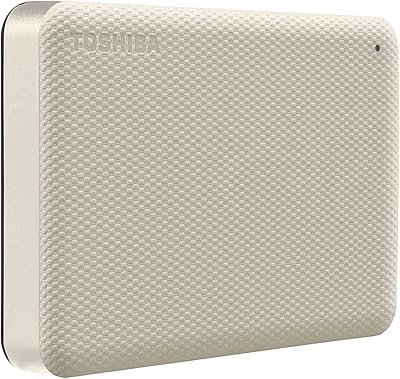
Toshiba Canvio Partner 1TB Portable Hard Drive
81%
96%
Ease of Setup
93%
Compatibility
61%
Transfer Speed
91%
Portability & Form Factor
74%
Build Quality & Durability
More

FAQ

It is built to work with both Mac and PC, so you should not run into compatibility issues either way. Keep in mind that drives formatted for Mac (HFS+) and Windows (NTFS) use different file systems, so you may need to reformat it depending on which system you use first.

Not really. You can plug it in and start dragging files over right away, since most buyers describe the plug-and-play setup as straightforward. If you want to use the automatic backup features, you will need to run the preloaded software first.

It does the basics well, like scheduling automatic backups and handling file, folder, or full system recovery. It is not as polished or feature-rich as dedicated backup applications, so power users may eventually want to switch to something more robust.

That depends on what you are saving. It is comfortable for documents, photos, music, and a reasonable amount of video, but if you work with large media libraries or 4K footage, you will fill it up faster than you might expect.

No, it draws power directly through the USB cable, so there is no separate adapter to carry around or lose.

That is almost certainly a leftover or mislabeled entry on the listing rather than an accurate spec, since the drive is built around USB 3.0 with USB 2.0 fallback support. You should not expect USB 1.1 speeds in real-world use.

The brushed aluminum housing feels sturdier than a lot of plastic-bodied competitors, and most users report no issues tossing it in a bag. That said, a few reviewers have raised long-term durability concerns, which is worth keeping in mind since it is a mechanical drive and not solid-state.

Yes, this is one of its strongest use cases. The scheduled backup feature handles things in the background once it is set up, so you are not relying on memory to keep your files protected.

It comes with a 3-year limited warranty from Toshiba, which covers manufacturing defects under normal use. It is still a good idea to keep a second backup elsewhere, since no single drive should be your only copy of important files.

Definitely. While the preloaded software leans toward backup tasks, the drive itself functions like any standard external drive, so you can drag and drop files, move media between computers, or use it as everyday extra storage.