


Overview
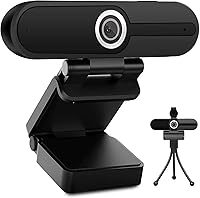
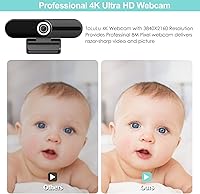
The ToLuLu 4K Webcam with Microphone sits squarely in the budget tier, targeting remote workers, online teachers, and casual streamers who want a real upgrade over a built-in laptop camera. ToLuLu isn’t a household name — it’s a smaller peripheral brand, and being upfront about that matters. What this 4K USB webcam does deliver is a surprisingly complete package: a mini tripod, a six-foot USB cable, and a physical privacy shutter, all included out of the box. One thing to set straight immediately: running at 4K means 15 frames per second, which can look choppy. Most users will find 1080p at 30fps the smarter daily choice.
Features & Benefits
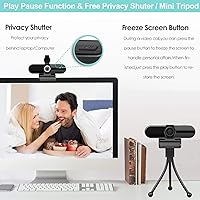
The sensor inside this ToLuLu webcam is an 8-megapixel CMOS chip — respectable for the price, and capable of producing sharp, colorful images in decent lighting. The dual built-in microphones handle noise reduction reasonably well, picking up voice from up to 12 feet away, which covers most home office setups without needing a separate mic. The physical privacy shutter deserves a mention here because it’s a real slide-over-the-lens cover, not a software toggle — reassuring for anyone concerned about camera access. Perhaps the most unexpected feature is the pause button on the camera body itself, which freezes the video feed mid-call. It’s oddly practical. Setup is plug-and-play across Windows, Mac, Chrome OS, and more.
Best For
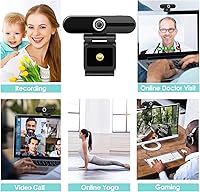
This 4K USB webcam makes the most sense for people who need better video quality than a laptop’s built-in camera but aren’t ready to spend on a Logitech Brio or a similar prosumer option. It’s a strong fit for remote workers and educators who just need to look presentable on Zoom calls without fussing with drivers or settings. The plug-and-play setup genuinely means anyone can get it working in under a minute, which makes it a practical choice for less tech-savvy household members too. People who are privacy-conscious will appreciate the physical shutter. Hobbyist streamers looking for a low-commitment entry into content creation will also find it a reasonable starting point.
User Feedback
With over 25,000 ratings and a 4.2 out of 5 average, the camera has earned its standing through sheer volume — that many reviews tend to smooth out fake outliers. Buyers consistently praise the easy setup and image clarity for the price. The privacy shutter gets frequent positive mentions, and the pause button surprises people in the best way — many users say they didn’t expect to actually use it, then found themselves reaching for it regularly. On the other side, the microphone audio is adequate but not something to brag about, and low-light autofocus can be inconsistent. If you’re in a dim room, results may disappoint.
Pros
- Ships with a mini tripod, universal mounting clip, and six-foot USB cable included — a genuinely complete out-of-the-box package.
- True plug-and-play setup works across Windows, Mac, Chrome OS, and Android with zero driver installation required.
- Physical privacy shutter slides directly over the lens, offering real security that no software-only solution can match.
- 1080p at 30fps mode delivers smooth, sharp video that handles everyday video calls and online meetings without issue.
- On-body pause button lets you freeze the video feed mid-call without disconnecting, a genuinely uncommon and handy feature.
- Dual noise-reducing microphones pick up voice clearly from up to 12 feet away in a reasonably quiet room.
- Over 25,000 user ratings averaging 4.2 out of 5 stars offer credible, high-volume real-world validation.
- Facial enhancement processing automatically compensates for minor lighting imperfections, improving image quality without manual adjustments.
- Compact and lightweight at under six ounces, making repositioning or occasional travel easy.
Cons
- 4K mode is hard-capped at 15fps, making motion appear choppy — realistically, most users will default to 1080p anyway.
- Built-in microphone audio is functional but flat; podcasters or regular streamers will want a dedicated external mic.
- Autofocus noticeably struggles in dim or unevenly lit environments, producing soft or unreliable results during calls.
- ToLuLu is a lesser-known brand with limited customer support infrastructure compared to established peripheral manufacturers.
- Realizing any 4K benefit requires that both the software application and the connected display actually support 4K output.
- No optical zoom capability; the fixed focal length offers little flexibility for users who want precise shot framing.
- Long-term durability and firmware support are uncertain given the brand’s relatively short and low-profile market history.
- The fixed six-foot USB cable can create cable management headaches in compact or tightly arranged desk setups.
Ratings
These scores for the ToLuLu 4K Webcam with Microphone were generated by our AI system after analyzing thousands of verified buyer reviews from around the world, with spam, bot-generated ratings, and incentivized feedback actively filtered out before scoring. Each category reflects both where the camera earns genuine praise and where real buyers have consistently run into frustration, so you get an honest picture rather than a polished one.
Image Quality
Video Smoothness
Microphone Quality
Ease of Setup
Value for Money
Low-Light Performance
Privacy Features
Build Quality
Compatibility
Included Accessories
Autofocus Performance
Unique Features
Audio-Video Sync
Cable & Connectivity
Suitable for:
The ToLuLu 4K Webcam with Microphone is a genuinely practical pick for anyone who needs a meaningful video upgrade without a steep learning curve or a high price tag. Remote workers who are tired of looking grainy on video calls but don’t want to spend heavily on a premium brand will find this camera hits a comfortable middle ground. Online teachers and tutors benefit especially — the plug-and-play setup means no IT headaches, and the image quality is more than sufficient for face-to-camera instruction or whiteboard sessions. Households with less tech-savvy members will also appreciate that there are no drivers to hunt down and no software to configure; plug it in and it simply works. Privacy-minded users get a rare bonus at this price point: a physical shutter that actually blocks the lens, not just a software setting that can be bypassed.
Not suitable for:
The ToLuLu 4K Webcam with Microphone is not the right tool for anyone who needs fluid, broadcast-quality video — the 4K mode tops out at 15 frames per second, which produces noticeably choppy motion compared to the smoother 30fps you get by dropping back to 1080p. Professional streamers, podcasters, or anyone recording polished video content for a paying audience should look elsewhere, because the built-in microphone, while functional, will not satisfy anyone with even modest audio standards. Users who work frequently in low-light conditions — dim home offices, evening setups, or basement studios — may find the autofocus struggles, making video calls look soft or inconsistent at the worst moments. If long-term brand support, warranty reliability, or name recognition matters to you, this camera comes from a lesser-known manufacturer without the customer service infrastructure of an established peripheral brand. Anyone hoping to get genuine 4K quality also needs to confirm their software and monitor actually support it, or the resolution advantage disappears entirely.
Specifications
- Resolution: Supports 4K UHD (3840 x 2160) at up to 15fps, or 1080p Full HD at up to 30fps, selectable based on the host application.
- Image Sensor: Equipped with an 8-megapixel CMOS sensor designed to capture detailed images with accurate color reproduction in well-lit environments.
- Frame Rate: Delivers 15 frames per second at 4K resolution, or 30 frames per second at 1080p, with the higher frame rate providing noticeably smoother motion.
- Microphone: Features dual built-in microphones with hardware-level noise reduction intended to minimize ambient background sounds during calls.
- Mic Range: Rated to pick up voice at distances of up to 12 feet from the camera under typical quiet room conditions.
- Privacy Shutter: Includes a physical sliding cover that mechanically blocks the lens when closed, independent of any software or application.
- Connectivity: Connects via USB and functions as a plug-and-play device, requiring no driver installation on any supported operating system.
- Cable Length: Ships with a permanently attached USB cable measuring 6 feet (approximately 1.8 meters), offering reasonable reach from a desktop setup.
- Video Compression: Uses H.264 video compression to manage output file size and streaming bandwidth while maintaining usable image quality.
- Dimensions: The camera body measures 3.8 x 3.1 x 2.5 inches, compact enough to sit unobtrusively on top of most monitors or laptops.
- Weight: The camera unit weighs 5.9 ounces, light enough to mount on a monitor edge without causing any tipping or strain.
- OS Compatibility: Compatible with Windows, Mac OS, Chrome OS, Android, and Smart TV platforms without requiring additional software.
- App Compatibility: Works with major video calling and streaming applications including Zoom, Skype, OBS, YouTube, Twitch, FaceTime, and Google Meet.
- Pause Function: A dedicated on-body pause/play button allows the user to freeze the outgoing video feed mid-call without disconnecting from the session.
- Included Accessories: Comes bundled with a compact mini tripod stand and a universal adjustable mounting clip that fits most monitor and laptop screen edges.
- Color: Available in a matte black finish that blends unobtrusively with most desktop monitors, laptop lids, and home office setups.
Related Reviews
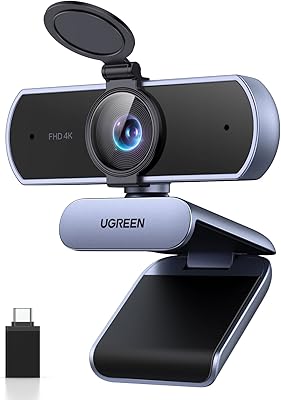
UGREEN 65381 4K Webcam
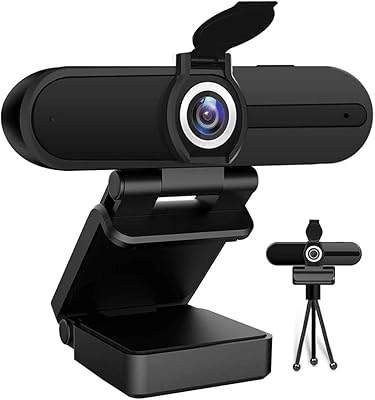
HDZIYU 4K Webcam with Microphone and Tripod
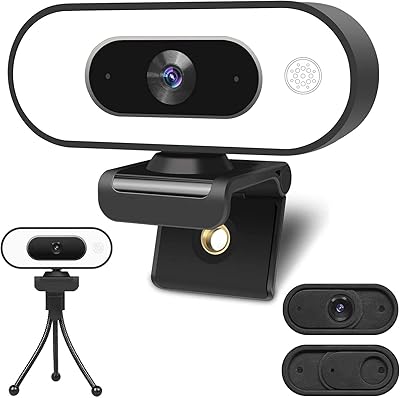
ToLuLu Webcam with Ring Light

Combess XIAOJINGLING 4K Webcam

Diccik 4K HD Webcam

MOERTEK MT 4K Webcam

Lumina LX011 4K Webcam

PixelForge 4K Webcam

Lusinx TW 4K Webcam
