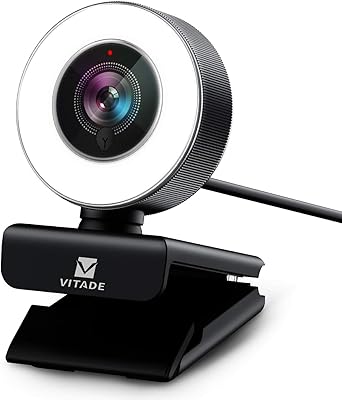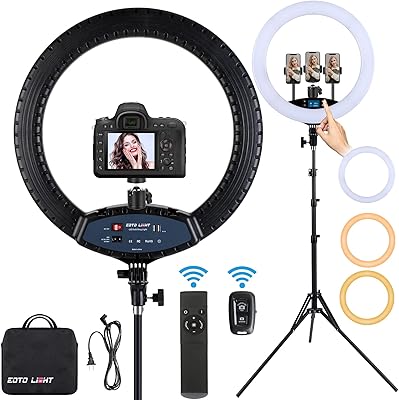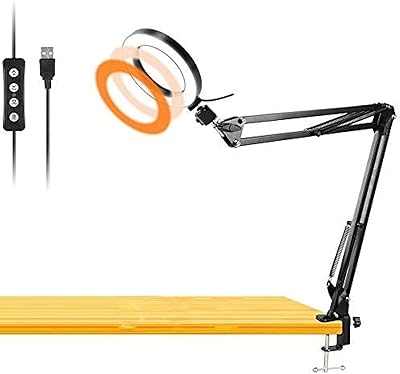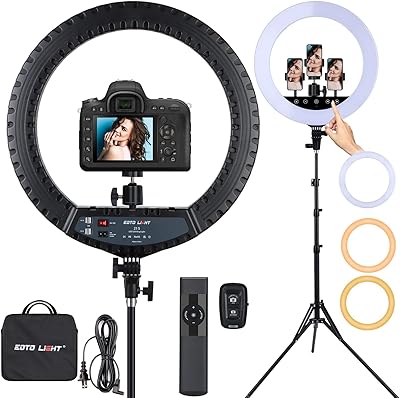
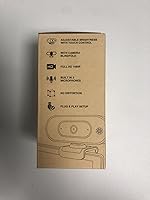
Overview

The ToLuLu Webcam with Ring Light arrived at a moment when most budget webcams still expected you to sort out your own lighting — a separate ring light, a desk lamp angled just right. This all-in-one camera bundle skips that entirely. Launched in late 2022, it has quietly built a following, now sitting at #35 in Webcams on Amazon with more than 25,000 ratings. For remote workers, students, and casual streamers who want to look presentable on screen without assembling a mini studio, it makes a genuinely practical case at its price point.

Features & Benefits

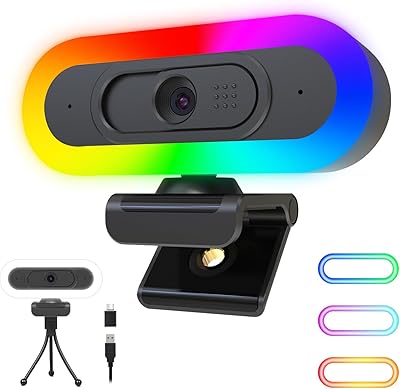
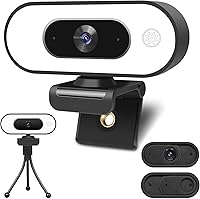
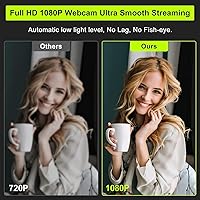
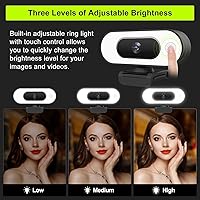
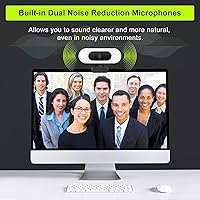
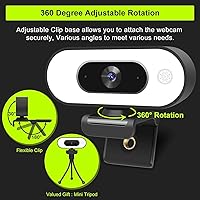
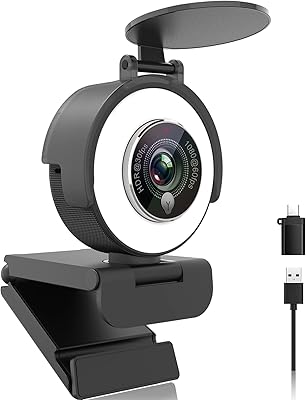
The built-in ring light is the real standout here. Three brightness levels — low, medium, and high — toggle with a single touch, which sounds minor until you're scrambling to fix backlighting right before a call. The 1080p sensor handles most indoor conditions well enough, with auto white balance doing its job in changing light. Two noise-canceling microphones pick up voice clearly across a room, though they are better suited for calls than any recording work. A 6ft cable, 360° swivel mount, and included tripod round out a setup that genuinely covers the basics without extra purchases.

Best For

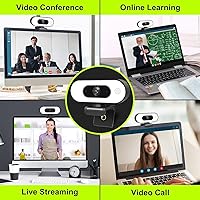
This webcam hits a particular sweet spot for people who need an upgrade but not a professional rig. Remote workers dealing with dim home offices get the most immediate benefit — that ring light genuinely changes how you look on a video call. Students in dorm rooms with unreliable window light will appreciate not needing extra gear. It also works well for anyone just getting into streaming on a budget, or households where the camera shifts between rooms and users. If you already own solid lighting equipment, the overall value proposition does shift a bit.

User Feedback

Across more than 25,000 Amazon ratings, this all-in-one camera bundle holds a 4.2-star average — solid for its category. Buyers consistently praise how easy it is to set up, and most feel the ring light alone justifies the cost. A few recurring issues are worth flagging, though. The fixed focus can feel soft if you sit unusually close to the screen. Some users report that auto white balance runs slightly warm, giving skin tones a faint orange cast. Microphone quality is adequate and call-friendly but nothing more. Build quality is light — functional, but it will not feel premium in hand.

Pros

  • Built-in ring light with three brightness levels eliminates the need for a separate lighting accessory.
  • True plug-and-play setup works instantly on Windows, Mac, Chrome OS, and Android with zero driver installation.
  • The 6ft USB cable provides practical desk reach without needing an extension or hub.
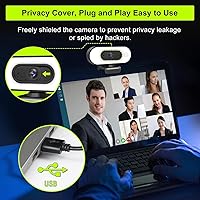
  • A physical privacy cover gives genuine peace of mind and protects the lens when not in use.
  • Dual noise-canceling microphones handle background noise well enough for clean, everyday video calls.
  • 360-degree swivel and included tripod offer real flexibility for monitor, shelf, or desk placement.
  • Wide 90-degree field of view works well for solo calls and small multi-person setups alike.
  • At its price point, the bundle value — camera, light, mics, tripod, and cover — is hard to beat.
  • Over 25,000 Amazon ratings at 4.2 stars signals broad, sustained satisfaction from real-world buyers.

Cons

  • Fixed focus softens noticeably when sitting closer than about two feet from the lens.
  • Auto white balance skews warm indoors, giving skin tones a faint orange cast with no in-camera fix.
  • The ring light can cast faint circular shadows in very small or enclosed spaces.
  • Microphone audio is call-grade only — not suitable for any content where audio quality is scrutinized.
  • The flexible tripod lacks height adjustment and struggles to stay stable on smooth surfaces.
  • Plastic build feels noticeably lightweight in hand, raising questions about long-term durability.
  • The non-detachable cable means a single cable fault renders the entire unit unusable.
  • Image quality degrades meaningfully in low light when the ring light is switched off.

Ratings

The ToLuLu Webcam with Ring Light has been scored by our AI system after analyzing thousands of verified global buyer reviews, with spam, bot activity, and incentivized feedback actively filtered out. The scores below reflect a honest cross-section of real-world experiences — strengths and frustrations included — so you can make a genuinely informed decision before buying.

Value for Money
88%
For what is packed into the box — camera, ring light, tripod, privacy cover, and a long cable — most buyers feel they are getting more than their money's worth. The lighting alone saves you from buying a separate accessory that often costs as much as the webcam itself.
A small number of buyers who compared it directly to slightly pricier competitors felt the image quality gap was noticeable enough to reconsider. If your work depends heavily on sharp video, the value calculation shifts.
Ring Light Performance
83%
The three-level touch control makes adjusting brightness mid-call genuinely quick and easy. In dim bedrooms or basement offices, users consistently report it makes a visible, flattering difference without feeling harsh on screen.
At close range or in very small spaces, the ring light can cast faint circular shadows around the subject. A handful of users also noted the lowest brightness setting still feels slightly strong for night use in dark rooms.
Image Quality
72%
28%
For everyday video calls on Zoom, Teams, or Google Meet, the 1080p output looks clean and more than acceptable. Auto white balance keeps things looking natural in most mixed lighting conditions, and the 90-degree field of view works well for single-person or small-group setups.
Fixed focus is the real limitation here — if you sit closer than about two feet, the image softens noticeably. Some users also report a warm color cast in auto white balance mode, giving skin tones a slightly orange tint that cannot be corrected in-camera.
Ease of Setup
93%
Plug-and-play genuinely works as advertised. Buyers across Windows, Mac, and Chrome OS consistently report the camera is recognized instantly with zero driver installation. For people who dread tech setup, this is one of the strongest selling points.
A small number of users had to manually select the webcam as the default microphone input in their OS settings, which was not obvious from the packaging. It is a minor step, but it caught a few people off guard during their first call.
Microphone Quality
61%
39%
For standard video calls, the dual microphones do their job. Voice comes through clearly at conversational distances, and background noise reduction works well enough to filter out fans, street noise, and light keyboard sounds in everyday environments.
Anyone expecting studio-adjacent audio will be disappointed. At distance or in reverberant rooms, the mics pick up room echo noticeably. It is firmly a call-grade microphone — not suitable for recording voiceovers, podcasts, or any content where audio quality is scrutinized.
Build Quality
58%
42%
The overall footprint is compact and the design looks presentable on a monitor or desk. For the price tier, the finish is clean and the clip mechanism feels sturdy enough for standard daily use on a laptop or monitor edge.
Pick it up and the lightweight plastic construction is immediately apparent. The tripod feels flimsy under any slight bump, and a few users reported the swivel joint loosening over time. It does not feel built to last years of heavy daily use.
Mounting Flexibility
79%
21%
The 360-degree swivel combined with the included tripod gives users real placement options — on a monitor, on a shelf behind a keyboard, or angled from the side. For multi-person household use where the camera moves around, this flexibility is genuinely useful.
The clip width works fine on standard laptops and monitors but users with thicker frames or unconventional setups reported fit issues. The tripod also lacks height adjustment, which limits positioning when used on a low desk surface.
Low-Light Performance
74%
26%
With the ring light active, performance in dim environments is noticeably better than similarly priced webcams relying purely on sensor correction. The combination of hardware lighting and software low-light adjustment produces a usable image even in near-dark rooms.
Without the ring light on, the sensor alone struggles in challenging low-light conditions, producing a grainy or slightly muddy image. The low-light correction does smooth things out but at the cost of some sharpness and detail.
Privacy Cover
84%
The physical slide cover is one of those small details that buyers genuinely appreciate once they have it. It gives real peace of mind when the laptop sits open in shared spaces, and it doubles as practical lens protection when the camera is packed away.
The cover slides on a plastic track that a few users found slightly stiff out of the box. It loosens with use, but initially it requires a deliberate push rather than a light touch, which feels slightly cheap relative to the overall design.
Cable & Connectivity
81%
19%
The 6-foot USB cable is long enough to reach from a desktop tower or laptop to a shelf or tripod position without needing an extension. True USB plug-and-play means no adapters or hubs in most standard setups.
The cable is not detachable, so if it develops a fault, the whole unit is effectively unusable. USB 2.0 is also a minor limitation if you are connecting to a hub with multiple power-hungry devices, though for a 1080p-30fps camera it is rarely a practical issue.
Compatibility
91%
The breadth of supported platforms — Windows, Mac, Android, Chrome OS, and even select smart TVs — is wider than most competitors at this price. Buyers switching between a work laptop and a personal desktop reported zero reconfiguration needed.
A very small number of users reported brief recognition delays on older Android TV setups. It is a niche edge case, but worth noting for anyone planning to use it with non-standard display hardware.
Tripod Usefulness
66%
34%
Having any tripod included at this price point is genuinely appreciated by buyers who want to position the camera away from their monitor — on a shelf, a stack of books, or off to one side for a more natural angle.
The flexible legs are hard to keep stable on smooth surfaces, and the maximum stable height is limited. Several users resorted to propping it against objects rather than trusting it to stand freely, which undermines the purpose of including it at all.
Color Accuracy
63%
37%
In well-balanced natural light or when used with the ring light at medium brightness, colors come through fairly accurately for a CMOS sensor at this price. Faces look natural and clothing renders reasonably true-to-life in neutral lighting conditions.
Auto white balance skews warm in artificial indoor lighting, which is the most common environment this camera is actually used in. The resulting orange tint on skin tones is a recurring complaint in user reviews and there is no manual correction available.
Streaming Suitability
69%
31%
For beginners starting out on Twitch or YouTube who are not yet ready to invest in a full camera and lighting rig, this all-in-one camera bundle covers the basics well. The ring light in particular makes streams look significantly more polished than a bare webcam.
Fixed focus and the color accuracy limitations become more noticeable when footage is displayed on larger screens or recorded for editing. Streamers who grow past the beginner stage will likely feel the image quality ceiling relatively quickly.

Suitable for:

The ToLuLu Webcam with Ring Light was built for people who want a meaningful upgrade from their laptop's built-in camera without spending a lot or buying multiple accessories. Remote workers and hybrid employees who deal with dim home offices or inconsistent window light will get the most immediate return — that built-in ring light genuinely changes how you appear on a call without any extra setup. Students attending online classes from dorm rooms or bedrooms are another natural fit, since the all-in-one bundle means nothing else needs to be purchased or configured. Casual streamers just starting out on Twitch or YouTube will also find it sufficient as a first dedicated camera, and households where the webcam shifts between users or rooms will appreciate how lightweight and portable it is. If your main goal is to look polished on Zoom, Teams, or Google Meet calls without any technical fuss, this all-in-one camera bundle checks all the right boxes.

Not suitable for:

The ToLuLu Webcam with Ring Light has a clearly defined ceiling, and certain buyers will hit it quickly. The fixed-focus lens is the most significant constraint — if you sit closer than roughly two feet from the camera, sharpness drops noticeably, which is a real problem for anyone in a compact desk setup. Content creators who care about color accuracy will find the warm auto white balance frustrating, especially since there is no manual correction available. The microphone is workable for calls but falls short for anyone recording voiceovers, podcasts, or any content where audio is actually scrutinized. Professionals who appear on camera regularly for client-facing presentations or recorded training videos will likely find the image quality underwhelming compared to what mid-range alternatives deliver. And anyone expecting durable, long-lasting hardware should know upfront that the lightweight plastic build is not designed for years of heavy daily handling.

Specifications

  • Resolution: Records and streams video at 1080p Full HD (1920x1080) at 30 frames per second.
  • Field of View: Features a 90-degree wide-angle lens suitable for single-person and small multi-person setups.
  • Focus Type: Uses fixed focus, meaning sharpness is optimized for subjects seated roughly two or more feet away.
  • Sensor: Equipped with a CMOS image sensor with automatic low-light correction and auto white balance.
  • Ring Light: Built-in ring light offers three brightness levels — low, medium, and high — controlled by a single touch.
  • Microphone: Dual built-in noise-canceling microphones with a claimed pickup range of up to 12ft.
  • Cable: Comes with a permanently attached 6ft (approximately 1.8m) USB 2.0 Type-A cable.
  • Connectivity: Connects via USB 2.0 and is fully plug-and-play with no drivers or additional software required.
  • Rotation: Supports 360-degree horizontal swivel and 90-degree tilt for flexible angle adjustment.
  • Clip Mount: Includes a 180-degree rotatable clip for attaching to laptop screens or monitor tops.
  • Tripod: Ships with a flexible mini tripod bracket for desk or shelf placement independent of a monitor.
  • Privacy Cover: Physical slide-over privacy cover is included to block the lens and protect it from dust when not in use.
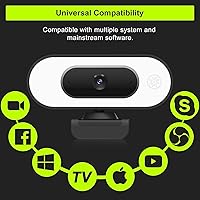
  • Compatibility: Compatible with Windows, macOS, Android, Chrome OS, and select smart TVs without additional drivers.
  • Dimensions: Measures 3.8 x 3.1 x 2.5 inches, making it compact enough for most monitor tops and travel bags.
  • Weight: Weighs 5.3 ounces, keeping the overall setup very lightweight and easy to reposition.
  • Colors: Available in two color options: Black and White.
  • Supported Platforms: Works with Zoom, Microsoft Teams, Google Meet, OBS, Skype, Twitch, YouTube, Facebook, and Xbox One.
  • Date Available: First made available in September 2022 and has since accumulated over 25,000 global ratings on Amazon.

Related Reviews
NUROUM V32AFL 4K Webcam with Ring Light
85%
92%
Video Quality
88%
Lighting Performance
85%
Microphone Quality
81%
Ease of Setup
75%
Software Experience
More
Angetube 967Pro 1080p Webcam
76%
78%
Video Quality
86%
Ring Light Performance
71%
HDR Mode
81%
Frame Rate (60fps)
62%
Microphone Quality
More
Vitade 960A 1080P Webcam with Ring Light
85%
88%
Video Quality
91%
Lighting Adjustment
85%
Audio Performance
94%
Ease of Setup
68%
Autofocus Speed
More
AceTaken Workbench Light 8-inch USB Ring Light
84%
90%
Brightness Control
78%
Clamp Flexibility
85%
Portability
88%
Ease of Setup
92%
Value for Money
More
EOTO LIGHT 19-inch LED Ring Light with Tripod
86%
91%
Brightness & Light Quality
89%
Ease of Use
85%
Build Quality
93%
Adjustability (Height & Light Settings)
68%
Portability
More
EOTO LIGHT 21-inch LED Ring Light with Tripod Stand
86%
91%
Brightness & Lighting Quality
87%
Ease of Use
85%
Portability & Setup
83%
Stability & Tripod Quality
88%
Build Quality
More
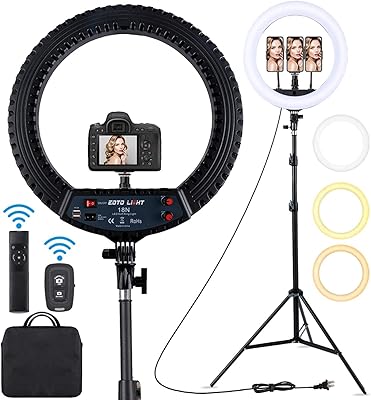
EOTO LIGHT HQ-18N 18-inch LED Ring Light
80%
91%
Brightness Output
88%
Color Temperature Range
86%
Color Accuracy (CRI)
78%
Tripod Build & Stability
71%
Remote Controls
More
ToLuLu 2K Streaming Webcam
83%
89%
Video Quality
84%
Microphone Performance
93%
Ease of Setup
85%
Lighting Functionality
78%
Build Quality
More
ToLuLu USB C Webcam
ToLuLu USB C Webcam
85%
88%
Video Quality
91%
Ease of Setup
75%
Microphone Performance
85%
Field of View
89%
Light Adjustment
More
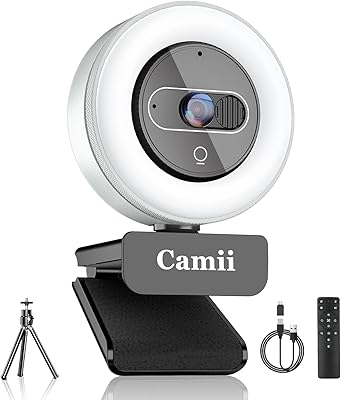
Camii 4K Webcam with Light
87%
91%
Video Quality
95%
Ease of Setup
85%
Lighting Adjustability
89%
Privacy Features
72%
Build Quality
More

FAQ

No, you do not. It is a true plug-and-play device — just connect it via USB and your computer will recognize it automatically. This works across Windows, Mac, and Chrome OS without downloading anything.

The ring light is touch-controlled and operates independently from the camera feed. You can switch it on or off and cycle through the three brightness levels whenever you want, regardless of whether you are actively on a call or recording.

Yes, it is compatible with all three, as well as Skype, OBS, Twitch, and most other major video and streaming platforms. Just make sure to select it as the active camera — and the microphone — in your app settings before your call.

This is a common setup issue. After plugging in the webcam, go into your operating system sound settings and manually set the ToLuLu Webcam with Ring Light as your default input device. Then confirm the same inside whichever app you are using, since apps like Zoom and Teams manage their audio settings separately.

The fixed-focus lens is optimized for subjects seated roughly two feet or more from the camera. If you sit significantly closer than that, the image will appear soft or out of focus. It is something to keep in mind if you work at a very compact desk setup.

In most setups it works well, but in very small or enclosed spaces the circular light pattern can occasionally cast faint shadows depending on your angle and background. Positioning the camera slightly above eye level and centering your face typically minimizes this.

Honestly, no — it is not designed for that. The dual mics are solid for video calls and handle background noise well in everyday environments, but the audio quality is not detailed or clean enough for professional recording purposes. For calls, it works great; for content creation where audio is scrutinized, you would want a dedicated microphone.

Yes, the flexible mini tripod lets you place this all-in-one camera bundle on a desk, shelf, or any flat surface independently. Keep in mind that the tripod legs can slide on smooth surfaces, so positioning it against a stable object helps keep it steady.

In natural light or with the ring light at medium brightness, colors look reasonably accurate. In typical indoor artificial lighting, the auto white balance tends to skew slightly warm, which can give skin tones a mild orange cast. There is no manual white balance control, so your software application settings are the only way to compensate if this bothers you.

It is genuinely useful. The physical slide cover completely blocks the lens when closed, which is reassuring in shared spaces or when your laptop sits open overnight. It also doubles as dust protection for the lens, which is a practical bonus for long-term care.