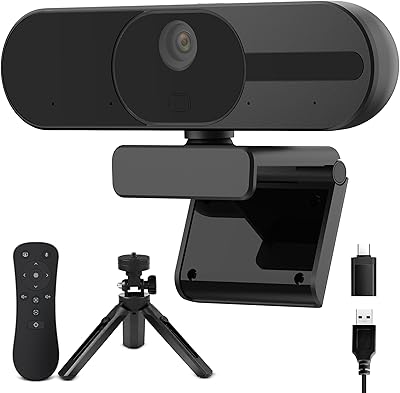
HDZIYU 4K Webcam with Microphone and Tripod
Overview
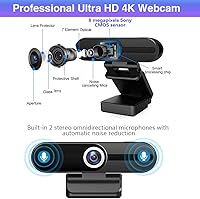
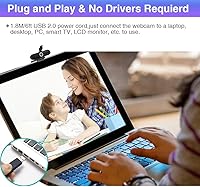
The HDZIYU 4K Webcam with Microphone and Tripod is a budget-friendly bundle that covers the basics most home office users actually need — a camera, built-in dual microphones, a privacy shutter, and a small tripod, all in one box. It runs on a Sony CMOS sensor, which lends it some credibility in the imaging department without putting it in competition with pro-grade gear. Setup is as simple as plugging a USB cable into your computer — no drivers, no configuration headaches. With a 3.8-star rating across nearly 300 reviews, it lands in that realistic middle ground: good enough for daily use, but not without its trade-offs.
Features & Benefits
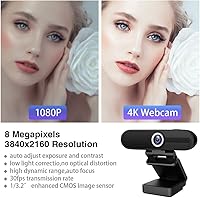
This webcam advertises 4K resolution, but there is a catch worth knowing upfront: you will only get that 4K output if your monitor actually supports it. For most users, 1080p at 30fps is what they will realistically see, and that is still a solid step up from a built-in laptop camera. The 75-degree field of view is wide enough for a home desk without making faces look stretched at the edges. Automatic low-light correction helps in dimly lit rooms, which matters more than people expect once they are on their fifth back-to-back video call. The freeze-screen button is a genuinely useful addition — hit it during a call and your video feed pauses while the connection stays live.
Best For
This USB webcam bundle makes the most sense for people who need a functional camera without spending much — think remote employees dialing into daily standups, students joining online lectures, or small business owners who want to look presentable on Zoom without a full studio setup. It is also a reasonable starting point for beginner content creators who want to test streaming before committing to something pricier. The included tripod and low-light correction make it accessible for users who do not have a dedicated workspace or ring light. Where it starts to feel limited is for anyone doing professional video production or podcasting — the audio and video ceiling here will feel low quickly.
User Feedback
Buyers who leave positive reviews tend to highlight how easy the HDZIYU camera is to set up and how much better it looks compared to a laptop's built-in camera — especially in decent lighting. The criticisms, though, are consistent: several verified buyers note that the 4K label is misleading in practice, and the microphones, while usable for calls, pick up background noise more than expected. Build quality is another common theme — it feels lightweight and plasticky, which is the honest reality at this price point. A handful of users have also flagged minor compatibility quirks with certain software. Overall buyer sentiment sits in the solid-value camp rather than outright enthusiasm.
Pros
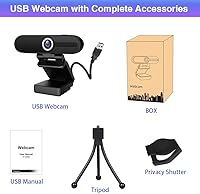
- Includes a mini tripod, privacy shutter, and dual microphones right out of the box — no extras needed for basic use.
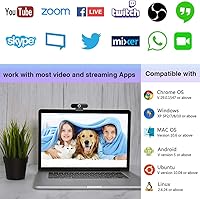
- Plug-and-play USB setup means zero driver installation, and it works across Windows, macOS, and Android.
- The Sony CMOS sensor delivers noticeably better daytime image quality than most built-in laptop cameras.
- Automatic low-light correction helps maintain a watchable image in dim home office or bedroom setups.
- The 75-degree field of view suits multi-person setups without the distortion you get from ultra-wide lenses.
- The freeze-screen button lets you pause your video feed mid-call without dropping the connection entirely.
- Broad compatibility covers Zoom, Teams, Skype, OBS, and most other mainstream video platforms.
- At this price tier, the bundle delivers strong value compared to buying a webcam, mic, and tripod separately.
Cons
- True 4K output only works when paired with a 4K-capable monitor — most users will realistically get 1080p.
- The built-in microphones pick up background noise more than expected and cannot replace a dedicated USB mic.
- The plastic housing feels lightweight to the point of fragility, which raises long-term durability concerns.
- Fixed focus means you cannot adjust sharpness for close-up use or adapt to different desk depths.
- The 20fps cap on 4K mode makes motion appear choppy compared to the smoother standard 30fps recording.
- A portion of verified buyers have reported compatibility quirks with specific video software configurations.
- No optical zoom and a fixed focal length limit framing flexibility for users who want more control over composition.
Ratings
The scores below for the HDZIYU 4K Webcam with Microphone and Tripod were generated by our AI review engine after analyzing hundreds of verified buyer experiences worldwide, with spam, incentivized, and bot-generated feedback actively filtered out before any scoring was applied. The result is a transparent, calibrated picture that reflects both where this webcam earns genuine praise and where real users repeatedly ran into limitations. No category has been inflated to flatter the product, and no consistent pain point has been left out.
Video Quality
4K Performance
Low-Light Performance
Audio Quality
Microphone Noise Rejection
Setup & Ease of Use
Build Quality
Software Compatibility
Value for Money
Privacy Features
Field of View
Tripod Quality
OS Compatibility
Suitable for:
The HDZIYU 4K Webcam with Microphone and Tripod is a practical pick for anyone who needs a meaningful video upgrade without a serious investment. Remote workers and telecommuters tired of grainy built-in laptop cameras will find it a solid step up for daily Zoom and Teams calls, particularly given the wider field of view and automatic low-light adjustment. Students attending online classes benefit from a clearer image in varied lighting conditions, and the included tripod removes the hassle of propping the camera against books or boxes. Small business owners who host occasional video meetings from a home office will appreciate the all-in-one bundle — the privacy shutter and freeze-screen button add practical control without requiring extra purchases. Beginner streamers or content creators who want something functional before spending on professional gear will also find it a reasonable entry point.
Not suitable for:
Anyone whose work involves professional video production, high-stakes client presentations, or growing content creation for a real audience will likely find that the HDZIYU 4K Webcam with Microphone and Tripod cannot keep up with those demands. The 4K resolution is a conditional feature — without a 4K monitor on your end and the receiving end, you are realistically getting 1080p footage, which is fine but not the headline spec buyers might expect. The built-in dual microphones handle casual video calls adequately, but podcasters, voiceover artists, and anyone recording for broadcast will quickly notice background noise creeping in where a dedicated USB microphone would not. The lightweight plastic construction is convenient but does not inspire confidence for heavy daily use over several years. Users with more demanding software setups or niche video configurations should also be aware that a pattern of minor compatibility issues has surfaced in verified buyer feedback.
Specifications
- Image Sensor: The camera is built around a Sony CMOS sensor, which provides more reliable color reproduction and light sensitivity than generic no-name sensors common at this price tier.
- Max Resolution: Video can be captured at up to 4K resolution at 20fps, though this output is only rendered when connected to a 4K-capable monitor.
- HD Resolution: On standard Full HD monitors, the camera outputs 1080p video at 30fps, which is the resolution the vast majority of users will experience in practice.
- Field of View: The lens covers a 75-degree wide-angle field of view, wide enough for a home desk or a small group without producing noticeable edge distortion.
- Focus System: The camera uses a fixed-focus lens with no autofocus mechanism, pre-calibrated for a typical desk-to-face distance of roughly 60 centimeters or more.
- Aperture: The lens operates at a maximum aperture of f/2, which supports reasonable light intake in dim environments without additional lighting equipment.
- Connectivity: The webcam connects via USB 2.0 and draws power directly from the host device, requiring no external adapter or proprietary software installation.
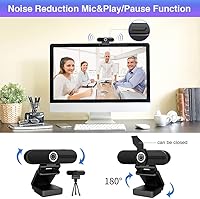
- Microphones: Two built-in microphones with basic noise-reduction processing are integrated into the camera body, positioned to capture voice audio during calls and recordings.
- Privacy Shutter: A physical sliding shutter is built into the lens housing, allowing users to block the camera view completely when the device is not in use.
- Freeze-Screen: A dedicated freeze-screen button on the camera body pauses the outgoing video feed during a live call while keeping the audio connection active.
- OS Support: The camera is compatible with Windows 7, 8, and 10, macOS 10.6 and above, and Android 5.0 and above on devices with a USB port.
- Software Support: Out-of-the-box compatibility includes Zoom, Microsoft Teams, Skype, Google Meet, OBS, FaceTime, YouTube, Twitch, and most other mainstream video platforms.
- In the Box: Each unit ships with the webcam, a mini adjustable desktop tripod, and a USB cable — no additional accessories are required to get started.
- Dimensions: The retail package measures 4.88 × 2.99 × 2.52 inches, making the overall footprint compact enough for a standard desk or travel bag.
- Weight: The complete unit weighs 9.6 oz, reflecting the lightweight plastic-bodied construction typical of webcams in this category and price range.
Related Reviews
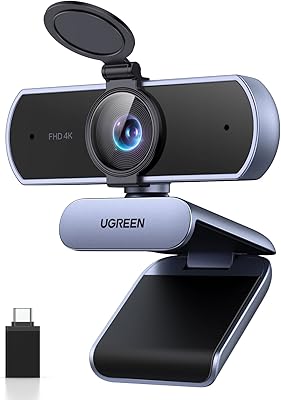
UGREEN 65381 4K Webcam
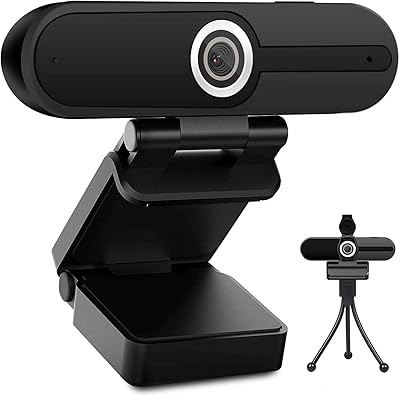
ToLuLu 4K Webcam with Microphone

MOERTEK MT 4K Webcam

Lusinx TW 4K Webcam

Lumina LX011 4K Webcam

Diccik 4K HD Webcam

PEATOP 4K-C80CCMD Webcam

Combess XIAOJINGLING 4K Webcam

PixelForge 4K Webcam