Overview

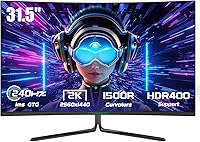
The TITAN ARMY C32C1S 32-inch Curved Gaming Monitor enters a competitive segment where buyers increasingly demand more for their money, and on paper it makes a strong case. Titan Army is not a household name, which understandably raises questions about build quality and long-term support. The brand has been steadily gaining ground in the mid-range space since this model launched in late 2023. Its 31.5-inch VA panel with a tight 1500R curvature is a genuine differentiator — many rivals at this price still ship flat screens or looser curves. Solid specs are a promising start, but they deserve scrutiny in actual use.
Features & Benefits

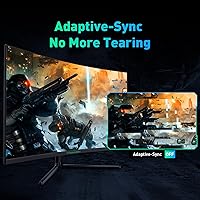
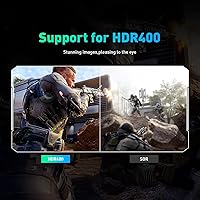
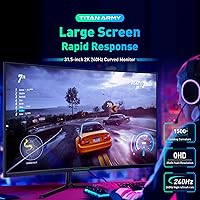
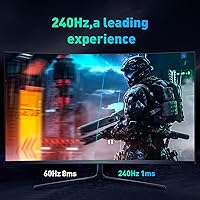
At 240Hz, the difference from a typical 60Hz display is immediately obvious — motion looks crisp and tracking fast-moving targets feels genuinely responsive, not just a spec-sheet boast. Paired with QHD resolution, you get a noticeably sharper image than 1080p on a screen this size, with enough pixel density for readable text during work sessions too. The 3000:1 contrast ratio is where VA panels earn their keep: deep, rich blacks give dark game environments real visual weight. Adaptive-Sync covers both AMD and NVIDIA cards without ecosystem lock-in. HDR400 is present, but treat it as a modest brightness boost rather than a full HDR experience — the panel's 350 nit ceiling keeps expectations realistic.

Best For

This curved gaming monitor hits a sweet spot for a fairly specific buyer. If you're upgrading from 1080p or a 60Hz screen, the simultaneous boost in sharpness and smoothness will feel significant — the kind of change that makes older setups hard to go back to. Dual HDMI 2.1 ports add real-world flexibility for anyone running both a console and a PC from one desk, which many rivals skip at this tier. Competitive players who value fluid motion over IPS-level color accuracy will find the VA panel a comfortable fit. It's also capable enough for casual movie nights and general productivity between sessions.

User Feedback

Buyers have settled around a 4.4-star average, and reading through the reviews, the satisfaction feels genuine. The most consistent praise centers on image clarity and how smooth 240Hz feels in practice — many upgraders mention it exceeded their expectations. That said, a few real concerns crop up repeatedly: the stock stand draws complaints for feeling less sturdy than the screen deserves, and some users note minor backlight uniformity issues in dark scenes. Out-of-box color accuracy gets mixed marks — most find it acceptable for gaming without touching settings, but enthusiasts may want to run a quick calibration. Overall, buyers tend to agree the 32-inch VA panel delivers solid value.

Pros

  • 240Hz delivers genuinely smoother motion that is immediately noticeable, especially in fast-paced shooters and action games.
  • QHD resolution on a 32-inch screen produces a sharp, detailed image that makes 1080p hard to return to.
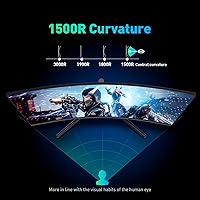
  • The 1500R curve feels natural at this screen size and reduces eye travel during long sessions.
  • Adaptive-Sync works across both AMD and NVIDIA GPUs, so you are not locked into a specific graphics card ecosystem.
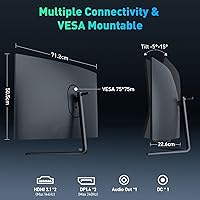
  • Dual HDMI 2.1 and dual DisplayPort 1.4 inputs offer rare multi-device flexibility at this price point.
  • The VA panel delivers deep blacks and strong contrast that IPS panels at similar prices simply cannot match.
  • DC dimming and a low blue light mode make extended late-night sessions noticeably easier on the eyes.
  • VESA 75x75mm compatibility makes it straightforward to swap the stand for a monitor arm.
  • Out-of-box image quality is acceptable for most gamers without any manual calibration required.
  • Buyers consistently report the monitor delivers strong value relative to competing curved panels in the same price range.

Cons

  • The included stand feels underdone for a screen this size, with wobble that some users find distracting.
  • Backlight uniformity is inconsistent on some units, showing noticeable clouding in dark or solid-color scenes.
  • HDR400 support is too limited to produce a genuinely impactful HDR experience in practice.
  • No built-in speakers means you must budget separately for external audio, which adds desk clutter.
  • Titan Army has a limited support and warranty track record in Western markets, creating uncertainty for some buyers.
  • Wide-angle color shift is a known VA panel trait that becomes noticeable when viewing from off-center positions.
  • A thorough color calibration is recommended for users sensitive to accuracy, adding setup time out of the box.
  • At nearly 20 pounds, repositioning or wall-mounting the panel solo is awkward without a second pair of hands.

Ratings

The scores below reflect an AI-driven analysis of verified global buyer reviews for the TITAN ARMY C32C1S 32-inch Curved Gaming Monitor, with spam, incentivized, and bot-generated feedback actively filtered out before scoring. Each category is rated on a 0–100 scale that honestly captures both what real users praised and the friction points that came up repeatedly. Nothing is glossed over — where this curved gaming monitor genuinely delivers, the scores show it; where it falls short, that is reflected too.

Gaming Performance
88%
Buyers consistently describe the 240Hz experience as a genuine upgrade that makes fast-paced shooters and action titles feel noticeably more fluid. The combination of high refresh rate and Adaptive-Sync across both AMD and NVIDIA cards means competitive gamers rarely report screen tearing or input lag complaints in day-to-day sessions.
A handful of users note that pushing QHD resolution at maximum refresh rate demands a capable GPU, and those with mid-tier graphics cards sometimes have to drop settings to maintain the full smoothness benefit. The performance ceiling is real, but reaching it has a hardware cost.
Image Quality
83%
The VA panel's contrast characteristics draw consistent praise — dark scenes in games and films look genuinely deep rather than washed out, which is a clear advantage over IPS panels at a similar price. Colors out of the box are vibrant enough that most buyers jump straight into gaming without feeling the need to calibrate anything first.
Some users sensitive to color consistency notice a slight shift when viewing from off-angle positions, which is a known VA panel trait rather than a defect specific to this monitor. A small number of buyers also report that saturation feels slightly aggressive in the default picture mode for non-gaming tasks.
Refresh Rate & Smoothness
91%
The step up to 240Hz is something buyers upgrading from 144Hz panels describe as immediately perceptible in competitive titles, particularly in tracking moving targets or navigating fast camera movement. Several reviewers who were skeptical beforehand admit the difference in motion clarity converted them quickly.
The improvement is most meaningful in competitive gaming contexts — for casual browsing, productivity, or slower-paced games, the advantage over a 144Hz panel is less obvious and some buyers feel it is wasted headroom for their specific use patterns.
Value for Money
86%
The general buyer consensus is that this 32-inch VA panel punches above its weight for the asking price, particularly given the QHD resolution, high refresh rate, and dual HDMI 2.1 ports that comparable-priced flat monitors often omit. Upgraders from budget 1080p displays frequently describe the purchase as one of the better hardware decisions they have made.
A portion of buyers feel the stand quality does not match the overall package value, and the absence of speakers means additional spend for anyone without existing audio gear. Those comparing it directly against established brand monitors with longer warranty histories sometimes question whether the savings justify the trade-off in support confidence.
Build Quality
67%
33%
The panel itself — the bezel, the screen surface, and the rear chassis — feels solid to most buyers and does not come across as flimsy for the price tier. The matte coating is applied evenly and holds up well to light cleaning.
The stand is the most criticized component by a clear margin, with multiple buyers describing it as wobbly or insufficiently rigid for a panel this size. Titan Army's limited brand history in Western markets also leaves some buyers uncertain about long-term durability and parts availability.
HDR Performance
49%
51%
HDR400 certification does produce a modest visible improvement in brightness headroom during certain high-contrast scenes, and buyers who had no prior HDR experience at all generally find the effect pleasant enough for casual viewing.
Anyone familiar with higher-tier HDR implementations will find HDR400 at 350 nits underwhelming — the panel simply lacks the brightness ceiling to deliver specular highlights or shadow separation that make HDR compelling. Multiple reviewers explicitly recommend leaving HDR disabled and using the standard picture profile instead.
Color Accuracy
72%
28%
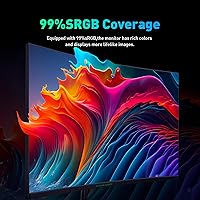
Out of the box, colors look punchy and well-saturated for gaming and streaming, and the 99% sRGB coverage means everyday content looks rich without obvious color casts. Casual users and gamers rarely find any reason to open the OSD color settings.
Users doing light photo work or creative tasks note that the default gamma and saturation tuning skews slightly away from accuracy, and VA panel off-axis color shift is a genuine limitation for anyone who does not sit directly centered. A quick manual calibration helps but adds setup time.
Screen Curvature & Immersion
84%
The 1500R curvature is tight enough to feel genuinely immersive at a typical desk distance without causing the distortion that more extreme curves can produce. Long gaming sessions feel less visually fatiguing than on flat panels of the same size, according to several multi-hour-session reviewers.
A small number of buyers who primarily use the monitor for productivity find the curve slightly disorienting when reading long documents or working in spreadsheets with straight grid lines. It is a personal preference factor, but worth considering if gaming is not your primary use case.
Connectivity
89%
Having two HDMI 2.1 and two DisplayPort 1.4 inputs on a monitor at this price tier is genuinely uncommon, and dual-setup users — particularly those running a gaming PC alongside a PS5 or Xbox Series X — repeatedly call this out as a deciding factor in their purchase. Switching between sources is quick and straightforward through the OSD.
There is no USB hub functionality, which buyers accustomed to mid-range monitors from larger brands sometimes miss for plugging in peripherals. The lack of a headphone jack or audio passthrough is also a minor inconvenience for users who prefer a single cable to their desk headset.
Stand & Ergonomics
53%
47%
The stand gets the monitor to a usable height for most seated setups and does allow basic tilt adjustment, which is enough for buyers who plan to use the VESA mount anyway and just need temporary support out of the box.
Height adjustment, swivel, and pivot are all absent from the stock stand, which limits ergonomic flexibility considerably. The wobble that multiple reviewers describe becomes particularly noticeable when typing near the desk or bumping the surface, and it feels noticeably underbuilt relative to the display it supports.
Eye Comfort
81%
19%
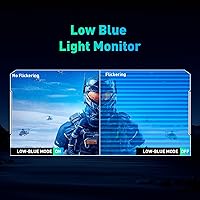
DC dimming instead of PWM flicker is a feature that eye-sensitive users specifically seek out, and several buyers who struggle with PWM-based monitors report significantly less fatigue during long evening sessions on this 32-inch VA panel. The low blue light mode adds an extra option for late-night use.
At lower brightness settings, some users report a slight loss of shadow detail in dark game scenes, which creates a minor trade-off between eye comfort and image quality during nighttime gaming. The low blue light mode also introduces a noticeable warm color cast that not everyone finds acceptable for gaming.
Setup & Installation
78%
22%
Most buyers describe unboxing and assembly as straightforward, with the stand attaching in a few minutes and the monitor reaching a usable state quickly. The OSD menu is logically organized by gaming monitor standards and not overly complicated to navigate.
The included documentation is minimal, and a few buyers note that finding the optimal OSD settings for their specific GPU or use case required some trial and error. Cable management through the stand is limited, which can leave desks looking cluttered with multiple devices connected.
Motion Clarity
85%
The 1ms MPRT rating translates into visibly clean fast-motion rendering during gameplay, and buyers specifically playing competitive titles like first-person shooters report that target tracking feels precise rather than smeared. The backlight strobing implementation is effective for reducing perceived blur.
MPRT-based response time figures measure motion blur reduction differently from GtG pixel transition times, and a small number of technically informed buyers note that some residual ghosting appears in certain high-contrast transition scenarios. It is minor, but worth knowing going in.
Out-of-Box Experience
76%
24%
The monitor arrives in protective packaging that buyers generally describe as adequate, and the panel itself typically shows up without dead pixels or major uniformity issues. The default image preset is tuned toward gaming vibrancy rather than accuracy, which suits most buyers immediately.
Backlight uniformity inconsistencies in dark scenes are a recurring complaint from a subset of buyers, with some reporting visible clouding near panel edges under solid dark backgrounds. This is a known risk with VA panels at this tier and is not unique to this brand, but it is not uncommon enough to ignore.

Suitable for:

The TITAN ARMY C32C1S 32-inch Curved Gaming Monitor is a strong fit for gamers who are ready to leave 1080p or 60Hz displays behind and want a meaningful upgrade without jumping to flagship pricing. The combination of a high refresh rate and QHD resolution on a large curved screen covers both competitive play and immersive single-player experiences convincingly. Dual-setup users who run a PC and a modern console from the same desk will appreciate the dual HDMI 2.1 ports — that kind of flexibility is rarely offered at this tier. The VA panel's contrast characteristics make it particularly rewarding for games with dark environments, horror titles, or cinematic story-driven games where black depth matters. Those who also use their gaming monitor for productivity, light photo editing, or media consumption will find the screen size and sharpness comfortable for extended non-gaming sessions as well.
Not suitable for:

The TITAN ARMY C32C1S 32-inch Curved Gaming Monitor is unlikely to satisfy buyers who prioritize color accuracy above all else, since VA panels generally trail IPS displays in color consistency and wide-angle viewing. Professional creatives who need precise color reproduction for photo or video work should look toward IPS or OLED alternatives instead. Anyone expecting a meaningful HDR experience will likely be disappointed — HDR400 at 350 nits is entry-level at best, more of a checkbox than a genuine visual feature. The stock stand has drawn enough complaints about stability that buyers planning a permanent desk setup without a VESA arm may find it frustrating. Titan Army is also a relatively young brand in Western markets, so buyers who value established customer service infrastructure or long warranty track records may feel more comfortable with well-known monitor manufacturers.
Specifications

  • Panel Type: Uses a VA (Vertical Alignment) panel, which offers stronger contrast and deeper blacks compared to IPS panels at a similar price point.
  • Screen Size: The viewable screen area measures 31.5 inches diagonally, presented as a 32-inch class display.
  • Resolution: Native resolution is 2560x1440 QHD, delivering noticeably sharper detail than a standard 1080p display on a screen this size.
  • Refresh Rate: Supports a maximum refresh rate of 240Hz, allowing up to 240 frames to be displayed per second for smoother motion.
  • Response Time: Rated at 1ms MPRT (Moving Picture Response Time), which reflects motion blur reduction rather than traditional pixel transition speed.
  • Curvature: Features a 1500R curvature, meaning the panel forms an arc matching a circle with a 1500mm radius for a pronounced, immersive curve.
  • Aspect Ratio: Standard 16:9 widescreen aspect ratio, compatible with virtually all gaming, streaming, and productivity content without letterboxing.
  • Color Gamut: Covers 99% of the sRGB color space, producing rich, saturated colors suitable for gaming and general media consumption.
  • Contrast Ratio: Static contrast ratio of 3000:1 enables noticeably deeper blacks and brighter whites compared to typical IPS panels in this category.
  • Brightness: Peak brightness is rated at 350 cd/m², which is adequate for indoor use but limiting for HDR content in bright room environments.
  • HDR Support: Certified for HDR400, an entry-level HDR standard that provides modest improvements in brightness range rather than a full premium HDR experience.
  • Video Inputs: Equipped with two HDMI 2.1 ports and two DisplayPort 1.4 ports, supporting high bandwidth connections for modern PCs and current-generation consoles.
  • Sync Technology: Compatible with Adaptive-Sync technology, functioning with both AMD FreeSync and NVIDIA G-Sync Compatible graphics cards to reduce screen tearing.
  • VESA Mounting: Supports VESA 75x75mm mounting, allowing the stock stand to be replaced with most third-party monitor arms or wall mounts.
  • Dimensions: The monitor measures approximately 28.05 x 16.65 x 4.46 inches with the stand attached, requiring a reasonably deep desk surface.
  • Weight: Total weight with stand is 19.53 pounds, which is typical for a curved VA panel of this size but worth noting for arm or wall-mount load ratings.
  • Surface Finish: Matte anti-glare screen coating reduces reflections from ambient lighting, making it more comfortable in mixed-light environments.
  • Dimming Method: Uses DC dimming rather than PWM (Pulse Width Modulation), which reduces flicker and is generally considered easier on the eyes during long sessions.
  • Low Blue Light: Built-in low blue light mode filters high-energy wavelengths to reduce eye strain during extended evening or nighttime use.
  • Speakers: No built-in speakers are included; users must rely on external audio solutions such as headsets, soundbars, or desktop speakers.

Related Reviews

KOORUI G3221SC 32″ Curved QHD Gaming Monitor

69%
83%
Picture Quality
81%
Gaming Performance
86%
Value for Money
41%
HDR Performance
67%
Color Accuracy
More
Gawfolk GF320C 32-Inch Curved Gaming Monitor
75%
88%
Refresh Rate Performance
83%
Image Quality
76%
Motion Clarity
86%
Curvature & Immersion
91%
Value for Money
More
Samsung 32-Inch S39C Curved Gaming Monitor
83%
88%
Display Quality
91%
Value for Money
86%
Eye Comfort
89%
Ease of Setup
85%
Build Quality
More
KTC H32S17C 32-inch Curved Gaming Monitor
72%
91%
Value for Money
84%
Gaming Performance
76%
Picture Quality
52%
HDR Experience
67%
Color Accuracy
More
AOC C32G2 32″ Curved Gaming Monitor

76%
91%
Value for Money
84%
Gaming Performance
73%
Image Quality
88%
Refresh Rate & Smoothness
83%
Curvature & Immersion
More
Z-Edge UG32 32-inch Curved Gaming Monitor
84%
91%
Gaming Performance
88%
Display Quality
85%
Design and Build Quality
84%
Ease of Setup
90%
Refresh Rate and Responsiveness
More
KTC H32S25E 32-inch Curved Gaming Monitor
73%
88%
Gaming Performance
84%
Image Clarity
86%
Curvature & Immersion
82%
Out-of-Box Color
53%
HDR Quality
More
KTC H32S17F 32-inch Curved Gaming Monitor
73%
91%
Refresh Rate Performance
88%
Value for Money
86%
Motion Clarity
74%
Color & Visual Quality
61%
Resolution & Sharpness
More
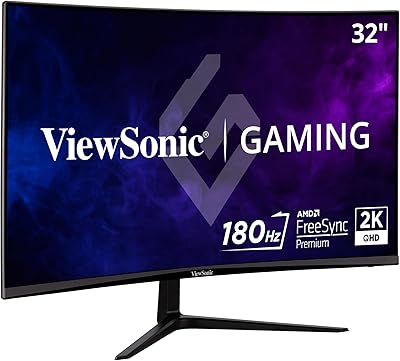
ViewSonic VX3218C-2K 32-inch Curved Gaming Monitor
77%
88%
Value for Money
91%
Gaming Performance
78%
Image Quality
71%
Build Quality
54%
Ergonomics
More
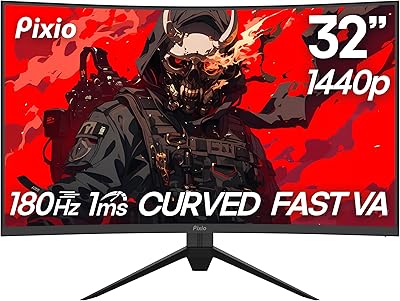
Pixio PXC328 32-inch Curved Gaming Monitor
77%
88%
Image Quality
92%
Contrast & Black Levels
86%
Refresh Rate & Smoothness
78%
Response Time & Motion Clarity
87%
Curvature & Immersion
More

FAQ

Yes, and this is actually one of the more practical strengths of the Titan Army C32C1S. With two HDMI 2.1 ports and two DisplayPort 1.4 ports, you can have a PS5 and a PC connected simultaneously and just switch inputs as needed. No adapters required for either device.

Honestly, the jump from 144Hz to 240Hz is subtler than going from 60Hz to 144Hz, but it is still noticeable in fast-paced games where tracking moving targets matters. Whether it is worth it depends on how seriously you game competitively. Casual players may not feel a dramatic difference, but shooter and fighting game fans generally do.

HDR400 is best understood as a baseline certification rather than a premium feature. At 350 nits peak brightness, this curved gaming monitor cannot produce the specular highlights or shadow detail that high-end HDR panels deliver. You will see a modest improvement in certain scenes, but if rich HDR is a priority, you would need to spend considerably more on a higher-brightness panel.

It works with both. The monitor supports the Adaptive-Sync standard, which NVIDIA recognizes through its G-Sync Compatible program. You do not need an AMD card to get tear-free gaming — most modern NVIDIA GPUs will handle it without issue.

The stand is functional but genuinely the weakest part of the package. It provides basic tilt adjustment and gets the job done for everyday use, but it is not as solid as the screen itself deserves. If stability matters to you, or if you want height and swivel adjustments, picking up a VESA monitor arm is a worthwhile upgrade since the panel supports 75x75mm mounting.

It holds up well for general productivity. The QHD resolution gives you noticeably more screen real estate than a 1080p display for multitasking or document work, and the matte coating keeps glare manageable in office lighting. That said, if precise color accuracy matters for professional creative work, a calibrated IPS monitor would serve you better.

Not exactly. The 1ms figure refers to MPRT, which measures how long a pixel appears to the eye during motion rather than the raw pixel transition speed. It reflects the effectiveness of backlight strobing used to reduce perceived blur. In practice, fast motion looks clean and sharp, but it is worth knowing the spec measures something different from the GtG response times you see on many IPS monitors.

Yes, the 75x75mm VESA pattern makes it compatible with the vast majority of aftermarket arms. At just under 20 pounds, you will want to check that any arm you purchase is rated for that load — most full-motion arms for monitors in the 27- to 34-inch range will cover it comfortably.

It does shift colors slightly warmer, as is typical for any blue light filter. For gaming or watching content where color accuracy matters, most people prefer to use the standard picture mode and simply lower screen brightness in the evening. The low blue light mode is best reserved for late-night reading or productivity sessions rather than color-critical tasks.

For gaming, most buyers find the default settings perfectly acceptable and jump straight in without touching anything. If you are particular about color, a quick adjustment to brightness and contrast in the OSD menu usually gets things to a good place. Full hardware calibration is not necessary for gaming, though enthusiasts who care about color accuracy may want to spend 15 to 20 minutes dialing in the settings.