Overview

The Pixio PXC328 32-inch Curved Gaming Monitor arrived in May 2025 as a well-timed option for mid-tier gamers who want a big, immersive screen without spending flagship money. It uses a Fast VA panel, which sits in an interesting middle ground — better contrast than IPS, faster pixel response than traditional VA, though it doesn't quite match IPS for color consistency off-axis. The 1500R curve is genuinely noticeable on a 32-inch screen; it wraps your peripheral vision in a way that smaller curved displays rarely achieve. This is a monitor with a strong value proposition, but going in with realistic expectations will serve you well.

Features & Benefits

Running at 180Hz over DisplayPort, the PXC328 handles fast-paced shooters and action titles with genuine fluidity — you'll notice the difference versus a 144Hz panel once you've played a few rounds. The QHD resolution on a 32-inch screen lands at a comfortable pixel density: sharp enough that text and textures look clean, but not so demanding that a mid-range GPU struggles to push frames. Contrast is where this 32-inch gaming display really stands out; the VA panel's deep blacks make night scenes and dark environments pop in ways that most IPS monitors at this price simply can't match. Color coverage reaching roughly 93% of DCI-P3 means games and video content look rich without extra calibration. Worth noting: there are no built-in speakers, so plan for headphones or external audio.

Best For

This curved monitor punches above its weight for anyone stepping up from a smaller 1080p screen — the jump to QHD on 32 inches is genuinely hard to go back from. RPG and single-player adventure gamers will get particular mileage out of the immersive curve and high contrast, since those genres reward visual depth over raw frame rate. It's also a practical pick for console and PC hybrid setups; with two HDMI ports and two DisplayPort inputs, switching between devices is straightforward. Adaptive Sync compatibility covers both major GPU ecosystems, so you're not locked into a specific brand. If color accuracy for professional work is your top priority, a calibrated IPS panel might serve you better — but for gaming-first use, this is a compelling choice.

User Feedback

Buyers consistently praise the out-of-the-box color and contrast performance — most report that image quality impresses immediately without needing to dig into settings. The curve and screen size combination draws repeated positive comments from people coming from flat 24-inch panels. Where opinions get more mixed is around the stand: it handles tilt but lacks height adjustment, which some find limiting. A handful of users mention backlight uniformity concerns, specifically slight glow in corners — not unusual for VA panels at this price, and most describe it as minor in practice. OSD navigation gets generally decent marks, though a few find the button layout takes some getting used to. The recurring theme is solid value for money, with very few buyers expressing outright regret.

Pros

  • The VA panel delivers strikingly deep blacks that make dark game environments and cinematic scenes look genuinely dramatic.
  • 180Hz over DisplayPort keeps fast-paced gameplay fluid and responsive without requiring a top-end GPU to drive it.
  • QHD resolution on a 32-inch screen hits a pixel density sweet spot — sharp without being pixel-dense enough to punish mid-range hardware.
  • The 1500R curve feels noticeable and purposeful at this screen size, adding real immersion in open-world and story-driven games.
  • Wide color gamut coverage means games and video content look vibrant and rich right out of the box, with minimal calibration needed.
  • Dual HDMI and dual DisplayPort inputs make it easy to connect both a gaming PC and a console without unplugging cables.
  • Adaptive Sync compatibility works across AMD and NVIDIA systems, keeping the experience tear-free regardless of GPU brand.
  • Buyers consistently report strong value satisfaction, with most feeling the price-to-performance ratio genuinely over-delivers for the category.
  • VESA compatibility gives ergonomic flexibility to anyone who wants to mount it on an arm rather than use the stock stand.

Cons

  • The included stand only tilts — no height or pivot adjustment, which is a real limitation for ergonomic desk setups.
  • Fast VA panels can show faint dark-scene smearing in very high-motion sequences, an inherent trade-off of the panel technology.
  • Brightness tops out at a modest level that limits HDR impact and can struggle in brightly lit rooms during daytime use.
  • Some units show mild backlight uniformity issues, particularly corner glow — not unusual for VA at this price, but worth knowing.
  • No built-in speakers means you need external audio gear, adding to the overall cost of a complete setup.
  • The OSD button layout takes some getting used to and feels less intuitive compared to monitors with joystick navigation.
  • HDMI ports are limited to 144Hz, so hitting the full 180Hz requires a DisplayPort connection — easy to miss when setting up.
  • Color accuracy off-axis is noticeably weaker than comparable IPS panels, which matters for anyone sitting off-center frequently.

Ratings

The scores below for the Pixio PXC328 32-inch Curved Gaming Monitor were generated by our AI system after processing verified buyer reviews from multiple global markets, with spam, bot activity, and incentivized feedback actively filtered out. Each category reflects real-world user experience — the strengths that keep buyers satisfied and the friction points they actually report — with nothing glossed over to make the numbers look better than they are.
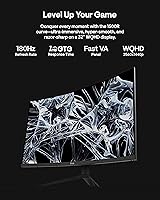
Image Quality
88%
Buyers consistently describe the picture as punchy and rich straight out of the box, with the VA panel's deep contrast making dark game environments and cinematic cutscenes look noticeably more dramatic than comparable IPS displays. The wide color gamut means games with vibrant art styles look genuinely lush without manual calibration.
Off-axis color consistency is a real limitation — sit even slightly to the side and colors shift more than they would on an IPS panel. A small but consistent group of users also notes that very bright whites can look slightly yellowish on default settings until the color temperature is adjusted.
Contrast & Black Levels
92%
This is where the PXC328 earns its strongest praise. Users playing atmospheric RPGs, horror titles, or watching dark-themed films specifically call out how convincing the black levels look compared to their previous IPS monitors. The depth and separation in dark scenes is a genuine highlight at this price tier.
The strong contrast performance does come with a caveat: in very bright, sunny scenes, the panel can appear slightly less brilliant than a high-brightness IPS, since the modest brightness ceiling limits the peak luminance needed to make HDR highlights truly pop.
Refresh Rate & Smoothness
86%
At 180Hz via DisplayPort, the PXC328 delivers genuinely fluid motion that players coming from 60Hz or even 144Hz monitors find immediately satisfying. Fast-paced shooters and action games feel more responsive, and the difference is noticeable even in everyday desktop use like scrolling through browsers.
Reaching the full 180Hz requires a DisplayPort connection — HDMI caps out at 144Hz — and a handful of users were confused by this when setting up. The limitation is not unique to this monitor, but it catches people off guard when the screen defaults to a lower refresh rate after plugging in via HDMI.
Response Time & Motion Clarity
78%
22%
For most gaming genres, the Fast VA panel handles motion well enough that ghosting is not a distraction. Users playing MOBAs, RPGs, and even moderately fast shooters report clean, clear motion without the obvious trailing that older VA panels were notorious for.
In dark, high-speed scenes — a common scenario in competitive FPS games — faint smearing is still detectable to sensitive eyes. It is not a dealbreaker for most users, but competitive players who scrutinize dark-room motion carefully will notice the VA characteristics that no amount of overdrive fully eliminates.
Curvature & Immersion
87%
The 1500R curve on a 32-inch screen is frequently praised as one of the strongest reasons buyers chose this display. Open-world explorers and RPG fans in particular describe the wraparound effect as making extended sessions feel more engaging and less fatiguing than flat panels of similar size.
A minority of users — especially those coming from flat ultrawide monitors — find the curvature takes adjustment when switching between gaming and productivity tasks like reading documents or working with spreadsheets, where the curved edges can feel slightly awkward for text-heavy content.
Color Accuracy
74%
26%
Out of the box, most users find colors look vibrant and appealing for gaming and streaming. The broad coverage of DCI-P3 gives the image a richness that casual content consumers appreciate without any manual adjustments.
For users who care about accurate color representation — photo enthusiasts, light video editors, or content creators — the VA panel's factory calibration is not precise enough to replace a properly calibrated IPS display. Measurements after setup show some deviation from target values that color-conscious users will notice.
HDR Performance
53%
47%
HDR-compatible games and content will run with HDR active, and some users report a slightly more vivid look compared to SDR in well-lit scenes. It functions as an incremental improvement in the right content.
With a brightness ceiling that tops out well below what proper HDR certification demands, the real-world HDR experience is underwhelming. Users expecting the stark, high-contrast HDR pop they've seen on premium displays will be disappointed — several buyers specifically mention that the difference between HDR on and off is subtle at best.
Build Quality
72%
28%
The monitor feels reasonably solid for its price tier, with a clean matte bezel and a stable base that holds the panel steady without wobble during normal use. Most buyers report it feels well-assembled for a mid-range display.
The plastic construction shows its price point under close inspection, and the stand in particular feels less premium than the screen itself. A few users note minor flex around the rear panel housing, and the overall build lacks the solidity that buyers used to higher-end brands might expect.
Stand & Ergonomics
58%
42%
The included stand keeps the monitor stable and handles tilt adjustments adequately for users who happen to find the default height comfortable. Setup out of the box is straightforward and does not require tools.
The absence of height, swivel, and pivot adjustment is a recurring complaint that shows up across a meaningful portion of reviews. Taller users, those with non-standard desk setups, or anyone who values precise ergonomic positioning will almost certainly need to invest in a separate VESA arm to work comfortably.
OSD & Navigation
66%
34%
The on-screen menu covers all the settings most gamers need, including refresh rate confirmation, response time overdrive modes, and color presets. First-time setup is manageable and the layout is reasonably logical once you learn it.
The physical button navigation is less intuitive than a joystick-based OSD, and several users mention needing to refer back to the manual to locate specific settings in the menu tree. It is functional, but next to monitors with joystick controls, it feels a step behind.
Connectivity
83%
Having two DisplayPort and two HDMI inputs is genuinely practical — users with a PC and a console connected simultaneously can switch between them without unplugging cables. The earphone jack is a convenient addition for headphone users.
The lack of USB hub functionality is a minor frustration for users who wanted a cleaner desk setup with fewer cables running to a separate hub. There are also no built-in speakers, which adds cost to a complete setup for buyers who do not already own external audio gear.
Value for Money
91%
The ratio of what you get to what you pay is consistently cited as the PXC328's strongest overall argument. Buyers who compare it directly against competitors in the same price range repeatedly conclude that the combination of screen size, refresh rate, resolution, and contrast is hard to match at this tier.
A small segment of buyers feels that the stand ergonomics and the absence of speakers represent corners cut to hit the price point — trade-offs that add hidden cost if you need to buy accessories. Those factors do not undermine the value case significantly, but they keep the score from being a clean sweep.
Setup & Out-of-Box Experience
81%
19%
Assembly is quick and tool-free, with the stand clicking into place without difficulty. Most users report the monitor is game-ready within minutes of unboxing, and the default color settings impress immediately without needing adjustments.
A handful of buyers experienced minor confusion around getting the correct refresh rate active, particularly when connected via HDMI and expecting 180Hz. The monitor's default settings do not always make the DisplayPort requirement obvious, leading to some frustration during initial setup.
Backlight Uniformity
63%
37%
The majority of units show acceptable uniformity across the central viewing area where most gaming and desktop content is displayed. Users who primarily game in well-lit rooms or with bright content rarely flag uniformity as an issue.
Corner glow and mild backlight bleed on darker backgrounds is a recurring theme in user feedback, particularly noticeable when watching content with large dark areas like space scenes or night sequences. It is a characteristic of VA panel construction at this price point, but it is consistent enough across reports to factor into your expectations.

Suitable for:

The Pixio PXC328 32-inch Curved Gaming Monitor is a strong fit for mid-tier gamers who want a meaningful upgrade without committing to flagship-level spending. If you're coming from a flat 1080p panel in the 24-inch range, the combination of a larger curved screen and sharper QHD resolution will feel like a substantial leap forward. Single-player RPG and open-world gamers in particular will appreciate how the 1500R curve pulls the environment into your peripheral vision, making exploration and atmospheric titles noticeably more absorbing. The deep contrast that VA panels are known for also pays off in dark, moody games where IPS displays tend to look washed out by comparison. Hybrid setups benefit too — with two DisplayPort and two HDMI inputs plus Adaptive Sync support, you can connect a PC and a console simultaneously and avoid compatibility headaches regardless of your GPU brand.
Not suitable for:

The Pixio PXC328 32-inch Curved Gaming Monitor is not the right call for everyone, and it's worth being honest about where it falls short. If you do a lot of color-sensitive work — photo editing, video grading, or graphic design — the VA panel's color consistency off-axis and the modest brightness ceiling make it a less reliable tool than a well-calibrated IPS display. Competitive esports players who prioritize the absolute lowest input lag and the crispest fast-motion clarity may also find that Fast VA panels, even well-tuned ones, can show faint trailing in very dark, high-motion scenes that a premium IPS or TN display would not. The stand's limited adjustability is a genuine ergonomic compromise for taller users or those who spend long hours at the desk, and without built-in speakers you'll need to budget separately for audio. Finally, the HDR implementation here is entry-level at best — if you're expecting a transformative HDR experience, this display will disappoint.
Specifications

  • Panel Type: The display uses a Fast VA panel, which delivers stronger contrast than IPS alternatives while offering improved pixel response over standard VA technology.
  • Screen Size: The viewable screen area measures 32 inches diagonally, providing a wide field of view well-suited to both gaming and general desktop use.
  • Resolution: Native resolution is 2560x1440 (QHD), offering noticeably sharper detail than 1080p without the GPU demands of 4K.
  • Refresh Rate: The panel supports up to 180Hz when connected via DisplayPort 1.4, enabling smooth motion in fast-paced gaming scenarios.
  • Response Time: Rated at 1ms GTG (gray-to-gray), this figure reflects the fastest transitions under ideal conditions, which helps minimize ghosting in motion-heavy content.
  • Curvature: The screen features a 1500R curve radius, meaning the panel is curved to match a circle with a 1500mm radius for a more enveloping viewing geometry.
  • Brightness: Maximum brightness is rated at 330 nits, which is adequate for dimmer indoor environments but may appear flat in brightly lit rooms.
  • Contrast Ratio: The native contrast ratio is 3500:1, a core advantage of VA panel technology that produces deep blacks compared to typical IPS displays.
  • Color Gamut: The display covers approximately 93% of DCI-P3 and over 126% of sRGB, resulting in rich, vibrant color output for both gaming and multimedia content.
  • HDR Support: Entry-level HDR is supported, though the brightness ceiling limits the practical impact compared to monitors with full HDR certification.
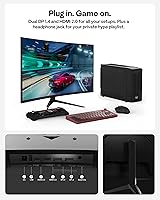
  • Connectivity: The monitor includes two DisplayPort 1.4 inputs (supporting up to 180Hz), two HDMI 2.0 inputs (supporting up to 144Hz), and one 3.5mm earphone jack.
  • Adaptive Sync: Adaptive Sync is supported across both AMD FreeSync and NVIDIA G-Sync Compatible systems, reducing screen tearing without requiring a specific GPU brand.
  • Viewing Angle: Horizontal and vertical viewing angles both reach 178 degrees (CR greater than 10), ensuring acceptable image quality across a wide range of seating positions.
  • VESA Mount: The rear of the display includes a standard 100x100mm VESA mount pattern, compatible with most third-party monitor arms and wall mounts using M4 screws.
  • Dimensions: With the stand attached, the monitor measures 27.99″ wide, 20.7″ tall, and 9.9″ deep; without the stand it is 27.99″ wide and 16.64″ tall.
  • Weight: The complete unit including the stand weighs 13 pounds, which is manageable for a single person to position on a desk.
  • Speakers: There are no built-in speakers; users will need external speakers or headphones connected via the 3.5mm earphone jack or a separate audio solution.
  • Aspect Ratio: The display uses a standard 16:9 widescreen aspect ratio, compatible with virtually all gaming, streaming, and productivity content formats.
  • Stand Adjustment: The included stand supports tilt adjustment only; height, swivel, and pivot adjustments are not available without a third-party VESA arm.
  • Availability: The PXC328 became available in May 2025, positioning it as a current-generation mid-range option in the competitive 32-inch QHD monitor segment.

Related Reviews

KOORUI G3221SC 32″ Curved QHD Gaming Monitor

69%
83%
Picture Quality
81%
Gaming Performance
86%
Value for Money
41%
HDR Performance
67%
Color Accuracy
More
Gawfolk GF320C 32-Inch Curved Gaming Monitor

75%
88%
Refresh Rate Performance
83%
Image Quality
76%
Motion Clarity
86%
Curvature & Immersion
91%
Value for Money
More
Samsung 32-Inch S39C Curved Gaming Monitor
83%
88%
Display Quality
91%
Value for Money
86%
Eye Comfort
89%
Ease of Setup
85%
Build Quality
More
AOC C32G2 32″ Curved Gaming Monitor
76%
91%
Value for Money
84%
Gaming Performance
73%
Image Quality
88%
Refresh Rate & Smoothness
83%
Curvature & Immersion
More
KTC H32S17C 32-inch Curved Gaming Monitor

72%
91%
Value for Money
84%
Gaming Performance
76%
Picture Quality
52%
HDR Experience
67%
Color Accuracy
More
KTC H32S17F 32-inch Curved Gaming Monitor
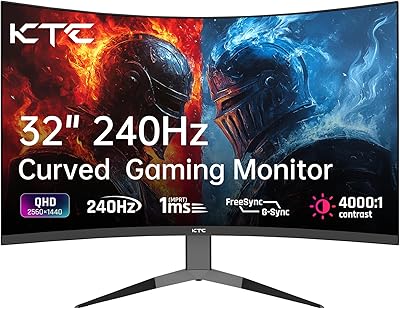
73%
91%
Refresh Rate Performance
88%
Value for Money
86%
Motion Clarity
74%
Color & Visual Quality
61%
Resolution & Sharpness
More
KTC H32S25E 32-inch Curved Gaming Monitor
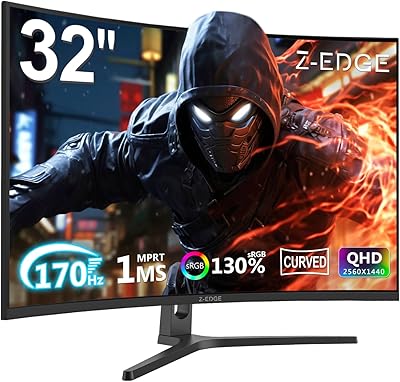
73%
88%
Gaming Performance
84%
Image Clarity
86%
Curvature & Immersion
82%
Out-of-Box Color
53%
HDR Quality
More
Z-Edge UG32 32-inch Curved Gaming Monitor
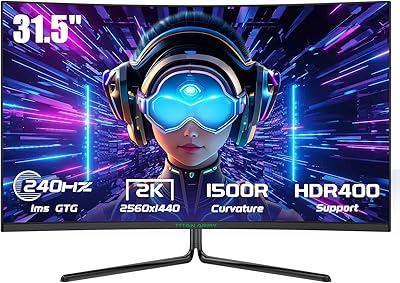
84%
91%
Gaming Performance
88%
Display Quality
85%
Design and Build Quality
84%
Ease of Setup
90%
Refresh Rate and Responsiveness
More
ViewSonic VX3218C-2K 32-inch Curved Gaming Monitor
77%
88%
Value for Money
91%
Gaming Performance
78%
Image Quality
71%
Build Quality
54%
Ergonomics
More
TITAN ARMY C32C1S 32-inch Curved Gaming Monitor
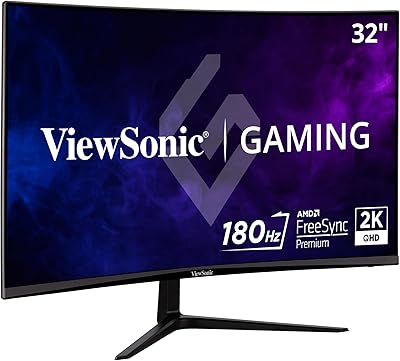
77%
88%
Gaming Performance
83%
Image Quality
91%
Refresh Rate & Smoothness
86%
Value for Money
67%
Build Quality
More

FAQ

It works with both. The PXC328 supports Adaptive Sync, and NVIDIA has certified a wide range of Adaptive Sync displays as G-Sync Compatible, so you should get tear-free performance whether you're running an AMD or NVIDIA card. Just enable G-Sync Compatible mode in the NVIDIA control panel.

No — HDMI 2.0 on this display tops out at 144Hz. To hit 180Hz you'll need to use one of the DisplayPort 1.4 inputs. It's a detail worth knowing before you set up, since many people default to HDMI out of habit.

Honestly, manage your expectations here. The HDR support is entry-level, and the brightness ceiling limits how dramatic the effect looks in practice. HDR-enabled games will still run with the setting active, but you won't get the stark highlights-and-shadows contrast that higher-end HDR monitors produce. Think of it as a bonus rather than a headline feature.

Not really — higher refresh rates also reduce input latency and make general desktop navigation feel smoother, not just fast-paced shooters. That said, the real selling point for RPG players on this curved monitor is the contrast and curve, which genuinely enhance atmospheric and story-driven games. The 180Hz is a nice extra you'll appreciate over time.

More than you might expect. At typical desktop viewing distances, the curve pulls your peripheral vision into the image in a way that feels natural rather than gimmicky. It's one of those things that's hard to go back from once you're used to it, particularly during extended gaming sessions.

Most buyers report that the image quality is solid straight out of the box without needing significant adjustments. Color and contrast tend to impress immediately. That said, if you want more precise results, a quick OSD pass to dial in brightness and color temperature for your room lighting is always worthwhile — it takes about five minutes.

It can be, in specific scenarios. Very dark scenes with fast lateral movement — think a black background with a quick pan — are where traditional VA panels show trailing most visibly. The Fast VA panel in this display is tuned to reduce that effect, and most users don't notice it in typical gaming. If you're playing a lot of dark-environment competitive shooters, it's worth being aware of, but for the majority of game genres it won't be disruptive.

Yes, the back has a standard 100x100mm VESA mount pattern, so any compatible arm or wall mount will work. Given that the stock stand only tilts, switching to an arm is a popular upgrade for anyone who needs height or angle flexibility.

A small number of users report minor corner glow, which is fairly typical for VA panels at this price point. It tends to be most visible on solid dark backgrounds — less so during actual gaming or video playback. It's worth inspecting carefully if you receive yours, and most reputable sellers will handle exchanges for units with significant uniformity issues.

You don't need a flagship card, but a mid-range modern GPU is recommended to get the most out of 1440p at higher frame rates. Something in the range of an RTX 4060 or RX 7600 will handle most titles at this resolution comfortably. At lower settings or in less demanding games, even older mid-range cards can push playable frame rates.

Where to Buy