
Overview

The Timetec 2TB M.2 2230 NVMe Gen4 SSD is one of the more practical answers to a real problem: handheld gaming devices and compact ultrabooks ship with fast but limited storage, and upgrading them requires a short 2230-format drive rather than the standard 2280. This compact Gen4 SSD fits that niche well — the single-sided PCB is not a marketing footnote but a genuine requirement for devices like the Steam Deck, where clearance inside the chassis is tight. At its price point, landing 2TB of Gen4 capacity without paying for a flagship brand name makes it an appealing option for anyone tired of deciding which games to uninstall.

Features & Benefits

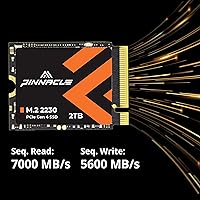
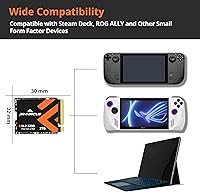
The headline specs are genuinely strong for the form factor — sequential reads pushing toward 7,000 MB/s put this 2230 NVMe drive in the same conversation as full-size Gen4 drives that physically dwarf it. Write speeds around 5,600 MB/s handle large game installs or file transfers without much waiting. SLC caching helps sustain burst performance during intensive tasks, though sustained workloads in sealed handhelds can cause thermal throttling over time. The compatibility list covers Steam Deck, ROG Ally, multiple Surface Pro and Laptop generations, and various Mini PCs. Rounding things out, a five-year warranty with US-based technical support is a notable inclusion at this price tier.

Best For

This compact Gen4 SSD makes the most sense for Steam Deck owners who have outgrown their stock storage — 2TB comfortably holds a large library without constant title management. ROG Ally users benefit similarly, and the Ally's hardware actually leverages the Gen4 interface. Surface Pro and Surface Laptop users can upgrade too, though some older Surface models run a Gen3 controller, meaning the drive will cap at Gen3 speeds in those configurations — worth verifying before purchasing. Mini PC builders who need a short 2230 footprint with modern performance will also find this a sensible fit without overspending on a premium-brand alternative.

User Feedback

Buyers who have dropped the Timetec 2TB upgrade into a Steam Deck report a largely smooth experience — cloning tools like Clonezilla work without issue, and SteamOS picks up the drive cleanly. Real-world gaming performance is consistently praised, with load times feeling noticeably snappier than older Gen3 drives. On the downside, some users flag thermal throttling under sustained workloads in sealed handhelds, which is a known constraint of any 2230 drive in a cramped chassis rather than a specific flaw here. A handful of reviewers also note they would appreciate better firmware documentation. Against pricier Samsung or WD options, most buyers consider the overall value strong.

Pros

  • 2TB of onboard storage is a genuine upgrade for handheld gamers who constantly juggle installs.
  • Gen4 read speeds make a noticeable difference in game load times compared to older Gen3 drives.
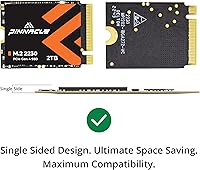
  • The single-sided 2230 form factor fits Steam Deck and ROG Ally without any clearance issues.
  • A five-year warranty with US-based support is unusually strong coverage at this price tier.
  • Broad compatibility across Surface Pro, Surface Laptop, and Mini PC lineups gives it real versatility.
  • SLC caching handles burst transfers well for typical gaming and file-management tasks.
  • Real buyers report clean SteamOS installs and trouble-free cloning with standard tools.
  • Competitive pricing relative to Samsung and WD alternatives makes 2TB capacity more accessible.
  • Lightweight and compact packaging makes it easy to handle during installation in tight spaces.

Cons

  • Older Gen3 host devices will cap the drive at Gen3 speeds, wasting the Gen4 premium.
  • Sustained workloads in sealed handhelds can trigger thermal throttling — a real-world limitation to know about upfront.
  • Firmware documentation is sparse, which frustrates more technical users who want granular control.
  • Timetec lacks the long-term brand recognition of Samsung or WD, which matters to reliability-focused buyers.
  • No bundled cloning software or accessories, so first-time upgraders need to source their own tools.
  • Long-term endurance data for this specific drive is still limited given its relatively recent release.
  • Some buyers report inconsistency in verifying rated write speeds outside of controlled benchmark conditions.

Ratings

Our AI rating system analyzed verified global buyer reviews for the Timetec 2TB M.2 2230 NVMe Gen4 SSD, actively filtering out incentivized, bot-generated, and low-signal feedback to surface what real users actually experienced. The scores below reflect a balanced synthesis of both enthusiastic praise and recurring frustrations — nothing is glossed over. Where this compact Gen4 SSD earns high marks, the reasons are concrete; where it falls short, those gaps are called out plainly.

Read Performance
88%
Buyers consistently report that game load times on the Steam Deck and ROG Ally feel noticeably faster after installing this drive, with SteamOS and Windows both benefiting from the high sequential throughput. For users coming from Gen3 storage, the jump is tangible in everyday use, not just benchmarks.
A portion of Surface users on older Gen3 controllers never see the full speed potential, which creates some buyer disappointment when benchmarks come in well below the advertised ceiling. The gap between rated and real-world speeds is also wider under thermal pressure inside sealed handhelds.
Write Performance
82%
18%
For typical gaming tasks — installing a 60GB title or moving a batch of files — write speeds hold up well and the SLC cache keeps things feeling snappy during burst operations. Most users do not notice any sluggishness during day-to-day storage tasks.
Under sustained, consecutive large writes the cache exhausts and speeds drop more noticeably than some buyers expect, which matters if you are regularly transferring large video files or doing backups. A handful of reviewers noted the post-cache write floor was lower than competing drives at a similar price.
Form Factor Fit
93%
The single-sided 2230 design is exactly what Steam Deck and ROG Ally users need, and buyers frequently mention it dropped in without any fit issues or clearance problems. Surface Pro and Surface Laptop owners report the same clean fit, with no bending or misalignment during installation.
The short 2230 length means some Mini PC motherboards lack a mounting hole at the 30mm position, leaving the drive unsecured without an aftermarket standoff. This is a minority case but catches unprepared builders off guard.
Device Compatibility
86%
The compatibility list is genuinely broad — Steam Deck, ROG Ally, multiple Surface generations, and Mini PCs — and buyers across all these platforms largely confirm it works as advertised. For handheld console upgraders in particular, this is one of the more versatile 2230 options available.
The Gen3 controller issue on base Surface Pro 7 models is a real compatibility asterisk that the product listing does not make obvious enough, and some buyers only discover it after installation. A few Mini PC users also ran into slot compatibility edge cases that required research before the drive would seat properly.
Thermal Behavior
67%
33%
For typical gaming sessions of an hour or two, thermal performance is adequate and most users report no perceptible slowdown during normal play. The small physical size means heat dissipates reasonably well in devices with active cooling like the ROG Ally.
Extended, heavy workloads in sealed handheld chassis — think prolonged game downloads or back-to-back large installs — do push temperatures into throttling territory, and this is not a Timetec-specific problem so much as a physical reality of the 2230 form factor. Users expecting consistent peak speeds under sustained load will be disappointed.
Value for Money
91%
Getting 2TB of Gen4 NVMe storage in a 2230 form factor at this price point is genuinely competitive, and buyers who cross-shopped against Samsung or WD options consistently mention that the savings are meaningful without a proportional drop in everyday performance. For budget-conscious Steam Deck upgraders, it hits a practical sweet spot.
The value proposition weakens slightly for users on Gen3-only devices, since they are effectively paying for Gen4 headroom they cannot use. A small number of reviewers also feel that the price gap versus premium brands has narrowed enough that the value edge is less decisive than it was at launch.
Installation Experience
84%
Steam Deck owners in particular report a smooth process — standard cloning tools work without issue and SteamOS detects the drive cleanly on first boot. The drive's light weight and compact size make it physically easy to handle during the swap, even in tight chassis.
No mounting hardware or cloning software is included, which creates a minor friction point for first-time upgraders who have to source a small screw and download a separate tool before they can complete the job. The lack of a quick-start guide inside the box is a minor but repeated complaint.
Build Quality
78%
22%
The PCB feels solid and components appear well-assembled, with no reports of physical defects or loose parts in the majority of buyer feedback. The single-sided layout keeps the profile thin and the solder points look clean on inspection.
Timetec does not publish the NAND flash manufacturer or controller chip details publicly, which makes it harder for technical buyers to assess long-term endurance. The bare PCB ships without a thermal pad or label backing, which some users feel reflects a cost-cutting approach compared to pricier alternatives.
Long-Term Reliability
71%
29%
At the time of writing, a meaningful number of buyers have been running this drive for over a year without issues, and Timetec's five-year warranty provides a reasonable safety net if problems do emerge. US-based support adds confidence for buyers who want a real person to contact.
The drive has not been on the market long enough to generate robust multi-year endurance data, so reliability assessments are still based on a relatively short track record. A few reviewers flagged early concerns about firmware maturity, noting the lack of update history compared to established brands.
Warranty & Support
83%
Five years of coverage is above average for this category, and buyers who have contacted Timetec support describe reasonably responsive service without excessive red tape. US-based support is a practical advantage for North American buyers dealing with a defective unit.
Warranty claim documentation is light, and some users report confusion about the process when trying to initiate an RMA. International buyers outside North America note that support responsiveness drops off noticeably, which limits the warranty's practical value depending on region.
Benchmark Accuracy
69%
31%
In Gen4-capable hosts like the ROG Ally, benchmark results align reasonably well with the advertised read speeds, and buyers who run CrystalDiskMark on compatible hardware report figures in the expected range. For read-heavy gaming workloads the numbers hold up.
Write speed benchmarks show more variance, especially after the SLC cache is saturated, and some buyers feel the peak numbers on the box do not represent typical sustained usage. Users comparing results across different host devices see a wide spread, which makes the spec sheet feel optimistic for mixed use cases.
Software & Firmware
58%
42%
The drive works plug-and-play across all supported platforms without requiring driver installs, and SteamOS, Windows, and most Mini PC BIOS environments detect it automatically without any configuration.
There is no dedicated management software, health monitoring utility, or publicly documented firmware update path, which frustrates power users who want visibility into drive health or the ability to apply optimizations over time. Compared to Samsung Magician or WD Dashboard, the software ecosystem here is essentially nonexistent.
Packaging & Unboxing
74%
26%
The packaging is compact and protective, and the drive arrives without any physical damage in the vast majority of reported cases. The small box size reflects the product's minimal footprint, which buyers appreciate.
The unboxing experience is purely functional — no accessories, no installation guide, and no extras that would justify the price tier. First-time SSD installers are left to find their own resources, which adds unnecessary friction to what should be a straightforward upgrade.

Suitable for:

The Timetec 2TB M.2 2230 NVMe Gen4 SSD was built for a specific kind of buyer, and if you fall into that group, it hits a genuine sweet spot. Steam Deck owners are the most obvious fit — the stock storage on even the higher-end models fills up fast, and this drive slots in without the clearance headaches that standard 2280 drives would cause. ASUS ROG Ally users in the same boat get the added benefit of a host controller that actually runs Gen4, meaning the faster interface translates to real-world gains. Microsoft Surface Pro 8, 9, and X users can also benefit, as can Surface Laptop 3 and 4 owners looking for a meaningful capacity and speed bump over their factory drive. Mini PC builders who need a compact footprint without sacrificing modern performance round out the ideal audience. Essentially, if your device takes a 2230-format drive and you want 2TB without paying a premium-brand premium, this is a rational, well-supported choice.

Not suitable for:

There are a few scenarios where the Timetec 2TB M.2 2230 NVMe Gen4 SSD is simply not the right call, and being honest about them saves frustration down the line. If your Surface device runs an older Gen3 controller — certain Surface Pro 7 and Surface Laptop 3 configurations — the drive will negotiate down to Gen3 speeds, and you will be paying for Gen4 performance you cannot actually use. Users who push sustained, heavy workloads in thermally constrained enclosures, like content creators encoding video inside a sealed handheld, may encounter throttling that no drive in this form factor can fully avoid. Buyers who need enterprise-grade reliability metrics, detailed firmware tools, or a brand with a decades-long track record in the storage industry might feel more comfortable with Samsung or Western Digital, even at a higher cost. And if your device takes a standard 2280-size drive, there is no reason to seek out a shorter 2230 option — you would be limiting your choices unnecessarily.

Specifications

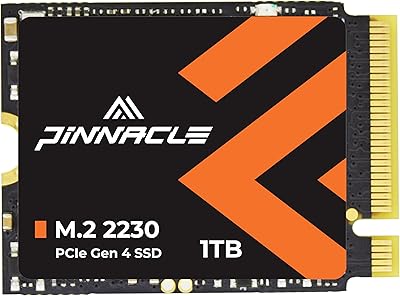
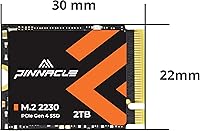
  • Form Factor: This drive uses the M.2 2230 format, measuring 22mm wide by 30mm long, which is significantly shorter than the standard 2280 drives found in most laptops.
  • Interface: It connects via PCIe Gen4x4 using the NVMe protocol, delivering the high bandwidth that modern handheld consoles and compact PCs can take advantage of.
  • Capacity: The drive offers 2TB of usable flash storage, giving ample room for large game libraries or media collections on space-constrained devices.
  • Sequential Read: Rated sequential read speed reaches up to 7,000 MB/s under optimal conditions, which is competitive with full-size Gen4 drives from major brands.
  • Sequential Write: Rated sequential write speed reaches up to 5,600 MB/s, handling large file transfers and game installs at a pace that keeps wait times short.
  • PCB Design: The drive uses a single-sided PCB layout, a physical requirement for devices like the Steam Deck and ASUS ROG Ally where the slot has no clearance for components on both sides.
  • Caching: SLC caching is implemented to sustain burst read and write performance during typical gaming and file-management workloads.
  • Compatible Devices: Supported devices include Steam Deck, ASUS ROG Ally, Microsoft Surface Pro 7+/8/9/X, Surface Laptop 3/4, Surface Book 3, Surface Laptop Go, and select Mini PCs.
  • Warranty: Timetec covers this drive with a five-year limited warranty for units purchased on or after August 1, 2020.
  • Support: Technical support is provided by a US-based team at no additional cost for the duration of the warranty period.
  • Weight: The drive weighs approximately 0.634 ounces, making it light enough to handle without tools during installation in tight chassis.
  • Package Size: The retail packaging measures 3.46 x 2.09 x 0.31 inches and does not include cables, screws, or mounting brackets.
  • Box Contents: The package contains only the M.2 2230 NVMe SSD itself; any installation hardware must be sourced separately.
  • Availability: This product was first listed in November 2023 and carries Amazon ASIN B0CNL3KN92.
  • Brand: Timetec is the manufacturer, a storage-focused brand that also produces RAM and other memory products primarily for the consumer and prosumer market.

Related Reviews
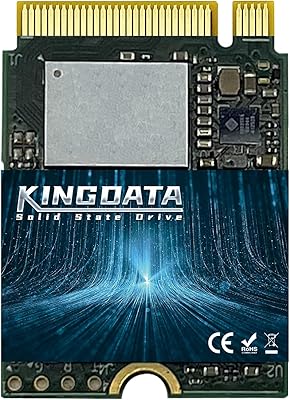
KINGDATA 2TB M.2 2230 NVMe SSD
75%
81%
Real-World Speed
93%
Form Factor Fit
78%
Installation Experience
84%
Value for Money
62%
Brand Reliability Confidence
More
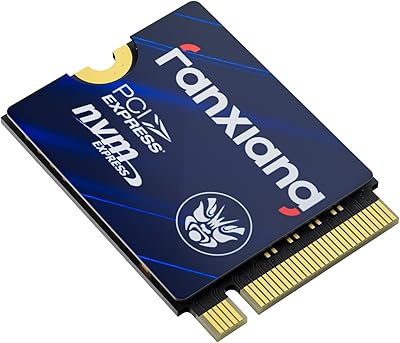
fanxiang S630 2TB M.2 2230 NVMe SSD
79%
88%
Read Speed Performance
71%
Sustained Write Speed
93%
Form Factor Compatibility
79%
Thermal Management
86%
Installation Experience
More
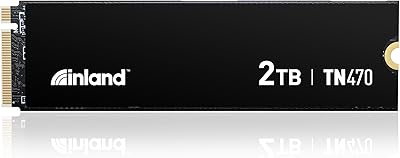
Inland TN470 2TB Gen4 NVMe M.2 SSD
82%
93%
Sequential Speed
91%
Value for Money
62%
Thermal Performance
96%
Installation Ease
78%
Random I/O Performance
More
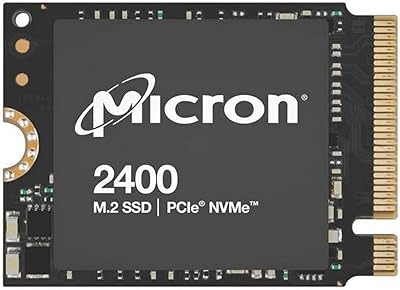
Micron 2400 2TB M.2 2230 NVMe SSD
88%
93%
Read & Write Performance
97%
Storage Capacity
96%
Form Factor Compatibility
91%
Installation Experience
89%
Build & Endurance
More
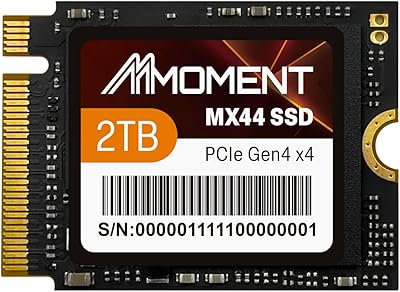
MMOMENT 2TB MX44 M.2 2230 NVMe SSD
88%
91%
Performance
93%
Speed (Read/Write)
88%
Ease of Installation
85%
Durability (Shock & Dust Resistance)
89%
Capacity (2TB)
More
PNY CS2241 2TB M.2 NVMe Gen4 SSD
83%
88%
Sequential Read Performance
83%
Sequential Write Performance
86%
Real-World Speed Gains
91%
Value for Money
67%
Thermal Management
More
Fikwot FX953 2TB M.2 2230 NVMe SSD
77%
83%
Read Speed Performance
71%
Write Speed Performance
74%
Thermal Management
91%
Installation Experience
78%
Device Compatibility
More
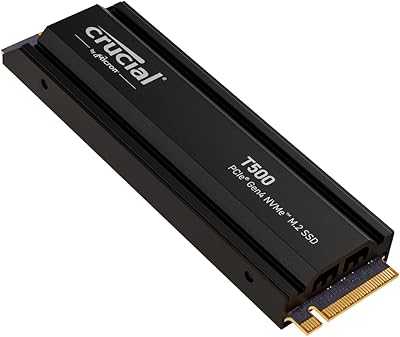
Crucial T500 2TB Gen4 NVMe M.2 SSD with Heatsink
89%
95%
Read Speed
92%
Write Speed
88%
Thermal Management
90%
Compatibility with PS5
83%
Ease of Installation
More
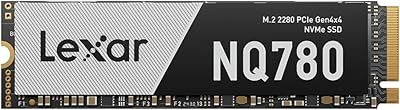
Lexar NQ780 2TB NVMe SSD
81%
91%
Sequential Read Speed
86%
Sequential Write Speed
73%
Sustained Write Performance
78%
Random Read/Write
67%
Thermal Management
More
XPC Technologies SN740 2TB M.2 2230 NVMe SSD
87%
92%
Performance
88%
Installation Ease
94%
Compatibility with Steam Deck
89%
Write Speed
91%
Read Speed
More

FAQ

Yes, it will. The Steam Deck requires a 2230-format, single-sided drive, and this one meets both requirements. You will need a small Phillips screwdriver to open the back panel, but no physical modifications to the chassis are necessary.

It does. The ROG Ally uses a Gen4-capable controller, so you get the full benefit of the faster interface. Load times and game install speeds are noticeably better compared to a Gen3 upgrade.

The standard Surface Pro 7 uses a Gen3 controller, so while the Timetec 2TB M.2 2230 NVMe Gen4 SSD will physically fit and function, it will negotiate down to Gen3 speeds. You are still getting 2TB of fast storage, but the Gen4 speed rating will not be fully utilized. The Surface Pro 7 Plus (7+) does support Gen4, so check your exact model before purchasing.

No bundled cloning software is included. Most Steam Deck users rely on Clonezilla booted from a USB drive, which works reliably. Surface users often use Macrium Reflect Free or similar third-party tools.

For gaming and general use on handheld consoles, the real-world difference is minimal. Premium-brand drives may show slightly better sustained write performance in extended workloads, but for loading games or copying files you are unlikely to notice a meaningful gap. The main trade-off is brand heritage and slightly more mature firmware tooling on the Samsung and WD side.

Thermal throttling is a genuine possibility during extended, demanding sessions — this is true of any 2230 drive inside a sealed handheld, not a specific flaw with this one. For typical gaming workloads the drive stays within a reasonable range, but if you are doing sustained data-heavy tasks in a hot environment, expect some throttling.

No, mounting hardware is not included. You will need a 1.2x2mm M2 screw to secure it in a Steam Deck. These are inexpensive and widely available online, but it is worth ordering one ahead of time so you are not stuck mid-install.

Most M.2 slots that support 2280 drives also have a mounting point at the 2230 position, but it varies by board. Check your Mini PC's manual to confirm it has a standoff or screw hole at the 30mm position — without that anchor point, the shorter drive will not sit flat.

Timetec offers US-based technical support you can contact directly. As long as the drive was purchased on or after August 2020, the five-year limited warranty applies. Keep your purchase receipt or order confirmation as proof of purchase when reaching out.

It depends heavily on what you play. A library of indie and mid-size titles can fit comfortably in 512GB, but if you regularly install AAA games — many of which exceed 100GB each — 2TB goes faster than you might expect. For most players who want to stop thinking about storage management entirely, 2TB is the practical sweet spot right now.