Overview

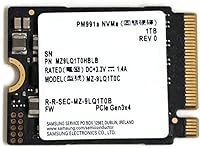
The Samsung PM991a 1TB M.2 2230 NVMe SSD started life as an OEM component inside compact business laptops and slim tablets — not on retail shelves. That backstory matters. The M.2 2230 form factor is only 30mm long, roughly half the length of the standard 2280 drives most people are familiar with, which makes this Samsung 2230 SSD one of the few high-capacity options that actually fits devices like the Steam Deck or Surface Pro. It runs on a PCIe Gen3 x4 interface, which is plenty capable for most real-world tasks. Just know going in: there's no retail box, no accessories, and no Samsung consumer warranty card in the package.
Features & Benefits

The PM991a delivers sequential read speeds up to 3100 MB/s, which in practice means your OS boots fast and large files open without the kind of lag you'd notice on an older SATA drive. Write speeds top out at 2000 MB/s — solid for Gen3, though not class-leading if you're comparing against newer Gen4 hardware. Where it really earns its keep is in random I/O: 380K read and 330K write IOPS means app launches and game level loads feel quick and responsive. The 1TB capacity is the real draw here, giving you room for a full game library alongside your operating system. At roughly 2 ounces, it adds virtually nothing to your device's weight.

Best For

This compact NVMe drive is purpose-built for a narrow but enthusiastic audience. Steam Deck owners are probably the most obvious fit — the handheld's internal slot only accommodates the shorter 2230 size, and jumping to 1TB changes what the device can do entirely. Surface Pro 8, 9, and X users will find the same compatibility, making it a practical way to extend the life of an expensive tablet. Select Dell, HP, and Lenovo ultrabooks also ship with 2230 slots, so it's worth confirming your slot length before ordering. This is a drive for confident DIY upgraders — if you have never opened a device before, factor in research time and the right tools.

User Feedback

With a 4.5-star rating across 89 reviews, the PM991a sits in a comfortable spot for a niche OEM component. Buyers consistently highlight drop-in compatibility with the Steam Deck and Surface, and several note the upgrade went smoothly once they followed device-specific guides. On the flip side, a recurring concern involves warranty coverage — because this is an OEM unit, Samsung's standard consumer support may not apply, and there's no included documentation. A handful of users also recommend verifying your cloning or data-transfer software works with NVMe drives before starting the swap. Go in with realistic expectations and the overall value here is hard to argue with.

Pros

  • One of the very few trusted-brand options available in the hard-to-find M.2 2230 form factor.
  • 1TB capacity is a substantial jump over the base storage found in most Steam Deck and Surface Pro configurations.
  • Sequential read speeds up to 3100 MB/s make game loading and OS boot times feel noticeably quick.
  • Samsung TLC NAND provides a level of reliability that generic or off-brand 2230 drives simply cannot match.
  • Extremely lightweight at around 2 ounces — adds nothing meaningful to a portable device.
  • Strong 4.5-star rating across real buyers, with compatibility consistently praised.
  • PCIe Gen3 x4 interface is supported by virtually every device with an NVMe M.2 slot, no Gen4 requirement.
  • Random I/O performance keeps everyday multitasking and app launches feeling responsive.

Cons

  • Sold as an OEM unit — no retail packaging, no accessories, and Samsung consumer warranty support may not apply.
  • Sequential write speed of 2000 MB/s is adequate but trails newer Gen4 drives by a wide margin.
  • Installation is not beginner-friendly; you will need device-specific guides and appropriate tools.
  • Buyers must verify their device uses a 2230 slot before ordering — a 2280 drive will not physically fit as a substitute.
  • No bundled cloning or migration software, which can complicate transfers for less technical users.
  • With only 89 ratings at time of review, the long-term reliability data pool is still relatively small.
  • OEM sourcing means stock availability and condition can vary between sellers — vetting the listing matters.
  • Not ideal for sustained write-heavy workloads like continuous 4K video capture or large database operations.

Ratings

Our AI rating engine analyzed verified global buyer reviews for the Samsung PM991a 1TB M.2 2230 NVMe SSD, actively filtering out incentivized, bot-generated, and duplicate submissions to surface what real upgraders actually experienced. The scores below reflect both the genuine strengths that keep buyers satisfied and the friction points that caused frustration — nothing is glossed over. From Steam Deck enthusiasts to Surface Pro power users, this compact NVMe drive attracted a technically informed audience whose feedback paints a nuanced, honest picture.

Form Factor Compatibility
94%
The 2230 footprint is the single biggest reason people buy this drive, and buyers consistently report it drops directly into the Steam Deck and Surface Pro without any fitment issues. For devices where standard 2280 drives physically cannot go, having a reliable Samsung option at this capacity is genuinely hard to overstate.
A small number of buyers ordered without confirming their device's slot length and ended up with a drive that would not fit — entirely a purchasing mistake, but one that contributed to a handful of negative reviews. The onus is fully on the buyer to verify compatibility before ordering.
Read Performance
88%
Buyers gaming on the Steam Deck noticed markedly faster game load times compared to the stock eMMC storage, and Surface Pro users reported snappier OS boot sequences. The 3100 MB/s sequential read ceiling holds up well in real-world conditions and is competitive with other Gen3 offerings in this form factor.
A handful of technically minded reviewers noted that real-world sustained read speeds can dip below rated maximums during prolonged transfers, which is normal thermal behavior but worth noting for anyone expecting peak figures consistently. The gap versus Gen4 drives is real if your device supports the newer standard.
Write Performance
74%
26%
For the vast majority of use cases — installing games, writing save files, transferring media — the 2000 MB/s sequential write rating performs adequately and without noticeable hesitation. Casual users and gamers rarely push write speeds hard enough to feel any limitation.
Content creators who regularly offload large video files or run write-intensive applications found the sustained write performance underwhelming compared to higher-tier Gen4 alternatives. Speed throttling under thermal load was mentioned by a few buyers, particularly in enclosed compact devices with limited airflow.
Storage Capacity
91%
Upgrading a Steam Deck to 1TB fundamentally changes how you use the device — buyers consistently described being able to keep a full game library installed without constantly juggling what gets deleted. Surface Pro users echoed this, noting the jump from 256GB factory storage made daily productivity tasks far less constrained.
The only capacity-related complaint across reviews is that 2TB options in the 2230 form factor are becoming available from competing brands, making 1TB feel like a ceiling for the most storage-hungry users. That said, 2TB 2230 options at a comparable trust level remain limited and expensive.
Build & Component Quality
87%
Samsung's reputation for in-house NAND manufacturing carries genuine weight here, and buyers who have used the PM991a for several months report no unexpected failures or degradation. The TLC NAND and Samsung controller pairing is a known, proven combination that inspires confidence in long-term use.
Because this is an OEM unit, there is no easy way to verify production date or run count on used pulls, and a small number of buyers received drives that showed prior usage hours in diagnostics tools. This is an OEM sourcing issue rather than a Samsung quality control problem, but it is a real risk.
Value for Money
83%
Considering the scarcity of trustworthy 1TB 2230 NVMe options from tier-one brands, the PM991a sits at a reasonable price point that buyers generally accepted as fair. Compared to no-name alternatives flooding the market, paying a modest premium for Samsung NAND makes financial sense given the device investment it is being installed into.
A subset of reviewers felt the OEM classification should command a lower price given the absence of warranty, packaging, and retail support. Those who found the same drive through gray-market channels at lower prices occasionally questioned whether the premium on Amazon listings was justified.
Installation Experience
67%
33%
Experienced DIY upgraders found the physical installation straightforward, particularly for the Steam Deck where iFixit provides a detailed step-by-step guide. The drive's small size actually makes handling inside tight device internals easier than working with a full-length 2280 unit.
First-time upgraders were caught off guard by the complexity of a fresh OS install or the nuances of NVMe-compatible cloning software. Several one-star reviews stemmed entirely from installation frustration rather than any fault with the drive itself, suggesting the target buyer needs a higher baseline of technical comfort.
OEM Packaging & Unboxing
41%
59%
Buyers who understood the OEM nature going in had no complaints about packaging — the drive arrived in anti-static protection and was functional immediately. For purely pragmatic upgraders, the absence of retail trappings is a complete non-issue.
Those expecting a retail-like experience — a box, a manual, mounting hardware, or a warranty card — were consistently disappointed. This is the most commonly cited source of negative reviews and return requests, making it a meaningful friction point that first-time OEM buyers regularly underestimate.
Warranty & Support
38%
62%
The drive itself is a Samsung product with the brand's underlying quality standards, and many buyers reported zero issues that would ever require warranty intervention. For confident, technically capable users, the lack of consumer warranty feels like an acceptable trade-off.
No Samsung retail warranty coverage is the clearest downside of the OEM designation, and buyers who encountered failures had limited recourse beyond the seller's own return policy. Given that this drive is often installed into expensive devices like the Surface Pro, the absence of warranty protection is a legitimate concern.
Random I/O Responsiveness
86%
The 380K read and 330K write IOPS figures translate into a drive that feels genuinely quick during everyday use — app switching on the Steam Deck, jumping between browser tabs and Office apps on a Surface Pro, or loading save states all feel responsive. For mixed-use workloads, this is where the drive earns its credibility.
Under sustained random write loads, such as large game installations or OS updates running in the background, a few users noted the system felt less snappy than expected — consistent with TLC NAND behavior when the SLC cache fills under pressure. It is not a deal-breaker, but it is worth knowing.
Thermal Management
71%
29%
In normal day-to-day usage — gaming sessions, file transfers, browsing — the drive maintains stable temperatures without triggering noticeable throttling on well-ventilated devices. Steam Deck users in particular reported no heat-related complaints during standard gaming use.
Compact devices with limited internal airflow, like the Surface Pro, can see temperatures climb during extended write sessions, and a few buyers reported brief throttling events during large data migrations. This is largely a chassis design limitation rather than a drive fault, but it does cap real-world sustained performance.
Seller & Listing Reliability
63%
37%
The majority of buyers received drives that matched the listing description and performed as expected, with multiple reviewers vouching for the listing's accuracy over repeat purchases. For buyers who do their homework on seller ratings, the experience tends to be positive.
The OEM gray-market channel introduces variability that retail products avoid entirely — a minority of buyers reported receiving used drives without disclosure, drives with cosmetic wear, or units that did not match the advertised specifications. Vetting individual sellers carefully is genuinely necessary with OEM listings.
Cloning & Migration Ease
66%
34%
Buyers who researched NVMe-compatible cloning tools before starting reported smooth migrations with minimal data loss risk. Several Steam Deck upgraders specifically praised the process when following community-written guides that outlined exactly which tools to use.
A recurring complaint involved buyers who assumed any cloning software would work, only to discover their preferred tool did not support NVMe drives or lacked a Linux-compatible version for Steam Deck. The lack of bundled migration software means this is entirely the buyer's responsibility to figure out in advance.

Suitable for:

The Samsung PM991a 1TB M.2 2230 NVMe SSD is purpose-built for a specific but growing group of upgraders: anyone whose device uses the shorter 30mm M.2 slot rather than the far more common 2280 standard. Steam Deck owners running out of space on the base storage will find this one of the most straightforward capacity upgrades available, and Surface Pro 8, 9, and X users can breathe new life into an expensive device without replacing it entirely. Select ultrabook owners from Dell, HP, and Lenovo whose machines ship with a 2230 slot also land squarely in the target audience. Beyond compatibility, this drive suits people who value brand reliability — Samsung's NAND and controller pedigree gives it a meaningful edge over the wave of no-name 2230 drives flooding the market. If you do most of your heavy lifting in read-intensive tasks like gaming, OS booting, and media streaming, the performance profile here is well matched to your needs.
Not suitable for:

The Samsung PM991a 1TB M.2 2230 NVMe SSD is simply the wrong choice if your device uses a standard M.2 2280 slot — the physical dimensions will not match, and no adapter changes that for internal installations. Buyers expecting a retail-grade experience will also be disappointed: this is an OEM unit, which means no box, no installation accessories, no bundled software, and potentially no path to Samsung's standard consumer warranty support. If you regularly move large files in bulk — think video editing, large database writes, or frequent full-drive backups — the 2000 MB/s sequential write ceiling is workable but not impressive compared to modern Gen4 alternatives. Anyone without prior experience opening a laptop, handheld console, or tablet should think carefully; this is an internal install that requires device-specific guides and the right screwdrivers, and mistakes can be costly. Finally, if you want the absolute fastest NVMe performance available today, a Gen4 drive in a Gen4-capable system will leave the PM991a behind.

Specifications

  • Brand: Manufactured by Samsung, one of the largest NAND flash producers in the world.
  • Model Number: The official Samsung model identifier for this drive is MZ9LQ1T0HBLB, part of the PM991a series.
  • Capacity: This drive offers 1TB of usable storage, formatted capacity will be slightly lower as reported by operating systems.
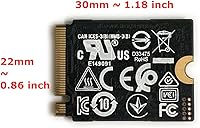
  • Form Factor: M.2 2230 format, meaning the PCB measures 22mm wide and 30mm long — notably shorter than the standard 2280 size.
  • Interface: Connects via NVMe PCIe Gen3 x4, delivering four lanes of third-generation PCI Express bandwidth.
  • Sequential Read: Rated for sequential read speeds up to 3100 MB/s under optimal conditions.
  • Sequential Write: Rated for sequential write speeds up to 2000 MB/s, suitable for most everyday and gaming workloads.
  • Random Read: Random read performance reaches up to 380,000 IOPS, supporting fast application launches and OS responsiveness.
  • Random Write: Random write performance is rated at up to 330,000 IOPS, keeping multitasking fluid under normal use.
  • NAND Type: Uses Samsung TLC (Triple-Level Cell) NAND flash, balancing storage density with reliable endurance for consumer and light business workloads.
  • Dimensions: Physical dimensions measure approximately 1.2 x 0.9 x 0.1 inches, consistent with the compact M.2 2230 standard.
  • Weight: The drive weighs approximately 2.08 oz, adding negligible mass to portable devices.
  • Install Type: Designed as an internal drive; requires opening the host device and inserting into a compatible M.2 2230 NVMe slot.
  • Color: The PCB and controller are finished in black, typical of Samsung's OEM storage lineup.
  • OEM Grade: This is an OEM-designated unit, meaning it ships without retail packaging, bundled software, or a standard Samsung consumer warranty card.
  • Compatible Devices: Confirmed compatible with the Steam Deck, Microsoft Surface Pro (select generations), and ultrabooks from Dell, HP, and Lenovo that use an M.2 2230 NVMe slot.
  • Release Date: First made available on Amazon in July 2022, reflecting its OEM-to-retail transition timeline.

Related Reviews
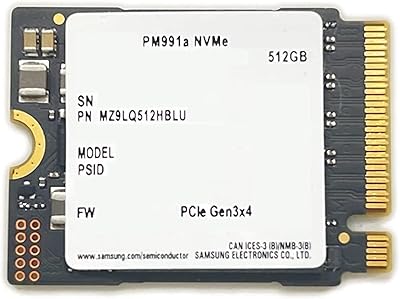
Samsung PM991a 512GB M.2 2230 NVMe SSD
84%
88%
Read Performance
79%
Write Performance
96%
Form Factor Fit
93%
Installation Ease
71%
Thermal Management
More
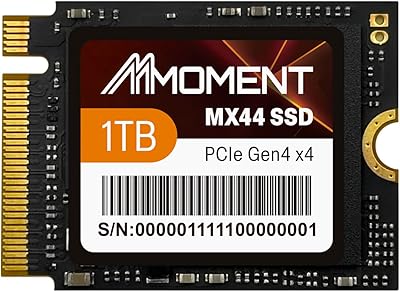
MMOMENT MX44 1TB M.2 2230 NVMe SSD
86%
92%
Performance
89%
Value for Money
95%
Ease of Installation
85%
Build Quality
87%
Durability (Dust/Water/Shock Resistance)
More
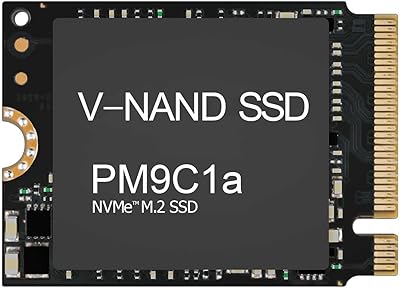
Samsung PM9C1A 512GB M.2 2230 NVMe SSD
87%
94%
Performance
92%
Speed
89%
Value for Money
88%
Ease of Installation
90%
Compatibility
More
KingSpec 1TB M.2 2230 SSD NVMe Gen3x4
87%
94%
Performance
92%
Read Speed
88%
Compatibility with Small Devices
65%
Ease of Installation
89%
Durability (Shock Resistance)
More
fanxiang S630 1TB M.2 2230 NVMe SSD
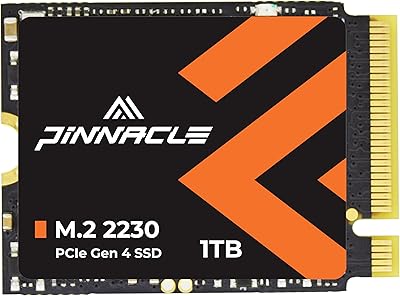
80%
88%
Read Speed Performance
74%
Write Speed Performance
81%
Device Compatibility
79%
Thermal Management
93%
Installation Experience
More
Timetec 1TB M.2 2230 NVMe PCIe Gen4x4 SSD
88%
92%
Performance (Speed)
89%
Value for Money
84%
Ease of Installation
90%
Compatibility with Steam Deck
88%
Compatibility with Surface Pro
More
Dogfish M.2 2230 NVMe PCIe 4.0 1TB SSD
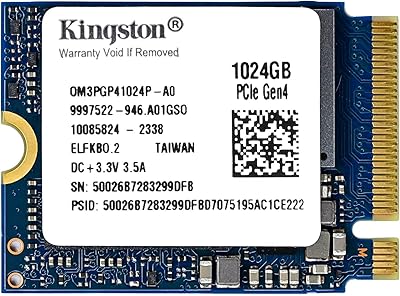
87%
94%
Performance
93%
Read Speed
91%
Write Speed
89%
Compatibility
88%
Ease of Installation
More
Kingston 1TB M.2 2230 PCIe Gen 4.0x4 NVMe SSD
86%
92%
Performance
90%
Read Speed
88%
Write Speed
85%
Installation Ease
91%
Compatibility with Mini PCs
More
Samsung 980 PRO 1TB PCIe 4.0 NVMe M.2 SSD
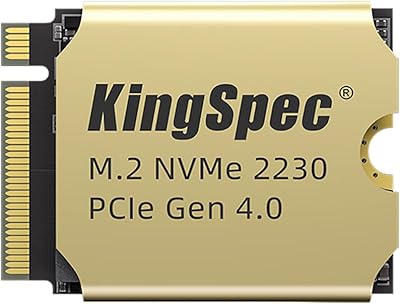
91%
95%
Performance
88%
Thermal Management
90%
Ease of Installation
92%
Value for Money
89%
Durability
More
KingSpec XF-2230 1TB M.2 2230 SSD PCIe 4.0
88%
91%
Performance
85%
Thermal Management
89%
Ease of Installation
92%
Value for Money
87%
Compatibility
More

FAQ

Yes, the Steam Deck uses an M.2 2230 slot, which is exactly what the PM991a is built for. It is one of the most popular 1TB upgrade options for the handheld. You will need a small Phillips screwdriver and should follow iFixit's Steam Deck SSD guide to do the swap safely.

The numbers refer to the physical length of the drive: 2230 is 30mm long, while 2280 is 80mm long. Both are 22mm wide. Most desktop and laptop upgrades use the longer 2280 size, but compact devices like the Steam Deck, Surface Pro, and certain slim ultrabooks require the shorter 2230. Putting a 2280 drive into a 2230 slot is not physically possible without modification, so confirming your slot size before buying is essential.

This is an OEM-grade unit, so it does not come with a Samsung retail warranty card or access to Samsung's standard consumer support line. Some sellers offer their own return or replacement policies, so it is worth checking the specific listing terms carefully before purchasing.

It is compatible with the Surface Pro 8, Surface Pro 9, and Surface Pro X, all of which use an M.2 2230 NVMe slot internally. Surface Pro upgrades are more involved than Steam Deck swaps — the teardown requires more steps and some heat to loosen adhesive — so follow a detailed guide specific to your Surface model before attempting it.

For installation, you typically need a small Phillips or Torx screwdriver depending on your device. No special software is required to get it working, but if you want to clone your existing drive rather than do a fresh OS install, you will need separate cloning software like Macrium Reflect or Clonezilla. Make sure your chosen tool supports NVMe drives before you start.

This depends on the individual seller. OEM drives like this compact NVMe drive are sourced from business laptops, tablets, or original equipment manufacturer stock, so they can be either new old-stock or lightly used pulls. Reading the seller's listing description carefully and checking their ratings will give you the clearest picture of what you are actually getting.

The PM991a sits competitively in the 2230 NVMe space. Samsung's NAND manufacturing reputation generally inspires more confidence than lesser-known alternatives, and the rated speeds are on par with or slightly ahead of comparable Gen3 offerings. If raw performance is your priority and your device supports Gen4, a WD SN740 or similar Gen4 2230 option would outperform this Samsung drive — but those typically cost more and require a compatible slot.

If you are doing a fresh install, most modern systems will detect the drive automatically in the BIOS and during OS setup. If you are cloning an existing drive, you will need to initialize and partition the drive first using Windows Disk Management or a similar tool before it shows up in your file explorer. Neither step is particularly complex, but it catches people off guard if they are not expecting it.

For most users, yes — 1TB is a meaningful upgrade that comfortably holds a rotating library of games alongside SteamOS. AAA titles can run anywhere from 30GB to 100GB each, so you will not fit an unlimited library, but 1TB gives you practical flexibility that the base 64GB or 256GB configurations simply cannot match. Many Steam Deck users find that 1TB covers their needs without constantly shuffling installs.

Because this is an OEM unit rather than a retail product, Samsung's standard consumer warranty process may not cover it. Your best course of action in the event of a failure is to contact the seller directly and lean on any return or replacement guarantee they offer. This is one of the genuine trade-offs of buying OEM-grade hardware, and it is worth factoring into your decision alongside the price.

Where to Buy