Overview

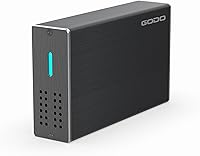
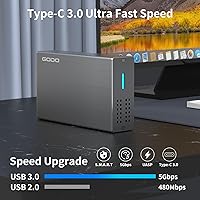
The GODO 2.5″ Dual Bay RAID Enclosure occupies a useful niche: it delivers real RAID functionality at a price point where most buyers expect to compromise. What sets it apart from comparable options is the aluminum alloy shell — a material choice you rarely see here, and one that meaningfully improves heat management over plastic alternatives. Compatibility spans Windows, macOS, and Linux, so it fits into almost any existing desktop or laptop workflow without hunting for drivers. That said, set expectations accordingly: this runs over USB 3.0, not Thunderbolt or USB4, and the real-world throughput reflects that interface's ceiling rather than anything beyond it.

Features & Benefits

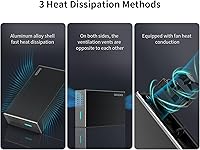
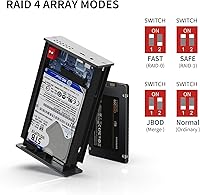
What makes this dual-bay enclosure genuinely convenient is the physical RAID mode switch on the back — no software, no configuration utility, just a toggle between RAID 0, RAID 1, JBOD, and PM mode. UASP support gives it a measurable edge over older BOT-based enclosures in sustained transfer speeds, though throughput in practice stays well below the 6 Gbps interface ceiling. It accepts 7mm and 9.5mm SATA drives up to 8TB each. The cooling setup — aluminum body, honeycomb front venting, and an active fan — is more comprehensive than expected at this tier. Drive installation is tool-free, but note that a separate power cable is required, which matters if portability is part of your plan.

Best For

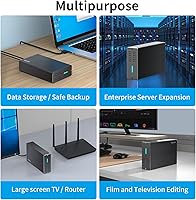
The GODO RAID enclosure works best as a desktop companion — not a replacement for a proper NAS or anything network-accessible. Home users who want to mirror two drives for simple local backup will find RAID 1 easy to enable here without any software setup. Students and creators on tight budgets can stripe two old laptop SSDs together in RAID 0 for faster scratch storage. It also makes practical sense for anyone consolidating a pair of spare 2.5-inch drives that would otherwise sit unused. Just keep in mind that the power cable requirement limits how truly portable this two-drive caddy can be.

User Feedback

Buyers consistently highlight ease of setup — most report drives being detected and a RAID array running within minutes. The physical mode switch earns particular praise from users who have dealt with software-dependent enclosures before. On the critical side, the fan generates a noticeable hum during extended sessions, which some find distracting in quieter environments. Real-world transfer speeds, while solid, fall well short of the 6 Gbps ceiling — par for USB 3.0, but worth knowing upfront. A handful of buyers also report occasional drive detection inconsistencies after power cycling. Overall, most agree that this two-drive caddy overdelivers for its price, particularly given the metal construction.

Pros

  • Physical RAID mode switch requires no software — changing modes takes seconds.
  • Aluminum alloy shell is a genuine rarity at this price point and improves passive heat dissipation.
  • Supports both 7mm and 9.5mm SATA drives, so most spare laptop drives will fit without issue.
  • UASP protocol support delivers noticeably faster sustained transfers than older BOT-based enclosures.
  • Tool-free installation makes swapping drives quick and painless.
  • Hot-swap support means you can change drives without powering down the whole unit.
  • Compatible with Windows, macOS, and Linux out of the box — no driver hunting required.
  • Active fan plus honeycomb venting provides more cooling coverage than most competitors in this tier.
  • JBOD and PM modes add flexibility beyond standard RAID for users who just want combined or independent access.
  • Broad drive capacity support up to 8TB per bay keeps this two-drive caddy useful as drive sizes grow.

Cons

  • Real-world transfer speeds fall well short of the advertised 6 Gbps ceiling under typical conditions.
  • The cooling fan produces an audible hum that can be noticeable in quiet workspaces during long sessions.
  • Requires a separate Micro-USB power cable, which limits portability and adds desk clutter.
  • Some buyers report intermittent drive detection issues after power cycling the unit.
  • No companion software means there is no health monitoring, RAID status alerts, or drive diagnostics.
  • Only supports 2.5-inch SATA drives — incompatible with NVMe or 3.5-inch desktop drives entirely.
  • The Micro-USB power connector is an older standard, which may feel dated compared to USB-C alternatives.
  • Two-bay limit means this the GODO RAID enclosure cannot scale if your storage needs grow beyond two drives.
  • No indicator lights or status display to confirm which RAID mode is currently active at a glance.
  • Long-term reliability data is limited given the relatively recent market entry of this model.

Ratings

Our AI rating system analyzed verified global buyer reviews for the GODO 2.5″ Dual Bay RAID Enclosure, actively filtering out incentivized, bot-generated, and unverified feedback to surface what real users genuinely experience. Scores are calibrated to reflect both the strengths that keep buyers satisfied and the friction points that show up repeatedly across different use cases and regions. Nothing here is averaged into false optimism — if a category has consistent complaints, the score reflects that honestly.

Value for Money
88%
Buyers consistently express surprise at what this two-drive caddy delivers at its price point. The aluminum shell alone sets it apart from plastic competitors in the same tier, and getting four RAID modes without any software overhead feels like a meaningful bonus for budget-conscious home users.
A handful of buyers feel the value calculus shifts if they factor in the cost of purchasing two compatible drives separately. Those who expected portable bus-powered operation were disappointed to find an external power brick is required, which adds to the total setup cost.
Ease of Setup
91%
The physical RAID mode toggle is one of the most praised aspects across user feedback — no driver installation, no utility software, no configuration wizard. Most users report having both drives recognized and a RAID array running within a few minutes of unboxing, even without technical experience.
A small portion of users were caught off guard by the need to reformat drives before the array initializes, which is standard behavior but not clearly communicated upfront. Switching modes after initial setup also requires caution, as it wipes existing data — something a few buyers discovered the hard way.
Build Quality
83%
The aluminum alloy construction genuinely impresses relative to price expectations. Buyers describe it as feeling solid and properly finished, with no flex or hollow plasticky feel. Several users upgrading from cheaper enclosures noted the build quality felt more premium than anticipated.
Some buyers note that the drive bays have a slightly loose tolerance, meaning drives can shift marginally before being fully secured. The Micro-USB power connector also feels like an older design choice that introduces a potential weak point over repeated use compared to a USB-C alternative.
Thermal Management
79%
21%
The combination of the aluminum body, honeycomb front venting, and active fan gives this dual-bay enclosure a more serious cooling setup than most rivals at this price. Users running the enclosure during long transfer sessions or continuous workloads report that it stays warm rather than hot.
The active fan, while effective, does generate an audible hum that several users flagged as distracting in quiet home office environments. A few buyers also noted that the fan speed does not appear to modulate with temperature, running at a constant rate even during light use.
Transfer Performance
67%
33%
UASP support delivers a real improvement over older BOT-based enclosures, and users pairing this with modern SATA SSDs report solid sustained read speeds that handle large file transfers comfortably. For the target use case of local backups or scratch storage, the throughput is more than adequate.
The 6 Gbps ceiling is a USB 3.0 interface limit, and real-world speeds land noticeably below that figure in practice. Users coming from Thunderbolt or USB4 setups found the performance gap significant, and those using mechanical HDDs reported speeds constrained further by the drives themselves.
RAID Mode Flexibility
85%
Having four distinct modes — RAID 0, RAID 1, JBOD, and PM — in a physical toggle at this price is genuinely uncommon. Home users setting up a simple mirrored backup and creators wanting striped scratch storage can both get what they need from the same hardware without any software dependency.
There is no visual indicator confirming which RAID mode is currently active, so users who forget their setting have no quick way to verify without checking the toggle manually. Additionally, switching modes is a destructive operation with no warning prompt, which has caught several users off guard.
Drive Compatibility
86%
Supporting both 7mm and 9.5mm SATA drives means most spare laptop hard drives and SSDs from the past decade will fit without adapters or modification. The enclosure handles SATA I, II, and III standards, so older drives are not left out.
The strict limitation to 2.5-inch SATA formats means NVMe drives and 3.5-inch desktop drives are entirely incompatible, which trips up buyers who did not read specifications carefully. Capacity per bay tops out at 8TB, which may limit longevity as drive sizes continue to increase.
OS Compatibility
89%
Windows, macOS, and Linux support out of the box covers the overwhelming majority of buyer setups. Users switching between operating systems report that the GODO RAID enclosure mounts reliably across platforms without needing separate drivers or configuration on each system.
Linux compatibility depends on running kernel 2.6.38 or higher, which excludes older installations. UASP performance on Linux varies depending on the distribution and kernel build, and a few users reported needing to manually enable UASP support to see speed improvements.
Portability
41%
59%
The unit is compact and reasonably light at under 14 ounces, which makes it easy to move between desk setups or carry in a bag alongside a laptop when traveling between fixed locations.
The mandatory external power cable is a significant portability limiter — this is not a bus-powered device and cannot operate from the USB data connection alone. Users who purchased it expecting to use it on the go without a power outlet were consistently disappointed.
Noise Level
58%
42%
The fan does its job keeping internal temperatures in check, and at typical desk distances the noise is unlikely to be disruptive during active work sessions with background sound or music playing.
In quiet environments — late-night work sessions, small home offices, or bedrooms — the constant fan hum is noticeable and has drawn repeated complaints in user feedback. Unlike some premium enclosures, there is no silent or fanless mode to switch to when noise is a priority.
Long-term Reliability
63%
37%
The majority of buyers who have owned this two-drive caddy for six months or more report it continuing to function without hardware failures. The aluminum shell and active cooling appear to help with sustained operation compared to cheaper enclosed alternatives.
A recurring pattern in critical feedback involves intermittent drive detection failures after power cycling, where one or both drives fail to mount reliably on restart. While not universal, it appears often enough across reviews to represent a genuine concern for users depending on consistent daily access.
Hot-Swap Usability
74%
26%
Hot-swap support means drives can be swapped mid-session without a full power-down cycle, which photographers, video editors, and archivists find genuinely useful for rotating drives during large transfers or multi-project workflows.
Users report mixed results with hot-swap reliability depending on the operating system and drive combination. On some macOS and Linux setups, newly inserted drives required a manual remount or system prompt to be recognized rather than appearing automatically.
Packaging and Included Accessories
72%
28%
The retail package includes the necessary USB 3.0 data cable and Micro-USB power cable, so most buyers can be up and running without purchasing additional cables. The packaging is generally described as adequate and protective.
No USB-C cable or adapter is included, which is an oversight for users with modern laptops that lack USB-A ports. The power cable is also Micro-USB rather than the more universally available USB-C standard, meaning a replacement cable requires a specific connector.

Suitable for:

The GODO 2.5″ Dual Bay RAID Enclosure is a strong fit for home users who want a straightforward, low-maintenance backup solution without the setup overhead of a full NAS device. If you have a couple of spare 2.5-inch laptop drives collecting dust, this two-drive caddy gives them a second life as a mirrored backup unit or a combined storage volume — no technical background required. Students and creators working on a tight budget will appreciate the RAID 0 option for turning two modest SSDs into faster scratch storage for editing or large file transfers. It also suits anyone who needs a desktop-resident storage hub that works across Windows, macOS, and Linux without driver headaches. The plug-and-play setup and physical mode switch make it genuinely accessible to non-technical buyers who just want reliable storage that works.

Not suitable for:

The GODO 2.5″ Dual Bay RAID Enclosure is not the right tool for users who need network-accessible storage, high-speed Thunderbolt throughput, or enterprise-grade reliability monitoring. If your workflow demands sustained transfer speeds beyond what USB 3.0 can realistically deliver, this dual-bay enclosure will bottleneck you — the 6 Gbps figure is an interface ceiling, not a guaranteed real-world result. Users who need to run the enclosure continuously in a quiet environment may find the active cooling fan distracting over long sessions. It is also a poor fit for anyone hoping to use it as a portable, bus-powered drive — the required external power cable anchors it firmly to a desk. Those needing 3.5-inch desktop drives, more than two bays, or advanced RAID management features should look at proper NAS enclosures instead.

Specifications

  • Drive Bays: This enclosure accommodates exactly two 2.5-inch SATA drives simultaneously, with no support for 3.5-inch or NVMe formats.
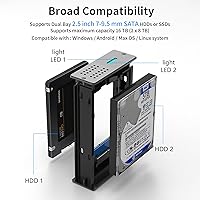
  • Drive Compatibility: Supports SATA I, II, and III hard drives and SSDs in both 7mm and 9.5mm thicknesses.
  • Max Capacity: Each bay supports drives up to 8TB, giving a combined maximum capacity of 16TB across both bays.
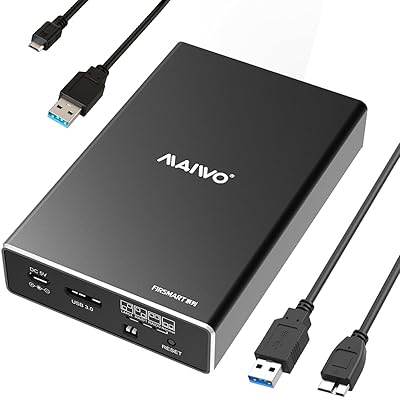
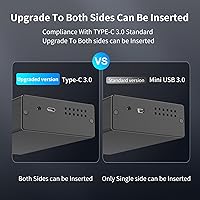
  • Host Interface: Connects to a host computer via USB 3.0 using a Micro-USB connector; a USB 3.0 Type-A to Micro-USB cable is included.
  • Transfer Protocol: Supports UASP (USB Attached SCSI Protocol) and TRIM, enabling faster sustained read and write speeds than standard BOT connections.
  • RAID Modes: Offers four selectable modes via a physical rear toggle: RAID 0 (striping), RAID 1 (mirroring), JBOD (spanning), and PM (independent access).
  • Shell Material: The outer enclosure is constructed from aluminum alloy, which aids passive heat dissipation and provides a more durable build than typical plastic alternatives.
  • Cooling System: Uses a three-part thermal design combining the aluminum shell, a honeycomb-vented front panel, and an active internal cooling fan.
  • Power Requirement: Requires a dedicated external power source via the included Micro-USB power cable; it is not bus-powered through the data connection alone.
  • OS Compatibility: Compatible with Windows 7, 8.1, and 10; macOS X 10.6 and above; and Linux Ubuntu 10 with kernel 2.6.38 or higher.
  • Installation: Drives are installed tool-free, and the unit supports hot-swapping, meaning drives can be inserted or removed without powering down the enclosure.
  • Package Dimensions: The retail package measures 7.52 x 5.59 x 2.72 inches, making it compact enough for most desktop setups.
  • Unit Weight: The enclosure weighs 13.7 ounces (approximately 0.39 kg), which is relatively lightweight for an aluminum dual-bay unit.
  • Manufacturer: Designed and produced by Dongguan Gangda Electronics Co., Ltd, based in China.
  • Model Identifier: The official model designation is listed as 2.5 Dual Bay RAID Enclosure, with ASIN B0BYZF4G8H on Amazon.
  • Market Release: This product was first made available for purchase in March 2023.

Related Reviews
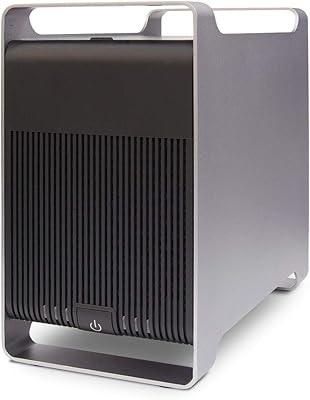
Syba 5 Bay 2.5″/3.5″ SATA HDD External RAID Enclosure SY-ENC50122
85%
87%
Performance
91%
Ease of Use
89%
Build Quality
85%
Data Transfer Speed
90%
RAID Flexibility
More
ICY DOCK ToughArmor MB998SP-B 8-Bay 2.5” SATA/SAS HDD/SSD Mobile Rack Enclosure for 5.25″ Bay
87%
91%
Performance
88%
Cooling Efficiency
89%
Build Quality
93%
Ease of Installation
72%
Noise Level
More
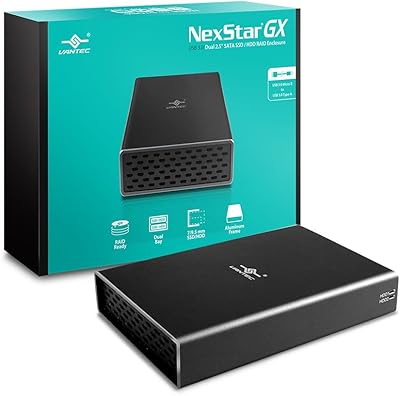
Vantec Nexstar GX USB 3.0 Dual 2.5″ SATA SSD/HDD RAID Enclosure
84%
88%
Performance
92%
Build Quality
78%
Ease of Setup
90%
Transfer Speed
85%
RAID Functionality
More
IO CREST SY-ENC50127 USB 3.2 Type-C Dual Bay HDD + M.2 NVMe External Enclosure
83%
88%
Performance
93%
Ease of Setup
91%
Build Quality
87%
Data Transfer Speed
90%
Cooling/Heat Management
More
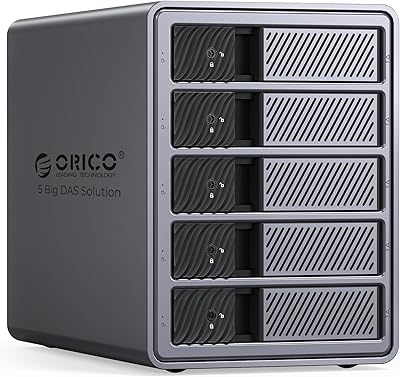
ORICO 9858RU3 5-Bay RAID HDD Enclosure
75%
88%
Build Quality
84%
Ease of Setup
81%
RAID Mode Flexibility
67%
Transfer Speed
74%
Thermal Management
More
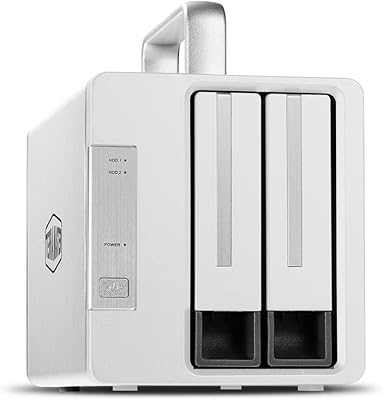
TERRAMASTER TD2 Thunderbolt 3 2-Bay RAID Enclosure
86%
91%
Performance
95%
Data Transfer Speed
88%
RAID Configuration Flexibility
89%
Build Quality
65%
Noise Level
More
MAIWO K25272 Dual Bay Hard Drive RAID Enclosure 16TB
84%
89%
Performance
88%
Build Quality
92%
Ease of Setup
87%
Data Transfer Speed
85%
Compatibility
More
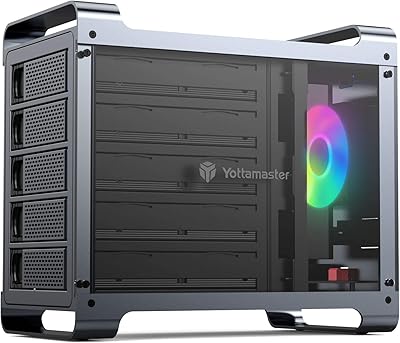
Yottamaster DF5RU3 5-Bay RAID Hard Drive Enclosure, 90TB Capacity
85%
94%
Storage Capacity
90%
RAID Flexibility
85%
Cooling Efficiency
88%
Build Quality
91%
Ease of Setup
More
Vantec NexStar JX 3.5″ HDD Enclosure

76%
93%
Ease of Setup
78%
Transfer Speed — USB
86%
Transfer Speed — eSATA
74%
Thermal Management
67%
Build Quality
More
WAVLINK Dual-Bay NVMe M.2 SSD Cloner
75%
83%
Offline Cloning Reliability
78%
Transfer Speed
71%
Compatibility Range
76%
Build Quality
86%
Ease of Setup
More

FAQ

No software is required at all. The GODO 2.5″ Dual Bay RAID Enclosure uses a physical toggle switch on the back panel to cycle between RAID 0, RAID 1, JBOD, and PM modes. Just set the mode before powering on the unit with drives installed, and your operating system will recognize the configuration automatically.

You can use drives from different brands without any issue. However, in RAID 1 (mirroring) mode, the usable capacity is limited to the smaller of the two drives, so mismatched sizes will waste space on the larger one. For RAID 0 or JBOD, mixed sizes work more efficiently.

Yes, this dual-bay enclosure is compatible with macOS X 10.6 and later, which covers the vast majority of Macs in use today. Just plug it into a USB 3.0 or USB-A port and it should mount without any driver installation. If your Mac only has USB-C ports, you will need a USB-A to USB-C adapter, which is not included.

It requires its own power source. A Micro-USB power cable is included in the box, but you will need to plug it into a wall adapter or USB charger separately. This means it is not suitable for truly portable use — it needs to be near a power outlet to function.

The fan is audible, particularly in a quiet room. Most users describe it as a low, constant hum rather than an aggressive whir, but if you are sensitive to background noise or plan to keep it on a desk next to your workstation for hours at a time, it is worth factoring in. It is not silent-operation hardware.

Switching RAID modes with data already on the drives is risky and generally not recommended. Changing the RAID configuration typically triggers a reformat or rebuild process that will erase existing data. Always back up your data before changing modes, and treat a mode change as essentially starting fresh.

No, this two-drive caddy is designed exclusively for 2.5-inch SATA drives. NVMe drives use a different interface and form factor entirely, and they are not compatible with this unit regardless of their physical size.

The 6 Gbps figure refers to the USB 3.0 interface ceiling, not what you will see in practice. Realistic sustained speeds with SATA SSDs typically land somewhere in the 300–400 MB/s range under good conditions, and lower with mechanical HDDs. UASP support does help compared to older enclosures, but do not expect Thunderbolt-level performance.

It is compatible with Linux Ubuntu 10 running kernel 2.6.38 or higher, which covers most modern distributions. In most cases it will be recognized as a standard USB storage device with no extra configuration needed. UASP support on Linux may vary by kernel version and system configuration.

No, this is a direct-attached storage device that connects only to a single host computer via USB. It has no network interface, Wi-Fi, or Ethernet capability, so it cannot function as shared network storage. If you need network access from multiple devices, a proper NAS enclosure would be the right tool for that job.