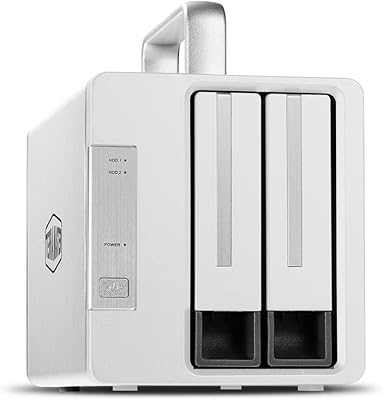
TerraMaster F4-212 4-Bay NAS Enclosure
Overview
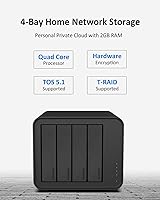
The TerraMaster F4-212 4-Bay NAS Enclosure sits squarely in the entry-level segment, targeting home users and small offices who want centralized storage without a steep investment. At its core is an ARM v8 quad-core 1.7GHz processor paired with 2GB DDR4 RAM — enough for everyday file serving, though that memory is fixed and cannot be expanded later. The operating system, TOS 5.1, has matured considerably and offers a friendly setup experience for newcomers. Keep in mind this 4-bay enclosure ships diskless, so budgeting for drives is part of the total cost. Against comparable Synology or QNAP options, it competes on price but makes some hardware trade-offs worth knowing about upfront.
Features & Benefits
The F4-212 holds up reasonably well as a home media server — its 4K hardware decoding combined with uPnP/DLNA support lets you stream locally stored video to smart TVs and media players without leaning on sluggish software transcoding. File protocol support is broad: SMB for Windows shares, AFP for older Macs, NFS for Linux, plus iSCSI and WebDAV for more advanced setups. RAID coverage is solid, spanning RAID 0, 1, 5, 6, and 10, plus TerraMaster's own TRAID mode that makes expanding storage more forgiving. Backup options include CloudSync and several proprietary tools. The single 1GbE port and absence of an M.2 cache slot are genuine limitations if throughput is a priority.
Best For
This TerraMaster NAS makes the most sense for people who want a tidy home storage hub — think family photo libraries, video collections, or automatic PC backups — without wading into enterprise-grade complexity. Cord-cutters looking for a local DLNA media hub rather than relying on subscription streaming will find it capable enough. It also suits freelancers or small teams sharing files across Windows and Mac machines on a daily basis. For a first-time NAS buyer, the guided default setup mode removes most of the initial configuration guesswork. Just plan to pair it with quality NAS-rated drives and go in with clear expectations about the hardware ceiling.
User Feedback
Buyers tend to land in fairly divided camps with this 4-bay enclosure. On the positive side, easy initial setup and solid value for the price tier come up repeatedly — most casual users get it running quickly and are satisfied with basic file sharing and backup duties. Where sentiment sours is around the software and hardware ceiling: TOS has improved but still trails Synology DSM in app ecosystem depth. The non-upgradeable RAM becomes a real frustration for users expecting to run Docker or juggle multiple apps at once. A handful of reviewers also flag the single Ethernet port as a bottleneck when multiple users access the device simultaneously. Capable for modest needs, constrained beyond them.
Pros
- Broad file protocol support — SMB, NFS, AFP, FTP, iSCSI — covers virtually every home and small office OS combination.
- 4K hardware decoding makes local media streaming to DLNA-enabled TVs genuinely reliable under normal single-stream conditions.
- TRAID mode simplifies storage expansion by allowing mixed drive sizes without a full array rebuild.
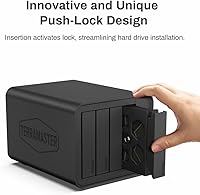
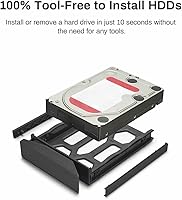
- Push-lock drive trays make swapping or adding drives straightforward without needing any tools.
- Multiple backup integrations, including CloudSync and Duple Backup, cover both local and cloud backup scenarios adequately.
- TOS 5.1 default mode configures everything optimally on first boot — ideal for users who just want it to work.
- Supports drives up to 22TB per bay, giving the enclosure respectable raw capacity headroom as drive sizes grow.
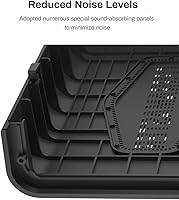
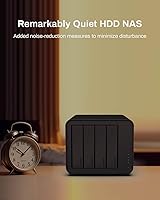
- Quiet and energy-efficient during light workloads, making it comfortable to run 24/7 in a home office or living space.
- Cross-platform file sharing works reliably out of the box for mixed Windows and macOS households.
Cons
- The 2GB RAM cannot be upgraded — ever — which puts a hard cap on how many apps and services can run concurrently.
- TOS app ecosystem lags noticeably behind Synology DSM and QNAP QTS for third-party software depth.
- A single 1GbE port limits multi-user throughput and rules out link aggregation entirely.
- No M.2 SSD cache slot means there is no way to accelerate read-heavy or mixed workloads down the line.
- The plastic chassis feels less premium than metal-bodied alternatives at a similar price point.
- Simultaneous heavy tasks — a background backup, active transfers, and media indexing — cause noticeable slowdowns.
- Ships diskless, so the true cost of ownership is higher than the enclosure price alone suggests.
- Official support documentation thins out quickly beyond the basic setup guides, pushing users toward community forums.
- Multi-stream 4K Plex transcoding pushes the ARM processor and limited RAM to uncomfortable limits.
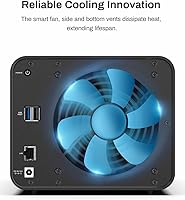
- Fan noise under load is audible enough to be distracting in quiet rooms, particularly during overnight backup jobs.
Ratings
The TerraMaster F4-212 4-Bay NAS Enclosure has been evaluated by our AI rating system after analyzing thousands of verified global user reviews, with spam, bot-generated, and incentivized feedback actively filtered out. The scores below reflect a balanced picture — genuine strengths alongside real frustrations that honest buyers report. Where this enclosure earns trust and where it falls short are both represented here without sugarcoating.
Value for Money
Setup & Initial Configuration
Software & OS Experience
Performance & Responsiveness
RAM & Expandability
Build Quality & Design
Drive Compatibility
Networking & Connectivity
Backup Capabilities
Media Server Capability
RAID & Storage Management
Noise & Power Efficiency
Cross-Platform File Sharing
Documentation & Support
Suitable for:
The TerraMaster F4-212 4-Bay NAS Enclosure is a practical fit for home users who want a single place to store family photos, video libraries, and documents — accessible from any device on the network without relying on cloud subscriptions. If your household runs a mix of Windows and Mac machines, the broad file protocol support means everyone connects without friction. Cord-cutters who want a local DLNA media hub for streaming to smart TVs will find the 4K hardware decoding genuinely useful at this price tier. It also suits freelancers or small teams of two or three people who need shared folder access and automatic backups but have no interest in managing enterprise-grade infrastructure. First-time NAS buyers in particular benefit from the guided default setup, which removes most of the initial configuration anxiety that keeps people on external hard drives longer than they should be.
Not suitable for:
Buyers with ambitions beyond basic file serving and media streaming should think carefully before committing to the TerraMaster F4-212 4-Bay NAS Enclosure. The 2GB of RAM is fixed — there is no upgrade path — and that ceiling becomes a real obstacle the moment you want to run Docker containers, host virtual machines, or stack multiple applications simultaneously. Small offices with more than two or three concurrent users will likely run into network throughput frustrations, since the single 1GbE port has no link aggregation option and no 2.5GbE alternative. Anyone accustomed to Synology DSM or QNAP QTS will find TOS 5.1 functional but noticeably thinner in terms of third-party app support and overall ecosystem maturity. If your storage plans involve heavy Plex transcoding for multiple simultaneous streams, or if you expect this device to grow with increasingly complex workloads over several years, the hardware constraints will likely push you toward a more capable platform sooner than expected.
Specifications
- Processor: Powered by an ARM v8 quad-core CPU running at 1.7GHz, providing enough headroom for file serving, media decoding, and light multi-tasking in home and SOHO environments.
- RAM: Comes with 2GB DDR4 memory soldered to the board; this is not upgradeable under any circumstance, which directly caps how many simultaneous apps and services the device can run.
- Drive Bays: Features 4 independent drive bays, each supporting 3.5″ SATA HDDs, 2.5″ SATA HDDs, or 2.5″ SATA SSDs with a maximum individual drive capacity of 22TB.
- Max Raw Capacity: Supports up to 88TB of raw storage in RAID 0 configuration using four 22TB drives, though usable capacity will vary significantly depending on the chosen RAID mode.
- RAID Support: Compatible with RAID 0, 1, 5, 6, 10, Single disk mode, and TerraMaster's proprietary TRAID mode, which allows flexible drive mixing and incremental storage expansion.
- Network Port: Equipped with a single RJ-45 1GbE LAN port; there is no 2.5GbE option and no support for link aggregation, making this a single-path gigabit connection only.
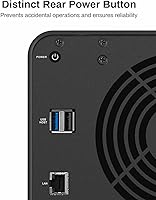
- USB Ports: Includes one USB 3.0 port and one USB 2.0 port for connecting external drives, USB printers, or UPS devices directly to the enclosure.
- M.2 SSD Slot: No M.2 SSD slot is present on this model, meaning SSD caching to accelerate read or write performance is not available as an upgrade option.
- 4K Decoding: Supports hardware-level 4K video decoding, reducing CPU load when serving high-resolution video content to compatible players and displays on the local network.
- Media Protocols: Compatible with uPnP and DLNA protocols, enabling direct streaming to smart TVs, media players, and other DLNA-certified devices without additional configuration.
- File Protocols: Supports SMB, NFS, FTP, SFTP, AFP, iSCSI, and WebDAV, covering cross-platform file access for Windows, macOS, and Linux clients simultaneously.
- Operating System: Runs TOS 5.1 (TerraMaster Operating System), a Linux-based NAS OS with a web-based management interface and a default home mode for simplified first-time setup.
- Backup Software: Includes integrated support for Duple Backup, TSSS, TFM Backup, and CloudSync, covering local-to-local, local-to-remote, and cloud backup workflows.
- Power Consumption: Draws approximately 35W during active operation and drops to around 14W in drive hibernation mode, making it reasonable for always-on home deployment.
- Dimensions: The enclosure measures 8.74″ deep by 7.05″ wide by 6.06″ tall, giving it a compact footprint suitable for a desk, shelf, or home office closet.
- Weight: Weighs approximately 4.6 lbs without drives installed, keeping it light enough to reposition easily but stable enough for stationary home use.
- Chassis Material: Constructed primarily from plastic, which keeps weight and cost down but provides less thermal mass and physical rigidity than aluminum or steel alternatives.
- Drive Trays: Uses push-lock drive trays that allow drives to be inserted and secured without tools, simplifying initial installation and future drive swaps.
- Diskless Design: Ships without any hard drives or SSDs included; buyers must source and purchase compatible drives separately before the unit becomes operational.
- Backup Integrations: CloudSync supports connections to major cloud providers including Google Drive, Dropbox, and Amazon S3, enabling hybrid local-plus-cloud backup strategies from within TOS.
Related Reviews

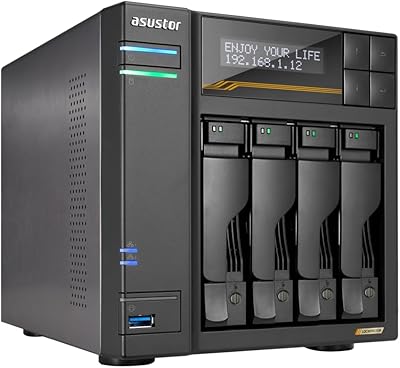
Asustor Lockerstor 4 Gen3 AS6804T NAS

Asustor Drivestor 4 Pro AS3304T 4-Bay NAS
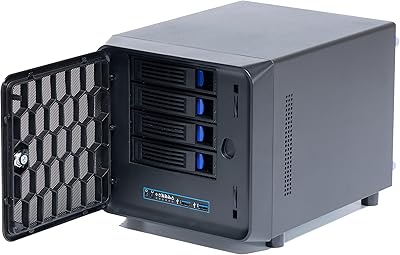
KCMconmey NAS-411 4+1 Bay DIY NAS Case
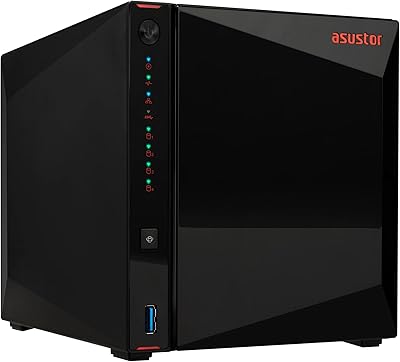
Asustor AS5404T 4-Bay NAS Enclosure
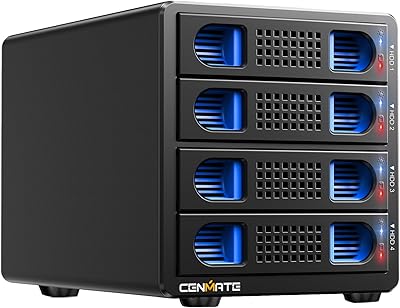
Cenmate 4-Bay RAID Enclosure 80TB
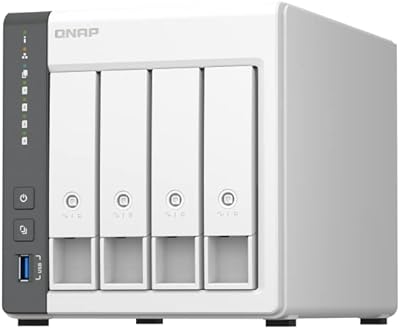
QNAP TS-433-4G 4-Bay NAS
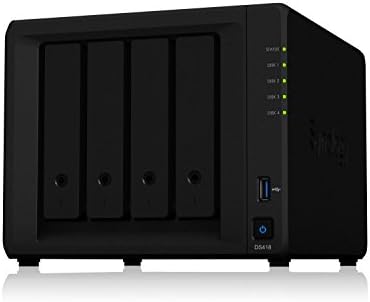
Synology DS418 4-Bay NAS Enclosure
BUFFALO TeraStation Essentials 8TB 4-Bay NAS