Overview

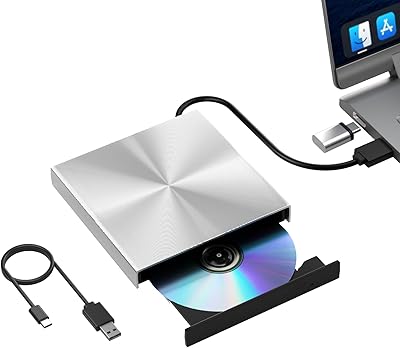
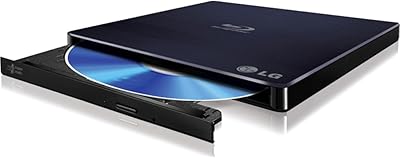
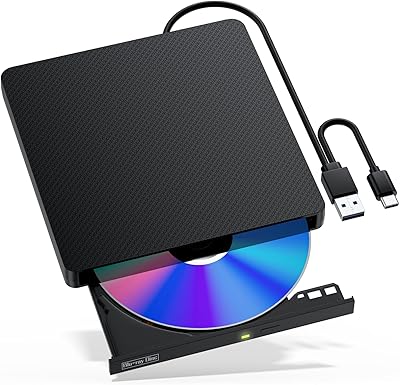
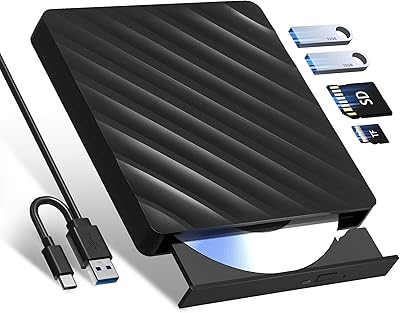
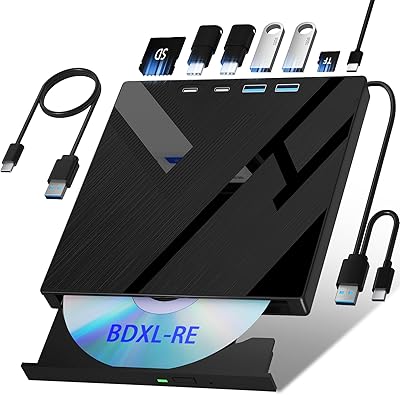
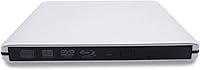
The Tengertang gasrqy-832 External Blu-ray Drive enters a crowded market as a slim, bus-powered optical drive aimed at laptop and ultrabook users who simply don't have a disc slot built in. It handles the full spectrum — Blu-ray read and write, 3D Blu-ray playback, DVD, and CD — which is a reasonable feature set for its price tier. The aluminum alloy shell gives it a more premium feel than all-plastic options at lower price points. No external power brick is required; it runs entirely off USB. For a lesser-known brand, it has maintained a foothold in the top 60 of its Amazon subcategory since launching in early 2019.
Features & Benefits

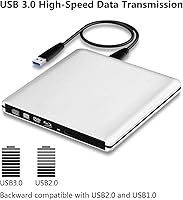
Plug this Blu-ray burner into any USB port and it just works — no driver installation, no setup headaches. The USB 3.0 connection handles data at a solid clip and stays backward compatible with older USB 2.0 and 1.0 ports, so it won't bottleneck on aging hardware. CD burns top out at 16x, while Blu-ray write speeds range from 2x to 8x depending on the disc format. The slim aluminum shell — just 0.55 inches thick — dissipates heat passively and holds up better than all-plastic competition. One honest caveat: the 120-day warranty is roughly a quarter of what most established optical drive brands offer, which is worth factoring into your decision.

Best For

The tengertang drive makes the most sense for MacBook or ultrabook owners who pull out a disc drive a handful of times a year rather than weekly. It's also a reasonable pick for anyone archiving a physical Blu-ray collection on a tighter budget. Frequent travelers will appreciate the compact footprint — it genuinely fits in a slim bag without adding bulk. That said, if you plan to burn large volumes of Blu-ray discs regularly, the inconsistent write reliability and short warranty make a name-brand drive a smarter long-term investment. Also critical to know upfront: Blu-ray playback software is not included and must be purchased separately before you can watch any disc.

User Feedback

With a 3.4 out of 5 rating across 56 reviews, this external optical drive sits below the threshold most buyers consider reliable. The picture isn't entirely negative, though. Reviewers who use it occasionally for disc reading generally report that plug-and-play setup works as advertised on Windows, and the slim build earns consistent praise. The trouble starts with heavier use: a notable share of buyers flag unreliable Blu-ray burns and compatibility gaps on newer macOS versions. A few owners also noted performance degradation after several months of regular use. It can hold its own for light, infrequent tasks — but users expecting workhorse durability will likely come away disappointed.

Pros

  • Truly plug-and-play — no driver installation needed on Windows, Linux, or Mac.
  • Runs entirely off USB bus power, so there is no separate power adapter to carry.
  • Handles Blu-ray, DVD, and CD in a single portable unit.
  • The aluminum alloy shell feels noticeably more durable than plastic drives in this price range.
  • At just 0.55 inches thick, it fits easily in a slim laptop bag without adding bulk.
  • USB 3.0 with backward compatibility means it works on older machines without a speed penalty.
  • 3D Blu-ray playback capability is included, a feature not common at this price tier.
  • Solid choice for casual disc reading and occasional ripping tasks on a budget.

Cons

  • Blu-ray burn reliability has been flagged by multiple buyers as inconsistent, especially under regular use.
  • The 120-day warranty is well below the one-year standard most competing drives provide.
  • No Blu-ray playback software included — buyers must purchase a compatible player separately before watching any disc.
  • Newer macOS versions have reported compatibility issues, making it a risky pick for Mac-first users.
  • Cannot be used to install Apple operating systems, a point the listing buries in a small note.
  • Several owners report noticeable performance degradation after a few months of consistent use.
  • With only 56 reviews and a 3.4 out of 5 rating, the reliability track record is not reassuring.
  • The tengertang brand has limited customer support visibility, which compounds the short warranty concern.

Ratings

The scores below for the Tengertang gasrqy-832 External Blu-ray Drive were generated by our AI system after analyzing verified buyer reviews from multiple global markets, with spam, bot-generated feedback, and incentivized reviews actively filtered out. The results reflect a balanced picture — where this drive genuinely holds its own and where real-world buyers ran into frustration. No score has been softened to flatter the product.
Ease of Setup
83%
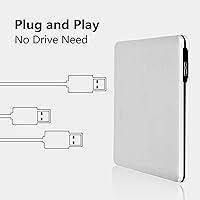
Buyers consistently praise how fast this external optical drive is up and running — plug it in and Windows or Linux recognizes it immediately, no driver disc required. For someone who just needs to read a disc quickly on a work trip, that zero-friction setup genuinely matters.
A handful of Mac users reported the drive failing to mount on newer macOS versions, which undermines the plug-and-play promise for that audience. The experience is not as universal as the listing implies.
Blu-ray Read Reliability
67%
33%
For standard Blu-ray disc reading — ripping a movie, accessing archived data — the tengertang drive handles occasional tasks adequately. Users who insert a disc once or twice a week generally report clean reads without coaxing.
Reliability becomes less consistent when discs are older, scratched, or higher-capacity. Some buyers noted read errors that required multiple retries, which is frustrating when you are in the middle of a workflow and not just casually browsing a disc.
Blu-ray Burn Reliability
51%
49%
For light archiving tasks — burning a single BD-R every few weeks — some users reported acceptable results at lower write speeds like 2x or 4x, with finished discs verifying correctly.
This is where the drive draws the most criticism. A notable share of reviewers experienced failed burns, coasters, or discs that other players could not read back. High-volume Blu-ray authoring on this hardware is genuinely risky, and the inconsistency appears tied to both disc brand and write speed.
Build Quality
74%
26%
The aluminum alloy shell sets this drive apart from cheaper all-plastic competitors and gives it a noticeably more solid feel in hand. Travelers who toss it into a bag daily reported it holds up without developing flex or rattles over time.
The hinge and tray mechanism feels less refined than the exterior shell suggests — a few buyers noted the tray feels slightly loose after extended use. The premium look does not fully translate to premium internal construction.
Portability
88%
At just 0.55 inches thin and 12 oz, this is one of the slimmer Blu-ray drives available at this price point. Laptop bag users consistently called out how easily it disappears into a sleeve alongside a MacBook or ultrabook.
The USB cable is not retractable and there is no included storage pouch, so managing the cable on the go adds a minor but real inconvenience during travel.
macOS Compatibility
43%
57%
Under macOS versions from the mid-2010s, some buyers reported basic disc reading working without issues, and the physical connection to MacBook hardware via USB-A or a hub adapter is straightforward.
Newer macOS builds present real problems — compatibility gaps and mounting failures are documented by multiple reviewers. The drive also cannot be used to reinstall or upgrade macOS, which is a hard limit that catches some buyers off guard after purchase.
Windows Compatibility
81%
19%
On Windows 7 through 10, the drive performs at its most reliable. Driver-free recognition, stable disc reading, and consistent CD burning make it a reasonable option for Windows-based home users.
Windows 11 support is not officially listed, and a small number of users reported sporadic recognition issues even on Windows 10 depending on USB controller hardware. Not a dealbreaker, but worth checking your setup first.
3D Blu-ray Playback
58%
42%
The hardware does support 3D Blu-ray disc reading, which is genuinely uncommon at this price level and gives it a feature edge over most budget optical drives.
The catch is significant — no playback software is included, and not all third-party Blu-ray players handle 3D content well. Buyers expecting to watch 3D films out of the box will be disappointed, and the additional software cost needs to be factored into the total price.
Value for Money
62%
38%
If you need Blu-ray capability on a tight budget and plan to use it lightly, the feature set covers the basics without requiring a jump to a much pricier name-brand unit. For occasional disc tasks, the math can work out.
Once you add the cost of Blu-ray playback software and account for the short 120-day warranty, the value proposition weakens. A slightly higher spend on a more established brand would likely deliver better long-term reliability and peace of mind.
CD & DVD Performance
77%
23%
CD and DVD reading and burning is where this drive performs most consistently. Burning a data DVD or ripping an old music CD generally goes smoothly, and the 16x CD write speed is standard for the category.
Nothing exceptional stands out here either — it does the job, but so do cheaper DVD-only alternatives. If Blu-ray is not a requirement, there are more reliable options at a lower price.
Long-term Durability
48%
52%
Some buyers reported the drive working without issues for well over six months when used infrequently, suggesting that light use extends its lifespan meaningfully.
A recurring pattern in negative reviews is performance degradation after a few months of regular use — slower reads, missed burns, and eventual failure. For a device in this price range, that kind of early wear is a red flag for anyone planning more than casual use.
Warranty & Support
39%
61%
The manufacturer does offer a warranty and has a customer service channel through Amazon, which at least provides some recourse if the drive arrives defective or fails early in use.
At just 120 days, the warranty is roughly one-third of the one-year coverage offered by most competing brands. The brand also lacks the established support infrastructure of larger names, making post-purchase assistance uncertain if problems arise after the coverage window closes.
Noise & Heat
71%
29%
During normal disc reading, the drive runs quietly enough that most users did not flag it as an issue. The aluminum shell helps with passive heat management during short sessions.
Under extended burn sessions, audible disc spin noise increases and the shell warms up noticeably. It stays within acceptable limits for occasional use, but prolonged authoring sessions would likely become irritating in a quiet workspace.
Packaging & Accessories
53%
47%
The drive arrives in reasonable protective packaging and includes a USB cable, so it is ready to connect without any additional purchases on the hardware side.
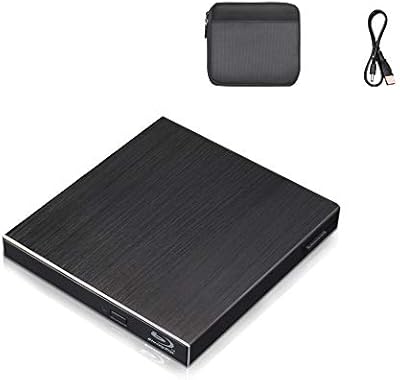
No carrying pouch, no software disc, and no documentation beyond the basics. For a product that markets itself as portable, the absence of even a basic sleeve feels like a missed opportunity and adds an extra purchase for travelers who want to protect it.

Suitable for:

The Tengertang gasrqy-832 External Blu-ray Drive is a practical fit for MacBook and ultrabook owners who need occasional access to Blu-ray, DVD, or CD media without carrying around a bulky peripheral. If you find yourself ripping a disc a few times a month, archiving a personal Blu-ray collection, or burning the occasional data backup, this external optical drive covers that use case at a reasonable price. Travelers will appreciate that it runs entirely off USB power — no wall adapter to pack — and the slim aluminum shell slides into a bag without complaint. It also suits buyers who already have Blu-ray playback software licensed and simply need a hardware connection to use it. For light, infrequent disc work on a Windows or Linux machine, the tengertang drive is a functional and affordable option.
Not suitable for:

The Tengertang gasrqy-832 External Blu-ray Drive is not the right tool for anyone who needs dependable, high-volume Blu-ray burning on a regular basis. Real-world reviews point to inconsistent write reliability under heavier workloads, which is a meaningful risk if you are authoring discs professionally or backing up large libraries. Mac users should also go in with clear expectations: while it connects to macOS, it cannot be used to install Apple operating systems, and several buyers have reported compatibility gaps with newer macOS versions. The 120-day warranty — roughly a third of what most established brands offer — adds financial risk if the drive develops a fault after the first few months. And if you are counting on watching Blu-ray movies right out of the box, know that no playback software is included; you will need to purchase a compatible third-party player separately before you can watch anything.
Specifications

  • Brand: Manufactured by tengertang under model number gasrqy-832.
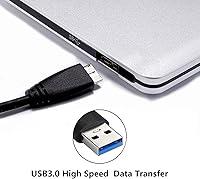
  • Interface: Connects via USB 3.0 and is fully backward compatible with USB 2.0 and USB 1.0 ports.
  • Disc Support: Reads and writes Blu-ray, DVD, and CD formats, including 3D Blu-ray playback.
  • BD Write Speed: Blu-ray write speeds vary by disc type, supporting 2x, 2.4x, 4x, 5x, 6x, and 8x rates.
  • BD Read Speed: Blu-ray discs are read at a maximum speed of 8x.
  • CD Write Speed: CDs can be burned at a maximum speed of 16x.
  • Dimensions: The unit measures 5.87 x 5.63 x 0.55 inches, making it one of the slimmer options in its category.
  • Weight: The drive weighs 12 oz, light enough for daily bag carry without noticeable burden.
  • Shell Material: The outer casing is constructed from aluminum alloy, providing passive heat dissipation and improved durability over plastic alternatives.
  • Color: Available in silver finish.
  • Power Source: Fully bus-powered over USB; no external power adapter or wall outlet is required.
  • Driver Required: No driver installation is needed; the drive is recognized automatically by compatible operating systems upon connection.
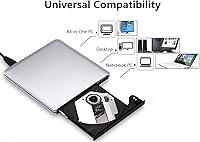
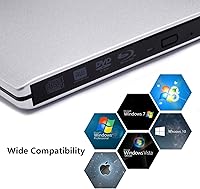
  • OS Compatibility: Supports Windows XP, Vista, 7, 8.1, and 10, as well as Linux and Mac OS X 10.0 and later versions.
  • macOS Limit: The drive cannot be used to install or reinstall Apple operating systems, despite being physically compatible with Mac hardware.
  • 3D Playback: 3D Blu-ray playback is supported, but requires a compatible third-party software player purchased separately.
  • Warranty: Covered by a 120-day manufacturer warranty, which is shorter than the one-year standard common among competing brands.
  • Availability: First listed in January 2019 and has not been discontinued by the manufacturer as of the latest available data.

Related Reviews

Wintale Portable External Blu-ray Drive
72%
91%
Ease of Setup
72%
Read Performance
69%
Write & Burn Reliability
44%
Software & Out-of-Box Readiness
61%
Build Quality
More
NOLYTH Portable External Blu-ray Drive
71%
91%
Portability & Form Factor
88%
Plug-and-Play Setup
44%
Blu-ray Playback Software Experience
71%
Disc Read & Write Performance
67%
Build Quality & Materials
More
Yaeonku 50GB External Blu-ray Drive
70%
86%
Plug-and-Play Setup
78%
Blu-ray Read & Burn Performance
89%
Dual-Interface Connectivity
41%
Software & Playback Experience
83%
Compatibility Across Operating Systems
More
LG WP50NB40 External Blu-ray Writer
78%
93%
Portability & Form Factor
91%
Bus-Powered Convenience
89%
Plug-and-Play Setup
86%
Burn Quality & Reliability
78%
Blu-ray Playback Performance
More
VSVABEFV External USB Blu-Ray Drive
82%
93%
Ease of Use
90%
Portability
65%
Write Speed
78%
Software Compatibility
88%
Compatibility with Operating Systems
More
NVOPERANG BD015 External Blu-ray Drive
72%
78%
Plug-and-Play Ease
61%
Blu-ray Playback Experience
84%
CD & DVD Performance
67%
Build Quality & Durability
81%
Connectivity & Compatibility
More
Alphami USB-C External Blu-ray Drive
65%
78%
Ease of Setup
67%
Blu-ray Playback Quality
59%
Compatibility
54%
Portability
56%
Build Quality
More
Cloudtale Portable Slim External Blu-ray Drive
71%
91%
Ease of Setup
61%
Mac Compatibility
78%
Build Quality
74%
Read Performance
88%
Portability
More
BPAKDU B21-Y External Blu-ray Drive
71%
71%
Disc Read Reliability
58%
Blu-ray Playback Experience
62%
Mac Compatibility
88%
Integrated USB Hub & Card Slots
74%
Portability & Form Factor
More
Wbacon 5-in-1 External Blu-ray Drive
66%
88%
Ease of Setup
54%
Disc Read Reliability
51%
Blu-ray Playback Experience
73%
DVD & CD Burning
18%
Blu-ray Disc Burning
More

FAQ

No, the tengertang drive is plug-and-play. Just connect it to a USB port and your operating system should recognize it automatically, whether you are on Windows, Linux, or Mac. No driver disc or manual installation is required.

Not immediately. While the hardware supports Blu-ray playback, no playback software is included in the package. You will need to purchase and install a compatible third-party Blu-ray player application separately before you can watch any movie disc. This surprises a lot of buyers, so it is worth budgeting for that extra software cost upfront.

It will connect to a MacBook and can read and write discs, but there are some real limits to be aware of. It does not work with newer macOS versions reliably, and it absolutely cannot be used to install or reinstall macOS. If your workflow involves heavy disc use on a Mac, the compatibility gaps reported by buyers make this a higher-risk choice.

No power adapter is needed. The Tengertang gasrqy-832 External Blu-ray Drive draws all the power it needs directly from the USB connection, which makes it a genuinely grab-and-go option for travel or desk use.
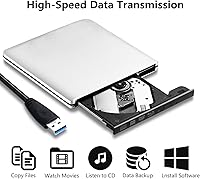
Yes, it is backward compatible with USB 2.0 and even USB 1.0 ports. You will not get USB 3.0 transfer speeds in that case, but the drive will still function for reading and burning discs without any additional setup.

The aluminum alloy shell holds up better than the all-plastic drives you find at lower price points, and the slim 0.55-inch profile slides into most laptop bags without issue. It is not a ruggedized drive, so you would want to keep it in a sleeve or padded compartment rather than tossing it loose in a bag.

Blu-ray burn speeds range from 2x to 8x depending on the type of Blu-ray disc you are using. For reference, a 25GB single-layer BD-R burned at 4x takes roughly 15 to 20 minutes. CD burning tops out at 16x, which is standard for this class of drive.

It handles the full range — Blu-ray, DVD, and CD reading and writing. So if you need to burn a data DVD, rip an old CD, or create a Blu-ray backup, this external optical drive covers all three without needing a separate device.

It is worth noting honestly. Most established optical drive brands offer at least a one-year warranty, so 120 days is on the shorter side. It does not automatically mean the drive will fail, but it does mean you have less financial protection if something goes wrong after the first few months. Factor that into your decision, especially if you plan to use it regularly.

The overall rating sits at 3.4 out of 5, which is below average for the category. Buyers who use it lightly — occasional disc reading or a burn here and there — tend to be satisfied. The more critical feedback comes from users who put it through heavier, more frequent use and noticed inconsistent burn results or gradual performance decline after a few months. If you need a drive for daily or high-volume use, the real-world reliability track record here gives reason for pause.