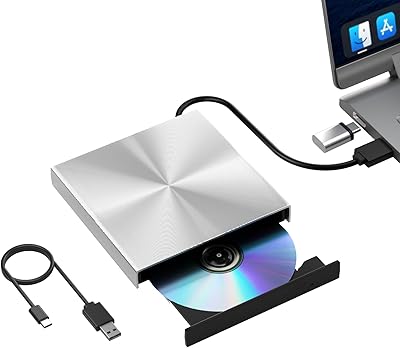
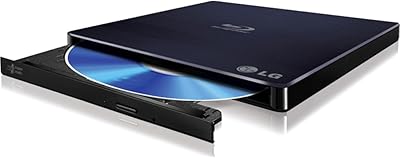
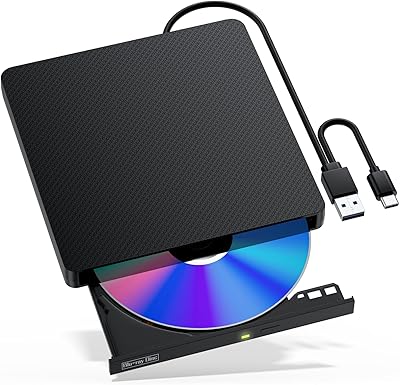
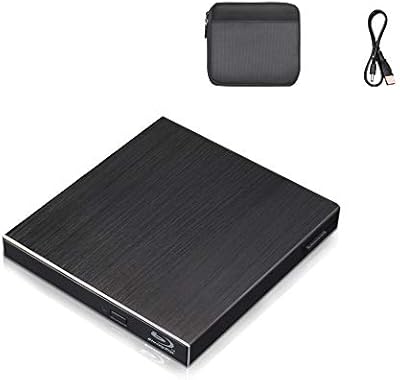
Overview

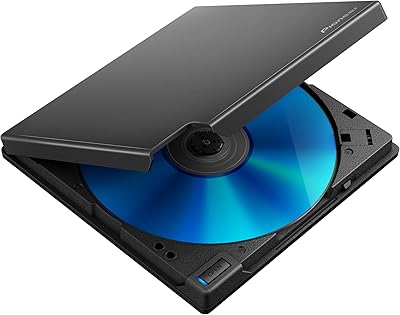
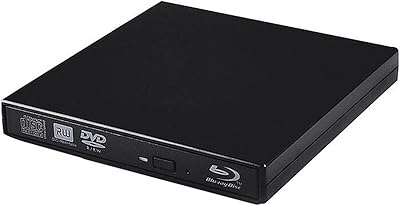
The conreruru SY-711 External Blu-ray Drive comes from Archer Co., a Japanese manufacturer, and targets laptop users who need optical disc support without paying premium OEM prices. It sits comfortably in the mid-range tier — not the cheapest option out there, but not a flagship drive either. Both USB 3.0 and USB-C connections are included, which covers most modern and older machines. Worth noting upfront: with 88 ratings and a 3.6-star average as of mid-2025, reception has been genuinely mixed. The built-in 6-port hub is the standout differentiator, making this external optical drive more than just a disc reader for those tight on ports.
Features & Benefits

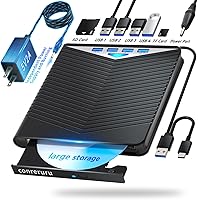
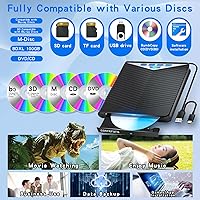
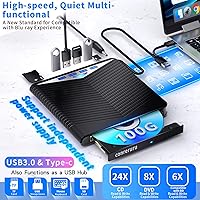
Format support on this Blu-ray burner is genuinely broad — BD-XL discs up to 100GB, standard BD-R and BD-RE, dual-layer variants, the full DVD spectrum including DVD-RAM, and CD-R/RW are all covered. M-DISC compatibility is a real plus for anyone archiving data long-term, since M-Discs are rated to outlast standard recordable media by decades. Read speeds hit 6x for Blu-ray, 8x for DVD, and 24x for CD, with BD-R writes topping out at 6x. Power runs through the USB cable itself, with a backup power cable included for underpowered ports. A cable storage slot on the underside is a small but practical touch for travel.

Best For

Windows users from 7 through 11 will have the smoothest experience with this external optical drive — plug it in and it is generally recognized without hunting for drivers. Mac users, take note: macOS has no native Blu-ray playback support, so third-party software like Leawo or Macgo is required to actually watch movies. The SY-711 suits home users who burn discs occasionally, travelers wanting one accessory that handles both optical media and extra USB ports, and archivists who care about M-DISC longevity. What it is not built for is 4K Ultra HD Blu-ray — and it will not work with Chrome OS, Surface tablets, or smartphones.

User Feedback

With 88 reviews and a 3.6-star average, this Blu-ray burner lands in that honest middle ground where it works well for some and frustrates others. Positive reviewers consistently highlight the plug-and-play setup on Windows and the convenience of having expansion ports built right in. The friction tends to come from Mac users who did not anticipate needing separate playback software, and from buyers who expected 4K UHD capability — a misunderstanding the listing could do more to prevent. A handful of comments also flag build quality as feeling less solid than expected. The 30-day return window and one-year warranty offer a reasonable safety net, which carries real weight at this rating level.

Pros

  • Recognized instantly on Windows 7 through 11 with no driver installation needed in most cases.
  • Supports an unusually wide range of disc formats, including BD-XL, DVD-RAM, and M-DISC.
  • The integrated 6-port hub eliminates the need to carry a separate USB hub during travel.
  • M-DISC write support is a genuine archival-grade feature rarely found at this price tier.
  • Secondary USB power cable prevents failed burns on underpowered or older laptop ports.
  • Dual USB 3.0 and USB-C connectivity covers both modern and legacy machines without adapters.
  • A cable storage slot on the underside keeps the setup tidy when packing for a trip.
  • The 30-day return window and one-year warranty provide a reasonable safety net for a newer brand.
  • Lightweight at roughly 400 grams, making it easy to slip into a laptop bag without noticing the extra weight.

Cons

  • macOS users must purchase separate third-party software before Blu-ray movie playback works at all.
  • 4K Ultra HD Blu-ray discs are completely unsupported — a dealbreaker for home theater upgraders.
  • BD-XL write speed maxes out at 2x, making large-capacity burns a slow, time-consuming process.
  • The chassis has drawn criticism from multiple reviewers for feeling hollow and less durable than expected.
  • Hub bandwidth is shared with the disc drive, which can cause instability when running data-heavy peripherals simultaneously.
  • The review base of 88 ratings is still thin, making it harder to assess long-term reliability with confidence.
  • Chrome OS, Surface devices, tablets, and smartphones are all unsupported — compatibility is narrower than the listing implies.
  • Warranty claims require an Amazon order number as proof, adding a procedural hurdle for international buyers.
  • The disc tray mechanism has been described by some users as imprecise, raising concerns about long-term mechanical reliability.

Ratings

The conreruru SY-711 External Blu-ray Drive was evaluated by our AI rating system after processing verified global buyer reviews, actively filtering out incentivized, duplicate, and bot-generated feedback to surface what real users actually experienced. With an aggregate market rating sitting at 3.6 stars, the scores below reflect an honest split between genuine strengths and recurring frustrations. Both the highlights and the pain points are represented without softening.
Plug-and-Play Ease
78%
22%
Windows users from 7 through 11 consistently report that the drive is recognized immediately after plugging in, with no driver hunting required. For someone who just needs to quickly rip a disc or burn a backup on a Tuesday afternoon, that zero-friction setup is genuinely appreciated.
Mac users frequently discover mid-setup that macOS offers no native Blu-ray playback, requiring third-party software purchases that were never mentioned at the point of sale. That gap turns a simple unboxing into a troubleshooting session for a meaningful segment of buyers.
Format Compatibility
83%
The range of supported disc formats is one of the stronger selling points here — BD-XL up to 100GB, dual-layer BD and DVD variants, DVD-RAM, and the full CD spectrum means most users will rarely encounter a disc this drive cannot handle. That breadth is genuinely useful for anyone managing a mixed media library.
The hard ceiling on 4K Ultra HD Blu-ray is a real limitation that some buyers only discover after purchase, particularly those upgrading their home theater setup. The listing language around Blu-ray support can imply broader capability than actually exists.
Read & Write Speeds
71%
29%
For standard tasks like ripping a movie disc or burning a data backup, the 6x Blu-ray and 8x DVD speeds are adequate and in line with what most competing drives in this price range offer. CD reads at 24x are snappy enough that those operations rarely feel like a bottleneck.
Heavy users burning BD-XL discs at 2x write speed will notice the time commitment — a full 100GB disc burn is a slow process by any measure. Those expecting speeds competitive with desktop optical drives will likely be disappointed by the performance ceiling.
USB Hub Functionality
66%
34%
Having six expansion ports built into an optical drive is a practical idea, particularly for travelers using a single-port USB-C laptop. Being able to connect a mouse, a flash drive, and an SD card simultaneously without a separate hub is a legitimate convenience.
Buyer expectations around six ports can outpace reality — hub speeds are standard rather than high-performance, and bandwidth is shared across ports and the drive simultaneously. Users running data-intensive peripherals through the hub at the same time as disc operations have reported stability inconsistencies.
M-DISC Support
81%
19%
M-DISC compatibility is a niche but meaningful feature for archivists, photographers, and anyone storing irreplaceable data for the long haul. Writing family photo archives or legal documents to M-DISC media gives peace of mind that standard recordable discs simply cannot match.
M-DISC media itself is significantly more expensive than standard BD-R or DVD-R, so the feature is only cost-justifiable for genuinely critical data. Casual users who are not already familiar with M-DISC will likely never activate this capability.
Build Quality & Materials
57%
43%
The slim profile and modest weight make the drive easy to pack into a laptop bag without adding noticeable bulk. For light, occasional use at a home desk or on a business trip, the form factor does its job without complaint.
Multiple reviewers describe the chassis as feeling hollow or plasticky relative to the price, which erodes confidence during extended use. A few users reported the disc tray mechanism feeling imprecise, which is a concern for a device that relies on consistent mechanical engagement.
Power Stability
73%
27%
The inclusion of a secondary USB power cable is a smart practical addition that addresses a real-world problem — underpowered USB ports on older laptops or USB hubs can cause optical drives to stutter mid-burn, and this backup cable largely prevents that.
Managing two cables instead of one undermines the portability pitch, especially when traveling light. Users who forget or lose the secondary cable and connect to a low-power port have reported failed burns and unexpected disc ejections.
Mac Compatibility
44%
56%
The physical connection works on Mac hardware without issue — both USB-A via an adapter and native USB-C connections are recognized at the system level, and data disc reading and burning through macOS native functions generally operates correctly.
Blu-ray movie playback on macOS is simply not possible without paid third-party software, a fact that catches many buyers off guard. This is a platform limitation rather than a flaw unique to this drive, but the product listing does not adequately prepare Mac buyers for this reality.
Portability & Design
76%
24%
At roughly 400 grams and with a built-in cable storage slot on the underside, the drive is clearly designed with mobility in mind. It fits easily into most laptop compartments and does not require a dedicated case to transport safely.
The cable storage channel, while a nice idea, can feel fiddly in practice — wrapping cables neatly takes a bit of patience, and the fit is snug enough that some users skip it entirely. The overall footprint, while slim, is still larger than ultra-compact competing models.
Windows Compatibility
86%
Across Windows 7, 8, 10, and 11, user experiences are overwhelmingly positive in terms of recognition and basic functionality. The drive behaves predictably across different machine generations, which matters for IT-adjacent buyers managing legacy systems alongside modern hardware.
Blu-ray movie playback on Windows also requires compatible software — Windows Media Player does not support Blu-ray natively, and free options are limited. Users who assumed playback would just work out of the box have flagged this as an unexpected friction point.
Value for Money
62%
38%
For a Windows user who simply needs occasional optical disc access plus a few extra ports in a single compact unit, the combined functionality does represent reasonable value at this price tier. The M-DISC capability alone would cost extra as an add-on with some competing drives.
Given the mixed build quality feedback and the compatibility caveats for Mac users, the price sits in an awkward position — close enough to more established brands that the trade-offs feel harder to justify. Buyers who hit compatibility issues or build concerns are unlikely to feel they got a fair deal.
Warranty & Support
68%
32%
A 30-day money-back window paired with a one-year manufacturer warranty is a reasonable safety net, particularly for a relatively new brand. For buyers on the fence due to the mixed ratings, knowing there is a return path lowers the risk of committing.
Support for an overseas manufacturer can be slow in practice, and the warranty process relies on Amazon order numbers as proof of purchase, which adds a procedural step some users find cumbersome. One year is also shorter than the two-year warranties offered by some competitors in this category.
Setup & Documentation
69%
31%
The included user manual covers data writing steps in enough detail that beginners on Windows can get through a first burn without external help. For straightforward data archiving tasks, the learning curve is gentle.
The documentation does not adequately address Mac-specific software requirements or the 4K Blu-ray limitation, which are the two most common sources of post-purchase confusion. A clearer quick-start guide addressing these upfront would prevent a significant portion of the negative reviews.
Review Base Maturity
53%
47%
The drive launched in April 2025 and has accumulated 88 ratings in a relatively short window, suggesting enough real-world exposure to draw early patterns. The feedback, while limited, covers a useful range of use cases and machine types.
Eighty-eight reviews is a thin sample for drawing firm conclusions, and the 3.6-star average could shift noticeably as more long-term users weigh in. Buyers should treat current scores as directional rather than definitive until a larger review base develops.

Suitable for:

The conreruru SY-711 External Blu-ray Drive makes the most sense for Windows users — from 7 through 11 — who occasionally need to burn backups, rip discs, or access optical media on a laptop that shipped without a built-in drive. It is a particularly smart pick for travelers or students who want to consolidate accessories, since the integrated hub means one device handles disc operations and extra peripheral connections simultaneously. Archivists and hobbyists who work with M-DISC media for long-term data preservation will find the format support genuinely useful without needing to pay a premium for a dedicated archival burner. Home users who dip into optical media a few times a month — burning photo archives, watching a Blu-ray they picked up second-hand, or transferring old data — will find the performance ceiling more than adequate for that kind of casual, low-frequency workload. The dual USB 3.0 and USB-C connections also make it a practical option for people bridging older and newer hardware without swapping cables.
Not suitable for:

Anyone shopping specifically for 4K Ultra HD Blu-ray playback should stop here — the conreruru SY-711 External Blu-ray Drive does not support UHD discs, and no firmware or software workaround changes that. Mac users who want to watch Blu-ray movies will also face immediate friction, since macOS has no native Blu-ray playback capability and third-party software — which costs extra and requires its own setup — is mandatory before a single movie will play. Chrome OS users, Surface device owners, tablet users, and anyone hoping to connect this to a smart TV or car entertainment system are all explicitly outside the supported compatibility list. Power users who burn large volumes of high-capacity discs regularly will find the BD-XL write speed of 2x slow enough to be genuinely frustrating in practice. Those prioritizing build quality and mechanical durability over portability may also find the chassis feels less substantial than competing drives at a similar price point, which is worth considering if the device will see heavy daily use rather than occasional travel duty.
Specifications

  • Brand: Manufactured by Archer Co., Ltd. of Japan and sold under the conreruru brand.
  • Model Number: The model designation is SY-711, as specified by the manufacturer.
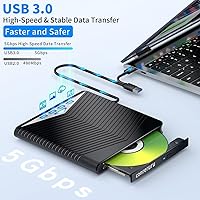
  • Connectivity: Connects via USB 3.0 Type-A or USB-C (Type-C), covering both legacy and modern laptop ports.
  • Blu-ray Read Speed: Maximum Blu-ray read speed is 6x, suitable for standard disc playback and data retrieval.
  • DVD Speed: Reads DVDs at up to 8x and writes DVD-R and DVD+R discs at up to 8x maximum.
  • CD Speed: Reads CDs at up to 24x and writes CD-R media at up to 24x, with CD-RW write topping at 10x.
  • BD Write Speeds: BD-R writes at up to 6x, BD-R DL and BD-RE DL at up to 2x, and BD-XL at up to 2x maximum.
  • Supported Formats: Compatible with BD-XL, BD-R, BD-RE, BD-R DL, BD-RE DL, DVD±R, DVD±RW, DVD-R DL, DVD+R DL, DVD-RAM, CD-R, CD-RW, and M-DISC.
  • Max Disc Capacity: Supports BD-XL discs up to 100GB, the highest capacity in the standard Blu-ray format family.
  • Expansion Ports: Includes six integrated expansion ports accommodating USB flash drives, SD cards, TF cards, mice, and keyboards.
  • Power Source: Bus-powered through the included USB data cable, with a secondary USB power cable provided for low-output ports.
  • Weight: Weighs approximately 1.17 pounds (around 400g), light enough for daily bag carry without noticeable added bulk.
  • Dimensions: Package measures 8.54 × 7.13 × 1.18 inches, reflecting a slim and travel-oriented form factor.
  • OS Support: Fully compatible with Windows 7, 8, 10, and 11; macOS is supported for data functions, but Blu-ray movie playback requires separate third-party software.
  • 4K UHD Support: This drive does not support 4K Ultra HD Blu-ray discs under any configuration.
  • M-DISC Support: Capable of writing to M-DISC media for archival-grade, long-term data preservation on both BD and DVD M-DISC formats.
  • Cable Management: A built-in cable storage compartment on the underside of the unit keeps cables contained during transport.
  • Warranty: Comes with a 30-day money-back guarantee and a one-year manufacturer warranty verified through the Amazon order number.
  • Incompatible Devices: Not compatible with Chrome OS, Surface devices, tablets, smartphones, car systems, projectors, or televisions.
  • First Available: The product became available on Amazon in April 2025, making it a relatively recent market entry.

Related Reviews

NOLYTH Portable External Blu-ray Drive
71%
91%
Portability & Form Factor
88%
Plug-and-Play Setup
44%
Blu-ray Playback Software Experience
71%
Disc Read & Write Performance
67%
Build Quality & Materials
More
Yaeonku 50GB External Blu-ray Drive
70%
86%
Plug-and-Play Setup
78%
Blu-ray Read & Burn Performance
89%
Dual-Interface Connectivity
41%
Software & Playback Experience
83%
Compatibility Across Operating Systems
More
Wintale Portable External Blu-ray Drive
72%
91%
Ease of Setup
72%
Read Performance
69%
Write & Burn Reliability
44%
Software & Out-of-Box Readiness
61%
Build Quality
More
NVOPERANG BD015 External Blu-ray Drive
72%
78%
Plug-and-Play Ease
61%
Blu-ray Playback Experience
84%
CD & DVD Performance
67%
Build Quality & Durability
81%
Connectivity & Compatibility
More
VSVABEFV External USB Blu-Ray Drive
82%
93%
Ease of Use
90%
Portability
65%
Write Speed
78%
Software Compatibility
88%
Compatibility with Operating Systems
More
LG WP50NB40 External Blu-ray Writer
78%
93%
Portability & Form Factor
91%
Bus-Powered Convenience
89%
Plug-and-Play Setup
86%
Burn Quality & Reliability
78%
Blu-ray Playback Performance
More
Cloudtale Portable Slim External Blu-ray Drive
71%
91%
Ease of Setup
61%
Mac Compatibility
78%
Build Quality
74%
Read Performance
88%
Portability
More
Alphami USB-C External Blu-ray Drive
65%
78%
Ease of Setup
67%
Blu-ray Playback Quality
59%
Compatibility
54%
Portability
56%
Build Quality
More
MthsTec 4-in-1 External Blu-ray Drive
69%
83%
Optical Read Performance
76%
Blu-ray Burn Quality
79%
HDD Enclosure Functionality
72%
USB Hub Usability
54%
Fast-Charging Effectiveness
More
Xglysmyc USB 2.0 External Blu-ray Drive
64%
88%
Ease of Setup
57%
Blu-ray Playback
79%
CD and DVD Burning
21%
Blu-ray Burning
61%
Build Quality
More

FAQ

In most cases, no. On Windows 10 and 11 especially, the drive is recognized automatically as soon as you plug it in. Windows 7 and 8 users may occasionally need a quick driver update through Device Manager, but the majority of buyers report a straightforward plug-and-play experience right out of the box.

The drive will connect to your Mac without any issues, but macOS does not include native Blu-ray playback support — that is an Apple limitation, not specific to this drive. To actually watch a Blu-ray movie, you will need third-party software such as Leawo Blu-ray Player or Macgo Mac Blu-ray Player, both of which come at an additional cost. Data burning and reading functions work through macOS natively without extra software.

No, it does not. The conreruru SY-711 External Blu-ray Drive is designed for standard Blu-ray, DVD, and CD formats only. If you are building a 4K home theater setup and need to play UHD Blu-ray discs, you will need a different drive — one specifically marketed as UHD-compatible.

The expansion ports include a combination of USB ports along with SD and TF card slots, allowing you to connect flash drives, memory cards, mice, and keyboards simultaneously. Keep in mind that all connected devices share the available bandwidth, so running data-heavy peripherals at the same time as an active disc burn may cause slower transfer speeds or occasional instability.

The main cable handles both data and power for the drive under normal conditions. The second cable is a supplemental USB power cable for situations where the primary port does not deliver enough power — common on older laptops, USB hubs, or certain USB-A ports on thin-and-light machines. If your drive stalls mid-burn or the disc ejects unexpectedly, connecting the secondary cable to a USB power adapter usually resolves it.

Unfortunately, no. Chrome OS and Surface tablets are explicitly listed as unsupported platforms. The drive is designed for Windows laptops and desktops, and for Mac computers with the caveat around playback software. Using it with unsupported hardware is likely to result in the device not being recognized at all.

M-DISC is a special type of recordable optical media engineered for extremely long-term storage — we are talking decades rather than years. Standard DVD-R and BD-R discs can degrade over time depending on storage conditions, whereas M-DISC uses a different material that is rated to be far more stable. If you are archiving irreplaceable files like family photos, legal documents, or medical records, M-DISC is worth considering. For everyday backups, standard BD-R or DVD-R is perfectly fine and significantly cheaper.

It depends on the disc type and how much data you are writing. A standard 25GB BD-R at 6x speed takes roughly 20 to 25 minutes for a full disc. BD-XL discs at 100GB and a maximum write speed of 2x will take considerably longer — potentially over an hour for a completely full disc. If speed is a priority for high-volume burning, this drive may feel slow compared to desktop optical drives.

The manufacturer offers a one-year warranty covering external malfunctions under normal use, with the Amazon order number used as proof of purchase. The 30-day money-back window is the more straightforward path if you run into problems early on, since returns through Amazon are generally faster than coordinating a warranty exchange with an overseas manufacturer. Keep your order confirmation accessible just in case.

It is worth taking seriously, but also worth understanding where the frustration comes from. A significant portion of negative feedback traces back to Mac users encountering the Blu-ray playback software requirement unexpectedly, and to buyers who assumed 4K UHD support was included. If you are a Windows user with realistic expectations around standard Blu-ray and DVD functions, the experience tends to be much more positive. The review base of 88 ratings is also still relatively small for the product category, so the score may shift as more long-term users weigh in.