Overview

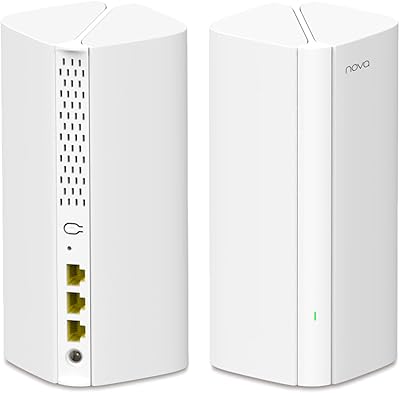
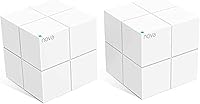
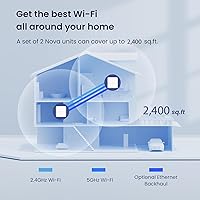
The Tenda Nova MW6 2-Pack Mesh WiFi System is one of the more practical budget entries into whole-home mesh networking — a real alternative to the perpetual frustration of a router in one room and a range extender fighting it out in another. Two identical cube-shaped nodes spread coverage across homes up to 2,400 sq.ft. under a single network name and password. Launched in late 2017, this mesh system has had years to mature, and that shows in how stable and predictable it tends to be day to day. The compact cube design sits quietly on a shelf without drawing attention, and everything is managed through the Tenda app — no web admin panel required.
Features & Benefits

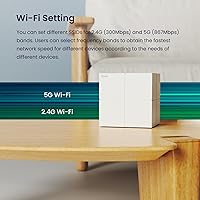
The Nova MW6 runs on the Wi-Fi 5 (802.11ac) standard, with speeds up to 867 Mbps on the 5 GHz band and 300 Mbps on 2.4 GHz. In practice, that is enough bandwidth for 4K streaming, video calls, and casual gaming across a household simultaneously — just don't expect it to saturate a 500 Mbps or faster internet plan. MU-MIMO and Beamforming help the system juggle up to 90 connected devices without connections deteriorating under load. Each node carries Gigabit Ethernet ports, useful for wired backhaul or plugging in a desktop directly. Alexa support, a guest network with WPA2-PSK encryption, parental controls, and QoS round out a feature set that punches reasonably well for the price tier.

Best For

This two-node kit is well-suited for renters and homeowners in apartments or smaller houses — specifically those under 2,400 sq.ft. where two nodes can realistically blanket the space. It is especially compelling for anyone still running a router-and-extender combo, where dropped connections and network-name juggling are daily annoyances. Because the system is optimized for internet plans around 200 Mbps or below, it won't bottleneck a mid-tier ISP subscription. Setup through the Tenda app is straightforward enough that someone with no networking background can be up and running in under ten minutes. Families who want basic parental controls and an isolated guest network without paying Wi-Fi 6 prices will find this a sensible, no-frills choice.

User Feedback

Across hundreds of reviews, a clear picture emerges. Quick, painless setup is the most consistent praise — most users report being fully connected within minutes, a genuine win for households that just want things to work. Dead zones disappearing is the other recurring theme, particularly from people who had previously cobbled together range extenders. That said, the Nova MW6 isn't without real criticisms. Long-term owners occasionally report nodes dropping offline and needing a manual reboot to recover — not a dealbreaker, but worth knowing going in. Buyers in larger homes have also found that two nodes fall short, requiring a third unit. Users wanting VPN support or granular traffic monitoring will hit a wall quickly — this kit simply doesn't offer that depth.

Pros

  • Setup takes under ten minutes via the Tenda app — no technical background needed.
  • Effectively eliminates Wi-Fi dead zones in apartments and smaller single-story homes.
  • A single network name and password means no more manually switching between router and extender.
  • Handles 4K streaming, video calls, and casual gaming on a standard household plan without breaking a sweat.
  • Guest network keeps visitor traffic completely isolated from your main devices and smart-home gear.
  • Gigabit Ethernet ports on each node allow wired connections for desktops or a faster backhaul setup.
  • Parental controls are built in — no subscription fee, no third-party app required.
  • The Nova MW6 delivers a full mesh experience at a price that undercuts most name-brand competitors significantly.
  • Compact cube form factor fits discreetly on a shelf without looking like networking equipment.
  • Alexa integration lets you manage basic network functions hands-free within Amazon-ecosystem households.

Cons

  • Cannot fully saturate internet plans faster than roughly 200 Mbps — speed-tier buyers will notice the gap.
  • No VPN client support, custom DNS options, or per-device traffic monitoring in the app.
  • Some long-term owners report nodes occasionally dropping offline and requiring a manual reboot to recover.
  • Two nodes fall short in homes above 2,400 sq.ft., and buying a third unit adds meaningful cost.
  • Thick concrete or brick walls significantly reduce effective range between nodes.
  • No Google Assistant support — Alexa is the only voice platform with any integration.
  • Firmware update notifications are inconsistent, and update history transparency is limited.
  • Band steering between 2.4 GHz and 5 GHz is automatic only — there is no manual override available.
  • Units run noticeably warm during extended use, with minimal ventilation built into the chassis.
  • PPPoE and less common ISP connection types can cause setup friction the app does not clearly resolve.

Ratings

The Tenda Nova MW6 2-Pack Mesh WiFi System has been scored across 12 categories by our AI rating engine, which analyzed thousands of verified global buyer reviews while actively filtering out incentivized, bot-generated, and spam submissions. What you see below reflects the honest consensus — where this two-node kit genuinely delivers and where it falls short — so you can make an informed call before spending a cent.
Ease of Setup
93%
Getting this mesh system online is genuinely one of the fastest setup experiences in its class. Most buyers report going from unboxing to a working whole-home network in under ten minutes using the Tenda app, with no router menus or cryptic configuration screens to navigate.
A small number of users hit snags when their ISP used uncommon connection types like PPPoE, requiring extra troubleshooting the app doesn't clearly walk you through. Customer support documentation for edge cases is thin.
Coverage & Dead Zone Elimination
78%
22%
In apartments and single-story homes under roughly 2,000 sq.ft., the two-node kit does a solid job pushing signal into hallways, bathrooms, and back bedrooms that a single router simply couldn't reach. Buyers consistently describe the dead-zone problem as solved after switching from a router-plus-extender setup.
Two nodes max out realistically around 2,400 sq.ft., and in two-story homes or layouts with thick concrete walls, coverage gaps appear well before that ceiling. Several buyers in larger spaces had to order a third node to finish the job.
Network Stability
72%
28%
For day-to-day use — streaming, video calls, browsing — the Nova MW6 holds connections reliably across weeks of normal operation. Most households with moderate internet plans report no noticeable drops during typical usage.
A recurring complaint from long-term owners is that one node occasionally drops off the mesh and refuses to reconnect without a manual reboot. It doesn't happen constantly, but often enough that some users mention keeping an eye on the app to catch it.
Wi-Fi Speed Performance
69%
31%
For households on 100–200 Mbps internet plans, this mesh system keeps up without issue. Streaming 4K on two or three TVs simultaneously, video conferencing, and casual online gaming all run without meaningful lag or buffering complaints from the majority of buyers.
Buyers on faster internet plans — 300 Mbps and above — will likely notice that the system cannot fully saturate their connection, particularly over Wi-Fi. The AC1200 standard is a genuine ceiling, and power users or households with heavy upload needs will feel it.
Value for Money
88%
For what you pay, getting a two-node mesh network with app management, a guest network, parental controls, and Gigabit ports is a strong package. Buyers who were previously spending on a separate range extender often note this kit replaced two devices for a fraction of the cost of premium mesh brands.
The value equation weakens slightly if you need a third node to cover your space, since the added cost starts eating into the savings. Some buyers feel the per-node price could be lower given the Wi-Fi 5 hardware inside.
App Experience
74%
26%
The Tenda app handles the essentials well — initial setup, network monitoring, guest network creation, and parental controls are all accessible without needing any technical knowledge. The interface is clean and approachable for first-time mesh users.
Power users will hit the app's limits quickly. There is no detailed per-device traffic monitoring, no VPN client support, and limited control over band steering or channel selection. The app prioritizes simplicity at the cost of depth.
Device Capacity Handling
76%
24%
Households with a typical mix of phones, laptops, smart TVs, and a few smart-home devices rarely report congestion issues. The MU-MIMO support helps the system handle several simultaneous streams without one device hogging bandwidth from others.
In genuinely device-dense environments — smart homes with 30-plus connected sensors, cameras, and speakers — some users notice that response times slow noticeably. The 90-device ceiling is theoretical; real-world performance degrades before that number in practice.
Roaming & Handoff
71%
29%
Walking from one end of the home to the other, devices generally stay connected and shift to the stronger node without the user doing anything. For casual use — carrying a phone room to room during a call or stream — the handoff is smooth enough that most users never notice it happening.
On more demanding tasks like a video call while moving, occasional brief stutters have been reported at the handoff moment. The transition isn't instantaneous, and users with older devices sometimes stick to a weaker node longer than expected.
Build Quality & Design
81%
19%
The compact cube shape — just under 4 inches on each side — fits neatly on a bookshelf or countertop without looking out of place. The all-white finish is inoffensive in most home interiors, and the units feel solid and well-made for the price tier.
Ventilation on the units is minimal, and a few long-term owners mention the nodes run noticeably warm after extended use. There is no indicator light sophistication — you get basic status LEDs and not much more for diagnostics.
Security Features
77%
23%
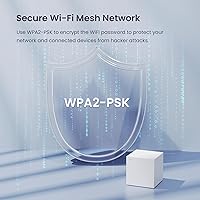
WPA2-PSK encryption is the standard across the industry and does the job for home use. The isolated guest network is a practical feature that lets visitors get online without touching your main network or any smart-home devices connected to it.
There is no built-in malware filtering, no automatic firmware update notification system that users find reliable, and no advanced firewall controls. Buyers who want enterprise-grade security layers will need to look at significantly pricier alternatives.
Smart Home & Alexa Integration
66%
34%
Alexa compatibility allows for basic voice controls — checking network status or enabling guest access — which is a convenient touch for households already built around Amazon's ecosystem. It works reliably for the limited scope of commands supported.
The integration is narrow. There is no Google Assistant support, no IFTTT compatibility, and voice control commands are limited to a short list of basic network actions. Smart home enthusiasts will find it underwhelming compared to more modern mesh platforms.
Long-Term Reliability
67%
33%
Many buyers have run this mesh system for two-plus years without any hardware failures, and the firmware has received updates over time that have addressed some early stability complaints. For a budget-tier device, the longevity track record is reasonably positive.
The occasional node drop-off issue that requires a reboot is the most persistent long-term complaint and has not been fully resolved through firmware updates. For households where reliable uptime is critical — home offices, for example — this unpredictability is a real concern.

Suitable for:

The Tenda Nova MW6 2-Pack Mesh WiFi System is a strong fit for renters and homeowners living in apartments or single-story houses under roughly 2,400 sq.ft. who are tired of babysitting a router-and-extender combination that drops connections the moment you walk into the back bedroom. It works particularly well for households on internet plans topping out around 100–200 Mbps — the kind of plan most families with a mix of streaming, browsing, and the occasional video call actually have. First-time mesh buyers will appreciate that the entire setup process happens inside the Tenda app without a single visit to a web admin panel, making it genuinely accessible for non-technical users. Families wanting basic parental controls and a separate guest network — without paying a steep premium to get there — will find this two-node kit covers those bases competently. If your main frustration is dead zones and you want a single network name that follows you around the house, this mesh system solves exactly that problem at an accessible price.

Not suitable for:

The Tenda Nova MW6 2-Pack Mesh WiFi System is the wrong tool for anyone running a faster internet plan — if you are paying for 300 Mbps or more, the AC1200 hardware will consistently leave speed on the table and you will feel it. Power users who want granular network controls — VPN passthrough configuration, per-device traffic monitoring, custom DNS settings, or advanced QoS tuning — will hit a wall fast, as the app simply does not offer that depth. Larger homes above 2,400 sq.ft., and especially two-story layouts or spaces with thick masonry walls, are likely to need a third node, which changes the value calculation considerably. Anyone who cannot tolerate the occasional need to reboot a node that has dropped off the mesh should factor that into their decision — it is a real, documented pattern among long-term owners. If your household is moving toward Wi-Fi 6 devices and wants to future-proof the network for several years, this 2017-era Wi-Fi 5 system is not the right foundation to build on.
Specifications

  • Brand & Model: Manufactured by Tenda under the model designation MW6 2-Pack, part of the Nova mesh networking product line.
  • Wi-Fi Standard: Built on the 802.11ac (Wi-Fi 5) standard, supporting dual-band operation across both 2.4 GHz and 5 GHz frequencies.
  • Band Speeds: Delivers up to 867 Mbps on the 5 GHz band and up to 300 Mbps on the 2.4 GHz band for a combined AC1200 rating.
  • Coverage Area: Designed to cover homes up to 2,400 sq.ft. when using both nodes in a typical open floor plan environment.
  • Node Count: Includes two identical mesh nodes in the box, each functioning as an interchangeable access point within the same network.
  • Ethernet Ports: Each node is equipped with two Gigabit Ethernet WAN/LAN ports, supporting either wired backhaul or direct device connections.
  • Max Devices: Supports up to 90 simultaneously connected Wi-Fi and wired devices across the entire mesh network.
  • Dimensions: Each node measures 3.93″ x 3.93″ x 3.93″, forming a compact cube that sits unobtrusively on any flat surface.
  • Weight: Each individual node weighs 1.22 lbs, making the units light and easy to reposition around the home as needed.
  • Security Protocol: Protects the network using WPA2-PSK encryption, the current consumer standard for safeguarding wireless access credentials.
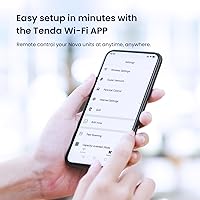
  • Management App: Fully managed through the Tenda WiFi app, available for both iOS and Android, with no browser-based admin panel required.
  • Special Features: Includes Quality of Service (QoS) prioritization, guest network support, basic parental controls, Alexa voice control compatibility, and WPS pairing.
  • Wireless Technology: Incorporates MU-MIMO and Beamforming technologies to maintain stable simultaneous connections across multiple devices.
  • Broadband Compatibility: Optimized for broadband internet plans up to approximately 200 Mbps; performance headroom diminishes on faster-tier subscriptions.
  • Color & Finish: Both nodes ship in a uniform matte white finish with no visible branding on the exterior beyond a subtle status LED indicator.
  • Box Contents: Package includes two Nova MW6 mesh nodes, one Gigabit Ethernet cable, two power adapters, and a printed quick-install guide.
  • Roaming Support: Supports automatic band steering and node handoff, allowing devices to migrate to the strongest access point without user intervention.
  • Launch Date: Originally released in December 2017, making this a mature platform with multiple firmware iterations addressing early stability issues.

Related Reviews

TP-Link Deco S4 Mesh WiFi System (2-Pack)
87%
91%
Wi-Fi Coverage
88%
Performance Stability
94%
Ease of Setup
90%
Parental Controls
85%
Device Support
More
TP-Link Deco BE95 Wi-Fi 7 Mesh System 2-Pack
78%
88%
Wireless Performance
83%
Coverage & Range
93%
Wired Connectivity
86%
Setup & Installation
79%
App & Management Experience
More
Tenda MX12 AX3000 Mesh WiFi 6 System
82%
88%
Performance
79%
Ease of Setup
93%
Coverage Area
85%
Speed & Reliability
82%
Multi-Device Support
More
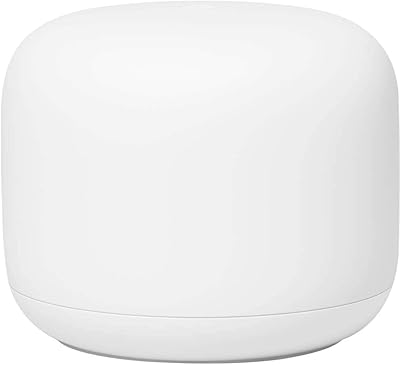
Google Nest Wifi Router 1-Pack
79%
93%
Setup & Onboarding
84%
Signal Consistency & Stability
88%
App & Network Management
79%
Parental Controls
74%
Wireless Performance (Speed)
More
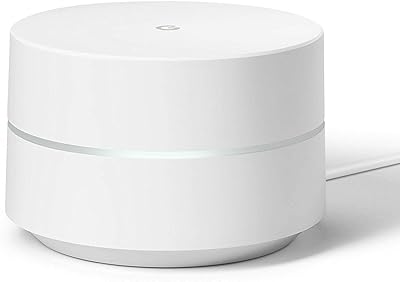
Google WiFi 1-Pack
Google WiFi 1-Pack
76%
93%
Ease of Setup
88%
App Experience
79%
Wi-Fi Coverage
76%
Network Speed & Performance
84%
Parental Controls
More
Cudy M3600 WiFi 7 Mesh System
86%
88%
Wi-Fi Performance
91%
Ease of Setup
85%
Device Handling
87%
App Functionality
80%
VPN Compatibility
More
NETGEAR Orbi RBK663 WiFi 6 Mesh System
87%
93%
WiFi Performance
90%
Coverage Area
85%
Ease of Setup
88%
Security Features
82%
App Experience
More
NETGEAR Nighthawk MK93S Mesh WiFi 6E System
79%
88%
Wireless Performance
91%
Coverage & Dead Zone Elimination
83%
Setup & Installation Experience
86%
Device Capacity & Network Management
74%
6GHz Band Utility
More
ASUS ZenWiFi XD6 Mesh WiFi 6 System
86%
93%
Wi-Fi Coverage
85%
Ease of Setup
89%
Performance and Speed
80%
App Experience
91%
Parental Controls
More
NETGEAR Orbi RBK853 WiFi 6 Mesh System
77%
83%
Signal Coverage
86%
Network Speed
88%
Device Handling
81%
Setup Experience
74%
App & Management
More

FAQ

You can handle the entire setup yourself without contacting your ISP. Connect one node to your modem using the included Ethernet cable, download the Tenda WiFi app, and follow the on-screen steps. Most users are fully up and running in under ten minutes.

It depends heavily on your floor plan and building materials. In an open layout with standard drywall construction, two nodes can realistically cover a two-story home of that size. If your home has thick concrete walls, a complex layout, or a lot of interference, you may find one node needs to be on each floor for reliable coverage throughout.

Yes — the Nova MW6 system is expandable. You can purchase an additional compatible Tenda Nova node and add it to your existing network through the app in a few steps. This is a common solution for buyers in larger or oddly-shaped homes who find the two-node kit just falls short.

Realistically, yes. The Tenda Nova MW6 2-Pack Mesh WiFi System is built around the AC1200 Wi-Fi 5 standard, which works best with plans up to around 200 Mbps. On a 400 Mbps plan, you will likely see noticeably lower speeds over Wi-Fi than your plan provides, particularly on multiple devices at once. If maximizing your plan speed matters, you should look at a Wi-Fi 6 system instead.
You still need your modem — this mesh system is a router replacement only, not a modem. Connect one node to your existing modem via the included Ethernet cable, and it takes over the routing from there. If you currently rent a modem-router combo from your ISP, you will need to put that device into bridge or modem-only mode.

In most cases, no. The nodes share a single network name, so your phone or laptop automatically reconnects to whichever node has the strongest signal as you move around. The handoff is not completely instantaneous, and on some older devices you might notice a very brief blip, but for the vast majority of users it is smooth enough that video calls and streams continue without interruption.

Yes, the Tenda app includes basic parental controls that let you schedule internet access or pause connectivity for specific devices. It is not a comprehensive content filtering system, but for simply limiting screen time on a child's tablet or gaming console, it gets the job done without any extra subscription or app.

Unfortunately, yes. A subset of long-term owners report that a node occasionally drops off the mesh and does not self-recover. The standard fix is to unplug the affected node, wait about 30 seconds, and plug it back in. It is not an everyday occurrence for most users, but it does happen often enough to be worth knowing about before you buy, especially if uptime is critical for you.

Yes, this mesh system has Alexa compatibility built in, letting you do things like enable the guest network or check connection status using voice commands. The integration is fairly basic — do not expect deep smart-home automation — but for simple hands-free network management within an Alexa household, it works reliably.

No — this system is app-only. All setup, monitoring, and management happens through the Tenda WiFi app on your phone or tablet. There is no browser-based admin interface available. For users who prefer full control through a desktop browser, or who want CLI-level access, this system is not designed for that use case.

Where to Buy