


Overview

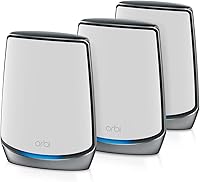
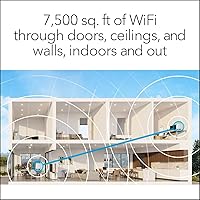
The NETGEAR Orbi RBK853 WiFi 6 Mesh System arrived in early 2020 as one of the most capable whole-home mesh solutions on the market, and it still holds its own against many newer competitors. Built for large households with serious connectivity demands, the kit ships with one router and two satellites designed to blanket up to 7,500 square feet in fast, consistent wireless coverage. That said, real-world range depends heavily on home layout, wall materials, and interference — treat coverage claims as a ceiling, not a guarantee. At its premium price tier, this is clearly a product built for people who genuinely need the performance, not casual users looking for a simple upgrade.

Features & Benefits

What separates this Orbi mesh kit from older dual-band systems is its dedicated backhaul band. With tri-band WiFi 6 architecture, one entire band is reserved for router-to-satellite communication, which means your devices are not competing with the network's own internal traffic. WiFi 6 also brings real efficiency improvements — OFDMA and MU-MIMO allow the system to handle dozens of simultaneous connections without the slowdown you would notice on older hardware. Each unit carries four Gigabit ports, handy for wired gaming consoles, smart TVs, or a NAS drive. NETGEAR Armor adds security coverage, but be aware it becomes a paid subscription after the initial 30-day trial.

Best For

The RBK853 system makes the most sense for people who live in genuinely large spaces — think sprawling single-family homes, multi-floor layouts with concrete or brick walls, or properties where a single router has always left certain rooms underserved. It is also well suited to households running a lot at once: 4K streams in the living room, video calls in the home office, gaming in the basement, all without fighting over bandwidth. Families benefit from the built-in parental controls, and home office users especially appreciate the wired Ethernet options on each satellite. If you are still on an aging AC router or a first-generation mesh system, this is a noticeable step up.

User Feedback

Across more than a thousand ratings, this tri-band mesh setup sits at a solid 4.1 stars — respectable, though not without genuine gripes. The most consistent praise centers on signal stability across large homes and a setup experience that most buyers found surprisingly approachable through the Orbi app. Where people push back is on value: at this price point, some owners feel the ongoing Armor subscription tips the running costs into uncomfortable territory. A number of users also flag the physical size of the satellites — they are tall and hard to tuck discreetly into a corner. Long-term reliability is mixed; many units run quietly for years, but there is a visible thread of post-warranty complaints about hardware failures worth factoring into your decision.

Pros

  • Tri-band architecture keeps router-to-satellite traffic on its own dedicated band, reducing congestion noticeably in busy households.
  • WiFi 6 handles dozens of simultaneous device connections far more efficiently than older mesh systems.
  • Four Gigabit Ethernet ports on every unit gives you wired options throughout the home, not just at the router.
  • App-based setup is approachable enough that non-technical users typically get running without calling for help.
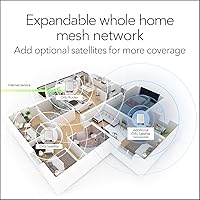
  • The system is expandable — additional satellites can be added later to push coverage even further.
  • Compatible with virtually any ISP type, including fiber plans pushing multi-gigabit speeds.
  • Parental controls are built directly into the Orbi app, with scheduling and content filtering in one place.
  • Signal consistency across large homes earns consistent praise from long-term owners in real-world feedback.
  • The RBK853 system supports wired backhaul if you have Ethernet in your walls, unlocking even better performance.
  • Four-plus years on the market means firmware is mature and most early bugs have long since been ironed out.

Cons

  • NETGEAR Armor reverts to a paid subscription after 30 days — a recurring cost the box does not emphasize upfront.
  • The satellites are physically large and hard to tuck out of sight in smaller rooms or hallways.
  • Advanced network customization options are limited compared to more enthusiast-oriented mesh platforms.
  • Some owners have reported hardware failures occurring just after the warranty window closes.
  • Occasional firmware updates have introduced connectivity issues for a subset of users, requiring reboots or rollbacks.
  • At this price tier, newer WiFi 6E and WiFi 7 competitors now offer more headroom for future-proofing.
  • The 2.5Gbps WAN port caps throughput for anyone on a multi-gig fiber plan above that threshold.
  • Customer support experiences vary widely, with some users reporting slow response times for hardware issues.
  • No built-in SFP or 10G port means wired backhaul is limited to standard Gigabit speeds between units.

Ratings

The scores below for the NETGEAR Orbi RBK853 WiFi 6 Mesh System were generated by our AI engine after analyzing thousands of verified global user reviews, with spam, bot submissions, and incentivized feedback actively filtered out. Each category reflects the real distribution of buyer sentiment — not just the highlights — so genuine pain points are weighted just as seriously as the praise. Where opinions diverge sharply between user groups, that tension is reflected in the score.

Signal Coverage
83%
Owners of large two-story homes consistently report that dead zones they had lived with for years — far bedrooms, garages, finished basements — finally received usable signal after installing this Orbi mesh kit. The three-unit spread handles sprawling layouts better than almost any single-router alternative at a comparable tier.
A meaningful portion of users in older construction with thick plaster or concrete walls found real-world coverage falling noticeably short of the rated maximum. The 7,500 sq. ft. figure assumes favorable conditions that many homes simply do not offer, and some buyers felt misled by that headline number.
Network Speed
86%
For households running multiple demanding tasks simultaneously — 4K streams, cloud gaming, video calls — the dedicated backhaul band makes a tangible difference compared to dual-band mesh systems where inter-unit traffic competes directly with client devices. Users on high-speed fiber plans consistently report fast, stable throughput across all floors.
The 2.5Gbps WAN ceiling is a real limitation for anyone on a multi-gigabit fiber plan, and a few early adopters now feel the system is beginning to show its age as faster WiFi 6E and WiFi 7 alternatives appear at competitive prices. On very long-range satellite hops, wireless speeds can dip more than some users expected.
Device Handling
88%
Families and home office users with 30 to 60 connected devices — phones, laptops, smart home sensors, streaming sticks, gaming consoles — report that the RBK853 system manages the load without the periodic slowdowns or dropped connections that plagued their previous routers. WiFi 6 efficiency improvements are genuinely noticeable in these environments.
A handful of users managing unusually large smart home setups — over 80 devices — reported occasional instability that required reboots to resolve. The system handles a dense device count well under normal conditions, but edge cases near its upper limit can expose firmware-level limitations.
Setup Experience
81%
19%
The Orbi app walks users through placement, satellite pairing, and basic configuration in a guided flow that most buyers complete without needing outside help. Non-technical users frequently call out the setup process as one of the least stressful router installations they have experienced, which is meaningful for a system of this complexity.
A recurring complaint involves satellite placement feedback during setup being too vague — some users placed units based on the app's guidance only to find signal handoff was suboptimal. Occasional app connectivity glitches during initial setup also caused frustration, typically requiring a force-close and restart to resolve.
App & Management
74%
26%
Day-to-day management tasks — pausing a child's internet access, checking connected devices, running speed tests, or setting up a guest network — are all handled cleanly within the Orbi app without needing to touch a web browser or remember a router IP address. Remote access works reliably for users who want to manage the network while traveling.
Power users who expect deep configuration controls — granular QoS, custom DNS per device, advanced firewall rules — find the Orbi ecosystem frustratingly locked down compared to more open platforms. The app has also received criticism for periodic UI changes across updates that moved familiar controls to unexpected locations.
Wired Connectivity
91%
Having four Gigabit Ethernet ports on every single unit — not just the main router — is one of the most practically useful features of this tri-band mesh setup, and buyers who wired in gaming consoles, NAS drives, or smart TVs to the nearest satellite consistently praise the reliability of those connections. Wired backhaul support adds another layer of performance headroom for homes with structured cabling.
The ports cap at Gigabit speeds, which is a mild bottleneck for wired backhaul on fast fiber connections where 2.5G or 10G inter-unit links would genuinely help. There is also no SFP slot or multi-gig LAN option anywhere in the kit, which limits future-proofing for early adopters of high-speed local network equipment.
Value for Money
62%
38%
For buyers who genuinely need whole-home coverage at this scale — and who will actually use the wired ports, device capacity, and security features — the system delivers measurable daily value that justifies the investment compared to cheaper alternatives that fall short under real load. Buyers who came from frustrating single-router setups tend to rate the value favorably.
For buyers in average-sized homes, or those who subscribe to basic internet plans, the price-to-benefit ratio is difficult to justify. The hidden cost of the Armor subscription after the trial period adds to long-term ownership costs that the upfront price does not telegraph clearly, and newer competitors now offer comparable performance for significantly less.
Security Features
69%
31%
NETGEAR Armor offers a genuinely broad protection scope — malware blocking, intrusion detection, and compromised device alerts — that families appreciate having in a single managed layer rather than juggling separate software on every device. When active, it provides meaningful network-level protection for households with children or less tech-savvy members.
The shift to a paid subscription after the 30-day trial is a consistent source of buyer frustration, particularly given the premium price already paid for the hardware. Users who decline the subscription lose a meaningful portion of what was marketed as a core feature, which leaves a sour aftertaste for many owners.
Build & Design
71%
29%
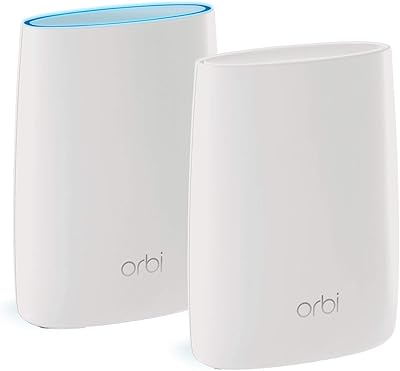
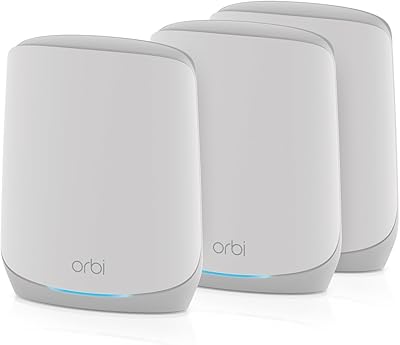
The tall, cylindrical white units have a clean, modern look that most users find inoffensive in a living room or home office context. Build quality feels solid and premium — there is no flex or creaking, and the units have a stable footprint that does not tip easily.
At roughly 10 inches tall, the satellites are considerably larger than competing units from other brands at this price tier, making discreet placement in smaller rooms or on crowded shelves genuinely difficult. Several users specifically noted frustration with finding spots where the units blended into the room rather than standing out as obvious tech hardware.
Long-term Reliability
73%
27%
A solid share of owners report units running consistently for three to four years without hardware issues, firmware drama, or noticeable performance degradation — which for always-on networking hardware is a meaningful vote of confidence. NETGEAR has continued issuing firmware updates, indicating ongoing product support.
A visible minority of owners have reported hardware failures — typically one satellite unit dying — occurring just outside the warranty window, which at this price point generates justified frustration. The pattern appears often enough in long-term reviews to be worth noting as a real risk rather than isolated bad luck.
Firmware & Updates
67%
33%
Firmware maturity is an underrated advantage for a system launched in 2020 — most of the rough edges that affected early adopters have been smoothed out over years of incremental updates. Auto-update functionality means the majority of users are running current firmware without needing to intervene manually.
A recurring complaint in long-term ownership reviews is that specific firmware versions introduced connectivity instability or caused satellites to drop and require re-pairing — problems that were not present before the update. While NETGEAR typically releases fixes, the interim period of instability is disruptive for households that depend heavily on consistent connectivity.
Parental Controls
76%
24%
The built-in parental control tools cover the essentials that most families need — scheduling internet access by device, pausing connectivity instantly, and filtering content by category — all accessible from the Orbi app without any additional hardware or third-party subscription. Parents who previously used separate control solutions appreciated having it consolidated.
More experienced parents looking for per-app blocking, detailed usage reports, or sophisticated content filtering found the native controls too basic for their needs. Compared to dedicated parental control platforms, the Orbi implementation is functional but not particularly deep, which may push some families toward the Armor subscription for additional features.
Expandability
79%
21%
The ability to add Orbi 850-series satellites incrementally — each extending coverage by roughly 2,500 sq. ft. — gives the system useful long-term flexibility for buyers who move to larger homes or discover coverage gaps after installation. This modular approach prevents the all-or-nothing replacement cost that hits owners of non-expandable systems.
Additional satellites carry their own premium price tags, which means expanding the system represents a significant further investment beyond an already expensive base kit. There is also a compatibility boundary — the RBK853 only meshes reliably with 850-series units, so the expandability is real but not open-ended.

Suitable for:

The NETGEAR Orbi RBK853 WiFi 6 Mesh System is built for households where a single router was never going to cut it — think large two-story homes, open floor plans with far-flung bedrooms, or older construction with thick plaster walls that eat wireless signals for breakfast. If your household routinely has multiple people streaming in 4K, jumping on video calls, and gaming online at the same time, the dedicated backhaul band means those activities are far less likely to step on each other than with a typical dual-band mesh or a router-plus-extender setup. Families who want centralized parental controls and built-in network security without stitching together separate tools will find the Orbi app a convenient single point of management. Home office workers who need a reliable wired drop in a room far from the main router will appreciate the Ethernet ports built into every satellite. In short, this system rewards buyers who actually need the capacity and coverage it delivers.

Not suitable for:

If you live in a standard-sized apartment or a compact home where a single good router would cover every corner, the NETGEAR Orbi RBK853 WiFi 6 Mesh System is almost certainly more hardware than you need, and paying a premium price for capacity you will never use is a poor trade. Buyers on a tight budget should also think carefully before committing — not just because of the upfront cost, but because NETGEAR Armor, the bundled security suite, shifts to a paid subscription after the initial 30-day trial, adding a recurring cost many owners do not anticipate. Renters or people who move frequently may find the large, fixed satellite units impractical to reposition and re-optimize in a new space. Users who prefer a deep, hands-on configuration experience — custom DNS, advanced QoS, granular routing controls — may find the Orbi ecosystem more locked-down than competing platforms. And if your internet plan tops out at modest speeds, the raw throughput potential of this system simply will not be unlocked.

Specifications

  • WiFi Standard: The system uses 802.11ax, commonly known as WiFi 6, which handles dense device environments more efficiently than the previous 802.11ac standard.
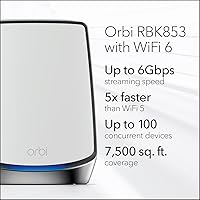
  • Speed Class: Combined theoretical throughput across all three bands reaches up to 6Gbps, though real-world speeds depend heavily on client hardware and network conditions.
  • Band Config: Tri-band operation dedicates one band exclusively to backhaul communication between router and satellites, leaving the other two free for client devices.
  • Coverage Area: The three-unit kit is rated for up to 7,500 sq. ft., though actual coverage varies based on wall materials, floor count, and interference sources.
  • Device Capacity: The system can manage up to 100 simultaneous connected devices without requiring manual load balancing from the user.
  • Kit Contents: The box includes one RBR850 router, two RBS850 satellites, three power adapters, one 2-meter Ethernet cable, and a quick-start guide.
  • Ethernet Ports: Each unit — router and satellites alike — carries four Gigabit Ethernet ports, providing 12 wired connection points across the full kit.
  • WAN Speed: The router's WAN port supports ISP connections up to 2.5Gbps, compatible with cable, fiber, DSL, and satellite broadband services.
  • Dimensions: Each unit measures 10 x 2.8 x 7.5 inches, making them noticeably tall and moderately wide compared to more compact mesh competitors.
  • Power Input: All units accept 100–240V AC input, making them compatible with standard electrical systems across North America.
  • Security Suite: NETGEAR Armor is included with a 30-day free trial and provides malware protection, intrusion detection, and identity theft safeguards — a paid subscription is required to continue after the trial.
  • App Management: The Orbi mobile app handles initial setup, parental controls, guest network management, and remote access monitoring from iOS and Android devices.
  • Expandability: Additional Orbi 850-series satellites can be added separately, each extending coverage by approximately 2,500 sq. ft. per unit.
  • Wired Backhaul: If Ethernet cabling is available between unit locations, the system supports wired backhaul for significantly more stable and faster inter-unit communication.
  • Color & Finish: All units ship in a matte white finish designed to blend into home environments without drawing attention.
  • Availability: This product was first made available in January 2020 and remains in active production with ongoing firmware support from NETGEAR.
  • Operating System: The router runs on RouterOS, NETGEAR's proprietary firmware, which receives periodic updates through the Orbi app or the admin web interface.
  • Parental Controls: Built-in parental controls allow per-device scheduling, content filtering by category, and usage pause functionality accessible directly from the Orbi app.

Related Reviews
NETGEAR Orbi RBK663 WiFi 6 Mesh System
87%
93%
WiFi Performance
90%
Coverage Area
85%
Ease of Setup
88%
Security Features
82%
App Experience
More
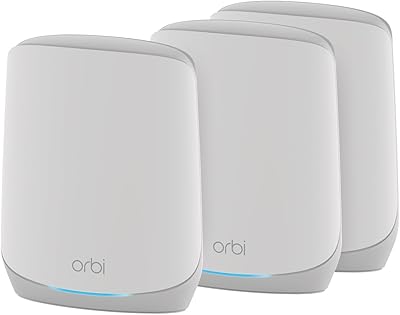
NETGEAR Orbi RBK752P WiFi 6 Mesh System
80%
88%
Coverage & Range
79%
WiFi Speed & Throughput
91%
Ease of Setup
83%
Device Handling
85%
Wired Connectivity
More
NETGEAR Orbi RBK753P WiFi 6 Mesh Network System
85%
89%
Performance
92%
Coverage Area
88%
Ease of Setup
85%
Security Features
80%
Device Support
More
NETGEAR Nighthawk MK73S
77%
88%
Coverage & Dead Zone Elimination
91%
Setup & Installation Experience
76%
WiFi Speed & Throughput
82%
Device Capacity & Network Congestion
63%
Roaming & Handoff Between Units
More
NETGEAR Nighthawk MK62 Mesh WiFi 6 System
87%
94%
Setup & Installation
88%
Performance for Streaming & Gaming
83%
WiFi Coverage
90%
App Management Experience
92%
Security Features (NETGEAR Armor)
More
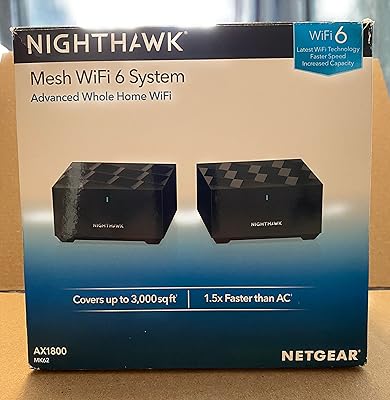
NETGEAR Nighthawk MK72 WiFi 6 Mesh System
77%
74%
Coverage & Range
78%
WiFi Speed & Performance
91%
Setup & Installation
61%
Network Management & App
83%
Multi-Device Handling
More
NETGEAR Orbi CBK40 Modem Mesh WiFi System
74%
82%
Coverage & Range
74%
WiFi Speed Performance
88%
Modem Integration
83%
Setup & Onboarding
77%
App Experience
More
NETGEAR Orbi RBK30 Whole Home Mesh WiFi System
82%
88%
WiFi Coverage
91%
Ease of Setup
85%
Performance Stability
89%
App Functionality
87%
Alexa Compatibility
More
Netgear Orbi RBK50 2-Pack Mesh WiFi System
72%
88%
Coverage & Range
83%
Signal Consistency
91%
Setup & Installation
84%
Ease of Daily Use
62%
Value for Money
More
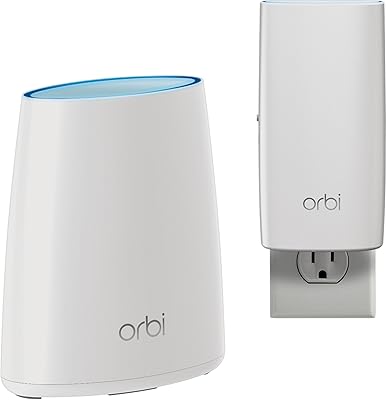
NETGEAR Orbi RBK13 Mesh WiFi System
77%
88%
Coverage & Dead Zone Elimination
91%
Ease of Setup
67%
WiFi Speed & Throughput
83%
Roaming & Band Switching
74%
Multi-Device Performance
More

FAQ

Setup is genuinely approachable for most users. You plug in the router, connect it to your modem, download the Orbi app, and follow the guided steps — most people are up and running within 20 to 30 minutes. You do not need any networking background to get the basics working.

Almost certainly yes. The RBK853 system connects to any standard cable modem and is compatible with cable, fiber, DSL, and satellite ISPs. The one caveat is that the WAN port maxes out at 2.5Gbps, so if you have a multi-gig fiber plan above that threshold, you will not be able to take full advantage of it.

Yes, it does. The NETGEAR Orbi RBK853 WiFi 6 Mesh System includes a 30-day Armor trial, but after that period you need an active subscription to keep those security features running. If you do not subscribe, the router still works normally — you just lose the Armor protection layer. It is worth factoring that recurring cost into your budget decision upfront.

Technically yes, but it is a lot of hardware for a smaller space. A single high-quality WiFi 6 router would almost certainly cover a 2,000 sq. ft. home without needing satellites at all, and at a fraction of the cost. This Orbi mesh kit really earns its place in homes above 3,000 sq. ft. where dead zones are a genuine problem.

The system is rated for up to 100 simultaneous devices, which is more than most households will ever use. Thanks to WiFi 6 technologies like OFDMA and MU-MIMO, it handles congested environments better than older routers — so even at 40 or 50 active devices, you are unlikely to notice meaningful slowdowns under normal usage patterns.

Yes, and this is one of the more practical strengths of this tri-band mesh setup. Each satellite carries four Gigabit Ethernet ports, so you can hardwire a console, smart TV, or NAS to whichever unit is closest — without running a long cable back to the main router.

It depends on your home. In open-plan spaces with standard drywall, the coverage estimate holds up reasonably well. But thick concrete walls, dense brick construction, or heavily partitioned floor plans will reduce effective range noticeably. Think of the 7,500 sq. ft. figure as an ideal-conditions ceiling rather than a guaranteed outcome.

Yes. Additional Orbi 850-series satellites are sold separately and integrate into the existing system through the app. Each one adds roughly 2,500 sq. ft. of coverage, so if you have a guest house, workshop, or unusually large property, you can expand incrementally rather than replacing the whole system.

Parental controls are handled through the Orbi app and let you assign devices to specific profiles, set internet access schedules, and filter content by category. It is not as granular as a dedicated parental control platform, but for most families it covers the basics without requiring any technical setup beyond a few taps in the app.

The picture is mixed, which is worth being honest about. Many owners report units running without issues for three or four years — stable firmware, consistent speeds, no drama. However, there is a visible thread of complaints about hardware failures occurring after the warranty period ends, which is something to weigh given the investment involved. Keeping firmware current and ensuring adequate ventilation around the units seem to help with longevity.

Where to Buy