Overview

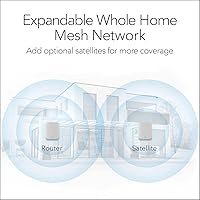
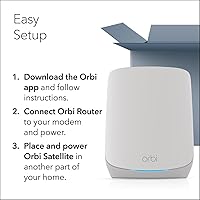
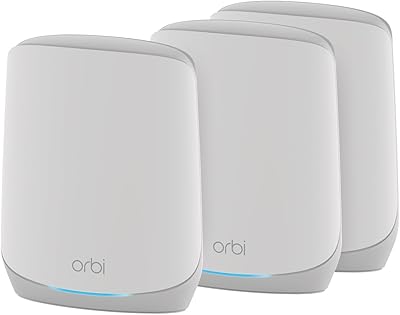
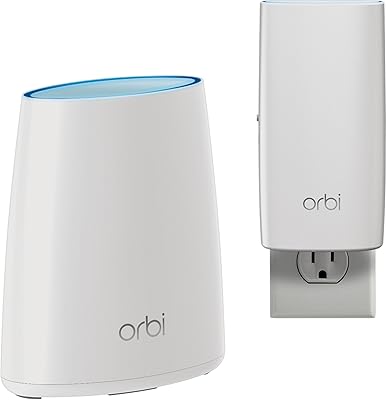
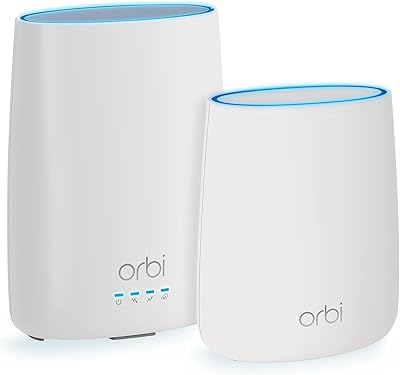
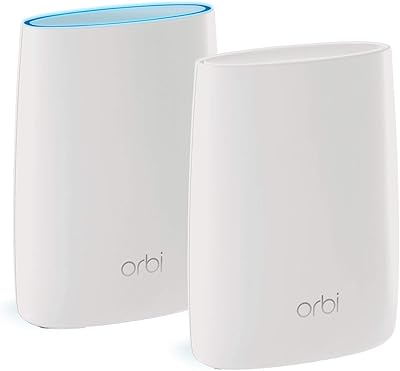
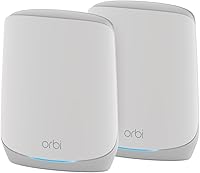
The NETGEAR Orbi RBK752P WiFi 6 Mesh System is a two-piece kit — one router, one satellite — built to push reliable coverage across homes up to 5,000 square feet where a single router simply cannot reach. It connects directly to your existing modem, whether you're on cable, fiber, DSL, or satellite, and replaces your old router entirely with a unified network both units share. Setup runs through the Orbi mobile app, which walks you through the process step by step. No networking background required, and no logging into cryptic admin panels.
Features & Benefits

Running on tri-band WiFi 6 technology, this Orbi mesh kit manages heavy household traffic without the slowdowns you'd notice on older hardware — think multiple 4K streams running alongside a video call and someone gaming, all at once. Five Gigabit Ethernet ports spread across the router and satellite keep wired devices like consoles and NAS drives performing at their best. The Orbi app handles guest networks and remote access management cleanly. NETGEAR Armor is bundled in for the first 30 days, covering malware threats and identity monitoring, and the system can grow with additional satellites if your coverage needs expand later.

Best For

This Orbi WiFi 6 setup makes the most sense for homeowners dealing with dead zones in larger multi-floor homes — roughly 2,500 to 5,000 square feet — who are still running WiFi 5 or an aging single-band router. It suits households where several people are online simultaneously without any single user wanting to babysit a router admin page. Families who want some baseline network security and parental controls baked in, rather than sourcing a separate tool, will also find this a practical fit. It is not overkill for that use case, and the app keeps day-to-day management genuinely straightforward.

User Feedback

Across several hundred ratings, this Orbi mesh kit sits at a solid 4.0 out of 5, and the pattern in reviews is fairly consistent. Coverage improvements over previous single-router setups draw frequent praise, and first-time mesh users especially appreciate how quick the initial setup is. Where buyers push back: the NETGEAR Armor trial expires after 30 days, and the transition to a paid subscription catches some people off guard — worth knowing upfront. A smaller portion of owners have reported occasional satellite drops requiring a reboot to resolve. Most reviewers land on the view that the coverage and speed gains justify what they paid.

Pros

  • Blankets homes up to 5,000 square feet with consistent WiFi, including rooms that have always had poor signal.
  • App-guided setup has most buyers fully connected in under 20 minutes with no technical background needed.
  • Tri-band WiFi 6 handles a dense mix of devices — phones, TVs, consoles, cameras — without the slowdowns older routers show.
  • Five Gigabit Ethernet ports split across both nodes let you hardwire consoles, desktops, and storage drives in different rooms.
  • The unified network means devices roam between router and satellite automatically, no manual switching required.
  • Guest network setup takes seconds in the Orbi app, keeping visitors off your primary network without extra hardware.
  • The RBK752P system can grow with you — adding a compatible satellite later is a practical option if your needs change.
  • Works with virtually any ISP type, including cable, fiber, DSL, and satellite, with no special configuration required.
  • Remote network management via the app is genuinely useful for checking on connected devices or running a speed test from anywhere.

Cons

  • NETGEAR Armor reverts to basic protection after 30 days unless you pay for an ongoing subscription — this is not clearly communicated upfront.
  • A notable share of buyers report the satellite occasionally drops its connection to the router and needs a physical reboot to recover.
  • All Ethernet ports are limited to 1 Gbps, which creates a bottleneck for anyone on a multi-gigabit ISP plan.
  • The app lacks advanced controls, so power users needing static IPs, VLANs, or detailed QoS settings will find it too limited.
  • Physical footprint is substantial — both units need open shelf or desk space and do not tuck away easily in tight spots.
  • Parental control depth is thin without an active Armor subscription, offering limited per-device filtering or usage reporting.
  • Some older client devices struggle to switch cleanly between nodes, occasionally holding onto a weaker signal instead of roaming.
  • Expansion satellites are sold separately at meaningful additional cost, which adds up quickly for very large properties.
  • Buyers already owning older Orbi satellite hardware cannot integrate it with this system, making prior investments obsolete.

Ratings

The NETGEAR Orbi RBK752P WiFi 6 Mesh System earns a measured but genuine endorsement from buyers worldwide — our AI-generated scores are derived from thousands of verified purchase reviews, with spam, bot activity, and incentivized feedback actively filtered out. The result is an honest picture: strong coverage performance and approachable setup sit alongside real frustrations around subscription costs and occasional connectivity hiccups. Both sides of that story are reflected in the scores below.
Coverage & Range
88%
Buyers in larger two-story homes and sprawling ranch-style layouts consistently report that dead zones they had lived with for years simply disappeared after installing this Orbi mesh kit. The router-plus-satellite combination handles thick interior walls better than a single router ever could, and the improvement is usually noticeable within the first hour of use.
A handful of users with homes at or near the upper coverage limit report slightly weaker signal in far corners, particularly in concrete-heavy construction. The system performs best in open-plan layouts; homes with unusual architecture may need an additional satellite to get full coverage.
WiFi Speed & Throughput
79%
21%
For everyday households running 4K streams, video calls, and casual gaming all at once, the RBK752P system delivers speeds that feel like a genuine step up from older WiFi 5 hardware. Devices closer to the router or satellite benefit the most, with noticeably faster load times and fewer mid-stream buffering pauses.
Real-world speeds depend heavily on your ISP plan and home layout, and some buyers expecting maximum theoretical throughput were disappointed by more modest actual results. Speed gains are meaningful but not dramatic — buyers on already-fast gigabit plans may notice less of a difference than those upgrading from aging infrastructure.
Ease of Setup
91%
The Orbi app-guided setup is one of the most praised aspects of this system across buyer reviews. Most users report being fully up and running within 15 to 20 minutes, including satellite placement and network naming — no router admin panels, no confusing IP configurations.
A small number of users encountered issues during initial satellite pairing that required restarting the process or contacting support. These cases appear to be outliers, but they do suggest the experience is not universally friction-free, particularly for users on certain modem brands.
Device Handling
83%
Households with a dense mix of smartphones, smart TVs, security cameras, laptops, and gaming consoles report that this Orbi WiFi 6 setup manages the load without obvious slowdowns during peak usage hours. WiFi 6 technology handles simultaneous device connections more efficiently than its predecessors.
Some power users pushing beyond 40 or 50 actively connected devices simultaneously do note mild latency increases during very heavy usage windows. It handles everyday household density well, but it is not engineered for the demands of a small office or workspace with constant high-bandwidth activity across dozens of devices.
Wired Connectivity
85%
Having five Gigabit Ethernet ports split across the router and satellite is genuinely useful — it means you can hardwire a gaming console in the living room via the satellite while keeping a NAS drive and desktop connected at the router end. Buyers who mix wired and wireless devices appreciate this flexibility.
All ports are capped at 1 Gbps, which is a limitation for anyone on a multi-gigabit ISP plan or managing large local network transfers between NAS devices. Those use cases are niche, but buyers who specifically need faster wired ports will find this system falls short.
Network Security
67%
33%
NETGEAR Armor covers the basics well during the included trial period — malware blocking, intrusion detection, and identity monitoring all function as advertised. For families who want a layer of protection beyond what a bare router provides, the first month gives a useful taste of the full suite.
The 30-day trial ending catches buyers off guard more than almost any other complaint in the reviews. The ongoing subscription cost is not trivial, and users who did not realize it was a trial-only feature feel the product was not upfront about this. Those who decline to subscribe after the trial are left with standard router-level protection only.
App & Remote Management
78%
22%
The Orbi app gives homeowners a clean, readable dashboard for checking connected devices, running speed tests, managing the guest network, and making basic configuration changes from anywhere. For non-technical users, having this level of control without touching a web browser is a genuine convenience.
Some buyers report that the app occasionally loses connection to the router or displays stale data, requiring a force-close and relaunch to refresh. Advanced users looking for deeper network controls — static IP assignments, VLAN support, QoS fine-tuning — will find the app too simplified for those needs.
Build Quality & Design
76%
24%
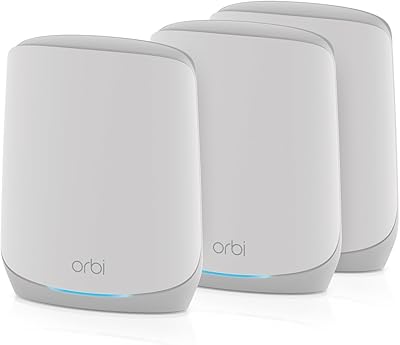
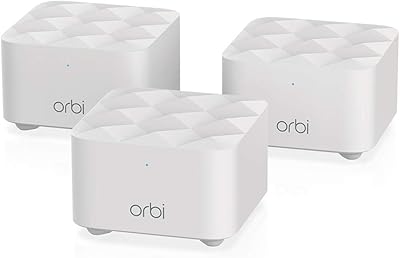
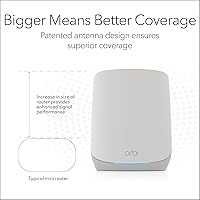
The white cylindrical design is unobtrusive enough to sit on a shelf or countertop without looking out of place in a modern home. The hardware feels solid and well-made, and both units have a stable footprint that does not tip easily.
The units are not small — at over seven inches tall and wide, they require a clear, open surface to place properly. Some buyers in smaller spaces find the physical footprint harder to accommodate than more compact mesh competitors, and cable management around the base can get untidy.
Value for Money
74%
26%
For buyers replacing a struggling single router in a larger home, the coverage and performance improvement relative to the cost makes a reasonable case for itself. Those coming from budget or aging hardware tend to feel the investment was justified quickly.
At this price point, the mesh networking category has become increasingly competitive, and some buyers who cross-shopped alternatives felt the RBK752P system offers slightly less per dollar than newer rivals. The Armor subscription cost, if chosen, adds to the total cost of ownership in a way that is not always factored in at purchase.
Guest Network & Access Controls
80%
20%
Setting up an isolated guest network takes a couple of taps in the Orbi app, and visitors get usable connectivity without touching your primary network. Families with kids also appreciate that basic access scheduling is available without needing third-party software.
Parental controls are functional but not granular — parents wanting per-device content filtering or detailed usage reports will find the built-in tools insufficient without an active Armor subscription. The free-tier controls are adequate for light use but limited compared to dedicated parental control routers.
Expandability
82%
18%
The ability to add compatible satellites later if coverage needs grow is a practical advantage for buyers who are not sure how much coverage they actually need at purchase. Starting with the base two-piece kit and expanding later is a sensible low-risk approach.
Expansion satellites are sold separately at meaningful additional cost, which some buyers find adds up quickly if they need to cover a very large property. The system does not support mixing older Orbi satellite generations, so buyers already owning earlier Orbi hardware cannot simply fold it in.
Roaming & Handoff Performance
77%
23%
Walking from one end of the home to the other with a video call active, most users report that the handoff between router and satellite is smooth enough that the call does not drop or stutter. The unified network name helps devices transition without manual intervention.
A subset of buyers, particularly those with older smartphones and laptops, report that their devices sometimes cling to the weaker node rather than switching automatically to the stronger one. Band steering behavior is not always consistent across all client devices, which is a common mesh system limitation.
Reliability & Uptime
73%
27%
For the majority of buyers, the system runs without interruption for weeks and months at a time. Automatic firmware updates pushed via the Orbi app help maintain stability without requiring any manual intervention from the homeowner.
The most consistent reliability complaint involves satellite sync drops — a portion of buyers report that the satellite occasionally loses its connection to the router and requires a physical reboot to restore. It does not happen frequently for most, but when it does, it disrupts the whole home at once rather than just one device.
ISP Compatibility
87%
The system works cleanly with the major ISP types — cable, fiber, DSL, and satellite — and buyers across all of these connection types report normal setup without compatibility headaches. Connecting to an existing modem is straightforward in nearly all documented cases.
A small number of users with certain all-in-one modem-router combos in bridge mode report extra configuration steps were needed before the Orbi router could take over correctly. This is a modem-side complexity rather than a product defect, but it does add friction for some ISP-supplied hardware combinations.

Suitable for:

The NETGEAR Orbi RBK752P WiFi 6 Mesh System is a strong fit for homeowners in mid-to-large houses — think two-story layouts, sprawling ranch homes, or older builds where thick walls have always killed the signal before it reaches the back bedroom. If your household has multiple people streaming, gaming, or on video calls at the same time and your current router just cannot keep up, this Orbi mesh kit was built for exactly that scenario. Families who want one unified network name throughout the home, without manually switching between router and extender SSIDs, will appreciate how the two nodes operate as a single system. It also suits buyers who have avoided upgrading because they dread complicated setup — the app-guided process is genuinely approachable, even for someone who has never touched a router admin page. Anyone still running WiFi 5 hardware and feeling the slowdown will notice a real difference, particularly in how the system handles a crowded device list without obvious degradation.

Not suitable for:

The NETGEAR Orbi RBK752P WiFi 6 Mesh System is not the right choice for buyers expecting a premium security platform out of the box — the NETGEAR Armor suite is a 30-day trial, and the ongoing subscription cost catches many people off guard after purchase. If you are a power user who wants deep network controls like VLAN configuration, granular QoS rules, or advanced traffic routing, the Orbi app will feel too simplified and you would be better served by a more advanced router platform. Small apartment dwellers or anyone covering less than 1,500 square feet have no practical need for a two-node mesh system at this price, and a single capable router would serve them just as well for less money. Buyers on multi-gigabit internet plans should also note that all Ethernet ports are capped at one gigabit, meaning the hardware will bottleneck wired connections on the fastest ISP tiers. And if you already own older Orbi hardware hoping to fold it into a larger mesh, this system does not support mixing satellite generations, so your existing equipment would go unused.
Specifications

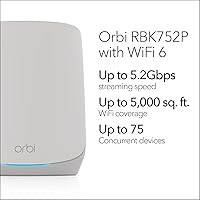
  • WiFi Standard: Both the router and satellite operate on 802.11ax, commonly known as WiFi 6, which improves efficiency and throughput compared to the previous WiFi 5 generation.
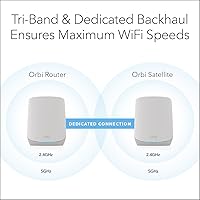
  • Band Configuration: The system uses a tri-band setup — one 2.4 GHz band and two 5 GHz bands — with one 5 GHz band dedicated as a backhaul channel between the router and satellite.
  • Max Combined Speed: Combined theoretical throughput across all three bands reaches up to 5.2 Gbps, though real-world speeds vary based on ISP plan, home layout, and client device capabilities.
  • Coverage Area: The two-node kit is rated to cover homes up to 5,000 sq. ft., with each additional RBS760 satellite extending coverage by roughly 2,500 sq. ft.
  • Device Capacity: The system is rated to support up to 75 concurrently connected devices across both nodes without significant performance degradation under typical household usage.
  • Router LAN Ports: The Orbi router includes three Gigabit Ethernet LAN ports for wired device connections such as desktop computers, NAS drives, or network switches.
  • Satellite LAN Ports: The satellite node provides two Gigabit Ethernet LAN ports, useful for hardwiring devices like gaming consoles or smart TVs located away from the main router.
  • WAN Port: One Gigabit Ethernet WAN port on the router connects to your existing cable or fiber modem, supporting ISP speeds up to 1 Gbps.
  • Dimensions: Each unit measures approximately 7.5 × 6.7 × 7.5 inches, requiring a clear open surface for proper placement and ventilation.
  • Weight: The combined system weighs approximately 5.02 pounds for both units together, making repositioning straightforward during initial placement.
  • Security Suite: NETGEAR Armor is included with a 30-day free trial, offering malware blocking, intrusion detection, and identity monitoring; a paid subscription is required after the trial ends.
  • Mobile App: The NETGEAR Orbi app for iOS and Android handles initial setup, network management, guest network configuration, speed testing, and remote access controls.
  • Special Features: The system supports a dedicated guest network mode, remote network access via the app, and basic internet security controls accessible without logging into a web admin panel.
  • ISP Compatibility: This Orbi mesh kit is compatible with cable, fiber, DSL, and satellite internet service providers offering speeds up to 1 Gbps and is designed for use in the U.S. only.
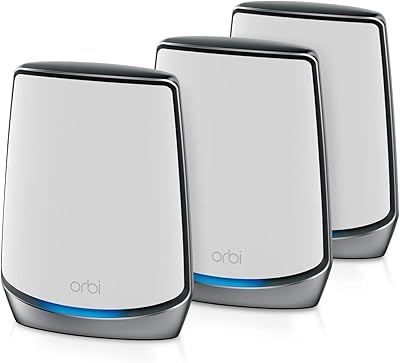
  • Color & Finish: Both the router and satellite units are finished in white with a smooth matte surface designed to blend unobtrusively into residential interiors.
  • Included Accessories: The box contains one Orbi router (RBR750P), one Orbi satellite (RBS750P), two power adapters, one 2-meter Ethernet cable, and a printed quick start guide.
  • Firmware Updates: The system receives automatic firmware updates pushed through the Orbi app, keeping security patches and performance improvements current without manual intervention.
  • Warranty: NETGEAR provides a standard one-year limited hardware warranty on the RBK752P system, with customer support accessible via phone, chat, and online resources.

Related Reviews

NETGEAR Orbi RBK853 WiFi 6 Mesh System
85%
93%
WiFi Coverage
89%
Speed & Performance
85%
Setup & Installation
92%
Security Features
80%
Value for Money
More
NETGEAR Orbi RBK663 WiFi 6 Mesh System
87%
93%
WiFi Performance
90%
Coverage Area
85%
Ease of Setup
88%
Security Features
82%
App Experience
More
NETGEAR Orbi RBK753P WiFi 6 Mesh Network System
85%
89%
Performance
92%
Coverage Area
88%
Ease of Setup
85%
Security Features
80%
Device Support
More
NETGEAR Nighthawk MK72 WiFi 6 Mesh System
84%
94%
WiFi Coverage
91%
Speed & Performance
88%
Setup & Installation
86%
App Experience
90%
Security Features
More
NETGEAR Nighthawk MK73S
77%
88%
Coverage & Dead Zone Elimination
91%
Setup & Installation Experience
76%
WiFi Speed & Throughput
82%
Device Capacity & Network Congestion
63%
Roaming & Handoff Between Units
More
NETGEAR Nighthawk MK62 Mesh WiFi 6 System
87%
94%
Setup & Installation
88%
Performance for Streaming & Gaming
83%
WiFi Coverage
90%
App Management Experience
92%
Security Features (NETGEAR Armor)
More
NETGEAR Orbi RBK30 Whole Home Mesh WiFi System
82%
88%
WiFi Coverage
91%
Ease of Setup
85%
Performance Stability
89%
App Functionality
87%
Alexa Compatibility
More
NETGEAR Orbi CBK40 Mesh WiFi System with Built-in Modem
86%
88%
Performance
80%
Ease of Setup
93%
WiFi Coverage
90%
Speed and Stability
85%
App Experience
More
NETGEAR Orbi RBK13 Whole Home Mesh WiFi System
84%
88%
Wi-Fi Coverage
83%
Performance (Speed & Stability)
91%
Ease of Setup
84%
App Management Experience
85%
Security Features
More
Netgear Orbi RBK50 Whole Home Mesh WiFi System
87%
88%
Performance
91%
Setup & Installation
90%
Wi-Fi Coverage
84%
App Management
85%
Device Compatibility
More

FAQ

This Orbi mesh kit fully replaces your existing WiFi router. You only keep your modem — the Orbi router plugs directly into it via the included Ethernet cable and takes over all routing duties from there.

Setup is genuinely straightforward. You download the Orbi app, plug the router into your modem, power on the satellite, and the app walks you through each step. Most buyers report being fully connected within 15 to 20 minutes, with no need to touch any web-based admin panels.

Once the trial period expires, Armor's advanced protection features — malware blocking, intrusion detection, and identity monitoring — stop functioning unless you purchase a subscription. The router continues to work normally as a WiFi system, but you would be left with standard router-level protection only. It is worth factoring that ongoing cost into your decision before buying.

Yes. The NETGEAR Orbi RBK752P WiFi 6 Mesh System is designed to expand by adding compatible RBS760 satellites, each of which adds roughly 2,500 sq. ft. of coverage. Keep in mind that expansion satellites are sold separately.
It is compatible with cable, fiber, DSL, and satellite ISPs, provided your service speed does not exceed 1 Gbps on the wired connection to the router. If you are on a multi-gigabit plan, the Ethernet WAN port will limit your wired throughput to 1 Gbps, though most home internet plans fall well within that range.

This is the most commonly reported issue in buyer reviews. The first step is always a physical reboot of both the router and satellite. Make sure the satellite is placed within a reasonable distance of the router — too far away or through too many thick walls can cause intermittent sync issues. If drops persist, a factory reset and fresh setup through the app often resolves it.

Unfortunately, no. This system is not backward compatible with older Orbi satellite generations. Only the designated compatible satellites, like the RBS760, can be added to extend this particular setup. Your older Orbi hardware would need to be retired or used on a separate network.

Everything appears as a single network name across both nodes. Your devices connect to whichever node provides the stronger signal automatically, without you having to manually switch between two different SSIDs. This is one of the core advantages of a mesh system over a traditional router-plus-extender approach.

The RBK752P system is rated for up to 75 devices, and in real-world household use, most buyers with 20 to 40 connected devices report no noticeable slowdowns during normal use. Very heavy simultaneous usage — think multiple 4K streams plus active gaming and video calls all at once — may cause mild latency increases, but for typical family usage it holds up well.

Yes, the Orbi app allows remote access to basic network controls from anywhere with a mobile data connection. You can check which devices are connected, run a speed test, toggle the guest network on or off, and make a few configuration adjustments — all without being on the same local network.