

Overview

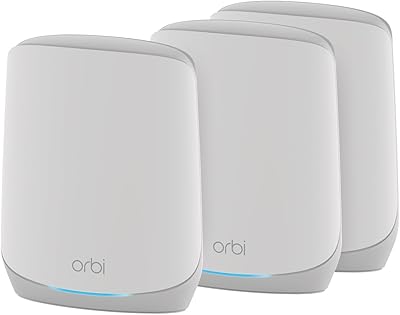
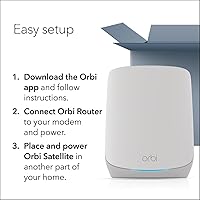
The NETGEAR Orbi RBK663 WiFi 6 Mesh System is a three-piece kit built for homes where a single router simply runs out of range before it reaches the back bedroom or the garage. Its tri-band AX3800 architecture is a genuine step forward from older Orbi hardware, using Wi-Fi 6 to handle more devices more efficiently rather than just pushing raw speed numbers. At its price point, it competes directly with well-regarded systems from Eero and TP-Link Deco, so it earns its place rather than coasting on brand recognition alone. Getting it up and running is straightforward — the Orbi app guides you through the process, and most households are connected well within the first half hour.

Features & Benefits

The foundation of this mesh Wi-Fi system is Wi-Fi 6 (802.11ax), which allows more devices to share bandwidth at the same time without the signal fights that older standards struggled with during peak hours. Two satellites split coverage duty evenly, each handling around 2,200 square feet, pushing the combined total to 6,600 square feet. Five Gigabit Ethernet ports across the router and satellites give gaming consoles, smart TVs, and network storage drives a reliable wired connection without needing an external switch. The included NETGEAR Armor trial provides real malware and identity threat protection for 30 days — just be aware that continuing that protection after the trial requires a paid subscription, which catches some buyers by surprise.

Best For

The Orbi RBK663 is best suited for homeowners whose houses genuinely fight back against Wi-Fi — multi-story layouts, old plaster walls, long ranch-style floor plans, or any space where dead zones have become an accepted nuisance. It handles device-heavy households well, keeping security cameras, game consoles, streaming boxes, and smartphones running together without obvious degradation. People working from home will appreciate the low-latency consistency during video calls. It is also a solid pick for buyers who want built-in security features without setting up a separate solution, though going in with clear expectations about the post-trial Armor cost will save frustration down the road.

User Feedback

With a 4.0 out of 5 average across more than 600 ratings, the Orbi RBK663 lands in comfortable but not unanimous approval. The most common praise centers on coverage improvements over previous single-router setups and a setup experience that genuinely does not require a networking background. The recurring complaints, however, are worth noting: satellite drop-offs appear regularly in negative reviews, and poor placement — satellites tucked too far away or inside enclosed spaces — is usually the culprit, so position them thoughtfully in open areas. The Armor subscription cost after the trial is the other consistent frustration, and technically inclined users wish the app offered deeper configuration controls than it currently provides.

Pros

  • Covers up to 6,600 sq. ft. with two satellites included — no extra hardware needed for most large homes.
  • Wi-Fi 6 handles dense device loads far better than older mesh systems, with noticeably less congestion during peak hours.
  • Five Gigabit Ethernet ports across the system give wired devices a reliable, fast connection without needing an external switch.
  • The Orbi app makes initial setup genuinely beginner-friendly, guiding most users through the process in under 30 minutes.
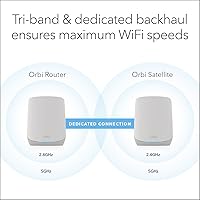
  • Tri-band architecture dedicates a full band to backhaul traffic, keeping the connection between nodes fast and stable.
  • Built-in NETGEAR Armor provides real malware and identity threat protection during the 30-day trial — useful out of the box.
  • Supports up to 75 simultaneous devices, making it practical for households with a wide mix of smart home and personal gadgets.
  • Compatible with virtually any ISP type, including cable, fiber, DSL, and satellite connections up to 1 Gbps.
  • Signal consistency across the home is the most praised quality in real user reviews, especially compared to previous single-router setups.

Cons

  • NETGEAR Armor becomes a paid subscription after 30 days — the ongoing cost is easy to miss until the trial expires.
  • Some users report occasional satellite drop-offs that require a manual reboot, which is disruptive if it happens at an inconvenient time.
  • The Orbi app lacks advanced configuration options, frustrating users who want deeper control over their network settings.
  • Poor satellite placement significantly hurts performance; satellites tucked in closets or too far from the router cause the most drop-off complaints.
  • The WAN port is capped at 1 Gbps, which limits the system for anyone on a multi-gig internet plan now or in the near future.
  • No built-in support for Wi-Fi 6E means this three-piece mesh kit may feel dated sooner than competing systems that include the 6 GHz band.
  • Expanding coverage beyond 6,600 sq. ft. requires purchasing additional satellites separately, which adds meaningful cost to the total investment.
  • The system is designed for the U.S. market only, making it a poor choice for international buyers or frequent movers abroad.

Ratings

The scores below for the NETGEAR Orbi RBK663 WiFi 6 Mesh System were generated by our AI engine after analyzing verified global user reviews, actively filtering out incentivized, bot-submitted, and duplicate feedback to surface what real buyers actually experience. Each category reflects an honest synthesis of both the genuine strengths and the frustrations that came up repeatedly across hundreds of ratings. Nothing has been softened or glossed over — the numbers tell the full story.

Coverage & Range
88%
Buyers in large two-story homes and sprawling ranch layouts consistently report that dead zones they had lived with for years simply disappeared after installing this three-piece mesh kit. The two included satellites do meaningful work, and the tri-band backhaul keeps the connection between nodes solid even at range.
A handful of users in homes with unusually thick concrete or brick walls found the real-world range fell short of the advertised 6,600 sq. ft. figure. Coverage claims always assume relatively open floor plans, so actual results in older, compartmentalized homes can vary noticeably.
Network Performance
83%
Day-to-day performance is strong for the activities most households actually care about — 4K streaming stays buffer-free, video calls hold steady, and online gaming latency stays low even when multiple family members are competing for bandwidth at the same time.
Peak throughput on the 5 GHz bands rarely hits the theoretical AX3800 ceiling in real home conditions. Users who run speed tests often see results well below the maximum spec, which is expected but can feel misleading if the headline number set expectations too high.
Setup Experience
91%
The Orbi app-guided setup is one of the most consistently praised aspects across reviews. Non-technical buyers — including those who had never set up a mesh system before — reported getting the entire kit online and all devices reconnected within 20 to 30 minutes without needing outside help.
A small number of users encountered the router and satellite failing to pair on the first attempt, requiring a factory reset before the setup process would proceed. These cases appear to be edge exceptions rather than a widespread issue, but they are real and frustrating when they happen.
Device Handling
81%
19%
Running 20, 30, or even 40 devices simultaneously — a realistic count for a tech-forward household with smart home gear, phones, tablets, and consoles all active — does not visibly degrade performance the way older routers did. Wi-Fi 6's improved multi-device architecture is tangibly noticeable here.
As the connected device count pushes toward the upper limit of 75, some users noticed intermittent slowdowns on lower-priority devices like smart plugs and cameras. The system handles the load, but it is not infinitely elastic at the very top end of its stated capacity.
Satellite Stability
67%
33%
When satellites are placed thoughtfully — in open hallways or rooms with clear line of sight to the router, roughly halfway between the router and the coverage endpoint — the connection between nodes stays reliable over extended periods with no intervention needed.
Satellite drop-offs are the most cited reliability complaint in the review pool, and poor placement is the root cause in most documented cases. However, some users reported drop-offs even with good placement and adequate ISP speeds, requiring a periodic reboot that should not be necessary in a premium mesh system.
Security Features
74%
26%
NETGEAR Armor provides a meaningful layer of protection that goes well beyond what most routers offer by default, actively blocking malicious traffic, monitoring connected devices, and flagging vulnerabilities. For households with children or less tech-savvy members, having this running at the network level is genuinely reassuring.
The 30-day free trial creates a frustration point that surfaces repeatedly in reviews: buyers who did not read the fine print feel misled when a subscription prompt appears after the first month. The protection itself is well-regarded, but the paywall delivery damages trust in a way that affects overall satisfaction.
App & Management
69%
31%
For everyday tasks — checking which devices are connected, setting up parental controls, running a speed test, or rebooting a satellite remotely — the Orbi app is clean and approachable enough that a non-technical household member can handle it without needing to call for help.
Power users who want to configure custom DNS servers, set up VLANs, adjust QoS rules manually, or access detailed traffic logs will hit a wall quickly. The app prioritizes simplicity to a degree that feels limiting for the portion of buyers who know what they want to do with their network.
Wired Connectivity
84%
Five Gigabit Ethernet ports distributed across the system — three on the router and two on each satellite — is a genuinely practical feature that lets you hardwire devices wherever the nodes happen to be placed, reducing the need for long cable runs back to a central location.
All ports are limited to 1 Gbps, and there is no 2.5G or multi-gig option anywhere in the system. As multi-gig internet plans and NAS devices become more common, this starts to feel like a meaningful gap, particularly given the system's intended premium market position.
Value for Money
72%
28%
As a three-node Wi-Fi 6 kit that covers a genuinely large footprint out of the box, the price-per-square-foot ratio is competitive with comparable kits from Eero and TP-Link Deco. For buyers who just want it to work without cobbling together a system piece by piece, the bundled value is reasonable.
When the total cost of ownership includes the recurring Armor subscription, the long-term expense climbs notably above the initial purchase price. Competing systems at similar upfront prices either include their security subscription or avoid a paywall model entirely, which makes this feel like less of a deal over time.
ISP Compatibility
93%
Compatibility with cable, fiber, DSL, and satellite ISPs means the vast majority of U.S. households can connect this system to their existing modem without any configuration headaches. Users switching ISPs also report that reconnecting the system is straightforward.
The 1 Gbps WAN port ceiling is the one concrete limitation here. Buyers on a multi-gig fiber plan today, or those planning to upgrade to one soon, will find that the system acts as a bottleneck and prevents them from getting full use of their internet service.
Build & Design
78%
22%
The white cylindrical form factor is intentionally unobtrusive — the units blend into most living spaces without looking like networking equipment that needs to be hidden. Real users note that the design makes them more comfortable placing satellites in visible, centrally located spots rather than tucking them away, which actually improves performance.
The units are not small, and in compact rooms they can feel bulky. There is also no wall-mount option included, which means placement is always floor or shelf based — a limitation if your ideal satellite location has no nearby surface at the right height.
Roaming & Handoff
79%
21%
Moving from one end of a large home to the other — phone in hand during a video call, or streaming music through a smart speaker — typically triggers a smooth transition between nodes without any audible interruption. This seamless roaming is one of the core reasons buyers choose mesh over traditional extenders.
A small percentage of reviewers noted that certain older devices, particularly those running outdated Wi-Fi drivers, can sometimes latch on to a more distant node instead of switching to the nearest one. This is partly a device-side limitation, but better band steering logic could compensate for it more reliably.
Expandability
76%
24%
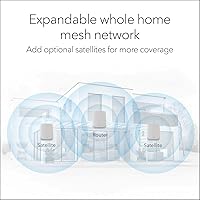
The system is designed to grow: additional RBS660 satellites can be added to extend coverage further without replacing the core router, and the architecture keeps inter-node communication on a dedicated backhaul band regardless of how many nodes are in the network.
Each expansion satellite carries an additional cost that adds up quickly for very large properties needing four or five total nodes. There is also no cross-generational compatibility with older Orbi hardware, so existing NETGEAR customers cannot mix older satellites into the new network without buying fresh equipment.

Suitable for:

The NETGEAR Orbi RBK663 WiFi 6 Mesh System is a strong match for anyone who has accepted dead zones as an unavoidable fact of life in their home and is ready to actually fix the problem. It performs best in medium-to-large houses — think two-story colonials, sprawling ranch layouts, or older construction with dense walls that eat wireless signal — where a single router, no matter how expensive, simply cannot reach every corner. Households running a high volume of connected devices simultaneously will also get real value here: the Wi-Fi 6 standard handles congestion from smart TVs, gaming consoles, security cameras, and laptops far more gracefully than older mesh systems. Remote workers who depend on stable video calls and low-latency connections throughout the day, not just near the router, will notice a genuine difference. It is also a practical pick for buyers who want network-level security features bundled in without setting up a separate solution from day one, as long as they go in knowing that the Armor protection requires an ongoing subscription after the initial trial period ends.

Not suitable for:

The Orbi RBK663 is probably not the right choice for apartment dwellers or anyone in a compact home where a single capable router would already cover the space without issue — paying for a three-piece mesh kit when you only need one node is simply wasteful. Budget-focused buyers should also think carefully, because the upfront cost is only part of the picture; continuing the included NETGEAR Armor security protection after the 30-day trial adds a recurring expense that some shoppers find frustrating when it arrives unexpectedly. Power users who expect granular control over their network — custom DNS, advanced QoS settings, VLAN configuration — will likely find the Orbi app too limited for their needs and may be better served by a more advanced platform like Asus ZenWiFi or a Ubiquiti setup. Anyone whose internet plan exceeds 1 Gbps should also note that the WAN port tops out at 1 Gig, which could become a bottleneck as multi-gig ISP plans grow more common. Finally, buyers hoping to mix this system with older Orbi hardware from a different generation may run into compatibility frustrations that make the experience less straightforward than expected.

Specifications

  • Wi-Fi Standard: This mesh system uses the 802.11ax (Wi-Fi 6) standard, which improves efficiency and throughput compared to the previous Wi-Fi 5 generation.
  • Frequency Bands: The system operates on three bands simultaneously: one 2.4 GHz band and two 5 GHz bands, with one 5 GHz band dedicated to backhaul communication between nodes.
  • Max Speed: Combined theoretical throughput reaches up to 3.8 Gbps (AX3800) across all three bands under ideal conditions.
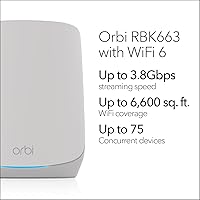
  • Coverage Area: The included three-node kit covers up to 6,600 sq. ft., with each satellite contributing approximately 2,200 sq. ft. of additional range.
  • Device Capacity: The system supports up to 75 simultaneously connected devices without significant performance degradation.
  • Kit Contents: The box includes one Orbi router (RBR660), two Orbi satellites (RBS660), three power adapters, one 2-meter Ethernet cable, and a quick start guide.
  • Router Ports: The router unit provides three Gigabit Ethernet LAN ports and one Gigabit Ethernet WAN port for connecting to a cable or fiber modem.
  • Satellite Ports: Each satellite unit includes two Gigabit Ethernet LAN ports, useful for wired connections to devices like smart TVs or gaming consoles near each node.
  • Security Suite: NETGEAR Armor is pre-loaded and provides malware blocking, identity theft protection, and vulnerability alerts, with a 30-day free trial included at purchase.
  • ISP Compatibility: The system connects to any cable, fiber, DSL, or satellite internet provider, supporting WAN speeds up to 1 Gbps.
  • Management App: The Orbi app for iOS and Android handles initial setup, parental controls, device prioritization, and ongoing network monitoring.
  • Model Number: The official model number for this kit is RBK663-100NAS, with the router identified as RBR660 and each satellite as RBS660.
  • Box Dimensions: The retail box measures 14.92 x 12.48 x 7.32 inches and the complete kit weighs 7.65 pounds.
  • Color: All three units — router and both satellites — are finished in white to blend with typical home interiors.
  • Region: This product is manufactured and certified for use in the United States only and is not intended for international markets.
  • Release Date: The RBK663 kit became available for purchase on October 7, 2024, making it a current-generation Wi-Fi 6 offering from NETGEAR.

Related Reviews
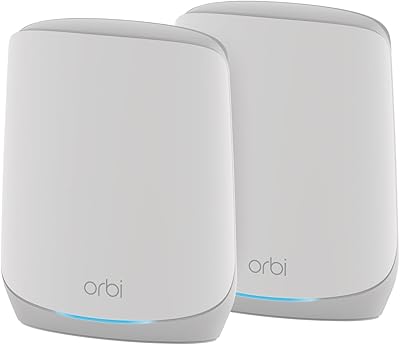
NETGEAR Orbi RBK853 WiFi 6 Mesh System
77%
83%
Signal Coverage
86%
Network Speed
88%
Device Handling
81%
Setup Experience
74%
App & Management
More
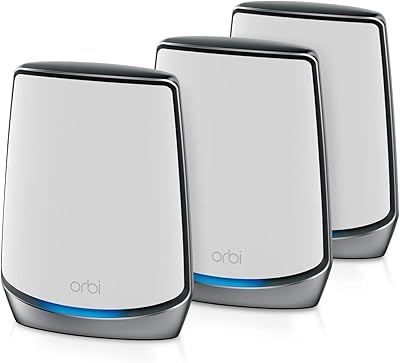
NETGEAR Orbi RBK752P WiFi 6 Mesh System
80%
88%
Coverage & Range
79%
WiFi Speed & Throughput
91%
Ease of Setup
83%
Device Handling
85%
Wired Connectivity
More
NETGEAR Orbi RBK753P WiFi 6 Mesh System
77%
88%
Coverage & Range
84%
WiFi Speed & Performance
91%
Setup & Installation
67%
App Experience
63%
Value for Money
More
NETGEAR Nighthawk MK62 Mesh WiFi 6 System
87%
94%
Setup & Installation
88%
Performance for Streaming & Gaming
83%
WiFi Coverage
90%
App Management Experience
92%
Security Features (NETGEAR Armor)
More
NETGEAR Nighthawk MK72 WiFi 6 Mesh System
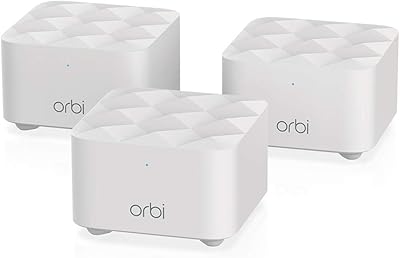
77%
74%
Coverage & Range
78%
WiFi Speed & Performance
91%
Setup & Installation
61%
Network Management & App
83%
Multi-Device Handling
More
NETGEAR Nighthawk MK73S
77%
88%
Coverage & Dead Zone Elimination
91%
Setup & Installation Experience
76%
WiFi Speed & Throughput
82%
Device Capacity & Network Congestion
63%
Roaming & Handoff Between Units
More
NETGEAR Orbi RBK13 Mesh WiFi System
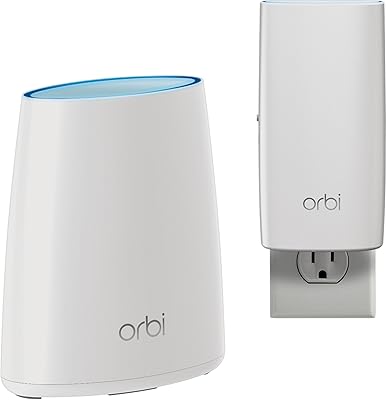
77%
88%
Coverage & Dead Zone Elimination
91%
Ease of Setup
67%
WiFi Speed & Throughput
83%
Roaming & Band Switching
74%
Multi-Device Performance
More
NETGEAR Orbi CBK40 Modem Mesh WiFi System
74%
82%
Coverage & Range
74%
WiFi Speed Performance
88%
Modem Integration
83%
Setup & Onboarding
77%
App Experience
More
Netgear Orbi RBK50 2-Pack Mesh WiFi System
72%
88%
Coverage & Range
83%
Signal Consistency
91%
Setup & Installation
84%
Ease of Daily Use
62%
Value for Money
More
NETGEAR Orbi RBK30 Whole Home Mesh WiFi System
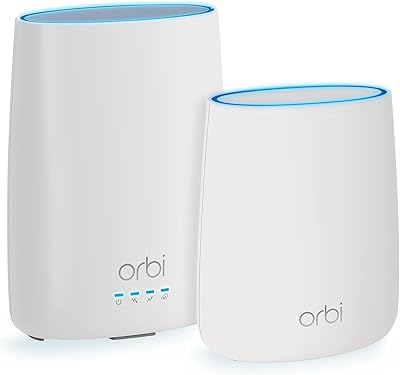
82%
88%
WiFi Coverage
91%
Ease of Setup
85%
Performance Stability
89%
App Functionality
87%
Alexa Compatibility
More

FAQ

Almost everything you need is included — the router, two satellites, power adapters, and an Ethernet cable to connect the router to your modem. The only thing you supply yourself is your existing cable or fiber modem. The Orbi app walks you through the rest, and most households are up and running in under 30 minutes.

Almost certainly yes. The system is compatible with cable, fiber, DSL, and satellite internet providers, so it works with the vast majority of U.S. ISPs. The one practical limit is the WAN port, which maxes out at 1 Gbps — so if your plan delivers multi-gig speeds, this system will not be able to take full advantage of that extra headroom.

Position each satellite roughly halfway between the router and the edge of the area you want to cover, and keep them out in the open rather than tucked inside closets or behind large appliances. Walls, especially older plaster walls, reduce signal, so err on the side of placing satellites closer to the router rather than farther away. A large portion of the drop-off complaints from real users trace back to satellites placed too far out or in enclosed spaces.

That depends on how much you value network-level security. Armor actively scans for malware, blocks suspicious traffic, and monitors connected devices for vulnerabilities — which is more protection than most routers offer by default. Whether the ongoing subscription cost feels justified is a personal call, but it is worth budgeting for it before you buy so the renewal prompt does not catch you off guard.

Yes, you can add extra RBS660 satellites (sold separately) to push coverage further. Each additional satellite adds roughly 2,200 sq. ft. of range, so if your home is particularly large or oddly shaped, expanding the network is a straightforward option — just keep in mind that each extra node adds to the total cost.

It does, and multi-story homes are actually one of the scenarios where a three-node mesh setup like this shines. Placing the router on one floor and a satellite on each additional floor — or spreading them across different ends of the home — gives you consistent signal throughout without the dead zones that a single router almost always creates on upper or lower floors.

All three are solid choices in the same general price range, and the differences often come down to software preference and ecosystem. Eero integrates tightly with Amazon devices and has a very polished app, while Deco tends to offer slightly more advanced controls. The Orbi RBK663 has a strong reputation for raw coverage consistency, but if you want fine-grained network configuration, the competing options give you a bit more to work with.

Yes, and that is one of the practical advantages of this system. Each satellite has two Gigabit Ethernet ports, so you can hardwire a console or PC directly into the nearest node rather than running a long cable back to the main router. That wired connection will always be faster and more stable than wireless for latency-sensitive applications like online gaming.

By default, the Orbi app sets everything up as a single unified network name, and the system handles band steering automatically — your devices connect to whichever band and node makes the most sense without you having to think about it. You can manually separate them if you prefer, but most users find the automatic approach works well.

No, the other nodes continue operating independently. If a satellite drops off, devices in that satellite's coverage area may lose signal or fall back to a weaker connection from another node, but the rest of the network keeps running. Rebooting the affected satellite resolves the issue in most reported cases, and true hardware failures are uncommon under normal use.

Where to Buy