


Overview

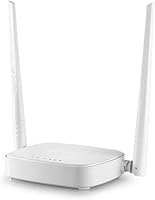
The Tenda N301 N300 Wireless Router has been quietly holding its ground in the budget router market since 2015, and that kind of staying power says something real. This is not hardware built for power users or gigabit plans. It targets renters, light internet users, and small households that just need reliable coverage without a big outlay. Operating on a single-band 2.4GHz frequency means you share spectrum with neighboring networks and older devices — a fair trade-off at this tier. Think casual browsing, standard-definition streaming, and a handful of connected devices. Set realistic expectations going in, and this budget router largely delivers on them.

Features & Benefits

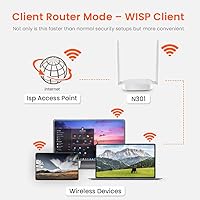
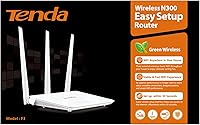
The N301 runs on the 802.11b/g/n standard, topping out at 300Mbps — enough for streaming video or browsing without much friction. Two external 5dBi antennas give it decent range for a studio or one-bedroom apartment, holding signal reasonably well across small spaces. Where this entry-level Wi-Fi router earns extra credit is flexibility: it can function as a standard router, a wireless repeater, an access point, or in WISP mode, which is genuinely useful if your setup needs change. Parental controls and bandwidth management are baked in too. The one caveat worth repeating: the WAN port tops out at 100Mbps, so faster ISP plans will hit a hard ceiling here.

Best For

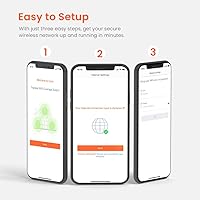
This budget router is a strong fit for renters in small apartments, studio units, or single-floor homes where coverage demands stay modest. If your internet plan sits at or below 100Mbps, you will never feel throttled by the hardware. It also works well as a secondary or guest network device, and the repeater and access point modes make it more adaptable than most buyers expect at this price. First-time router buyers will appreciate the low-friction setup process in particular. If you are paying for gigabit internet, though, this is the wrong tool — the hardware simply cannot pass those speeds through.

User Feedback

Across more than 2,200 ratings, the N301 holds a 4.0-star average, which is a solid result for a utility device at this level. The most consistent praise centers on how painless setup is — buyers frequently highlight the quick-start guide as a genuine help. Reliable day-to-day performance in small spaces gets mentioned often too. On the critical side, owners who upgraded to faster internet plans bumped straight into the 100Mbps ceiling, which catches some buyers off guard. Occasional dropouts after long uptime are also reported, though most find a periodic reboot keeps things stable. The web interface gets called dated but functional — nobody loves it, few find it a dealbreaker.

Pros

  • Setup takes minutes even for complete beginners, with a well-written quick-start guide included in the box.
  • The N301 covers small apartments and studio units reliably without dead zones.
  • Four operating modes — router, repeater, AP, and WISP — make it more adaptable than its price suggests.
  • Built-in parental controls let households manage access without needing third-party software.
  • Bandwidth control tools help prevent one device from hogging the connection.
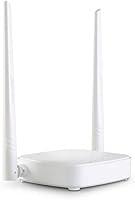
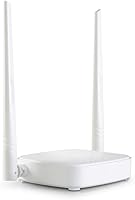
  • Two external 5dBi antennas deliver better range and signal stability than many compact routers at this tier.
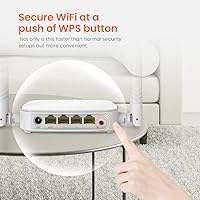
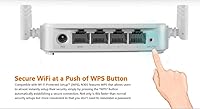
  • WPS button makes connecting new devices fast and painless.
  • Over 2,200 real-world ratings back up a 4.0-star average, showing consistent satisfaction for everyday use.
  • Lightweight and compact enough to tuck out of sight on any shelf or desk.

Cons

  • The 10/100Mbps WAN port hard-caps throughput at 100Mbps, wasting any faster internet plan you pay for.
  • Single-band 2.4GHz operation means more interference in apartment buildings with many competing networks.
  • No mobile app for network management — remote control and monitoring are simply not available.
  • Some owners report intermittent dropouts after extended uptime, requiring periodic manual reboots.
  • The browser-based admin interface looks and feels like it has not been updated in years.
  • No USB port, ruling out any NAS or printer-sharing functionality.
  • Not a realistic option for households running multiple 4K streams or bandwidth-heavy workloads concurrently.
  • No VPN pass-through support listed, which limits usefulness for remote workers needing secure tunnels.

Ratings

The scores below for the Tenda N301 N300 Wireless Router were generated by our AI system after analyzing verified global user reviews, with spam, bot submissions, and incentivized feedback actively filtered out before any scoring took place. Each category reflects the honest distribution of real buyer experiences — strengths and frustrations weighted equally — so you get a picture that matches what people actually encounter day to day, not a polished highlight reel.

Value for Money
88%
At its budget price point, the N301 punches well above expectations for users on entry-level internet plans. Buyers in small apartments consistently note that paying this little for reliable daily browsing and standard-definition streaming feels like a genuinely smart spend, especially compared to pricier alternatives with features they would never use.
The value calculation shifts noticeably the moment your ISP plan exceeds 100Mbps, since the hardware bottleneck effectively means you are paying for speed you cannot access. Users who upgraded their internet and kept this router later felt the price-to-performance ratio had quietly inverted on them.
Ease of Setup
91%
Setup is one of the clearest strengths here, and buyer feedback is unusually consistent on this point. The included quick-start guide walks complete beginners through the process in plain language, and most users report being fully connected within ten to fifteen minutes without touching any advanced settings.
A small number of users encountered confusion when switching between operating modes like Repeater or AP, since the printed guide covers standard router setup more thoroughly than the alternative modes. Those edge cases aside, out-of-box setup is as smooth as it gets in this category.
Wireless Range
74%
26%
In studio apartments and compact one-bedroom units, the two 5dBi external antennas deliver reliable coverage without dead zones near windows or in adjacent rooms. Users in these smaller spaces frequently describe the signal as stable and consistent for everyday tasks like video calls and light streaming.
Coverage starts to thin noticeably in larger one-bedroom or two-bedroom layouts, particularly through thick walls or across multiple floors. Buyers who expected the N301 to cover a medium-sized home were often disappointed, with several noting that corner rooms or areas separated by masonry walls got a noticeably weaker signal.
Wireless Speed
67%
33%
For the single-band 2.4GHz class it belongs to, the router handles standard-definition video streaming, web browsing, and light file transfers without obvious sluggishness. Users on sub-100Mbps plans rarely experienced the hardware itself as a bottleneck during normal household usage.
The 300Mbps theoretical ceiling is already modest, and real-world throughput on a congested 2.4GHz channel in a dense apartment building often falls short of that. Users expecting snappy performance on multiple simultaneous streams, or anyone who has experienced a modern dual-band router, will notice the limitations fairly quickly.
WAN Port Throughput
52%
48%
For users whose internet plans sit comfortably at or below 100Mbps, the Fast Ethernet WAN port is a non-issue in practice and the router passes that bandwidth through reliably. It does exactly what it promises for the audience it was designed to serve.
The 10/100Mbps WAN port is the most frequently cited frustration in negative reviews, and for good reason — it hard-caps real-world internet speeds at 100Mbps regardless of what your provider delivers. Buyers who discovered this limitation after upgrading their ISP plan felt genuinely misled, even though the spec is clearly documented.
Build Quality
71%
29%
The plastic chassis feels solid enough for a stationary home device, and most users report no physical issues after months or years of continuous use. The external antennas are sturdy and stay positioned without drooping, which is not always a given at this price tier.
The housing feels lightweight and utilitarian rather than premium, and the glossy white finish shows fingerprints and dust accumulation readily. A handful of users noted the unit runs noticeably warm after extended uptime, which correlates with the occasional connectivity drops some owners experience.
Stability and Uptime
66%
34%
Many users report running this entry-level Wi-Fi router continuously for months without any notable issues, particularly in low-demand environments like single-occupant apartments where network activity is light and predictable. For those users, stability has simply not been a concern.
A recurring thread in the reviews involves intermittent dropouts after extended uptime — often after several days of continuous operation. It is not universal, but enough buyers mention it to warrant attention; periodic reboots tend to resolve it, though having to manually restart a router is an inconvenience most people would rather avoid.
Operating Modes
83%
The four available modes — Router, Repeater, AP, and WISP — make the N301 far more versatile than buyers often expect at this price. Using it as a dedicated wireless repeater or wired access point to extend an existing network is a practical and cost-effective option that several buyers specifically called out as the reason they repurchased.
Switching between modes requires accessing the browser-based admin panel, and the interface is not intuitive enough to guide less experienced users through mode changes confidently. The quick-start documentation focuses primarily on standard router operation, leaving the other modes somewhat underexplained.
Admin Interface
57%
43%
The web-based admin panel is functional and gets the core job done — most users can locate the settings they need with some patience, and basic configurations like changing the Wi-Fi password or enabling parental controls are accessible without expert knowledge.
The interface design has not evolved meaningfully since the product launched, and it shows. Compared to modern router admin panels, it feels sparse and occasionally confusing in layout. There is no mobile app alternative, which means anyone accustomed to managing their home network from a smartphone will find this workflow notably more cumbersome.
Parental Controls
72%
28%
Built-in parental controls give parents a straightforward way to restrict internet access by device or time schedule directly from the admin panel without installing third-party software. For households with younger children and modest network demands, this functionality covers the basics effectively.
The parental control feature set is limited compared to what dedicated family-oriented routers offer — there is no domain-level content filtering or per-category blocking, just time-based and device-level restrictions. Parents looking for fine-grained content management will find it falls short.
Bandwidth Control
76%
24%
The built-in bandwidth management tools let network administrators cap or prioritize speeds for individual connected devices, which is genuinely useful in shared households where one heavy user would otherwise crowd out everyone else on a limited plan.
The controls work at a basic level but lack the granularity or real-time visibility that more advanced QoS systems provide. There is no traffic monitoring dashboard, so identifying which device is consuming the most bandwidth requires some guesswork rather than hard data.
Compatibility
86%
The N301 works with any ISP modem that outputs a standard RJ45 Ethernet connection, which covers practically every residential internet provider globally. Buyers across a wide range of ISPs and geographies consistently report straightforward compatibility without driver installations or firmware workarounds.
While modem compatibility is broad, the 2.4GHz single-band operation means older or interference-sensitive environments can cause connection issues with specific devices. A small number of users noted that certain smart home devices or older laptops required manual channel selection to connect reliably.
Package Contents
81%
19%
The included accessories are practical and cover everything a first-time buyer needs: an Ethernet cable, power adapter, and a clear quick-install guide are all in the box. Not having to source a separate cable before getting started is a small but appreciated convenience.
The included resources CD is essentially obsolete for most modern laptops and desktops that no longer ship with optical drives. It feels like a legacy inclusion that adds no real value, and firmware updates require downloading from the Tenda website rather than relying on the disk.

Suitable for:

The Tenda N301 N300 Wireless Router is purpose-built for people who need dependable basic connectivity without overcomplicating things or overspending. Renters living in studio apartments or small one-bedroom units are its natural audience — spaces where a single-band signal reaches every corner without needing mesh nodes or high-gain hardware. It suits households on entry-level internet plans capped at or around 100Mbps, where the hardware's own ceiling never becomes a bottleneck. First-time router buyers will find the setup process refreshingly straightforward, with a clear quick-start guide that does not assume any technical background. It also makes a practical secondary device — set it up as a wireless repeater or dedicated guest network access point, and it handles that job reliably without eating into your main budget.

Not suitable for:

The Tenda N301 N300 Wireless Router is a poor match for anyone who has invested in a fast internet plan expecting real-world throughput above 100Mbps, since the WAN port physically cannot pass higher speeds through regardless of what your ISP delivers. Power users managing multiple 4K streams, video calls, and heavy downloads simultaneously will run into the single-band 2.4GHz ceiling quickly, especially in densely populated buildings where that band is already congested. Gamers who care about low latency and consistent ping should look at dual-band options with better QoS controls. Larger homes with multiple floors or thick walls will likely find the signal inadequate at the edges. And anyone hoping to manage their network through a polished mobile app will be disappointed — there is no app control here, just a functional but dated browser-based interface.

Specifications

  • Brand: Manufactured by ASI Corp. and sold under the Tenda brand, a widely distributed networking hardware label.
  • Model: The specific model designation is N301, with item model number CP0310.
  • Wireless Standard: Operates on the 802.11b/g/n protocol across the 2.4GHz single-band frequency only.
  • Max Speed: Wireless throughput reaches up to 300Mbps under ideal conditions on the 2.4GHz band.
  • WAN Port: A single 10/100Mbps Fast Ethernet WAN port limits real-world internet throughput to a hard ceiling of 100Mbps.
  • LAN Ports: Three 10/100Mbps Fast Ethernet LAN ports allow wired connections to computers, smart TVs, or other devices.
  • Antennas: Two fixed external 5dBi omni-directional antennas provide improved wireless range and signal stability.
  • Working Modes: Supports four operating modes: standard Router, Wireless Repeater, Access Point (AP), and WISP.
  • Parental Controls: Built-in parental control functionality allows administrators to restrict internet access by device or schedule.
  • Bandwidth Control: Integrated bandwidth management tools let users allocate and limit speeds across connected devices.
  • WPS Support: A dedicated WPS button enables quick, push-button wireless pairing without manual password entry.
  • Dimensions: The unit measures 10.31 x 10.31 x 2.24 inches, making it compact enough for a shelf or desktop placement.
  • Weight: The router weighs 4.3 ounces, making it light enough to mount or reposition with minimal effort.
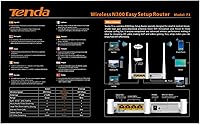
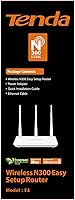
  • In the Box: Package includes the N301 router, one Ethernet cable, a power adapter, a printed quick install guide, and a resources CD.
  • USB Port: No USB port is included on this model, so printer sharing or external storage attachment is not supported.
  • App Control: No dedicated mobile application is available; network management is handled exclusively through a browser-based admin interface.
  • VPN: No VPN pass-through or VPN server functionality is listed in the official specifications for this model.
  • Release Date: The N301 was first made available on Amazon on August 24, 2015, indicating a well-established hardware platform.
  • Compatibility: Works with any ISP modem that provides a network connection via RJ45 using Cat5 or higher Ethernet cable.
  • Certifications: The router uses WPS (Wi-Fi Protected Setup) for simplified secure pairing with compatible wireless devices.

Related Reviews
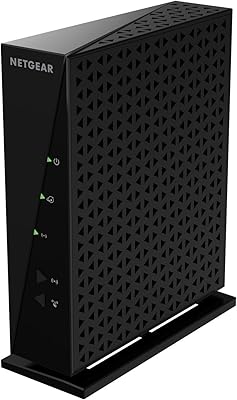
NETGEAR WNR2000 N300 Wireless Router
70%
91%
Ease of Setup
63%
Wireless Performance
52%
Range & Coverage
78%
Wired Connectivity
83%
App & Management
More
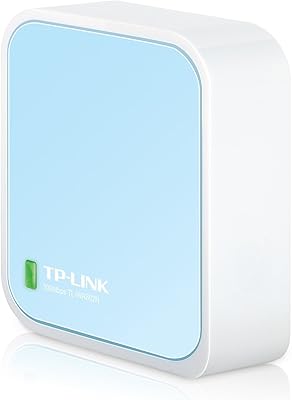
TP-Link TL-WR802N N300 Travel Router
79%
97%
Portability
83%
Setup Ease
91%
Value for Money
62%
Wi-Fi Performance
74%
Build Quality
More
Linksys E2000 Wireless-N Router
74%
88%
Ease of Setup
71%
Wireless Signal Strength
67%
Dual-Band Performance
91%
Wired Connection Reliability
83%
Guest Network Feature
More
Tenda RX2Pro AX1500 WiFi 6 Router
76%
91%
Value for Money
78%
Wireless Performance
72%
Coverage & Range
93%
Ease of Setup
74%
App Experience
More
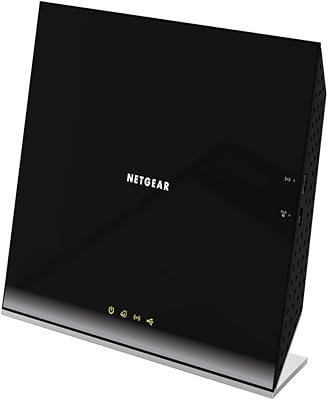
NETGEAR R6200 AC1200 Dual Band Gigabit Router
71%
88%
Ease of Setup
74%
Wireless Performance
61%
Signal Range & Coverage
69%
Build Quality & Design
58%
Firmware & Software Reliability
More
NETGEAR Trek N300 Travel Router
83%
88%
Value for Money
93%
Portability
79%
Wi-Fi Performance
85%
Ease of Setup
91%
Power Flexibility
More
Mercusys MW302R Wireless N Router
73%
91%
Ease of Setup
58%
Wi-Fi Speed & Throughput
67%
Wi-Fi Coverage & Range
74%
Signal Stability
63%
Parental Controls
More
NETGEAR RangeMax Wireless Router WNR1000
78%
89%
Ease of Setup
68%
Wi-Fi Range
92%
Value for Money
81%
Parental Controls
85%
Security Features
More
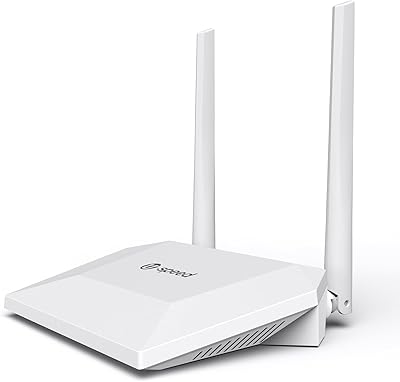
U-SPEED N300 T1 Pro WiFi Router
70%
88%
Ease of Setup
63%
WiFi Coverage
58%
Wireless Speed
83%
Value for Money
67%
Repeater Performance
More
Tenda RX12 Pro AX3000 WiFi 6 Router
77%
88%
Value for Money
91%
Setup & Ease of Use
83%
WiFi Speed & Performance
71%
Coverage & Range
79%
VPN Support
More

FAQ

Almost certainly yes. The N301 is compatible with any ISP modem that connects via a standard RJ45 Ethernet port using Cat5 or better cable, which covers virtually every residential provider. Just plug the WAN port into your modem and you are ready to configure.

Unfortunately, no. The Tenda N301 N300 Wireless Router has a 10/100Mbps WAN port, which means real-world throughput is capped at 100Mbps no matter how fast your ISP plan is. If your plan exceeds 100Mbps, you will want a router with a Gigabit WAN port to avoid leaving speed on the table.

It is genuinely one of the easier setups in this category. The box includes a printed quick-start guide that walks you through the basics clearly, and most users report being online within ten to fifteen minutes. You do not need any networking background to get it running.

Yes. The N301 supports a Repeater mode, which lets it pick up your existing wireless signal and rebroadcast it to extend coverage in a dead zone. Keep in mind that repeating a 2.4GHz signal in a crowded building can reduce effective throughput, but for basic use it works well.

Tenda does not publish a hard device limit, but in practice this entry-level Wi-Fi router handles around 10 to 15 light-use devices comfortably. If you start stacking smart home devices, multiple streaming boxes, and laptops all active at once, you may notice congestion on the single 2.4GHz band.

Yes, basic parental controls are built in and accessible through the browser-based admin panel. You can restrict internet access by device and set schedules, which is enough for households that want to limit screen time. It is not a sophisticated content-filtering system, but it covers the basics.

It can be, since many neighboring networks compete on the same 2.4GHz frequency. In denser buildings you may notice slower speeds or occasional interference during peak hours. Selecting a less congested Wi-Fi channel in the admin panel usually helps, but if interference is a persistent issue in your area, a dual-band router would serve you better.

A handful of users do report intermittent dropouts after extended uptime. The most common fix is a simple periodic reboot, either manually or by putting the router on a basic outlet timer that cycles power overnight. It is not an issue everyone experiences, but it is worth knowing about before you buy.

No, this budget router does not have an official mobile app. All settings and management are done through a web-based admin interface accessed from a browser on any connected device. The interface is functional but visually dated — it gets the job done, just without modern conveniences.

You get the router itself, one Ethernet cable, a power adapter, a printed quick install guide, and a resources CD. Everything you need for a basic wired-to-wireless setup is included out of the box, so you do not need to purchase any accessories separately to get started.

Where to Buy