
Overview

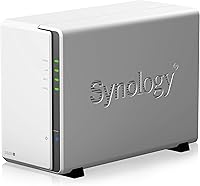
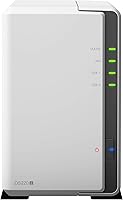
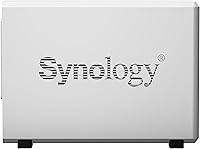
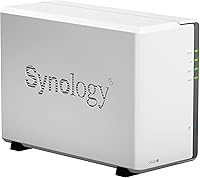
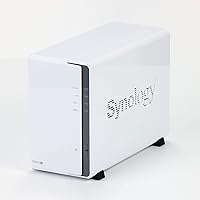
The Synology DS220j 2-Bay NAS Enclosure is Synology's entry-level answer for home users and small offices who want centralized storage without paying monthly cloud subscription fees. It has been on the market since 2020 and held its ground impressively — a reassuring sign for anyone worried about buying aging hardware. One thing to flag upfront: this is a diskless enclosure, meaning you need to purchase hard drives separately before it does anything useful. Compared to Synology's own DS220+, the j-series sits a clear step below in raw power, but it costs noticeably less and is designed for a genuinely less demanding audience.

Features & Benefits

The DS220j runs on a Realtek RTD1296 quad-core processor at 1.4 GHz — enough for basic file sharing, photo backups, and light media streaming without trouble. Where things get tighter is the 512 MB of RAM; it handles one or two straightforward tasks fine, but running multiple packages simultaneously will push it to its ceiling quickly. The saving grace is Synology's DSM software, a browser-based operating system that is genuinely easy to navigate even if you have never touched a NAS before. Security is covered out of the box with a firewall, two-factor authentication, and encrypted transfers. The two USB 3.2 ports are a practical bonus for connecting an external drive for manual backups.

Best For

This entry-level NAS hits its stride for people who want personal cloud storage without paying Google or Apple every month. It is a natural fit for households where a few people need shared access to files, photos, or video libraries across different devices. First-time NAS buyers in particular will appreciate how approachable the setup process is — no networking background required. It also makes a sensible low-cost secondary or backup unit for anyone already in the Synology ecosystem. That said, heavy Plex transcoding or running a dozen apps simultaneously is a job for a more capable machine; knowing that going in saves frustration later.

User Feedback

Across more than 3,300 ratings, this Synology enclosure holds a strong 4.4-star average, and the review patterns are consistent. Buyers consistently praise how painless the initial setup is, and Synology's reputation for delivering DSM updates years after launch earns genuine appreciation. On the downside, the RAM limitation surfaces regularly — users who push Plex alongside a sync service quickly discover the constraints. A segment of reviewers also notes that the single LAN port and missing BTRFS support make the DS220+ worth a look for slightly more advanced needs. Most recommend pairing the unit with WD Red or IronWolf drives specifically, which is worth factoring into your total cost upfront.

Pros

  • Synology's DSM software is one of the best operating systems available on any consumer NAS, period.
  • Setup is genuinely beginner-friendly — most users are up and running within an hour.
  • Long-term DSM software updates give the device a useful lifespan well beyond typical budget hardware.
  • Built-in security tools including two-factor authentication and encrypted transfers cover the basics without extra configuration.
  • Two USB 3.2 Gen 1 ports make it easy to connect an external drive for a quick local backup.
  • A 4.4-star rating across more than 3,300 reviews reflects consistent real-world satisfaction for its target audience.
  • Compact and lightweight at under 2 pounds, it fits easily on a shelf or desk without taking up much space.
  • Works well as a low-cost secondary NAS for users already invested in the Synology ecosystem.

Cons

  • 512 MB of RAM is a hard ceiling that limits how many packages or services can run at the same time.
  • No BTRFS support means you lose out on advanced snapshots and stronger data integrity features.
  • Only one LAN port with no link aggregation — not ideal if your network demands more throughput or redundancy.
  • Drives are sold separately, so the actual cost of getting started is significantly higher than the enclosure price alone.
  • Plex transcoding performance is limited; direct play works, but on-the-fly transcoding of high-bitrate files will struggle.
  • No eSATA port restricts external expansion options compared to higher-tier Synology models.
  • The Realtek CPU can feel sluggish when DSM is indexing a large photo or media library for the first time.
  • Competing models at a slightly higher price offer meaningfully better specs that may be worth the jump for growing storage needs.

Ratings

The scores below for the Synology DS220j 2-Bay NAS Enclosure were generated by our AI engine after analyzing thousands of verified global buyer reviews, with spam, bot activity, and incentivized feedback actively filtered out. Each category reflects both the genuine praise and the recurring frustrations real users have reported — nothing is glossed over. The result is an honest, data-driven picture of where this entry-level NAS delivers and where it falls short.

Ease of Setup
92%
Setup consistently earns top marks from buyers, particularly those with no prior NAS experience. Synology's browser-based installation wizard handles the heavy lifting, and most users report being fully operational — drives formatted, network shares created, and mobile apps connected — within a single evening.
A small number of users with older or less common router configurations have reported minor hiccups during the initial network discovery step. These cases are uncommon, but worth noting for anyone running less standard home network setups.
Software Quality (DSM)
94%
DSM is widely regarded as the best operating system in its class for consumer NAS devices. Buyers praise how polished and intuitive it feels, especially for managing backups, setting up remote access via QuickConnect, and installing additional packages without any command-line knowledge.
The app ecosystem, while broad, has some packages that feel underdeveloped or infrequently updated compared to the core DSM experience. A handful of reviewers noted that certain third-party package installations can feel inconsistent in their stability on this hardware tier.
Performance
61%
39%
For its intended role — serving files to a small household, running automated backups, and handling light photo indexing — the DS220j performs adequately day-to-day. Users who stick to basic file sharing over a local network rarely encounter bottlenecks under normal usage patterns.
The hardware ceiling becomes obvious quickly when users push beyond basic tasks. Running Plex with transcoding, operating multiple packages simultaneously, or indexing a large media library for the first time can cause noticeable slowdowns, and the fixed 512 MB of RAM offers no room to grow.
RAM & Multitasking
48%
52%
For a single focused task — say, acting purely as a network backup target or a simple file server — the 512 MB of DDR4 RAM is technically sufficient. Users who keep their package footprint minimal report stable operation over long periods without crashes.
This is the most consistent complaint across the review pool. Users who try to run Plex alongside a sync service, a download manager, or even a lightweight surveillance package find the system struggling quickly. There is no upgrade path, which makes this a permanent constraint rather than a fixable one.
Build Quality
78%
22%
The enclosure feels solid and purposeful for its size — the drive trays slot in securely and the plastic casing, while not premium, feels durable enough for a device that sits stationary on a shelf. Several long-term owners report no physical degradation after years of continuous use.
The all-plastic construction does feel noticeably budget-tier compared to Synology's higher-end enclosures. A few users noted that the drive trays, while functional, lack the tool-free installation mechanism found on pricier models, which makes drive swapping slightly more involved.
Value for Money
74%
26%
When the total cost of ownership is considered against years of avoided cloud subscription fees, the DS220j makes a compelling financial case for home users with moderate storage needs. The combination of capable software and reliable hardware at this price point is hard to match in the entry-level NAS category.
The sticker price is for the enclosure only — once you add two NAS-grade drives, the total outlay climbs considerably, which surprises buyers who did not read the fine print. At that total cost, the DS220+ starts looking like a more rational investment for anyone with even slightly more demanding needs.
Noise Level
76%
24%
Under normal file-serving loads the unit itself is quiet, and many users report it running unobtrusively in a home office or living room without drawing attention. The fan noise is generally described as a low, consistent hum rather than an intrusive whir.
Noise output is heavily dependent on the drives installed, and the enclosure does not include vibration-dampening mounts. With louder or older mechanical drives, the unit can become noticeably audible, particularly in quieter rooms at night.
Remote Access
83%
Synology's QuickConnect service makes remote file access genuinely painless — no port forwarding, no dynamic DNS setup, just a simple link that works from a browser or mobile app anywhere in the world. Buyers who travel frequently or want to pull files from work consistently praise this feature.
Remote transfer speeds are entirely dependent on your home internet connection's upload bandwidth, which can feel sluggish on slower ISP plans. A small number of users also reported occasional QuickConnect connectivity hiccups during periods of high server load on Synology's relay infrastructure.
Security Features
86%
Built-in tools like two-factor authentication, an IP-based firewall, and AES-256 encrypted shared folders give home users a meaningful security baseline without requiring any advanced configuration. DSM's security advisor actively flags weak settings, which is genuinely useful for less technical owners.
While the built-in security toolkit is solid for home use, more advanced users looking for features like intrusion detection or detailed network traffic logging will find it limited compared to dedicated security appliances or higher-tier Synology models.
Long-Term Software Support
91%
Synology's track record for pushing DSM updates to older hardware is one of the strongest in the NAS industry, and buyers frequently cite this as a key reason for staying loyal to the brand. Owners of 2020 units have continued to receive meaningful feature updates and security patches years after purchase.
While support longevity is a genuine strength, Synology does eventually retire older platforms from major DSM version support. Users planning to hold onto the hardware for a very long time may eventually find themselves on a legacy DSM branch that no longer receives new features.
Drive Compatibility
81%
19%
The unit works reliably with a wide range of 3.5-inch NAS-grade drives, and Synology maintains an extensive compatibility list that takes the guesswork out of purchasing. Reviewers who followed Synology's recommendations — particularly WD Red and Seagate IronWolf — report consistently stable long-term operation.
Using drives not on Synology's official compatibility list can trigger DSM warnings and, in some cases, instability. Budget or off-brand drives have caused issues for a subset of buyers who opted not to check compatibility first, leading to unnecessary troubleshooting.
Mobile App Experience
79%
21%
The DS file, DS photo, and DS video apps cover the most common mobile use cases — browsing files, viewing photos, and streaming personal video libraries — in a clean and reasonably polished interface. Most everyday tasks feel natural and responsive on a good Wi-Fi or LTE connection.
The mobile app suite, while functional, has not kept pace visually or feature-wise with modern app design standards. Some users report occasional sync delays and a handful of UI quirks that feel like rough edges in an otherwise capable ecosystem.
Connectivity Options
57%
43%
The two USB 3.2 Gen 1 ports are a practical addition, letting users plug in an external drive for a quick local backup or connect a compatible UPS device for power protection. For basic home networking, the single Gigabit LAN port covers everyday throughput needs without issue.
One Gigabit port with no link aggregation support is a real limitation compared to the DS220+, which offers two ports. The complete absence of an eSATA port also limits external expansion options, and there is no Wi-Fi built in — a wired connection to your router is mandatory.
Backup Capabilities
88%
Hyper Backup and other DSM backup tools make protecting data genuinely straightforward — users can schedule automated backups from PCs, Macs, and mobile devices with minimal configuration. The ability to back up the NAS itself to an external USB drive or a cloud destination adds a useful extra layer of protection.
Some of the more advanced backup features, like versioned cloud backups to certain providers, require additional package installations that are not always well-documented for new users. First-time setup of multi-destination backup jobs can involve a steeper learning curve than the basic file-sharing setup.

Suitable for:

The Synology DS220j 2-Bay NAS Enclosure is a strong fit for home users who are tired of paying recurring fees for cloud storage and want a private, always-on alternative they actually own and control. If your household has a few people who need shared access to photos, documents, or video files across laptops, phones, and tablets, this entry-level NAS handles that job reliably without requiring any networking expertise. First-time NAS buyers will find the setup process genuinely approachable — Synology's DSM interface walks you through configuration in a way that feels more like setting up a consumer app than configuring server hardware. It also suits anyone already using Synology gear who wants a low-cost second unit for off-site backups or a dedicated archive device. For light Plex use — think direct-play of a modest media library rather than heavy on-the-fly transcoding — the DS220j covers the basics at a price that makes the trade-offs easy to accept.

Not suitable for:

The Synology DS220j 2-Bay NAS Enclosure is not the right tool if you plan to run multiple resource-intensive apps simultaneously, do heavy Plex transcoding, or push the device beyond basic file serving. With only 512 MB of RAM and no upgrade path, the hardware ceiling is real — power users who want to run a VPN server, a download manager, and a media server all at once will hit frustrating slowdowns quickly. Anyone who needs BTRFS file system support for advanced snapshot and data integrity features should look at the DS220+ instead, as this enclosure is locked to EXT4. A single Gigabit LAN port with no link aggregation support also rules it out for anyone building a more capable home lab or small business network. If your storage needs are growing fast or your workflow demands consistent multi-user performance under load, spending more on the DS220+ or DS720+ is a smarter long-term decision.

Specifications

  • CPU: Powered by a Realtek RTD1296 64-bit quad-core processor running at 1.4 GHz, suitable for file serving and light media tasks.
  • RAM: Comes with 512 MB of DDR4 non-ECC memory, which is fixed and cannot be upgraded.
  • Drive Bays: Houses two 3.5-inch SATA hard drive bays, compatible with standard NAS-grade mechanical drives.
  • Drive Interface: Uses a Serial ATA-600 (SATA III) interface for connecting internal hard drives.
  • File System: Supports the EXT4 file system; BTRFS is not available on this model.
  • LAN Port: Equipped with one RJ-45 Gigabit Ethernet port providing up to 1 GbE wired network connectivity.
  • USB Ports: Includes two USB 3.2 Gen 1 ports for connecting external drives, printers, or UPS devices.
  • eSATA: No eSATA port is included on this model, limiting external drive expansion to USB connections only.
  • Operating System: Runs Synology DiskStation Manager (DSM), a browser-based OS with a wide library of installable packages.
  • Dimensions: The enclosure measures 8.86 x 3.94 x 6.5 inches (L x W x H), making it compact enough for a desk or shelf.
  • Weight: Weighs 1.94 pounds without drives installed, keeping the unit lightweight and easy to position.
  • Drives Included: This is a diskless enclosure — no hard drives are included and must be purchased separately before use.
  • Security Features: Built-in security tools include a configurable firewall, two-factor authentication support, and AES-256 encrypted shared folder access.
  • Network Protocol: Supports standard file-sharing protocols including SMB, AFP, NFS, FTP, and WebDAV for broad device compatibility.
  • Power Supply: Includes an internal power supply rated for standard AC input; no external power brick is required.
  • Availability: First made available in February 2020 and remains an active, non-discontinued product in Synology's lineup.
  • Market Rank: Holds a position of #125 in the Network Attached Storage Enclosures category on Amazon as of available data.
  • User Rating: Carries a 4.4-out-of-5-star average rating based on over 3,300 customer reviews on Amazon.

Related Reviews
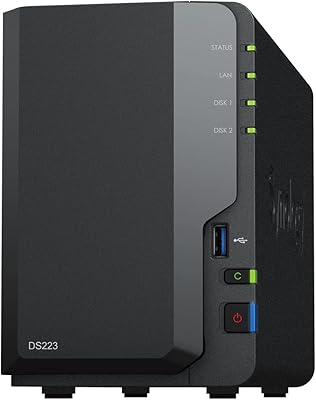
Synology DS223
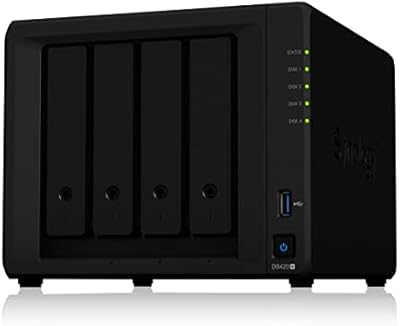
Synology DS223
77%
94%
Software & OS Experience
88%
Setup & Initial Configuration
61%
CPU & Processing Performance
67%
Network Connectivity
83%
Build Quality & Design
More
Synology DS420+ 4-Bay NAS Enclosure
80%
93%
Software Experience
88%
Build Quality
84%
Thermal Management & Noise
91%
Storage Flexibility
62%
Network Performance
More
Asustor Drivestor 2 Lite AS1102TL NAS
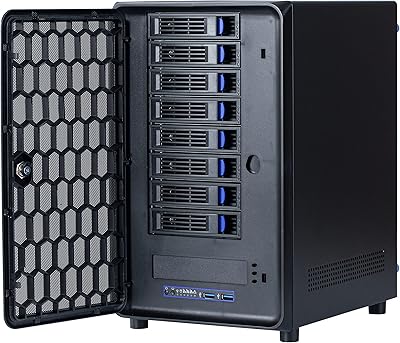
76%
88%
Ease of Setup
83%
Build Quality
74%
Performance for Everyday Use
71%
Software (ADM OS) Usability
69%
4K Media Streaming
More
KCMconmey NAS-812 8+2 Bay DIY NAS Case
84%
86%
Build Quality
62%
Cooling Performance
88%
Ease of Use
90%
Compatibility with PSU Types
91%
Customization Options
More
Asustor Drivestor 2 Pro Gen2 2-Bay NAS


76%
83%
Setup & Initial Configuration
89%
Network Performance (2.5GbE)
71%
4K Transcoding Performance
67%
Software & ADM Ecosystem
86%
Build Quality & Physical Design
More
TerraMaster D4-320
TerraMaster D4-320
80%
93%
Ease of Setup
86%
Transfer Speed
71%
Build Quality
88%
Noise Level
82%
Thermal Management
More
IO CREST SY-ENC50127 USB 3.2 Type-C Dual Bay HDD + M.2 NVMe External Enclosure

83%
88%
Performance
93%
Ease of Setup
91%
Build Quality
87%
Data Transfer Speed
90%
Cooling/Heat Management
More
ICY DOCK ToughArmor MB998SP-B 8-Bay 2.5” SATA/SAS HDD/SSD Mobile Rack Enclosure for 5.25″ Bay
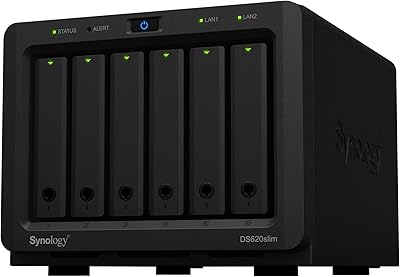
87%
91%
Performance
88%
Cooling Efficiency
89%
Build Quality
93%
Ease of Installation
72%
Noise Level
More
Synology DS1823xs+ 8-Bay NAS Enclosure
80%
91%
Build Quality & Chassis Durability
88%
Processor Performance
93%
Network Throughput & Connectivity
86%
Storage Expansion Flexibility
89%
DSM Software Ecosystem
More
Asustor AS5402T 2-Bay NAS Enclosure
78%
88%
Hardware Value
82%
Processing Performance
86%
Network Throughput
84%
Thermal Management
63%
Software & OS Experience
More

FAQ

Yes, absolutely. The enclosure ships with no drives inside, so you will need to purchase compatible 3.5-inch SATA hard drives before it can store anything. Popular choices among buyers include the Seagate IronWolf and WD Red series, which are purpose-built for NAS use and handle the continuous operation better than standard desktop drives.

It is genuinely one of the more beginner-friendly options out there. Once you install the drives and connect the unit to your router, Synology's setup wizard walks you through the rest via a web browser — no command line or technical background needed. Most first-time users report being fully operational within an hour.

You can install the Plex Media Server package on the DS220j, and it works reasonably well for direct-play scenarios where your devices can handle decoding the video themselves. However, on-the-fly transcoding — where the NAS converts a video file in real time — is a real weak point given the limited processor and RAM. If most of your playback devices support direct play, you will be fine; if not, you may hit performance walls.

No. The 512 MB of DDR4 memory is soldered onto the board and cannot be expanded, which is one of the key hardware trade-offs compared to models like the DS220+.

Each bay supports drives up to the capacity limits recognized by Synology's DSM, which has historically supported drives of 16 TB and larger. In practice, you are limited by whatever drive sizes are available and compatible at the time of purchase — checking Synology's official compatibility list before buying drives is always a good idea.

Yes, it supports several volume configurations through DSM including SHR (Synology Hybrid RAID), RAID 0, RAID 1, JBOD, and Basic mode. For most home users, RAID 1 or SHR is the recommended setup as it mirrors your data across both drives for redundancy.

Yes. Synology's free QuickConnect service lets you securely access your files from anywhere through a web browser or the DS file mobile app, without needing to configure port forwarding on your router. It works well for everyday remote access, though transfer speeds will depend on your home internet upload speed.

The DS220+ runs a faster Intel Celeron processor, starts with more RAM (upgradable to 6 GB), supports BTRFS, and has two LAN ports with link aggregation. For light home use, those differences may not matter much, but if you plan to run multiple services simultaneously or want a more future-proof setup, the DS220+ is worth the extra investment.

Under normal file-serving loads it is relatively quiet, though the drive noise will depend heavily on which hard drives you install. Some drives are notably quieter than others. With typical NAS-grade drives, most users find it acceptable in a home office or living room, though it may be noticeable in a very quiet bedroom at night.

This is one of Synology's genuine strengths. The company has a solid track record of supporting hardware with DSM updates for several years after release, which means the DS220j will likely keep receiving new features and security patches well into the future. It is one of the reasons buyers in the 3,300-plus review pool specifically mention long-term software support as a standout quality.

Where to Buy