Overview

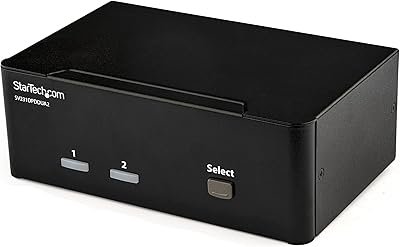
The StarTech VS222HDQ 2x2 HDMI Matrix Switch has been a quiet staple in the AV world since 2014 — and that kind of longevity says something. Unlike a basic splitter that mirrors one source to multiple displays, or a switcher that toggles one output between sources, a matrix switch lets you route any input to any output independently. That flexibility is the whole point. StarTech built its reputation on no-nonsense connectivity gear that actually works in demanding environments, and this HDMI matrix switch fits that mold exactly. It is not designed to impress anyone with its looks. It is designed to run reliably in a rack or on a shelf, day after day, without drama.

Features & Benefits

What separates this StarTech switcher from simpler alternatives is the combination of four switching modes and EDID emulation. Auto-detect and priority modes handle source changes without you lifting a finger, while manual and IR remote options give you direct control when needed. EDID emulation is the unsung hero here — it tells each connected source exactly what the display expects, so you avoid frustrating resolution mismatches that plague cheaper switches. Audio gets its own analog output, which is handy when your downstream equipment does not decode HDMI audio. The whole unit caps out at 1080p, which is worth knowing upfront. For signage and presentation work, that is rarely a problem. For anything 4K, it is not the right tool.

Best For

This HDMI matrix switch earns its place in professional environments more than consumer living rooms. IT managers rolling out digital signage in hospitals, retail spaces, or corporate lobbies will appreciate how low-maintenance it runs once configured. AV integrators handling dual-display systems will find the switching modes genuinely practical rather than gimmicky. Conference rooms are another natural fit — nobody wants to fuss with inputs during a meeting. Home theater users with two displays and multiple sources can absolutely make it work, though the 1080p ceiling is worth factoring in. Organizations with TAA compliance requirements will also find this box checks a box most consumer-grade switchers simply cannot.

User Feedback

Long-term owners tend to speak well of the VS222HDQ, particularly around build quality and uptime — the kind of box that gets installed and forgotten about in a good way. Setup is straightforward, and the auto-switching works as advertised for most configurations. The IR remote draws more mixed reactions; it functions, but the range and responsiveness leave some users underwhelmed. The loudest complaint, though, is the 1080p limitation. Buyers who purchased this switch a few years ago and have since upgraded to 4K monitors find themselves outgrowing it faster than expected. A handful of users also report compatibility hiccups with HDR sources, so testing your specific hardware before committing is a smart move.

Pros

  • Proven hardware that has run reliably in commercial environments for over a decade.
  • EDID emulation prevents blank-screen handshake failures common in cheaper matrix switches.
  • Four switching modes give installers meaningful control over how sources are prioritized.
  • Auto-switching works cleanly in standard 1080p setups without requiring manual input.
  • Analog stereo audio output removes the need for a separate audio extractor in many installations.
  • TAA compliance opens procurement doors for government and federally funded institutional buyers.
  • Solid build quality that holds up to continuous operation in demanding commercial deployments.
  • Straightforward initial setup that most IT staff can complete without specialist AV knowledge.
  • Front-panel buttons provide a dependable fallback when the remote is out of range.
  • The VS222HDQ has a long track record of consistent uptime that budget alternatives rarely match.

Cons

  • Hard 1080p ceiling makes this HDMI matrix switch immediately obsolete for 4K display environments.
  • HDR source devices can trigger compatibility failures that require manual resolution workarounds.
  • The IR remote has inconsistent range and often disappoints in enclosed cabinet installations.
  • No rack ears are included, which complicates clean mounting in standard AV rack setups.
  • Included documentation is too thin to guide users through advanced switching mode configuration.
  • EDID handling struggles when modern sources attempt to negotiate HDR or expanded color depth.
  • No on-screen or LED routing display makes it difficult to confirm current signal paths at a glance.
  • Analog audio output is stereo only, with no support for multi-channel surround configurations.
  • Long product age means the feature set reflects the needs of 2014 rather than current AV demands.
  • Buyers in private-sector 4K environments will find better-value alternatives at comparable price points.

Ratings

The StarTech VS222HDQ 2x2 HDMI Matrix Switch earns its scores from AI-driven analysis of verified global buyer reviews, with spam, bot-generated, and incentivized feedback actively filtered out before scoring. The result is a balanced picture of where this StarTech switcher genuinely delivers and where real users have run into frustration. Both its strengths as a durable professional tool and its notable limitations around modern display compatibility are reflected transparently in every category below.

Build Quality
88%
Users consistently describe the VS222HDQ as feeling solid and substantial for its size — not a lightweight plastic box that wobbles on a shelf. Installers who rack-mount it in commercial environments report that it holds up well over years of continuous operation without physical degradation.
The industrial aesthetic is purely functional, and a few users note the casing can collect dust in tight installations. There are no mounting ears included out of the box, which frustrates integrators who want a cleaner rack fit without sourcing additional hardware.
Switching Reliability
91%
Auto-switching is the feature buyers rely on most, and the VS222HDQ handles it well in the vast majority of setups. Conference room and digital signage installers particularly appreciate that source changes happen cleanly without manual intervention during live presentations.
A subset of users report occasional hesitation when switching between sources with mismatched EDID profiles, particularly in mixed-generation hardware environments. These hiccups are infrequent but noticeable enough that a few installers prefer keeping the unit in manual mode for critical deployments.
EDID Emulation
83%
EDID management is where this StarTech switcher distinguishes itself from cheaper alternatives. It reliably tells connected sources what the display expects, preventing the blank-screen handshake failures that plague budget matrix switches in multi-source setups.
The EDID handling works well for standard 1080p configurations but shows its age with newer sources that attempt to negotiate HDR or higher color depth. Users pairing it with modern streaming devices or gaming consoles sometimes need to force output resolution manually on the source side.
4K and Resolution Support
31%
69%
For installations that were designed around 1080p displays — digital signage in lobbies, older conference rooms, or industrial monitoring setups — the resolution ceiling is a complete non-issue and the image quality is clean and stable.
This is the most cited disappointment in recent buyer feedback. The hard cap at 1080p means anyone who has upgraded to 4K monitors or modern commercial displays will find this unit immediately obsolete. There is no upgrade path or workaround; it simply does not support 4K signals.
Ease of Setup
86%
Most buyers describe initial setup as refreshingly straightforward — connect sources, connect displays, power on, and the unit largely figures out the rest. IT staff without deep AV backgrounds report getting it running correctly within minutes in conference room deployments.
The included documentation is sparse, and users who want to configure specific switching modes beyond the default auto behavior sometimes struggle to find clear guidance. The manual covers the basics but leaves advanced configuration scenarios underexplained.
Remote Control
61%
39%
Having an IR remote included at this price tier is a genuine convenience, particularly in installations where the unit sits inside an AV cabinet or behind a display. Users managing signage setups value being able to switch sources without reaching behind equipment.
The remote draws consistent criticism for its limited range and inconsistent responsiveness, especially through cabinet doors or at oblique angles. Several users describe it as functional but finicky, and a few have stopped using it entirely in favor of front-panel buttons.
Audio Output
72%
28%
The analog stereo audio output is a thoughtful addition that extends compatibility to amplifiers and speaker systems that do not accept HDMI audio. Users running presentations through existing analog audio infrastructure genuinely benefit from this without needing a separate audio extractor.
Audio performance is adequate but not audiophile-grade, and users trying to extract multi-channel surround sound will be disappointed — it is stereo only. The output level is also inconsistent enough across sources that some users report needing to adjust volume manually when switching inputs.
Compatibility
67%
33%
In well-controlled environments using standard 1080p sources like Blu-ray players, cable boxes, and office PCs, the VS222HDQ handles compatibility cleanly and without drama. It has been tested and trusted in these scenarios for over a decade.
Compatibility frays noticeably when modern HDR-capable devices enter the chain. Streaming sticks, newer gaming consoles, and 4K Blu-ray players attempting to negotiate HDR handshakes can trigger blank screens or forced fallbacks that require manual source-side intervention.
Value for Money
74%
26%
For a TAA-compliant, professionally positioned matrix switch with EDID emulation and four switching modes, the pricing sits reasonably within the mid-range professional tier. Institutional buyers who need compliance documentation often find it competes favorably against alternatives.
Consumer buyers comparing it against newer 4K-capable matrix switches at similar price points will question the value. The feature set made excellent sense in 2016, but the lack of any resolution upgrade makes it harder to justify for setups that have moved beyond 1080p.
Durability and Longevity
89%
Long-term owners are among the most positive voices in the user base. Multiple reviewers mention units running continuously for five or more years in commercial environments without failure, which is a meaningful data point for anyone buying for professional deployment.
The hardware durability is rarely criticized, but the technological longevity is a different story. A unit bought five years ago may still run perfectly while being functionally obsolete for modern display requirements — durability and relevance are not the same thing with this product.
TAA Compliance
84%
For government agencies, defense contractors, and federally funded institutions, TAA compliance is a hard procurement requirement — not a nice-to-have. The VS222HDQ satisfies that requirement cleanly, and buyers in those sectors cite it as a key reason they chose it over non-compliant alternatives.
TAA compliance adds nothing for private-sector buyers and does not offset the resolution limitations for commercial deployments that have modernized their display infrastructure. It narrows the ideal buyer profile significantly rather than broadening the product's appeal.
Form Factor and Footprint
77%
23%
The unit is compact enough to sit on a shelf, inside a cabinet, or on an AV cart without dominating the space. Its modest weight makes it easy to reposition during installations, and the port layout is sensible enough that cable management stays tidy.
At just over 11 inches in length, it is not the most compact option in the category, and without integrated rack ears it sits awkwardly in standard 1U rack spaces. Installers who need a true rack-mount solution often end up improvising a mounting solution.
Front Panel Usability
79%
21%
The front-panel buttons provide a reliable fallback when the remote is out of reach or unresponsive. Installers who set up the unit in accessible locations appreciate having a tactile, no-dependency way to switch inputs without navigating menus or using a remote.
The button labeling is minimal and the feedback is subtle enough that users occasionally press the wrong input in low-light conditions. There is no display or LED indicator system sophisticated enough to confirm the current routing state at a glance.
Documentation and Support
58%
42%
StarTech does maintain online resources including datasheets and a support portal, which helps when the paper documentation falls short. Buyers who reach out to StarTech support generally report receiving technically competent responses.
The included quick-start documentation is thin, and the online resources, while present, require digging to find switching mode configuration details. First-time matrix switch users in particular report confusion around EDID settings that better documentation could easily resolve.

Suitable for:

The StarTech VS222HDQ 2x2 HDMI Matrix Switch is the right call for anyone managing a stable, 1080p-based AV environment where reliability matters more than cutting-edge specs. IT managers deploying digital signage in corporate lobbies, hospital waiting rooms, or retail spaces will find it handles continuous operation without babysitting. AV integrators building small dual-display presentation systems get genuine flexibility from the four switching modes, especially auto-detect, which removes a lot of manual overhead in busy environments. Conference rooms benefit particularly well — once it is configured, staff can walk in, connect a laptop, and trust the switch to handle the rest. Organizations with TAA procurement requirements will also appreciate that this box checks a compliance box that most consumer-grade alternatives simply cannot. For anyone still running a 1080p infrastructure who needs a dependable, no-drama routing solution, this StarTech switcher remains a practical and well-proven choice.
Not suitable for:

If your displays, sources, or future plans involve anything beyond 1080p, the StarTech VS222HDQ 2x2 HDMI Matrix Switch is the wrong starting point, full stop. Buyers who have already invested in 4K monitors or plan to upgrade within the next year or two will hit a hard wall immediately — there is no firmware update or workaround that adds 4K support. Modern streaming devices, current-generation gaming consoles, and 4K Blu-ray players may trigger handshake failures or forced resolution fallbacks that make the experience more frustrating than functional. Home theater enthusiasts building a premium setup around HDR content will find the compatibility gaps genuinely disruptive. The IR remote, while included, is not reliable enough to serve as a primary control interface in large or enclosed rack installations. And buyers hoping for a polished consumer experience with clean documentation and intuitive configuration will likely find the setup process more demanding than expected.
Specifications

  • Configuration: The unit supports a 2-input, 2-output matrix routing configuration, allowing any source to be sent to any display independently.
  • Max Resolution: Maximum supported video resolution is 1080p (1920×1080), covering both 60Hz and lower refresh rate signals.
  • Connector Type: All video connections use standard HDMI Type-A ports, with 2 HDMI inputs and 2 HDMI outputs on the rear panel.
  • Switching Modes: Four switching modes are available: auto-detect, priority, next, and manual, selectable via front-panel controls or the included remote.
  • EDID Emulation: Built-in EDID emulation communicates display capability data to connected sources, preventing resolution negotiation failures during source switching.
  • Audio Output: A dedicated analog stereo audio output (3.5mm) allows audio to be routed to non-HDMI amplifiers or speaker systems.
  • Remote Control: An IR remote control is included for input switching without physical access to the unit; requires one AAAA battery.
  • TAA Compliance: The product is Trade Agreements Act (TAA) compliant, making it eligible for U.S. federal government and institutional procurement contracts.
  • Power Supply: The unit requires an external DC power adapter, which is included in the box; it does not draw power over HDMI.
  • Dimensions: Physical dimensions are 11.42 × 7.68 × 10.31 inches, sized for shelf, cabinet, or improvised rack placement.
  • Weight: The unit weighs 10.2 ounces, making it light enough to reposition easily during installation or reconfiguration.
  • Model Number: The official manufacturer model number is VS222HDQ, used for procurement documentation, warranty registration, and support inquiries.
  • Manufacturer: Designed and sold by StarTech.com, a connectivity hardware specialist with a broad catalog of professional AV and IT infrastructure products.
  • Release Date: The product was first made available in March 2014, giving it over a decade of active market presence and verified field reliability.
  • HDMI Standard: The switch supports HDMI 1.3a signaling, which covers 1080p, standard dynamic range, and up to 8-channel audio pass-through over HDMI.
  • Battery Required: One AAAA-size battery is required for the IR remote; this battery type is less common than AA or AAA and may need to be sourced separately.
  • Compatibility: Compatible with standard 1080p sources including Blu-ray players, cable and satellite set-top boxes, computers, and legacy gaming consoles.
  • Warranty: StarTech.com typically provides a 2-year warranty on this product line, with support accessible through their official online portal.

Related Reviews
Yinker 4K HDMI Matrix Switch 4x4
83%
82%
Performance and Signal Stability
88%
Ease of Use
85%
Flexibility in Control Options
79%
Build Quality
90%
Setup and Installation
More
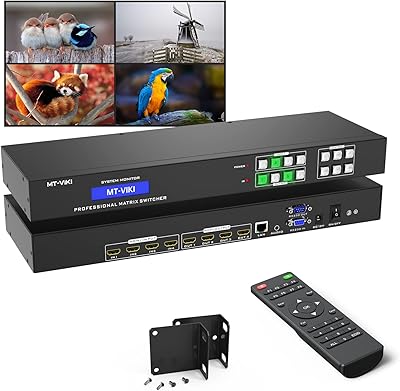
MT-VIKI 4x4 HDMI Matrix Switch
86%
88%
Performance
91%
Build Quality
85%
Ease of Setup
72%
Remote Control Responsiveness
90%
Audio Extraction Quality
More
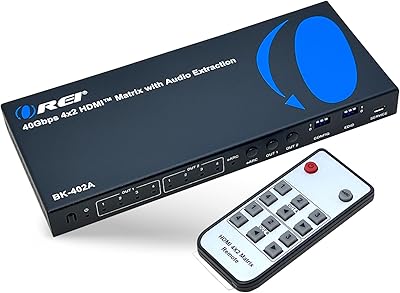
OREI BK-402A 8K eARC HDMI Matrix Switch 4x2

80%
88%
Signal Reliability & Handshake
84%
Audio Extraction Quality
91%
Routing Flexibility
82%
EDID Management
89%
Value for Money
More
StarTech SV431HDU3A2 4-Port HDMI KVM Switch
73%
74%
Switching Reliability
69%
Video Quality
66%
USB 3.0 Hub Performance
71%
Audio Switching
83%
Setup & Installation
More
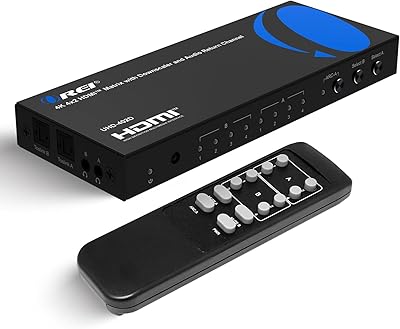
OREI UHD-402D 4x2 HDMI Matrix Switch
78%
88%
Video Signal Quality
84%
Audio Extraction
71%
ARC Implementation
82%
EDID Management & Downscaling
86%
Setup & Ease of Use
More
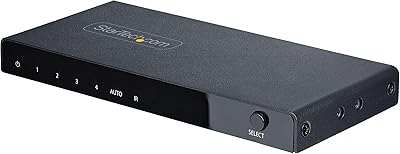
StarTech 4-Port 8K HDMI 2.1 Switch
84%
91%
Signal Integrity
88%
Build Quality
93%
4K 120Hz Performance
74%
Auto-Switching Reliability
89%
Gaming Feature Passthrough
More
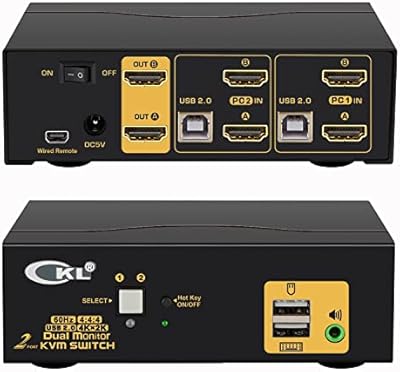
CKL 2x2 KVM Switch Dual Monitor HDMI 2.0 4K 60Hz
83%
88%
Ease of Setup
91%
Display Quality
85%
Switching Flexibility
84%
USB Hub Functionality
79%
Build Quality
More
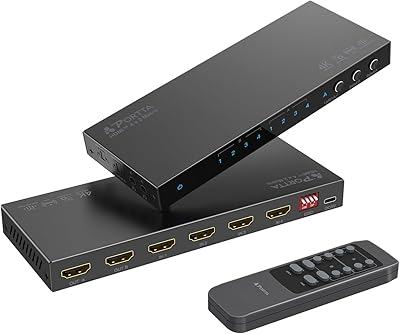
Portta N2MT42AX 4x2 HDMI Matrix
78%
83%
Signal Reliability
88%
4K & HDR Performance
86%
Audio Extraction Quality
91%
EDID Management
72%
ARC Functionality
More
TCNEWCL KS-801 8-Port HDMI KVM Switch
78%
88%
Ease of Setup
91%
Port Capacity & Scalability
74%
Video Quality & Resolution
69%
Switching Speed & Reliability
83%
IR Remote Control
More
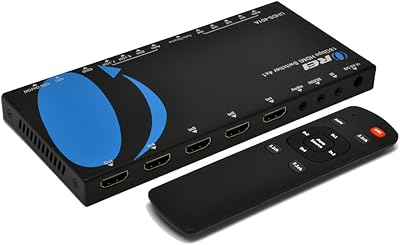
OREI UHDS-401A
OREI UHDS-401A
71%
74%
4K Signal Reliability
83%
Audio Extraction Quality
51%
ARC Functionality
86%
Format Compatibility
62%
Build Quality & Design
More

FAQ

No, it cannot. The VS222HDQ is strictly limited to 1080p. If any of your sources or displays operate at 4K, you will need a different matrix switch — this one will either downscale or fail to pass the signal entirely, depending on the source device.

A splitter sends one source to multiple displays simultaneously. This HDMI matrix switch does something more flexible — it lets you route any of two inputs to either or both outputs independently. So you could send your laptop to display one and your media player to display two, or send both sources to the same display, all without rewiring anything.

It has an auto-detect mode that switches to the most recently active source without any manual input. There is also a priority mode if you want one source to always take precedence when it becomes active. For setups like conference rooms or digital signage, the automatic modes work well once configured.

There are four modes: auto, priority, next, and manual. You switch between them using the front-panel button or the included IR remote. The manual covers the basics, but the StarTech support site has additional guidance if you need to configure priority behavior specifically.

Honestly, mixed results. The remote works fine in open installations with a clear line of sight to the front panel receiver. Through cabinet doors or at sharp angles, responsiveness drops noticeably. If your unit will live inside a closed rack or cabinet, plan to rely on the front-panel button or consider an IR extender cable.

It will connect, but current-generation consoles default to 4K output and HDR signaling, which this StarTech switcher cannot handle. You would need to manually force your console to output at 1080p with HDR disabled, and even then some handshake issues have been reported. For modern gaming consoles, a 4K-capable matrix switch is a much better fit.

Yes. In addition to passing audio through the HDMI outputs, there is a dedicated 3.5mm analog stereo output on the unit. That means you can route audio to a separate amplifier or speaker system that does not have HDMI input. Keep in mind it is stereo only — no surround sound formats are supported on that analog output.

EDID is the handshake data that tells a source device what resolution and format the connected display supports. Without emulation, switching inputs can sometimes cause a source to lose track of what the display expects and either go blank or output the wrong resolution. The built-in EDID management on this unit keeps that communication stable, which is why installers favor it over basic switches in professional deployments.

Yes, it is TAA compliant. For most private-sector buyers, that detail is irrelevant. However, if you are purchasing for a U.S. federal agency, a defense contractor, or any organization subject to federal procurement rules, TAA compliance is often a hard requirement. It means the product was manufactured or substantially transformed in a TAA-designated country, which qualifies it for government purchase orders.

The unit does not include rack ears out of the box, so it will not drop into a standard 1U rack space cleanly on its own. Most installers either set it on a rack shelf, use a third-party mounting bracket, or secure it inside a cabinet. It is a common complaint worth knowing before you plan your installation layout.

Where to Buy