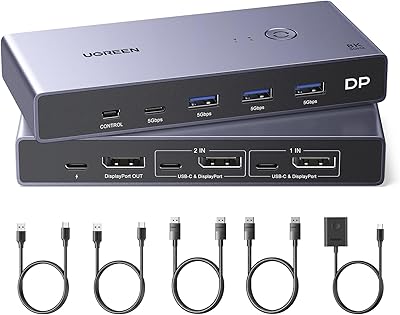
StarTech SV231DVIUA 2-Port DVI KVM Switch
Overview
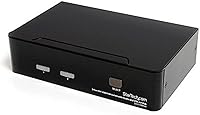
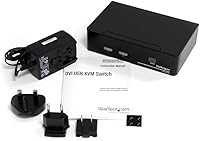
The StarTech SV231DVIUA 2-Port DVI KVM Switch is a mid-range desktop solution that lets you control two computers from a single keyboard, mouse, and monitor — no second desk required. A KVM switch essentially routes your peripherals to whichever machine you select, and DVI remains relevant for a wide range of professional and legacy displays that still deliver sharp, reliable output. This desktop KVM unit has been on the market since 2011, which says something about its staying power in a category that tends to churn through short-lived products. It also carries TAA compliance, making it a viable option for government and institutional purchasing. Just be clear-eyed going in: if your monitors use DisplayPort or HDMI, this isn't the switch for you.
Features & Benefits
You get two ways to jump between computers: tap a hot-key sequence or hit the physical button on the front panel. Either way, switching is quick and doesn't require you to touch a menu or install anything. The built-in USB 2.0 hub adds six ports to your setup, though in practice it works best with simple devices like keyboards and mice — don't expect it to reliably power demanding peripherals. Resolution support tops out at 1920x1200, which covers 16:10 professional monitors cleanly. Audio follows the active machine via a 3.5mm connection, so your headset stays in one place. The whole unit fits in a compact footprint and works across operating systems without any drivers.
Best For
This DVI KVM switch is a natural fit for IT administrators or developers who run two workstations side by side and still use older DVI monitors — a setup that's more common than people assume in corporate and lab environments. Home office users who invested in quality legacy displays and don't want to replace them just to modernize their desk will find real value here. The TAA-compliant design also opens the door for government agencies and institutional buyers who have compliance requirements on their hardware. If you're currently juggling two sets of peripherals or relying on a clunky manual toggle, this desktop KVM unit is a meaningful step up. It's not for modern HDMI-only monitor setups.
User Feedback
The StarTech two-port switch carries a 3.8-star average across nearly 90 ratings — a score that suggests it does the job without standing out. Buyers consistently praise easy initial setup and the fact that switching between computers feels stable once everything is connected. The no-driver approach earns goodwill across the board. On the other side, the USB hub has drawn complaints about inconsistent behavior with certain peripherals, and a handful of users note that audio switching doesn't always follow the video signal cleanly. Cold boot resolution detection is another recurring gripe. Durability reports are split — some units have run for years, while others showed wear sooner than expected. Solid for basic needs, but realistic expectations matter here.
Pros
- Zero driver installation — plug in and start switching between computers immediately on any OS.
- Hot-key switching keeps your hands on the keyboard and your workflow uninterrupted.
- Supports up to 1920x1200, handling most professional 16:10 DVI monitors without any signal loss.
- TAA compliance makes this desktop KVM unit viable for government and institutional purchasing.
- Audio follows the active computer automatically via 3.5mm, eliminating a separate manual step.
- Compact enough to tuck behind a monitor stand without claiming valuable desk real estate.
- Has been on the market since 2011 with continued availability, signaling proven durability.
- Front-panel button provides a reliable tactile fallback when keyboard shortcuts aren't practical.
- Works across mixed OS environments — a developer running Linux and Windows simultaneously will have no compatibility issues.
Cons
- USB hub performance is unreliable with demanding peripherals like external drives or drawing tablets.
- Audio switching lags noticeably behind video switching in some setups, breaking call or media continuity.
- Resolution detection on cold boot fails often enough to be a real recurring inconvenience.
- Port durability is inconsistent across units — some buyers report DVI port loosening within the first year.
- Hot-key sequences cannot be remapped, causing conflicts in certain development or remote desktop environments.
- No path to expand beyond two computers — the two-port limit is fixed by design.
- Strictly a DVI solution; buyers with any HDMI or DisplayPort monitors must look elsewhere.
- The USB 2.0 standard feels dated given how long this product has been on sale without a hardware refresh.
- Cable clutter around the unit becomes significant when all ports are in use simultaneously.
Ratings
The StarTech SV231DVIUA 2-Port DVI KVM Switch has been scored by our AI system after analyzing verified buyer reviews from multiple global sources, with spam, incentivized, and bot-generated feedback actively filtered out. The result is a balanced picture that reflects where this desktop KVM unit genuinely delivers and where real users have run into friction. Both the strengths and the recurring pain points are represented transparently in the scores below.
Ease of Setup
Switching Reliability
Video Quality & Resolution Support
USB Hub Performance
Audio Switching
Build Quality
Hot-Key Functionality
Compatibility Across Operating Systems
Value for Money
Compact Form Factor
TAA Compliance
Port Durability
Peripheral Switching Speed
Suitable for:
The StarTech SV231DVIUA 2-Port DVI KVM Switch was built for a specific kind of user, and for that user it genuinely delivers. IT administrators and developers who run two workstations side by side — and still rely on DVI monitors, which remain common in corporate labs, government offices, and engineering environments — will find this desktop KVM unit covers their needs without unnecessary complexity. Home office professionals who invested in quality DVI displays and have no reason to replace them will appreciate the clean, no-software setup that works across Windows, macOS, and Linux without any configuration. Government and public-sector procurement teams benefit directly from the TAA-compliant design, which removes a compliance hurdle that disqualifies many competing products. Anyone currently juggling two keyboards, two mice, and two sets of speakers will notice an immediate improvement in desk organization and workflow once this DVI KVM switch is in place.
Not suitable for:
If your monitors use HDMI or DisplayPort connectors, the StarTech SV231DVIUA 2-Port DVI KVM Switch simply is not the right tool — no adapter will make this a modern-display solution, and you would be better served by a purpose-built switch for those interfaces. Buyers hoping to use the built-in USB hub as a reliable docking station for external drives, drawing tablets, or other power-hungry USB devices will likely be disappointed, as real-world feedback consistently flags hub instability with anything beyond basic peripherals. Anyone who expects flawless audio switching will want to manage expectations, since the 3.5mm audio handoff has a documented tendency to lag or occasionally miss the switch entirely. If you need to support more than two computers, this two-port design offers no expansion path whatsoever. And if you are building a new desk setup from scratch today with current-generation hardware, spending on a DVI-only switch is a short-sighted investment regardless of how well this particular unit performs.
Specifications
- Model Number: The unit is officially designated SV231DVIUA by StarTech.
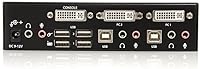
- Video Ports: Two DVI-I ports connect to the source computers, supporting both digital and analog DVI signals.
- Console Connections: A single USB keyboard and USB mouse connect to the console side for shared peripheral control.
- Max Resolution: Video output supports up to 1920x1200 pixels, covering standard widescreen and 16:10 professional display formats.
- Switching Methods: Users can toggle between computers using a front-panel push button or a keyboard hot-key sequence.
- Audio Support: Integrated 3.5mm stereo audio jacks allow a single headset or speaker set to follow the active computer.
- USB Hub: A built-in USB 2.0 hub provides six downstream ports for connecting additional peripherals to the active computer.
- Driver Requirement: No software installation or drivers are required; the switch operates as a plug-and-play device on all supported operating systems.
- OS Compatibility: The switch is OS independent and has been verified to work with Windows, macOS, and Linux without configuration.
- TAA Compliance: This unit is Trade Agreements Act compliant, making it eligible for U.S. federal government and institutional procurement.
- Dimensions: The unit measures 3.94 x 6.3 x 1.57 inches, keeping its desk footprint minimal.
- Weight: The switch weighs 1.43 pounds, light enough to mount or reposition without tools.
- IP Rating: An IP54 rating indicates the enclosure is protected against dust ingress and splash water from any direction.
- Operating Temperature: The switch is rated for continuous operation in environments up to 40 degrees Celsius.
- Power Requirements: The unit draws up to 1.5 amps at 25 volts and does not require a separate external power adapter for standard operation.
- Color & Material: The enclosure is black with a metal contact construction and a physical push-button actuator on the front panel.
- Availability Date: The product was first made available in February 2011 and remains in active production as of the current date.
- Package Contents: The package includes one KVM switch unit; cables are sold separately and are not included in the box.
Related Reviews
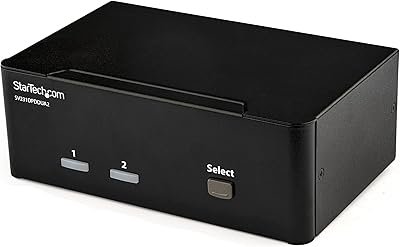
StarTech SV231DPDDUA2 Dual-Monitor DisplayPort KVM Switch
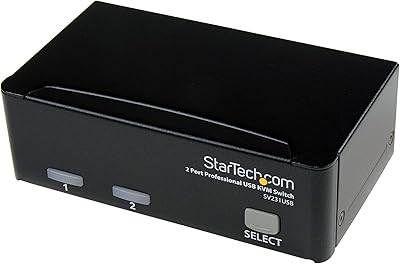
StarTech SV231USB 2-Port VGA USB KVM Switch
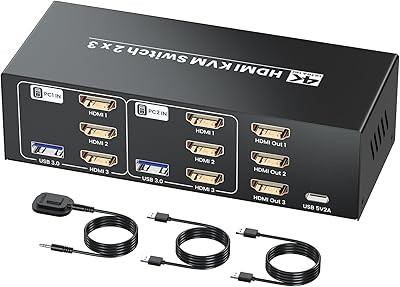
Seiryruc 2-in-3-Out 4K HDMI KVM Switch
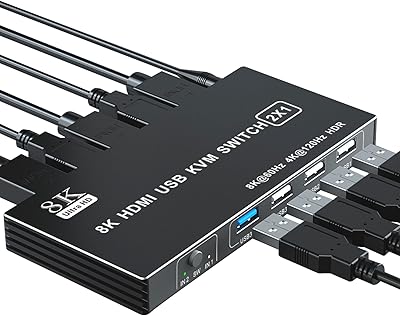
BolAAzuL 2-Port HDMI 2.1 KVM Switch
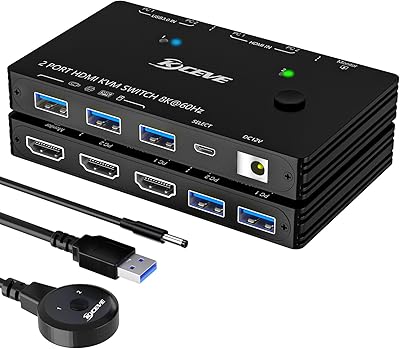
ANXQQ ANQ-A8201 HDMI KVM Switch

ienRon 6-Port 2.5Gb PoE Switch with 2-Port 10Gb SFP+
IOGEAR 2-Port USB DisplayPort KVM Switch
IOGEAR 2-Port USB VGA KVM Switch
IOGEAR GCS32HU 2-Port HDMI KVM Switch