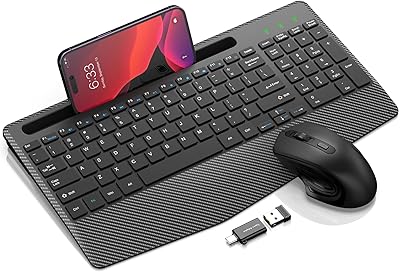
SHUNJINRUN KM426 Wireless Keyboard and Mouse Combo
Overview
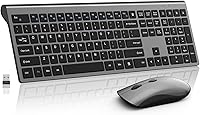
The SHUNJINRUN KM426 Wireless Keyboard and Mouse Combo is a full-size wireless set built for everyday use — not power users chasing peak performance, but remote workers, students, and home users who want a clean, quiet desk setup without overspending. The space-grey colorway and slim keyboard profile give it a look that punches above its price tier, and the single USB nano-receiver means setup is genuinely instant — plug it in and you are typing within seconds. That said, keep expectations grounded: this is a value-tier peripheral, and it delivers exactly what that implies — reliable basics done well.
Features & Benefits
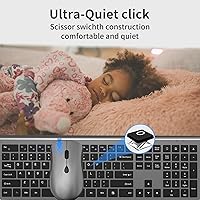
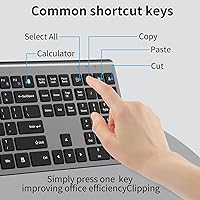
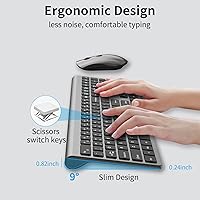
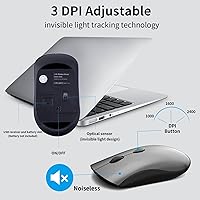
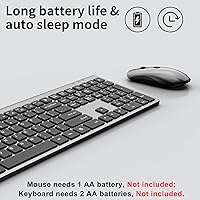
The scissor-switch keys are one of the first things you notice. Unlike mushy membrane keyboards, they offer a crisper, more controlled keystroke with noticeably less noise — genuinely useful in an open office or shared bedroom. The mouse covers three DPI levels: 1000 for precise work, 1600 for general browsing, and 2400 when you need to move quickly across a larger screen. A dedicated calculator key and twelve multimedia shortcuts add real convenience for spreadsheet-heavy workflows. The 2.4GHz connection stays reliable across a room without the pairing headaches Bluetooth sometimes introduces. Just note that three AA batteries are required and none are included in the box.
Best For
This keyboard-and-mouse bundle finds its sweet spot with shared or quiet spaces — think library study rooms, open-plan offices, or a late-night setup where someone nearby is sleeping. Students who want a tidy, low-profile keyboard will appreciate the slim form factor, and the space-grey finish suits minimalist desk aesthetics well. Windows users will get the full feature set, but the KM426 set also works on macOS — with the caveat that Fn multimedia keys won't fully function there. It also makes a solid secondary workstation peripheral, or a child-friendly option for parents, thanks to the lightless mouse design.
User Feedback
Buyers consistently highlight two things: quiet key response and how quickly the combo is up and running out of the box. The slim look earns regular compliments, particularly from users replacing bulkier desktop peripherals. On the downside, the most common frustration is discovering that batteries are not included — a minor but avoidable surprise, so grab three AAs before your order arrives. Mouse tracking draws mixed reactions; most find it smooth enough for daily tasks, though those coming from higher-end sensors may notice a step down. Mac users should know that multimedia hotkeys are unreliable on macOS, which is worth factoring in before purchasing.
Pros
- Scissor-switch keys are noticeably quieter than standard membrane keyboards, making shared spaces much more comfortable.
- Single USB nano-receiver setup is instant — no drivers, no pairing process, no frustration.
- The slim, space-grey design looks considerably more polished than most options at this price point.
- Three adjustable DPI levels give the mouse practical flexibility for different tasks throughout the workday.
- A dedicated calculator key is a small but genuinely useful shortcut for anyone working with numbers regularly.
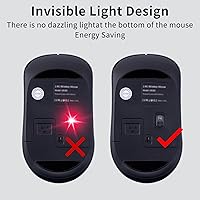
- The lightless mouse is a thoughtful touch for nighttime use and child-friendly setups.
- Auto-sleep mode helps extend battery life meaningfully across both devices.
- The 33 ft wireless range gives plenty of freedom for living room or conference room setups.
- One-year warranty provides a reasonable safety net for a budget-tier purchase.
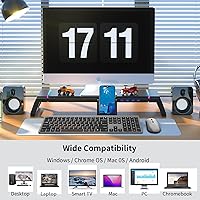
- Works across Windows, macOS, Android, Chrome OS, and Linux for broad household compatibility.
Cons
- Batteries for both devices are not included — a recurring complaint that catches buyers off guard.
- Fn multimedia hotkeys are unreliable on macOS, limiting the keyboard-and-mouse bundle for Mac-first users.
- Mouse sensor performance is adequate but noticeably behind mid-range or gaming-focused alternatives.
- Plastic build quality feels utilitarian; it is not likely to survive years of intensive daily use.
- No rechargeable battery option means ongoing AA battery costs over time.
- The KM426 set offers no backlighting, which can make typing difficult in very low-light environments.
- Fn lock and multimedia keys may require a learning curve for users unfamiliar with layered keyboard shortcuts.
- No dedicated numeric keypad despite being marketed as full-size, which may disappoint data-entry users.
- Mouse scroll wheel feedback is basic and lacks the precision feel of higher-priced alternatives.
- Deep sleep mode requires pressing a key to wake — a minor but occasionally noticeable delay when returning to work.
Ratings
The SHUNJINRUN KM426 Wireless Keyboard and Mouse Combo has been evaluated by our AI system after analyzing thousands of verified global user reviews, with spam, bot-generated feedback, and incentivized posts actively filtered out to ensure only genuine buyer experiences shaped these scores. Ratings reflect both what this wireless combo genuinely delivers and where it falls short, so you can make a fully informed decision rather than relying on marketing claims alone. Strengths and frustrations are weighted equally — nothing has been softened.
Value for Money
Typing Experience
Mouse Tracking
Noise Level
Setup & Ease of Use
Build Quality
Battery Life
Design & Aesthetics
Wireless Reliability
Mac Compatibility
Comfort & Ergonomics
Hotkeys & Shortcuts
Portability
Suitable for:
The SHUNJINRUN KM426 Wireless Keyboard and Mouse Combo is a strong fit for anyone who needs a quiet, no-fuss wireless setup without a significant financial commitment. Students working in dorms or libraries will appreciate the scissor-switch keys that let them type without disturbing those around them, and the slim profile keeps a small desk from feeling cluttered. Remote workers who spend most of their day in documents, spreadsheets, or email will find the dedicated calculator key and multimedia shortcuts genuinely useful day-to-day. Parents setting up a computer station for younger kids will also find this wireless combo appealing — the lightless mouse eliminates the distracting glow that many budget mice produce. It works across Windows, macOS, and several other platforms, making it a reasonable pick for households with mixed devices, and the plug-and-play receiver means even less tech-savvy users can get up and running in under a minute.
Not suitable for:
The SHUNJINRUN KM426 Wireless Keyboard and Mouse Combo is not the right choice for users who demand precision peripherals or a premium typing feel. Enthusiasts who have used high-end mechanical keyboards will find the key travel and feedback noticeably underwhelming, and gamers or graphic designers who rely on accurate, high-speed mouse tracking should look elsewhere — the 2400 DPI ceiling and value-tier sensor simply are not built for those demands. Mac users who rely heavily on function-row shortcuts should be aware that the Fn multimedia keys do not work reliably on macOS, which can be a meaningful limitation for productivity-focused Apple users. Those who prefer a rechargeable setup will also be disappointed, as the keyboard and mouse both run on AA batteries that are not included in the box. If build longevity is a top priority, it is worth tempering expectations — the plastic construction is practical but not built to survive years of heavy daily use.
Specifications
- Connectivity: Both devices connect via a single 2.4GHz USB nano-receiver, requiring no drivers or pairing setup.
- Wireless Range: The combo operates reliably at distances up to 33 ft from the USB receiver under normal conditions.
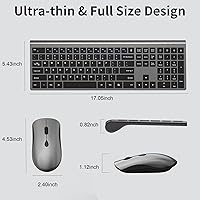
- Keyboard Layout: Full-size layout with 110 keys, including a dedicated calculator key, Fn lock, and 12 multimedia hotkeys.
- Key Mechanism: Scissor-switch structure provides a low-profile, quieter keystroke compared to standard membrane designs.
- Mouse DPI: The mouse offers three switchable DPI levels — 1000, 1600, and 2400 — selectable via a dedicated button.
- Mouse Lighting: The mouse uses a lightless design with no visible LED glow, reducing eye strain in dim or shared environments.
- Keyboard Power: The keyboard is powered by 2x AA batteries, which are not included in the package.
- Mouse Power: The mouse requires 1x AA battery, also not included, and shares the same auto-sleep power-saving behavior.
- Sleep Mode: Both devices enter deep sleep automatically after 10 minutes of inactivity and wake instantly on any keypress or mouse movement.
- Dimensions: The packaged unit measures 17.76 x 6.34 x 1.85 inches and weighs 1.52 pounds in total.
- Color: Available in Space Grey, with a slim, streamlined keyboard body suited to minimalist desk setups.
- OS Compatibility: Fully compatible with Windows 7, 8, 10, 11, XP, and Vista; also functional on macOS, iOS, Android, Chrome OS, and Linux, though Fn multimedia keys may not work on non-Windows systems.
- Model Number: The manufacturer model number for this combo is KM426, produced by SHUNJINRUN.
- Warranty: SHUNJINRUN provides a one-year risk-free warranty covering manufacturing defects from the date of purchase.
- Special Keys: The keyboard includes 12 multimedia hotkeys, 6 office shortcut combinations, a dedicated calculator launch key, and an Fn lock toggle.
Related Reviews

Arteck HW192 Wireless Keyboard and Mouse Combo
Arcwares Wireless Keyboard and Mouse Combo
VEILZOR UK418 Wireless Keyboard and Mouse Combo
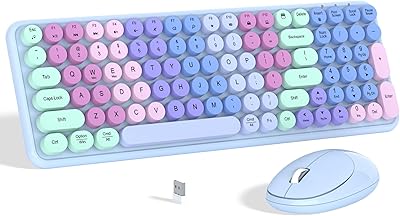
Links9+ Rainbow Wireless Keyboard Mouse Combo
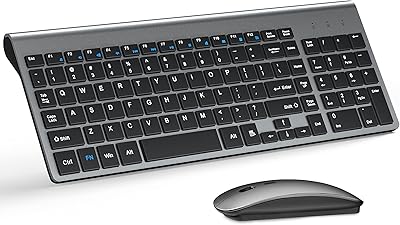
TopMate Wireless Keyboard and Mouse Combo

RECCAZR Wave Keys Ergonomic Wireless Keyboard Mouse Combo
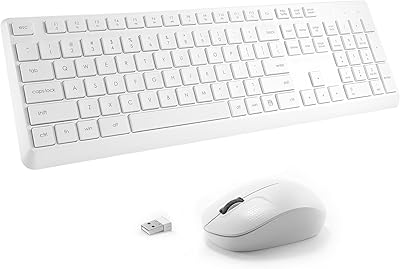
Tayderley Wireless Keyboard and Mouse Combo
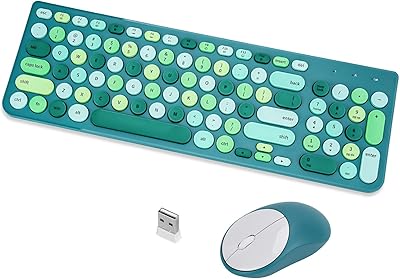
GUKJOB iK6630 Wireless Keyboard and Mouse Combo

HP 18H24AA Wireless Keyboard and Mouse Combo