Overview
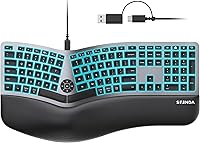
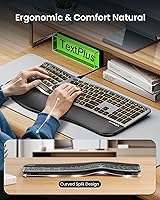
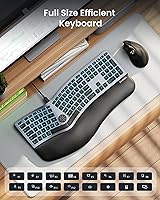
The seenda KUW01 Ergonomic Split Keyboard sits in a practical middle ground — not an entry-level accessory, but not a premium mechanical investment either. It targets desk workers who spend most of their day typing and want ergonomic relief without overhauling their entire setup. The curved split layout is the central idea here, angling the two halves to bring your wrists into a more natural position than a flat board allows. Add a cushioned wrist rest, a backlit surface, and a dual USB-A and USB-C cable, and you have a reasonably complete package for the asking price.
Features & Benefits
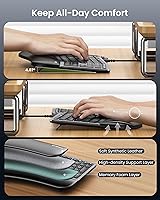
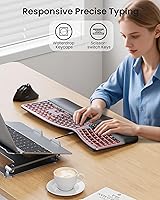
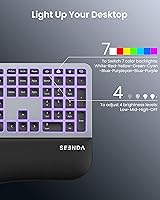
The scissor-switch keys offer low, satisfying travel — quieter than mechanical switches and responsive enough that fast typists rarely bottom out hard. The waterdrop key profile fits fingertips naturally, which helps during long stretches of uninterrupted writing. Three tilt angles let you dial in the height that feels right, and the wrist rest is firm enough to actually support your palms rather than just look the part. Seven backlight colors with three brightness settings cover everything from a soft glow for nighttime work to a brighter output for a well-lit office. The full-size layout with a dedicated numpad rounds things out for data entry or spreadsheet work.
Best For
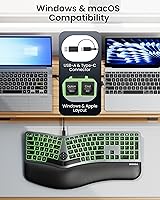
This split keyboard makes the most sense for people who know their wrists are taking a beating but are not ready to spend significantly more on a true ergonomic mechanical board. It is a natural fit for remote office workers who toggle between a Windows machine and a MacBook — the dual connector means no dongle hunting and no software fiddling. The backlighting adds genuine value in home offices where lighting conditions shift throughout the day. Anyone doing heavy data entry will appreciate keeping the numpad. It is less ideal for gamers or anyone who needs tactile mechanical feedback, and likely overkill for occasional casual users.
User Feedback
Buyers who switch from standard flat keyboards tend to notice wrist comfort improvements within the first week, which aligns with the ergonomic intent of the design — though the manufacturer's specific strain-reduction figure is their own claim, not an independent measurement. Where people get more critical: some find the key action a touch shallow and light for their taste, and a few note the wrist rest material shows wear faster than expected with daily use. Mac compatibility generally earns positive marks, with users appreciating the labeled Apple-specific keys. Touch typists occasionally mention a short adjustment period to the angled layout, but most settle in within a few days.
Pros
- The curved split layout encourages a more natural wrist angle that most users notice within the first few days of switching.
- A dual USB-A and USB-C cable means this ergonomic keyboard works across Mac and Windows setups without any adapters.
- The cushioned wrist rest provides real palm support rather than the thin foam padding common on cheaper boards.
- Seven backlight colors with three brightness levels make it practical for dim rooms or late-night work sessions.
- Scissor-switch keys are quiet enough for shared office spaces or video calls without sacrificing responsiveness.
- The full-size layout retains a dedicated numpad, which data entry users and spreadsheet workers will genuinely miss on compact boards.
- Three tilt angle settings let you match the keyboard height to your chair and desk without buying additional accessories.
- Plug-and-play compatibility on both major operating systems means zero driver installation and no software headaches.
- At its price point, getting a wrist rest, backlighting, and an ergonomic split design in one package represents solid value.
- The waterdrop key profile fits fingertips comfortably and reduces the edge pressure some flat keycaps cause during long sessions.
Cons
- The wrist rest material shows signs of wear with prolonged daily use, which is a common weak point at this price tier.
- Key travel feels shallow to typists who prefer a deeper, more tactile keystroke.
- Touch typists may need several days to readjust muscle memory to the angled split layout, which can temporarily slow productivity.
- The cable length may be limiting for desk setups where the PC tower sits farther from the keyboard tray.
- Backlight uniformity is not perfectly consistent across all keys, with some users noticing dimmer corners.
- The KUW01 does not offer any onboard key remapping or software customization for power users who want that flexibility.
- At 3.14 pounds, this split keyboard is heavier than expected and not practical for travel or portable use.
- The split angle is fixed and cannot be widened or narrowed, which may not suit every user's shoulder width or desk posture.
- Mac-specific function key behavior requires manual switching and is not as intuitive as keyboards designed exclusively for Apple devices.
Ratings
The seenda KUW01 Ergonomic Split Keyboard scores below are generated by AI after analyzing verified buyer reviews from global markets, with spam, incentivized, and bot-flagged submissions actively filtered out. The result is an honest picture of where this split keyboard genuinely delivers for daily desk workers — and where it falls short of expectations. Both the strengths and the friction points are reflected transparently so you can make a confident decision.
Ergonomic Design
Typing Comfort
Wrist Rest Quality
Cross-Platform Compatibility
Backlight Performance
Build Quality
Key Feel & Feedback
Full-Size Layout
Setup & Ease of Use
Adjustment Period
Cable & Connectivity
Value for Money
Noise Level
Suitable for:
The seenda KUW01 Ergonomic Split Keyboard is built for people who live at their desk — specifically those clocking six or more hours of daily typing and starting to feel the consequences in their wrists or forearms. Remote professionals who alternate between a Windows PC and a MacBook will find the dual USB-A and USB-C connector genuinely useful, eliminating the adapter juggling that plagues single-connector keyboards. The curved split layout rewards anyone willing to spend a few days adjusting their hand positioning, and the payoff for touch typists who commit is a noticeably more relaxed arm angle. Home office workers in rooms where lighting shifts throughout the day will also appreciate having a backlit board that does not require a dedicated desk lamp. If you are on a tight budget but still want a legitimate ergonomic step up from a standard flat keyboard, this split keyboard hits a realistic price-to-comfort ratio that is hard to argue with.
Not suitable for:
The seenda KUW01 Ergonomic Split Keyboard is not the right call for everyone, and it is worth being honest about where it falls short. Gamers who demand fast actuation, tactile mechanical feedback, or programmable macros will find this board underwhelming — scissor switches and fixed layouts are not designed with gaming in mind. Users who need a truly minimal desk footprint may also be disappointed, as the full-size layout with numpad takes up considerable surface area. If your wrist issues are already serious or clinically diagnosed, this keyboard is a consumer comfort accessory, not a medical device, and a specialist or physical therapist should guide your equipment choices instead. Buyers who type heavily in short bursts at a casual pace are also unlikely to notice enough benefit to justify switching from whatever flat board they already own. Lastly, anyone who cannot tolerate any learning curve should know that the angled split layout does require a brief adjustment period, particularly for ingrained touch typists.
Specifications
- Brand: Manufactured and sold under the seenda brand, model designation KUW01.
- Connection: Ships with a single wired cable featuring both a USB-A and a USB-C connector, requiring no adapter for either port type.
- Layout: Full-size layout including a dedicated numeric keypad, function row, and standard navigation cluster.
- Design: Curved split ergonomic form factor that angles the two key halves outward to promote a more neutral wrist and forearm position.
- Switch Type: Scissor-switch mechanism beneath each key, offering low-profile actuation with reduced wobble compared to membrane switches.
- Key Profile: Waterdrop-shaped keycap design that curves slightly inward to better cradle individual fingertips during extended use.
- Backlight: Seven selectable backlight colors with three brightness levels (low, medium, high) controllable via dedicated function key shortcuts.
- Wrist Rest: Cushioned wrist rest is integrated into the keyboard chassis and is not detachable.
- Tilt Angles: Three adjustable tilt positions are available via fold-out feet on the underside of the keyboard.
- Compatibility: Confirmed plug-and-play compatible with Windows and macOS operating systems across PCs, laptops, and MacBooks without driver installation.
- Item Weight: The keyboard weighs 3.14 pounds (approximately 1.43 kg) as a complete unit with wrist rest attached.
- Dimensions: Package dimensions measure 20.5″ x 11″ x 2″, giving a reliable reference for desk footprint and storage clearance.
- Color Option: Available in a Black Gray colorway with dark keycaps and a matching gray body finish.
- Key Count: Full-size configuration retains all standard keys including numpad, arrow keys, and a complete function row.
- Sales Rank: Ranked #1,877 in the Computer Keyboards category on Amazon as of the product data captured for this review.
- Availability: First listed for sale on Amazon on June 1, 2025, making it a recently introduced product with a still-growing review base.
- In the Box: Package contains one keyboard unit; the wrist rest and dual-connector cable are included and factory-attached.
Related Reviews
Arteck HW315
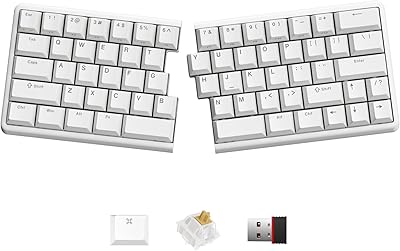
NocFree Wireless Ergonomic Split Mechanical Keyboard
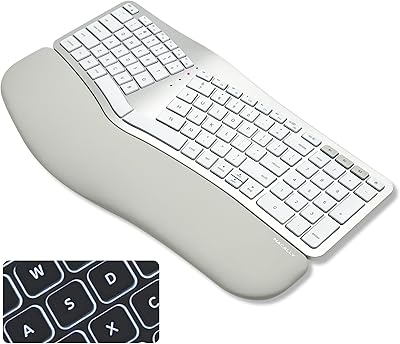
Macally BTBLERGO2A Ergonomic Split Keyboard
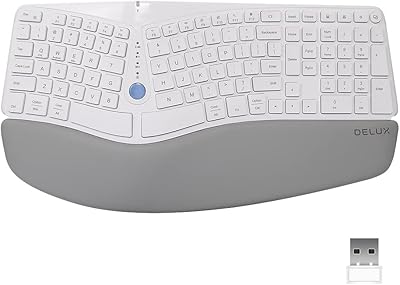
DeLUX GM901D Ergonomic Wireless Keyboard
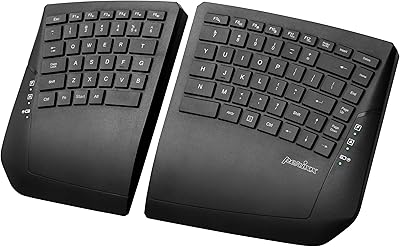
Perixx PERIBOARD-624B Wireless Ergonomic Split Keyboard
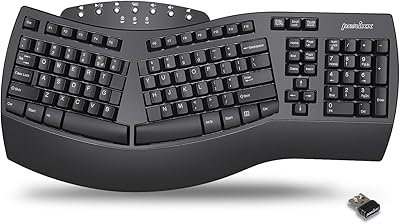
Perixx Periboard-612B Wireless Ergonomic Split Keyboard
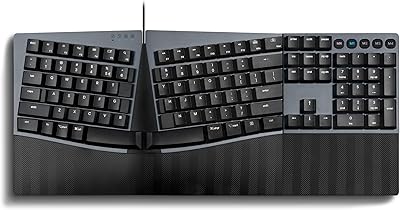
Perixx PERIBOARD-535 Ergonomic Split Mechanical Keyboard

Perixx Periduo-605 Wireless Ergonomic Keyboard Mouse Combo
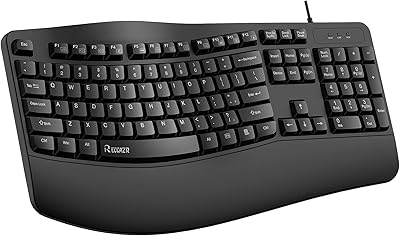
RECCAZR Ergonomic Wired Keyboard
