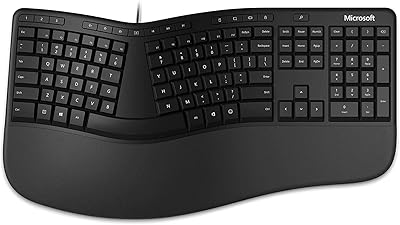
Macally BTBLERGO2A Ergonomic Split Keyboard
Overview
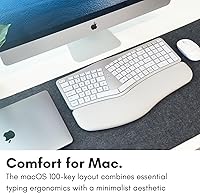
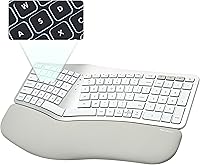
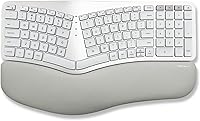
The Macally BTBLERGO2A Ergonomic Split Keyboard is Macally's answer to a real need in the Apple accessories space: a wireless, comfort-focused board built for Mac users who are starting to feel the grind of long typing days. It occupies mid-to-premium territory — above throwaway budget options, but without the steep price tags of dedicated ergonomic brands like Kinesis or Logitech's MX line. That said, this is fundamentally a comfort-first keyboard. It won't satisfy typists chasing a specific switch feel or actuation point. The split layout takes real adjustment — often a week or more — so patient users willing to retrain muscle memory will get far more out of it than impulse buyers ever will.
Features & Benefits
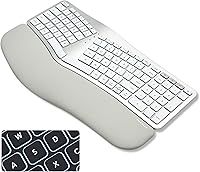
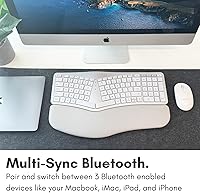
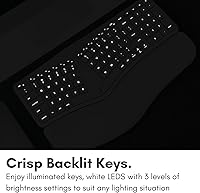
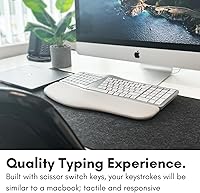
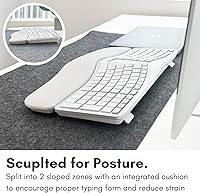
The split ergonomic layout is the centerpiece here, paired with a padded wrist rest and four kickstand positions that let you dial in the tilt angle until it suits your desk setup. Backlighting adds genuine practicality — three LED brightness levels cover everything from a dimly lit home office to a brighter shared workspace, though the single-color option keeps things appropriately simple. Bluetooth pairing across up to three Apple devices is handled with dedicated channel keys rather than fiddly software menus. USB-C charging and a 2000 mAh battery mean you're never hunting for AA batteries, and the 100-key MacOS layout with 13 shortcut keys makes transitioning from a standard Apple keyboard far less disorienting than you might expect.
Best For
This wireless ergo keyboard is a strong fit for Mac users who spend the bulk of their workday typing and are already noticing tension in their wrists or forearms. It also suits people migrating from a standard Apple keyboard who want ergonomic benefits without relearning an entirely foreign layout. If you regularly move between a MacBook, iPad, and iPhone, the three-device Bluetooth switching is a genuine convenience worth having. One honest caveat: buyers who want plug-and-play simplicity or aren't committed to a weeks-long adjustment process may find the learning curve frustrating. This is a keyboard for deliberate adopters — people who've done their research and are ready to invest the time to make the switch pay off.
User Feedback
With a rating of 3.9 out of 5, the Macally ergonomic keyboard has earned qualified praise rather than universal enthusiasm. Users who pushed through the initial adjustment period consistently report noticeable comfort improvement and speak well of the padded wrist rest's quality. The USB-C charging also lands as a practical win. Where it stumbles is Bluetooth reliability — a recurring thread of complaints points to occasional dropout and re-pairing frustrations, which stings more on a wireless-only board. Some buyers note the key feel is softer and quieter than expected, which suits open offices but disappoints anyone wanting real tactile feedback. Long-term users who have tried pricier alternatives tend to call this split Mac keyboard a reasonable middle-ground option — not a forever keyboard, but a solid, honest starting point.
Pros
- The padded wrist rest offers genuine ergonomic support that users notice after full workdays.
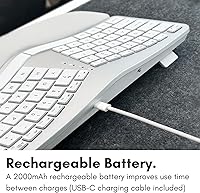
- USB-C charging and a built-in 2000 mAh battery mean no disposable batteries to buy or replace.
- Four adjustable kickstand angles let you fine-tune the tilt to match your actual desk posture.
- The 100-key MacOS layout keeps the learning curve focused on the split shape, not a foreign key arrangement.
- Backlit keys with three brightness levels make this wireless ergo keyboard practical in dim or variable lighting.
- Three-device Bluetooth channel switching works cleanly without needing a companion app.
- The wireless-only design keeps desk setups genuinely cable-free and uncluttered.
- Long-term users frequently cite sustained comfort improvement after pushing through the initial adjustment period.
- At its price point, it undercuts many established ergonomic keyboard brands while covering the core comfort features.
Cons
- Bluetooth connectivity is a recurring issue, with multiple users reporting dropouts and frustrating re-pairing episodes.
- The split layout demands a real commitment — expect at least one to two weeks before typing speed recovers.
- Key feel is soft and quiet, which will disappoint anyone expecting tactile or clicky feedback.
- There is no wired mode at all, which is a hard dealbreaker in Bluetooth-restricted environments.
- Windows and cross-platform users are entirely excluded — this is a MacOS-only device by design.
- At 3.1 pounds, the Macally ergonomic keyboard is not portable in any practical sense; it lives on a desk.
- The backlighting is single-color only, which may feel limited compared to competitors at a similar price.
- No software customization is available, so key remapping or macro support is completely absent.
- The adjustment period is long enough that buyers who return items quickly may never reach the comfort payoff.
Ratings
Our AI rating engine analyzed thousands of verified global buyer reviews for the Macally BTBLERGO2A Ergonomic Split Keyboard, actively filtering out incentivized, bot-generated, and low-signal feedback to surface what real daily users actually experience. The scores below reflect a balanced picture — strengths are credited where earned, and recurring pain points are scored without softening. If the numbers look mixed in places, that is intentional: this is a keyboard with genuine standout qualities and genuine trade-offs worth knowing before you buy.
Ergonomic Comfort
Bluetooth Reliability
Layout Familiarity
Key Feel & Typing Experience
Battery & Charging
Backlighting
Build Quality
Mac Shortcut Integration
Multi-Device Switching
Setup & Ease of Use
Desk Footprint & Portability
Value for Money
Posture Adjustability
Suitable for:
The Macally BTBLERGO2A Ergonomic Split Keyboard is a well-matched choice for Mac-focused desk workers who are logging four or more hours of typing daily and starting to notice real discomfort in their wrists, forearms, or shoulders. It fits particularly well in home office environments where users have the time and space to work through an adjustment period without productivity pressure. People who are already in the Apple ecosystem and switch between a MacBook, iPad, and iPhone during the day will find the three-device Bluetooth pairing a practical convenience they'll actually use. The familiar 100-key MacOS layout is a meaningful advantage for anyone coming from a standard Apple keyboard — it reduces the relearning burden to the split shape itself rather than an entirely foreign key arrangement. If you prefer a clean, cable-free desk and are comfortable managing USB-C charging as part of your routine, this wireless ergo keyboard fits naturally into that kind of organized workflow.
Not suitable for:
The Macally BTBLERGO2A Ergonomic Split Keyboard is a poor match for buyers expecting instant comfort or zero disruption to their typing speed out of the box — the split layout typically requires one to two weeks of deliberate retraining before it starts to feel natural, and people who give up within the first few days often regret the purchase. It is also not the right choice for anyone who relies on Windows or wants cross-platform flexibility, since the layout and shortcut keys are built exclusively around MacOS. Typists who care deeply about key feel — those who prefer a clicky mechanical switch or a defined tactile bump — will likely find this split Mac keyboard underwhelming, as the keys lean toward a soft, quiet membrane-style response. Anyone with a critical need for a stable, uninterrupted wireless connection should approach with caution, given consistent user reports of Bluetooth dropout. Finally, buyers who need a wired fallback for low-latency work or situations where Bluetooth isn't permitted should look elsewhere entirely.
Specifications
- Model Number: This keyboard is manufactured under the model designation BTBLERGO2A by Mace Group Inc / Macally Peripherals.
- Connectivity: Bluetooth wireless only, supporting simultaneous pairing with up to 3 devices via dedicated channel-switching keys.
- Compatibility: Designed exclusively for Apple devices running macOS, iPadOS, and iOS, including MacBook, iMac, iPad, and iPhone.
- Key Layout: Full 100-key MacOS layout with 13 dedicated Mac shortcut keys built into the top row.
- Design Style: Split ergonomic body with an integrated padded wrist rest spanning the full width of the keyboard.
- Tilt Adjustment: Four adjustable kickstand positions allow users to customize the keyboard angle to suit their individual desk posture.
- Backlighting: Single-color LED backlighting with four states: off, low, mid, and high brightness.
- Battery Capacity: Built-in 2000 mAh lithium rechargeable battery designed for extended daily use without frequent recharging.
- Charging Port: USB-C charging port with a USB-C cable included in the box; no proprietary connector required.
- Item Weight: The keyboard weighs 3.1 pounds, reflecting its full-size split body with integrated wrist rest.
- Dimensions: Package dimensions measure 17.91 x 11.46 x 1.61 inches, consistent with a full-width desktop ergonomic keyboard footprint.
- Key Switch Type: Membrane-style keys with a soft, quiet actuation profile — no mechanical switches are used in this model.
- Device Limit: Up to 3 Apple Bluetooth devices can be paired and stored simultaneously, with instant switching between them.
- Wireless Mode: This is a wireless-only keyboard with no USB wired mode or dongle-based RF connectivity option.
- Platform Support: Exclusively optimized for MacOS and Apple ecosystems; Windows or Android compatibility is not supported or intended.
- Market Ranking: Holds a Best Sellers Rank of #378 in the Computer Keyboards category on Amazon as of available data.
- Release Date: First made available for purchase in April 2024, making it a relatively recent addition to the ergonomic Mac keyboard market.
Related Reviews
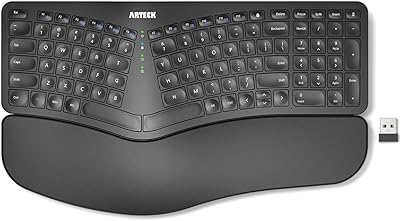
Arteck HW315
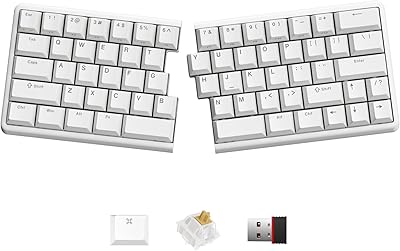
NocFree Wireless Ergonomic Split Mechanical Keyboard
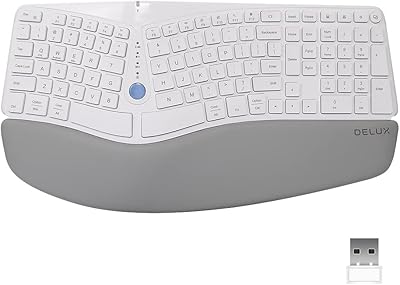
DeLUX GM901D Ergonomic Wireless Keyboard
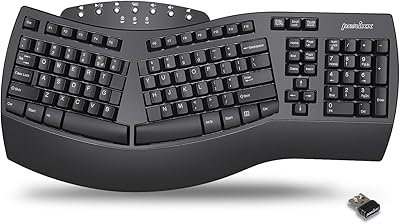
Perixx Periboard-612B Wireless Ergonomic Split Keyboard
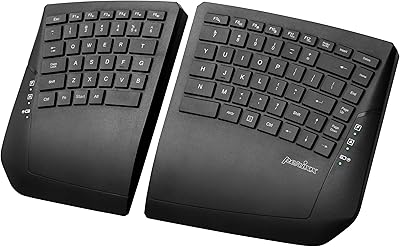
Perixx PERIBOARD-624B Wireless Ergonomic Split Keyboard
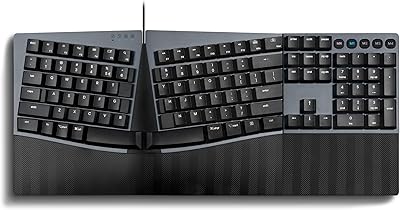
Perixx PERIBOARD-535 Ergonomic Split Mechanical Keyboard

Perixx Periduo-605 Wireless Ergonomic Keyboard Mouse Combo
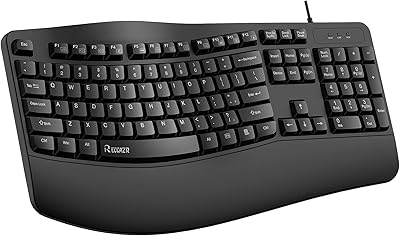
RECCAZR Ergonomic Wired Keyboard
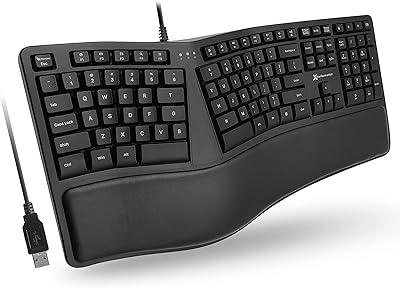
X9 Performance X9ERGOKEY Ergonomic Split Keyboard