seenda CTU-301 Bluetooth Keyboard and Mouse Combo


Overview
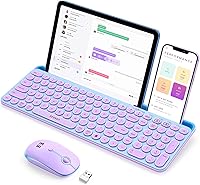
The seenda CTU-301 Bluetooth Keyboard and Mouse Combo sits in a practical middle ground — not a budget throwaway, but not competing with premium desktop peripherals either. What makes it stand out at this price point is the combination of dual wireless modes and a built-in tablet stand, a feature you rarely find bundled with a keyboard at this tier. The blue-and-purple colorway with retro round keys gives it a personality that most wireless combos completely lack. It's full-size with a numpad included, yet the footprint stays manageable on a real desk. Go in with realistic expectations and this keyboard-mouse combo genuinely delivers.
Features & Benefits
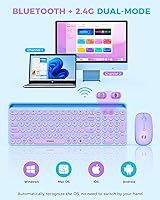
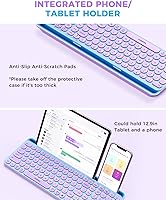
Switching between two paired devices is handled by dedicated channel keys — no re-pairing, no hunting through menus. In practice, that means you can go from drafting on your iPad to answering something on your laptop in seconds. The Bluetooth 5.0 connection handles most setups cleanly, and the included 2.4G USB dongle covers older desktops that lack Bluetooth entirely — a thoughtful inclusion. The integrated tablet holder stretches 14.4 inches and fits up to a 12.9-inch iPad Pro horizontally; it holds reasonably well on a flat surface, though it is not designed for heavy-handed tilting. The round concave keys have a satisfying typing feel — quiet enough for shared spaces, with enough tactile response to keep accuracy up during longer sessions.
Best For
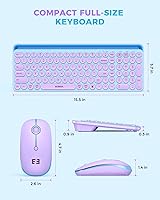
This Bluetooth combo makes the most sense for iPad and Android tablet users who want a proper typing setup without buying a stand separately. It is also a strong pick if you regularly split time between a tablet and a laptop or desktop — the two-device switching removes the friction that normally comes with juggling inputs. Home users and light office workers who care about how their desk looks will appreciate the colorway and key design. If you need something that works straight out of the box with no software configuration, the plug-and-play setup checks that box. Desk space is limited? At 15.5 inches long, the seenda wireless set is full-featured without dominating your workspace.
User Feedback
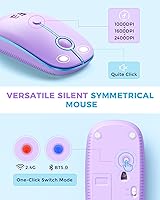
Buyers consistently highlight the key feel and the eye-catching design as reasons they would recommend the seenda wireless set — the aesthetic genuinely seems to delight people who have grown tired of bland black keyboards. Pairing gets praised for being quick and reliable, particularly on iPads. That said, the mouse's scroll wheel sensitivity draws regular complaints; several users find it either too fast or inconsistent, which is noticeable during document scrolling. Bluetooth reconnection after the device wakes can lag on occasion, which a handful of reviewers found frustrating. Battery life on AAA cells is acceptable for light use, though heavier users may go through them faster than expected. A few buyers also noted the keyboard is heavier than it looks in photos, which matters if portability is a priority.
Pros
- The built-in tablet holder eliminates the need for a separate stand, saving desk space and money.
- Bluetooth 5.0 and a 2.4G USB dongle are both included, covering virtually every device and setup type.
- Switching between two paired devices takes seconds with no re-pairing required.
- Works across iOS, Android, Windows, and macOS right out of the box — no drivers, no setup hassle.
- The retro round-key design is genuinely eye-catching compared to the sea of plain black alternatives.
- Full-size layout with a numpad gives number-heavy users a complete input experience in a modest footprint.
- The seenda wireless set handles a 12.9-inch iPad Pro horizontally in its integrated stand without wobbling during normal desk use.
- Key noise is quiet enough for shared workspaces without sacrificing enough tactile response to hurt accuracy.
- 15 dedicated hotkeys including screen lock and FN toggle add real daily convenience, especially on iPad.
- Initial pairing is consistently fast across platforms, with most users up and running in under two minutes.
Cons
- The mouse scroll wheel is inconsistent — jumpy and imprecise enough to frustrate users who scroll through long documents.
- Bluetooth reconnection after a device wakes from sleep can lag by several seconds, interrupting workflow.
- Both the keyboard and mouse run on AAA batteries, adding an ongoing replacement cost with no rechargeable option.
- The two-device pairing limit is a hard ceiling — users who work across three or more screens will hit it quickly.
- The tablet holder groove is too narrow for most tablet cases, meaning you may need to remove your case to use it.
- The mouse feels noticeably cheaper than the keyboard and shows wear around the click buttons faster than expected.
- Some hotkeys behave differently across operating systems with no printed reference guide included in the box.
- The keyboard is heavier than it looks in product photos, making it less practical for regular on-the-go use.
- macOS users may find certain modifier key behaviors slightly off compared to a native Apple keyboard layout.
- No USB-A port on your laptop means you will need a separate hub or adapter to use the 2.4G dongle.
Ratings
The seenda CTU-301 Bluetooth Keyboard and Mouse Combo has been evaluated by our AI system after processing verified global buyer reviews, with spam, bot-submitted, and incentivized feedback actively filtered out before scoring. The ratings below reflect the honest distribution of real user experiences — covering what genuinely impresses buyers and where frustrations tend to surface. Both strengths and recurring pain points are weighted transparently so you can make a confident, informed decision.
Typing Feel & Key Response
Bluetooth Connectivity & Stability
Multi-Device Switching
Built-in Tablet Stand
Mouse Precision & Scroll Wheel
Design & Aesthetics
Build Quality & Durability
Ease of Setup & Plug-and-Play
Hotkeys & Function Layer
Ergonomics & Comfort
Battery Life
Portability & Weight
OS Compatibility & Auto-Recognition
Value for Money
Suitable for:
The seenda CTU-301 Bluetooth Keyboard and Mouse Combo is a strong fit for tablet-first users — particularly those who use an iPad Pro, iPad Air, or an Android tablet as their primary work or study device and want a proper typing setup without buying a stand separately. If you regularly split your day between a tablet and a laptop, the two-device Bluetooth switching genuinely removes friction from that workflow without requiring you to re-pair every time. Home office workers and students who care how their desk looks will appreciate the retro round-key aesthetic, which stands out in a category dominated by generic black slabs. It also works well for anyone with an older desktop that lacks Bluetooth, since the included 2.4G USB dongle covers that gap cleanly. If you want something that works straight out of the box with no software setup, no driver downloads, and no configuration menus to navigate, this keyboard-mouse combo ticks that box reliably.
Not suitable for:
The seenda CTU-301 Bluetooth Keyboard and Mouse Combo is not the right call for power users or anyone who needs to stay connected across three or more devices, since the pairing system caps out at two. Writers, coders, or anyone who spends six or more hours a day typing should also look elsewhere — the typing experience is solid for light-to-moderate use, but it lacks the depth and tactile precision of a dedicated mechanical or high-end membrane keyboard. If precise mouse control matters for your work — graphic editing, fine spreadsheet navigation, or anything requiring careful scrolling — the scroll wheel inconsistency will become a daily irritation rather than an occasional nuisance. Frequent travelers who need a truly lightweight carry option should also reconsider, as the full package weight is higher than it appears online. Finally, buyers who strongly prefer rechargeable peripherals will find the ongoing AAA battery requirement for both the keyboard and mouse an inconvenience that adds up over time.
Specifications
- Keyboard Dimensions: The keyboard measures 15.5 × 5.7 inches, offering a full-size layout without occupying excessive desk space.
- Mouse Dimensions: The mouse measures 4.7 × 2.6 × 1.4 inches, sized to fit average palms comfortably during standard office use.
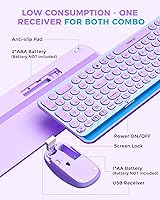
- Connectivity: Supports both Bluetooth 5.0 wireless and a 2.4G USB dongle connection, covering devices with or without native Bluetooth.
- Wireless Range: Bluetooth operating range extends up to 33 feet (10 meters) under normal, unobstructed conditions.
- Device Pairing: The keyboard can maintain pairings with up to 2 devices simultaneously, switchable via dedicated channel keys.
- Keycap Style: Keys use a round concave low-profile design intended to guide fingertip placement and reduce miskeying during fast typing.
- Key Durability: Each keycap is rated for up to 10 million individual presses before meaningful degradation in tactile response is expected.
- Hotkeys: Includes 15 dedicated hotkeys covering screen lock, media playback, brightness, and an FN lock for toggling F1–F12 between function and media modes.
- Tablet Holder: The integrated tablet stand groove is 14.4 inches long and 0.43 inches wide, supporting devices up to a 12.9-inch iPad Pro in horizontal orientation.
- Power Source: Both the keyboard and mouse are powered by AAA batteries; 2 AAA batteries are required for each unit and are not rechargeable via USB.
- OS Compatibility: Compatible with iOS, iPadOS, Android, Windows, and macOS, with automatic key mapping adjustment based on the detected operating system.
- Driver Requirement: No drivers or additional software installation are required; both units operate as plug-and-play peripherals across all supported platforms.
- Package Weight: The complete retail package, including both units and accessories, weighs 2.29 pounds.
- Package Dimensions: The retail box measures 16.18 × 8.66 × 1.65 inches, suitable for standard shelf or drawer storage.
- Color Option: Available in a blue-and-purple colorway with retro-style round keycaps as the primary aesthetic variant for this model.
- Keyboard Layout: Full-size QWERTY layout includes a dedicated numeric keypad on the right side, matching standard desktop keyboard ergonomics.
- USB Dongle Storage: The 2.4G USB dongle is stored in a compartment on the underside of the keyboard to prevent loss during transport or storage.
Related Reviews
seenda COE401 Bluetooth Keyboard and Mouse Combo
seenda COE200 Bluetooth Keyboard and Mouse Combo
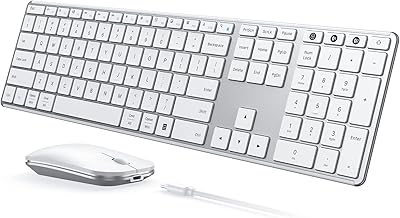
seenda SKM64-3 Wireless Keyboard and Mouse Combo
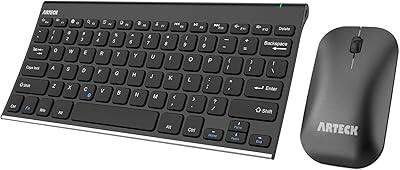
Arteck HB086 Bluetooth Keyboard Mouse Combo
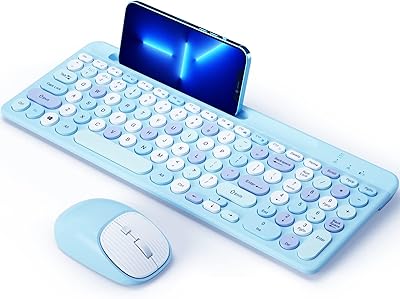
ASLDPUO Bluetooth Keyboard and Mouse Combo
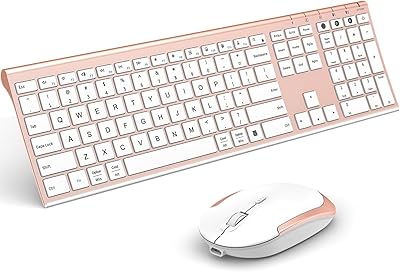
VssoPlor Bluetooth Keyboard Mouse Combo

seenda Wireless Keyboard and Mouse Combo
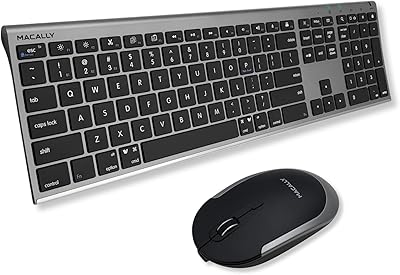
Macally Premium Bluetooth Keyboard and Mouse Combo
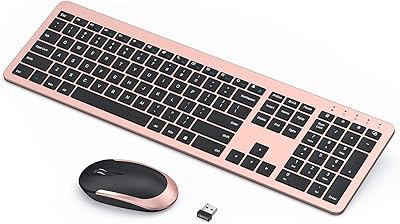
seenda Wireless Rechargeable Keyboard Mouse Combo
