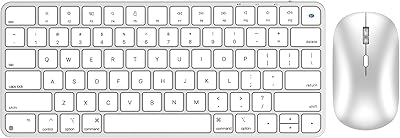
seenda COE401 Bluetooth Keyboard and Mouse Combo
Overview
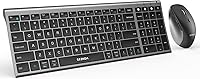
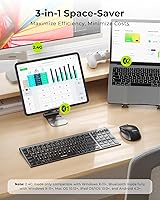
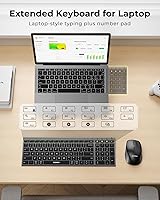
The seenda COE401 Bluetooth Keyboard and Mouse Combo sits comfortably in the mid-range for anyone who regularly works across multiple devices. Its core appeal is straightforward: two Bluetooth channels plus a 2.4G USB receiver let you stay paired to three devices at once — a Mac, a Windows PC, and a tablet, for instance. Despite the slim profile, seenda managed to include a full-size number pad, something many thin combos drop entirely. Both the keyboard and mouse rely on built-in rechargeable batteries rather than disposables, which is a small but genuinely welcome change. For everyday productivity tasks, it holds up well. Don't expect it to replace a high-end mechanical setup.
Features & Benefits
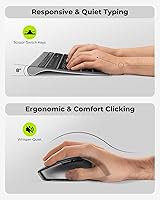
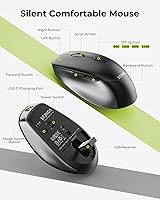
Switching between devices is simpler than it sounds. Each Bluetooth channel is mapped to a numbered key — press 1 for your desktop, 2 for your laptop, 3 for a tablet — and the devices reconnect quickly. The scissor-switch keys feel closer to a MacBook keyboard than a typical office board: quieter, with less key travel, and noticeably easier on fingers during long sessions. The mouse handles four DPI steps up to 2400, covering most office and editing needs. There is also a metal top panel on the keyboard that adds rigidity without much extra weight. Auto-sleep on both devices works quietly in the background to stretch that rated 180-day keyboard charge in real use.
Best For
This wireless combo makes the most sense for multi-device workers — someone who handles tasks on a Windows desktop, switches to a MacBook for calls, and occasionally works from a tablet. The slim build and modest footprint suit crowded home office desks well. If you want a number pad without dragging around a massive, thick keyboard, this fits that gap neatly. That said, it is not ideal for everyone. Anyone who prefers the satisfying click of mechanical switches will find the low-profile feel too shallow. Competitive gamers should also look elsewhere — the mouse is not designed for fast, precise gaming. This is squarely a productivity tool for calm, steady workdays.
User Feedback
Early buyers have responded well to the seenda keyboard-mouse set. The praise tends to cluster around three things: how quickly the Bluetooth pairing comes together out of the box, how quiet the keys are in shared spaces like open offices or apartments, and the overall build quality — especially the keyboard's solid feel compared to similarly priced plastic alternatives. On the flip side, a handful of users mention that device switching occasionally takes a beat longer than expected, and the mouse scroll wheel gets mixed mentions for feel. A few Mac users note a short adjustment period with the function key layout. Most buyers find the value fair for what they get, though direct comparisons to Logitech options at a similar price point do come up.
Pros
- Switching between three paired devices is fast and reliable for everyday productivity workflows.
- Scissor-switch keys are noticeably quieter than standard office keyboards, making shared spaces much more bearable.
- The metal top panel gives the keyboard a rigidity and premium feel that stands out at this price tier.
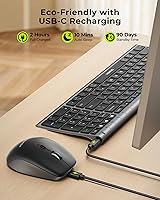
- USB-C charging on both the keyboard and mouse eliminates the need to ever buy replacement batteries.
- Keyboard battery life holds up impressively well in real-world use, with auto-sleep doing meaningful work in the background.
- The full-size layout includes a number pad without adding the bulk or weight typical of traditional full-size boards.
- Setup is fast and driver-free — most users are up and running within a few minutes of opening the box.
- Works natively across Windows, macOS, iPadOS, and Android without any configuration headaches.
- The 2.4G USB dongle connection offers a consistently stable link for users who want one permanently wired-in device.
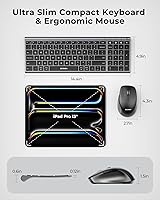
- The slim footprint keeps desk space clear without sacrificing key functionality.
Cons
- The mouse scroll wheel feels imprecise and slightly loose compared to competitors at a similar price point.
- No side buttons on the mouse — a real limitation for users coming from more feature-complete office mice.
- Bluetooth channel switching can lag briefly when waking a device from sleep, which gets disruptive during rapid task-switching.
- There is no software companion, so DPI steps cannot be customized and no macro or profile support exists.
- The mouse body is fully plastic and shows surface wear faster than the keyboard's build quality suggests it should.
- Mac users face a short but real learning curve adapting to the dual-layout key labeling on function row keys.
- The mouse is on the smaller side, which creates discomfort during long sessions for users with larger hands.
- No keyboard tilt adjustment and no wrist rest included, which matters during extended typing sessions.
- Bluetooth interference in crowded wireless environments can cause occasional connection dropouts on the third paired device.
- The instruction manual is minimal and diagram-heavy, leaving first-time multi-device Bluetooth users underprepared for setup.
Ratings
The scores below for the seenda COE401 Bluetooth Keyboard and Mouse Combo were generated by AI after analyzing verified buyer reviews from multiple global markets, with spam, bot-submitted, and incentivized feedback actively filtered out. Each category reflects the honest weight of real user experiences — the genuine praise and the recurring frustrations alike. Nothing has been smoothed over to make the product look better than it actually performs in daily use.
Multi-Device Switching
Typing Experience
Build Quality
Battery Life
Mouse Performance
Connectivity Reliability
Mac Compatibility
Setup & Ease of Use
Value for Money
Portability & Footprint
Noise Level
Software & Customization
Ergonomics
Cross-OS Consistency
Suitable for:
The seenda COE401 Bluetooth Keyboard and Mouse Combo is a practical fit for anyone whose daily work genuinely spans multiple devices — think a freelancer who writes on a Windows desktop in the morning and reviews documents on a MacBook or iPad in the afternoon. Students working across a personal laptop and a shared family computer will also find the three-device channel system genuinely useful rather than gimmicky. If you work in a shared space — a bedroom office, a studio apartment, or an open-plan home — the quiet scissor-switch keys alone can justify the purchase, since the reduced noise is noticeable and appreciated by people nearby. The rechargeable setup suits anyone who has grown tired of hunting for AA batteries or finding a device dead at an inconvenient moment; USB-C charging means one fewer cable type to keep track of. People who need a number pad for spreadsheets or data entry but cannot stomach a bulky, heavy keyboard will appreciate that this combo delivers a full layout without the usual size penalty.
Not suitable for:
The seenda COE401 Bluetooth Keyboard and Mouse Combo is a poor match for anyone who relies on a keyboard for high-volume, fast, or tactile-intensive typing — the low-profile scissor switches simply do not offer the resistance, travel depth, or satisfying feedback that mechanical keyboard users depend on, and no amount of adjustment time changes that fundamental difference. Competitive or casual gamers should look elsewhere entirely: the mouse lacks the precision sensor, side buttons, and low-latency polling rate that even entry-level gaming mice provide, and the keyboard has no anti-ghosting or rapid-trigger capability. Power users who need macro keys, custom DPI profiles, or any software-driven customization will hit a hard wall immediately — this combo has no companion app and no programmable layers whatsoever. If your workspace demands near-silent operation for audio recording or broadcasting, the combo is quiet for an office but not silent enough for a microphone environment. Finally, buyers who want a truly portable travel keyboard — something compact and tenkeyless — should note that the number pad makes this board meaningfully wide for a bag setup.
Specifications
- Brand & Model: Manufactured by seenda under the model designation COE401.
- Connection Types: Connects via two Bluetooth 5.0 channels and one 2.4G USB receiver, supporting up to three devices simultaneously.
- Keyboard Layout: Full-size layout with a dedicated number pad and dual Windows and Apple key markings.
- Key Mechanism: Scissor-switch low-profile keys designed for quiet, laptop-style actuation with reduced travel distance.
- Mouse DPI Range: Adjustable across four DPI levels: 800, 1200, 1600, and 2400, selectable via a hardware button on the mouse.
- Keyboard Battery: Built-in USB-C rechargeable cell rated for up to 180 days of use on a single full charge under normal conditions.
- Mouse Battery: Built-in rechargeable battery charged via USB-C; no disposable batteries are required for either device.
- Sleep Timers: The mouse enters sleep mode after 10 minutes of inactivity; the keyboard follows after 2 hours of inactivity.
- Keyboard Panel: Top surface features a premium metal panel that improves structural rigidity and gives the board a more substantial feel.
- OS Compatibility: Compatible with Windows XP and later, macOS 10.12 and later, iPadOS and iOS 13.0 and later, and Android 4.3 and above.
- Package Dimensions: The retail package measures 14.88 x 5.28 x 2.13 inches, suitable for standard shelf or courier packaging.
- Combined Weight: The keyboard and mouse together weigh 1.74 pounds, keeping the overall desk footprint light and portable.
- Color Option: Available in a Black Grey colorway with a two-tone finish across both the keyboard and mouse.
- Included Batteries: Both devices ship with built-in nonstandard rechargeable cells included and pre-installed; no additional batteries are needed.
- USB Receiver: A single 2.4G nano USB receiver can pair both the keyboard and mouse simultaneously to one host device.
- Availability Date: This product was first made available for purchase on July 20, 2025.
Related Reviews
seenda COE200 Bluetooth Keyboard and Mouse Combo
seenda SKM64-3 Wireless Keyboard and Mouse Combo
ASLDPUO Bluetooth Keyboard and Mouse Combo
VssoPlor Bluetooth Keyboard Mouse Combo
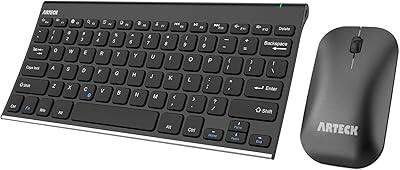
Arteck HB086 Bluetooth Keyboard Mouse Combo

seenda Wireless Keyboard and Mouse Combo
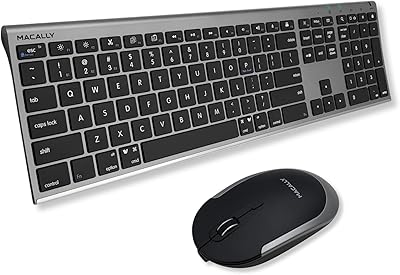
Macally Premium Bluetooth Keyboard and Mouse Combo
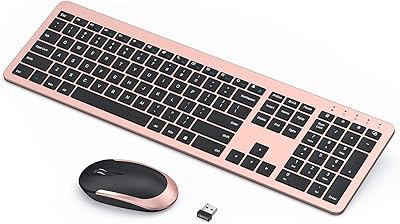
seenda Wireless Rechargeable Keyboard Mouse Combo
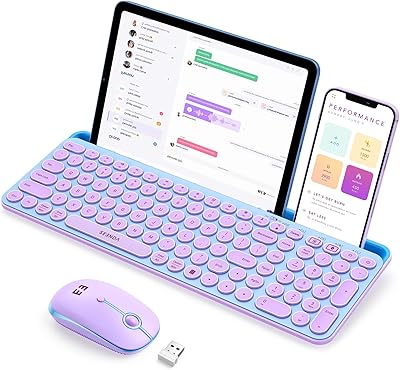
seenda CTU-301 Bluetooth Keyboard and Mouse Combo