Overview

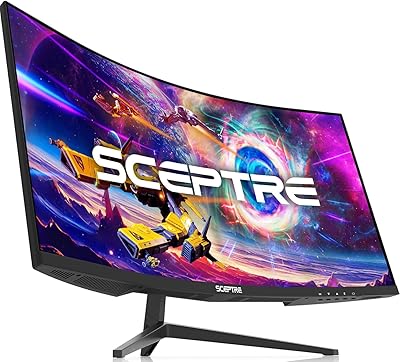
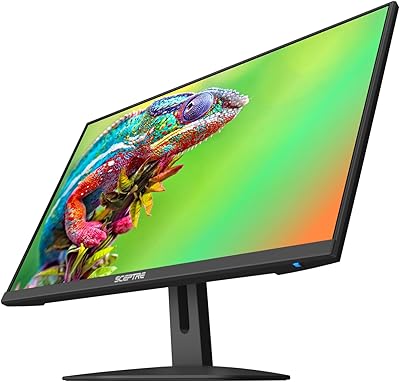
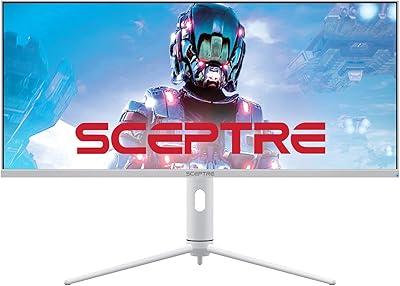
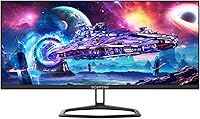
The Sceptre E305B-FU200T 30-inch Ultrawide Monitor enters a category where most comparable panels cost significantly more, making it an interesting option for anyone curious about the 21:9 format without a steep commitment. That wider aspect ratio genuinely reshapes how you interact with a screen — spreadsheets stretch out comfortably, games wrap around your peripheral vision, and browser multitasking feels less cramped. The IPS panel brings decent color accuracy to the table, which you wouldn't always expect at this price tier. The slim profile and machine black finish keep things looking clean on a desk. Just be clear-eyed going in: this is a value display, not a professional-grade one.
Features & Benefits

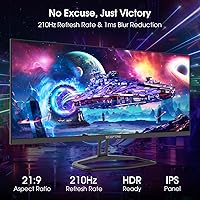
At 210Hz via DisplayPort, this Sceptre 30-inch display hits a refresh rate you'd normally associate with monitors costing twice as much. Combined with 1ms blur reduction, fast-paced gaming stays crisp rather than smeared. AMD FreeSync works quietly in the background, keeping tearing at bay even on mid-range cards — no need for a high-end GPU to benefit. The IPS panel covers 100% sRGB, so colors look lively and consistent across the screen rather than washing out toward the edges. Blue-Light Shift helps during long sessions at a desk. The built-in speakers are convenient for casual listening, but don't expect much depth or volume from them.

Best For

This ultrawide monitor makes the most sense for budget-conscious gamers who want the immersive feel of a wide screen without committing to a premium price. It also suits students and home office workers who benefit from having multiple windows open side by side — the horizontal real estate alone changes how productive a single-monitor setup can feel. AMD GPU owners get a direct advantage through FreeSync. Casual viewers who watch a lot of 21:9 content will appreciate the cinematic fit. That said, photo editors or anyone relying on precise pixel-level work may find the 2560x1080 resolution limiting at this screen size, and buyers who prioritize ergonomic adjustability should note the stand has limited range.

User Feedback

With a 4.5-star rating across nearly 13,000 reviews, real-world reception for the E305B-FU200T skews clearly positive. Buyers frequently mention that colors look better out of the box than expected, and the sheer width of the panel generates a lot of enthusiasm from first-time ultrawide users. The recurring criticism worth taking seriously is resolution density — at 30 inches, 1080p vertical resolution means individual pixels are visible if you sit close, and text can look softer than on a 1440p display. Stand flexibility comes up occasionally as a minor frustration. Speaker quality gets mixed marks — people appreciate not needing external audio, but most agree the output is thin for anything beyond background noise.

Pros

  • 210Hz refresh rate via DisplayPort is genuinely rare at this price tier and makes fast games feel noticeably smoother.
  • IPS panel with 100% sRGB coverage delivers accurate, consistent color straight out of the box.
  • The 21:9 aspect ratio meaningfully expands multitasking space compared to a standard widescreen monitor.
  • AMD FreeSync keeps gameplay tear-free without requiring an expensive GPU to pair with it.
  • Matte screen surface handles ambient light well and reduces glare in typical office or home environments.
  • Built-in speakers eliminate the need for a separate audio device in casual use setups.
  • Dual DisplayPort inputs allow flexible device switching without adapters or dongles.
  • Blue-Light Shift offers a practical comfort option for extended work or study sessions.
  • A 4.5-star average across nearly 13,000 buyers reflects reliable satisfaction at this value tier.
  • Slim, clean design fits easily on smaller desks without dominating the workspace visually.

Cons

  • At 30 inches, the 1080p vertical resolution results in noticeably lower pixel density than competing 1440p displays.
  • Text rendering can appear softer than expected, which bothers buyers who read or write for long stretches.
  • The stand lacks height and swivel adjustment, making ergonomic positioning harder to dial in.
  • Built-in speaker output is thin and lacks any meaningful bass, limiting it to background-level audio only.
  • 190Hz cap over HDMI means users without a DisplayPort cable will not reach the advertised top refresh rate.
  • No USB hub functionality means no added convenience ports on the monitor itself.
  • The 1ms spec is blur reduction, not a native pixel response time, which is a meaningful distinction for competitive players.
  • Limited brand prestige compared to established monitor makers may concern buyers focused on long-term reliability.

Ratings

The scores below for the Sceptre E305B-FU200T 30-inch Ultrawide Monitor were generated by AI after analyzing thousands of verified global buyer reviews, with spam, incentivized, and bot-flagged submissions actively filtered out. Each category reflects what real users experienced across different use cases — from daily productivity work to late-night gaming sessions. Both the standout strengths and the genuine frustrations are represented transparently so you can make an informed call.
Value for Money
91%
Among budget ultrawide monitors, buyers consistently feel they are getting more than they paid for. The combination of a high refresh rate, IPS panel, and wide format at this price point repeatedly surprises first-time owners who expected to compromise more.
A small segment of buyers who compared this display directly against mid-range alternatives felt the resolution gap was significant enough to reduce the perceived value, particularly for those doing detailed work rather than casual use.
Gaming Performance
88%
The 210Hz refresh rate and AMD FreeSync pairing makes fast-paced gameplay feel genuinely smooth, and competitive gamers with AMD setups report a noticeable reduction in tearing and stutter during intense sessions. Blur reduction keeps motion crisp.
The 1ms spec is blur reduction rather than a native gray-to-gray response time, which matters to serious competitive players. Some users noted occasional ghosting in very fast scenes that a native fast IPS panel might have handled better.
Picture Quality
79%
21%
Out-of-box color accuracy gets consistent praise, especially given the IPS panel and 100% sRGB coverage. Users coming from TN budget monitors frequently remark how much more vibrant and consistent the colors look across the full screen width.
At 30 inches with a 1080p vertical resolution, pixel density is the recurring sticking point. Text and fine UI elements can appear noticeably softer than on a higher-resolution panel, which bothers productivity users who read and write for long hours.
Ultrawide Immersion
93%
The 21:9 aspect ratio delivers the kind of peripheral-filling width that fundamentally changes how games and movies feel. Users streaming cinematic 21:9 content report an experience that feels noticeably closer to a theater than a standard widescreen setup.
Not every application handles the ultrawide format gracefully — some older games and software either stretch awkwardly or display black bars on the sides. This is a format-wide limitation rather than a flaw specific to this display, but buyers should be aware.
Build Quality
74%
26%
The slim bezel design and machine black finish earn appreciation from users who care about how a desk looks. For a budget monitor, the chassis feels reasonably solid and does not exhibit obvious flex or creaking during normal use.
The stand construction is where corners feel most cut — it lacks the rigidity and premium feel of more expensive monitors. A few users noted the panel wobbles slightly when touched, which is a minor but noticeable quality tell at close range.
Ergonomics & Stand
58%
42%
The stand gets the job done for a straightforward setup at a fixed desk position. Users who found the default tilt adequate and sit at a consistent height reported no major complaints about daily comfort in typical home office conditions.
Limited height adjustment and no swivel capability are the most cited ergonomic frustrations in buyer reviews. Users with specific neck or posture requirements often end up buying a monitor arm separately, which adds cost and partially defeats the budget appeal.
Connectivity
86%
Having two DisplayPort inputs alongside two HDMI ports gives real flexibility for users who switch between a desktop and a laptop, or who want to keep a console and a PC connected simultaneously without cable swapping.
There are no USB hub ports on the monitor itself, which is a missed convenience at this screen size. Users who expected to use the monitor as a connectivity hub for peripherals will need to look elsewhere for that functionality.
Refresh Rate Performance
89%
Getting 210Hz from a DisplayPort connection at this price is unusual, and buyers who have used the display side by side with 60Hz or 144Hz monitors consistently describe the motion fluidity as a clear and immediate improvement during gaming.
The 210Hz ceiling drops to 190Hz over HDMI, which may catch buyers off guard if they assumed the top spec applied to all inputs. Users without a DisplayPort output on their device will not reach the advertised maximum without an adapter.
Built-in Speakers
47%
53%
For users who simply want to hear system sounds, video call audio, or light background music without adding a speaker to their desk, the built-in output is technically functional and does reduce cable and device clutter in compact setups.
The speaker quality is one of the most consistently underwhelming aspects flagged in user reviews. Volume headroom is limited, bass is essentially absent, and audio sounds thin during anything requiring dynamic range, including music, games, or movies.
Eye Comfort
77%
23%
The Blue-Light Shift mode and matte screen coating together make long work sessions more manageable for users sensitive to eye fatigue. Several buyers specifically mentioned using this display for extended study or coding sessions with reduced discomfort.
Blue-Light Shift visibly warms the image and shifts white tones toward yellow, which some users found bothersome during color-sensitive tasks. It is a useful feature for late-night use but not something most buyers leave on full-time.
Setup & Installation
84%
Assembly is reported as quick and straightforward, with the stand attaching cleanly and inputs being clearly labeled. Most buyers describe an unboxing-to-working experience that takes under fifteen minutes with no tools required.
Some buyers noted the included documentation is sparse, and users who needed to configure custom refresh rate settings in their GPU driver panel found the process less intuitive without clearer guidance from Sceptre.
Color Accuracy
78%
22%
The 100% sRGB IPS panel holds up well for everyday content consumption and light creative work. Users editing photos for social media or doing basic graphic design report colors that look true and consistent without manual calibration.
Professional colorists or photographers producing work for print will find this panel insufficient. The display lacks factory calibration data and does not cover wider color spaces like DCI-P3 or Adobe RGB, which limits it for serious creative workflows.
Multitasking Utility
87%
The wide format genuinely pays off for productivity users who regularly work across multiple windows. Having a browser, a spreadsheet, and a communication tool open simultaneously without overlap is something buyers mention frequently as a daily workflow improvement.
The 1080p vertical resolution means window height is limited, and users coming from a 27-inch 1440p display may feel that vertical screen space actually regressed despite the wider canvas. It is a real trade-off for content-heavy productivity workflows.

Suitable for:

The Sceptre E305B-FU200T 30-inch Ultrawide Monitor is a strong fit for buyers who want to experience the 21:9 format without spending heavily to get there. Casual and competitive gamers with AMD GPUs will get genuine value from the 210Hz refresh rate and FreeSync combination, which together deliver smooth, tear-free gameplay that punches well above this price point. Students and home office workers who live in multiple browser tabs, documents, or communication tools simultaneously will appreciate how much horizontal space the 21:9 layout opens up — it genuinely reduces the need for a dual-monitor setup. Anyone setting up a first ultrawide workstation on a budget, or upgrading from a standard 16:9 screen for the first time, will likely be impressed by the shift in workflow and immersion this display provides.
Not suitable for:

The Sceptre E305B-FU200T 30-inch Ultrawide Monitor is not the right call for everyone, and it is worth being direct about where it falls short. Photo editors, graphic designers, or anyone whose work depends on resolving fine detail will find the 2560x1080 resolution underwhelming at 30 inches — the pixel density is noticeably lower than a 1440p panel of similar size, and text can look soft at normal viewing distances. Buyers who work long hours and need full ergonomic flexibility will likely be frustrated by the stand, which offers limited adjustment range compared to monitors with tilt, swivel, and height control. Audiophiles or anyone expecting usable desktop audio should plan to pair this display with external speakers, as the built-in units cover basic needs at best. If your GPU is Nvidia and you rely on G-Sync, FreeSync compatibility may not apply depending on your hardware generation.
Specifications

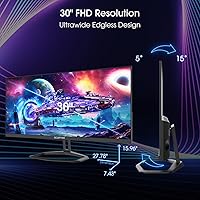
  • Screen Size: The display measures 30 inches diagonally, offering a wide viewing area suited to multitasking and immersive gaming.
  • Resolution: Native resolution is 2560x1080 pixels, delivering a full HD ultrawide image across the 21:9 aspect ratio panel.
  • Aspect Ratio: The 21:9 aspect ratio provides significantly more horizontal screen space than a standard 16:9 widescreen monitor.
  • Panel Type: An IPS (In-Plane Switching) panel is used, which offers wider viewing angles and more consistent color than TN alternatives.
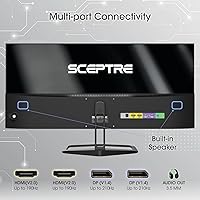
  • Refresh Rate: Maximum refresh rate reaches 210Hz via DisplayPort and 190Hz via HDMI, both unusually high for this price segment.
  • Response Time: Rated at 1ms using Blur Reduction technology, which minimizes motion blur during fast-paced gaming content.
  • Color Gamut: The panel covers 100% of the sRGB color space, providing accurate and consistent color reproduction for everyday and creative use.
  • Connectivity: Inputs include two DisplayPort and two HDMI ports, offering flexible connection options for PCs, consoles, and laptops.
  • AMD FreeSync: AMD FreeSync is supported, synchronizing the monitor refresh rate with compatible AMD GPU output to eliminate screen tearing.
  • Built-in Speakers: Two integrated speakers are included, providing basic audio output without the need for external desktop speakers.
  • Blue-Light Shift: A built-in Blue-Light Shift mode reduces high-energy blue light emissions to lessen eye fatigue during extended use.
  • Screen Surface: The matte screen coating diffuses ambient light and reduces glare, making it practical in well-lit room environments.
  • Dimensions: The monitor measures 8.22 x 21.87 x 15.85 inches (depth x width x height) including the stand assembly.
  • Weight: Total unit weight with stand is 8.16 pounds, making it manageable to position and reposition on a desk.
  • Color & Finish: Available in a Machine Black finish with a slim bezel profile that keeps the overall desk footprint clean and understated.
  • Model Number: The official model identifier is E305B-FU200T, manufactured and sold under the Sceptre brand by e-Sceptre.
  • Gaming Modes: Custom display presets are included for FPS and RTS game genres, allowing quick optimization of image settings by game type.
  • Release Date: This monitor was first made available in February 2024, positioning it as a current-generation release in the budget ultrawide segment.

Related Reviews
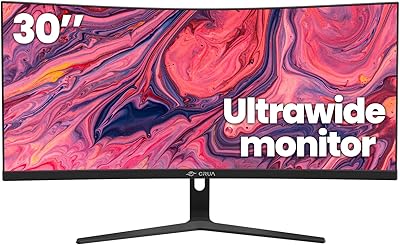
CRUA 30-inch Ultrawide Curved Monitor
86%
89%
Display Quality
92%
Color Accuracy
85%
Gaming Performance
88%
Ergonomics and Comfort
84%
Build Quality
More
Sceptre 34-inch Curved UltraWide Monitor C345W-2560UN
82%
89%
Value for Money
84%
Gaming Performance
87%
Display Quality
80%
Ergonomics & Comfort
75%
Build Quality
More
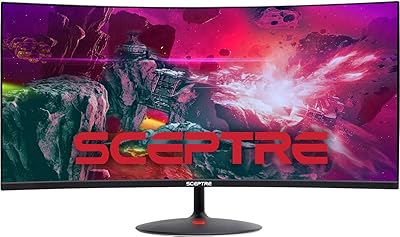
Sceptre C305B 30-inch Curved Ultrawide Gaming Monitor
74%
93%
Value for Money
89%
Refresh Rate Performance
88%
AMD FreeSync Compatibility
91%
Ultrawide Field of View
63%
Image Sharpness & Resolution
More
INNOCN 40C1R 40-inch Ultrawide Monitor
83%
91%
Display Quality
88%
Gaming Performance
89%
Color Accuracy
76%
Ergonomics & Adjustability
83%
Ease of Setup
More
Sceptre E248W-FW100T 24-inch Gaming Monitor
76%
91%
Value for Money
74%
Image Quality
78%
Gaming Performance
82%
Refresh Rate & Sync
67%
Response Time & Motion
More
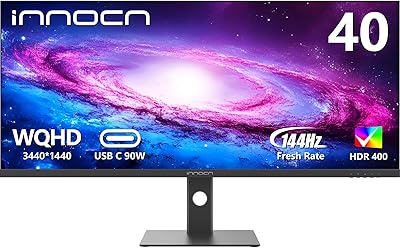
BenQ PD3420Q 34-inch Ultrawide Monitor
87%
91%
Display Quality
94%
Color Accuracy
88%
Ergonomics and Adjustability
89%
Connectivity and Ports
75%
Price-to-Value Ratio
More
Sceptre E345B-QUN168W 34″ Ultrawide Monitor
82%
89%
Display Quality
91%
Gaming Performance
84%
Build Quality
88%
Color Accuracy
75%
Ease of Setup
More
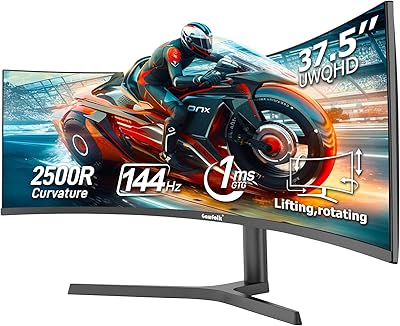
Gawfolk 38-Inch Ultrawide Gaming Monitor
82%
89%
Display Quality
87%
Immersion/Curvature
92%
Refresh Rate & Gaming Performance
84%
Color Accuracy
81%
Connectivity & Ports
More
Gawfolk GF340H 34-Inch Ultrawide Gaming Monitor
85%
91%
Display Quality
88%
Gaming Performance
89%
Color Accuracy
84%
Build Quality
82%
Usability
More
Sceptre C325W-1920R 32-inch Curved Monitor
84%
92%
Value for Money
87%
Picture Quality
89%
Immersive Experience
90%
Ease of Setup
85%
Build Quality
More

FAQ

You do get 210Hz, but only when connected via DisplayPort. If you use an HDMI cable, the cap is 190Hz. Both are solid numbers, but make sure your PC has a DisplayPort output if hitting that top refresh rate matters to you.

It depends on how close you sit and what you are doing. For spreadsheets, communication tools, and general browsing, the 2560x1080 resolution works fine and the extra width is genuinely useful. Where it shows its limits is with small text or detailed work at normal desk distance — things can look a touch soft compared to a 1440p panel at this size.

AMD FreeSync is the supported variable refresh technology here. Many newer Nvidia GPUs do support FreeSync displays through G-Sync Compatible mode, but compatibility varies by card generation. AMD GPU owners will get the most reliable experience out of the box.

They are adequate for casual use — background music, video calls, or YouTube at a reasonable volume. Do not expect rich audio or strong bass. If sound quality matters to you at all, a basic external speaker or headset will be a clear step up.

The stand supports tilt adjustment, but height and swivel range are limited compared to monitors with full ergonomic stands. If you have specific posture requirements or use a monitor arm, that limitation is worth planning around before you buy.

Yes, it connects to a Mac via HDMI or DisplayPort. Keep in mind that macOS handles ultrawide resolutions differently from Windows, and you may need to adjust display scaling settings to get the sharpest output. It works, but setup may take a few extra minutes.

The matte coating does a reasonable job of cutting down reflections and diffusing overhead light. It is not a glossy panel, so you will not see your own reflection staring back at you. Bright direct light behind you can still wash things out a bit, but for typical home or office conditions it performs well.

The E305B-FU200T includes PBP (Picture By Picture) functionality, which lets you display input from two separate sources side by side simultaneously. It is useful if you want to connect a laptop and a desktop at the same time and view both screens at once.

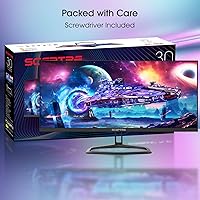
Sceptre typically includes one DisplayPort cable and one power cable in the box with this monitor. It is worth confirming at the time of purchase, but you should generally plan to source an HDMI cable separately if you need one.

It is one of the more accessible entry points into the ultrawide format. The jump from a 16:9 screen to 21:9 is noticeable immediately — more workspace, more immersion in games, and less window juggling. The trade-off is that vertical resolution stays at 1080p, so if your current 27-inch runs at 1440p, you might notice the difference in sharpness. For most people making that switch at this price point, the wider canvas outweighs the resolution compromise.