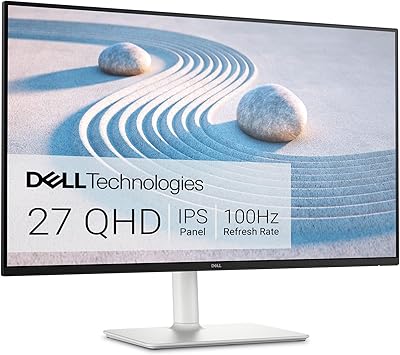
KTC H27T13 27-inch QHD IPS Monitor
Overview
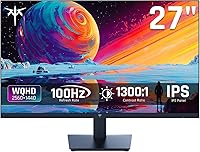
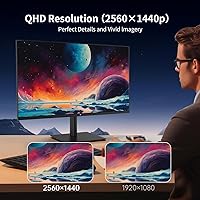
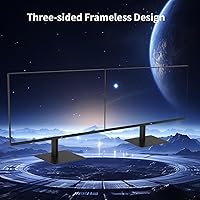
The KTC H27T13 27-inch QHD IPS Monitor is a straightforward pitch: more pixels, better colors, and a comfortable viewing experience without the price tag that usually comes with those things. KTC isn't a household name, and that's worth acknowledging — but the specs here are hard to ignore for anyone shopping in this price range. A 2560x1440 IPS panel at 27 inches hits a sweet spot where text looks genuinely sharp and images have real depth, something you just don't get from a 1080p screen at this size. The matte anti-glare coating and built-in anti-blue light filter suggest this KTC monitor was designed with long hours in mind, not just spec-sheet appeal.
Features & Benefits
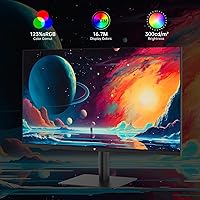
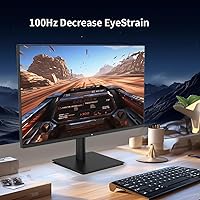
The jump from 1080p to 1440p on a 27-inch screen is one of those upgrades you notice instantly — text becomes crisper, fine details in images actually resolve, and you stop squinting at small UI elements. The H27T13 pairs that resolution boost with FreeSync and G-Sync support, which keeps things smooth during casual gaming even at 100Hz. The 123% sRGB coverage is a genuine plus for anyone who edits photos or works with color-sensitive content; it won't replace a professionally calibrated display, but it punches above its weight class. Connectivity is practical — two HDMI ports, one DisplayPort, and a headphone jack cover most setups. The 3-year warranty also helps offset any hesitation about buying from a less familiar brand.
Best For
This budget QHD display makes the most sense for people who spend real hours in front of a screen and want a noticeable visual upgrade without committing to a premium-tier purchase. Home office workers will appreciate the sharper text and eye comfort features during long days. Students get a versatile panel that handles coursework, streaming, and the occasional gaming session without complaint. Casual gamers — think RPGs, strategy titles, or slower-paced shooters — will find 100Hz perfectly adequate; just don't expect it to hold up in competitive esports at high frame rates. It also works well as a secondary monitor where quality matters but the budget needs to stay in check.
User Feedback
Buyers who picked up this KTC monitor tend to come away pleasantly surprised by how good the image quality looks relative to what they paid — color vibrancy and sharpness get frequent praise. Setup is typically described as quick and easy, with clean packaging that arrives in good shape. Where things get more mixed is the stand ergonomics: tilt adjustment is limited and there is no height adjustment, which bothers some users more than others. A few buyers note that the anti-blue light mode warms the image noticeably, so purists may prefer software-based solutions instead. Customer support and warranty claims, when they come up, tend to be handled reasonably — a welcome sign for a brand still building its reputation.
Pros
- The 1440p IPS panel makes a genuinely noticeable difference over 1080p — text is crisper and images have real depth.
- Wide color coverage makes this budget QHD display a solid choice for hobbyist photo editing and media consumption.
- FreeSync and G-Sync support keeps casual gaming smooth and tear-free without needing a high-end GPU.
- The matte anti-glare coating handles typical indoor lighting well, reducing eye strain during long sessions.
- Two HDMI ports plus a DisplayPort let you keep a PC and a console connected simultaneously without switching cables.
- A three-year manufacturer warranty provides meaningful peace of mind for a monitor in this price category.
- Out-of-box setup is fast and tool-free, with buyers consistently praising the straightforward assembly experience.
- The H27T13 delivers a strong specs-per-dollar ratio that established brands rarely match at this price point.
- Built-in anti-blue light filter is a practical comfort feature for users logging six or more hours daily at their desk.
Cons
- No height adjustment or swivel means ergonomic flexibility is limited without purchasing a separate monitor arm.
- The anti-blue light mode shifts the white balance noticeably warm, making it impractical for color-sensitive work.
- Stand materials feel lightweight and can wobble slightly on uneven desk surfaces.
- Out-of-box color calibration varies between units, with some requiring manual OSD correction before colors look accurate.
- OSD navigation uses rear buttons rather than a joystick, making menu adjustments unintuitive until fully memorized.
- At 300 nits, the panel struggles in bright rooms or near windows, limiting placement flexibility.
- No USB hub means users with multiple peripherals must source a separate hub, adding desk clutter and cost.
- HDR10 support exists on paper but the brightness ceiling prevents it from delivering a meaningful real-world impact.
- KTC has a limited reliability track record, making long-term durability harder to assess than with established brands.
Ratings
The KTC H27T13 27-inch QHD IPS Monitor earned its scores through AI analysis of verified buyer reviews collected globally, with spam, bot-generated, and incentivized feedback actively filtered out before scoring. What you see here reflects the honest consensus of real users — the things they genuinely appreciated and the friction points that kept showing up across independent purchases. Both sides of the ownership experience are represented transparently.
Image Clarity & Sharpness
Color Accuracy & Vibrancy
Value for Money
Eye Comfort & Anti-Blue Light
Refresh Rate & Smoothness
Stand & Ergonomics
Build Quality & Materials
Connectivity & Port Selection
OSD & Menu Usability
Setup & Out-of-Box Experience
Brightness & HDR Performance
Gaming Performance (Casual)
Color Temperature Consistency
Brand Trust & Warranty
Suitable for:
The KTC H27T13 27-inch QHD IPS Monitor is a strong fit for anyone who wants a meaningful visual upgrade without the cost that usually comes with it. Home office workers who spend long hours reading documents, browsing spreadsheets, or sitting through video calls will notice an immediate improvement over any 1080p screen they are replacing — text is sharper, fatigue sets in later, and the matte coating handles overhead lighting without turning into a mirror. College students get a versatile panel that handles everything from essay writing to Netflix marathons to the occasional gaming session, all in one purchase. Hobbyist photographers and casual video editors will also find the color coverage genuinely useful for reviewing work, even if it stops short of what a dedicated creative display offers. If you are building a dual-monitor setup and need the second screen to look good without dominating the budget, this KTC monitor handles that role particularly well.
Not suitable for:
The KTC H27T13 27-inch QHD IPS Monitor has real limitations that matter depending on how you plan to use it. Competitive gamers who play fast-paced shooters and need 144Hz or higher refresh rates will find the 100Hz ceiling a genuine constraint — the difference is noticeable once you have experienced higher refresh rates, and no amount of adaptive sync compensates for it. Users who rely on precise color accuracy for professional print work or client-facing creative deliverables should look at factory-calibrated panels instead, since out-of-box color consistency here can vary between units. Anyone who needs flexible ergonomics — height adjustment, pivot, or swivel — will likely end up spending extra on a third-party monitor arm, which quietly chips away at the cost savings. People who place significant weight on brand heritage and long-term service reliability may feel uncertain with KTC given the brand is still building its track record. And if your workspace is very bright or sunlit, the 300-nit brightness ceiling may leave the display looking dim against strong ambient light.
Specifications
- Screen Size: The panel measures 27 inches diagonally, offering a comfortable amount of screen real estate for both productivity and casual media use.
- Resolution: Native resolution is 2560x1440 (QHD), delivering noticeably sharper text and detail compared to standard 1080p at this screen size.
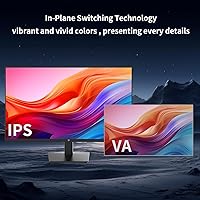
- Panel Type: Uses an IPS (In-Plane Switching) panel, which provides accurate colors and consistent image quality when viewed from wide horizontal or vertical angles.
- Refresh Rate: Runs at a native 100Hz refresh rate, offering smoother motion than a standard 60Hz display for both everyday use and casual gaming.
- Color Gamut: Covers 123% of the sRGB color space, meaning colors appear vivid and fairly accurate for content consumption, photo review, and light creative work.
- HDR Support: Compatible with HDR10 content, though the 300 cd/m² brightness ceiling limits the practical impact of HDR compared to higher-end panels.
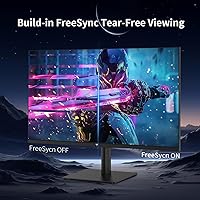
- Adaptive Sync: Supports both AMD FreeSync and NVIDIA G-Sync compatibility, reducing screen tearing and stutter when the GPU and monitor refresh rates are mismatched.
- Brightness: Maximum brightness is rated at 300 cd/m², which is adequate for typical indoor environments but may feel limiting in very bright or sunlit rooms.
- Screen Surface: Features a matte anti-glare coating that diffuses reflections and reduces eye strain under standard office or home lighting conditions.
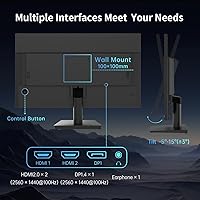
- Ports: Connectivity includes two HDMI ports, one DisplayPort, one 3.5mm headphone jack, and a DC power input — no USB hub is included.
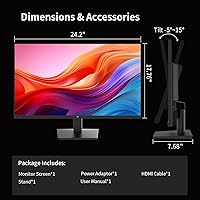
- Tilt Range: The stand supports tilt adjustment from -5° to +15°, allowing basic vertical angle correction but no height, swivel, or pivot adjustment.
- Anti-Blue Light: A built-in hardware anti-blue light filter is included to reduce high-energy light output during prolonged viewing sessions.
- Aspect Ratio: Standard 16:9 widescreen aspect ratio, compatible with all modern operating systems, consoles, and video formats without letterboxing.
- Dimensions: The monitor measures 24.25 inches wide, 17.76 inches tall, and 7.68 inches deep with the stand attached.
- Weight: Complete unit with stand weighs 12.54 pounds, making it manageable for a single person to position and reposition on a desk.
- Voltage: Operates on 12 volts DC via an external power adapter, which is standard for monitors in this size and category.
- Model Number: The official model designation is H27T13, which can be used to identify compatible accessories, firmware, or support documentation.
- Warranty: Backed by a 3-year manufacturer warranty from KTC, covering manufacturing defects under normal use conditions.
Related Reviews
KTC H24T27 24-inch QHD Gaming Monitor
KTC M27T6 27-inch Mini LED Gaming Monitor
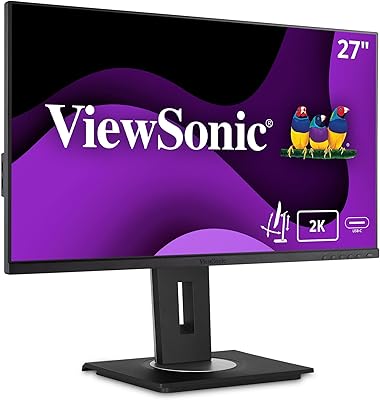
ViewSonic VG2756A-2K 27-inch Docking Monitor
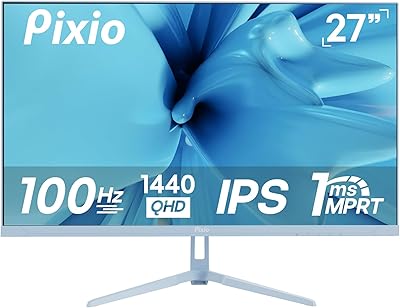
Pixio PX275 Wave 27-inch 100Hz QHD IPS Gaming Monitor

Gigastone LM-27FF51 27-Inch IPS Monitor
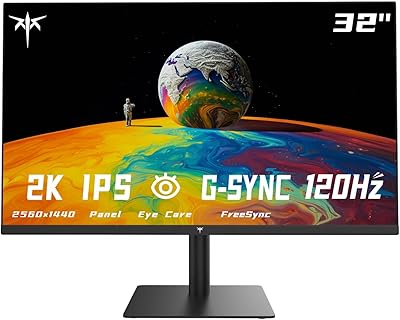
KTC H32T13 32-Inch QHD IPS Monitor
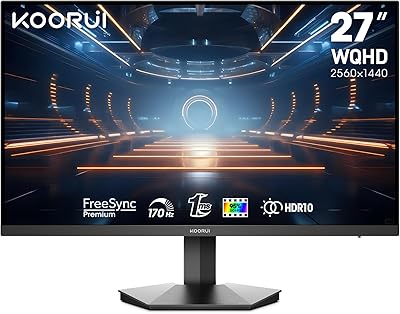
KOORUI 27E3Q 27-inch QHD Gaming Monitor

memzuoix 27-inch QHD 165Hz Gaming Monitor

Dell P2714H 27-inch IPS Monitor