Overview

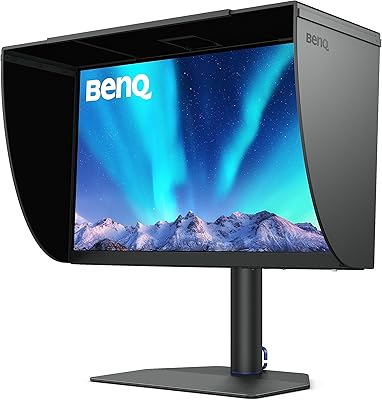
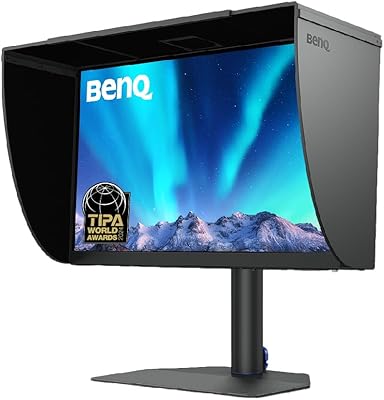
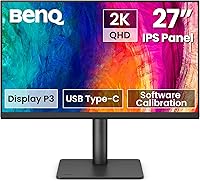
The BenQ PD2706QN 27-inch QHD Monitor enters the mid-range professional display market with a clear target audience in mind: Mac users and creative professionals who care about color accuracy but aren't ready to spend on a reference-grade display. Launched in October 2024, it's still building its review footprint, though early reception has been encouraging. What separates it from typical office panels is the factory-calibrated IPS panel and a nano matte surface that handles real-world lighting conditions thoughtfully. This isn't an OLED, and it won't satisfy anyone chasing high refresh rates for gaming — but that was never the point.

Features & Benefits

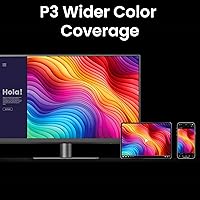
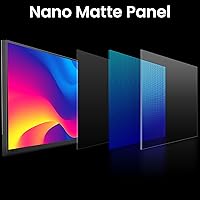
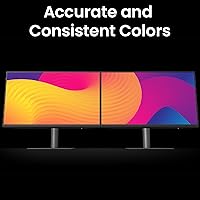
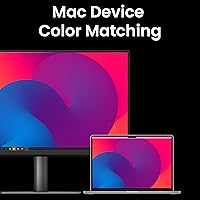
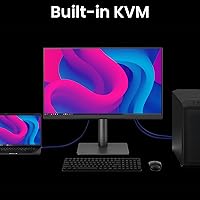
The most compelling aspect of the PD2706QN is how its color credentials hold up without manual calibration straight out of the box. Covering 95% of the DCI-P3 gamut with an average Delta E under 2, it produces accurate, consistent color across design and photo work at this price tier — not perfect by studio standards, but genuinely reliable. ICCsync is a thoughtful Mac-specific addition that automatically syncs ICC profiles when you switch color modes, keeping your display and system aligned without extra fiddling. The 90W USB-C connection replaces a tangle of cables — one plug handles charging, video, and data for a MacBook simultaneously. The nano matte panel keeps colors looking honest even under harsh overhead lighting, which matters more than most spec sheets let on.

Best For

This 27-inch QHD display is a solid fit for graphic designers and photographers who want trustworthy color without the cost of a prosumer reference panel. It's especially well-matched to MacBook users who want to cut desk clutter — the single USB-C connection makes setup almost effortless. Content creators who regularly shift between sRGB, P3, and Rec.709 workflows will find the color mode switching genuinely practical. Home office workers doing long hours in front of a screen will also appreciate the matte surface and the fully adjustable stand. What this monitor is not, however, is a replacement for a dedicated color grading suite or a high-refresh panel for anyone who mixes serious gaming into their day.

User Feedback

With over 640 ratings and a 4.4-star average — solid for a display that only launched in late 2024 — this BenQ designer monitor has clearly landed well with its intended audience. Buyers consistently highlight out-of-box color accuracy and the single-cable USB-C experience as standout positives. The adjustable stand draws quiet but consistent praise from users logging long hours at their desks. On the critical side, some note that 100Hz feels limiting when the monitor is used for anything beyond design work, and a few wish for a wider port selection. The review pool is still relatively modest given the recent release, so the full picture will sharpen considerably over the next year.

Pros

  • Factory calibration out of the box means accurate color from day one, no manual setup required.
  • 95% DCI-P3 and 100% sRGB coverage holds up well for design and photo work at this price tier.
  • A single 90W USB-C cable charges a MacBook and handles video — real desk clutter reduction.
  • ICCsync automatically aligns color profiles with macOS, which Mac users consistently call a genuine time-saver.
  • The nano matte panel handles bright office lighting without washing out the image or straining eyes.
  • Daisy-chain MST support lets you run multiple displays off a single cable connection.
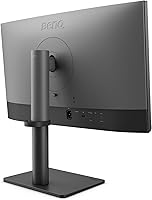
  • The stand offers tilt, pivot, swivel, and height adjustment — more ergonomic flexibility than many competitors offer.
  • A 4.4-star average across hundreds of early ratings suggests strong real-world satisfaction for its target audience.
  • QHD resolution at 27 inches hits a practical sweet spot: sharp enough for detail work, not so dense as to stress GPU resources.

Cons

  • 100Hz refresh rate feels limited for anyone who wants to use the display outside of pure creative work.
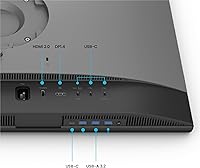
  • Port selection is sparse — only one USB 3.0 port, which may require a separate hub for multi-device setups.
  • ICCsync is Mac-specific, so Windows users lose one of the more distinctive software features.
  • The review pool is still relatively small given the October 2024 launch, making long-term reliability harder to assess.
  • No OLED or VA-level contrast — users who prioritize deep blacks will find the IPS panel underwhelming.
  • At 13.4 pounds, the PD2706QN is not particularly lightweight for users who move their monitor regularly.
  • Limited to QHD rather than 4K, which may feel like a compromise for photographers editing high-resolution files at close range.
  • The nano matte finish reduces glare effectively but can slightly soften perceived sharpness compared to glossy panels.
  • No built-in speakers, which is a minor but real inconvenience for users without external audio.

Ratings

The BenQ PD2706QN 27-inch QHD Monitor earns a broadly positive reception from verified buyers worldwide, with our AI-driven scoring model analyzing hundreds of real user reviews while actively filtering out incentivized, bot-generated, and duplicate feedback. Scores reflect what actual creative professionals, Mac users, and home office workers report after extended use — both the genuine strengths and the friction points that show up repeatedly in honest assessments.

Color Accuracy
91%
Users working in graphic design and photography consistently report that colors look trustworthy straight out of the box — no lengthy calibration rituals before starting a client project. The Delta E under 2 factory calibration translates into real-world confidence when matching colors across print and screen workflows.
A handful of advanced users note that while accuracy is strong for the price tier, it doesn't hold up against dedicated reference monitors used in broadcast or print production environments. Expectations need to be set accordingly for studio-grade color grading work.
USB-C Connectivity
88%
Mac users repeatedly single out the 90W USB-C connection as the feature that sold them on this display — one cable replaces a charger, a video cable, and a data connection simultaneously. For MacBook users tired of a cluttered desk, this single-cable setup delivers on its promise consistently.
The monitor only includes one USB 3.0 downstream port alongside the USB-C input, which leaves users with multiple peripherals reaching for a separate hub. A few buyers expected a more generous port array given the professional positioning of the display.
Panel & Display Quality
86%
The IPS panel draws consistent praise for wide viewing angles and uniform brightness, which matters when two people are reviewing work on screen at the same time. QHD resolution at 27 inches hits a sweet spot — text looks crisp and fine design details are clearly rendered without demanding excessive GPU power.
Users coming from OLED or high-contrast VA panels notice that blacks look gray rather than deep, and the overall contrast feels flat in darker content. The display is not optimized for cinema viewing or dark-room environments where contrast depth matters most.
Nano Matte Surface
84%
Buyers in bright offices and home workspaces with windows behind them specifically call out the nano matte coating as a practical upgrade over glossy panels they've used before. It handles overhead fluorescent lighting and indirect sunlight without washing out the image or creating distracting hotspots.
A minority of users feel the matte coating introduces a very slight softness to fine text and thin lines compared to glossy alternatives. Those sensitive to this trade-off — particularly users who prefer high-contrast, sharp-edged text rendering — may find it mildly distracting over long sessions.
Mac Integration & ICCsync
89%
Mac users who regularly toggle between sRGB and P3 modes describe ICCsync as the kind of feature that quietly removes a persistent annoyance — the system color profile stays aligned with the monitor mode without manual intervention. Designers switching between web and print projects in the same session find this especially practical.
ICCsync is a Mac-exclusive feature, so Windows users get none of that benefit and are effectively paying for functionality they cannot access. A small number of Mac users also report occasional profile sync delays after waking the display from sleep.
Ergonomics & Stand
83%
The adjustable stand earns steady praise from users who work long hours at their desks — the ability to pivot the display to portrait mode and fine-tune height across a meaningful range makes a noticeable difference during extended editing sessions. Build quality of the stand mechanism feels solid rather than plasticky.
Some buyers find the stand's footprint larger than expected, taking up meaningful desk real estate in tighter home office setups. The stand is not removable without a VESA adapter, which adds a small cost for users who want to wall-mount the display.
Refresh Rate
62%
38%
At 100Hz, the PD2706QN is noticeably smoother than a standard 60Hz office monitor for everyday scrolling, browser use, and UI animations. For users who stick entirely to creative and productivity tasks, the refresh rate is rarely a point of friction.
Users who also game casually or who upgraded from 144Hz+ displays find 100Hz underwhelming — fast motion in games and video can look noticeably less fluid by comparison. This is a recurring criticism that surfaces consistently in mixed-use reviews, and it's a genuine limitation for buyers with broader display needs.
Build Quality
81%
19%
The overall construction feels premium relative to the price tier — plastics are matte-finished and don't creak, and the base feels planted on the desk rather than hollow. Several users specifically note that unpacking and assembling the monitor required no tools and felt well-engineered.
The display bezel, while slim, is not the ultra-thin edge-to-edge style that some competitors offer at similar prices. A few users also note the back panel design is functional but unremarkable compared to more design-forward monitors from other brands.
Daisy Chain Support
78%
22%
Creative professionals running dual-monitor setups appreciate that MST daisy-chaining is built in rather than bolted on as an afterthought — it keeps the cable run from laptop to monitors genuinely tidy. For studio environments where cable management matters, this is a practical advantage that reduces adapter clutter.
Daisy chain compatibility is not universal and depends on the host device supporting MST passthrough, which some users only discover after setup. The documentation on which Mac models support this configuration could be clearer, leading to some post-purchase frustration.
Eye Comfort
82%
18%
Extended-session users — particularly those in 8-plus-hour workdays — frequently mention that the nano matte panel combined with BenQ's eye-care features reduces the eye fatigue they experienced with previous displays. The anti-glare surface does meaningful work in mixed lighting environments.
The monitor does not offer particularly advanced low-blue-light filtering beyond the baseline eye-care settings, and users who are highly sensitive to flicker may want to verify PWM dimming behavior before committing. A few users in dimly lit environments wish brightness could be dialed down further.
Setup & Out-of-Box Experience
87%
Assembly takes under ten minutes and requires no tools — buyers consistently describe the unboxing and setup process as straightforward. The factory calibration means there's no need to dig into OSD menus before the display is ready for real work, which experienced users genuinely appreciate.
The OSD menu navigation, while functional, is not the most intuitive — some users report a learning curve when trying to switch between color modes or adjust specific settings. First-time BenQ display owners occasionally find the menu structure less obvious than competing brands.
Value for Money
79%
21%
For a factory-calibrated, Mac-optimized display with 90W USB-C and a fully adjustable stand all included at this price point, most buyers feel the combination of features justifies the cost. Comparable panels from other brands often require spending more to match the calibration and connectivity package here.
Users who don't actively use Mac-specific features like ICCsync — or who don't use USB-C — feel they're paying for a feature set they can only partially access. Against non-Mac-optimized competitors at the same price, the value calculation becomes less clear-cut.
Port Selection
57%
43%
The USB-C input handles the bulk of connectivity needs for most MacBook users, and for that specific workflow the port layout makes sense. Users with a minimal setup — laptop plus one or two peripherals — find the available ports sufficient without complaint.
A single USB 3.0 downstream port is sparse for a monitor at this price and professional positioning — buyers with keyboards, mice, audio interfaces, and external drives quickly hit the limit. The lean port selection is one of the most consistent criticisms across negative reviews, and it's a real friction point for multi-device users.
Glare Resistance
85%
In practical terms, the nano matte coating handles real office conditions better than most panel surfaces in this category — users next to windows and under overhead lighting report a clean, usable image throughout the day. The coating avoids the heavy grain effect that older anti-glare treatments suffered from.
Under very controlled, low-ambient-light conditions, the matte surface can feel slightly less vibrant compared to glossy alternatives, and some users notice a subtle diffusion effect at extreme angles. For users who work primarily in dim or dark rooms, a glossy panel might feel more alive.

Suitable for:

The BenQ PD2706QN 27-inch QHD Monitor is built with a specific kind of buyer in mind, and it delivers best when matched to that person. Graphic designers, photographers, and video editors who need dependable color accuracy for client work — but aren't operating a full color grading suite — will find the factory calibration genuinely useful rather than just a marketing claim. MacBook users in particular get an unusually clean setup: one USB-C cable handles charging, video output, and data, which makes a real difference if you're tired of managing a crowded desk. Content creators who regularly switch between sRGB and P3 workflows will also appreciate ICCsync keeping the display aligned with macOS automatically. And for anyone spending six or more hours a day in front of a screen, the fully adjustable stand and nano matte panel make long sessions more comfortable than most panels in this price range.

Not suitable for:

If your work involves serious color grading for broadcast, film, or print production at a professional level, the BenQ PD2706QN 27-inch QHD Monitor is not a substitute for a calibrated reference display — it's accurate for its class, but that's a different standard entirely. Gamers or anyone who values high refresh rates will likely find 100Hz underwhelming, especially as competing panels push well beyond that. Windows-heavy users won't get as much out of the ICCsync feature, which is designed specifically around the Mac ecosystem. If you need a rich port selection — multiple HDMI inputs, a full USB hub — the connectivity here is lean and may require adapters or a separate dock. Finally, buyers hoping for the visual pop of an OLED or the deep blacks of a VA panel will find that the IPS nano matte surface prioritizes accuracy and comfort over dramatic contrast.

Specifications

  • Screen Size: The display measures 27 inches diagonally, offering a practical workspace without requiring an oversized desk footprint.
  • Resolution: Native resolution is 2560x1440 (QHD), delivering noticeably sharper detail than a standard 1080p panel at this screen size.
  • Panel Type: Uses an IPS panel, which provides consistent color and contrast when viewed from wide angles — important for collaborative review or side-by-side editing.
  • Color Gamut: Covers 95% of DCI-P3, 100% sRGB, and 100% Rec.709, making it suitable for design, photography, and video work across standard color spaces.
  • Calibration: Factory-calibrated to an average Delta E of under 2, meaning colors are accurate enough for professional creative work straight out of the box.
  • Refresh Rate: Supports a maximum refresh rate of 100Hz, which is adequate for smooth general use but not optimized for competitive gaming.
  • USB-C Power: The USB-C port delivers up to 90W of power delivery, enough to charge most MacBook Pro and MacBook Air models while simultaneously transmitting video and data.
  • Surface Finish: Features a nano matte anti-glare coating that diffuses ambient light without significantly softening image sharpness or distorting color accuracy.
  • Daisy Chain: Supports Multi-Stream Transport (MST), allowing users to chain multiple monitors together through a single cable connection from the host device.
  • Ergonomics: The stand supports tilt, pivot, swivel, and height adjustment, accommodating a wide range of seated and standing desk configurations.
  • Dimensions: The monitor with stand measures 17 x 9.02 x 24 inches (L x W x H), fitting comfortably on most standard desk setups.
  • Weight: Complete unit weighs 13.4 pounds, which is typical for a 27-inch professional display with a full ergonomic stand.
  • Aspect Ratio: Standard 16:9 widescreen aspect ratio, compatible with all common video formats, design canvases, and productivity layouts.
  • USB Ports: Includes one USB 3.0 downstream port for connecting peripherals, alongside the primary USB-C connection.
  • Mac Compatibility: ICCsync technology automatically synchronizes ICC color profiles between macOS and the monitor when switching between color modes.
  • Connectivity: Primary input is USB-C; the monitor also supports additional video inputs for non-Mac or multi-source setups.
  • Release Date: First made available in October 2024, making it a relatively recent addition to BenQ's professional display lineup.
  • Brand: Manufactured by BenQ, a display-focused brand with a long track record in professional and creative monitor categories.

Related Reviews
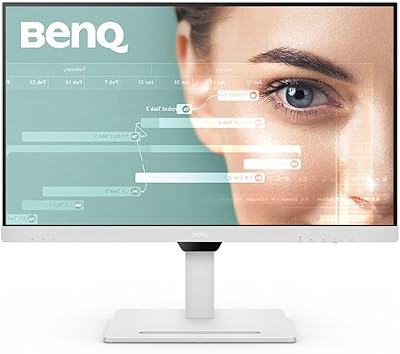
BenQ GW2790QT 27″ Productivity Monitor

78%
88%
Image Clarity
91%
USB-C Connectivity
86%
Eye Comfort
58%
Built-in Audio
83%
Ergonomics & Stand
More
BenQ EW2790Q 27-inch QHD Monitor
78%
88%
Image Quality
84%
Color Accuracy
73%
Refresh Rate & Motion
92%
Connectivity
83%
Build Quality
More
memzuoix 27-inch QHD 165Hz Gaming Monitor
70%
88%
Image Clarity
84%
Refresh Rate Performance
91%
Value for Money
82%
Adaptive Sync (FreeSync/G-Sync)
77%
Color Accuracy
More
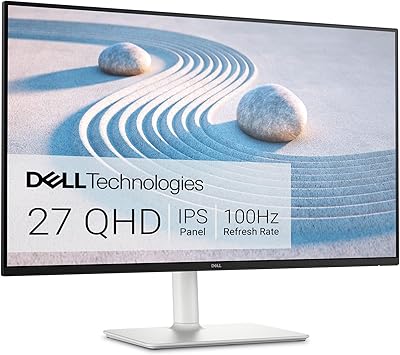
Dell S2725DS 27-inch QHD Monitor
81%
91%
Image Clarity & Resolution
88%
Eye Comfort & Low Fatigue
89%
Ergonomics & Stand Flexibility
79%
Refresh Rate & Motion Smoothness
74%
Contrast & Black Levels
More
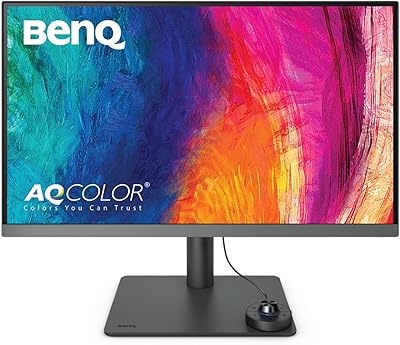
BenQ PD2706U 27-inch 4K Monitor
78%
93%
Color Accuracy
91%
Color Gamut Coverage
88%
USB-C Connectivity
79%
KVM Functionality
89%
Build Quality
More
KTC H27T13 27-inch QHD IPS Monitor

75%
88%
Image Clarity & Sharpness
83%
Color Accuracy & Vibrancy
91%
Value for Money
79%
Eye Comfort & Anti-Blue Light
74%
Refresh Rate & Smoothness
More
Dell UltraSharp U2719D 27″ QHD Monitor
75%
91%
Image Clarity
87%
Color Accuracy
89%
Build Quality
93%
Ergonomics
88%
Bezel Design
More
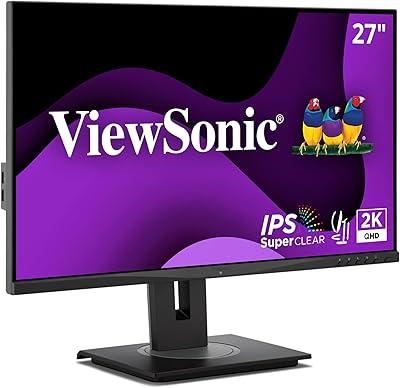
ViewSonic VS2725-2K 27-inch QHD Monitor
80%
91%
Image Sharpness
93%
Value for Money
82%
Refresh Rate & Smoothness
78%
Variable Refresh Rate
86%
Eye Comfort
More
BenQ GW2791 27-inch FHD IPS Monitor
80%
83%
Image Quality
91%
Eye-Care Performance
88%
Value for Money
62%
Display Sharpness
47%
Stand & Ergonomics
More
FYHXele 27-inch 300Hz QHD Gaming Monitor
79%
91%
Refresh Rate Performance
88%
Image Sharpness
74%
Color Accuracy
51%
HDR Quality
86%
Response Time & Motion Clarity
More

FAQ

It does both at once. The USB-C port on the PD2706QN delivers up to 90W of power, which is enough to charge a MacBook Air or most MacBook Pro models while you work. You plug in one cable and get power, video, and data — no separate charger needed.

ICCsync is a BenQ feature that automatically syncs color profiles between your Mac and the monitor when you switch color modes — say, from sRGB to P3. Without it, switching modes on the monitor doesn't update macOS, which can lead to color mismatches in apps. If you regularly switch between color spaces for different projects, it's a genuinely useful feature rather than a gimmick.

The BenQ PD2706QN 27-inch QHD Monitor ships factory-calibrated to an average Delta E of under 2, which is considered accurate for professional creative work. Most users working in design, photography, or video won't need to recalibrate it. If you're doing extremely precise color matching for print production or broadcast, you may still want to run your own profile, but for the vast majority of users the out-of-box result is reliable.

It's a worthwhile trade-off for most work environments. The nano matte coating reduces glare effectively in bright offices without the heavy graininess you sometimes see on older matte panels. Colors stay accurate and the image looks clean — it just doesn't have the punchy glossiness of a consumer display, which is actually the point for color-critical work.

Yes, MST (Multi-Stream Transport) daisy-chaining is supported. You can run multiple displays off a single cable from your host machine, which keeps the cable setup tidy. Just confirm your MacBook and Thunderbolt or USB-C port supports MST passthrough, as compatibility can vary by Mac model and macOS version.

For design, photo editing, and general productivity use, 100Hz feels smooth and comfortable — you likely won't notice any sluggishness. If you're coming from a 144Hz or higher gaming monitor, the difference will be apparent during fast motion. This display is not really aimed at gaming use cases, so if that's a priority for you, it's worth considering a different panel.

User feedback consistently describes the stand as solid and well-built. The tilt, swivel, pivot, and height adjustments all hold their position without creeping. It's the kind of stand you set once and forget, rather than one you're constantly fighting with.

It works fine as a display with any PC — the image quality, USB-C connectivity, and ergonomics are all platform-agnostic. The main feature you lose with Windows is ICCsync, which is built around macOS color management. If you're on Windows, it's still a capable color-accurate monitor, just without that particular automation.

It's on the leaner side — you get one USB-C port (which handles power and video) and one USB 3.0 downstream port. If you need to connect multiple USB peripherals directly to the monitor, you'll likely want a separate hub. Users who only need to plug in a single device or two won't find it limiting, but power users with a lot of accessories may notice the constraint.

It's a strong match for that workflow. The wide color gamut, factory calibration, and IPS panel give you accurate color representation across both sRGB and P3 working spaces, which are the two color spaces most photographers toggle between. The nano matte surface also helps when working in a room with mixed or overhead lighting. It won't replace a dedicated color grading reference monitor, but for serious amateur and professional photographers, it hits the right balance of accuracy and practicality.

Where to Buy