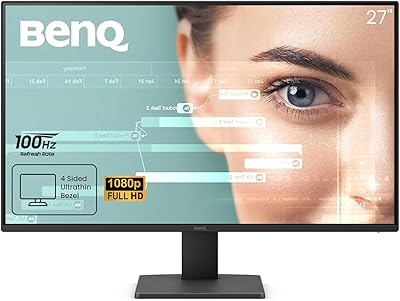
BenQ GW2790QT 27″ Productivity Monitor



Overview
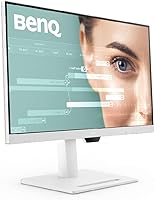
The BenQ GW2790QT 27″ Productivity Monitor sits squarely in the mid-range space for remote workers and office professionals who want a capable daily driver without overpaying for features they won't use. The 27-inch QHD IPS panel is the real draw here — text stays crisp, colors look honest, and extended work sessions feel noticeably less taxing on the eyes. It comes in white, which stands out on a desk full of black hardware and feels intentional rather than trendy. A single USB-C cable handles video, audio, and laptop charging simultaneously. Just be clear about what this is: a work-focused display, not a gaming monitor or a panel built for color-critical photo editing.
Features & Benefits
The jump from 1080p to QHD becomes obvious within minutes — text rendering alone feels sharper, and spreadsheets or code editors with lots of on-screen content benefit immediately. The 65W USB-C charging is genuinely convenient: plug in your laptop and you're done, one cable for everything. BenQ's Brightness Intelligence Gen2 quietly adjusts the backlight as room lighting changes, which sounds minor but actually reduces the urge to manually fiddle with settings throughout the day. The built-in noise-cancelling mic and speakers handle video calls competently, cutting down on desk clutter. Add a height-adjustable stand, DisplayPort daisy-chaining, and a built-in USB hub, and the GW2790QT covers most workflow needs without requiring extra accessories.
Best For
This productivity display makes the most sense for remote or hybrid workers who have been tangled in cable management for too long. If you use a MacBook or laptop, the single-cable connection is a real quality-of-life improvement — plug in once and your display, audio, and charging are all sorted. People who spend a lot of time on video calls will appreciate having a mic and speakers that are actually usable without adding another gadget to the desk. It is also a smart upgrade for anyone still running a 1080p monitor who wants noticeably more screen real estate. Multi-monitor users will find the daisy-chain support genuinely useful for keeping things tidy.
User Feedback
Most buyers come away satisfied, with image sharpness and comfortable long-session viewing mentioned repeatedly as highlights. The USB-C charging convenience draws consistent praise from laptop users who value a cleaner desk. On the flip side, the built-in speakers earn a more lukewarm reception — adequate for calls, but nobody is replacing their desktop speakers with these. A handful of users flag the base cover accessory as a surprisingly thoughtful touch for desk organization. The most common complaint centers on the lack of a high refresh rate, which honestly just confirms the intended audience: if gaming is on your list, look elsewhere. For focused work use, the overall verdict is clearly favorable.
Pros
- QHD resolution makes a noticeable difference for text-heavy work compared to a standard 1080p screen.
- A single USB-C cable handles video, audio, and 65W laptop charging at the same time.
- The IPS panel produces accurate, comfortable colors that hold up well over long work sessions.
- Brightness Intelligence Gen2 automatically adapts the backlight to changing room light conditions.
- The built-in noise-cancelling mic is genuinely useful for daily video calls without extra gear.
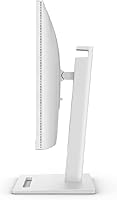
- Height-adjustable stand makes it easy to dial in ergonomics whether sitting or standing.
- DisplayPort daisy-chaining keeps multi-monitor desks clean without extra hubs or cables.
- The integrated USB hub adds practical peripheral ports right where you need them.
- Anti-glare coating reduces eye strain in bright rooms or near windows.
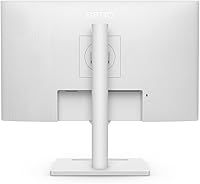
- The white finish is a clean departure from the sea of black monitors on most desks.
Cons
- No high refresh rate option makes this a hard pass for anyone who also games.
- Built-in speakers are passable for calls but fall short for music or media playback.
- At 22 pounds, it is on the heavier side if you move or reposition your setup often.
- The base cover accessory, while a nice idea, feels more like a novelty than a practical organizer for most users.
- 65W USB-C charging is sufficient for most laptops but may not fully power high-performance machines under load.
- Color gamut stops at sRGB, which limits usefulness for professional photo or video editing workflows.
- No USB-B or KVM functionality means switching between two computers requires manual cable swapping.
- The white finish, while distinctive, can show dust and smudges more visibly than darker alternatives.
Ratings
The scores below for the BenQ GW2790QT 27″ Productivity Monitor were generated by AI after analyzing verified global user reviews, with spam, bot activity, and incentivized feedback actively filtered out. The results reflect a balanced picture of where this display genuinely earns its reputation — and where real buyers have hit limitations. Both the strengths and the frustrations are represented transparently so you can make a confident decision.
Image Clarity
USB-C Connectivity
Eye Comfort
Built-in Audio
Ergonomics & Stand
Connectivity & Ports
Build Quality
Display Calibration
Value for Money
Daisy-Chain Support
Setup & Out-of-Box Experience
Refresh Rate & Motion
Ambient Light Adaptation
Desk Footprint & Aesthetics
Suitable for:
The BenQ GW2790QT 27″ Productivity Monitor is purpose-built for remote workers, hybrid professionals, and anyone who spends the bulk of their day in documents, spreadsheets, email, or video calls. Laptop users in particular get an outsized benefit from the USB-C single-cable setup — plug in one cable and your display, charging, and audio are all handled simultaneously, which genuinely simplifies the desk. The QHD resolution is a meaningful upgrade for people still on 1080p monitors, especially if you regularly have multiple windows open side by side. If your job involves frequent video calls, the integrated noise-cancelling microphone removes the need for a separate mic or headset for routine meetings. Multi-monitor users will also find the daisy-chain DisplayPort support useful for building a clean dual-display setup without an extra hub or cable run.
Not suitable for:
The BenQ GW2790QT 27″ Productivity Monitor is a poor fit for gamers — there is no high refresh rate on offer, and the panel prioritizes color accuracy and eye comfort over response time or motion clarity. Photographers, video editors, or anyone doing color-critical creative work should look elsewhere too, since 99% sRGB coverage, while solid for office use, does not meet the wider color gamut requirements of professional creative workflows. If you rely heavily on audio quality for music listening or media consumption, the built-in speakers will likely disappoint — they handle calls adequately but lack the depth and range of even a basic desktop speaker setup. Buyers who need DisplayPort or HDMI as their primary input from a desktop GPU will still work fine, but they will not get the full single-cable convenience that makes this monitor stand out for laptop users.
Specifications
- Screen Size: The display measures 27 inches diagonally, providing ample workspace for multitasking without overwhelming a standard desk.
- Resolution: Native resolution is 2560x1440 (QHD), delivering noticeably sharper text and detail compared to a standard 1080p panel.
- Panel Type: Uses an IPS panel, which provides consistent color accuracy and wide viewing angles suitable for all-day office use.
- Aspect Ratio: Standard 16:9 widescreen aspect ratio, compatible with all common video formats and productivity layouts.
- Color Coverage: Covers 99% of the sRGB color space, making it well-suited for general content work, presentations, and document editing.
- Surface Finish: Anti-glare matte coating reduces reflections from windows and overhead lighting during extended work sessions.
- USB-C Power: The USB-C port delivers up to 65W Power Delivery, enough to charge most mainstream laptops while simultaneously transmitting video and audio.
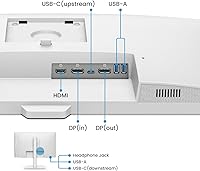
- Video Inputs: Connectivity includes one HDMI port, one DisplayPort input, and one USB-C port for flexible source options.
- USB Hub: Integrated USB hub includes two USB-A ports and one downstream USB-C port for connecting peripherals directly to the monitor.
- Daisy-Chain: DisplayPort output supports daisy-chaining a second monitor, allowing multi-display setups with fewer cables running back to the host device.
- Built-in Audio: Includes integrated stereo speakers and a noise-cancelling microphone designed to improve voice clarity during video calls.
- Eye Care: Brightness Intelligence Gen2 automatically adjusts backlight intensity and color temperature based on ambient room lighting conditions.
- Ergonomics: The stand supports height adjustment, tilt, and swivel, allowing users to find a comfortable viewing position for long work sessions.
- Color Finish: Available in white, offering a clean aesthetic that contrasts with the majority of black monitors commonly found in home and office setups.
- Dimensions: The monitor measures 9.39 x 24.17 x 16.72 inches with the stand attached, fitting comfortably on most standard desks.
- Weight: Total unit weight is 22.1 pounds including the stand, which is within the normal range for a 27-inch display of this class.
- Release Date: The GW2790QT was first made available in March 2023, positioning it as a relatively current model in BenQ's productivity lineup.
Related Reviews
BenQ GW2790T 27-inch Monitor
BenQ PD2706U 27-inch 4K Monitor
BenQ EW2790Q 27-inch QHD Monitor
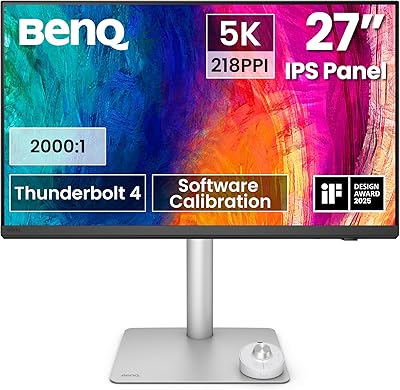
BenQ PD2730S 27″ 5K Mac Monitor
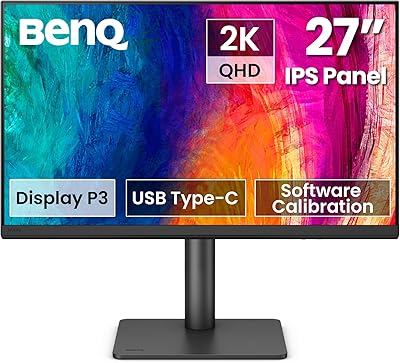
BenQ PD2706QN 27-inch QHD Monitor
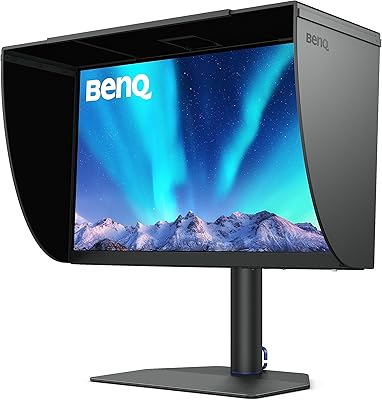
BenQ SW272Q 27-inch 2K Photographer Monitor
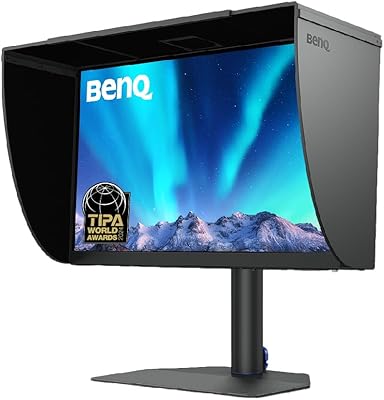
BenQ SW272U 27-Inch 4K Photo Editing Monitor
BenQ MOBIUZ EX270M 27-inch Gaming Monitor
BenQ GW2786TC 27″ Office Monitor