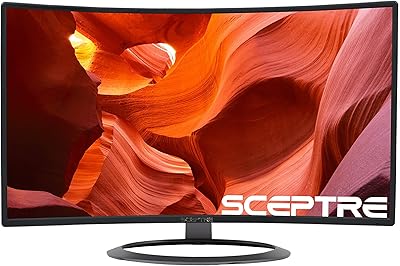
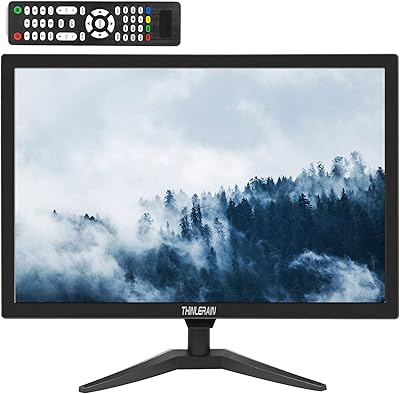
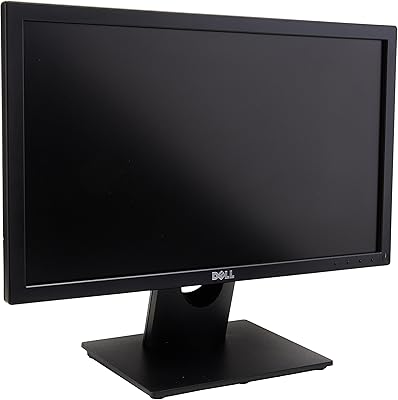
Overview

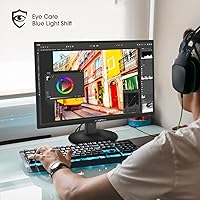
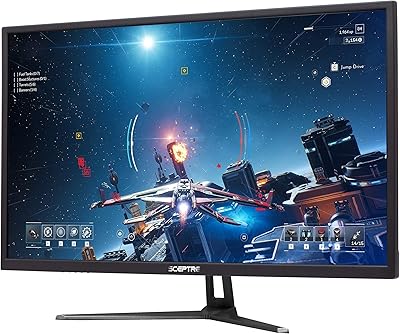
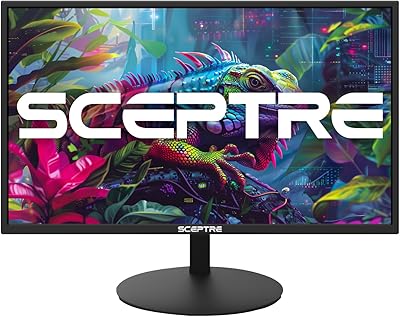
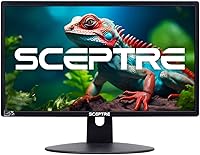
The Sceptre E205W-16003R 20″ LED Monitor is exactly what it looks like: a straightforward, no-nonsense display built for people who need a functional screen without spending much. The ultra-thin chassis and machine black finish are not trying to impress — they are just practical choices that help it fit unobtrusively on a cramped desk or against a wall. Sceptre launched this model in 2017, and the fact that it is still being sold and reviewed says something about its staying power in the budget tier. This is a 20-inch HD+ panel, not a productivity workhorse or a creative professional's tool. If you need sharp detailed imagery for design work, look elsewhere — but for everyday casual use, it delivers what it promises.
Features & Benefits

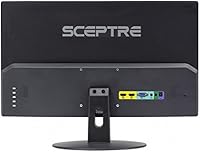
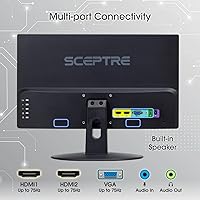
The 1600x900 resolution gets a bad reputation it does not fully deserve — on a 20-inch screen, pixel density is reasonable for browsing, documents, and light multitasking. What actually stands out is the 75Hz refresh rate, a genuine step up from the 60Hz standard you would expect at this price. It makes scrolling feel noticeably smoother and gives casual gamers just enough headroom to appreciate it. Dual HDMI ports — convertible to DVI — alongside VGA cover both modern and older hardware without needing adapters. The 5ms response time keeps motion blur minimal, and VESA 75x75mm support means wall-mounting is a real, practical option. There is even a security lock slot, which is a small but thoughtful touch for shared or public environments.

Best For

This 20-inch budget display earns its place in some specific situations. It works well as a secondary screen in a home office — not where you do your heaviest work, but where you keep a reference document, chat window, or media player running. Students in dorm rooms or anyone short on desk space will appreciate how little room it occupies. Parents setting up a first computer for a kid will find it reliable without the anxiety of something fragile or expensive. Small businesses running point-of-sale terminals or basic display kiosks are also a sensible fit. It is not built for video editors, designers, or anyone who leans hard on color accuracy or screen real estate.

User Feedback

Buyers of the E205W consistently mention how little effort it takes to get running — plug it in and it works. The slim footprint comes up repeatedly as a genuine plus, especially from people dealing with crowded desks. Brightness and image clarity attract more compliments than you might expect at this price point. On the downside, anyone who ends up using it as their sole monitor starts to notice the 900p ceiling — it holds up for basic tasks, but split-screen work and dense spreadsheets can feel cramped. Built-in speakers are handy for notifications and video calls, but not much beyond that. A handful of owners have flagged stand wobble as a minor irritation, though most treat it as an acceptable trade-off.

Pros

  • Plug-and-play setup works out of the box with virtually no configuration required.
  • 75Hz refresh rate is a genuine advantage over standard 60Hz displays at this price point.
  • Dual HDMI ports plus VGA make it easy to connect both modern and older hardware without adapters.
  • The slim profile and light weight fit naturally into tight or minimalist desk setups.
  • VESA 75x75mm support gives users a practical wall-mount option to reclaim desk space.
  • Matte screen surface reduces glare during long indoor work sessions.
  • Long-term owners report consistent durability with no widespread panel degradation issues.
  • The security lock slot adds meaningful value for shared office or public-facing deployments.
  • Built-in speakers handle video calls and system audio without adding cables or peripherals.
  • For secondary screen use, the E205W delivers honest, dependable performance at a hard-to-beat cost.

Cons

  • 900p resolution feels noticeably limited when used as a primary monitor for detailed or dense work.
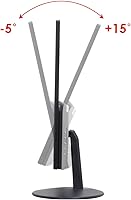
  • The stand wobbles under desk vibration and offers very limited tilt adjustment range.
  • Built-in audio is too thin and low-volume for music, movies, or any sustained media use.
  • No DisplayPort input limits compatibility with newer graphics cards that lack HDMI outputs.
  • Bezel and casing flex when pressed, giving the chassis a less-than-solid feel.
  • On-screen display controls are sparse, leaving little room to fine-tune color or input settings.
  • Brightness can fall short in well-lit rooms or spaces with natural light coming from the side.
  • The 75mm VESA pattern is less universal than 100mm, requiring mount compatibility checks before purchase.
  • No headphone jack means audio routing depends entirely on the connected device or external hardware.
  • Color consistency degrades at steep viewing angles, making collaborative or side-by-side use less comfortable.

Ratings

The Sceptre E205W-16003R 20″ LED Monitor has been evaluated by our AI engine after processing thousands of verified global user reviews, with spam, incentivized, and bot-generated submissions actively filtered out before scoring. Ratings reflect both the genuine praise and the recurring frustrations real buyers have encountered across a wide range of everyday use scenarios. The result is a balanced, honest snapshot of where this 20-inch budget display delivers and where it falls short.
Value for Money
91%
For buyers setting up a first workstation, adding a second screen on a tight budget, or equipping a child's desk, the E205W consistently punches above its price tag. Buyers repeatedly note that the feature set — 75Hz, dual HDMI, and VESA support — is hard to match at this tier.
Users who approach it expecting performance comparable to mid-range 1080p monitors tend to feel the value proposition weaken. The gap in image sharpness becomes noticeable when you have experienced better panels, making the deal feel less impressive as a primary display.
Image Clarity & Resolution
63%
37%
For casual browsing, video streaming, and everyday office tasks on a 20-inch screen, the 1600x900 resolution holds up reasonably well. Text is readable and colors are adequately defined for general use, which satisfies most buyers who are not pushing the display hard.
Anyone using it as their main monitor for spreadsheets, coding, or detailed photo work will run into the 900p ceiling fast. Side-by-side comparisons with 1080p panels make the pixel density gap obvious, and fine text at smaller sizes can look slightly soft.
Refresh Rate & Smoothness
82%
18%
The 75Hz refresh rate is one of the E205W's genuine standout qualities for its price range. Casual gamers and everyday users both notice the improvement over 60Hz displays — scrolling through documents or websites feels markedly less choppy.
Buyers stepping up from 144Hz or higher panels will find 75Hz underwhelming for fast-paced gaming. It is a solid upgrade within budget territory, but it should not be mistaken for a true gaming monitor refresh experience.
Response Time
77%
23%
At 5ms, ghosting is not a practical concern for the casual gamer or everyday user. Fast-moving content in racing games or action titles remains clear enough that most buyers at this price tier will have no complaints about motion handling.
Competitive or twitch-reflex gamers will notice it falls short of the 1ms panels found in dedicated gaming monitors. For esports titles where every millisecond matters, this spec is functional but not optimal.
Connectivity & Port Selection
88%
Dual HDMI ports with DVI compatibility plus a VGA input gives this monitor unusual flexibility for its tier. Users connecting older desktop towers alongside a laptop or game console genuinely appreciate not needing an adapter or having to swap cables constantly.
There is no DisplayPort, which limits options for users with newer graphics cards that lack HDMI outputs. A single USB hub or headphone jack would have rounded out the connectivity story nicely but are absent here.
Built-in Speakers
54%
46%
Having speakers built into the panel is genuinely convenient for video calls, system notifications, and background audio when desk space is at a premium. Users in dorm rooms or minimalist setups appreciate the reduced cable clutter.
Audio quality is thin and flat — bass is essentially absent and volume headroom is limited. Anyone who listens to music, watches movies regularly, or works in a louder environment will want to pair this monitor with external speakers fairly quickly.
Build Quality & Durability
71%
29%
Long-term owners consistently report that the panel itself holds up well over time, with no widespread reports of backlight failure or color drift after extended use. The slim all-plastic construction feels lighter than expected but survives normal daily handling.
The stand has a modest wobble that shows up when desks vibrate or when the monitor is adjusted. Bezel flex is also present if you press the frame, which is typical at this price but can feel cheap compared to metal-framed alternatives.
Stand Stability
58%
42%
The stand keeps the monitor upright reliably under normal use and handles the modest weight of the panel without sagging. For stationary setups that do not involve frequent repositioning, it does its job without issue.
Tilt adjustment is limited, and the base wobbles noticeably on desks that experience any vibration — from typing hard, bumping the desk, or running fans nearby. Users who want a sturdier experience are better served by the VESA wall-mount option.
Viewing Angles
74%
26%
The 170-degree horizontal and 160-degree vertical viewing angles are wide enough for comfortable use in shared settings. Colleagues glancing at a reference screen from the side or students huddled around a tutorial video will not see heavy color shift.
Color and contrast do shift somewhat when viewing from steep off-center angles, which is consistent with TN-adjacent LED panels in this category. It is not ideal for collaborative creative work where color consistency from multiple angles matters.
Brightness & Contrast
76%
24%
Buyers regularly note that brightness levels feel adequate for indoor use, and the 3000:1 contrast ratio helps darker content retain visible detail without washing out. For a budget-tier panel, the image holds together reasonably well in typical lighting conditions.
In brightly lit rooms or near windows, brightness can feel borderline, and the screen benefits from some ambient light control. HDR content is not supported, so high-contrast cinematic scenes will look noticeably flat compared to modern display standards.
Setup & Ease of Use
93%
Plug-and-play functionality is one of the most consistently praised aspects across buyer reviews. The monitor is recognized immediately by Windows and most systems without driver installation, making it ideal for first-time users or quick office deployments.
The on-screen display menu is functional but sparse, with limited options for fine-tuning color profiles or input labels. Users who like to calibrate their displays will find the controls barebones compared to monitors with more advanced OSD systems.
Physical Footprint & Design
83%
The ultra-thin profile and compact footprint make this one of the more space-efficient options in the 20-inch category. Students, apartment dwellers, and anyone dealing with a small desk consistently call out its slim dimensions as a practical advantage.
The machine black plastic finish, while clean and inoffensive, shows fingerprints and dust more readily than matte or textured alternatives. It will not win any design awards, and the overall aesthetic is strictly utilitarian.
VESA Mount Compatibility
86%
VESA 75x75mm support opens up a real range of mounting options — wall arms, monitor stands, and desk mounts all work with standard hardware. For users who want to reclaim desk space or build a cleaner multi-monitor setup, this is a practical and appreciated feature.
The 75mm pattern is a less common size than the more standard 100mm found on larger monitors, so buyers should verify their existing mount hardware is compatible before assuming it will work out of the box.
Glare Resistance
79%
21%
The matte screen surface handles reflections reasonably well for an entry-level panel, reducing the eye strain that glossy displays can cause during long sessions. Users working near windows or under fluorescent office lighting report fewer visibility issues than expected.
In very bright or direct-sunlight environments, the matte coating does not fully eliminate glare, and overall brightness limits how readable the screen remains. It is a comfortable indoor display, but outdoor or high-exposure settings are not where it excels.
Security Features
72%
28%
The inclusion of a security lock slot is a small but meaningful detail for shared office environments, classrooms, or public-facing kiosk deployments. It signals that Sceptre considered business use cases when designing this model, which adds practical versatility.
The security lock is purely a physical anti-theft feature — there are no software-level access controls or privacy filters included. Organizations with strict display security policies will need to supplement with additional solutions.

Suitable for:

The Sceptre E205W-16003R 20″ LED Monitor is a well-matched choice for anyone who needs a reliable, low-cost display without overcomplicating the decision. Students furnishing a dorm room or small apartment will appreciate how little desk space it consumes and how quickly it gets up and running. Parents setting up a first computer for a school-age child get a durable, no-fuss screen that does not require careful handling or a big financial commitment. Home office workers who want a second monitor for keeping email, chat, or reference documents visible alongside their primary screen will find the E205W fits that supporting role naturally. Small businesses running point-of-sale terminals, digital signage, or basic kiosk displays will also get solid utility from its dual HDMI inputs and optional wall-mount capability. If your expectations are calibrated to everyday use rather than professional output, this 20-inch budget display consistently delivers on its promises.
Not suitable for:

The Sceptre E205W-16003R 20″ LED Monitor is not the right tool for buyers who need a capable primary display for demanding work. Graphic designers, video editors, and photographers who depend on color accuracy and full HD sharpness will find the 1600x900 resolution and basic LED panel insufficient for professional output. Competitive gamers chasing low-latency, high-refresh performance should look at purpose-built gaming monitors — 75Hz and 5ms are functional but not competitive-grade specs. Anyone planning to use this as their sole monitor for dense multitasking, coding across multiple windows, or detailed spreadsheet work will quickly feel constrained by the limited screen real estate and resolution. Users who consume a lot of media at their desk should also know upfront that the built-in speakers are not a substitute for even a basic external audio setup. In short, this 20-inch budget display rewards buyers with modest, well-defined needs — but struggles when asked to do more than it was designed for.
Specifications

  • Screen Size: The panel measures 20 inches diagonally, offering a compact footprint suitable for small desks and secondary display roles.
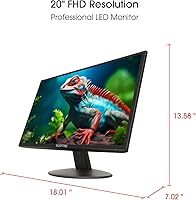
  • Resolution: Native resolution is 1600x900 (HD+), delivering a pixel density appropriate for everyday tasks on a 20-inch panel.
  • Refresh Rate: The display runs at a native 75Hz, providing noticeably smoother motion than the 60Hz standard common at this price tier.
  • Response Time: Panel response time is rated at 5ms, keeping motion blur and ghosting at acceptable levels for casual gaming and general use.
  • Panel Type: Uses LED backlighting technology with a matte screen surface to reduce glare and eye strain during extended indoor use.
  • Aspect Ratio: Standard 16:9 widescreen aspect ratio, compatible with all modern video formats and operating system display configurations.
  • Contrast Ratio: Rated contrast ratio is 3000:1, providing reasonable distinction between dark and bright areas for an entry-level LED panel.
  • Viewing Angles: Horizontal viewing angle reaches 170° and vertical viewing angle reaches 160°, allowing comfortable visibility from moderately off-center positions.
  • Video Inputs: Equipped with two HDMI ports (each convertible to DVI with an adapter) and one VGA port, supporting both legacy and current hardware connections.
  • Built-in Audio: Integrated speakers are included in the panel housing, providing basic audio output suitable for system sounds and voice calls.
  • VESA Mounting: Supports VESA wall-mount hole pattern of 75mm x 75mm, compatible with most standard low-profile monitor arms and wall brackets designed for the 75mm standard.
  • Security Lock: A Kensington-compatible security lock slot is built into the chassis, allowing the monitor to be physically secured to a desk or fixture.
  • Dimensions (Stand): With the stand attached, the monitor measures 18.01 inches wide, 7.02 inches deep, and 13.57 inches tall.
  • Dimensions (Panel): Without the stand, the panel measures 18.01 inches wide and 1.32 inches deep, reflecting the ultra-thin chassis profile.
  • Weight: Total unit weight is 4.43 pounds, making it lightweight enough for easy repositioning or wall-mount installation without heavy-duty hardware.
  • Color & Finish: The monitor ships in machine black with a matte plastic finish across the bezel and rear housing.
  • Model Number: The official manufacturer model number is E205W-16003R, used for warranty registration, driver lookup, and parts identification.
  • Manufacturer: Made by Sceptre, a US-based display brand known for producing budget-tier monitors and televisions with wide retail availability.
  • Availability: Originally released in November 2017, the monitor has remained in continuous production and is still actively sold as of this review.

Related Reviews

Sceptre 32″ QHD 1440p LED Monitor
79%
91%
Value for Money
88%
Display Quality
81%
Build Quality
85%
Ease of Setup
83%
Connectivity & Ports
More
Sceptre E275W-19203R 27-inch 1080p LED Monitor
74%
93%
Value for Money
74%
Picture Quality
81%
Refresh Rate & Smoothness
88%
Connectivity
76%
Build Quality
More
Sceptre C328W-1920R 32″ Curved LED Gaming Monitor
79%
89%
Value for Money
82%
Display Quality
91%
Immersion/Curvature
85%
Ease of Setup
77%
Build Quality
More
Thinlerain 20″ PC Monitor
80%
91%
Value for Money
80%
Display Quality
88%
Ease of Setup
85%
Connectivity
78%
Build Quality
More
TORCHSTAR 94265 LED Monitor Light Bar
83%
93%
Glare Prevention
91%
Eye Comfort & Strain Reduction
88%
Color Accuracy (CRI Performance)
84%
Auto-Dimming Function
83%
Build Quality & Materials
More
Dell E2016H 20-inch Monitor
82%
85%
Display Quality
92%
Ease of Setup
80%
Design & Build Quality
89%
Value for Money
88%
Energy Efficiency
More
Sceptre E248W-FW100T 24-inch Gaming Monitor
76%
91%
Value for Money
74%
Image Quality
78%
Gaming Performance
82%
Refresh Rate & Sync
67%
Response Time & Motion
More
Sceptre E345B-QUN168W 34″ Ultrawide Monitor
82%
89%
Display Quality
91%
Gaming Performance
84%
Build Quality
88%
Color Accuracy
75%
Ease of Setup
More
Sceptre C278W-1920R 27″ Curved Monitor
71%
91%
Value for Money
83%
Curvature & Immersion
67%
Image Quality
76%
Refresh Rate & Motion
71%
Build Quality
More
Samsung T350 24-inch IPS Monitor
71%
86%
Image Clarity
78%
Color Accuracy
83%
Viewing Angles
41%
Ergonomics & Stand
62%
Brightness & Glare Handling
More

FAQ

For the vast majority of users, the Sceptre E205W-16003R 20″ LED Monitor is genuinely plug-and-play. Windows and macOS both detect it automatically via HDMI or VGA without requiring any driver installation. You may want to adjust brightness or resolution in your display settings, but there is nothing to download or configure before you can start using it.
Yes, as long as your laptop has an HDMI or VGA output — or you have an adapter for one of those connections — it will work fine. Most modern laptops with HDMI ports will detect the E205W immediately. If your laptop only has USB-C or DisplayPort, you will need an appropriate adapter cable, since those inputs are not natively present on this monitor.

For browsing the web, watching videos, working in documents, or using it as a secondary screen alongside a higher-resolution primary display, 1600x900 is perfectly adequate. Where it starts to feel tight is when you try to run multiple windows side by side or work with fine detail — text can look slightly soft compared to a 1080p panel. If this will be your only monitor for heavy daily work, that trade-off is worth thinking about.

The practical difference is most noticeable when scrolling through web pages, documents, or social feeds — everything just feels a bit smoother and less choppy. For casual gaming, 75Hz also reduces the stuttering you can see on 60Hz panels when frame rates are in that range. It is not a dramatic night-and-day upgrade, but it is a genuine improvement you will notice day-to-day.

Casual gaming, yes. The 75Hz refresh rate and 5ms response time make it a reasonable option for slower-paced games, RPGs, indie titles, and older games. If you are playing competitive shooters or fast-action games where split-second response times matter, you will probably want to look at a dedicated gaming monitor with 144Hz or higher and a 1ms response time. For light or occasional gaming, this 20-inch budget display gets the job done.

They are usable for specific situations — video calls, YouTube in the background, system notification sounds — but they are not going to replace even a basic external speaker setup. Volume is limited, bass is essentially absent, and audio in louder rooms can feel inadequate. Think of them as a convenience feature for when you need audio without adding cables, not as a real audio solution.

Yes, the E205W supports VESA mounting with a 75x75mm hole pattern. Just make sure your wall mount or monitor arm is rated for the 75mm standard — some arms only support 100mm patterns, so check the compatibility before purchasing a mount. At just over 4 pounds, the panel itself is light enough that most standard arms handle it easily.

The stand is functional but not particularly rigid. On a solid desk it holds the panel upright without issues, but it does wobble if you bump the desk or type with some force nearby. Tilt adjustment is limited to a narrow range. If stand stability matters to you, the VESA wall-mount option is honestly the better setup for this monitor — it eliminates the wobble entirely and gives you more positioning flexibility.

Absolutely — the VGA input is there precisely for situations like this. Older desktops, budget laptops, and small form-factor PCs that only output VGA connect directly without any adapter needed. Image quality over VGA will be slightly softer than over HDMI, but for standard desktop use it is entirely workable.

Based on feedback from long-term owners, the panel itself tends to hold up well — backlight issues and color drift are not common complaints for this model. The plastic construction is lightweight and does show some bezel flex if handled roughly, but under normal daily use it is not a fragile product. A number of buyers report using it for several years without problems, which is reassuring for a display at this price level.

Where to Buy