Overview

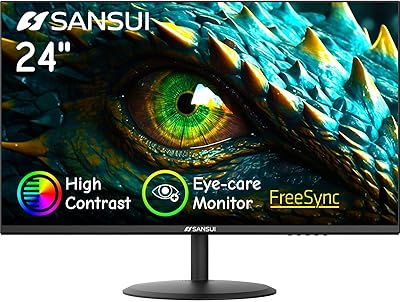
The SANSUI ES-G24F4L 24-inch Gaming Monitor is a budget-oriented display that punches above its weight class in a market crowded with forgettable value options. SANSUI isn't a household name like LG or ASUS, but that's partly why this budget gaming display can offer specs that would cost noticeably more from a tier-one brand. The frameless design keeps things tidy on cramped desks, and VESA compatibility means you can wall-mount it or slot it into a multi-monitor setup without hassle. It even ships with an HDMI cable in the box — a minor but practical inclusion many competitors quietly skip. Students, home office workers, and casual gamers are the clear audience here.
Features & Benefits

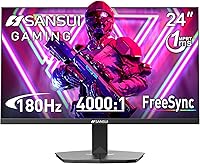
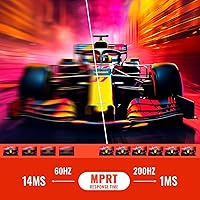
The headline spec on the ES-G24F4L is its 200Hz refresh rate, achievable through DisplayPort — connect via HDMI and you're capped at 180Hz, so cable and GPU choice genuinely matters. Either way, that's a real step up from 60Hz or even 144Hz in fast-paced titles. The 1ms response time, likely MPRT rather than GtG, keeps motion blur in check during quick movements. Color coverage is rated at 110% sRGB with a high contrast ratio, which produces punchy visuals for gaming and streaming. The HDR label is present, but tempered expectations are wise — at 300 nits, it won't deliver the dramatic brightness of a true HDR panel. The anti-glare matte coating and flicker-free backlight, however, are genuinely useful for long daily sessions.

Best For

This SANSUI monitor makes the most sense for someone stepping up from a 60Hz display for the first time — the jump in fluidity is immediately noticeable, and the 1080p FHD resolution keeps GPU demands modest, meaning mid-range cards can realistically hit the full refresh rate. It's also a solid pick for college students or remote workers who need one screen to handle spreadsheets by day and gaming by night. Console players wanting a secondary high-refresh display will find it capable, though confirming your console's output ceiling first is worth the minute it takes. If color accuracy is your priority — photo editing or design work — look elsewhere. For everyday gaming and productivity, the value is hard to argue with.

User Feedback

Buyers rating this budget gaming display at 4.4 stars overall consistently highlight out-of-box smoothness at high refresh rates and how quick the setup process is — the included cable removes one small frustration right away. Recurring complaints point to stand stability feeling flimsier than expected and color accuracy occasionally requiring manual calibration to look its best. A portion of reviews also flag mild backlight bleed in darker scenes. The HDR feature rarely earns genuine praise; most buyers treat it as a marketing checkbox rather than a functional highlight. On the support side, SANSUI's 30-day return window and one-year warranty receive positive mentions, though long-term reliability data remains thin given the product's relatively recent availability.

Pros

  • 200Hz via DisplayPort is a rare and impressive refresh rate at this price point, making motion feel noticeably smoother.
  • The ES-G24F4L ships with an HDMI cable included, removing a small but real out-of-pocket annoyance on day one.
  • Frameless design and VESA mount support make it easy to build a clean multi-monitor setup without extra hardware.
  • AMD FreeSync helps eliminate screen tearing without requiring a specific GPU brand.
  • The matte anti-glare coating handles reflections well in bright rooms, reducing eye fatigue during long sessions.
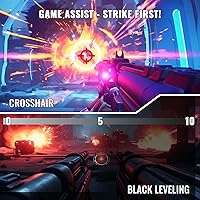
  • Built-in game modes like FPS crosshair and black level adjust add practical utility without third-party software.
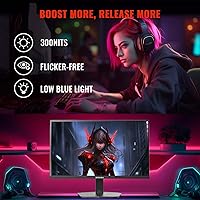
  • Flicker-free backlight and low blue light filtering make extended work or study sessions more comfortable.
  • At 110% sRGB, colors look lively and punchy for everyday gaming and streaming content.
  • The 30-day money-back and one-year warranty offer reasonable peace of mind for a lesser-known brand.
  • Compact footprint and cable management keep desk clutter minimal in tight workspaces.

Cons

  • Color accuracy out of the box may require manual calibration to look its best, which not all buyers will bother with.
  • The stand feels flimsy under hands-on use and offers no height adjustment or pivot functionality.
  • HDR support is nominal at best — 300 nits is simply not enough brightness for a meaningful HDR experience.
  • 180Hz via HDMI versus 200Hz via DisplayPort is a real distinction buyers can easily overlook when setting up.
  • Backlight bleed in dark scenes is a recurring complaint among owners, which affects gaming in low-light environments.
  • SANSUI has limited long-term reliability data compared to established monitor brands, making durability harder to predict.
  • The 1ms response time specification type is unconfirmed, leaving questions about real-world ghosting in competitive play.
  • No height, swivel, or pivot adjustment limits ergonomic flexibility for users with specific desk or posture needs.

Ratings

The scores below for the SANSUI ES-G24F4L 24-inch Gaming Monitor were generated by our AI system after analyzing verified global buyer reviews, with spam, bot-submitted, and incentivized feedback actively filtered out. Each category reflects both the genuine praise and the recurring frustrations real owners have reported, giving you an honest, unvarnished picture of where this budget gaming display excels and where it falls short.

Refresh Rate Performance
88%
Buyers who upgraded from 60Hz displays consistently describe the jump to 200Hz as dramatic and immediately noticeable, especially in fast-paced shooters and racing titles. The smoothness at this price point repeatedly surprises first-time owners who expected to compromise.
Reaching the full 200Hz requires a DisplayPort connection and a capable GPU — users who plugged in via the included HDMI cable and got 180Hz sometimes felt misled by the headline spec. A clearer out-of-box explanation would prevent confusion.
Value for Money
91%
Owners frequently note that comparable refresh rates from name-brand monitors cost significantly more, making this budget gaming display feel like a genuine bargain for students and entry-level gamers working within a tight budget.
A small portion of buyers feel the value equation weakens if the panel requires calibration time or develops backlight bleed early — unexpected extra effort chips away at the perceived savings versus buying a known brand with tighter quality control.
Image Clarity
74%
26%
At 24 inches, the 1080p resolution looks sharp and clean for everyday gaming, web browsing, and spreadsheet work. Text rendering is crisp enough that productivity users rarely feel pixel density is lacking at typical desk distances.
Side-by-side with mid-range 1440p panels, the limitations of 1080p become apparent for detail-heavy games or design work. Some buyers also note that out-of-box color temperature skews slightly warm, requiring a manual white balance tweak.
Color Accuracy
67%
33%
The 110% sRGB coverage gives games and streaming content a punchy, vibrant look that users generally enjoy for casual viewing. Contrast feels strong enough on darker game environments to make scenes feel visually engaging rather than flat.
Factory calibration is inconsistent enough that a meaningful number of users report needing to adjust settings immediately after setup. Color professionals and anyone doing even light creative work will find the panel falls well short of accurate without third-party calibration tools.
HDR Quality
41%
59%
Enabling HDR mode does produce a minor perceived boost in contrast for some content, and buyers who have never used a true HDR panel may not notice the ceiling. It functions without causing display errors or crashes.
At 300 nits peak brightness, this is HDR in name only — dark scenes lack depth and bright highlights don't pop the way genuine HDR content demands. Most experienced buyers treat the HDR feature as non-functional and leave it disabled entirely.
Build Quality
63%
37%
The monitor frame itself feels reasonably solid for the price tier, and the frameless front panel looks cleaner and more modern than many competitors at this cost. Out-of-box assembly is quick and straightforward.
The stand is the weak point — multiple buyers describe it as wobbly or lightweight, with noticeable flex when accidentally nudged. It's functional for static desk use but doesn't inspire long-term confidence, particularly for anyone who frequently adjusts desk layouts.
Ergonomics & Adjustability
52%
48%
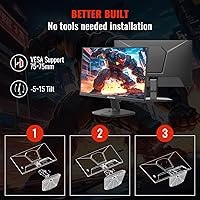
Basic tilt adjustment between -5° and 15° covers the most common seated viewing angles without issue, and VESA support lets buyers who invest in a monitor arm unlock far better flexibility at a relatively small additional cost.
With no height adjustment, swivel, or pivot built into the stand, users working from non-standard desk heights or positions are stuck improvising with books or risers. This is a consistent pain point for taller users or those with specific ergonomic requirements.
Eye Comfort
82%
18%
The flicker-free backlight and low blue light mode earn genuine appreciation from students and remote workers logging long hours at the screen. Several buyers specifically mention reduced end-of-day eye fatigue compared to their previous displays.
The low blue light mode does shift colors noticeably warmer, which some users find unacceptable for color-sensitive work and disable entirely. A few buyers also report the anti-glare coating creates a subtle haze on very bright white backgrounds.
Gaming Features
79%
21%
The built-in crosshair overlay, black level adjustment, and genre-specific game modes give practical in-session utility that casual gamers appreciate without needing third-party software. AMD FreeSync noticeably reduces tearing during GPU-intensive sequences.
The OSD menu for accessing these features is functional but not particularly intuitive — navigating between modes mid-game takes a few extra button presses that competitive players will find disruptive. FreeSync benefits are also absent for Nvidia users on older GPU generations.
Connectivity
72%
28%
Having both HDMI and DisplayPort covered means most PC setups can connect without hunting for adapters, and the included HDMI cable removes the need for an immediate accessory purchase. Console and laptop users can plug in immediately.
Two ports total is limiting for anyone wanting to switch between a PC and console without unplugging cables manually. There is no USB hub, headphone jack, or audio output — buyers expecting those features on a monitor at this price will need to look elsewhere.
Setup Experience
84%
Most buyers describe assembly and initial setup as taking under fifteen minutes, with straightforward stand attachment and clear port labeling. The included HDMI cable is a consistently appreciated small gesture that speeds up the first-use experience.
Getting the full 200Hz requires navigating Windows display settings to manually set the refresh rate, which trips up a subset of first-time monitor upgraders who assume it activates automatically. Better documentation in the box would eliminate this confusion.
Backlight Uniformity
58%
42%
Under normal mixed-content use — gaming, browsing, video — the backlight performs adequately and most buyers don't encounter issues during typical daily tasks. Brightness distribution is reasonable across the central viewing area.
Dark or near-black full-screen content exposes corner bleed on a noticeable share of units, which becomes distracting during cinematic game cutscenes or late-night movie watching in a darkened room. Quality control appears inconsistent between individual units.
Warranty & Support
71%
29%
The 30-day money-back window and one-year replacement warranty are straightforward and well-communicated, and several buyers report positive experiences resolving issues without significant friction during that window.
Long-term support beyond the warranty period is an open question given SANSUI's limited track record compared to established monitor brands. Buyers who keep products for three or more years may find service options diminish over time.

Suitable for:

The SANSUI ES-G24F4L 24-inch Gaming Monitor is a strong fit for first-time PC gamers who are upgrading from a standard 60Hz display and want to experience genuinely fluid motion without spending a lot. College students who split their screen time between coursework and gaming will find the dual-purpose design practical — the matte anti-glare coating handles bright dorm rooms well, and the slim bezels keep the desk feeling open. Remote workers on a tight setup budget who occasionally game in the evenings get real value from a monitor that handles both roles competently. Console gamers hunting for an affordable secondary display with high refresh rate support will also find this SANSUI monitor worth considering, provided they verify their console's output capabilities first. Anyone building a multi-monitor workstation on a budget will appreciate the VESA compatibility and built-in cable management keeping things tidy.
Not suitable for:

The SANSUI ES-G24F4L 24-inch Gaming Monitor is not the right call for buyers who need accurate, consistent color reproduction — graphic designers, photo editors, or video colorists should look at factory-calibrated panels from more established display brands. The HDR label on this display is largely nominal; at 300 nits of peak brightness, it cannot deliver the contrast and highlight intensity that makes HDR content genuinely compelling, so media enthusiasts chasing a cinematic viewing experience will be disappointed. Competitive esports players who demand the absolute lowest input lag and a rigorously tested 1ms GtG response time may find the specs here harder to verify independently. The stand offers only basic tilt adjustment with no height or pivot options, which rules out buyers with specific ergonomic requirements. Anyone prioritizing long-term brand reliability or an established service network should also weigh the relative novelty of the SANSUI name in the monitor market before committing.

Specifications

  • Screen Size: The display measures 24 inches diagonally, offering a comfortable viewing area for both gaming and everyday productivity tasks.
  • Resolution: Native resolution is 1920x1080 (FHD 1080p), delivering a sharp image well-suited to a 24-inch panel size.
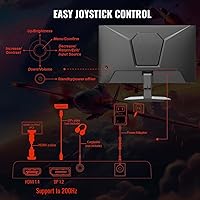
  • Refresh Rate: Supports up to 200Hz via DisplayPort and up to 180Hz via HDMI, providing notably fluid motion at this price tier.
  • Response Time: Rated at 1ms response time, which helps reduce visible ghosting and trailing during fast-paced on-screen movement.
  • Panel Surface: Matte anti-glare coating reduces reflections from ambient light sources, making it more comfortable in bright environments.
  • Color Gamut: Covers 110% of the sRGB color space, producing vivid, saturated colors that exceed the standard sRGB range.
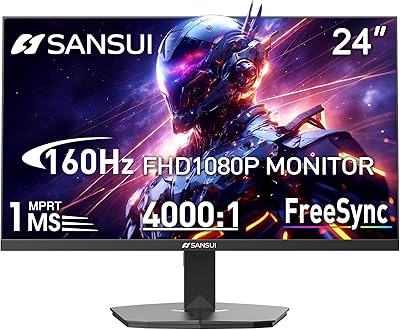
  • Contrast Ratio: Claimed static contrast ratio of 4000:1, which supports deeper blacks and stronger visual separation between dark and bright areas.
  • Brightness: Peak brightness is rated at 300 cd/m², adequate for typical indoor use but limited for meaningful HDR performance.
  • HDR Support: Entry-level HDR is present, though at 300 nits the practical impact on highlight detail and dynamic range is minimal.
  • Adaptive Sync: AMD FreeSync is supported, synchronizing the display refresh rate with compatible GPU output to reduce screen tearing.
  • Connectivity: Equipped with one HDMI port and one DisplayPort input, covering standard PC and console connection needs.
  • Tilt Adjustment: The stand supports a tilt range of -5° to 15°, allowing basic ergonomic angle adjustment.
  • VESA Mount: VESA mounting is supported, enabling wall-mount or monitor arm installation for more flexible placement options.
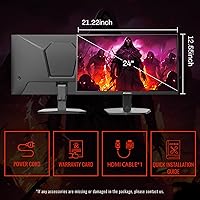
  • Dimensions: The monitor measures approximately 21.2 x 16.29 x 7.95 inches with the stand attached.
  • Weight: Total unit weight with stand is 8.98 pounds, making it manageable for solo desk setup or repositioning.
  • Design: Frameless borderless styling on three sides minimizes visual interruption in multi-monitor configurations.
  • Eye Care: Flicker-free backlight and low blue light filtering are built in to reduce eye strain during prolonged use.
  • Cable Management: Built-in cable management routing helps keep desk and rear-panel wiring organized without additional accessories.
  • In-Box Accessories: An HDMI cable is included in the box, removing the need to purchase one separately at setup.
  • Warranty: Covered by a 30-day money-back guarantee and a 1-year quality warranty, with lifetime technical support from the manufacturer.

Related Reviews
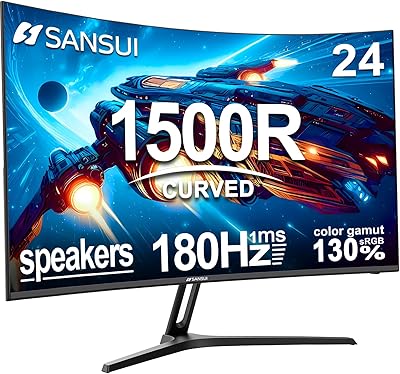
SANSUI ES-G24C1 24-inch Curved Gaming Monitor
74%
91%
Value for Money
86%
Gaming Performance
83%
Color & Image Quality
88%
Contrast & Black Levels
47%
Stand & Ergonomics
More
SANSUI 24.5 Inch QHD Gaming Monitor 300Hz ES-G25F6Q Pro
87%
94%
Gaming Performance
91%
Color Accuracy
88%
Build Quality
89%
Ergonomics & Adjustability
95%
Refresh Rate & Response Time
More
SANSUI ES-G27C1 27″ Curved Gaming Monitor
73%
91%
Value for Money
88%
Refresh Rate Performance
84%
Color & Image Quality
72%
Motion Clarity & Response
76%
Build Quality & Aesthetics
More
SANSUI ES-G24F4M 24-inch Gaming Monitor
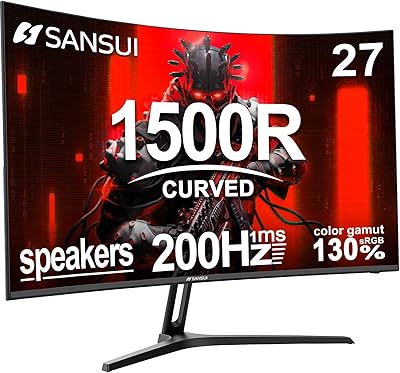
73%
88%
Value for Money
91%
Gaming Performance
86%
Motion Clarity
58%
Color Accuracy
79%
Contrast & Black Levels
More
SANSUI ES-G34C5 34-inch Curved Gaming Monitor
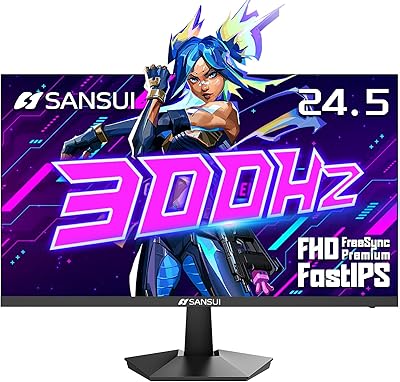
73%
91%
Value for Money
84%
Image Quality & Color Accuracy
83%
Refresh Rate & Smoothness
47%
HDR Performance
41%
Ergonomics & Stand Adjustability
More
SANSUI ES-G25X1 Pro 24.5″ 300Hz Gaming Monitor
87%
94%
Performance
89%
Display Quality
92%
Response Time
84%
Build Quality
88%
Color Accuracy
More
ViewSonic XG2431 24-Inch Gaming Monitor
86%
92%
Gaming Performance
88%
Display Quality
93%
Response Time
85%
Ergonomics and Comfort
89%
Visual Clarity
More
DJiEX Z24B12 24-inch Gaming Monitor
84%
92%
Value for Money
87%
Display Quality
85%
Ergonomics and Comfort
89%
Color Accuracy
80%
Connectivity Options
More
AOC G2490VXS 24-inch Gaming Monitor
86%
92%
Value for Money
89%
Gaming Performance
87%
Display Quality
91%
Color Accuracy
85%
Design and Build
More
AOC 24G4 24-inch Gaming Monitor
76%
93%
Refresh Rate Performance
78%
IPS Color Quality
84%
Motion Clarity
91%
Value for Money
87%
Adaptive-Sync Implementation
More

FAQ

To hit 200Hz you will need to use the DisplayPort connection, not HDMI. The HDMI port on this monitor tops out at 180Hz, so if maximum refresh rate matters to you, make sure your PC has a DisplayPort output and use a DisplayPort cable. The good news is an HDMI cable is already included in the box for getting started quickly.

Yes, it will work with current-gen consoles via HDMI. Keep in mind that most consoles output at 120Hz maximum, so you won't reach the display's full 180Hz or 200Hz potential through a console connection. Still, 120Hz at 1080p looks noticeably smoother than 60Hz and is a real upgrade for console gaming.

Honestly, not much. At 300 nits of peak brightness, the HDR implementation here is entry-level at best. You won't see the punchy highlights or rich shadow detail that a proper HDR panel delivers. It's fine to leave HDR enabled if your system outputs it, but don't choose this monitor specifically because of the HDR label.

Yes, VESA mounting is supported. This is actually one of the more useful features on this display for anyone who wants to free up desk space, set an exact viewing height, or build a dual-monitor arm setup. Check your arm's VESA hole pattern compatibility before purchasing.

It's decent for casual use, but some buyers find the factory calibration slightly off — colors can lean a touch oversaturated or the white balance may need a small adjustment. Running a basic calibration through your operating system's display settings or the monitor's OSD takes only a few minutes and noticeably improves the result.

Only tilt is supported, ranging from -5° to 15°. There is no height, swivel, or pivot adjustment built into the stand. If you need more ergonomic flexibility, the VESA mount support means a third-party monitor arm is a straightforward upgrade path.

It handles productivity work well. The matte coating keeps reflections manageable, and the flicker-free, low blue light settings make long work sessions more comfortable. The 1080p resolution at 24 inches gives you a sharp enough image for documents, spreadsheets, and browser tabs without feeling cramped.

Some owners do report mild backlight bleed, particularly in the corners when viewing dark content. It's not universal, but it is a recurring enough mention in user feedback to be worth knowing. If you watch a lot of dark-scene content or play games in pitch-black environments, it may be noticeable.

SANSUI offers a 30-day money-back period and a one-year warranty, plus lifetime technical support. Buyer feedback on warranty claims is generally positive for straightforward cases, though response times can vary. As with most lesser-known brands, setting realistic expectations about turnaround time is sensible compared to larger display manufacturers.

It depends on your GPU generation. Nvidia cards from the GTX 10-series onward support AMD FreeSync displays through Nvidia's G-Sync Compatible program, though not all combinations are officially certified. Check whether your specific Nvidia GPU model supports G-Sync Compatible mode — if it does, FreeSync on this monitor should function without issue.