Overview

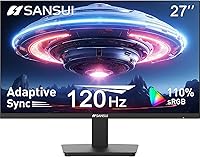
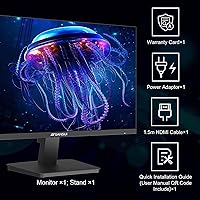
The SANSUI ES-27F2 27-Inch 120Hz Monitor is one of the more compelling budget options in a crowded market — a 27-inch FHD display that punches above its weight without asking for a premium price. SANSUI has been quietly building a following among value-conscious buyers, and this monitor's ranking near the top of Amazon's computer monitor category reflects genuine demand, not just promotional luck. One design choice worth flagging upfront: the glossy panel finish produces noticeably richer colors than matte alternatives, but it will throw reflections in a bright room. An HDMI cable ships in the box, a small but welcome detail that budget buyers will appreciate.

Features & Benefits

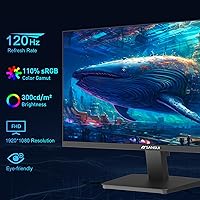
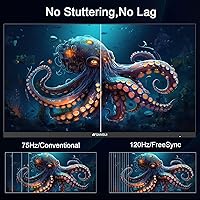
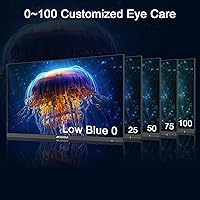
The jump from 60Hz to 120Hz refresh rate is one of those upgrades that's immediately obvious — scrolling feels snappier, video playback looks cleaner, and gaming motion is noticeably less blurry. AMD FreeSync pairs well with that, eliminating screen tearing without demanding a high-end graphics card. Color performance is a genuine highlight: the 110% sRGB coverage sits above what most monitors at this price tier deliver, making it decent for casual photo editing or media work — though it is not a substitute for a professional color-accurate display. The eye-care features — blue light reduction, anti-flicker, and anti-glare coating — add real value for anyone staring at a screen for long stretches.

Best For

This SANSUI monitor makes the most sense for a specific type of buyer: someone who needs a large, capable screen without stretching their budget. Home office workers upgrading from a cramped laptop display or an aging 60Hz panel will feel an immediate improvement. College students get a solid all-rounder for writing papers, streaming, and occasional gaming. It also works well as a second or third monitor in a multi-screen setup, where cost-per-screen matters far more than absolute image quality. If you plan to VESA-mount on an arm, the frameless design looks surprisingly clean. Just know going in that the stand only tilts — there is no height adjustment.

User Feedback

Buyers consistently mention two things right away: how bright the screen looks out of the box and how straightforward setup is. Those are real wins. The criticism that surfaces most often is the glossy screen glare — in a sun-facing room or a brightly lit office, reflections can become genuinely distracting. The stand's limited adjustability is another recurring complaint, particularly from users who expected at least some height control. Build quality concerns appear occasionally, which is not surprising given the price point, but outright failures seem uncommon. Most buyers feel the value holds up over time, though a handful note that 1080p can look slightly soft on a 27-inch panel at close range.

Pros

  • 120Hz refresh rate delivers visibly smoother motion compared to standard 60Hz displays, especially in games and fast video.
  • AMD FreeSync eliminates screen tearing without requiring an expensive graphics card.
  • 110% sRGB color coverage produces vibrant, punchy colors that outperform most monitors in this price range.
  • The frameless design looks clean on a desk and pairs well with VESA monitor arms.
  • Built-in eye-care features — blue light filter, anti-flicker, and anti-glare coating — reduce fatigue during long work sessions.
  • An HDMI cable is included in the box, saving an extra purchase on day one.
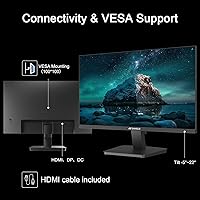
  • Both HDMI and DisplayPort inputs give decent flexibility for connecting different devices.
  • Setup is quick and straightforward, with most buyers reporting the display is ready to use within minutes.
  • At this price point, the overall brightness and out-of-box color quality consistently impress first-time users.

Cons

  • The glossy panel reflects light aggressively in bright rooms, which can be a serious daily annoyance.
  • 1080p resolution on a 27-inch screen results in lower pixel density that looks noticeably soft up close.
  • The stand offers tilt only — no height adjustment, swivel, or pivot, which limits ergonomic flexibility.
  • There are no built-in speakers, so a separate audio solution is required from day one.
  • Build quality feels lightweight and plasticky, raising questions about durability over the long term.
  • SANSUI is a relatively newer brand in this space, and long-term reliability data is limited compared to established competitors.
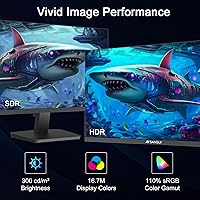
  • HDR support is listed, but at this panel tier, real-world HDR performance is minimal and largely cosmetic.
  • Some buyers report pixel or backlight uniformity issues, which are hard to predict before the monitor arrives.

Ratings

Our AI rating system analyzed thousands of verified global reviews for the SANSUI ES-27F2 27-Inch 120Hz Monitor, actively filtering out incentivized, bot-generated, and low-signal feedback to surface what real buyers actually experience. The scores below reflect both the genuine strengths that keep this display near the top of its category and the recurring frustrations that show up consistently across independent buyers. Nothing has been softened — the ratings tell the full story.

Value for Money
88%
Buyers consistently describe this as one of the most capable displays available at its price point, with 120Hz, FreeSync, and above-average color coverage making it feel like more than the cost suggests. For budget-conscious home office workers and students, the feature-to-dollar ratio is hard to argue with.
A handful of buyers who experienced quality control issues — such as backlight uniformity problems or dead pixels on arrival — felt the value proposition collapsed quickly, since budget pricing often means limited recourse for replacements.
Image Quality
79%
21%
Out of the box, colors look vivid and punchy, and most buyers are genuinely impressed by how bright and rich the panel appears on first use. The 110% sRGB coverage does translate into noticeably more saturated images compared to similarly priced competitors.
At 27 inches, the 1080p resolution starts to show its limits — text looks slightly soft at close viewing distances, and fine detail in complex images lacks the crispness you get from higher pixel density panels. It is adequate, but perceptible to anyone who has used a 1440p display.
Refresh Rate & Smoothness
91%
The 120Hz refresh rate is one of the strongest real-world differentiators on this monitor — scrolling, gaming, and even moving windows around the desktop all feel measurably smoother than on a standard 60Hz screen. Casual gamers in particular consistently praise how responsive the display feels even without a high-end GPU.
The improvement over 60Hz is clear, but buyers coming from higher-end 144Hz or 165Hz gaming monitors may find the jump less dramatic than expected. The panel is also not designed for competitive esports use, where response time and input lag matter as much as raw refresh rate.
Glare & Reflections
52%
48%
In controlled or dim lighting environments, the glossy panel actually works in the monitor's favor — colors appear deeper and more saturated than they would on a matte surface, and buyers who use it in evening or low-light setups rarely complain.
This is one of the most frequently mentioned pain points across reviews. In rooms with windows, overhead lighting, or any significant ambient light source, the glossy coating turns into a mirror that competes directly with the content on screen. Buyers in bright office environments or near windows report it as a genuine daily frustration.
FreeSync Performance
83%
Users with AMD Radeon GPUs consistently report that FreeSync works as expected — screen tearing effectively disappears during gaming sessions, and the feature activates without complex setup beyond enabling it in the driver panel. For mid-range GPU owners, it adds real value at no extra cost.
FreeSync only benefits AMD GPU users, and the variable refresh range is not publicly specified by SANSUI, which leaves some buyers uncertain about the effective sync window. Nvidia users will not benefit from this feature at all.
Ergonomics & Stand
43%
57%
The tilt adjustment does cover a functional range for most seated positions, and for buyers who plan to use a VESA arm, the stand's limitations are entirely irrelevant. VESA compatibility at this price point is a genuine plus.
The stand is the most consistently criticized aspect of this monitor. With tilt as the only adjustment option, buyers who need to raise the screen, swivel it, or pivot it for portrait mode are completely out of luck without purchasing a separate arm. Anyone upgrading from an ergonomic monitor will feel the regression immediately.
Eye-Care Features
77%
23%
The combination of anti-flicker and low blue light filter is genuinely appreciated by buyers who use the display for extended work or study sessions. Several reviewers specifically mention reduced headaches and less eye fatigue compared to older monitors they replaced.
The anti-glare coating applies to surface treatment rather than the glossy panel underneath, so its effectiveness is limited in practice. The blue light filter, when enabled at higher intensities, noticeably warms the image to the point where color accuracy is affected.
Build Quality
61%
39%
The frameless design looks cleaner and more modern than most monitors at this price, and the physical footprint is compact enough that it does not overwhelm a standard desk. Most buyers report the monitor arrives without damage and feels adequately sturdy for everyday use.
The plastic construction feels noticeably light and somewhat flimsy when adjusting the tilt or moving the monitor, and a subset of buyers raise questions about long-term durability. The budget material choice is visible up close in a way that reminds you of the price tier.
Connectivity
74%
26%
Having both HDMI and DisplayPort inputs covers the most common connection scenarios for desktops, laptops, and consoles, and the included HDMI cable means buyers can connect immediately without a separate purchase. Switching between two devices connected to different ports is straightforward.
There are only two inputs total, which limits flexibility for users who want to keep three or more devices connected simultaneously. There is also no USB hub functionality, which is increasingly common on monitors at higher price points and is noticeably absent here.
Setup & Ease of Use
86%
Assembly is consistently described as fast and intuitive — most buyers have the monitor out of the box and displaying an image within ten minutes. The on-screen menu is simple enough that basic adjustments like brightness and contrast require no manual consultation.
The on-screen display controls can feel slightly unresponsive, and navigating deeper settings like enabling FreeSync or adjusting color modes requires a bit of patience. A small number of buyers report the monitor not being recognized immediately on first connection, requiring a cable reseat or port switch.
Color Accuracy
71%
29%
For casual photo viewing, media consumption, and everyday productivity work, the color output looks pleasing and above average for the price. The 110% sRGB coverage genuinely shows in how saturated and lively images appear compared to monitors with lower coverage.
Colors are vibrant rather than accurate — the out-of-box calibration skews slightly cool and oversaturated for anything requiring precision. Professional photo editors or anyone preparing images for print should not rely on this display without dedicated calibration, and even then its panel type limits ultimate accuracy.
HDR Performance
38%
62%
HDR is technically supported and can be enabled through Windows or console settings, which at least ensures compatibility with HDR content pipelines without forcing users to manually disable the feature every session.
Real-world HDR performance is disappointing and largely cosmetic. The panel lacks the peak brightness and local dimming capability needed to produce convincing HDR results, and most buyers report that HDR mode actually makes the image look worse — flatter and washed out — compared to a well-tuned SDR picture.
Gaming Performance
78%
22%
For casual and mid-tier gaming, this 27-inch display punches well above its price. The 120Hz and FreeSync combination produces a smooth, tear-free experience in most genres, and the large screen size makes open-world and cinematic games genuinely enjoyable.
Input lag and pixel response time are not officially specified by SANSUI, which is a red flag for competitive gamers who need precise figures. Users playing fast-paced competitive titles report that the panel shows some ghosting during rapid camera movements, suggesting the response time is not class-leading.
Brightness
76%
24%
Most buyers find the panel bright enough for comfortable use in moderately lit rooms, and the out-of-box brightness level sits at a point that works well for both productivity and media without needing immediate adjustment.
In very bright environments or when competing with direct sunlight, the brightness ceiling becomes a limiting factor — particularly compounded by the glossy panel's reflections. Maximum brightness is functional but not exceptional compared to IPS panels in adjacent price ranges.

Suitable for:

The SANSUI ES-27F2 27-Inch 120Hz Monitor is a strong fit for buyers who want a meaningful screen upgrade without committing to a high-end budget. Home office workers moving up from a 60Hz panel or a cramped laptop display will notice the extra screen real estate and smoother motion almost immediately. College students get a well-rounded display that handles everything from writing and spreadsheets to streaming and light gaming without any serious compromises. Casual gamers who own a mid-range GPU will appreciate FreeSync and the 120Hz refresh rate delivering a noticeably cleaner gaming experience at a fraction of what a dedicated gaming monitor typically costs. It is also a smart pick for multi-monitor setups, where keeping cost-per-screen low matters more than chasing peak image quality, and the VESA compatibility makes it easy to mount on an arm for a cleaner desk setup.

Not suitable for:

Buyers with more demanding visual requirements will likely find this 27-inch display falls short in key areas. The SANSUI ES-27F2 27-Inch 120Hz Monitor uses a 1080p panel, and at 27 inches, that pixel density is noticeably lower than on a 24-inch FHD screen — text and fine detail can look slightly soft if you sit close. Graphic designers, video editors, or anyone doing serious color work should look elsewhere; the 110% sRGB coverage is impressive at this price tier but is nowhere near the accuracy needed for professional color grading. The glossy finish is a real liability in bright or sun-facing rooms, where reflections can make the screen genuinely difficult to use. Anyone who relies on ergonomic positioning will also be frustrated — the stand only tilts, with no height, swivel, or pivot adjustment available. Finally, buyers prioritizing build longevity over upfront savings may want to consider a more established display brand with a stronger warranty track record.

Specifications

  • Screen Size: The display measures 27 inches diagonally, offering substantially more workspace than the 24-inch monitors common in this price range.
  • Resolution: Native resolution is 1920x1080 (Full HD), which delivers sharp enough detail for everyday tasks but results in a lower pixel density than higher-resolution panels at this screen size.
  • Refresh Rate: The panel runs at 120Hz, providing noticeably smoother motion in games, video playback, and even general desktop use compared to standard 60Hz displays.
  • Adaptive Sync: AMD FreeSync is supported, which dynamically matches the monitor's refresh rate to the GPU's output to reduce screen tearing and stuttering.
  • Color Coverage: The display covers 110% of the sRGB color space, producing vibrant colors that exceed the typical output of budget monitors in this tier.
  • HDR Support: Basic HDR is supported, though the panel's peak brightness and contrast limitations mean real-world HDR results are modest rather than dramatic.
  • Panel Surface: The screen uses a glossy finish, which enhances color richness but reflects ambient light more than a matte-coated panel would.
  • Inputs: Connectivity includes one HDMI port and one DisplayPort input, covering the most common connection types for both computers and gaming consoles.
  • Included Cable: One HDMI cable is included in the packaging, so the monitor is ready to connect to most devices without an additional purchase.
  • VESA Compatibility: The display supports 100x100mm VESA mounting, making it compatible with the vast majority of third-party monitor arms and wall mounts.
  • Tilt Adjustment: The included stand supports a tilt range of -5° to 15°, but does not offer height adjustment, swivel, or pivot functionality.
  • Eye-Care Features: The monitor includes a low blue light filter, anti-flicker technology, and an anti-glare coating to reduce eye fatigue during extended use.
  • Speakers: There are no built-in speakers; users will need external speakers or headphones for audio output.
  • Aspect Ratio: The panel uses a standard 16:9 widescreen aspect ratio, which is compatible with virtually all modern content formats.
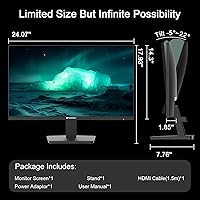
  • Dimensions: The monitor measures 24.13 inches wide, 18.13 inches tall, and 6.7 inches deep with the stand attached.
  • Weight: The unit weighs 7.7 pounds including the stand, making it easy to reposition on a desk or move between rooms.
  • Model Number: The official model designation is ES-27F2, which identifies this specific variant within SANSUI's monitor lineup.

Related Reviews
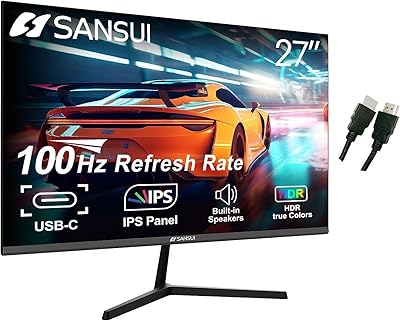
SANSUI ES-27X3 27-inch 100Hz IPS Monitor
84%
89%
Display Quality
92%
Value for Money
85%
Ease of Setup
88%
Gaming Performance
86%
Color Accuracy
More
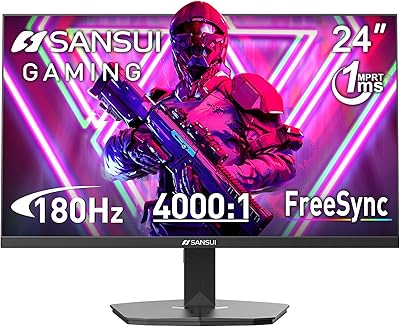
SANSUI ES-G27C1 27″ Curved Gaming Monitor
73%
91%
Value for Money
88%
Refresh Rate Performance
84%
Color & Image Quality
72%
Motion Clarity & Response
76%
Build Quality & Aesthetics
More
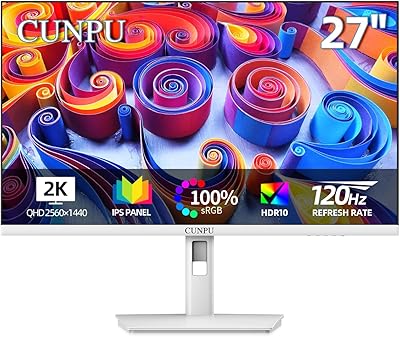
Cunpu 27-inch 1440p 120Hz IPS Monitor
81%
89%
Display Quality
91%
Gaming Performance
88%
Color Accuracy
73%
Build Quality
85%
Eye-Care Features
More
SANSUI ES-G24F4L 24-inch Gaming Monitor
71%
88%
Refresh Rate Performance
91%
Value for Money
74%
Image Clarity
67%
Color Accuracy
41%
HDR Quality
More
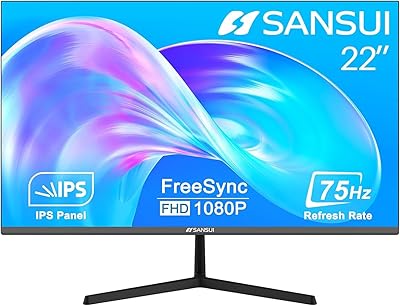
SANSUI ES-22X3 22-inch IPS Monitor
77%
88%
Value for Money
83%
Image Quality
74%
Refresh Rate & Gaming
81%
Eye Comfort
76%
Build Quality
More
SANSUI ES-G24C1 24-inch Curved Gaming Monitor
74%
91%
Value for Money
86%
Gaming Performance
83%
Color & Image Quality
88%
Contrast & Black Levels
47%
Stand & Ergonomics
More
SANSUI ES-G34C5 34-inch Curved Gaming Monitor
73%
91%
Value for Money
84%
Image Quality & Color Accuracy
83%
Refresh Rate & Smoothness
47%
HDR Performance
41%
Ergonomics & Stand Adjustability
More
SANSUI 24.5 Inch QHD Gaming Monitor 300Hz ES-G25F6Q Pro
87%
94%
Gaming Performance
91%
Color Accuracy
88%
Build Quality
89%
Ergonomics & Adjustability
95%
Refresh Rate & Response Time
More
Dell S2725QC 27-inch 4K USB-C Monitor
81%
93%
Image Clarity
88%
Color Accuracy
91%
USB-C Connectivity
86%
Refresh Rate & Smoothness
89%
Build Quality & Design
More
Raywego Z270B13 27-inch Gaming Monitor
70%
88%
Value for Money
83%
Picture Quality
84%
Refresh Rate Performance
62%
Build Quality
81%
Eye Comfort
More

FAQ

Yes, both consoles connect via HDMI and the ES-27F2 will display at 1080p with no issues. Keep in mind that current-gen consoles capable of higher resolutions will be capped at 1080p on this display, so it is better suited for older consoles or buyers not concerned about 4K output.

It is genuinely noticeable beyond gaming. Scrolling through web pages, dragging windows, and even moving the cursor all feel a bit crisper and more responsive at 120Hz compared to a 60Hz panel. It is one of those things you notice immediately and then really miss if you go back.

It depends heavily on your room setup. In a dimly lit or controlled lighting environment, the glossy finish is fine and actually makes colors look more vivid. But if you have a window behind you or bright overhead lighting, reflections can become a real problem. A matte screen would be a safer choice for brightly lit spaces.

Yes, the back of the display has a standard 100x100mm VESA pattern, so it is compatible with the vast majority of monitor arms and wall mounts available. This is a great option if you find the included stand too limiting ergonomically.

No, the stand only tilts between -5° and 15°. There is no height adjustment, swivel, or pivot. If you need to raise or lower the screen, your best option is pairing it with a VESA-compatible monitor arm.

At a normal desk distance of around two to three feet, most people find it acceptable for everyday work and casual use. That said, text and icons will not look as sharp as they would on a 24-inch 1080p display or a higher-resolution 27-inch panel. If you sit very close or do detailed work, you may notice some softness.

You need a compatible AMD Radeon GPU and a DisplayPort or HDMI connection. Once connected, FreeSync can typically be enabled through your AMD graphics driver settings. It does not require any special configuration on the monitor side beyond making sure the feature is not disabled in the on-screen menu.

There are no built-in speakers and no headphone jack on this display. All audio needs to be handled through your computer's sound card, a USB audio device, or the audio output on your GPU if you are using DisplayPort or HDMI with audio passthrough.

Most buyers report that the SANSUI ES-27F2 27-Inch 120Hz Monitor looks quite good straight out of the box without any manual calibration. Colors appear bright and punchy, which suits media consumption and casual use well. That said, for anything requiring color accuracy — like photo editing for print — you would still want to calibrate it properly with a colorimeter.

The box includes the monitor, the stand, a power cable, and an HDMI cable. The inclusion of the HDMI cable is a small but practical touch that means you can get up and running without an extra trip to the store.