Overview

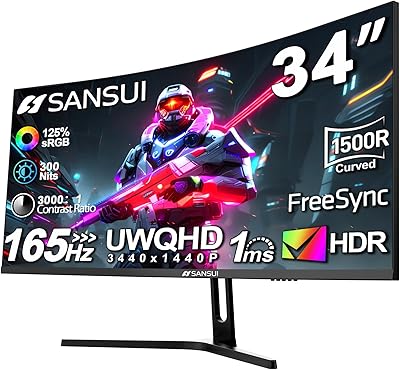
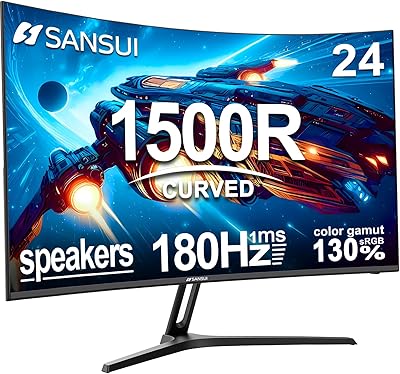
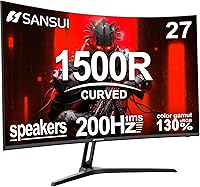
The SANSUI ES-G27C1 27″ Curved Gaming Monitor is a genuinely surprising entry from a brand most buyers haven't heard of — yet. SANSUI isn't a household name, but this curved gaming monitor shot into Amazon's top 10 Computer Monitors within months of its mid-2024 launch, which says something real about buyer appetite at this price point. Built around a Fast VA panel with a 1500R curve, it competes directly with flat IPS monitors that cost similar amounts, offering deeper blacks and that wraparound feel you don't normally get without spending more. The metal stand and included HDMI cable are small touches that genuinely add up.
Features & Benefits

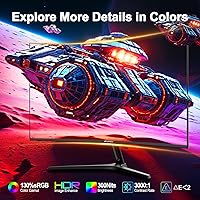
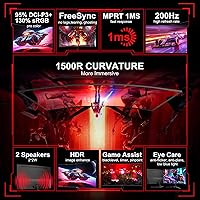
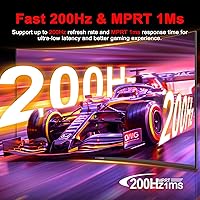
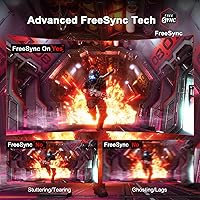
This curved gaming monitor hits 200Hz refresh rate over both HDMI and DisplayPort — a spec that's rare at this price, where most competitors cap at 165Hz. Worth clarifying for buyers: the advertised 1ms is MPRT, not GTG. MPRT is a backlight-strobing measurement rather than raw pixel transition speed, so real-world behavior differs from a 1ms GTG IPS panel, though motion clarity in fast FPS and racing titles is still noticeably sharp. The 130% sRGB coverage and 3000:1 contrast ratio are natural VA strengths — colors look rich and blacks run deep. FreeSync works across AMD and most modern NVIDIA setups, and the anti-flicker with low blue light modes genuinely help during extended sessions.

Best For

This budget curved screen makes the most sense for first-time PC gamers stepping up from a basic flat monitor — the jump to 200Hz and a curved panel at once is a real quality-of-life shift. Students and remote workers who also game after hours will find it pulls double duty well enough; the matte surface handles office lighting without much glare. Console players looking for a secondary high-refresh display can also take advantage, though confirming their console's output targets is worthwhile. Where it fits less naturally is in setups where pixel density matters — the 1080p resolution across 27 inches is on the softer side for reading dense text or editing detailed visuals.

User Feedback

Buyers consistently praise the color vibrancy and curve for a display at this price — the immersive feel lands especially well with users upgrading from flat budget monitors. Packaging and out-of-box setup also earn positive marks. On the flip side, the stand draws recurring criticism: tilt range is limited to 5–15° with no height adjustment, and some units show wobble from desk vibrations. VA panel behavior in dark scenes is a known theme — backlight bleed in corners and slower pixel response in shadowy areas are worth knowing about upfront. The built-in speakers get mixed reactions; most buyers treat them as a convenient backup rather than a primary audio source, which is the right expectation to bring in.

Pros

  • 200Hz refresh rate over both HDMI and DisplayPort is genuinely rare at this price point.
  • The 1500R curve creates real immersion in gaming without the distortion of tighter curvatures.
  • Rich color output thanks to 130% sRGB coverage and a 3000:1 contrast ratio — blacks look deep.
  • FreeSync works reliably across AMD and most modern NVIDIA setups, eliminating screen tearing.
  • Metal stand base and included HDMI cable add tangible out-of-box value other budget monitors skip.
  • Matte anti-glare surface handles ambient light well, reducing eye strain during long sessions.
  • Anti-flicker and low blue light modes make multi-hour use noticeably more comfortable.
  • VESA 100x100mm compatibility means upgrading to a third-party arm is straightforward.
  • Built-in speakers work as a functional placeholder — no external audio gear needed on day one.
  • Plug-and-play input detection simplifies switching between a PC and a console.

Cons

  • Stand offers only 5°–15° tilt with no height adjustment, swivel, or pivot — a real daily frustration.
  • VA panel ghosting in dark game scenes is noticeable and no overdrive setting fully resolves it.
  • Backlight bleed in lower corners appears consistently enough to suggest it is a panel-level trait.
  • Achieving 200Hz over HDMI often requires manual configuration in Windows display settings — not obvious for beginners.
  • Only one HDMI and one DisplayPort input limits flexibility for multi-device setups.
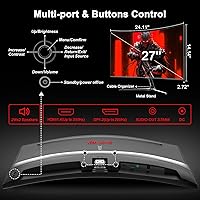
  • OSD navigation via physical buttons is awkward and the menu layout takes time to learn.
  • Built-in speakers lack bass and volume headroom — adequate as a fallback, not a real audio solution.
  • 1080p across 27 inches produces softer pixel density that becomes apparent when reading small text.
  • Brand has a limited long-term reliability track record, with few multi-year ownership reviews available.
  • Low blue light mode shifts white balance noticeably warm, which disrupts color-sensitive daytime work.

Ratings

The scores below for the SANSUI ES-G27C1 27″ Curved Gaming Monitor were generated by our AI system after analyzing thousands of verified purchase reviews from global buyers, with spam, bot activity, and incentivized feedback actively filtered out. The result is a transparent snapshot of what real owners — from first-time PC builders to college students dual-purposing their desk setup — consistently reported over months of actual use. Both the standout strengths and the genuine frustrations are reflected without sugarcoating.
Value for Money
91%
For buyers coming from a basic 60Hz flat monitor, the jump to a curved 200Hz display at this price feels disproportionately rewarding. The inclusion of an HDMI cable and a metal stand — items that budget monitors often skip — adds to the sense that you're getting more than you paid for.
A small but vocal group of buyers felt the value equation weakens once stand limitations and VA panel quirks surface. If you end up buying an aftermarket arm or external speakers, the cost advantage narrows faster than expected.
Refresh Rate Performance
88%
Hitting 200Hz in fast-paced FPS and racing games produces noticeably smoother motion compared to 144Hz or 165Hz panels. Users running mid-range GPUs reported that FreeSync kept gameplay tear-free across a wide performance window, which is a real practical benefit.
Several buyers noted difficulty confirming 200Hz was actually active over HDMI without manually forcing it in display settings — a setup step that tripped up less experienced users. DisplayPort remains the more reliable path to the full refresh rate.
Color & Image Quality
84%
The 130% sRGB coverage and 3000:1 contrast ratio translate into punchy, saturated colors that genuinely impress at this price tier. Games with rich environments and movies with dark atmospheric scenes benefit from the VA panel's deep blacks in ways that flat IPS monitors at the same cost simply can't match.
Color accuracy purists will notice that factory calibration leaves some warmth bias, and Delta E consistency across the full panel isn't as tight as premium displays. Creative work like photo editing or color grading would require external calibration to be reliable.
Motion Clarity & Response
72%
28%
With overdrive enabled, motion in brightly lit game scenes tracks cleanly enough for competitive play. The MPRT 1ms spec does serve its purpose in reducing perceived blur during rapid camera pans and high-speed gameplay moments.
It's important to understand that MPRT and GTG are different measurements — pixel transitions in dark scenes show the classic VA smearing that no overdrive setting fully eliminates. Buyers who had previously used fast IPS panels occasionally flagged ghosting in shadowy game environments as a step backward.
Build Quality & Aesthetics
76%
24%
The metal stand base feels more substantial than the plastic alternatives common on budget monitors, and the overall chassis has a clean, minimal look that fits most desk setups without looking cheap. Out of the box, the build doesn't give away the price point immediately.
The stand arm itself has a slight wobble when brushed or when typing with impact, which bothers buyers with vibration-sensitive desk surfaces. Plastic quality on the rear panel and OSD buttons feels noticeably lower-grade up close.
Ergonomics & Adjustability
53%
47%
The tilt range covers the most common seated viewing angles for users at standard desk heights, and VESA 100x100mm compatibility means buyers can mount the panel on any standard arm if needed.
The 5° to 15° tilt-only stand is a real limitation — no height adjustment, no swivel, no pivot. Taller users or those with multi-monitor setups frequently cited this as a frustration, and several reviewers moved straight to a third-party monitor arm after unboxing.
Curved Display Immersion
87%
The 1500R curvature hits a sweet spot for single-monitor gaming at 27 inches — wide enough to feel enveloping without the distortion that tighter curves can introduce at close range. Users transitioning from flat screens consistently mentioned that going back felt odd after a week.
At desk distances closer than 24 inches, some buyers found the curve introduces minor edge distortion when reading documents or working in spreadsheets. It's a minor issue for gamers, but dual-purpose users noticed it more during work hours.
Panel Uniformity & Backlight
61%
39%
Most buyers reported acceptable uniformity across the center and mid-zones of the panel, with no distracting hotspots during typical gaming or video use. For the price bracket, uniformity complaints were not unusually high.
Backlight bleed in the lower corners is a recurring theme — consistent enough that it appears to be a characteristic of the panel design rather than isolated unit defects. It's most noticeable on dark loading screens and is worth knowing about before buying for media consumption in dim rooms.
Built-in Speakers
47%
53%
Having any speakers at all saves new buyers from needing an immediate additional purchase — for background music, YouTube, or casual video calls, the 2x2W output is just enough to be functional. The convenience factor alone earns some genuine appreciation in reviews.
Nobody is mistaking these for real audio hardware. Bass is non-existent, volume headroom is limited, and audio quality at higher levels gets noticeably thin. Most buyers treat them as a placeholder until a proper headset or speaker setup arrives.
Eye Comfort & Extended Use
81%
19%
The matte anti-glare surface handles indirect window light well, reducing the eye strain that glossy panels amplify during long sessions. Anti-flicker and low blue light modes are genuinely useful for users who spend 6+ hours in front of the screen daily.
Low blue light mode noticeably warms the white balance, which some users found acceptable for evenings but distracting during color-sensitive work. A few buyers also noted that the HDR mode increases brightness aggressively, requiring manual adjustment.
Setup & Connectivity
83%
Assembly is straightforward — most buyers had the display running within 10 minutes. The plug-and-play auto-detection for input switching is a practical touch that saves time when swapping between a PC and console.
Only two input ports (one DP, one HDMI) limits flexibility for multi-source setups. Users wanting to connect a PC and two consoles simultaneously are out of luck without an external switch.
OSD & Software Controls
58%
42%
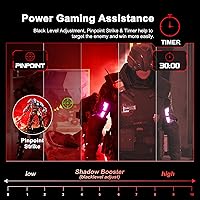
The OSD includes useful gaming-specific options like crosshair overlay, shadow booster, and mode presets for FPS, RTS, and racing. These are genuinely appreciated by users who want quick visual tuning without third-party software.
Navigation through the OSD menu using the physical buttons draws consistent complaints — the button placement is awkward, labels are small, and finding settings like refresh rate confirmation or overdrive level requires several unintuitive steps.
Packaging & Out-of-Box Experience
79%
21%
The monitor arrives well-cushioned, and buyers generally found no cosmetic damage on delivery. Including a labeled HDMI cable in the box is a small but appreciated detail that budget monitors often skip.
The included documentation is minimal and assumes some baseline familiarity with display setup. First-time monitor buyers who needed to manually enable 200Hz in Windows display settings found no guidance in the box.
Brand Reliability & Support
66%
34%
SANSUI's 30-day money-back policy and one-year warranty provide a reasonable safety net, and the brand's stated lifetime technical support commitment is a positive signal for a relatively new market entrant.
As a lesser-known brand, long-term reliability data is still limited — there simply aren't enough multi-year ownership reviews to assess durability confidently. Some buyers expressed hesitation about warranty claims given the brand's limited retail presence outside of Amazon.

Suitable for:

The SANSUI ES-G27C1 27″ Curved Gaming Monitor is a strong fit for first-time PC gamers who are stepping up from an old 60Hz flat screen and want a meaningful upgrade without committing to a high-end budget. Students who game in the evenings and need the same screen for daytime coursework will find the matte surface and eye comfort modes genuinely useful across both tasks. Casual and mid-level competitive players — particularly those into FPS, racing, or action titles — will appreciate the 200Hz refresh rate and FreeSync pairing, which together produce smooth, tear-free gameplay that would typically cost more elsewhere. Console gamers looking for a compact secondary display with high refresh rate support will also find this curved gaming monitor a practical addition to their setup. If your desk has room for one large curved screen and you want that wraparound feel without a premium price tag, this is one of the more honest value propositions available in the current market.
Not suitable for:

The SANSUI ES-G27C1 27″ Curved Gaming Monitor is not the right choice for anyone doing serious color-sensitive work — photo editing, video grading, or graphic design all demand more accurate factory calibration and panel consistency than this VA display reliably delivers. Users who game frequently in very dark environments should also temper expectations: VA panels at this price point are known for backlight bleed in corners and slower pixel response in shadow-heavy scenes, and this one is no exception. If ergonomics matter — whether due to posture needs, a multi-monitor arm setup, or a non-standard desk height — the tilt-only stand with no height or swivel adjustment will frustrate quickly. This budget curved screen is also not a smart pick for buyers who need more than two simultaneous input sources, or for anyone planning to use it as a primary productivity display at close range where the 1080p pixel density across 27 inches starts to show its limits. Finally, buyers seeking long-term brand reassurance may want to weigh the relatively short track record of SANSUI before committing.
Specifications

  • Screen Size: The display measures 27 inches diagonally, offering a wide viewing area suited to single-monitor gaming and productivity setups.
  • Panel Type: Uses a Fast VA (Vertical Alignment) panel, which delivers deeper blacks and higher contrast than IPS but can exhibit slower pixel transitions in dark scenes.
  • Resolution: Native resolution is 1920x1080 (Full HD), providing standard 1080p image output across the 16:9 aspect ratio panel.
  • Refresh Rate: Supports up to 200Hz refresh rate, accessible over both DisplayPort 1.2 and HDMI connections with proper settings enabled.
  • Response Time: Rated at 1ms MPRT (Moving Picture Response Time), a backlight-strobing metric that differs from GTG pixel transition speed.
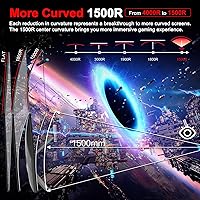
  • Curvature: Features a 1500R curvature radius, providing a moderate wraparound curve well-suited to 27-inch single-screen viewing distances.
  • Color Gamut: Covers 130% of the sRGB color space, delivering visibly saturated and vibrant colors compared to standard 100% sRGB displays.
  • Brightness: Peak brightness is rated at 300 nits (cd/m²), adequate for typical indoor environments but not suited to very bright rooms.
  • Contrast Ratio: Static contrast ratio is 3000:1, a natural strength of VA panel technology that results in noticeably deeper blacks versus IPS alternatives.
  • Connectivity: Includes one DisplayPort 1.2 input and one HDMI input, plus a 3.5mm audio jack for headphones or external speakers.
  • Built-in Speakers: Two integrated 2W speakers provide basic audio output, functional for casual use but not intended to replace dedicated audio hardware.
  • Sync Technology: Supports AMD FreeSync adaptive sync, which also functions with compatible NVIDIA GPUs to reduce screen tearing and stuttering.
  • HDR Support: HDR mode is available, though as a 300-nit panel it does not meet the brightness thresholds of certified HDR standards like VESA DisplayHDR 400.
  • VESA Mount: Compatible with standard 100x100mm VESA mounting patterns, allowing use with most third-party monitor arms and wall mounts.
  • Stand Adjustability: The included metal stand supports tilt adjustment between 5° and 15° only — no height, swivel, or pivot adjustment is available.
  • Viewing Angle: Rated at 178° horizontal and vertical viewing angles, meaning image quality remains consistent across wide off-axis positions.
  • Display Surface: The screen uses a matte anti-glare coating to reduce reflections from ambient light sources in typical office or gaming environments.
  • Physical Dimensions: The monitor measures approximately 24.09 inches wide by 17.83 inches tall by 7.64 inches deep with stand attached.
  • Weight: Complete unit with stand weighs approximately 7.26 pounds, making it manageable for solo setup and repositioning.
  • Warranty: Covered by a 30-day money-back guarantee and a 1-year replacement warranty, with lifetime technical support from SANSUI.

Related Reviews

SANSUI ES-G34C5 34-inch Curved Gaming Monitor
73%
91%
Value for Money
84%
Image Quality & Color Accuracy
83%
Refresh Rate & Smoothness
47%
HDR Performance
41%
Ergonomics & Stand Adjustability
More
SANSUI ES-G24C1 24-inch Curved Gaming Monitor
74%
91%
Value for Money
86%
Gaming Performance
83%
Color & Image Quality
88%
Contrast & Black Levels
47%
Stand & Ergonomics
More
Skytech Gaming Moonshadow 27-inch Curved Gaming Monitor
83%
88%
Image Quality
91%
Refresh Rate Performance
86%
Adaptive-Sync
83%
VA Panel Contrast
84%
Stand & Ergonomics
More
ZZA Z27H1K280HZ 27″ Curved Gaming Monitor
70%
88%
Refresh Rate Performance
84%
Value for Money
76%
Image Quality & Color Accuracy
67%
Motion Clarity & Response
89%
Contrast & Black Levels
More
Sealan 27-inch Curved Gaming Monitor
82%
85%
Display Quality
90%
Ease of Setup
91%
Value for Money
87%
Performance in Gaming
83%
Color Accuracy
More
AOC C27G2Z 27″ Curved Gaming Monitor
80%
93%
Refresh Rate Performance
88%
Response Time & Motion Clarity
79%
Color Accuracy & Vibrancy
86%
Contrast & Black Levels
62%
Resolution & Pixel Density
More
AOC C27G4H 27″ Curved Gaming Monitor
89%
93%
Performance
95%
Display Quality
87%
Ergonomics/Adjustability
91%
Value for Money
89%
Compatibility (Console)
More
AOC CQ27G4ZH 27″ Curved Gaming Monitor
87%
95%
Gaming Performance
90%
Display Quality
85%
Build Quality
87%
Ergonomics
92%
Value for Money
More
CRUA CR270C 27″ Curved Gaming Monitor
71%
83%
Value for Money
78%
Image Quality
81%
Refresh Rate Performance
86%
Panel Contrast & Blacks
67%
Build Quality
More
GreBear 27-Inch 180Hz Curved Gaming Monitor
86%
91%
Performance in Fast-Paced Games
95%
Refresh Rate and Smoothness
86%
Build Quality and Durability
67%
Color Accuracy
89%
Ease of Setup
More

FAQ

Both ports support 200Hz on this monitor, but HDMI does not always enable it automatically. After connecting via HDMI, go into your Windows display settings and manually set the refresh rate to 200Hz — your system may default to 60Hz on first connection. DisplayPort tends to be more straightforward about applying the full refresh rate without the extra step.

It does matter, and it is worth understanding before buying. MPRT (Moving Picture Response Time) is measured using backlight strobing to reduce perceived blur — it reflects how motion looks rather than how fast individual pixels actually switch. GTG (Gray to Gray) measures the raw pixel transition speed. A fast IPS monitor with a true 1ms GTG will handle pixel transitions in dark scenes better than this VA panel's MPRT spec suggests. For bright, fast-paced gameplay the difference is minimal, but in dark game environments VA ghosting can still show up.

In most cases, yes. NVIDIA GPUs from the GTX 10 series onward support FreeSync displays through what NVIDIA calls G-Sync Compatible mode. You may need to enable it manually in the NVIDIA Control Panel under the G-Sync settings. It works reliably for the majority of users, though NVIDIA does not officially certify every FreeSync panel.

At 27 inches, 1500R is a moderate curve that most users find natural rather than extreme. Sitting roughly 24 to 32 inches from the screen, the curve reduces edge distortion and feels comfortable for gaming and video. Where it becomes slightly noticeable is during spreadsheet work or reading long documents, where straight horizontal lines can appear mildly bowed at the edges — something most productivity users adapt to quickly.

Yes, you can connect a current-gen console via HDMI and get a solid experience. Keep in mind that PS5 and Xbox Series X output at 4K or 1080p — this display will run at 1080p, which is fine. For 120Hz gameplay from a console, confirm your console is outputting at 1080p 120Hz, as console HDMI 120Hz support can vary by game title and platform settings.

Based on a consistent pattern in buyer feedback, lower-corner backlight bleed is present on enough units to suggest it is a characteristic of the panel design rather than random defects. It is most visible on solid dark backgrounds and loading screens. For gaming with varied scene lighting it is rarely distracting, but if you plan to use the monitor for movies in a dark room or as a home theater display, this is worth factoring into your decision.

Realistically, no — they are best treated as a convenient fallback. The 2x2W output is enough to hear YouTube videos or a Teams call without reaching for headphones, but audio quality is thin, bass is essentially absent, and volume headroom is limited. Most buyers either plug headphones into the 3.5mm jack or connect external speakers fairly quickly after setup.

Yes, the SANSUI ES-G27C1 27″ Curved Gaming Monitor uses a standard 100x100mm VESA pattern, which is compatible with the vast majority of third-party monitor arms. Given the stand's limited tilt-only adjustability, upgrading to an arm is one of the most common modifications buyers make, especially for users who need height adjustment or want to free up desk space.
Technically the monitor supports HDR input and will process HDR content, but at 300 nits peak brightness it does not meet the minimum threshold for a meaningful HDR experience. True HDR impact typically requires at least 400 to 600 nits and local dimming zones. Enabling HDR mode on this curved gaming monitor will brighten highlights somewhat, but do not expect the dramatic contrast improvement you would see on a dedicated HDR display.

Physical assembly is simple and takes around 10 minutes — the stand attaches with a few screws and the included HDMI cable gets you running immediately. The main post-setup step most users miss is manually enabling 200Hz in Windows display settings, since the system often defaults to 60Hz. It is also worth going into the OSD menu to adjust overdrive strength and try the display presets (FPS, RTS, etc.) to find what suits your use case — the default picture mode is fine but not optimized out of the box.