Overview

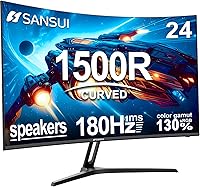
The SANSUI ES-G24C1 24-inch Curved Gaming Monitor landed on Amazon in mid-2024 and has quietly climbed to a top-50 ranking in Computer Monitors — a real sign that budget shoppers are paying attention. SANSUI is a value-oriented brand gaining steady traction, and this curved screen is arguably their most competitive offering yet. The 1500R VA panel is the core appeal: enough curve to feel immersive without dominating a small desk. Specs look strong on paper for the price tier, though as with most budget displays, there are a few real trade-offs worth knowing before you buy.
Features & Benefits

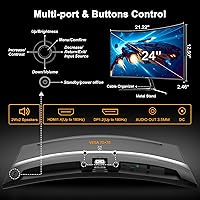
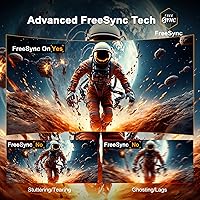
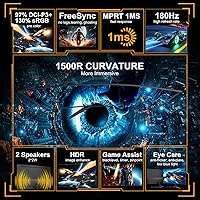
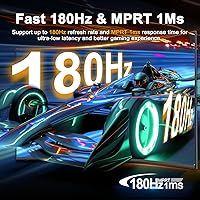
At 180Hz with a 1ms MPRT response time, this budget gaming screen handles fast-paced titles without the ghosting or blur you would expect at this price. FreeSync support means screen tearing is largely a non-issue even on mid-range GPUs — no need for a high-end card to take advantage. Color performance is genuinely surprising: 130% sRGB coverage and near-complete DCI-P3 accuracy give the image a richness that typical budget IPS panels rarely match. The VA panel's 3000:1 contrast ratio produces noticeably deeper blacks. Connectivity covers HDMI 1.4 and DisplayPort 1.2, and the VESA-compatible metal stand plus built-in speakers round out a surprisingly complete package.

Best For

This curved gaming monitor is a natural fit for anyone stepping up from a 60Hz flat screen for the first time — the jump in smoothness alone makes the upgrade feel substantial. Students and remote workers who also game will appreciate how well it pulls double duty: colors are accurate enough for casual photo editing or video calls, and the curve reduces eye fatigue during long sessions. It pairs nicely with mid-range GPUs that support FreeSync, and the compact footprint works well on tighter desks. Budget-conscious buyers who want high refresh rate gaming without climbing into premium monitor territory will find it hits the right balance.

User Feedback

Buyers consistently praise the vibrant out-of-box colors and the smooth experience at 180Hz, with many noting it exceeded their expectations at this price point. Setup is straightforward, and the included HDMI cable is a welcome touch most competitors skip. That said, a few recurring criticisms are worth noting. The stand only tilts — there is no height adjustment or swivel, which frustrates anyone focused on ergonomics. The built-in speakers work fine for background audio, but serious listeners will want external options. One technical point regularly catches buyers off guard: HDMI 1.4 caps at 120Hz, so the DisplayPort connection is required to unlock the full 180Hz.

Pros

  • 180Hz gameplay is genuinely smooth and immediately noticeable coming from any 60Hz screen.
  • FreeSync works well with mid-range GPUs, keeping screen tearing largely out of the picture.
  • Color vibrancy out of the box impresses for a budget-tier VA panel, with rich contrast and deep blacks.
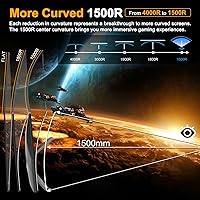
  • The 1500R curve adds a real sense of immersion on a small desk without requiring an ultrawide footprint.
  • Included HDMI cable is a small but thoughtful touch that saves an extra purchase on day one.
  • 130% sRGB coverage makes this curved gaming monitor usable for casual photo editing and color-sensitive work.
  • VESA 75x75mm compatibility means upgrading to a monitor arm later is straightforward.
  • Setup is quick and uncomplicated, with a clean cable management experience reported by most buyers.
  • The metal stand feels sturdier than typical plastic bases found on competing monitors at this price.
  • Overall value perception among buyers is high — most feel they got more than they paid for.

Cons

  • The stand offers tilt only — no height adjustment, swivel, or pivot makes long sessions less comfortable.
  • HDMI 1.4 limits the connection to 120Hz; DisplayPort is required to actually reach 180Hz.
  • Built-in speakers are thin and low-volume, barely adequate for background audio and nothing more.
  • At 300 nits brightness, the display can look washed out in rooms with strong ambient light.
  • 1080p resolution starts to show its limits on a 24-inch screen if you sit closer than arm's length.
  • MPRT response time figures are measured differently than GTG, so real-world pixel response may vary.
  • No USB hub or pass-through ports limits connectivity for users with cable-heavy desk setups.
  • HDR support is nominal at this brightness level and does not deliver a true HDR visual experience.

Ratings

Our AI scoring engine analyzed thousands of verified global purchases of the SANSUI ES-G24C1 24-inch Curved Gaming Monitor, actively filtering out incentivized, bot-generated, and outlier reviews to surface what real everyday buyers actually experience. The scores below reflect both the genuine strengths that keep this monitor ranking in the top 50 on Amazon and the recurring frustrations that honest buyers mention after weeks of daily use. Nothing is glossed over — this is a grounded look at where this budget gaming screen earns its reputation and where it falls short.

Value for Money
91%
Buyers consistently describe this curved gaming monitor as punching well above its price tier, citing the 180Hz refresh rate, wide color gamut, and included HDMI cable as features they would expect to pay significantly more for. For first-time buyers or those upgrading aging setups, the perceived return on investment is exceptionally high.
A small number of buyers who compared it directly against slightly pricier IPS alternatives felt the VA panel trade-offs — particularly in fast-motion clarity — made the savings feel less dramatic than expected. The value equation also weakens slightly if you need to purchase a DisplayPort cable separately to unlock the full 180Hz.
Gaming Performance
86%
The 180Hz refresh rate delivers a noticeably smoother gaming experience compared to any 60Hz or 75Hz panel, and FreeSync integration keeps tearing under control on compatible mid-range GPUs. Casual to intermediate gamers playing titles like Valorant, Apex Legends, or FIFA report the experience feels genuinely responsive and fluid.
Competitive players who scrutinize input lag and pixel-level ghosting will notice that MPRT response time is not the same as true GTG pixel response, and fast dark-to-dark transitions can show some trailing on this VA panel. It is not a dealbreaker for most, but it is a real distinction that dedicated esports players will care about.
Color & Image Quality
83%
The wide color gamut — covering 130% sRGB and close to full DCI-P3 — produces rich, vibrant images that look noticeably more saturated than typical budget IPS displays right out of the box. Casual content creators and users who watch a lot of video content find the color depth genuinely pleasing without any manual calibration.
Brightness tops out at 300 nits, which creates visible washout in rooms with direct sunlight or strong overhead lighting. The HDR mode, while present, does not produce the dramatic high-dynamic-range effect buyers might expect from the feature name, given the brightness ceiling.
Contrast & Black Levels
88%
VA panel technology gives this budget gaming screen a 3000:1 static contrast ratio that makes dark scenes in games and movies look noticeably richer than what a standard IPS monitor at the same price can produce. Night gaming sessions and dark cinematic content benefit the most from this characteristic.
Like most VA panels, uniformity in very dark scenes can occasionally show slight clouding or backlight bleed near the edges under controlled viewing conditions. It is rarely an issue during normal gameplay, but users watching dark films in a pitch-black room may occasionally notice it.
Stand & Ergonomics
47%
53%
The metal construction of the stand feels more substantial than the all-plastic bases common at this price, and assembly is straightforward with no loose wobble reported during typical use. For buyers who plan to use a VESA monitor arm anyway, the stand quality becomes a secondary concern.
Tilt-only adjustment is a consistent pain point in buyer feedback — there is no height adjustment, swivel, or pivot, which makes it genuinely difficult to achieve a comfortable viewing angle for users of varying heights or those who share the monitor. Buyers who work long hours at their desk without an arm find this limitation adds up quickly.
Refresh Rate & FreeSync
89%
Hitting 180Hz over DisplayPort is a real, tangible benefit for gaming, and FreeSync support works reliably with a wide range of AMD and FreeSync-compatible Nvidia GPUs to eliminate tearing without demanding premium hardware. The jump from a standard 60Hz panel feels immediately obvious and hard to go back from.
The HDMI 1.4 port caps the connection at 120Hz, which confuses buyers who assume the included cable will unlock the full spec. Many users discover this limitation only after setup, requiring an additional DisplayPort cable purchase that is never mentioned prominently in the product listing.
Build Quality
74%
26%
For a monitor in this price range, the overall build comes across as more solid than expected — the metal stand base adds a sense of durability, and the panel housing has minimal flex. Most buyers report no issues with panel defects or dead pixels out of the box.
The plastics used in the monitor housing feel thin and light, and the rear panel lacks any premium finish. A few buyers noted that the OSD button placement on the back edge is awkward to navigate by feel alone during typical desk use.
Setup & Ease of Use
84%
Assembly takes most buyers under ten minutes with no tools required, and the included HDMI cable means the monitor is usable immediately without any additional purchases for basic setups. The OSD menu is navigable and covers essential adjustments like brightness, contrast, and color mode switching.
The OSD control is a single joystick-style button on the rear, which some users find counterintuitive at first compared to front-mounted controls. DisplayPort cable not being included is a minor but recurring frustration given that it is the only way to access the monitor's headline refresh rate.
Built-in Speakers
51%
49%
Having integrated 2x2W speakers is a genuine convenience for users in dorm rooms, small offices, or minimalist setups who just need background audio without adding a separate device to the desk. They work adequately for video calls and casual YouTube watching.
Audio quality is thin and lacking in bass or volume headroom, and at higher settings distortion becomes apparent. Buyers who care about sound at all will move to headphones or external speakers within days — the built-in speakers are a checkbox feature, not a usable long-term audio solution.
Curvature & Immersion
78%
22%
The 1500R curve on a 24-inch panel provides a subtle but real sense of depth that flat monitors in the same size range cannot replicate, and most buyers report it makes extended gaming and media sessions more engaging without feeling gimmicky or distorting straight-line content.
Buyers who split screen use between gaming and productivity tasks — especially spreadsheets or document editing with straight lines — occasionally notice the curve introduces a minor distortion at the edges. It is well within the tolerance most users accept, but detail-oriented work users find it slightly less ideal than a flat alternative.
Brightness & HDR
58%
42%
At 300 nits, the display handles standard indoor environments comfortably and the matte coating keeps reflections manageable in moderately lit rooms. HDR mode does add a subtle boost to contrast perception in supported content.
300 nits is genuinely low for any meaningful HDR experience, and buyers who enabled HDR expecting a dramatic improvement were largely underwhelmed. The monitor is not well-suited for use in bright offices, sunlit rooms, or anywhere ambient light competes directly with the display.
Connectivity & Ports
67%
33%
Having both HDMI and DisplayPort available means the monitor accommodates most PC and console setups without an adapter, and the VESA 75x75mm compatibility opens the door to arm mounting for improved flexibility down the road.
There is no USB hub, which is an increasingly expected feature even at this price point, and the single HDMI port means multi-device users will need a switch or to constantly swap cables. The absence of a headphone audio output jack also limits audio routing options for users without separate speakers.
Viewing Angles
72%
28%
The 178-degree rated viewing angle means the image stays reasonably accurate when viewed slightly off-axis, which is useful for shared viewing or when the monitor is not directly centered on the desk. Colors hold up better than expected at moderate angles for a VA panel.
VA panels inherently lose some color accuracy and brightness at steeper off-axis angles compared to IPS, and this display is no exception. Buyers using the monitor in a side-by-side dual setup or sharing content with someone seated next to them will notice more color shift than an IPS alternative would produce.
Warranty & Support
61%
39%
The inclusion of lifetime technical support is a reassuring claim for budget-tier hardware, and several buyers have reported responsive email support from SANSUI when troubleshooting early setup issues. The 30-day money-back window is enough time for most defects to surface.
A 30-day replacement window is notably shorter than the one- to three-year hardware warranties offered by established monitor brands, which introduces meaningful risk for buyers keeping the monitor past the initial return period. Long-term reliability data for SANSUI panels is still limited given the brand's relatively recent rise in the market.

Suitable for:

The SANSUI ES-G24C1 24-inch Curved Gaming Monitor is a strong match for first-time buyers stepping up from a basic 60Hz flat panel who want a meaningful performance jump without a painful outlay. Students pulling double duty — writing papers by day and gaming at night — will appreciate the color accuracy for casual creative work alongside the smooth, high-refresh gaming experience. Anyone running a mid-range GPU that supports FreeSync will get real, tangible benefit from the pairing, since tearing and stuttering largely disappear without needing expensive hardware. The compact 24-inch footprint and 1500R curve work especially well in tighter desk setups where a larger ultrawide would feel overwhelming. Remote workers who occasionally game, or anyone simply wanting a more immersive screen than a flat budget panel can offer, will find this curved gaming monitor lands in a genuinely useful sweet spot.
Not suitable for:

The SANSUI ES-G24C1 24-inch Curved Gaming Monitor is not the right call for buyers with ergonomics high on their priority list — the stand only tilts, with no height adjustment, swivel, or pivot, which becomes a real issue during long work or gaming sessions. Competitive or professional gamers who demand the lowest possible input lag should also look elsewhere, as MPRT response time is a marketing figure that does not always translate directly to real-world pixel response. Those expecting sharp detail work or creative production at higher resolutions will find 1080p limiting, especially compared to 1440p IPS panels available at a modest price premium. The built-in speakers are functional at best, so audio-focused buyers will need to budget for external speakers or headphones regardless. Finally, anyone relying solely on HDMI will be disappointed to discover the HDMI 1.4 port caps out at 120Hz — getting the full 180Hz requires a DisplayPort connection, which is a spec detail that catches more buyers off guard than it should.
Specifications

  • Panel Type: Uses a VA (Vertical Alignment) panel, which delivers deeper blacks and higher contrast than IPS panels at a comparable price.
  • Screen Size: 24-inch diagonal display with a 1500R curvature radius for a moderately immersive viewing experience on standard desk setups.
  • Resolution: Native resolution of 1920x1080 (Full HD), suitable for everyday gaming and productivity tasks at typical desktop viewing distances.
  • Refresh Rate: Supports up to 180Hz refresh rate, accessible via DisplayPort 1.2; HDMI 1.4 connection caps at 120Hz.
  • Response Time: Rated at 1ms MPRT (Moving Picture Response Time), a motion-blur reduction metric distinct from GTG pixel response measurements.
  • Color Gamut: Covers 130% sRGB and approximately 97% DCI-P3, offering richer color saturation than most monitors in this price tier.
  • Brightness: Peak brightness of 300 nits, which is adequate for indoor use but may appear washed out in brightly lit or sunlit rooms.
  • Contrast Ratio: Static contrast ratio of 3000:1, a characteristic strength of VA panels that produces noticeably richer dark tones than IPS alternatives.
  • HDR Support: HDR mode is included, though effective HDR performance is limited by the 300-nit brightness ceiling.
  • Sync Technology: AMD FreeSync is supported, reducing screen tearing and stuttering when paired with a compatible AMD or FreeSync-capable GPU.
  • Connectivity: Equipped with one HDMI 1.4 port and one DisplayPort 1.2 port; no USB hub or additional video outputs are included.
  • Built-in Audio: Two 2-watt integrated speakers provide basic stereo audio suitable for casual listening, video calls, and background sound.
  • Stand Adjustment: The included metal stand supports tilt adjustment between -5° and +15° only; height, swivel, and pivot adjustments are not available.
  • VESA Compatibility: VESA 75x75mm mounting pattern allows the display to be mounted on a compatible monitor arm or wall bracket.
  • Viewing Angle: 178° horizontal and vertical viewing angles mean color and contrast hold up reasonably well when viewed off-center.
  • Dimensions: Assembled monitor measures approximately 21.22 x 16.37 x 7.73 inches and weighs 8.18 pounds including the stand.
  • Security: Kensington lock slot is present on the rear of the unit for physical security in shared or institutional environments.
  • In Box: Package includes the monitor, metal stand, a 1.5m HDMI cable, a power adapter, and basic setup documentation.
  • Warranty: SANSUI offers a 30-day money-back and free replacement guarantee from the order date, plus lifetime technical support.
  • Availability: First listed on Amazon in July 2024 and has reached a top-50 ranking in the Computer Monitors category since launch.

Related Reviews
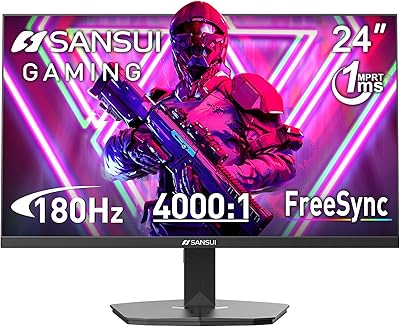
SANSUI ES-G24F4L 24-inch Gaming Monitor
71%
88%
Refresh Rate Performance
91%
Value for Money
74%
Image Clarity
67%
Color Accuracy
41%
HDR Quality
More
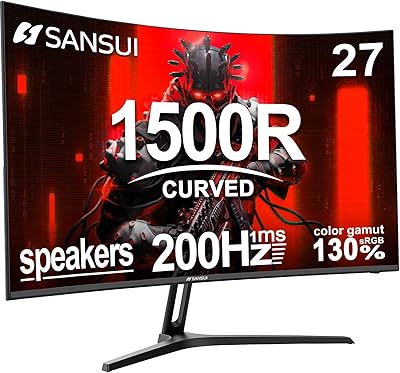
SANSUI ES-G27C1 27″ Curved Gaming Monitor
73%
91%
Value for Money
88%
Refresh Rate Performance
84%
Color & Image Quality
72%
Motion Clarity & Response
76%
Build Quality & Aesthetics
More
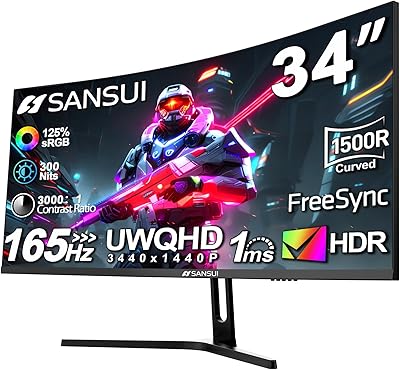
SANSUI ES-G34C5 34-inch Curved Gaming Monitor
73%
91%
Value for Money
84%
Image Quality & Color Accuracy
83%
Refresh Rate & Smoothness
47%
HDR Performance
41%
Ergonomics & Stand Adjustability
More
SANSUI 24.5 Inch QHD Gaming Monitor 300Hz ES-G25F6Q Pro
87%
94%
Gaming Performance
91%
Color Accuracy
88%
Build Quality
89%
Ergonomics & Adjustability
95%
Refresh Rate & Response Time
More
Sealan 24-Inch Curved Gaming Monitor

86%
92%
Gaming Performance
88%
Visual Quality
91%
Refresh Rate Smoothness
85%
Design & Build
87%
Eye Care Features
More
Samsung CRG5 24-Inch Curved Gaming Monitor
78%
88%
Value for Money
83%
Image Quality
81%
Gaming Performance
86%
Curvature & Immersion
84%
FreeSync Performance
More
KTC 24-inch 1500R Curved Gaming Monitor

86%
94%
Gaming Performance
89%
Display Quality
92%
Value for Money
87%
Build Quality
83%
Ergonomics
More
Gawfolk 24.5-inch Gaming Curved Monitor GF245A
84%
86%
Display Quality
88%
Gaming Performance
92%
Value for Money
80%
Build Quality
90%
Ease of Setup
More
Samsung CF390 24-inch Curved Gaming Monitor
78%
88%
Value for Money
79%
Image Quality
71%
Gaming Performance
86%
Design & Aesthetics
43%
Ergonomics & Stand
More
ViewSonic VX2418C 24-inch Curved Gaming Monitor
74%
88%
Gaming Performance
91%
Value for Money
63%
Image Quality
89%
Refresh Rate & Smoothness
82%
Eye Comfort
More

FAQ

The included cable is HDMI, which on this monitor is version 1.4 — that connection tops out at 120Hz, not 180Hz. To unlock the full 180Hz refresh rate you will need to use a DisplayPort 1.2 cable, which is not included in the box. It is an inexpensive purchase, but worth knowing upfront so you are not left wondering why the monitor seems capped after setup.

It is subtle but present. On a 24-inch panel, a 1500R curve is tighter than what you find on many ultrawide monitors, so you do notice a gentle wrap at the edges. Most users sitting at normal desk distance find it adds a pleasant sense of depth rather than feeling exaggerated. If you have only ever used flat monitors, it takes a day or two to feel completely natural.

Yes, it connects to consoles via the HDMI port. Keep in mind that the HDMI connection is version 1.4, so console output will be capped at 120Hz at 1080p. Most current-gen consoles do support 120Hz at 1080p, so you will still see a smooth experience — just not the full 180Hz that is available over DisplayPort.

The metal stand is more solid than the flimsy plastic bases common at this price, and most users report no wobble during normal use. That said, it only tilts — there is no height adjustment or swivel — so if your desk setup demands more flexibility, a VESA monitor arm is a practical upgrade. The 75x75mm VESA pattern makes that swap straightforward.

They are genuinely usable for casual situations like video calls, watching YouTube, or ambient background sound while you work. Two 2-watt drivers will not impress anyone used to external speakers, and bass is essentially nonexistent. Think of them as a convenience feature that saves desk space, not a reason to skip buying headphones or a speaker bar if audio quality matters to you.

For casual or hobbyist editing, it performs better than you might expect given the price — the wide color gamut (130% sRGB, near-full DCI-P3) means colors are rich and reasonably accurate out of the box. However, the 1080p resolution limits fine detail work, and it has not been factory calibrated. Professionals or serious enthusiasts who need precise color accuracy should look at purpose-built IPS panels with hardware calibration support.

It officially supports AMD FreeSync, not Nvidia G-Sync. However, many Nvidia GPUs from the GTX 10-series onward support G-Sync Compatible mode, which works with certified FreeSync monitors. Whether this specific display qualifies for that unofficial compatibility depends on your GPU and driver version — if you are on an Nvidia card, it is worth testing, but it is not a guaranteed feature.

At 300 nits peak brightness, the display is comfortable in a typical indoor setup with controlled lighting. If your desk gets direct sunlight or sits under strong overhead lighting, the image can look a little washed out. A matte screen surface helps reduce glare, but for very bright environments a 400-nit or higher panel would serve you better.

SANSUI covers the monitor with a 30-day money-back and free replacement policy from the order date, plus they advertise lifetime technical support. The 30-day window is relatively short for a hardware replacement guarantee compared to the one- or three-year warranties larger brands offer, so it is worth noting if long-term peace of mind is important to you.

Absolutely, and it is one of those upgrades that is hard to fully appreciate until you experience it. Moving from 60Hz to 180Hz is a dramatic step — mouse cursor movement looks smoother, fast-moving objects in games have less blur, and the whole experience just feels more responsive. Even if you never hit 180 frames per second in your games, running at 120Hz or 144Hz still looks significantly better than 60Hz ever did.