Overview

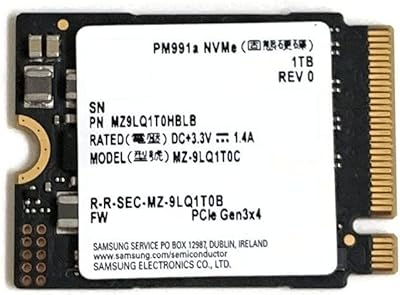
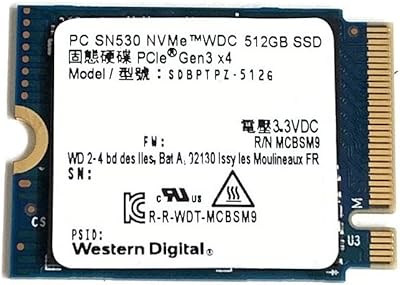
The Samsung PM991a 512GB M.2 2230 NVMe SSD started life as an OEM component tucked inside slim business laptops and thin-and-light ultrabooks, and that origin story matters. Samsung built it for space-constrained environments, which is exactly why it has become a go-to upgrade for devices like the Steam Deck and Surface Pro — both of which require the shorter 2230 form factor that most consumer SSDs simply don't offer. This isn't a flagship drive chasing benchmark records. It sits comfortably in the mid-range, offering genuine Samsung reliability at a price that makes upgrading feel like a straightforward call. If your device has a 2230 slot, your options are genuinely limited, and this compact Samsung NVMe stands out as one of the better ones available.

Features & Benefits

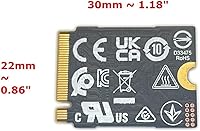
On paper, the PM991a's numbers look competitive: sequential reads push up to 3,100 MB/s, with writes not far behind at 1,800 MB/s — solid figures for a PCIe Gen3 drive. What matters more in daily use, though, is the random I/O performance. Hitting 350K read IOPS means apps launch quickly and multitasking stays responsive, which is exactly what you want when gaming on a handheld or switching between tasks on a Surface. The 2230 form factor itself is practically a feature — at just 22mm wide and 30mm long, this 2230 drive weighs almost nothing. Samsung's own NAND and controller contribute to long-term dependability, and broad compatibility with slim devices makes the whole installation experience refreshingly uncomplicated.

Best For

If you own a Steam Deck and are tired of managing storage space, this 2230 drive is probably the most direct upgrade you can make. Surface Pro users benefit just as much — the 2230 slot is the only internal option in those machines, and swapping in this compact Samsung NVMe gives the whole system a noticeably fresher feel. The same logic applies to anyone nursing a slow factory SSD in a Dell, HP, or Lenovo ultrabook that uses the shorter connector. It also works well as a secondary drive in small form factor PCs with an open 2230 slot. Put simply, if you need Samsung-quality storage in a tiny package without paying for more performance than you will realistically use, this is the drive to consider.

User Feedback

Buyer sentiment is largely positive, with most people praising how painless the installation is — no adapter, no extra hardware, just slot it in and go. Steam Deck owners in particular mention real improvements over the stock eMMC storage, with games loading faster and the interface feeling snappier overall. The honest caveat worth noting: the drive can run warm under sustained read and write loads. It is not alarming for everyday use, but heavy file transfers will push it harder. A number of buyers were also caught off guard by the bare OEM packaging — no retail box, no accessories included. If you are expecting a polished consumer unboxing experience, adjust your expectations accordingly. With a 4.5-star average across dozens of ratings, the PM991a clearly satisfies most buyers who need exactly this kind of drive.

Pros

  • The 2230 form factor makes it one of very few viable internal upgrade options for the Steam Deck and Surface Pro.
  • Installation is genuinely plug-and-play — no adapters, no proprietary tools, no complicated firmware steps.
  • Samsung-manufactured NAND and controller provide a level of brand confidence that generic alternatives simply cannot match.
  • Real-world load time improvements over stock eMMC storage are noticeable, not marginal.
  • At under 0.2 oz, the PM991a adds virtually no weight to already lightweight portable devices.
  • Sequential read speeds in the 3,000 MB/s range make everyday tasks like app launches and file access feel quick and fluid.
  • Broad compatibility across Surface, Steam Deck, and major ultrabook brands reduces the risk of buying the wrong drive.
  • Random I/O performance holds up well under multitasking conditions, keeping things responsive during everyday workloads.
  • Mid-range pricing reflects the OEM positioning honestly without overcharging for the Samsung name.

Cons

  • Bare OEM packaging means no retail box, no manual, and no accessories — some buyers find this unexpectedly off-putting.
  • PCIe Gen3 is a generational step behind current Gen4 drives, which matters for sustained write-heavy workloads.
  • The drive can run noticeably warm under prolonged sequential transfers, which may be a concern in thermally tight enclosures.
  • Only one capacity option at this price tier limits flexibility for users who need significantly more storage headroom.
  • No included cloning software or migration tool means buyers must source their own solution for data transfer.
  • As an OEM unit, warranty and support pathways may be less straightforward than purchasing a retail-boxed consumer drive.
  • The smaller physical size that makes it compatible with slim devices also means it lacks the heat-spreading surface area of longer 2280 drives.

Ratings

The Samsung PM991a 512GB M.2 2230 NVMe SSD scores below were produced by our AI review engine after systematically analyzing verified global buyer feedback, filtering out incentivized reviews, duplicate submissions, and bot-generated ratings to surface what real users actually experienced. The results reflect both where this compact Samsung NVMe genuinely excels and where it falls short — no spin, no omissions.

Read Performance
88%
For a PCIe Gen3 drive, the PM991a's sequential read throughput holds up impressively in real-world use. Steam Deck owners and Surface Pro users consistently report that games load faster and large files open without any perceptible lag, which is what matters most at this form factor and price tier.
Buyers who have previously used PCIe Gen4 drives in desktop systems may notice the generational ceiling during back-to-back large file transfers. It is not a bottleneck for typical portable device use, but sustained read workloads do expose the Gen3 limitation over time.
Write Performance
79%
21%
Day-to-day write performance is solid — installing games on a Steam Deck or saving large project files on a Surface Pro happens quickly enough that most users never feel a slowdown. The random write IOPS figure keeps multitasking smooth even when background processes are competing for resources.
Sustained sequential write speeds can drop noticeably once the drive's cache fills during extended operations, such as copying a large game library or doing a full system image backup. This is a known trait of drives in this class, not a defect, but worth knowing if your workflow involves long continuous writes.
Form Factor Fit
96%
This is the single most important reason buyers choose this 2230 drive over any other option — and it delivers completely. It physically fits the Steam Deck, most Surface Pro generations, and a wide range of slim ultrabooks without modification, adapters, or brackets. That compatibility alone justifies the purchase for most buyers.
The very specificity that makes the PM991a so valuable in 2230 devices works against it everywhere else. Buyers who mistakenly expect it to work in a standard desktop or full-size laptop with a 2280 slot will find no use for it at all, so confirming your device's slot size before ordering is non-negotiable.
Installation Ease
93%
Real buyers repeatedly highlight how frictionless the physical installation process is. The drive slots directly into compatible M.2 2230 connectors with no tools beyond a basic screwdriver, no adapter cables, and no firmware configuration steps before the host OS detects it. For first-time upgraders, this simplicity is genuinely reassuring.
While the hardware side is easy, the software migration step — cloning an existing OS or installing a fresh one — is entirely the buyer's responsibility. No bundled software or guide is included, which catches some less experienced users off guard and adds a step that not everyone is comfortable navigating independently.
Thermal Management
71%
29%
Under normal gaming sessions or everyday productivity use, the PM991a runs at temperatures that are entirely within safe operating limits. Most Steam Deck and Surface Pro users in everyday scenarios never encounter any thermal throttling or performance degradation during typical session lengths.
Under prolonged sustained writes — think transferring a full game library or running a continuous backup — the drive does run noticeably warm. The compact 2230 size naturally limits passive heat dissipation compared to longer drives, and in thermally constrained device chassis, this can occasionally lead to brief throttling events during heavy workloads.
Reliability & Longevity
87%
Samsung's in-house NAND manufacturing and controller design give the PM991a a credibility advantage that many competing 2230 drives from smaller brands simply lack. Buyers who have tracked the drive over extended periods report no unexpected failures, and Samsung's reputation in flash storage engineering provides meaningful long-term confidence.
Because this is an OEM-origin product sold at retail, warranty support can be less clear-cut than purchasing a boxed consumer drive. If something does go wrong, navigating Samsung's OEM support channels can be less straightforward than the consumer product path, which is a real consideration for buyers who prioritize clear after-sales protection.
Value for Money
83%
When you factor in that the 2230 form factor dramatically narrows the competitive field, the PM991a's pricing looks genuinely fair. You are getting Samsung-quality internals at a price that reflects the OEM positioning rather than a retail premium, which makes it a strong choice for upgraders who do not want to overpay for the Samsung name alone.
For buyers with a compatible 2280 slot who are simply looking for raw storage value, the PM991a is not the most economical path — standard 2280 NVMe drives of the same capacity are often cheaper. The value equation here only holds when the 2230 form factor is actually required, not just preferred.
OEM Packaging
52%
48%
Experienced hardware enthusiasts and DIY upgraders largely accept the bare-drive presentation as part of buying an OEM component, and they appreciate that the absence of retail packaging keeps the cost down. For this group, getting the drive itself without a box is a perfectly sensible trade-off.
A notable minority of buyers are genuinely surprised to receive a drive with no box, no accessory pouch, and no documentation. For anyone accustomed to consumer electronics packaging, the presentation can initially feel like something is missing, and a few reviewers questioned whether the product was authentic before confirming it was correct.
Compatibility Breadth
89%
Beyond the Steam Deck and Surface line, the PM991a works across a broader range of slim ultrabooks and compact systems than many buyers expect. Dell XPS 13, several HP Spectre models, and various Lenovo ThinkPad X-series devices with 2230 slots have all been confirmed compatible by real buyers sharing their experiences.
Compatibility is inherently limited by the 2230 spec itself — this drive will never be a fit for standard desktop builds or gaming laptops with 2280-only slots. Buyers need to verify their specific device model before purchasing, as slot availability is not always clearly documented in manufacturer specs.
OS & Platform Support
91%
The PM991a works cleanly with Windows 10, Windows 11, and SteamOS without requiring any special drivers or BIOS adjustments. It is recognized immediately upon installation across all tested platforms, making it a low-friction choice for both Windows-based Surface upgrades and Linux-based Steam Deck builds.
There is no included migration utility, and buyers on macOS-based devices or older operating systems may need to do additional research to confirm compatibility and find appropriate cloning or setup tools. The lack of any software support documentation means the research burden falls entirely on the buyer.
Noise & Vibration
97%
As a solid-state drive with no moving parts, the PM991a operates in complete silence regardless of workload. This is especially relevant for Surface Pro users who rely on the fanless or near-silent operation of their tablets, where storage noise would be immediately noticeable in quiet environments.
There is genuinely nothing meaningful to criticize here — solid-state storage is inherently silent, and the PM991a is no exception. This category is effectively a non-issue for all buyer types who choose this drive.
Boot & Wake Speed
86%
Cold boot times on Windows 11 from a clean install are impressively quick, and resume-from-sleep on Surface Pro devices feels nearly instant. Buyers upgrading from slower SATA SSDs or eMMC storage consistently describe the difference as noticeable in everyday use, not just in synthetic benchmarks.
The gains over a premium SATA SSD are real but less dramatic than the jump from eMMC, so buyers upgrading from an already decent SATA drive may find the perceived improvement more modest than they anticipated. The Gen3 ceiling means the fastest NVMe boot speeds remain exclusive to Gen4 drives.
Random I/O Responsiveness
84%
The high random read and write IOPS ratings translate directly into snappier everyday performance — switching between apps on a Surface Pro, loading save states on a Steam Deck, or running multiple background processes simultaneously all benefit from this aspect of the drive's design. It is the spec that most affects how the device feels in regular use.
While the random I/O performance is strong for a Gen3 drive, buyers running particularly demanding workloads — database applications, virtual machines, or intensive creative software — may find that the ceiling becomes apparent faster than with newer Gen4 alternatives. For gaming and standard productivity use, though, it is rarely a limiting factor.

Suitable for:

The Samsung PM991a 512GB M.2 2230 NVMe SSD is purpose-built for anyone upgrading a device that physically requires the shorter 2230 form factor — and that narrows the field considerably in the best possible way. Steam Deck owners are perhaps the clearest beneficiaries: replacing the base eMMC storage with this compact Samsung NVMe delivers a meaningful jump in load times and overall responsiveness without any hardware modification beyond a basic screwdriver. Surface Pro users are in an equally strong position, since Microsoft's slim tablet chassis leaves no room for a standard 2280 drive, making the 2230 format essentially non-negotiable. The drive is also well-matched to anyone swapping out a sluggish or failing factory SSD in a Dell, HP, or Lenovo ultrabook that happens to use the shorter connector. Budget-conscious DIY upgraders who want Samsung's track record for reliability without paying for a flagship consumer drive will find the value proposition here genuinely compelling. It also pulls its weight as a secondary drive in small form factor PCs where a spare 2230 slot sits unused.

Not suitable for:

Buyers expecting a retail consumer experience should know upfront that the Samsung PM991a 512GB M.2 2230 NVMe SSD arrives as a bare OEM unit — no box, no documentation, no accessories. If that matters to you, it is worth factoring in before purchasing. This drive is also not a strong fit for anyone building a standard desktop or full-size laptop, where the far more common 2280 format opens up a much wider and often cheaper range of options. Heavy creative professionals or power users who rely on sustained sequential write speeds — think large video exports or continuous backup workloads — may find the Gen3 interface a limiting factor compared to newer PCIe Gen4 drives. Anyone chasing top benchmark numbers for bragging rights will be disappointed; the PM991a was engineered for efficiency and fit, not peak throughput. It is also not ideal for users who need more than 512GB and are hoping for a larger-capacity variant in the same form factor at a comparable price point.

Specifications

  • Brand: Manufactured by Samsung under the PM991a OEM series, model number MZ9LQ512HBLU.
  • Capacity: Provides 512GB of flash storage, suitable for operating systems, games, and everyday application workloads.
  • Form Factor: Uses the M.2 2230 format, measuring 22mm wide by 30mm long — significantly shorter than the standard 2280 drives found in most desktop and full-size laptop builds.
  • Interface: Connects via NVMe over PCIe Gen3 x4, offering substantially higher throughput than older SATA-based M.2 drives.
  • Sequential Read: Rated for sequential read speeds up to 3,100 MB/s under optimal conditions.
  • Sequential Write: Rated for sequential write speeds up to 1,800 MB/s, suitable for moderate sustained transfer workloads.
  • Random Read: Delivers up to 350,000 read IOPS, contributing to fast application launches and responsive multitasking.
  • Random Write: Achieves up to 320,000 write IOPS, helping keep system performance steady during concurrent background tasks.
  • Weight: Weighs approximately 0.176 oz (roughly 5g), adding negligible mass to portable devices.
  • Dimensions: Physical dimensions are 1.18″ x 0.9″ x 0.1″, consistent with the compact 2230 footprint.
  • Installation Type: Designed as an internal drive, installed directly into an M.2 2230-compatible slot on the host device's motherboard or logic board.
  • NAND & Controller: Uses Samsung in-house NAND flash memory and a Samsung-designed controller, avoiding third-party component variability.
  • OEM Classification: Originally produced as an OEM component for slim commercial laptops; now widely available as a standalone retail unit sold without accessories.
  • Compatible Devices: Officially compatible with Microsoft Surface and Surface Pro, Valve Steam Deck, and a range of Dell, HP, and Lenovo ultrabooks and tablets equipped with a 2230 slot.
  • Packaging: Arrives as a bare drive with no retail box, mounting screw, or bundled software — standard for OEM-class components sold at retail.
  • Color: The drive housing is black, consistent with Samsung's OEM component lineup aesthetic.
  • PCIe Generation: Operates on PCIe Gen3, one generation behind the current Gen4 standard, which is fully adequate for the thin-and-light devices this drive targets.
  • Availability Date: First made available to retail buyers in September 2022, following its initial OEM deployment in commercial laptop systems.

Related Reviews
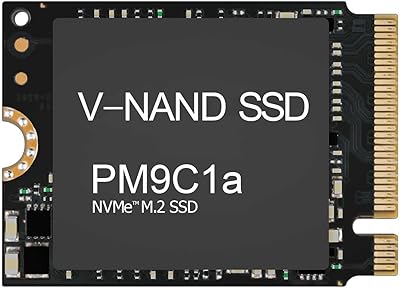
Samsung PM9C1A 512GB M.2 2230 NVMe SSD
87%
94%
Performance
92%
Speed
89%
Value for Money
88%
Ease of Installation
90%
Compatibility
More
Samsung PM991a 1TB M.2 2230 NVMe SSD
73%
94%
Form Factor Compatibility
88%
Read Performance
74%
Write Performance
91%
Storage Capacity
87%
Build & Component Quality
More
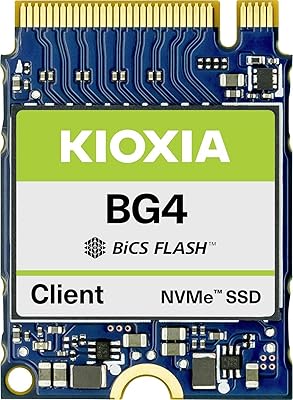
Kioxia BG4 512GB M.2 2230 NVMe SSD
87%
91%
Performance Speed
87%
Compatibility with Devices
88%
Build Quality & Durability
85%
Ease of Installation
93%
Size & Form Factor
More
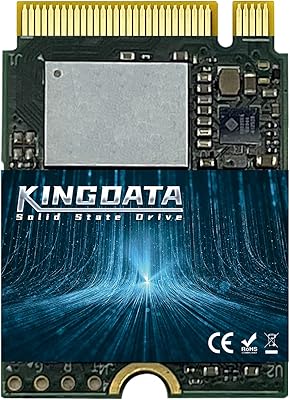
KINGDATA M.2 2230 NVMe PCIe 4.0 512GB SSD
89%
95%
Read Speed
92%
Write Speed
89%
Installation Ease
87%
Durability
86%
Temperature Management
More
Western Digital SN530 512GB 2230 NVMe SSD
81%
96%
Form Factor Compatibility
93%
Installation Ease
71%
Read/Write Performance
78%
Real-World Speed Consistency
88%
Boot & App Load Times
More
KingSpec XF-2230 512GB M.2 2230 SSD PCIe 4.0
87%
92%
Performance
89%
Cooling Efficiency
74%
Installation Ease
88%
Value for Money
90%
Build Quality
More
Vansuny X15 512GB NVMe M.2 SSD
75%
88%
Value for Money
74%
Read/Write Performance
91%
Installation Ease
69%
Build Quality
62%
Long-Term Reliability
More
ORICO M.2 NVMe SSD 512GB with Heatsink
86%
89%
Performance
92%
Cooling Efficiency
85%
Installation Ease
90%
Read/Write Speeds
88%
Capacity for Gaming & Everyday Use
More
KINGDATA M.2 2230 2TB NVMe SSD
88%
91%
Performance
93%
Read Speed
89%
Write Speed
85%
Durability
88%
Temperature Management
More
Samsung PM991 256GB NVMe M.2 SSD
88%
94%
Performance
91%
Read Speed
89%
Write Speed
92%
Value for Money
88%
Build Quality
More

FAQ

Yes, it will. The Steam Deck uses an M.2 2230 slot, and the PM991a is built specifically for that footprint. It drops straight in without any adapter or bracket. Just make sure to back up your data first and follow Valve's official disassembly guidance, since you will need to open the device.

It is. Most Surface Pro models use the M.2 2230 form factor exclusively, which makes this compact Samsung NVMe one of the more practical upgrade options available. Compatibility spans several Surface and Surface Pro generations, but it is always worth double-checking which specific Surface model you own before purchasing.

No, it does not. This is a bare OEM drive, so there is no included migration tool, cloning software, or documentation in the package. You will need to source a cloning solution separately — Macrium Reflect Free is a popular choice for Windows users, and the Steam Deck has its own restore image process.

Completely normal. The PM991a is an OEM-grade component, which means it was originally built for integration into commercial laptops rather than sold in retail packaging. What arrives is the bare drive itself, and that is exactly what you should expect. It is not a defect or a counterfeit indicator.

Noticeably better for most tasks. The base Steam Deck uses slower eMMC storage, and swapping to this 2230 drive delivers faster game load times and a snappier overall experience. You will not see dramatic differences in frame rates during gameplay, but storage-heavy games and shader compilation benefit meaningfully.

It can run warm under sustained workloads like large file transfers or extended write operations. During typical gaming or everyday computing use, temperatures stay within normal operating ranges. The compact 2230 size gives it less surface area for passive heat dissipation compared to longer drives, so it is worth keeping in mind if you plan on heavy continuous writes.

Only if your motherboard has an M.2 2230 slot, which is uncommon in standard desktop boards. Most desktops use the longer 2280 slot, so this drive would not be the right fit. It is really designed around devices where space is at a premium, like slim laptops, tablets, and handheld consoles.

Absolutely. The PM991a handles operating system duties without any issues. Its NVMe interface means Windows and SteamOS both boot quickly, and the 512GB capacity gives you reasonable room for an OS installation plus a solid library of applications or games.

The 980 Pro is a flagship consumer drive aimed at maximum performance, while this 2230 drive targets efficiency, compatibility, and form factor. The 980 Pro uses PCIe Gen4 and posts higher peak speeds, but it is only available in the 2280 format — so for devices that require a 2230 drive, the comparison is somewhat academic. The PM991a is the smarter practical choice for those builds.

For the Steam Deck, you will need a Phillips #0 screwdriver for the back panel and a Phillips #1 for the SSD mounting screw. Surface Pro models typically require a spudger tool and some patience with adhesive strips rather than screws. Neither device is particularly difficult to open, but watching a teardown video specific to your model before starting is strongly recommended.

Where to Buy