Overview

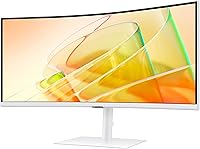
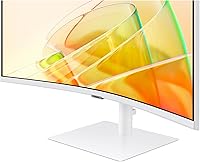
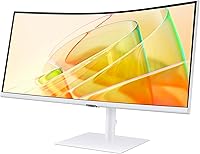
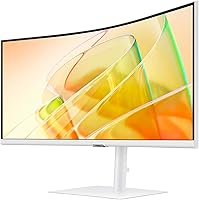
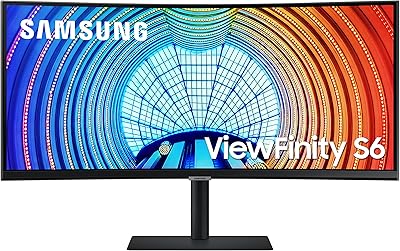
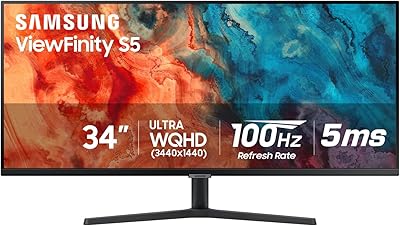
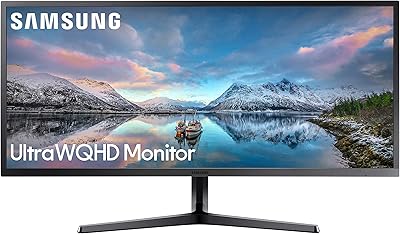
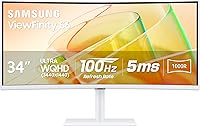
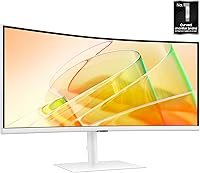
The Samsung ViewFinity S65TC 34″ Curved Monitor sits comfortably in the mid-to-premium tier, targeting hybrid workers who need serious screen real estate and casual gamers who appreciate a smoother picture. The 1000R curved VA panel is the centerpiece — that tight curve genuinely wraps your peripheral vision in a way flatter screens cannot match, and the 21:9 aspect ratio means you get meaningful extra width, not just marketing math. Compared to IPS panels at similar prices, the VA technology delivers richer blacks and contrast, though some color shift can appear at sharp viewing angles. The white finish stands out as an uncommon choice in this category. Connectivity is excellent, but the refresh rate will not satisfy serious competitive gamers.
Features & Benefits

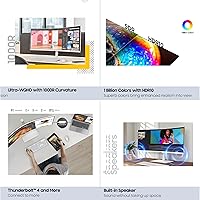
The Thunderbolt 4 connection is arguably what separates this ultrawide curved monitor from competitors at this price. Plug in one cable from a compatible laptop and you get display output, up to 90W of charging power, and data transfer all at once — no separate power brick required. The UWQHD resolution makes a real difference for productivity: text is noticeably crisper, and spreadsheets or split coding windows feel genuinely spacious. The KVM switch is underrated — switching keyboard and mouse control between two computers without touching a cable is surprisingly practical in a dual-machine setup. The 100Hz rate and AMD FreeSync handle everyday video and light gaming without tearing. Built-in 5W speakers are adequate for calls and background audio, but do not expect much depth.

Best For

The Samsung S65TC makes the most sense for anyone running two computers from one desk — the KVM functionality alone justifies serious consideration. MacBook users with Thunderbolt-compatible setups will appreciate single-cable simplicity, cutting through the usual tangle of adapters and power bricks. Writers, coders, and data-heavy professionals benefit most from the wide resolution, where having two full documents or a code editor alongside a browser side by side genuinely changes how you work. If your desk is already crowded, the built-in speakers earn their keep. Casual gamers will find the 100Hz rate more than adequate for most titles. The one group this does not serve well: competitive gamers who need 144Hz or above — a dedicated gaming display would suit them better.

User Feedback

Across more than a thousand ratings, this 34-inch ViewFinity holds a 4.2-star average — a result that feels accurate once you read through the patterns. The most consistent praise comes from users who dock a laptop via Thunderbolt and appreciate having their desk suddenly simplified to one cable, full functionality. The stand also earns positive comments for its solid height adjustment and sturdy build. On the other side, a notable share of buyers mention that out-of-box color accuracy needs attention — some manual calibration is worth doing before settling in. Speaker feedback leans toward functional rather than impressive. Most reviewers feel the overall package represents good value, though a few note the price occasionally feels like a stretch given the modest refresh rate.

Pros

  • Thunderbolt 4 docking charges a laptop at 90W while carrying video and data over a single cable.
  • The built-in KVM switch lets you run two computers from one keyboard and mouse without extra hardware.
  • UWQHD resolution makes text noticeably sharper and gives spreadsheet and coding workflows real breathing room.
  • The 1000R curve creates genuine immersion across the wide 21:9 display, especially during long work sessions.
  • VA panel contrast produces deep blacks that IPS alternatives at this price tier rarely match.
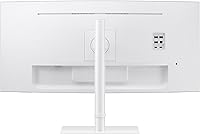
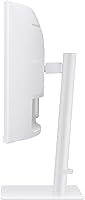
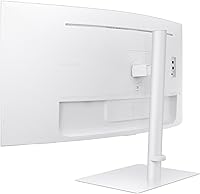
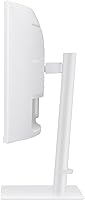
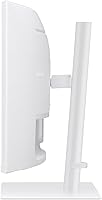
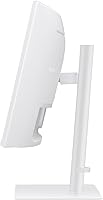
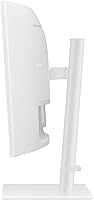
  • The height-adjustable, swiveling stand is sturdy and covers most ergonomic needs right out of the box.
  • TÜV-certified eye care with flicker reduction and a blue light filter holds up well during extended daily use.
  • AMD FreeSync at 100Hz keeps casual gaming and video playback smooth and free of visible tearing.
  • Built-in speakers eliminate one more device from a crowded desk without requiring a separate audio setup.
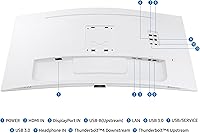
  • A LAN port on the monitor lets laptops without Ethernet connect to a wired network through the display.

Cons

  • 100Hz refresh rate is a real limitation for anyone who plays competitive or fast-action games regularly.
  • Out-of-box color calibration often needs manual adjustment before the image looks its best.
  • VA panel color shift at wide viewing angles is noticeable, which matters in side-by-side viewing situations.
  • Thunderbolt 4 benefits are completely locked out if your laptop uses USB-C without Thunderbolt support.
  • The 5W speakers lack bass and volume headroom — adequate for background audio, not much more.
  • At nearly 18 pounds, repositioning or mounting this ultrawide curved monitor takes more effort than lighter alternatives.
  • The white finish, while distinctive, can show smudges and dust more readily than darker monitor housings.
  • HDR10 support is present but the panel brightness ceiling limits how impactful the HDR effect actually looks.
  • No USB-C port beyond the Thunderbolt connection means fewer flexible options for non-Thunderbolt peripherals.
  • Easy Setting Box software for screen partitioning is Windows-only, leaving Mac users without that feature.

Ratings

The Samsung ViewFinity S65TC 34″ Curved Monitor scores below are generated by AI after analyzing thousands of verified global user reviews, with spam, bot-submitted, and incentivized feedback actively filtered out. The results reflect an honest cross-section of real buyer experiences — from hybrid workers who rely on it daily to casual gamers who tested its limits. Both standout strengths and recurring frustrations are represented transparently in every category.
Connectivity Suite
93%
Users consistently call the port selection one of the best reasons to buy this ultrawide curved monitor. Having Thunderbolt 4, HDMI, DisplayPort, three USB-A ports, and a LAN port all on one display means most buyers never need a separate dock. The built-in Ethernet port alone wins over MacBook users who gave up a wired connection years ago.
A small number of users note the absence of a second USB-C port beyond Thunderbolt, which limits flexibility for connecting newer peripherals. Those with non-Thunderbolt laptops also find that the headline single-cable convenience is simply unavailable to them, reducing the port lineup's practical value.
Thunderbolt 4 Docking
91%
For laptop users with a compatible machine, the single-cable docking experience draws overwhelmingly positive feedback. Charging at 90W while transmitting video and data eliminates the power brick from the desk entirely, and reviewers frequently describe this as the feature that justified the purchase on its own.
Compatibility requires genuine Thunderbolt 4 support — USB-C alone is not sufficient, and some buyers discover this only after unboxing. A handful of users also report occasional handshake issues requiring a cable reseat when waking from sleep, which is a minor but recurring annoyance in longer-term use.
Display Contrast & Depth
88%
The VA panel's contrast performance is a clear differentiator at this price point. Dark scenes in films and games show genuine depth that IPS alternatives in the same bracket struggle to match, and users working with dark-themed code editors or terminals appreciate the inky background that reduces perceived glare in dim rooms.
Color shift at wide viewing angles is a documented limitation of VA technology, and this monitor is no exception. Users who occasionally lean far to one side, or share their screen with a colleague sitting adjacent, report noticeable loss of color accuracy and contrast that can be distracting in those situations.
KVM Switch Usability
83%
Professionals managing both a work laptop and a personal desktop describe the KVM switch as a desk-simplifying feature they did not know they needed. Controlling two machines from one keyboard and mouse without any extra hardware removes friction from the daily routine and keeps the workspace visually clean.
The switching mechanism runs through the on-screen display menu rather than a dedicated physical button, which adds a couple of steps compared to standalone KVM boxes. Response time when switching is not instantaneous, and a few users on tight deadlines find the process mildly interrupting during rapid back-and-forth between machines.
Ergonomics & Stand
84%
The included stand receives consistent praise for feeling robust and well-engineered rather than the flimsy afterthought found on many monitors in this category. Height adjustment covers a useful range, and the swivel and tilt mechanisms move smoothly, letting users dial in a comfortable position for both sitting and standing desk configurations.
The stand does not support portrait pivot rotation, which rules out vertical orientation for users who occasionally need it. A few buyers with glass or lightweight desks mention that the base footprint is larger than expected, eating into usable desk space more than anticipated from product photos.
Resolution & Sharpness
86%
The UWQHD resolution lands in a sweet spot for productivity — text is sharp enough that most users work comfortably without display scaling, and the extra horizontal pixels make side-by-side window layouts feel genuinely spacious rather than cramped. Writers and spreadsheet-heavy users repeatedly mention that going back to 1080p feels like a downgrade.
Driving the full resolution requires a capable GPU, and users with integrated graphics or older discrete cards report occasional performance headaches, particularly when gaming. At this screen size, some buyers also note that pixel density is not quite as crisp as a smaller 27-inch QHD panel when viewed up close.
Gaming Performance
67%
33%
For casual gaming — open-world titles, strategy games, RPGs — the 100Hz rate paired with AMD FreeSync delivers a smooth, tear-free experience that most users find more than satisfying. The wide panel and curved format add genuine immersion to single-player games, and the VA contrast makes darker game environments look noticeably better than on typical office IPS displays.
Competitive gamers testing the Samsung S65TC in fast-paced shooters or battle royale titles consistently flag the 100Hz ceiling as a real limitation. The absence of ELMB (backlight strobing) for motion clarity reduction also means fast-moving objects show more blur than users accustomed to higher-end gaming monitors would accept.
HDR Experience
58%
42%
HDR10 support does produce a visible improvement in compatible streaming content, particularly in dark scenes where the VA panel's natural contrast amplifies the effect. Users casually watching Netflix or YouTube HDR content in a dim room report the experience as noticeably better than HDR on budget monitors they previously owned.
The panel's peak brightness is not high enough to produce the punchy highlights that make HDR compelling on premium FALD or OLED displays. Most technically informed buyers describe the HDR implementation as basic rather than transformative, and several note that switching to HDR mode can actually make some content look worse due to tone-mapping limitations.
Eye Care & Comfort
87%
The TÜV-certified flicker-free and blue light filter combination earns genuine appreciation from users who log six or more hours daily at their desk. Several reviewers note that eye fatigue by late afternoon decreased noticeably after switching to this 34-inch ViewFinity, and the automatic brightness adjustment to ambient room light works reliably without constant manual intervention.
The eye-saver blue light mode shifts the color temperature toward yellow-orange noticeably, which bothers color-sensitive users enough that they leave it disabled. Auto brightness occasionally reacts too aggressively to changing room light, dimming or brightening the panel in a way that some users find disruptive during focused work.
Built-in Speakers
54%
46%
For the specific use case of video calls and background music at moderate volume, the 5W speakers do their job without requiring extra cables or desk space. Users with genuinely crowded desks who cannot accommodate external speakers treat them as a practical convenience that covers basic daily needs adequately.
Bass is essentially absent, and at higher volumes the sound becomes thin and fatiguing. Users who expected anything resembling quality stereo audio from a monitor at this price tier come away disappointed, and several specifically recommend budgeting for even an entry-level speaker bar if audio quality matters at all.
Out-of-Box Color Accuracy
62%
38%
After a brief manual calibration through the on-screen display, the color output is considered good for general office and productivity use, and most users settle comfortably into their preferred profile within the first day. Users who do not do critical color work tend to find the default settings acceptable after adjusting brightness.
A recurring theme across user feedback is that factory settings ship with color temperature and gamma that feel off — too cool, or with crushed shadows — requiring adjustment before the display looks its best. Professional photographers or video editors will almost certainly need a hardware colorimeter to reach acceptable accuracy for work purposes.
Build Quality & Design
81%
19%
The chassis construction feels premium relative to the price tier, with minimal flex in the panel surround and a back panel that does not creak under handling. The white finish draws frequent compliments from users who built light-toned or minimalist desk setups around it, and the overall aesthetic reads as deliberate and refined rather than corporate-generic.
The white plastic finish is a fingerprint and dust magnet — users with pets or busy households mention needing to wipe it down more often than a dark-finished monitor. A small number of buyers also report light bleed in corners at high brightness settings, which is not unusual for VA panels but noticeable against uniform light backgrounds.
Setup & Initial Configuration
76%
24%
Physical assembly of the stand is tool-free and takes most users under ten minutes, and the inclusion of both an HDMI and a Thunderbolt cable in the box means the majority of buyers are connected and running without a trip to the accessories drawer. The on-screen display menu is logically laid out and navigates reasonably well.
Samsung's Easy Setting Box software for custom screen partitioning is Windows-only, leaving Mac users without access to the partition and layout features advertised in the product listing. Initial firmware and driver setup occasionally requires visiting Samsung's support site, which a portion of less technical buyers find unexpectedly complicated.
Value for Money
74%
26%
For users who specifically need Thunderbolt 4 docking and KVM in the same ultrawide package, the value calculation is favorable — buying a separate dock and KVM switch would cost more than the price gap between this and a cheaper monitor without those features. Regular users overwhelmingly describe the purchase as justified once they experience the desk simplification firsthand.
Buyers who do not use the Thunderbolt docking or KVM functionality feel they are paying a premium for features they do not need, and at that point comparably priced competitors offer better refresh rates or color performance. A segment of the review base feels the price is a stretch given the modest HDR implementation and restrained gaming specs.

Suitable for:

The Samsung ViewFinity S65TC 34″ Curved Monitor is built for the kind of person whose desk doubles as both an office and an entertainment hub. If you regularly dock a Thunderbolt-compatible laptop and hate the cable mess that comes with it, this monitor solves that problem in a genuinely practical way — one cable handles video, power, and data simultaneously. Professionals who juggle two computers will find the built-in KVM switch surprisingly useful day-to-day, removing the need for an external switch box entirely. Writers, analysts, and developers who work across wide horizontal layouts — think multi-column spreadsheets or a code editor sitting alongside documentation — will feel the extra screen width immediately. The thoughtful ergonomic stand, eye care certification, and automatic brightness adjustment also make it a strong fit for anyone logging long hours in front of a screen.
Not suitable for:

Competitive gamers should look elsewhere — the Samsung ViewFinity S65TC 34″ Curved Monitor tops out at 100Hz, and anyone accustomed to 144Hz or higher will feel the difference during fast-paced titles. The VA panel, while excellent for contrast, can show color shift when viewed from sharp side angles, which matters in shared desk or presentation settings where multiple people look at the screen simultaneously. Buyers who need precise, print-accurate color work — photo editing, graphic design, or video color grading — would be better served by a wide-gamut IPS panel. If your laptop does not support Thunderbolt 4, the headline connectivity feature becomes unavailable, reducing the value proposition noticeably. Anyone expecting room-filling audio from the built-in speakers will be disappointed; they work for calls and background listening, but that is the ceiling.

Specifications

  • Panel Type: The display uses a VA (Vertical Alignment) curved panel, which delivers stronger contrast ratios than typical IPS panels at this price tier.
  • Screen Size: The viewable screen area measures 34 inches diagonally, with a 21:9 ultrawide aspect ratio providing significantly more horizontal workspace than a standard widescreen monitor.
  • Curvature: The panel features a 1000R curve radius, meaning the screen arc closely matches the natural curvature of human vision for reduced eye movement across the display.
  • Resolution: Native resolution is 3440x1440 pixels (UWQHD), offering sharper text and finer detail than standard 1080p across the wide panel surface.
  • Refresh Rate: The panel runs at a maximum of 100Hz, suitable for everyday productivity and casual gaming but below the threshold preferred for competitive gaming.
  • HDR Support: HDR10 is supported, enabling a wider luminance range for compatible content, though peak brightness limits the intensity of the HDR effect in practice.
  • Thunderbolt 4: A single Thunderbolt 4 port supports video output, up to 90W laptop charging, and high-speed data transfer simultaneously over one cable.
  • Other Ports: Additional connectivity includes one HDMI port, one DisplayPort, three USB 3.0 Type-A ports, and a built-in LAN (Ethernet) port for wired network access through the monitor.
  • KVM Switch: The integrated KVM switch allows a single keyboard and mouse to control two separate connected computers, switchable directly through the monitor's on-screen menu.
  • Built-in Audio: Two 5W speakers are built into the monitor chassis, providing basic stereo audio suitable for calls and background playback without requiring external speakers.
  • Eye Care: The display carries TÜV Rheinland certification for flicker-free operation and includes a blue light reduction mode along with automatic brightness adjustment based on ambient lighting conditions.
  • Stand Adjustments: The included stand supports height adjustment, tilt, and swivel, allowing the monitor to be repositioned to suit a wide range of seating and desk configurations.
  • VESA Compatibility: The monitor supports standard VESA mounting, giving users the option to attach a third-party arm or wall mount in place of the included stand.
  • Sync Technology: AMD FreeSync is supported, dynamically synchronizing the display refresh rate with a compatible GPU to reduce screen tearing during gaming and video playback.
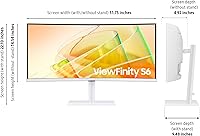
  • Dimensions: With the stand attached, the monitor measures approximately 31.8 inches wide, 22.1 inches tall, and 9.5 inches deep.
  • Weight: The full unit including the stand weighs approximately 17.9 pounds, which should be factored in when planning desk placement or arm mounting.
  • Color Finish: The chassis is finished in white, an uncommon choice in the monitor category that suits minimalist or light-toned desk setups.
  • Power Input: The monitor operates on standard AC power at 110 volts, compatible with North American wall outlets without an adapter.
  • Included Cables: The package includes an HDMI cable, a USB-A to USB-B cable, and a Thunderbolt cable, covering the most common connection scenarios out of the box.
  • Warranty: Samsung provides a standard limited warranty on this monitor; buyers should verify current terms directly with Samsung or the retailer at the time of purchase.

Related Reviews

Samsung S50GC 34″ Ultrawide QHD Monitor
75%
88%
Image Quality
91%
Resolution & Sharpness
84%
Refresh Rate & Smoothness
57%
HDR Performance
82%
Color Accuracy
More
Samsung ViewFinity S65UA 34″ Ultrawide Curved Monitor
77%
91%
Productivity & Multitasking
84%
Image & Color Quality
89%
USB-C Connectivity
58%
Backlight Uniformity
47%
HDR Performance
More
Alienware AW3425DWM 34-inch Curved Gaming Monitor
82%
91%
Image Clarity & Sharpness
89%
Refresh Rate & Motion Performance
93%
Ultrawide Immersion
84%
Color Accuracy & Vibrancy
62%
HDR Performance
More
Dell 34 Plus USB-C Curved Monitor S3425DW 34-inch
86%
91%
Display Quality
94%
Color Accuracy
85%
Gaming Performance
88%
Build Quality
92%
Ease of Setup
More
Samsung CF391 27″ Curved Monitor
74%
88%
Value for Money
91%
Screen Size Impact
83%
Curve Effect
61%
Image Sharpness
69%
Refurbished Condition
More
Samsung 34″ Odyssey G5 Ultrawide Gaming Monitor
77%
91%
Immersion & Curvature
88%
Display Resolution & Sharpness
84%
Refresh Rate & Motion Clarity
86%
Contrast & Black Levels
71%
Color Accuracy & Vibrancy
More
Gawfolk GF340A 34″ Ultrawide Curved Monitor
87%
94%
Display Quality
91%
Color Accuracy
92%
Refresh Rate Performance
89%
Build Quality
88%
Eye Comfort
More
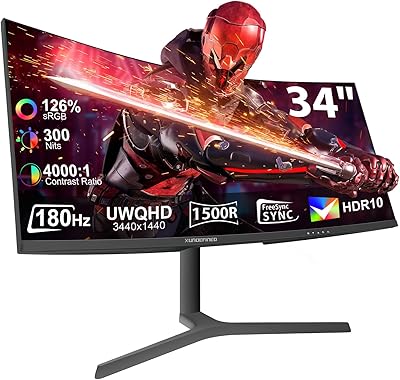
XUNDEFINED X34U180A 34-inch Curved Ultrawide Gaming Monitor
71%
83%
Gaming Performance
88%
Image Contrast & Blacks
81%
Resolution & Sharpness
69%
Color Accuracy & Vibrancy
51%
HDR Experience
More
Samsung 32-inch S39GD Curved Monitor
73%
83%
Value for Money
58%
Image Sharpness & Resolution
88%
Curve & Immersion
79%
Refresh Rate & Motion Smoothness
84%
Eye Comfort & Fatigue
More
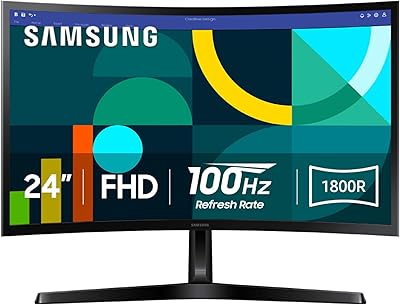
Samsung 24-inch S36GD Curved FHD Monitor
76%
88%
Value for Money
83%
Image Quality
74%
Gaming Performance
86%
Eye Comfort
41%
Stand & Ergonomics
More

FAQ

Yes, as long as your MacBook Pro supports Thunderbolt 4 or Thunderbolt 3 (which is electrically compatible), you can connect a single cable and get video output along with up to 90W of charging power simultaneously. It is one of the most practical features of the Samsung S65TC for Mac users who want a cleaner desk setup.

The KVM switch works reliably for most users — you switch control between two connected computers through the monitor's on-screen menu rather than a physical button, which takes a little getting used to. It is not instant like a dedicated external KVM box, but for the typical home office user swapping between a personal laptop and a work machine a few times a day, it gets the job done without extra hardware cluttering the desk.

For casual gaming, single-player titles, or anything that is not highly competitive, 100Hz is perfectly fine and noticeably smoother than a standard 60Hz display. If you play fast-paced multiplayer games where every millisecond matters — think first-person shooters or battle royale titles — you would benefit from a dedicated gaming monitor running at 144Hz or higher. This ultrawide curved monitor was designed with productivity as its main strength, and the gaming specs reflect that.

Quite a few buyers mention that the factory color settings are not perfectly tuned and recommend spending a few minutes adjusting color temperature and contrast through the on-screen display menu before settling in. It is not an unusual situation for VA panels in this price range, and a basic manual calibration typically resolves the issue quickly without any special equipment.

Yes, the Samsung ViewFinity S65TC 34″ Curved Monitor includes an HDMI port, so connecting a PlayStation or Xbox is straightforward. Keep in mind that consoles typically output at standard 16:9 resolutions, so the ultrawide 21:9 panel will either display black bars on the sides or stretch the image depending on the console's output settings and the game's support for ultrawide formats.

They are worth using if your needs are modest — video calls, background music at low to moderate volume, or the occasional YouTube video. Do not expect them to fill a room or deliver meaningful bass; they simply lack the power for that. If audio quality matters to you, a separate speaker or headphone setup would be a better investment, but for a clutter-free desk where speakers are secondary, they cover the basics.

VA panels can show some color and contrast shift when viewed at wide horizontal angles, so if you are frequently sitting noticeably off-center or sharing the screen with someone beside you, you may notice the image loses some depth and accuracy. For a single user seated directly in front of the display, it is a non-issue. For side-by-side screen sharing or angled setups, an IPS panel would perform more consistently.

The stand is generally well-regarded in user feedback — it holds the monitor firmly and the height adjustment mechanism feels solid rather than flimsy. Tilt and swivel both work smoothly. A few users with very lightweight or vibration-prone desks report minor wobble, but that tends to be a desk issue more than a stand issue. Overall, it is one of the better included stands in this monitor category.

Yes, the built-in LAN port creates a genuine wired Ethernet connection through the monitor, which is routed to your connected laptop. This is particularly useful for MacBook or ultrabook users whose machines no longer include a dedicated Ethernet port — you plug into the monitor once and get both display and network connectivity handled together.

The included stand does not support portrait rotation (pivot), so tilting this 34-inch ViewFinity into a vertical layout is not possible with the stock hardware. Given the size and 21:9 format, portrait use would also be impractical for most people. If you need portrait mode, a third-party VESA arm with pivot support could technically enable it, but the panel and aspect ratio are not designed with that use case in mind.

Where to Buy