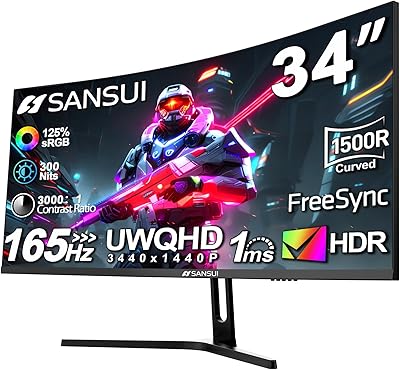
GIGABYTE GS34WQC 34-inch Curved Gaming Monitor
Overview
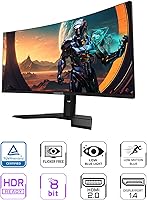
The GIGABYTE GS34WQC 34-inch Curved Gaming Monitor lands as a rare case of an ultrawide that does not punish your wallet to get the wraparound effect. The 34-inch VA panel curves gently around your field of view, and at WQHD 3440x1440 with a 21:9 ratio, you get noticeably more horizontal space than a standard monitor without stepping into 4K territory. It is clearly built with budget-minded gamers in mind rather than chasing flagship status, which shows in some of the finer details. Still, GIGABYTE didn't skip everything: TÜV Rheinland certification suggests real thought went into reducing eye strain over long sessions, a detail that's easy to overlook but matters during marathon gaming or work stretches.
Features & Benefits
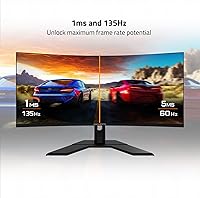
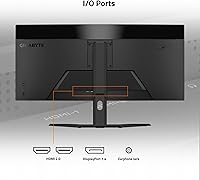
Where this ultrawide monitor earns its keep is in motion handling. A 120Hz native refresh rate, push-able to 135Hz with overclocking, keeps fast-paced titles feeling fluid rather than choppy, and the 1ms MPRT response time noticeably cuts down on the smearing you'd notice trailing behind quick-moving objects. Pair that with AMD FreeSync Premium and tearing during intense firefights becomes a non-issue rather than a constant annoyance. Color output is rated at 120% sRGB with 8-bit depth, which translates to visuals that feel vivid without looking artificially oversaturated. A matte screen surface helps if your setup sits near a window, and connectivity covers the basics well with dual HDMI 2.0 ports alongside a single DisplayPort 1.4 input.
Best For
This curved gaming display makes the most sense for someone dipping a toe into ultrawide gaming for the first time without wanting to spend premium-monitor money to do it. If you're coming from a standard 16:9 screen, the jump in horizontal real estate alone changes how you work and play, especially when juggling multiple windows side by side. Casual and mid-level competitive gamers who care more about a high, smooth refresh rate than pixel-perfect color grading will likely feel right at home here. It's a sensible pick for anyone prioritizing screen size and speed over the finer color science that pricier panels are built around.
User Feedback
Real-world impressions of the GS34WQC tend to circle back to one consistent point: buyers feel they're getting a lot of screen for the money, and that value perception comes up again and again. Color accuracy gets generally positive marks, though a handful of reviewers note it doesn't quite match what you'd find on higher-end IPS alternatives, which tracks given the VA panel choice. Build quality and stand adjustability draw mixed but fair reactions, often described as functional rather than premium. A smaller subset of buyers wish it arrived with better out-of-box calibration for color-sensitive work, though most seem satisfied treating it primarily as a gaming-first display.
Pros
- Delivers genuine ultrawide immersion at a price point most budget monitors can't match
- 120Hz refresh rate, overclockable to 135Hz, keeps fast motion looking smooth
- 1ms MPRT response time noticeably reduces blur during quick on-screen action
- AMD FreeSync Premium support helps eliminate distracting screen tearing in games
- Extra horizontal space makes multitasking and split-window work genuinely easier
- Matte coating cuts glare nicely in rooms with bright or natural light
- TÜV Rheinland certification reflects real consideration for long-session eye comfort
- Buyers consistently describe it as excellent value for the screen size offered
- Flexible connectivity with dual HDMI and DisplayPort covers most common setups
Cons
- Color accuracy is solid but noticeably behind higher-end IPS ultrawide competitors
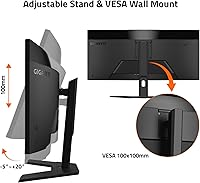
- Stand adjustability feels basic and may disappoint buyers wanting more ergonomic flexibility
- Build materials lean functional rather than premium in hands-on impressions
- Out-of-box color calibration isn't precise enough for serious creative or editing work
- The 135Hz mode requires manual overclocking rather than working as a default setting
- Some reviewers note the overall rating reflects solid, not exceptional, satisfaction
- VA panel viewing angles can shift color slightly when viewed off-center
- Not the ideal pick for buyers chasing top-tier competitive gaming performance specs
Ratings
Our scores for the GIGABYTE GS34WQC 34-inch Curved Gaming Monitor come from an AI-driven analysis of verified buyer reviews collected globally, with spam, bots, and incentivized feedback filtered out before scoring. Each category below reflects a balance of what real owners praised and what genuinely frustrated them during everyday use. Nothing here is rounded up for marketing's sake — the strengths and the trade-offs are both represented honestly.
Display Sharpness
Refresh Rate Performance
Color Accuracy
Motion Clarity
Build Quality
Stand Ergonomics
Connectivity Options
Eye Comfort
Adaptive Sync Reliability
Value for Money
Multitasking Usability
Overall Satisfaction
Suitable for:
The GIGABYTE GS34WQC 34-inch Curved Gaming Monitor is a strong fit for gamers who want the immersive wraparound feel of an ultrawide without paying flagship prices. It works especially well for casual to mid-level competitive players who value a fast, smooth refresh rate more than studio-grade color precision. Multitaskers who juggle spreadsheets, browser tabs, and reference material side by side will appreciate the extra horizontal real estate this format provides. Anyone upgrading from a basic 16:9 monitor for the first time will notice an immediate, tangible difference in how much screen they have to work with. It also suits people sensitive to eye strain during long sessions, given the added certification around display safety.
Not suitable for:
Buyers who do photo editing, video color grading, or other color-critical professional work should look elsewhere, since VA panel accuracy here trails dedicated IPS alternatives. Competitive esports players chasing the absolute lowest input lag and highest possible refresh ceiling may find better-suited options in higher-tier gaming monitors. Anyone expecting premium build materials or a highly adjustable stand out of the box might come away a little underwhelmed, as feedback describes the hardware as functional rather than polished. If out-of-box color calibration accuracy matters a lot to your workflow, you may want to budget for a colorimeter or a pricier panel instead. The GIGABYTE GS34WQC 34-inch Curved Gaming Monitor simply isn't built to compete with monitors twice its price on those specific fronts.
Specifications
- Screen Size: The display measures 34 inches diagonally, giving you a wide field of view for both gaming and multitasking.
- Resolution: Native resolution is 3440x1440 WQHD, offering sharper detail than standard 1080p without the demands of 4K.
- Aspect Ratio: The panel uses a 21:9 ultrawide aspect ratio, which provides noticeably more horizontal screen space than a typical 16:9 monitor.
- Panel Type: It uses a curved VA panel, which generally delivers strong contrast and deep blacks compared to flat IPS alternatives.
- Refresh Rate: The native refresh rate is 120Hz, with the option to overclock up to 135Hz for smoother motion.
- Response Time: Response time is rated at 1ms MPRT, which helps minimize blur during fast-moving scenes.
- Adaptive Sync: AMD FreeSync Premium is supported, helping reduce screen tearing and stutter during variable frame rates.
- Color Performance: The panel covers 120% of the sRGB color space at 8-bit depth for vivid, well-saturated visuals.
- Screen Coating: A matte anti-glare surface helps reduce reflections in rooms with bright or natural lighting.
- Safety Certification: The monitor holds TÜV Rheinland certification, indicating it meets recognized standards for display safety and eye comfort.
- Connectivity: Inputs include two HDMI 2.0 ports and one DisplayPort 1.4 port for connecting multiple devices.
- Audio Output: A built-in earphone jack allows for direct headphone or external speaker connection.
- Weight: The monitor weighs approximately 24 pounds, which is fairly typical for a curved panel of this size.
- Dimensions: The unit measures 9.24 x 31.84 x 19.24 inches in its standard stand configuration.
- Bandwidth Support: The display includes HBR3 support, which helps maintain stable high-bandwidth signal transmission over DisplayPort.
Related Reviews

Alienware AW3425DWM 34-inch Curved Gaming Monitor
Great voell Q34DB45 34-inch Curved Gaming Monitor

Westinghouse 34-Inch Curved Ultrawide Gaming Monitor

Raywego Q34DB45-1 34-inch Curved Gaming Monitor
Xiaomi 34-inch Curved Gaming Monitor G34WQi
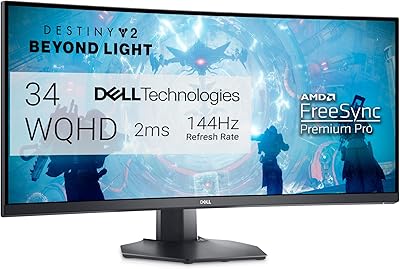
Dell S3422DWG 34-inch Curved Gaming Monitor
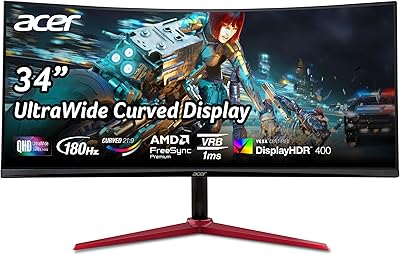
Acer Nitro XZ342CU 34″ Curved Gaming Monitor
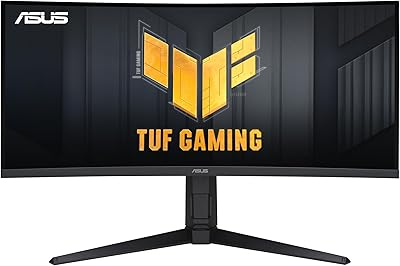
ASUS TUF VG34VQL1B 34-inch Curved Gaming Monitor
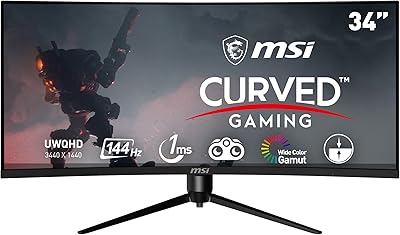
MSI MAG342CQR 34″ Curved Gaming Monitor