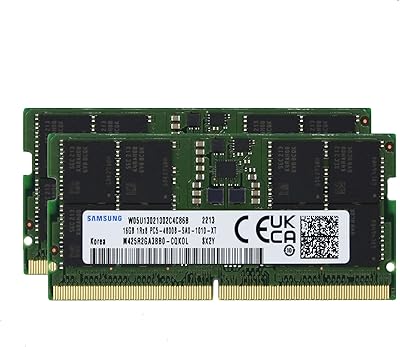
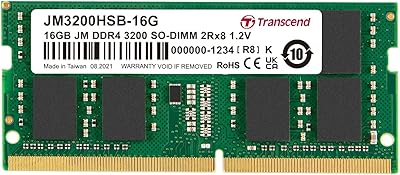
Overview

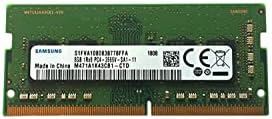
The Samsung M471A4G43MB1 32GB DDR4 Laptop RAM is a high-capacity memory upgrade built by one of the most trusted names in semiconductor manufacturing. Unlike desktop DIMMs, this uses the SODIMM form factor — the standard for laptops — so compatibility with the right machine is straightforward. Having 32GB on a single stick is genuinely useful: it leaves your second slot open rather than consuming both just to hit a reasonable memory ceiling. This module has been on the market since early 2019, and that longevity speaks to its stability. Just know going in: this is OEM-grade memory, built for reliability, not for overclocking enthusiasts chasing benchmark records.
Features & Benefits

Running at DDR4 2666MHz, this Samsung memory module hits the sweet spot for everyday high-performance laptop use — fast enough to handle virtualization, parallel browser tabs, and creative workloads without becoming the bottleneck. The single-module design is practical: you get 32GB without touching your second slot, which you can later fill with a matched stick for dual-channel operation. At 1.2 volts, it draws less power than older DDR3 modules, which helps keep thermals reasonable and takes a small but real pressure off battery life. And because Samsung manufactures its own DRAM, the consistency between production batches is notably higher than what you get from assemblers relying on third-party chips.

Best For

This laptop RAM upgrade makes the most sense for people who regularly push their machines hard. Developers running Docker containers, spinning up virtual machines, or working inside memory-intensive IDEs will feel the headroom immediately. Video and photo editors working with large raw files in Premiere Pro or Lightroom will similarly appreciate not having to close applications to free up space. It is also a strong pick for anyone upgrading a business workstation laptop — ThinkPads, Dell Precisions, HP ZBooks — that shipped with 8GB or 16GB from the factory. IT teams doing fleet-wide upgrades benefit from Samsung's consistent quality across units. If you only have budget for one slot right now, this is the sensible way to use it.

User Feedback

With nearly 2,000 ratings and a 4.8-star average, this 32GB SODIMM has built a track record that is hard to argue with. The most common thread in buyer reviews is how uneventful installation is — pop it in, boot up, done. No BIOS fiddling, no driver installs. That said, a small number of buyers have run into compatibility quirks with specific older laptop models or particular BIOS versions, so checking your machine's QVL before ordering is worth the two minutes. A handful of DOA reports and occasional shipping damage complaints exist, as they do for any hardware sold at volume. On value: some buyers note that generic alternatives undercut it on price per gigabyte, but most consider the reliability premium well justified.

Pros

  • Plug-and-play installation — the vast majority of buyers report zero BIOS changes or driver installs needed.
  • 32GB on a single stick leaves the second SODIMM slot free for future expansion or dual-channel pairing.
  • Samsung's in-house DRAM fabrication means tighter binning and lower failure rates than many third-party assemblers.
  • Low 1.2V operating voltage helps keep laptop thermals in check and avoids unnecessary battery drain.
  • The slim, heatspreader-free profile fits snugly in ultra-thin chassis where bulkier modules physically cannot.
  • Nearly 2,000 ratings averaging 4.8 stars gives this 32GB SODIMM statistically meaningful credibility.
  • Broad 260-pin DDR4 compatibility covers a wide range of modern Intel and AMD laptop platforms.
  • Has been on the market since early 2019, meaning BIOS support and compatibility documentation are well established.
  • OEM-grade trust: Samsung memory ships inside countless factory-built business laptops for good reason.

Cons

  • No XMP or overclocking support — buyers wanting tunable memory speeds need to shop a different category entirely.
  • Price per gigabyte is higher than lesser-known brands, which stings if reliability is not your top priority.
  • A small but real number of DOA units have been reported, so purchasing from a seller with easy returns matters.
  • Compatibility is not guaranteed across every laptop model — older machines and certain BIOS versions have caused issues for some buyers.
  • Running this 32GB SODIMM in a single-channel configuration leaves measurable bandwidth on the table compared to a dual-channel setup.
  • No bundled installation guide or compatibility checker — buyers are on their own to verify socket and BIOS support beforehand.
  • Occasional shipping damage reports suggest packaging quality from some third-party sellers is inconsistent.
  • Not useful for laptops with fully soldered memory, which now includes a large share of the thin-and-light market.

Ratings

The scores below reflect an AI-driven analysis of verified global buyer reviews for the Samsung M471A4G43MB1 32GB DDR4 Laptop RAM, with spam, bot submissions, and incentivized feedback actively filtered out to ensure the ratings represent genuine user experiences. Across thousands of real-world installations — from developer workstations to creative editing rigs — both the strengths and the friction points are transparently captured here, so you can make a fully informed decision before purchasing.

Reliability & Longevity
94%
Buyers consistently report that this Samsung memory module keeps running without issue months and years after installation, which is exactly what you want from a component you rarely think about. Samsung's in-house DRAM fabrication means tighter quality control across production batches, and that shows up in the failure rate data — dead sticks are genuinely rare in the review pool.
A small but real percentage of units arrive dead on arrival, and a handful of buyers have reported failure within the first few weeks of use. These cases remain the minority, but they are enough to keep the score shy of the very top tier, particularly for buyers without easy access to a return window.
Installation Ease
96%
The near-universal experience described by buyers is refreshingly simple: open the panel, seat the module, close it back up, and power on. No BIOS changes, no driver installs, no compatibility wizard — the system just recognizes the full 32GB and gets on with it. For first-time upgraders, this kind of plug-and-play confidence is enormously reassuring.
A small subset of buyers on older laptops had to flash a BIOS update before the module was recognized at its full capacity, which added unexpected friction. Those cases were platform-specific rather than a flaw in this 32GB SODIMM itself, but buyers with aging machines should factor in that extra step.
Compatibility Range
81%
19%
The 260-pin DDR4 SODIMM standard is well supported across a broad range of Intel and AMD laptop platforms, and most buyers upgrading business-class machines — ThinkPads, Dell Precisions, HP ZBooks — report zero compatibility friction. The module's long market presence since 2019 also means BIOS support is mature on most platforms.
Compatibility is not universal, and this is the category where the most buyer anxiety surfaces. Certain older DDR4 laptops cap individual slots at 16GB, rendering a 32GB stick unusable regardless of brand. A handful of buyers also reported issues with specific BIOS versions that required workarounds, so pre-purchase verification is genuinely necessary.
Value for Money
72%
28%
Buyers who prioritize reliability over sticker price tend to feel the premium over generic brands is justified, especially for systems that will run heavy workloads continuously. The combination of Samsung's name, its OEM-grade binning, and the strong failure rate track record makes the cost feel defensible for professional use cases.
At the 32GB capacity tier, price sensitivity is real, and several buyers openly note that lesser-known brands undercut this laptop RAM upgrade by a noticeable margin. For buyers running casual workloads or less critical systems, the reliability premium can feel harder to justify when cheaper alternatives offer the same stated specs on paper.
Performance at Rated Speed
83%
At 2666MHz, this Samsung memory module delivers smooth, consistent throughput for the workloads most buyers are actually running — virtualization, parallel development environments, large Lightroom catalogs, and sustained browser-heavy sessions. The gain over an 8GB or 16GB configuration is immediately noticeable in day-to-day use, with far less reliance on disk swap.
DDR4-2666 is solidly mainstream rather than cutting-edge, and buyers expecting a speed transformation rather than a capacity one may feel underwhelmed. Faster DDR4 sticks exist at 3200MHz and beyond, and on platforms that can take advantage of those speeds, this module leaves some bandwidth on the table.
Thermal Impact
89%
Running at a standard 1.2V without a heatspreader, this 32GB SODIMM adds virtually no thermal load to the laptop's existing cooling setup. Buyers upgrading thermally constrained thin-and-light workstations report no increase in fan activity or surface temperatures compared to their original configuration.
The absence of a heatspreader means there is no additional surface area to help dissipate heat during prolonged heavy loads like video rendering. In practice this is rarely a problem at stock DDR4 voltages, but buyers running extremely sustained memory-intensive workloads in hot ambient environments should be aware of the trade-off.
Physical Form Factor
91%
The slim, heatspreader-free design slots cleanly into ultra-thin chassis where taller enthusiast modules physically cannot fit. At just 0.3 inches in height, it clears the clearance requirements of nearly every modern laptop SODIMM bay without force or modification.
The bare-chip design, while practical, does make the module feel less substantial than heatspreader-equipped alternatives when handling it during installation. This is purely aesthetic and functional, not a performance concern, but buyers used to desktop RAM may find the minimal construction a bit surprising in person.
Slot Efficiency
88%
Getting 32GB from a single module is a genuinely smart allocation of a scarce resource — most laptops only have two SODIMM slots. Buyers appreciate being able to hit a meaningful memory ceiling without consuming both slots, leaving the door open for a matched stick later if their workflow demands even more.
Operating solo in a single channel does leave bandwidth on the table compared to a dual-channel setup using two matched 16GB sticks. Buyers who are sensitive to memory bandwidth — particularly those running integrated graphics that share system RAM — will want to weigh that trade-off carefully before choosing a single 32GB stick over a 2x16GB kit.
Plug-and-Play Confidence
93%
One of the strongest recurring themes in buyer reviews is the absence of any drama post-installation. The operating system picks up the full 32GB on first boot, and users get straight to work. For IT teams doing rapid fleet upgrades across many machines, this consistency is particularly valued.
Edge cases do exist: a small number of buyers encountered machines that required a cold boot cycle or a manual BIOS memory retraining before the module was recognized correctly. These situations resolved without hardware changes in most cases, but they added time and uncertainty to what should have been a five-minute job.
Brand Trust
92%
Samsung's reputation as a first-party DRAM manufacturer — the same company whose chips end up inside countless factory-built laptops — carries real weight with buyers. The confidence of knowing you are not buying a rebranded third-party assembly is a meaningful purchase motivator, particularly for professionals who cannot afford memory-related downtime.
Brand trust translates into a price premium that not every buyer finds palatable, especially when the module is going into a secondary or lower-priority machine. A few buyers in the review pool expressed that the Samsung name added cost without adding any feature they could point to tangibly.
Packaging & Shipping Safety
74%
26%
Most buyers receive this 32GB SODIMM in adequate condition, with the module properly seated in protective anti-static packaging. For direct purchases from reputable sellers, damage on arrival is uncommon enough that it rarely factors into the buying decision.
A recurring minority complaint in the review pool involves shipping damage — bent pins, cracked static bags, or poorly padded outer boxes — particularly when purchased through third-party marketplace sellers. The product itself is not at fault, but the inconsistency in how different sellers package and ship it introduces avoidable risk.
Overclocking Potential
31%
69%
For buyers who only need stable operation at 2666MHz, the lack of overclocking support is completely irrelevant — the module does exactly what it says on the box without any tuning required. OEM-grade binning means it is optimized for long-term stability at its rated speed rather than variance under pressure.
There are no XMP profiles, no overclocking headroom, and no way to push this module beyond its rated 2666MHz on any platform. Enthusiast buyers who want tunable memory speeds will find this a hard stop — this is simply not the right tool for that use case, regardless of how reliable it is at stock settings.
Documentation & Support
58%
42%
Because this is a widely deployed OEM module with years of market history, community knowledge around it is extensive — forums, compatibility databases, and third-party teardown resources are easy to find. Buyers who do their homework before purchasing rarely face undocumented surprises.
Samsung does not include any installation guide or compatibility tool with the module itself, leaving buyers entirely responsible for verifying support before purchase. For less technically confident users, the absence of a bundled compatibility checker or official lookup tool is a genuine friction point that has tripped up a notable share of buyers.

Suitable for:

The Samsung M471A4G43MB1 32GB DDR4 Laptop RAM is the right call for anyone who has hit a genuine memory wall on their laptop and needs a serious, no-drama fix. Developers juggling Docker containers, running local databases, or keeping a dozen browser tabs open alongside a memory-hungry IDE will notice the difference immediately — not because 2666MHz is exotic, but because 32GB of headroom means the OS stops swapping to disk constantly. Content creators working in Premiere Pro, DaVinci Resolve, or Lightroom with large project files will find that jobs which used to stall or crawl start finishing without interruption. It is also a smart buy for anyone upgrading a business-class workstation laptop — a ThinkPad X1 Extreme, Dell Precision, or HP ZBook — that shipped with 16GB soldered or in a single slot. The single-module approach is especially appealing if you want to max out one slot now and leave the second open for a matched stick later, preserving the option for dual-channel without throwing away what you already own. IT procurement teams will also appreciate the consistency that comes with Samsung's in-house fabrication when standardizing upgrades across a fleet.

Not suitable for:

If your laptop does not have a user-accessible SODIMM slot — which is true of many modern ultra-thin machines where memory is soldered directly to the motherboard — the Samsung M471A4G43MB1 32GB DDR4 Laptop RAM is simply not an option, no matter how appealing the specs look. Buyers chasing the absolute lowest price per gigabyte may find that less-known brands undercut it at this capacity tier, and if budget is the primary driver and brand trust is secondary, those alternatives are worth comparing. Enthusiasts who want to push memory speeds beyond the rated 2666MHz should also look elsewhere — this is an OEM-reliability module, not a binned overclocking stick, and it does not ship with XMP profiles designed for speed tuning. Anyone upgrading a desktop PC should stop here entirely, since SODIMM and DIMM form factors are physically incompatible. Finally, if your laptop's motherboard or BIOS officially caps supported RAM below 32GB per slot, this module will either not post or will downclock in ways that defeat the purpose of buying it.

Specifications

  • Capacity: This module provides 32GB of DDR4 memory on a single stick, giving power users substantial headroom for multitasking and memory-intensive workloads.
  • Memory Type: DDR4 SDRAM, the current mainstream standard for modern laptops, offering improved efficiency and bandwidth over the previous DDR3 generation.
  • Clock Speed: Rated at 2666MHz, this is a widely supported DDR4 speed that balances solid real-world throughput with broad platform compatibility.
  • Form Factor: 260-pin SODIMM, the standard physical format for laptop memory, which is smaller and incompatible with full-size desktop DIMM slots.
  • Voltage: Operates at 1.2V, the standard low-voltage spec for DDR4, which helps limit heat output and reduces draw on the laptop battery during sustained use.
  • Module Count: Sold as a single module, leaving a second SODIMM slot free for future expansion or for adding a matched stick to enable dual-channel operation.
  • Dimensions: The module measures 3.4 x 1.6 x 0.3 inches, with a slim, heatspreader-free profile that fits comfortably in ultra-thin laptop chassis.
  • Weight: Weighs approximately 0.317 ounces, light enough that it adds no meaningful mass to any laptop build.
  • Manufacturer: Produced by Samsung, a company that fabricates its own DRAM dies in-house, which contributes to tighter quality control and consistent binning across production batches.
  • Model Series: Part number M471A4G43MB1-CTD, an OEM-grade module that has seen broad deployment in factory-built business laptops from major manufacturers.
  • Compatible Devices: Designed for laptops with a DDR4-compatible 260-pin SODIMM slot; not compatible with desktops, all-in-ones using full-size DIMMs, or machines with soldered memory.
  • Heatspreader: Ships without a heatspreader or RGB lighting, keeping the profile as slim as possible and avoiding any clearance issues inside tight laptop enclosures.
  • Fabrication Grade: OEM-grade binning means this module is built for reliability and stability rather than overclocking headroom or tunable XMP speed profiles.
  • Market Availability: First available in January 2019, giving this module a multi-year track record of real-world deployment and well-established BIOS compatibility across laptop platforms.
  • Error Correction: Non-ECC (standard) memory, which is the norm for consumer and prosumer laptops; ECC support would require a platform specifically designed for it.
  • Channel Support: Supports single-channel operation on its own; installing a second matched module in the second SODIMM slot unlocks dual-channel mode for improved memory bandwidth.

Related Reviews
Samsung M386A4G40DM0-CPB 32GB DDR4 Server RAM
75%
91%
Reliability & Stability
52%
Compatibility Clarity
88%
ECC Performance
83%
Memory Density Value
77%
Installation Experience
More
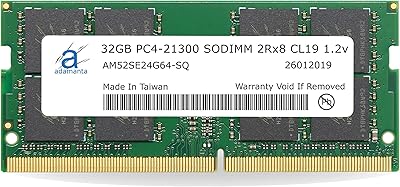
Adamanta 32GB DDR4 2666MHz Laptop RAM
77%
71%
Compatibility
88%
Installation Ease
83%
Performance Gain
84%
Value for Money
91%
Single-Slot Capacity
More
Samsung M471A1K43CB1-CTD 8GB DDR4 Laptop RAM
84%
93%
Installation Ease
88%
Compatibility
91%
Reliability & Stability
84%
Multitasking Performance
89%
Value for Money
More
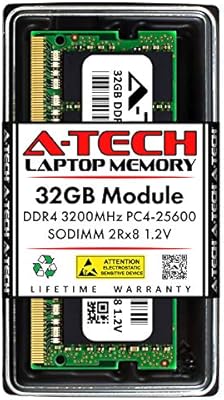
A-Tech 32GB DDR4 3200MHz SODIMM Laptop RAM
80%
91%
Value for Money
74%
Compatibility Range
93%
Installation Ease
83%
Performance Improvement
86%
Build & Module Quality
More
Samsung 32GB DDR5 4800MHz SODIMM Laptop RAM
79%
71%
Platform Compatibility
84%
Installation Ease
88%
Performance Stability
76%
Speed & Bandwidth
79%
Brand Trust & Chip Authenticity
More
Adamanta 32GB DDR4 2400MHz SODIMM Laptop RAM
77%
86%
Value for Money
91%
Installation Ease
63%
Compatibility
74%
Performance
82%
Build Quality
More
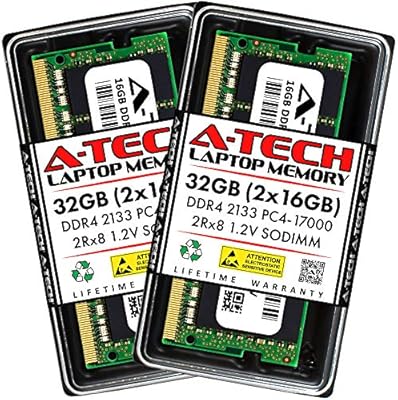
A-Tech 32GB DDR4 2133MHz SODIMM Laptop RAM
82%
91%
Value for Money
74%
Compatibility
93%
Installation Ease
83%
Performance Uplift
86%
Reliability & Stability
More
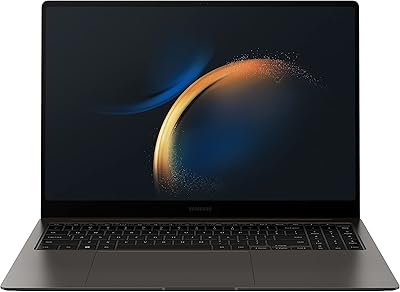
Samsung Galaxy Book3 Pro 16″ 1TB Laptop
75%
93%
Display Quality
88%
Portability
84%
Processing Performance
47%
Graphics Capability
91%
Multitasking & RAM
More
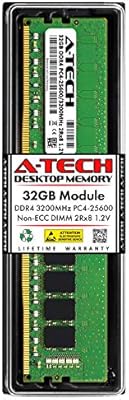
A-Tech 32GB DDR4 3200MHz Desktop RAM
81%
91%
Installation Ease
74%
System Compatibility
83%
Performance at Rated Speed
86%
Value for Money
82%
Long-term Reliability
More
Wlizedle DDR4 3200MHz 32GB Desktop RAM Kit
79%
91%
Value for Money
88%
Installation Ease
74%
XMP & BIOS Compatibility
83%
System Performance Impact
81%
Thermal Performance
More

FAQ

The two things to confirm are that your laptop has a physical DDR4 SODIMM slot (not soldered memory) and that its motherboard or BIOS supports a 32GB module per slot. The best place to check is your laptop manufacturer's memory support page or the manual — some older DDR4 machines cap each slot at 16GB, which would make this 32GB stick unusable regardless of brand.

Almost certainly not. The overwhelming majority of buyers report a completely uneventful install — they slot it in, power on, and the system detects the full 32GB without any configuration. On rare occasions, a BIOS update may be needed on older platforms to recognize higher-capacity modules, but this is the exception rather than the rule.

Yes, effectively. The Samsung M471A4G43MB1 32GB DDR4 Laptop RAM is an OEM-grade module, which means it is the same class of memory that brands like Dell, Lenovo, and HP use when they build and ship their own laptops. That is precisely why its reliability record is so strong.

Dual-channel works best when both sticks match in capacity, speed, and ideally manufacturer. If your existing stick is also a DDR4 2666MHz 32GB module, you have a good shot at the system running them in dual-channel. Mismatched capacities will still work but typically fall back to single-channel or use a technique called flex mode, which gives partial bandwidth gains.

For most real-world laptop workloads, not much. The memory controller in your laptop's CPU is the actual limiting factor, and many mobile platforms officially support up to 2666MHz anyway, meaning faster sticks would simply downclock to that speed. Where you will notice the upgrade is in raw capacity — going from 8GB or 16GB to 32GB has a far more tangible daily impact than a speed bump would.

Absolutely, if 32GB is what your workflow needs. You do lose the bandwidth benefit of dual-channel, but a single 32GB stick in one-channel mode still vastly outperforms a machine that is constantly swapping memory to disk because it ran out of RAM. For developers, video editors, and heavy multitaskers, the capacity gain is the real win here.

Unlikely. This Samsung memory module runs at a standard 1.2V, which is the low-voltage spec for DDR4 — no different from what most factory-installed laptop memory uses. Without a heatspreader or overclocked speeds generating extra heat, it should integrate cleanly into your existing thermal situation.

The rate is very low given the volume of reviews, but DOA units do exist for virtually any hardware product. To protect yourself, buy from a reputable seller with a straightforward return policy, and test the module as soon as it arrives — most sellers and platforms offer hassle-free returns within a standard window if the stick is defective out of the box.

Samsung manufactures its own DRAM dies rather than buying chips from other suppliers and assembling them, which gives it tighter control over quality and consistency. Budget alternatives may use chips that are less carefully sorted, leading to higher variance in reliability over time. Whether that difference justifies the price gap is a personal call, but the track record here is genuinely stronger than what most off-brand options can show.

No. This is an OEM-reliability module rated at 2666MHz, and it does not ship with XMP or any other overclocking profile. It will run at its rated speed on compatible platforms and that is it. If pushing memory clocks is a priority for you, you would need to look at enthusiast-targeted modules from brands like Corsair or G.Skill that are explicitly built and binned for that purpose.