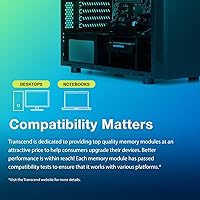
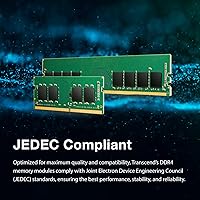
Overview

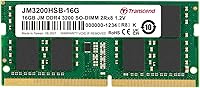
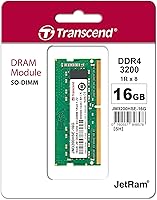
The Transcend JM3200HSB-16G 16GB DDR4 Laptop RAM is the kind of no-nonsense upgrade that Transcend has built its reputation on over several decades in the DRAM market. This is not enthusiast hardware with flashy heat spreaders or aggressive overclocking profiles — it is a practical SO-DIMM module designed to drop into your laptop and work. SO-DIMM, for those unfamiliar, is the compact form factor laptops require, distinct from the full-size DIMMs used in desktops. Running at a rated 3200MHz with backward compatibility down to 2666 and 2933MHz, this 16GB DDR4 upgrade handles older platforms just fine without manual configuration. The limited lifetime warranty is a genuine differentiator at this price level and signals that Transcend stands behind what they ship.

Features & Benefits

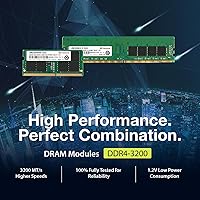
At DDR4-3200 speeds, this Transcend SO-DIMM module delivers up to 25.6 GB/s of memory bandwidth, which translates to noticeably snappier application loading and smoother multitasking in practice. Operating at just 1.2 volts, it runs cooler and draws less power than older DDR3 memory — a meaningful perk in a laptop where thermal headroom is limited. The dual-rank configuration (2Rx8) means the module can interleave memory operations across two ranks, which edges out single-rank sticks in throughput under sustained workloads. Because it is JEDEC compliant, there is no need to fiddle with BIOS settings or XMP profiles — it simply runs at whatever speed your laptop supports. Unbuffered and 260-pin, it fits the standard SO-DIMM slot found in virtually every mainstream laptop built in the last several years.

Best For

This 16GB DDR4 upgrade is a natural fit for anyone whose laptop shipped with 8GB and now struggles to keep up. If you regularly juggle browser tabs, video calls, and a document or spreadsheet in the background, doubling your memory is usually the single most impactful improvement you can make short of buying a new machine. Students, remote workers, and small business users will find this a practical, cost-effective solution that requires no technical expertise beyond removing a panel and seating a module. Owners of HP, Lenovo, Dell, ASUS, and Acer laptops have a strong track record of compatibility with this Transcend SO-DIMM module. Anyone who values a lifetime warranty over saving a few dollars on a generic stick will feel well-served here.

User Feedback

With a 4.7-star average drawn from over 1,100 verified ratings and a sustained top-250 ranking in Computer Memory, this laptop memory stick has earned its standing through repeat purchases rather than a single viral spike. Buyers frequently mention how straightforward installation was and how immediately snappier their system felt afterward — faster boot times and less stuttering when switching between apps are the most commonly cited improvements. On the critical side, a handful of users on older platforms noted their system negotiated down to 2666MHz rather than the full 3200MHz; this is normal JEDEC auto-negotiation behavior, not a defect. There are no XMP or DOCP profiles here, so manual overclocking is not an option. For the intended audience — people who simply want reliable memory without complications — the feedback is overwhelmingly positive.

Pros

  • Backed by a limited lifetime warranty, offering long-term assurance that most budget RAM simply does not provide.
  • Rated at 3200MHz with automatic negotiation to 2666 or 2933MHz, covering a wide range of laptop platforms without manual setup.
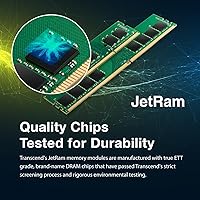
  • Brand-name DRAM chips with factory screening lower the real-world risk of early instability or failure.
  • Plug-and-play JEDEC compliance means no BIOS tweaking required — install it and it works.
  • A 4.7-star average across over 1,100 ratings reflects a consistently positive ownership experience over time.
  • Dual-rank configuration gives a modest but genuine throughput advantage over single-rank alternatives at the same speed.
  • Low 1.2V operating voltage keeps heat and power draw in check inside thermally constrained laptops.
  • Confirmed compatibility with HP, Lenovo, Dell, ASUS, and Acer covers the vast majority of mainstream laptop buyers.
  • 16GB capacity hits the practical sweet spot for everyday multitasking without the cost of a higher-capacity module.

Cons

  • No XMP or DOCP profile means enthusiasts cannot push speeds beyond the automatically negotiated default.
  • On some older motherboards, this 16GB DDR4 upgrade may run at 2666MHz rather than its rated 3200MHz.
  • Sold as a single stick, so achieving dual-channel operation requires purchasing two units separately.
  • The plain green PCB offers nothing for users who care about aesthetics inside chassis with visible memory slots.
  • CL22 latency is on the looser end of DDR4-3200 specs, which can matter in latency-sensitive workloads.
  • Buyers with ultrabooks or thin-and-light laptops with soldered RAM cannot use this module at all.
  • No heat spreader is included, which is standard at this tier but worth noting under sustained heavy workloads.
  • Not suitable for workstations or servers that require registered or ECC memory for error-correcting functionality.

Ratings

The scores below were generated by our AI after analyzing thousands of verified buyer reviews for the Transcend JM3200HSB-16G 16GB DDR4 Laptop RAM worldwide, with spam, bot activity, and incentivized feedback actively filtered out to ensure only genuine ownership experiences shape the results. Each category reflects the full spectrum of real-world use — from first-time installers breathing new life into an aging machine to long-term users tracking stability over months of daily operation. Both the standout strengths and the honest limitations of this laptop memory stick are reflected transparently so you can make a genuinely informed purchase decision.

Value for Money
88%
For a brand-name module backed by a lifetime warranty and manufactured with screened DRAM chips, most buyers feel this 16GB DDR4 upgrade punches well above comparable no-name alternatives at a similar price. Users frequently contrast it with pricier RGB-adorned kits where the premium pays for aesthetics rather than reliability or longevity.
A portion of buyers feel the price edges slightly above what they would ideally spend on a single-stick upgrade, especially when dual-channel operation requires purchasing two units separately. During promotional windows, competing modules occasionally undercut it without meaningful compromises to warranty coverage or build quality.
Compatibility
84%
The overwhelming majority of users with HP, Lenovo, Dell, ASUS, and Acer laptops report this Transcend SO-DIMM module dropping straight into their existing slot with zero configuration changes required. The JEDEC-standard design allows the laptop and the module to negotiate a supported speed automatically, which is precisely the plug-and-play experience non-technical buyers are hoping for.
A small number of users have hit edge cases — typically with less common laptop models or outdated BIOS versions — where the system required a hard reset to properly register the new module. Buyers with thin-and-light ultrabooks occasionally discover too late that their memory is soldered directly to the board and cannot be upgraded at all.
Installation Ease
92%
Across the review pool, ease of installation is one of the most consistently celebrated aspects of this laptop memory stick. Most buyers describe the process as removing a bottom panel, pressing the module in at an angle until it clicks, and powering back on — a job completed under fifteen minutes with nothing more than a basic screwdriver.
The rare frustrations come from buyers who struggled to locate or physically access the memory slot on their specific laptop model, which reflects chassis design rather than anything inherent to the module. A few users also mentioned feeling uncertain about static discharge precautions, wishing the packaging included clearer guidance on safe handling.
Performance Improvement
86%
Buyers consistently describe tangible, immediate gains after installation — faster boot times, noticeably reduced stuttering when switching between a dozen open browser tabs, and smoother video calls when background applications are running simultaneously. For anyone who has been grinding along on 8GB, the improvement is hard to miss from the very first restart.
Users who were already running 16GB and simply added a second stick tend to report more modest gains than those moving up from 8GB, where the impact is most dramatic. A handful of buyers with heavily CPU-constrained machines also note that adding RAM resolved memory pressure but left the underlying processor bottleneck unaddressed.
Stability & Reliability
91%
Long-term stability is among this module's clearest strengths — users running it daily for six months to well over a year report no crashes, memory errors, or unexpected reboots attributable to the RAM. Transcend's reliance on factory-screened DRAM chips appears clearly in the review data as a lower-than-average incidence of instability complaints.
A very small number of users report early-life failures, typically surfacing within the first few weeks of use. While the lifetime warranty provides a clear resolution path, the RMA process introduces a disruptive delay for anyone whose laptop is their primary work machine and cannot sit idle waiting for a replacement.
Build Quality
78%
22%
The module is solidly constructed for its market tier — chips are securely mounted on a rigid green PCB that holds up without issue once seated inside the chassis. For a component that sits enclosed in a laptop and is rarely handled again after installation, the utilitarian construction is entirely fit for purpose.
The absence of a heat spreader keeps the profile slim but leaves some users uncertain about thermal headroom during extended heavy workloads. Buyers accustomed to premium desktop memory kits with aluminum spreaders and polished finishes may find the bare PCB presentation underwhelming, even if it has no practical impact in a laptop context.
Thermal Efficiency
83%
Operating at 1.2 volts, this Transcend SO-DIMM module draws noticeably less power and generates less heat than legacy DDR3 modules, a meaningful benefit in laptops where thermal headroom is already stretched. Most users report no change in fan behavior or chassis warmth after installation, suggesting the thermal footprint is negligible during typical daily use.
Without a heat spreader, sustained memory-intensive tasks — such as processing large in-memory datasets for extended periods — can leave the chips running warmer than some users would prefer. This reflects a category-wide limitation of bare SO-DIMM modules in laptops rather than a specific flaw in this product, but it is worth flagging for demanding workloads.
Speed & Bandwidth
74%
26%
At DDR4-3200 with a peak theoretical bandwidth of 25.6 GB/s, this 16GB DDR4 upgrade delivers more than sufficient speed for the productivity, browsing, and light creative tasks the majority of buyers are targeting. The dual-rank configuration also provides a modest but genuine real-world throughput advantage that shows up in sustained workload comparisons against single-rank alternatives.
The CL22 latency sits on the looser end of what DDR4-3200 can offer, and buyers who benchmark carefully will find tighter-timed competing modules edging ahead at identical clock speeds. The absence of XMP or DOCP profiles also means the top operating speed is strictly capped at whatever the laptop platform natively supports, with no room for tuning.
Warranty & Support
87%
A limited lifetime warranty from a globally established memory brand is a genuine differentiator in a segment where many lower-cost modules offer a single year of coverage or nothing at all. Transcend's documented RMA process gives buyers a predictable resolution path — a meaningful advantage over chasing an anonymous third-party seller after a failure.
Several users find the RMA turnaround slower than they would like, particularly when the laptop is their only machine and downtime is costly. The warranty explicitly excludes damage from improper installation, which occasionally surfaces as a frustration for buyers who inadvertently bend pins or seat the module incorrectly during fitting.
Brand Reputation
89%
Transcend has been producing memory products for decades and maintains a strong global reputation for consistent quality and reliable warranty fulfillment. For first-time upgraders who are uncertain which memory brand to trust, that track record provides a layer of confidence that generic alternatives simply cannot offer, regardless of how appealing their price point looks.
Transcend carries less name recognition than Kingston or Crucial in some Western markets, which occasionally causes buyers to second-guess their choice before completing a purchase. The brand's lower marketing visibility can create unnecessary hesitation, even among buyers who later confirm through research that the product quality is entirely on par with better-known competitors.
Packaging & Arrival
76%
24%
Most buyers report their module arriving in solid condition, properly sealed in anti-static packaging that adequately protects the chips during transit. The no-frills approach also means there is minimal packaging waste to dispose of, which straightforward upgraders tend to appreciate over elaborately boxed retail kits.
A small but notable number of users mention receiving modules with packaging that showed signs of rough handling during shipping, including a few instances where the anti-static bag arrived partially unsealed. The protective presentation is functional rather than premium, and buyers used to well-padded retail blister packs may find the minimalist approach slightly concerning on arrival.
Dual-Channel Readiness
69%
31%
Users who purchased two sticks together and installed them as a matched pair consistently report improved memory bandwidth compared to running a single module, particularly in applications that move large amounts of data through memory at sustained rates. The module is fully capable of dual-channel operation when paired with an identical stick in the second available slot.
Sold individually, achieving dual-channel operation requires purchasing two units separately — an additional cost and planning step that many buyers do not anticipate when budgeting for their upgrade. For laptops with only one open slot after the factory-installed module is accounted for, the dual-channel benefit is effectively out of reach without replacing both sticks entirely.
Long-term Durability
82%
18%
Users running this laptop memory stick for a year or more consistently report no performance degradation or growing instability, reinforcing the practical value of Transcend's chip screening process. The combination of conservative 1.2V operation, quality DRAM dies, and rigorous factory testing points to a lower-than-average long-term failure rate for this market segment.
As with any memory module, a small number of early-life failures appear across the broader review pool, and while the lifetime warranty covers replacement, the disruption of a sudden failure mid-workflow is a genuine inconvenience. Some non-technical users also find the process of diagnosing whether a crash is memory-related — typically requiring a RAM test utility — unexpectedly intimidating.

Suitable for:

The Transcend JM3200HSB-16G 16GB DDR4 Laptop RAM is the right call for anyone whose current machine feels sluggish and shipped with 8GB or less — a description that fits a huge portion of laptops sold in the last five years. It is particularly well-matched to students, remote workers, and small business users who need their laptop to handle a realistic daily workload: a dozen browser tabs, a video call, a document open on the side, and perhaps a light application running in the background. Owners of widely sold laptop brands like HP, Lenovo, Dell, ASUS, and Acer can approach this upgrade with solid confidence, as compatibility across those platforms is well-documented by the broader user community. The JEDEC-compliant design means there is no configuration required — install it and your system negotiates the correct speed automatically. For a budget-conscious buyer who wants a reputable brand and a lifetime warranty rather than a roll of the dice on an unbranded module, this is a straightforward, low-risk upgrade path.

Not suitable for:

The Transcend JM3200HSB-16G 16GB DDR4 Laptop RAM is not the right pick for performance enthusiasts who want to push memory speeds beyond stock settings or fine-tune latency profiles. This module carries no XMP or DOCP support, so if your workflow involves overclocking or you are chasing every last bit of memory throughput, you will want a kit specifically engineered for that purpose. Desktop users should look elsewhere entirely — SO-DIMM is a laptop-specific form factor and will not fit a standard full-size DIMM slot. If your laptop has soldered, non-upgradeable RAM — common in many thin-and-light and ultrabook designs — no aftermarket module can help you regardless of brand. Gamers focused on maximum frame rates or content creators running memory-intensive rendering pipelines may also find that a higher-tier kit with tighter timings delivers a more meaningful performance return for the additional investment.

Specifications

  • Form Factor: Standard 260-pin SO-DIMM format designed exclusively for laptops and small form factor systems, not compatible with full-size desktop DIMM slots.
  • Capacity: Provides 16GB of DDR4 SDRAM, a practical amount for everyday productivity, multitasking, and light creative workloads.
  • Memory Type: DDR4 SDRAM, the mainstream laptop memory standard for systems manufactured from approximately 2015 onward.
  • Rated Speed: Operates at a rated speed of 3200MHz (PC4-25600), delivering a peak theoretical bandwidth of up to 25.6 GB/s.
  • Speed Compat.: Backward compatible with platforms running at 2666MHz and 2933MHz, automatically negotiating the correct speed through JEDEC auto-detection.
  • Rank Config: Dual-rank (2Rx8) configuration enables the memory controller to access two independent banks of DRAM arrays, offering a marginal throughput advantage over single-rank modules.
  • Voltage: Operates at a nominal 1.2V, consuming less power and generating less heat than legacy DDR3 modules rated at 1.5V.
  • Latency: Carries a CAS latency of CL22 at 3200MHz, a standard JEDEC timing specification for this class of DDR4-3200 module.
  • Buffering: Unbuffered design, the standard type used in consumer and business laptops, and incompatible with server-grade registered or ECC memory slots.
  • JEDEC Compliant: Fully JEDEC compliant, meaning no BIOS configuration or XMP profile activation is required for the module to function at its correct speed.
  • Platform Support: Compatible with both Intel and AMD laptop platforms that support DDR4 SO-DIMM memory.
  • Brand Compat.: Verified compatibility with mainstream laptop lines from HP, Lenovo, Dell, ASUS, and Acer across a wide range of consumer and business models.
  • Warranty: Backed by Transcend's limited lifetime warranty covering defects in materials and workmanship for the life of the module.
  • Dimensions: Measures 2.66 × 1.18 × 0.3 inches, consistent with the standard SO-DIMM physical footprint.
  • Weight: Weighs 0.704 ounces, typical for a bare SO-DIMM module without an added heat spreader.
  • PCB Color: Green and black PCB with no heat spreader, a utilitarian design suited to enclosed laptop chassis where clearance is tight.

Related Reviews

A-Tech 16GB DDR4 3200MHz SODIMM Laptop RAM
78%
83%
Compatibility
91%
Installation Ease
78%
Performance Uplift
86%
Value for Money
74%
Build Quality
More
SK hynix HMA82GS6CJR8N-VK 16GB Laptop RAM
78%
88%
Compatibility
91%
Authenticity & Sourcing
84%
Value for Money
86%
Installation Experience
78%
Everyday Performance
More
Timetec 16GB DDR4 2133MHz Laptop RAM Kit
80%
93%
Value for Money
71%
Compatibility
88%
Ease of Installation
79%
Performance Impact
86%
Stability & Reliability
More
Adamanta 16GB DDR4 2400MHz SODIMM Laptop RAM
75%
83%
Value for Money
89%
Installation Ease
62%
Compatibility
76%
Real-World Performance
74%
Stability & Reliability
More
OWC 16GB DDR4 3200MHz SODIMM Laptop RAM
84%
93%
Installation Experience
84%
Multitasking Performance
71%
Compatibility Range
96%
Warranty & Support
74%
Value for Money
More
Motoeagle 16GB DDR4 2133MHz Desktop RAM
74%
88%
Value for Money
91%
Installation Ease
71%
Compatibility
78%
Reliability & Stability
86%
Warranty & Support
More
DATO DDR4 Extreme 16GB Desktop RAM Kit
80%
91%
Value for Money
93%
Installation Ease
78%
Performance at Rated Speed
74%
Thermal Management
81%
Build Quality
More
Lexar 16GB DDR4 3200MT/s RAM
86%
88%
Performance
92%
Ease of Installation
89%
Compatibility with Intel & AMD Systems
85%
Energy Efficiency
91%
Stability During Heavy Workloads
More
Samsung M471A4G43MB1 32GB DDR4 Laptop RAM
80%
94%
Reliability & Longevity
96%
Installation Ease
81%
Compatibility Range
72%
Value for Money
83%
Performance at Rated Speed
More
Samsung 16GB DDR4 3200MHz SODIMM Laptop RAM
82%
93%
Reliability & Longevity
91%
Installation Ease
83%
System Compatibility
78%
Real-World Performance
84%
Value for Money
More

FAQ

The key things to confirm are that your laptop uses DDR4 memory (not DDR3 or DDR5), has a physical SO-DIMM slot rather than soldered-on memory, and supports at least one more module or has a slot you can swap into. Your laptop's manual or the support page on the manufacturer's website will spell this out. A quick search of your model number plus the phrase memory upgrade specs usually turns up the answer in under a minute.

Almost certainly not. When a DDR4-3200 module is installed in a platform that only supports 2666 or 2933MHz, the system automatically drops to the highest speed both the board and the module can agree on — this is standard JEDEC behavior and is working exactly as intended. You will only see the full 3200MHz if your laptop's chipset and BIOS explicitly support that speed. There is no defect here, just normal hardware negotiation.

Yes, the system will typically accept that combination and boot without issues, but running mismatched capacities means you lose the performance benefit of dual-channel operation. For the best results, two identical sticks running in matched pairs is the ideal configuration. That said, 24GB is still a substantial improvement over 8GB alone, so it is a reasonable choice if you want to keep your existing module and just add capacity.

No, it does not include XMP or DOCP profiles. This is a JEDEC-standard module built for reliability and broad compatibility, not manual tuning. The speed your system runs at is determined purely by what your laptop's platform supports. If memory overclocking is important to you, you will need a kit specifically marketed as XMP-compatible, which typically targets desktop platforms rather than laptops anyway.

It depends on your laptop brand and your local consumer protection laws. In many regions, manufacturers are required to prove that a user modification caused a specific failure before they can void a warranty, rather than voiding it simply because the laptop was opened. That said, some brands are stricter than others. Check your warranty documentation before proceeding, especially if your laptop is still within its first year of coverage.

For raw day-to-day performance, the difference is minimal — both will transfer data at similar speeds. Where reputable modules like this one tend to earn their keep is in stability over time, quality of the DRAM chips used, and the fact that you have a real lifetime warranty to fall back on if something fails. No-name modules can work fine, but when they do not, you are often left with no recourse.

For most mainstream laptops, it is a fairly approachable process — you remove a panel on the bottom of the chassis using a small Phillips screwdriver, locate the memory slot, and seat the module at a slight angle until it clicks into place. The whole job usually takes under fifteen minutes. The main caveat is confirming your laptop has an accessible slot; some models require removing more components to reach the memory, and others have it soldered in permanently.

The warranty covers defects in materials and workmanship under normal use conditions for the life of the module — essentially, if it fails through no fault of your own, Transcend will replace it. It does not cover physical damage, installation errors, or damage caused by incompatible hardware. To make a claim, you contact Transcend's support team through their official website and follow their RMA process. Keep your proof of purchase handy, as it will be required.

For most users running a modern operating system with a few applications open, yes — the improvement is very tangible. With 8GB, systems frequently run out of headroom and start using slower storage as virtual memory, which is what causes that sluggish, stuttering feeling under moderate load. Doubling to 16GB gives the system enough room to keep your active applications in fast RAM rather than leaning on the drive, and most people notice the difference immediately after a reboot.

Two 8GB sticks running in dual-channel mode will generally outperform a single 16GB stick in memory-bandwidth-intensive tasks, because dual-channel effectively doubles the data path to the CPU. The practical difference in everyday productivity tasks is modest, but if your laptop has two slots and you want to get the most out of it, two matched 8GB modules is the stronger configuration. A single 16GB stick makes more sense if you want to leave a slot free for a future capacity upgrade.