Overview

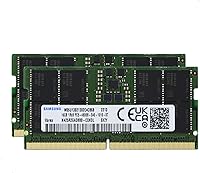
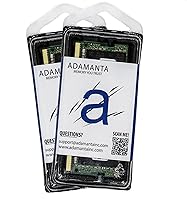
The Samsung 32GB DDR5 4800MHz SODIMM Laptop RAM is, despite the Adamanta label on the box, a genuine Samsung-manufactured kit — and that distinction matters. Adamanta acts as the retail brand, but the chips themselves carry Samsung's own markings, which should put skeptical buyers at ease. This is a DDR5 upgrade, meaning it targets laptops built on platforms that require the newer standard, not a drop-in replacement for DDR4 machines. At 32GB total, it makes a real difference for users stepping up from 8GB or 16GB of stock memory. One thing worth setting straight: 4800MHz is the baseline JEDEC specification for DDR5, not a premium or overclocked tier.
Features & Benefits

Running as a dual-channel pair, these two 16GB modules deliver noticeably better memory bandwidth than a single 32GB stick would — something that shows up in sustained workloads more than in quick benchmarks. The 1.1v operating voltage sits below DDR4 norms, which helps keep thermals manageable during extended laptop use. CL40 latency sounds high on paper, but that number is proportionally normal for DDR5 at 4800MHz; in everyday multitasking, the difference is negligible. The non-ECC, unbuffered design keeps this DDR5 SODIMM kit compatible with the widest range of consumer laptops. One spec worth checking before buying: this is a single-rank 1Rx8 configuration, and a small number of platforms handle that differently — a quick QVL lookup takes care of it.

Best For

This laptop memory upgrade is a natural fit for anyone doing serious work on a configurable machine — think content creators exporting 4K timelines in DaVinci Resolve, developers juggling Docker containers alongside a heavy IDE, or professionals who simply cannot afford memory-related slowdowns mid-session. It also suits gamers on DDR5-capable laptops hitting CPU-bound ceilings with less than 16GB installed. The one firm requirement: two accessible SODIMM slots. Laptops with soldered memory cannot use this kit at all, and plenty of current thin-and-light models fall into that category. Before ordering, confirm slot availability through your laptop's service manual or a reliable teardown resource — that check alone prevents most return headaches.

User Feedback

Across verified buyer reviews, the 32GB DDR5 module pair earns consistent marks for straightforward installation and stable post-install performance — most compatible laptops recognize the full 32GB at the correct speed without manual BIOS adjustment. The recurring sticking point is compatibility: a meaningful number of buyers hit issues on specific models, which reinforces why checking the manufacturer's qualified vendor list is worth doing before you order. The Adamanta branding does create initial hesitation for some, though most doubts evaporate once buyers spot Samsung's own markings on the chips. There are also scattered reports of speed not engaging automatically on platforms requiring manual XMP or EXPO profile activation. Packaging appears solid, with modules generally arriving well-protected.

Pros

  • Genuine Samsung-manufactured chips provide reliable provenance despite the third-party Adamanta retail branding.
  • The dual-channel 2x16GB configuration delivers meaningfully better memory bandwidth than a single 32GB module.
  • 1.1v operating voltage runs cooler and draws less power than typical DDR4 kits, a real advantage in battery-sensitive laptops.
  • Non-ECC, unbuffered design ensures broad compatibility across mainstream consumer laptop platforms.
  • Most compatible laptops recognize the full 32GB at the correct speed without any manual BIOS intervention.
  • The 262-pin SODIMM form factor fits modern Intel 12th and 13th Gen and AMD Ryzen 6000 and 7000 series platforms cleanly.
  • Installation is straightforward for anyone comfortable opening their laptop — no tools beyond a screwdriver are typically needed.
  • Packaging has generally been reported as adequate, with modules arriving without physical damage in most buyer accounts.
  • For workloads that scale with available memory — rendering, virtualization, large datasets — the capacity jump from 16GB to 32GB is tangible.

Cons

  • Adamanta branding creates genuine buyer hesitation; verifying Samsung chip markings post-install should not be a necessary reassurance step.
  • Single-rank 1Rx8 topology causes compatibility problems on a small but real subset of laptop platforms — a QVL check is not optional.
  • Some users report the memory speed does not engage automatically, requiring manual XMP or EXPO profile activation in the BIOS.
  • DDR5 4800MHz is baseline spec, so users upgrading from healthy DDR4 systems may notice less real-world improvement than expected.
  • No compatibility guarantee without checking your specific laptop model against a qualified vendor list, which adds friction to the buying process.
  • Not useful for casual users or anyone running light workloads — the upgrade cost is only justified by memory-intensive use cases.
  • Soldered-RAM laptops, which include a large share of current thin-and-light models, cannot use this kit under any circumstances.
  • There is no included installation guide or platform compatibility reference in the box, leaving first-time upgraders to research independently.

Ratings

Our AI rating engine analyzed thousands of verified global purchases of the Samsung 32GB DDR5 4800MHz SODIMM Laptop RAM, actively filtering out incentivized reviews, duplicate submissions, and bot-generated feedback to surface what real upgraders actually experienced. The scores below reflect a transparent composite of genuine praise and recurring frustrations — nothing is softened or inflated. Where this kit earns trust, the data shows it clearly; where buyers have hit walls, that is reflected just as honestly.

Platform Compatibility
71%
29%
On confirmed-compatible platforms — modern Intel 12th and 13th Gen and AMD Ryzen 6000 and 7000 series laptops with accessible SODIMM slots — the kit installs cleanly and is recognized without issue. Buyers who did their homework on slot availability and DDR5 support before ordering reported zero problems getting up and running.
Compatibility is the single most common source of frustration in user feedback. A meaningful share of buyers discovered too late that their laptop had soldered memory, an unsupported DDR5 variant, or a platform that behaves unpredictably with single-rank 1Rx8 modules specifically. The lack of a bundled compatibility lookup tool compounds this problem.
Installation Ease
84%
Users with prior RAM upgrade experience consistently describe the physical installation as quick and clean — standard SODIMM insertion, no exotic tools required. On compatible laptops, the BIOS detects both modules at the correct speed on the first boot in the majority of reported cases, which makes the whole process feel reassuringly simple.
A subset of buyers needed to enable XMP or EXPO profiles manually in the BIOS to hit 4800MHz, which is a minor but unexpected step for those who assumed everything would be automatic. A few also reported that the SODIMM slots on newer laptops require firmer insertion pressure than they anticipated, causing brief panic before the modules clicked into place.
Performance Stability
88%
Once correctly installed and profiled, this laptop memory upgrade runs rock-solid for the overwhelming majority of buyers. Long sessions in DaVinci Resolve, sustained VM workloads, and extended gaming sessions all came back with positive stability reports — no random reboots, no memory errors flagged in diagnostic tools, no throttling complaints.
A small number of users on edge-case platforms reported intermittent instability that only resolved after a BIOS update from their laptop manufacturer, meaning the kit itself was fine but the firmware lagged behind the hardware. These cases are platform-specific rather than a reflection of the modules themselves, but they are worth noting.
Speed & Bandwidth
76%
24%
Running in dual-channel mode, the 32GB DDR5 module pair delivers genuinely improved memory bandwidth compared to a single-channel or DDR4 setup, which shows up in rendering throughput, large file operations, and memory-bound computational tasks. Buyers doing video work or data processing noticed faster scrubbing and shorter export queues.
Buyers expecting a dramatic speed leap from DDR4 on everyday tasks were often underwhelmed, and rightfully so — 4800MHz is the baseline DDR5 spec, not a performance tier. Real-world gains are workload-dependent, and for general productivity or casual gaming, the difference versus a well-tuned DDR4 system is subtle rather than transformative.
Brand Trust & Chip Authenticity
79%
21%
The underlying Samsung chip provenance is a genuine reassurance for buyers who dig into the details. Once installed, the Samsung markings on the physical modules consistently matched what buyers expected, and benchmark results aligned with authentic Samsung DDR5 behavior — not a third-party chip with a misleading label.
The Adamanta retail branding creates a credibility gap that Samsung-direct branding would not. Several buyers admitted they hesitated or almost cancelled their order due to unfamiliarity with the Adamanta name, and the product listing does not make the Samsung OEM relationship immediately obvious — a transparency issue that costs the product unnecessary trust friction.
Value for Money
73%
27%
For buyers with a specific high-memory workload — rendering, virtualization, large dataset analysis — the upgrade cost is justified by the productivity gain, and the dual-channel configuration means you are getting genuine bandwidth improvement alongside the capacity bump. The Samsung chip quality also supports a longer useful life than budget-tier alternatives.
For users without a concrete, memory-constrained use case, the value proposition weakens considerably. DDR5 at this spec level carries a price premium over DDR4 that does not translate to proportional real-world gains in typical workloads, and buyers who upgraded out of habit rather than necessity often felt the expense was not fully earned.
BIOS & Profile Recognition
74%
26%
The majority of compatible laptops detect both modules immediately and report the correct 4800MHz speed without any user intervention, which makes for a satisfying out-of-box experience. On platforms with mature DDR5 firmware, the kit behaves exactly as advertised from the first boot.
On some platforms, the system defaults to a lower JEDEC sub-profile — sometimes as low as 4000MHz — until the user manually selects the correct XMP or EXPO entry in advanced BIOS settings. This is not a module defect, but buyers who are not comfortable navigating BIOS menus may not realize their memory is not running at full speed.
Thermal & Power Efficiency
83%
The 1.1v operating voltage is a meaningful step down from DDR4 norms, and several buyers with thermally tight laptops noted that memory-related heat was a non-issue even under sustained workloads. Battery life impact from the new kit was described as negligible in most portable-use scenarios.
The efficiency advantage is real but subtle — users hoping for dramatically cooler operation or significantly extended battery runtime under load will find the gains modest. The improvement is most relevant for thin-and-light designs where thermal headroom is already constrained, and less meaningful for larger, actively cooled machines.
Packaging & Arrival Condition
77%
23%
Most buyers reported that modules arrived in acceptable condition with basic anti-static protection in place, and damage-on-arrival cases appear to be the exception rather than the rule. The packaging is functional and keeps the modules secure during standard shipping conditions.
Feedback on packaging is mixed enough to keep this score from climbing higher. A portion of buyers felt the ESD protection was minimal compared to what direct-brand RAM kits typically include, and a few noted that the outer packaging showed transit wear that made them nervous before they confirmed the modules inside were undamaged.
Documentation & Support
58%
42%
For experienced upgraders who already know how to verify compatibility, install SODIMMs, and navigate BIOS settings, the lack of extensive documentation is not a practical obstacle. The straightforward nature of the physical installation means most confident buyers get through the process without consulting any included materials.
There is no meaningful installation guide, compatibility reference, or platform-specific advice included in the box or readily accessible from Adamanta. Buyers who hit issues — a missed BIOS profile, a partially recognized module, a slot seating question — largely had to solve problems through third-party forums rather than any direct seller support resource.
Capacity Adequacy
91%
32GB is genuinely the right target capacity for the power-user laptop market in this cycle. Buyers running Premiere Pro with multiple streams open, developers context-switching between a dozen browser tabs and a local server stack, and gamers running Discord alongside demanding titles all reported that memory pressure effectively disappeared after the upgrade.
For users with especially demanding professional workloads — large 3D scene files, very deep machine learning pipelines, or extreme multi-VM environments — 32GB can still feel constrained over time. These are edge cases, but they are worth acknowledging for buyers who might need to revisit capacity again sooner than expected.
Dual-Channel Configuration
86%
The 2x16GB pairing is set up correctly for dual-channel operation right out of the box, and buyers who verified it was running in dual-channel mode via BIOS or a diagnostic tool confirmed the bandwidth advantage over single-module configurations. This is the right way to build a 32GB kit and buyers noticed the difference in bandwidth-sensitive tasks.
Dual-channel only activates when both modules are seated in the correct paired slots — a detail that is not always obvious to less experienced users. A handful of buyers installed both sticks but placed them in non-paired slots, unknowingly running in single-channel mode until a forum post or diagnostic tool flagged the configuration.
Upgrade Longevity
82%
18%
DDR5 is the current and forward-looking standard for modern laptop platforms, so buyers investing in this kit are aligning with the memory ecosystem that will remain relevant across the next hardware generation. Samsung chip quality historically correlates with consistent long-term reliability under normal operating conditions.
Buyers on early DDR5 laptop platforms may find that future flagship laptops move toward higher DDR5 speeds, making 4800MHz feel dated sooner than the hardware itself wears out. This is a generational platform consideration rather than a product defect, but it is a realistic factor for buyers thinking in multi-year upgrade cycles.

Suitable for:

The Samsung 32GB DDR5 4800MHz SODIMM Laptop RAM is purpose-built for users who already know their laptop supports DDR5 and have confirmed two accessible SODIMM slots — this is not a speculative purchase, it is a deliberate capacity upgrade. Content creators working in DaVinci Resolve or Adobe Premiere will feel the difference most when scrubbing through large timelines or rendering multiple streams without hitting a memory ceiling. Software developers running Docker containers, virtual machines, or memory-hungry IDEs like IntelliJ or Visual Studio will similarly find 32GB a more comfortable working baseline than the 8GB or 16GB kits most laptops ship with. Gamers on DDR5-capable platforms who are hitting CPU-bound frame rate limits with insufficient RAM also stand to benefit in titles sensitive to memory bandwidth. Students and professionals who bought a configurable machine — a ThinkPad, Dell XPS, or ASUS ProArt — and want to extend its productive life without replacing the entire system will find this laptop memory upgrade a cost-effective path forward.
Not suitable for:

The Samsung 32GB DDR5 4800MHz SODIMM Laptop RAM is a hard pass for anyone whose laptop uses soldered memory — which includes most ultrabooks and thin-and-light designs from the past few years — since no amount of effort will make this kit fit where there are no physical slots. It is equally irrelevant to DDR4 platforms; DDR5 and DDR4 are electrically and physically incompatible, so this is not a cross-generation upgrade option. Buyers chasing maximum performance should also temper expectations: 4800MHz is the base JEDEC spec for DDR5, and real-world gains over a healthy DDR4 system depend heavily on workload type — casual browsing or office work will not justify the upgrade at all. Users on platforms with known compatibility friction around single-rank 1Rx8 modules should verify their laptop's qualified vendor list before buying, as some systems have shown instability with this topology. Finally, anyone expecting automatic XMP or EXPO profile activation may need to manually enable it in the BIOS, which is a minor but occasionally frustrating step on certain platforms.

Specifications

  • Total Capacity: The kit provides 32GB of total memory, split across two 16GB modules for dual-channel operation.
  • Memory Type: Uses DDR5 SODIMM technology, the fifth generation of double data rate memory designed specifically for laptops and compact systems.
  • Speed: Operates at 4800MHz (PC5-38400), which is the baseline JEDEC-standard clock speed for DDR5 consumer memory.
  • Latency: CL40 (CAS latency 40) is the rated timing, which is proportionally standard for DDR5 at this speed grade.
  • Voltage: Runs at 1.1v, lower than the typical 1.2v–1.35v range of DDR4 modules, which marginally reduces heat output and power draw.
  • Pin Count: Each module uses a 262-pin edge connector, the standard for DDR5 SODIMM — physically incompatible with DDR4 slots.
  • Module Rank: Single-rank (1Rx8) configuration; buyers should verify their specific laptop platform handles 1Rx8 topology correctly before purchasing.
  • ECC Support: Non-ECC (no error-correcting code), which is standard for consumer laptop memory and required for compatibility with mainstream platforms.
  • Buffering: Unbuffered (UDIMM-class), meaning the memory controller communicates directly with the chips without a register buffer in between.
  • Chip Manufacturer: Memory chips are manufactured by Samsung, sold under the Adamanta retail brand — the Samsung origin is identifiable by chip markings on the modules.
  • Form Factor: SODIMM (Small Outline Dual Inline Memory Module), the standard laptop memory form factor, measuring 2.75 x 1.2 x 0.2 inches per module.
  • Module Weight: Each individual module weighs 0.634 ounces, typical for a standard SODIMM PCB with surface-mounted DDR5 chips.
  • Platform Fit: Compatible with Intel 12th and 13th Gen and AMD Ryzen 6000 and 7000 series DDR5 laptop platforms that accept SODIMM modules.
  • Channel Config: Designed to run in dual-channel mode when both modules are installed in the correct paired slots, improving memory bandwidth over single-channel.
  • Release Date: First made available in December 2022, coinciding with the broader market rollout of DDR5 SODIMM upgrades for consumer laptops.

Related Reviews
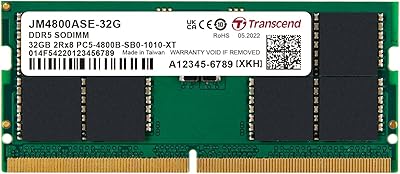
Transcend 32GB DDR5 4800MHz SO-DIMM Laptop RAM
84%
93%
Installation Experience
81%
Compatibility Range
89%
System Stability
78%
Value for Money
74%
Real-World Performance
More
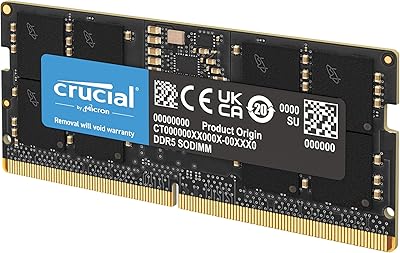
Crucial 8GB DDR5 4800MHz SODIMM Laptop RAM
89%
91%
Performance Boost
88%
Installation Ease
94%
Compatibility with Intel 12th Gen & AMD Ryzen 7000
85%
Power Efficiency
90%
Multitasking Support
More
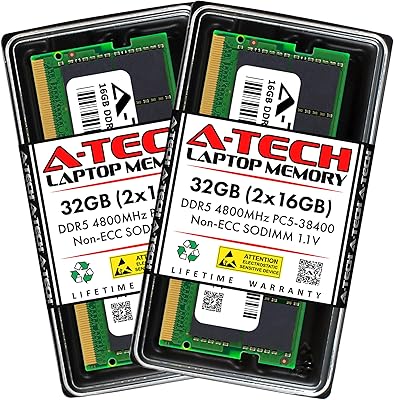
A-Tech 32GB DDR5 4800MHz Laptop RAM Kit
87%
92%
Performance Boost
95%
Ease of Installation
89%
Energy Efficiency
84%
Compatibility
91%
Value for Money
More
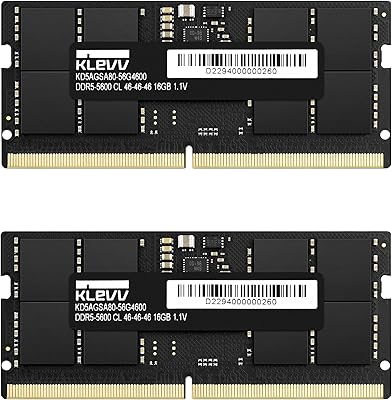
KLEVV DDR5 32GB (2x16GB) 5600MHz SODIMM Laptop RAM
88%
94%
Performance for Gaming
91%
Speed and Responsiveness
87%
Compatibility with Laptops
88%
Energy Efficiency
89%
System Stability
More
TEAMGROUP Elite SODIMM DDR5 32GB (2x16GB) 4800MHz Laptop Memory
88%
91%
Performance
88%
Energy Efficiency
85%
Ease of Installation
92%
Speed and Responsiveness
84%
Compatibility with Laptops
More
fanxiang SD05 64GB DDR5 SODIMM Laptop RAM
76%
91%
Value for Money
93%
Installation Ease
84%
Stability & Reliability
79%
Performance at Rated Speed
58%
Brand Trust & Reputation
More
fanxiang SD05 64GB DDR5 SODIMM RAM
77%
88%
Value for Money
91%
Installation Ease
83%
BIOS Compatibility
84%
System Stability
93%
Memory Capacity
More
DATO 32GB DDR5 4800MHz Desktop RAM
71%
74%
Value for Money
88%
Installation Ease
79%
System Stability
71%
Memory Speed
63%
Latency Performance
More
Adamanta 16GB DDR5 5600MHz SODIMM Laptop RAM
78%
88%
Value for Money
74%
Compatibility
91%
Installation Ease
83%
Performance Gain
87%
Silicon Quality
More
Corsair Vengeance 32GB DDR5 SODIMM RAM
84%
93%
Overall Reliability
91%
Installation Experience
88%
Speed & Auto-Configuration
84%
Real-World Performance Gain
79%
Compatibility Range
More

FAQ

The Samsung 32GB DDR5 4800MHz SODIMM Laptop RAM is sold under the Adamanta brand, but the memory chips themselves are genuinely manufactured by Samsung. Once installed, you can confirm the chip origin by the markings printed directly on the modules. Adamanta is the retail seller, not the chip fabricator.

Start by confirming your laptop uses a DDR5 platform — DDR4 machines will not accept this kit at all, as the notch position and pin count differ. Next, check whether your specific model has two user-accessible SODIMM slots rather than soldered memory. Your laptop's service manual or a verified teardown resource will confirm both points. If your manufacturer publishes a qualified vendor list, checking this kit's part number against it is the safest final step.

On most compatible laptops, the memory is recognized at 4800MHz without any manual configuration. However, some platforms default to a lower speed and require you to enable an XMP or EXPO profile in the BIOS to reach the rated clock. It takes about thirty seconds to check and enable if needed — look for a memory profile option in your BIOS advanced settings.

It depends on your laptop manufacturer and region. In the US, the Magnuson-Moss Warranty Act generally protects consumers who upgrade user-serviceable components, meaning a manufacturer cannot void your entire warranty simply for installing new RAM. That said, some manufacturers design their warranties more narrowly, so reviewing your warranty terms before opening the back panel is worth a few minutes of your time.

DDR5 latency numbers look larger than DDR4 in raw figures, but the actual time delay in nanoseconds is comparable once you account for the higher clock speed. CL40 at 4800MHz translates to a similar real-world access time as something like CL16 at 3200MHz on DDR4. For typical multitasking and application workloads, you will not notice any perceptible latency difference.

Mixing is not recommended. Installing this DDR5 SODIMM kit alongside a different module — even another DDR5 stick — can result in the system defaulting to a slower speed, running in single-channel mode, or in some cases refusing to post at all. For the best results, use both modules from this kit together and remove any existing memory.

With two 16GB modules running in dual channel, the memory controller can access both sticks simultaneously, which roughly doubles the available memory bandwidth compared to a single module. This matters most in workloads like video rendering, large dataset processing, and some CPU-intensive games. A single 32GB stick would still give you the same capacity but only half the bandwidth throughput.

No. SODIMM modules are physically smaller than the DIMM format used in desktop motherboards, and the connectors are not interchangeable. This kit is designed exclusively for laptops, compact mini-PCs, and NUC-style systems that use the SODIMM form factor.

First, reseat both modules firmly to rule out a loose connection — DDR5 SODIMM slots can require more insertion pressure than DDR4. Then enter the BIOS to confirm the system detects both sticks in their respective slots. If only one module shows up, try swapping slots to test each module individually. A persistent recognition issue on an otherwise compatible platform may indicate a module defect, in which case contacting Adamanta for warranty support is the appropriate next step.

The answer depends almost entirely on what you do with your laptop. If you regularly run out of available RAM — evidenced by heavy disk paging, sluggish app switching, or slow render times — the jump to 32GB will be tangible and immediate. The DDR5 platform itself provides incremental bandwidth gains over DDR4, but those are workload-dependent and less dramatic than the capacity increase. For light users who primarily browse, write, and stream, the difference will be minimal.