Overview

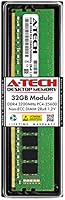
The A-Tech 32GB DDR4 3200MHz Desktop RAM is a no-nonsense memory upgrade aimed at everyday PC users who want more headroom without overthinking the purchase. A-Tech has carved out a reputation for building compatibility-first memory — modules that work reliably across a wide range of consumer motherboards rather than chasing benchmark bragging rights. This stick sits comfortably in the mid-range, offering solid capacity and dependable speed without the premium markup that flashier brands charge. If you need more RAM and want it to just work, this is the kind of module built with exactly that goal in mind.
Features & Benefits

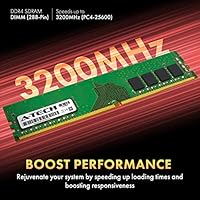
Running at 3200MHz, this A-Tech RAM module hits a practical speed that handles productivity workloads, video editing, and general multitasking without requiring any manual BIOS fiddling. The non-ECC unbuffered design keeps it compatible with the vast majority of consumer desktop boards, and the dual-rank layout (2Rx8) can deliver a small but real performance edge over single-rank alternatives. It runs at the JEDEC-standard 1.2V, so your system should recognize and run it at rated speed right out of the box. Capping it all off, the lifetime warranty adds a layer of confidence that many competing modules at this price simply don't offer.

Best For

This 32GB DDR4 stick makes the most sense for a few specific types of buyers. If you have an aging desktop that's choking on browser tabs, open applications, or light creative work, dropping this module in can breathe real life back into it. It's also a smart pick for home office builders who want a single-slot solution now with the option to add a second stick later. Content creators — video editors, developers juggling virtual machines, designers running multiple tools at once — will find 32GB a comfortable ceiling. Just don't buy this expecting overclocking headroom; it's built for reliable, stock-speed performance.

User Feedback

Across its reviews, this memory upgrade earns strong marks overall, with most buyers reporting hassle-free installation and immediate system recognition right out of the box. Daily stability is rarely a complaint. Where issues do surface, they almost always trace back to system-specific compatibility — certain older motherboards or budget chipsets that struggle with 3200MHz modules from any brand, not just A-Tech. A handful of users also note that getting XMP speeds may require a manual profile toggle in the BIOS. On the support side, A-Tech's customer service gets consistently favorable mentions. All told, this A-Tech RAM module holds up as a reliable everyday performer for standard desktop use.

Pros

  • Single 32GB stick leaves a DIMM slot free for future dual-channel expansion without replacing existing RAM.
  • Runs at JEDEC standard voltage out of the box, so most systems recognize it instantly without manual configuration.
  • Non-ECC unbuffered design makes it broadly compatible with the vast majority of consumer desktop motherboards.
  • Dual-rank layout can offer a subtle real-world performance edge over comparable single-rank modules.
  • Lifetime warranty is a genuine rarity at this price tier and adds meaningful long-term confidence.
  • A-Tech customer support receives consistently positive feedback from buyers who needed help post-purchase.
  • Stable daily performance is the most repeated praise across user reviews — it works and keeps working.
  • Clean, no-frills design means you pay for memory capacity, not branding or lighting features.
  • 3200MHz speed is a dependable middle ground that suits productivity, creative, and general gaming workloads equally well.

Cons

  • Third-party RAM always carries some compatibility risk; checking your motherboard QVL list before buying is essential.
  • No XMP profile support means getting rated speeds on some boards requires a manual BIOS adjustment.
  • A-Tech is a lesser-known brand, which may give pause to buyers who prefer established names like Corsair or Kingston.
  • Single-module purchase means you forgo dual-channel bandwidth benefits unless you buy a second stick separately.
  • No heatspreader means thermals under sustained heavy loads are entirely dependent on your case airflow.
  • Timings are standard CL22, which lags behind premium kits with tighter latency at the same speed rating.
  • Limited retail availability means most buyers are dependent on a single channel if a warranty replacement is needed quickly.

Ratings

The scores below for the A-Tech 32GB DDR4 3200MHz Desktop RAM were generated by AI after analyzing verified buyer reviews from multiple global markets, with spam, bot-submitted, and incentivized feedback actively filtered out. The result is a candid, data-driven picture of where this memory upgrade genuinely delivers and where real users have run into frustration. Both the standout strengths and the recurring pain points are reflected transparently in every category score.
Installation Ease
91%
The vast majority of buyers report sliding this stick in and booting straight into Windows without touching the BIOS at all. For users upgrading a family desktop or a home office machine for the first time, that kind of frictionless experience is genuinely valuable and repeatedly called out in reviews.
A subset of users on certain AMD Ryzen boards found the system booted at a reduced speed until they manually enabled a memory profile in the BIOS. It is a minor hurdle, but for true first-timers it can be unexpectedly confusing.
System Compatibility
74%
26%
This memory upgrade works reliably across a broad range of Intel and AMD consumer platforms, and most buyers with mainstream mid-range motherboards report zero compatibility issues out of the box. The non-ECC unbuffered spec keeps it eligible for virtually every desktop consumer board on the market.
Compatibility complaints, while a minority, are the single most common source of negative reviews. A handful of older or budget motherboards have struggled to POST correctly with this module, and the absence of a widely published QVL listing means buyers are doing compatibility research on their own.
Performance at Rated Speed
83%
Running at 3200MHz in day-to-day tasks — browser-heavy workflows, light video editing, or keeping a dozen apps open simultaneously — users consistently note that system responsiveness feels meaningfully improved compared to their old 8GB or 16GB configurations. The dual-rank layout adds a quiet, real edge in sustained workloads.
This module is not built for enthusiasts chasing peak benchmark numbers. Users coming from premium kits with tighter CL16 or CL18 timings will notice that CL22 leaves some latency on the table, and there is no headroom for pushing clocks beyond the rated speed.
Value for Money
86%
Buyers repeatedly point out that getting 32GB on a single stick, with a lifetime warranty attached, at this price tier is genuinely hard to argue with. For home office upgraders and students building their first capable PC, the cost-per-gigabyte ratio is considered very strong relative to branded alternatives.
Savvy shoppers occasionally find matched dual-channel kits from established brands at comparable total prices, which makes the single-module pricing feel less exceptional when dual-channel bandwidth benefits are factored in. The value story is strongest when you specifically need a single-stick solution.
Long-term Reliability
82%
18%
Users who have been running this memory upgrade for a year or more consistently describe it as rock-solid, with no crashes, blue screens, or memory errors during extended daily use. The stability track record reported across reviews is one of the module's most reassuring qualities for cautious buyers.
Because A-Tech is not a Tier 1 brand with the same public chip-sourcing transparency as Corsair or Kingston, a small number of buyers expressed lingering uncertainty about long-term die quality. Actual failure reports are rare, but the brand perception gap is real for some users.
Warranty & Support
88%
The lifetime warranty is one of the few areas where A-Tech clearly outpaces similarly priced competitors, and buyers who needed to contact support describe the experience as responsive and human. Several reviewers specifically mention that getting a replacement or a pre-purchase compatibility answer was handled quickly.
The warranty claim process is not instantaneous — users needing a fast turnaround replacement found that shipping a defective module back before receiving a new one created a gap in their system uptime. There is no advance replacement option noted by buyers.
BIOS-Free Operation
79%
21%
For the majority of Intel-based desktop platforms, this memory module clocks in at 3200MHz without any user intervention, which makes the upgrade process genuinely approachable for non-technical users who have never opened a BIOS screen.
AMD platform users are more frequently required to enable DOCP or XMP manually to reach rated speed, and a few buyers on entry-level B450 motherboards reported instability at 3200MHz that required dropping to 2933MHz for stable operation. It is platform-dependent, not universal.
Physical Build Quality
71%
29%
The module feels solid in hand and seats firmly in the DIMM slot with a satisfying click. Without a heatspreader adding bulk, it clears even taller CPU coolers without clearance issues, which is a practical benefit in tighter mid-tower builds.
The bare PCB design with no heatspreader leaves some buyers feeling the module looks unfinished, particularly in glass-panel cases where aesthetics matter. It is purely a cosmetic concern, but buyers who care about the look of their build components may find it underwhelming.
Thermal Performance
77%
23%
Under typical daily workloads — office applications, web browsing, streaming, moderate gaming — this memory upgrade runs cool without any active cooling. Most users in well-ventilated mid-towers report no thermal issues whatsoever during sustained use.
In compact cases with restricted airflow, or during sustained rendering workloads that hammer the memory controller continuously, the lack of a heatspreader means heat dissipation relies entirely on ambient case airflow. It is not a common complaint, but it is worth noting for SFF builders.
Packaging & Delivery Condition
84%
Buyers generally report that this memory module arrives well-protected in anti-static packaging, with no physical damage or bent pins noted in the vast majority of reviews. The presentation is functional rather than premium, which matches the product's practical positioning.
A small number of buyers noted that the packaging was minimal enough that heavily mishandled shipments occasionally resulted in cosmetic scuffs on the PCB edge. No electrical damage was reported in these cases, but the lack of a rigid outer shell is a mild concern for some.
Multitasking Headroom
89%
32GB in a single stick gives users genuine breathing room for heavy multitasking — running virtual machines alongside a full browser session, or keeping Premiere Pro open while managing project files — without the system slowing to a crawl. Content creators and developers cite this as the most tangible day-one benefit.
Users who hoped 32GB would cure all performance bottlenecks occasionally found that their slower CPU or storage was the actual limiting factor. RAM capacity alone does not improve performance if another component is the real constraint, and a few reviews reflect that disappointment.
Brand Recognition & Trust
66%
34%
Buyers who had done their homework on A-Tech generally came in with appropriate expectations and were rewarded with a reliable module. The brand has built a functional reputation in the compatible memory space, and the lifetime warranty has helped win over skeptical first-time buyers.
A-Tech does not carry the instant trust that Corsair, Kingston, or G.Skill carry with experienced PC builders, and that perception gap does real work against the product in communities where brand pedigree matters. Some buyers admitted they almost did not purchase solely due to brand unfamiliarity.
Dual-Channel Expandability
81%
19%
Buying a single 32GB stick rather than a dual-channel kit is a deliberate and sensible strategy for users who want to leave a second slot available for a future upgrade. If your budget later allows for a matched second module, moving to 64GB dual-channel is a straightforward next step.
Running a single module means forgoing dual-channel bandwidth right now, which has a measurable impact in memory-bandwidth-sensitive tasks like GPU-accelerated rendering or certain simulation workloads. Buyers who need peak bandwidth from day one should start with a matched kit instead.

Suitable for:

The A-Tech 32GB DDR4 3200MHz Desktop RAM is a strong fit for anyone who needs a meaningful capacity boost without spending hours researching compatibility charts or tweaking BIOS settings. It's particularly well-suited to home office users running multiple browser tabs, cloud applications, and collaboration tools simultaneously — workloads where 8GB or 16GB starts to feel genuinely limiting. Content creators who edit video, work in Lightroom, or run demanding development environments will appreciate having 32GB in a single slot, leaving a second DIMM slot open for a future upgrade. Students building their first capable desktop on a careful budget will find this memory upgrade punches well above what the bare minimum options offer. The lifetime warranty also makes it a reasonable long-term investment for anyone who plans to keep their machine running for several years rather than upgrading constantly.
Not suitable for:

The A-Tech 32GB DDR4 3200MHz Desktop RAM is not the right choice for enthusiasts who plan to push their memory beyond rated speeds through manual overclocking, since this module is built to JEDEC standards rather than XMP headroom. Gamers chasing the absolute highest frame rates in bandwidth-sensitive titles may find that premium kits with tighter timings and higher sustained speeds offer a more tangible edge. Users running servers, professional workstations, or any system that requires error-correcting memory should look elsewhere, as this is a non-ECC module by design. Buyers with older motherboards that cap out below 3200MHz or have strict single-rank memory requirements should double-check their manual before purchasing, since incompatibilities — while not common — do occur with third-party RAM on finicky platforms. Finally, anyone expecting RGB lighting or a heatspreader for aesthetic builds will need to look at other brands.
Specifications

  • Brand: This memory module is manufactured by A-Tech, a brand specializing in compatible replacement and upgrade RAM for consumer desktop and workstation systems.
  • Model Number: The official model number for this module is AT32G1D4D3200ND8N12V.
  • Capacity: This is a single 32GB DDR4 SDRAM module, providing substantial memory headroom for multitasking, content creation, and general desktop use.
  • Memory Type: The module uses DDR4 SDRAM technology, the current mainstream standard for consumer desktop platforms.
  • Speed: It is rated at 3200MHz (PC4-25600, also designated PC4-3200AA), a widely supported and practical speed for everyday desktop workloads.
  • Form Factor: The stick uses a 288-Pin DIMM form factor, which is standard for DDR4 desktop memory and incompatible with laptop (SO-DIMM) slots.
  • Rank Configuration: This module is dual-rank (2Rx8), meaning it uses both sides of the PCB to address memory, which can offer a marginal throughput advantage over single-rank alternatives.
  • ECC Type: It is Non-ECC Unbuffered, making it compatible with the overwhelming majority of consumer-grade desktop motherboards and incompatible with server platforms requiring ECC memory.
  • Voltage: The module operates at 1.2V, which is the JEDEC-standard DDR4 voltage, ensuring automatic compatibility without manual voltage adjustments in the BIOS.
  • Dimensions: Physical dimensions measure 5.25 x 1.23 x 0.15 inches, consistent with standard full-height DDR4 DIMM sizing.
  • Weight: The module weighs 1.13 ounces, with no heatspreader attached, keeping the profile compact and compatible with most CPU cooler clearances.
  • Compatible Platforms: Designed for use in 288-Pin DDR4-compatible desktop PCs and workstations; compatibility with a specific motherboard should always be verified against the board manufacturer's memory support list.
  • Warranty: A-Tech backs this module with a lifetime warranty, covering defects in materials and workmanship for the life of the product.
  • ASIN: The Amazon Standard Identification Number for this module is B08X6TFJY5.
  • Release Date: This module was first made available for purchase in February 2021.

Related Reviews
A-Tech 32GB DDR4 2133MHz Desktop RAM
79%
88%
Value for Money
94%
Installation Ease
69%
Compatibility
86%
Stability & Reliability
61%
Memory Speed
More
A-Tech 128GB DDR4 3200MHz Desktop RAM Kit
87%
92%
Performance
88%
Installation Ease
81%
Compatibility with Systems
90%
Reliability and Stability
85%
Build Quality
More
D DUOMEIQI 32GB Kit DDR4 3200MHz Desktop RAM
87%
91%
Performance for Gaming
88%
Ease of Installation
85%
System Compatibility
92%
Value for Money
87%
Multitasking & Productivity Performance
More
A-Tech 32GB DDR4 2666MHz Desktop RAM Kit
81%
88%
Value for Money
71%
Compatibility
93%
Ease of Installation
82%
Performance Improvement
84%
Build Quality
More
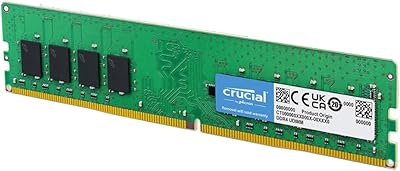
Crucial 16GB DDR4 3200MHz Desktop RAM
78%
93%
Ease of Installation
88%
Compatibility Range
79%
Real-World Performance
91%
Long-Term Reliability
74%
Value for Money
More
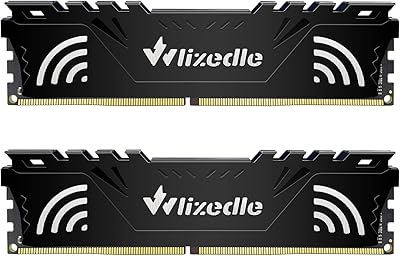
Wlizedle DDR4 3200MHz 32GB Desktop RAM Kit

79%
91%
Value for Money
88%
Installation Ease
74%
XMP & BIOS Compatibility
83%
System Performance Impact
81%
Thermal Performance
More
TEAMGROUP T-Create Expert 32GB DDR4 Desktop RAM
81%
93%
Overall Stability
88%
XMP Compatibility
79%
Thermal Performance
91%
Build Quality
74%
Value for Money
More
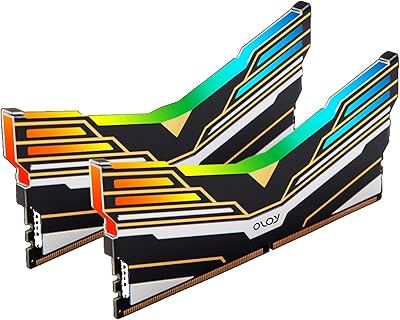
OLOy Warhawk DDR4 32GB (2x16GB) 3200MHz RAM
88%
88%
Performance
91%
RGB Lighting
89%
Installation Ease
78%
Overclocking Capability
86%
Power Efficiency
More
Timetec 16GB KIT DDR4 3200MHz Desktop RAM
81%
88%
Value for Money
93%
Installation Ease
82%
Compatibility
86%
Stability & Reliability
62%
Latency Performance
More
A-Tech 64GB DDR4 3200MHz SODIMM Laptop RAM
79%
78%
Compatibility
91%
Installation Ease
93%
BIOS Recognition
88%
Stability Under Load
74%
Performance Gains
More

FAQ

It depends on your specific board, so checking is worth the two minutes it takes. Look up your motherboard model on the manufacturer's website and find the memory compatibility or QVL list. If 288-Pin DDR4 DIMMs at 3200MHz are listed as supported, you should be in good shape. When in doubt, A-Tech's support team can also help verify before you buy.

For most users, no. This memory upgrade runs at 1.2V JEDEC standard, so your system should detect it and run it at rated speed automatically on boot. A small number of motherboards may default to a lower speed like 2133MHz for safety reasons, in which case enabling an XMP or DOCP profile in the BIOS will get you to 3200MHz. It is a quick toggle, not a deep dive.

You can, but there are a few things to keep in mind. Mixing RAM modules from different brands or with different specifications can sometimes cause instability. If your existing stick is also DDR4 3200MHz with matching timings, it is more likely to work well. Running matched pairs in dual-channel is generally the preferred approach for both compatibility and performance.

Yes, for most gaming scenarios it is a perfectly capable choice. 32GB at 3200MHz is more than enough for current titles, and the dual-rank configuration adds a slight edge in some workloads. If you are chasing competitive frame rates in extremely bandwidth-sensitive games, tighter-latency kits exist at a higher price, but for the vast majority of gamers this A-Tech RAM module delivers solid, stable performance.

No, this stick does not include a heatspreader or any additional cooling. For standard desktop use, RAM rarely runs hot enough to need one, and the bare PCB design keeps the module slim. Just make sure your case has reasonable airflow and you will not have any thermal concerns.

Dual-rank (2Rx8) means the memory chips are arranged on both sides of the module, and the memory controller can access them in an interleaved way. In practice, the real-world difference compared to a single-rank module is modest for most users — we are talking minor gains in certain memory-intensive tasks rather than a dramatic speed jump. It is a nice technical detail, but not something to stress over.

Generally yes, though AMD Ryzen platforms can occasionally be more finicky about third-party RAM than Intel systems. Most users report successful installation, but enabling the correct XMP or DOCP profile in the BIOS is often necessary to reach the rated 3200MHz on Ryzen boards. Checking the specific Ryzen motherboard's memory QVL list is the safest step before purchasing.

A-Tech covers this stick with a lifetime warranty, which means if the module itself turns out to be defective at any point, you can pursue a replacement through their support team. The warranty is on manufacturing defects, not physical damage, so as long as the module has not been physically mishandled, you have long-term protection.

Yes, installing desktop RAM is one of the most beginner-friendly hardware upgrades you can make. Power down your PC, ground yourself to avoid static discharge, locate the correct DIMM slot in your motherboard manual, and push the stick in until the retention clips click. No tools required beyond basic caution. There are plenty of short video guides online if you want a visual walkthrough.

This module is not sold as an XMP-certified kit, but it is rated at 3200MHz and will reach that speed on boards that allow you to set the memory frequency manually or via a profile. Some boards handle this automatically; others need a quick BIOS adjustment. If your board does not support memory profiles at all, it will simply run at its default supported speed.